How to Add a Background Watermark With the Pdfcrowd HTML-to-PDF API for PHP
Learn when to use Pdfcrowd backgrounds or watermarks, install the PHP client, handle multipage assets, and troubleshoot reliable PDF generation.

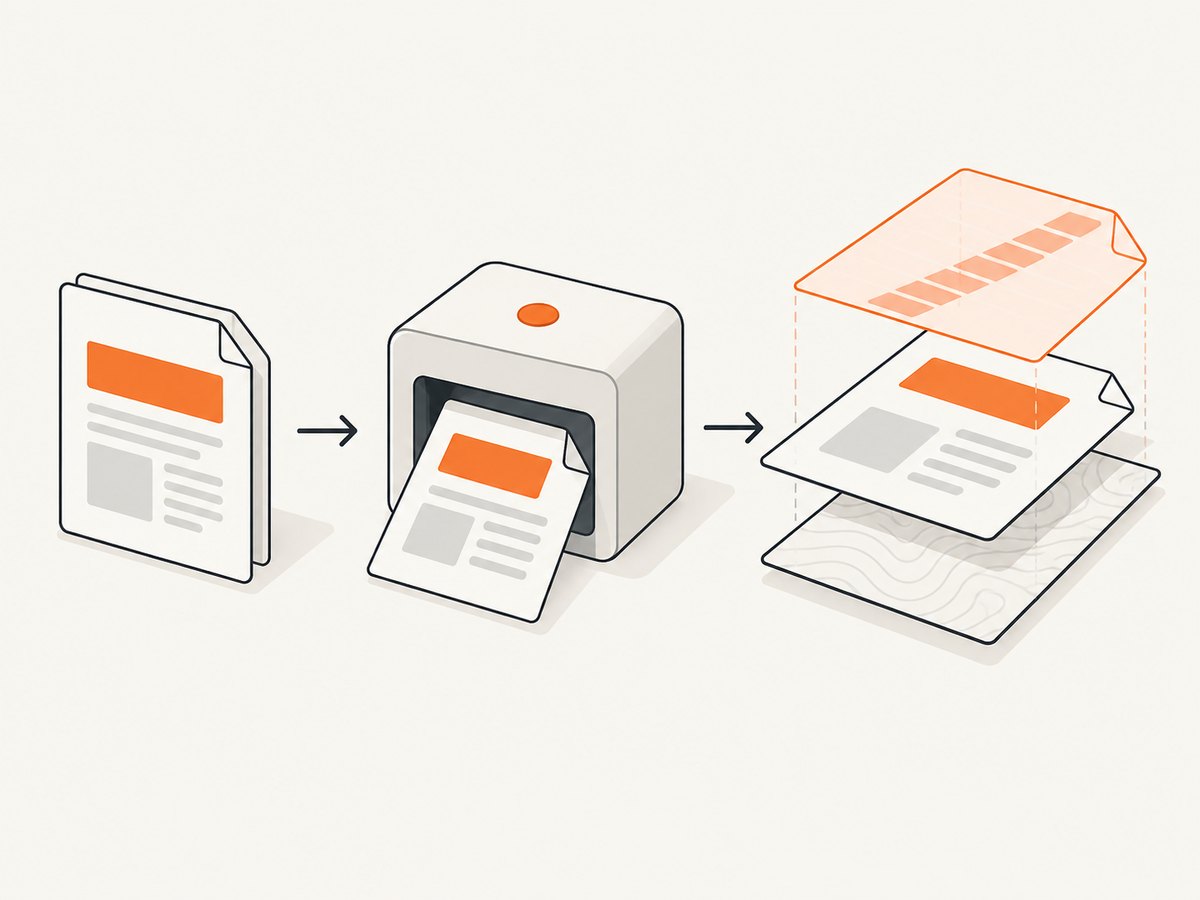
Pdfcrowd gives you two separate controls for artwork placed in an HTML-generated PDF:
- Background: artwork rendered beneath the HTML content.
- Watermark: artwork layered over the rendered content.
For a PHP application, install the official client with Composer, create an HtmlToPdfClient, select a local-file or HTTP(S) method, and convert your HTML. Use the ordinary method when one asset repeats on every page; use a multipage method when each output page needs its own source page. Pdfcrowd’s reference summarizes the layering rule as: “Backgrounds appear beneath content, while watermarks layer on top.” See the PHP reference for the current method signatures.
1. Install the Pdfcrowd PHP client
From your project directory, install the Composer package:
composer require pdfcrowd/pdfcrowdThe official guide displayed package version 6.7.0 when this research was collected on 2026-09-29. Treat that as a point-in-time observation: confirm the currently published version and method signatures before pinning a production dependency. Load Composer’s autoloader in every script that uses the client.
<?php
require __DIR__ . '/vendor/autoload.php';
The client converts URLs, local HTML files, and raw HTML strings. Keep the Pdfcrowd username and API key in environment variables or your secret manager rather than committing them to source control.
2. Choose background or watermark
| Requirement | Method family | Layer |
|---|---|---|
| Brand sheet, letterhead, or texture behind text | setPageBackground |
Behind HTML content |
| “DRAFT”, approval stamp, or logo over text | setPageWatermark |
Above HTML content |
| Different artwork on different output pages | setMultipageBackground or setMultipageWatermark |
Mapped by page |
Do not confuse these API methods with a CSS background property. CSS styles the HTML that Pdfcrowd renders. The page background and watermark methods add a separate PDF or image asset to the finished page.
3. Add one repeated local background
Use setPageBackground($path) when the same asset should appear beneath every output page. The local file must exist and must not be empty. If the asset is a multipage PDF or TIFF, Pdfcrowd uses its first page for each output page.
<?php
require __DIR__ . '/vendor/autoload.php';

$username = getenv('PDFCROWD_USERNAME');
$apiKey = getenv('PDFCROWD_API_KEY');

$client = new \Pdfcrowd\HtmlToPdfClient($username, $apiKey);
$client->setPageBackground(__DIR__ . '/assets/letterhead.pdf');

$html = '<!doctype html>
<html>
  <head>
    <meta charset="utf-8">
    <style>body { font-family: sans-serif; }</style>
  </head>
  <body>
    <h1>Quarterly report</h1>
    <p>This content is rendered above the background asset.</p>
  </body>
</html>';

$client->convertStringToFile($html, __DIR__ . '/output/report.pdf');
Use a transparent PNG when the asset is an image and should let the page color show through. A PDF background can contain a complete branded page, but check its page dimensions against the output format in your own documents.
4. Add one repeated watermark
Use setPageWatermark($path) for a foreground mark. This is suitable for a semi-transparent “DRAFT” image, a logo, or an approval stamp that must remain visible over the document.
<?php
require __DIR__ . '/vendor/autoload.php';

$client = new \Pdfcrowd\HtmlToPdfClient(
    getenv('PDFCROWD_USERNAME'),
    getenv('PDFCROWD_API_KEY')
);

$client->setPageWatermark(__DIR__ . '/assets/draft-watermark.png');
$client->convertStringToFile(
    '<html><body><h1>Proposal</h1><p>Review copy</p></body></html>',
    __DIR__ . '/output/proposal.pdf'
);
The first page of a watermark PDF is applied to every output page. For a multipage PDF or TIFF watermark, only the first source page is used by the ordinary method.
5. Use a remote HTTP(S) asset
When the background or watermark is hosted remotely, use the URL setter:
$client->setPageBackgroundUrl('https://cdn.example.com/letterhead.pdf');
// or
$client->setPageWatermarkUrl('https://cdn.example.com/draft.png');
The documented URL methods accept HTTP or HTTPS. Make sure the URL is reachable by Pdfcrowd’s service, does not require an interactive login, and returns the intended non-empty PDF or image. A private URL that only works inside your VPC will not be usable unless you expose it through an accessible, authenticated delivery design supported by your deployment.
6. Map different artwork to different pages
Use multipage methods when page one, page two, and later pages require different artwork:

$client->setMultipageBackground(__DIR__ . '/assets/background-pages.pdf');
$client->setMultipageWatermark(__DIR__ . '/assets/watermark-pages.pdf');
The source page at position one maps to output page one, source page two to output page two, and so on. If the source has fewer pages than the generated document, its last page repeats for subsequent output pages. The same behavior applies to setMultipageBackgroundUrl() and setMultipageWatermarkUrl().
This is useful for documents with a cover, a different interior template, and a closing page. It also prevents the common mistake of expecting setPageBackground() to advance through a multipage source.
7. Local file versus URL: validation checklist
- For local methods, check
is_file($path)andfilesize($path) > 0before conversion. - Use an absolute path derived from
__DIR__or a configured storage root. - For URL methods, use HTTPS where available and verify the response has the expected content type.
- Do not build a remote asset URL from untrusted user input without validating the allowed host.
- Keep source assets stable while a conversion is running; replacing a file mid-request can produce inconsistent output.
$path = __DIR__ . '/assets/letterhead.pdf';
if (!is_file($path) || filesize($path) === 0) {
    throw new RuntimeException('Background asset is missing or empty.');
}
$client->setPageBackground($path);
8. Complete production-oriented example
This example selects a background, validates it, renders raw HTML, and writes the PDF to a directory that already exists:
<?php
require __DIR__ . '/vendor/autoload.php';

function envRequired(string $name): string {
    $value = getenv($name);
    if ($value === false || $value === '') {
        throw new RuntimeException("Missing environment variable: {$name}");
    }
    return $value;
}

$background = __DIR__ . '/assets/brand-background.pdf';
if (!is_file($background) || filesize($background) === 0) {
    throw new RuntimeException('Expected a non-empty background PDF.');
}

$client = new \Pdfcrowd\HtmlToPdfClient(
    envRequired('PDFCROWD_USERNAME'),
    envRequired('PDFCROWD_API_KEY')
);
$client->setPageBackground($background);

$html = <<<'HTML'
<!doctype html>
<html>
<head>
  <meta charset="utf-8">
  <style>
    @page { margin: 24mm 18mm; }
    body { font-family: Arial, sans-serif; color: #222; }
    h1 { margin-top: 0; }
  </style>
</head>
<body>
  <h1>Invoice 1042</h1>
  <p>Thank you for your business.</p>
</body>
</html>
HTML;

$output = __DIR__ . '/output/invoice-1042.pdf';
$client->convertStringToFile($html, $output);
if (!is_file($output) || filesize($output) === 0) {
    throw new RuntimeException('Pdfcrowd did not produce a non-empty output file.');
}
The constructor and conversion calls above follow the official client pattern. Confirm the current guide and reference after upgrading the Composer package because signatures and available options can change between releases.
9. Troubleshooting common failures
| Symptom | Likely cause | Fix |
|---|---|---|
| “File not found” or a conversion error | The local path is relative, wrong, or deployed without the asset. | Resolve from __DIR__, log the final path, and verify it is readable and non-empty. |
| Background is invisible | The asset is transparent, outside the page area, or covered by an opaque HTML element. | Open the asset itself, check its dimensions and alpha channel, and remove opaque page layers while diagnosing. |
| Watermark appears behind text | The background method was selected accidentally. | Use setPageWatermark() or its URL/multipage equivalent. |
| Only one design repeats | An ordinary page method was used with a multipage source. | Switch to setMultipageBackground() or setMultipageWatermark(). |
| Remote asset fails while local conversion works | The service cannot reach the URL, the URL redirects unexpectedly, or access requires authentication. | Use an accessible HTTP(S) URL, verify redirects and content type, or use a local file. |
| Later pages use the wrong artwork | The source has fewer pages than the output. | Add enough source pages or account for the documented last-page repetition behavior. |
| Credentials error | Environment variables are missing or contain the wrong account values. | Check deployment secrets and never paste credentials into HTML, logs, or committed examples. |
10. Performance, reliability, and cost considerations
Asset size affects transfer and conversion work. A compressed PNG or appropriately optimized PDF background is usually easier to move and process than a needlessly large source. Multipage assets also add source pages that Pdfcrowd must read, so generate only the pages you need.
For reliable jobs, validate assets before calling the API, write output to a unique filename, and treat a successful method call as incomplete until the output file exists and is non-empty. Keep credentials and asset URLs in configuration, and record enough request context to identify which template and source asset produced a failed document.
Pdfcrowd pricing, quotas, latency, and retry behavior are account and service details. The supplied documentation does not provide a benchmark or uptime figure, so choose timeouts and retry policies from your application’s own requirements and the current Pdfcrowd account documentation. Avoid blindly retrying a request that may have produced a valid file; first check the destination and conversion status your integration exposes.
11. Or skip the browser setup
If your actual requirement is a clean visual capture of a web page rather than a PDF assembled with a PHP PDF client, ScreenshotNeo provides a single screenshot API request. You can still keep Pdfcrowd for document generation and use ScreenshotNeo for previews, visual checks, or page images.
Cookie and consent banners are accepted and removed before capture, along with more than 60 known consent platforms, newsletter popups, and chat widgets. Bot checks, blank pages, timeouts, failed loads, and cache hits are not billed, and the response identifies the result with X-Page-Verdict and X-Billed headers. ScreenshotNeo also provides an MCP server with take_screenshot, get_page_info, and capture_pdf tools for Claude, Cursor, and other MCP clients.
See the ScreenshotNeo API documentation for the current options. The following calls use the required API endpoint and target URL:
curl -G "https://api.screenshotneo.com/v1/shot" \
  -d access_key=YOUR_API_KEY \
  --data-urlencode url=https://stripe.com \
  -o shot.webp
import requests
r = requests.get(
"https://api.screenshotneo.com/v1/shot",
params={"access_key": "YOUR_API_KEY", "url": "https://stripe.com"},
timeout=90,
)
r.raise_for_status()
open("shot.webp", "wb").write(r.content)const q = new URLSearchParams({
access_key: 'YOUR_API_KEY',
url: 'https://stripe.com'
});
const res = await fetch(`https://api.screenshotneo.com/v1/shot?${q}`);
if (!res.ok) throw new Error(`HTTP ${res.status}`);
const bytes = new Uint8Array(await res.arrayBuffer());
// Save bytes with your application's file API.ScreenshotNeo includes full-page capture with lazy images loaded, element selection by CSS selector, dark mode, device presets, custom viewports, retina scale, PDF output, custom CSS and JavaScript, click and wait controls, request blocking, headers, cookies, user agents, authorization, timezone and geolocation, transparent backgrounds, resizing, caching with a chosen TTL, signed links, asynchronous jobs with signed webhooks, bulk capture of up to 100 URLs per call, a usage API, and an OpenAPI specification. Every feature is included on every plan. The Free plan includes 1,000 shots per month without a card; paid plans start at $5 for 3,000 shots.
Create a free ScreenshotNeo account and start with 1,000 screenshots a month at no charge.
12. Frequently asked questions
Should I use a background or a watermark for a logo?
Use a background when the logo belongs beneath the document content as part of stationery or a template. Use a watermark when it must sit visibly above the content.
Can I use an image instead of a PDF?
Yes. The documented local and URL methods accept image assets as well as PDF assets. A transparent PNG is a common choice for overlays.
How do I change artwork by page?
Use the multipage background or multipage watermark method. Ordinary page methods reuse the first source page.
What happens when my multipage asset is shorter than the output?
Pdfcrowd repeats the final source page for later output pages.
Where can I verify current method names?
Check the official PHP reference and the PHP guide after installing the package version used by your application.
13. Final checklist
- Install
pdfcrowd/pdfcrowdwith Composer. - Load
vendor/autoload.php. - Choose foreground watermark versus background beneath content.
- Choose repeated first-page artwork versus multipage mapping.
- Validate local files or verify remote HTTP(S) URLs.
- Keep credentials outside source control.
- Confirm the generated PDF exists and is non-empty.
- Review the current Pdfcrowd reference when upgrading the client.