Amazon Best Sellers Rank: Why and How to Track It
Learn what Amazon Best Sellers Rank means, how to track its history, and why rank never equals exact units sold.
Direct answer
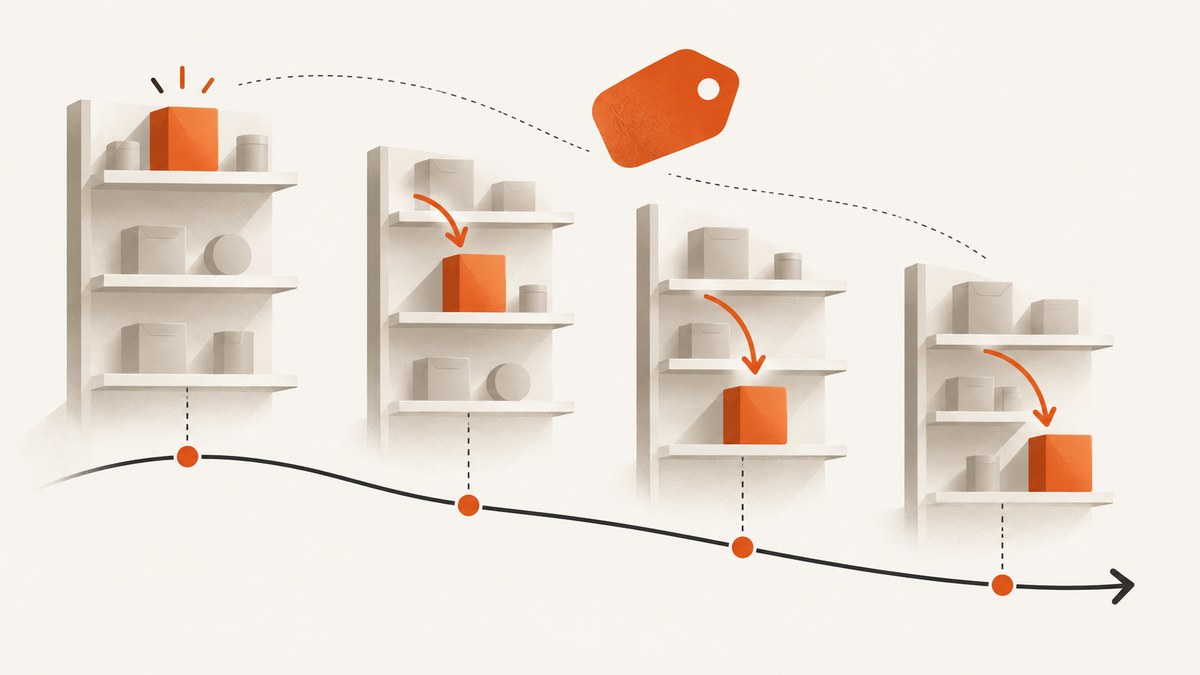
Amazon Best Sellers Rank (BSR) is a product’s sales rank compared with other products in the same Amazon category and marketplace. A lower number means a stronger relative sales position: #1 is ahead of #10,000. It is an ordinal signal, not a unit-sales counter. Amazon says recent and all-time sales volume feed the rank, with recent sales weighted more heavily, but it does not publish a conversion formula from a rank to exact units sold.
To track BSR reliably, keep the ASIN, marketplace, category path, timestamp, displayed rank, price, stock state, and variation in every observation. Take readings at a fixed interval, compare the same ASIN in the same store and category, and treat changes as directional movement. Amazon updates best-seller lists hourly, yet says an order can take up to 12 hours to appear in sales rank, so a snapshot can lag the sale that caused it.
What BSR measures (and what it does not)
Category-relative position
Every rank is scoped. A product can have a root-category rank and several subcategory ranks, and those numbers can differ by marketplace. #1 in a narrow subcategory does not mean #1 across Amazon. Record the complete category label beside each number.
Sales signal, not quality score
Amazon’s explanation describes sales volume over time as the input. Recent sales count more than older sales. Page views and customer reviews are not direct inputs in that explanation, so a review spike or traffic campaign should not be treated as a guaranteed BSR change.
Why a rank can be missing
A missing value can be normal. Amazon says a rank requires a sale record and assignment to a featured category, and some categories do not display a rank. Do not convert a blank to zero or assume the listing has no sales.
How to read a BSR number
| Observation | Safe interpretation | Avoid |
|---|---|---|
| #2,000 today vs #5,000 yesterday | Relative position improved in that category and marketplace. | Claiming a fixed number of extra units. |
| #1 in a subcategory | Top position within that subcategory at the sampled time. | Calling it #1 on all of Amazon. |
| No rank shown | No displayed rank under Amazon’s eligibility or category conditions. | Assuming zero sales. |
| Rank unchanged after a launch | Could reflect reporting delay, category competition, or sampling time. | Concluding the launch had no effect. |
Because rank is ordinal, the distance between #100 and #200 is not necessarily the same sales gap as between #10,000 and #10,100. Use it for trend direction, peer comparisons, and alerts, not a universal units-per-rank chart.
Manual tracking workflow
- Identify the item. Copy the ASIN from the listing and write down the Amazon store domain.
- Capture context. Record the displayed main-category rank plus every visible subcategory rank, category names, price, stock message, selected variation, and timestamp in ISO 8601 format.
- Sample consistently. Daily is a practical interval. Keep the time of day stable and use the same locale where possible.
- Store immutable observations. Append rows rather than overwriting yesterday’s value.
- Compare like with like. Filter by ASIN, marketplace, category, and variation before calculating changes.
- Annotate events. Mark promotions, price changes, stockouts, variation changes, and category edits.
Suggested CSV schema
timestamp,marketplace,asin,category,rank,price,currency,stock,variation,event
2026-09-29T09:00:00Z,US,B000000000,Home & Kitchen,2450,29.99,USD,In Stock,Blue,price unchanged
Automating snapshots with Python
The script below fetches a listing page, extracts visible Best Sellers Rank text, and appends a timestamped row. Amazon markup changes, consent pages, and bot checks can return a page without product data; the script records raw text so you can diagnose those cases. Check Amazon’s terms, robots rules, and account requirements before automating requests.
import csv
import datetime as dt
import re
from pathlib import Path

import requests
from bs4 import BeautifulSoup

URL = 'https://www.amazon.com/dp/B000000000'
ASIN = 'B000000000'
OUT = Path('bsr_history.csv')
headers = {'User-Agent': 'Mozilla/5.0 (compatible; BSR research)'}
r = requests.get(URL, headers=headers, timeout=30)
r.raise_for_status()
soup = BeautifulSoup(r.text, 'html.parser')
text = ' '.join(soup.stripped_strings)
match = re.search(r'Best Sellers Rank(.{0,500})', text, re.I)
rank_text = match.group(0) if match else ''
row = {'timestamp': dt.datetime.now(dt.timezone.utc).isoformat(), 'marketplace': 'US', 'asin': ASIN, 'category': '', 'rank_text': rank_text, 'price': '', 'stock': ''}
new_file = not OUT.exists()
with OUT.open('a', newline='', encoding='utf-8') as f:
    writer = csv.DictWriter(f, fieldnames=row.keys())
    if new_file: writer.writeheader()
    writer.writerow(row)
print(row)
Install dependencies with python -m pip install requests beautifulsoup4. For JavaScript-rendered content, use a compliant browser automation setup, wait for the product selector, then save the same fields. A browser does not make access permission automatic; respect rate limits and terms.
Historical tracking with Keepa
Amazon’s page gives a current reading. Keepa advertises interactive price and Sales Rank History charts, alerts, barcode scanning, and multiple Amazon locales. Its API labels the sales-rank history series SALES and warns that a product may lack a history type. Keepa’s Best Sellers API returns ASIN lists ordered by sales in a category, but its documentation warns that category identification can be wrong and that default subcategory lists may use a primary-rank approximation.
Use third-party history as a monitoring aid, not as Amazon’s private calculation. Verify marketplace and ASIN coverage, exact category scope, sampling intervals, missing points, variation handling, and current subscription or API terms.
Or skip the browser setup
ScreenshotNeo captures an Amazon listing or any public page through one API request, so you can archive visual evidence of the rank alongside your CSV. See the ScreenshotNeo API docs for all parameters.

curl -G 'https://api.screenshotneo.com/v1/shot' -d access_key=YOUR_API_KEY --data-urlencode url=https://stripe.com -o shot.webpimport requests
r = requests.get('https://api.screenshotneo.com/v1/shot', params={'access_key': 'YOUR_API_KEY', 'url': 'https://stripe.com'}, timeout=90)
open('shot.webp', 'wb').write(r.content)const q = new URLSearchParams({ access_key: 'YOUR_API_KEY', url: 'https://stripe.com' });
const res = await fetch(`https://api.screenshotneo.com/v1/shot?${q}`);Before capture, ScreenshotNeo accepts cookie or consent banners like a visitor and removes more than 60 known consent platforms, newsletter popups, and chat widgets; each step can be turned off. Bot checks and CAPTCHAs, blank pages, timeouts, failed loads, and cache hits are not billed, and response headers report the page verdict and billing state. Its MCP server gives Claude, Cursor, and other MCP clients take_screenshot, get_page_info, and capture_pdf tools. The Free plan includes 1,000 screenshots a month with no card; paid plans start at $5 for 3,000.
Create your free ScreenshotNeo account to start archiving rank snapshots.
Designing a useful BSR history
Choose cadence and retention
Daily snapshots are enough for editorial trend lines. Use hourly sampling only for a launch, promotion, or suspected stock event, and label the higher request volume. Keep raw HTML or screenshots for audits, plus a normalized table for charts. Never silently fill gaps.
Calculate changes without false precision
delta = previous_rank - current_rank
percent_change = (previous_rank - current_rank) / previous_rank * 100
A positive delta means the numeric rank improved. Percent change is descriptive only; it still does not estimate units. Smooth noisy series with a rolling median, and report the window and sample count beside any chart.
Control comparison variables
- Keep marketplace, category path, ASIN, and variation constant.
- Separate parent listings from child variations.
- Record currency and tax display when price is part of analysis.
- Flag out-of-stock and suppressed-listing periods.
- Use UTC timestamps in storage.
Books and special cases
Books have extra limits. KDP says a book can rank in up to three Best Seller Category lists, and that rank is not an accurate way to track activity or compare books across categories. Record each list separately and avoid comparing a book’s rank directly with a physical product’s rank.
Variations can show different ranks, and category assignments can change. If a listing merges or splits, start a new comparison segment instead of joining incompatible history.
Troubleshooting
| Symptom | Likely cause | Fix |
|---|---|---|
| Rank is blank | No qualifying sale, category not featured, or page variant lacks a rank. | Check another timestamp, category, and variation; store blank as null. |
| Every request returns sign-in or consent | Locale/session state or anti-bot challenge. | Use an authorized session, slow requests, and stop on challenges; do not bypass CAPTCHA. |
| Rank moved but sales dashboard did not | Reporting delay of up to 12 hours or different category scope. | Compare later and verify category and marketplace. |
| Parser finds no text | Markup changed or content rendered by JavaScript. | Save the response, inspect selectors, and update the parser. |
| Keepa chart has gaps | Provider lacks that history type or product coverage. | Check API availability and retain your own snapshots. |
| ScreenshotNeo response is not an image | Page verdict may be a bot check, blank page, timeout, or failed load. | Read X-Page-Verdict and X-Billed, then adjust wait, headers, cookies, or URL. |
Performance, reliability, and cost
For a small catalog, one daily request per ASIN is simple. At scale, queue jobs, cap concurrency, retry transient network errors with exponential backoff, and persist request URLs and response headers. Cache only when a repeated capture adds no information; otherwise a long cache TTL hides rank movement. Keep a dead-letter queue for pages that repeatedly challenge or time out.
Rank data is delayed and relative, so reliability comes from consistent sampling and audit trails rather than a single perfect number. Keep thumbnails for dashboards and full-resolution evidence only for important events. ScreenshotNeo bills only clean shots; cache hits and failed or unusable captures are free.
FAQ
Does a lower BSR always mean more sales?
It means a stronger relative sales position in that category and marketplace at that time. It does not provide a fixed unit count.
Can I estimate exact units from #500?
No public Amazon formula supports that conversion. Any estimate needs a separately validated model for a specific category and period.
How often should I check?
Daily works for most editorial tracking. Increase frequency for a launch or promotion and document the cadence.
Why do two sites show different ranks?
They may sample at different times, use different marketplaces or categories, or apply a provider approximation. Compare scope and timestamp first.
Is BSR a review score?
No. Amazon describes it as a sales-volume-based rank; reviews and page views are not direct inputs in that explanation.


