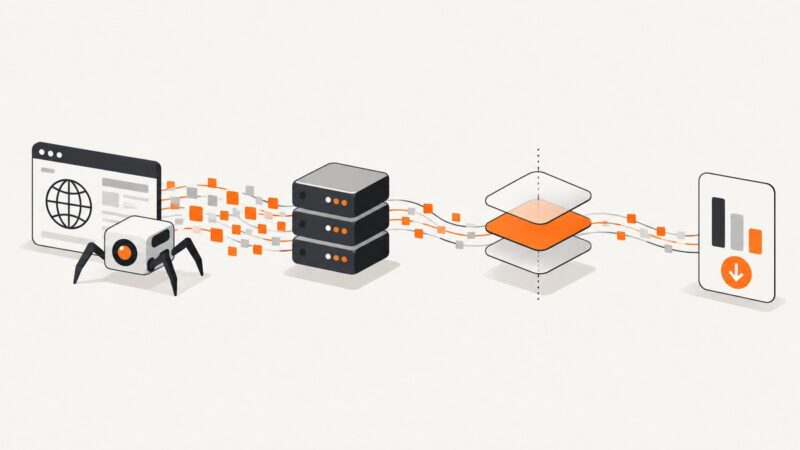
What Is Asynchronous Web Scraping?
Asynchronous web scraping overlaps network waits so a program can fetch multiple pages without waiting for each one in sequence. Learn how to bound concurrency, handle failures, and choose between Python asyncio, aiohttp, and Scrapy.

Asynchronous web scraping lets one program make progress on several web requests while others are waiting for network responses. In Python, you write asynchronous operations with async and await, then run them on an event loop. The main benefit is overlapping I/O waits; async does not automatically make parsing or other CPU-heavy work faster, and there is no universal speedup percentage.
For a focused fetch-and-parse script, Python’s asyncio with aiohttp is one option. For a crawler that needs scheduling and other crawl components, Scrapy may fit better. Whichever you choose, cap concurrency, reuse and close client sessions, set timeouts, handle errors deliberately, and follow the target site’s access controls and policies.
1. What asynchronous web scraping means
A sequential scraper generally sends a request, waits for the response, processes it, and then sends the next request. An asynchronous scraper can start another independent request while the first is waiting for I/O. The event loop coordinates those tasks; it does not require a separate operating-system thread for each one.
This suits network-bound work because a request often spends time waiting for a remote server. It does not make CPU-bound HTML parsing faster on its own. The actual benefit depends on response latency, server limits, how much work is I/O-bound, and how the scraper is implemented.
| Term | Meaning for a scraper |
|---|---|
| Concurrency | Multiple tasks can make progress during overlapping periods, often while waiting for I/O. |
| Parallelism | Work runs at the same instant on multiple execution resources. Async I/O alone does not promise this for CPU work. |
| Bounded concurrency | A defined limit prevents the scraper from starting too many requests or holding too many connections at once. |
2. When async is useful—and when it is not
Async is useful when a workload contains many independent network waits and your client library supports non-blocking I/O. It can also help an application remain responsive while it fetches pages.

- Good fit: fetching a set of independent URLs, calling several APIs, or building a focused fetch-and-parse workflow.
- Less direct fit: workloads dominated by CPU-heavy parsing, image processing, or machine learning. Async does not speed those calculations by itself.
- Consider a crawler framework: a project that needs crawl orchestration, such as a scheduler and downloader, may benefit from Scrapy rather than a hand-built request loop.
- Consider sequential code: a small job with only a few requests may not need the extra event-loop and failure-handling complexity.
Do not choose a library based on a promised multiplier. The available documentation gives concurrency mechanisms and configuration, not a general benchmark or guaranteed speedup.
3. A bounded Python example with asyncio and aiohttp
This example fetches a short list of pages, limits simultaneous requests with an asyncio.Semaphore, applies connection-pool limits with aiohttp.TCPConnector, sets a total timeout, checks HTTP status, and closes the session through an asynchronous context manager. Install the dependency with python -m pip install aiohttp, save the code as scrape.py, then run python scrape.py.
import asyncio
from aiohttp import ClientError, ClientSession, ClientTimeout, TCPConnector

URLS = [
    "https://example.com/",
    "https://www.iana.org/",
]
CONCURRENCY = 5

async def fetch(session: ClientSession, semaphore: asyncio.Semaphore, url: str) -> tuple[str, int | None, str | None]:
    async with semaphore:
        try:
            async with session.get(url) as response:
                response.raise_for_status()
                html = await response.text()
                return url, response.status, html[:200]
        except ClientError as exc:
            return url, None, f"HTTP/client error: {exc}"
        except asyncio.TimeoutError:
            return url, None, "Request timed out"

async def main() -> None:
    timeout = ClientTimeout(total=30)
    connector = TCPConnector(limit=CONCURRENCY, limit_per_host=2)
    semaphore = asyncio.Semaphore(CONCURRENCY)

    async with ClientSession(timeout=timeout, connector=connector) as session:
        results = await asyncio.gather(
            *(fetch(session, semaphore, url) for url in URLS)
        )

    for url, status, result in results:
        if status is None:
            print(f"FAILED {url}: {result}")
        else:
            print(f"{status} {url}: {result!r}")

if __name__ == "__main__":
    asyncio.run(main())
The example’s concurrency value is illustrative, not a universally safe target. Choose a limit that fits the sites, your resource budget, and any published access guidance. The semaphore caps work inside the protected section. The connector independently limits pooled connections: aiohttp documents a total limit of 100 and a per-host limit of 0 by default, where 0 means no per-host cap. Those are library defaults, not recommendations for every target.
Scale without creating an unbounded task list
gather() is convenient for a modest set of independent URLs. For a very large input, creating one task for every URL can use substantial memory even if a semaphore limits the active requests. Process URLs in batches or feed a bounded asyncio.Queue to a fixed number of worker coroutines. This keeps both active work and queued work under control.
Choose failure behavior intentionally
In the example, each worker catches expected client and timeout errors and returns a result for its URL, so one failed page does not discard successful results. By default, asyncio.gather() propagates the first exception raised by an awaitable while other submitted awaitables continue running. Python’s TaskGroup offers stronger structured-concurrency behavior: if a task fails, it cancels the remaining grouped tasks. Pick the behavior that matches whether partial results are useful, and ensure cancellation still leads to cleanup.
4. Scrapy and asyncio: choose the right runtime
Scrapy is a crawler framework with components such as a scheduler and downloader; aiohttp is an HTTP client with connection-pool controls. They serve different scopes. A standalone aiohttp script is a narrower choice for focused fetching, while Scrapy provides more crawl orchestration.
Scrapy supports coroutine callables and demonstrates awaiting additional requests and submitting several engine downloads. Its documentation warns that libraries using asyncio may require asyncio support to be enabled in Scrapy. The right runner also depends on the application’s existing Twisted reactor or asyncio event loop. Use the documented runner for the runtime you already have; do not try to start a second event loop inside one that is running.
For an existing Scrapy project, check the versioned documentation for the version in use and its coroutine and runner guidance before adding asyncio-dependent libraries. Scrapy distinguishes coroutine-based entry points such as crawl_async() from Deferred-based methods. Integration details and APIs can change between versions.
5. A practical workflow for a reliable scraper
- Check access rules. Review the site’s published policies and access guidance. Python’s
urllib.robotparser.RobotFileParsercan answer whether a user agent may fetch a URL under that site’srobots.txtrules. That check is technical input, not a complete legal assessment. - Define scope. Decide which URLs and data are needed. Avoid fetching pages outside the task.
- Set limits. Choose a total concurrency cap and, when useful, a per-host connection cap. Add a delay where the crawl design calls for it. Scrapy documents concurrency and delay settings.
- Reuse the client. Keep one
ClientSessionfor a logical unit of aiohttp work so requests can use its connection pool; close it with a context manager. - Set timeouts and inspect responses. Treat status codes and timeouts as part of the result, not as unexpected surprises.
- Retry selectively. A transient network failure may justify a bounded retry with a delay. A permanent client error or access denial usually calls for recording the outcome rather than repeated retries. Avoid retry loops without a maximum.
- Keep partial results. Record per-URL successes and failures so one bad response does not erase useful output.
- Make the run observable. Log URL, status, elapsed time, attempt count, and failure category. Avoid logging credentials or sensitive response content.
6. Common errors and fixes
| Symptom | Likely cause | Fix |
|---|---|---|
RuntimeError: This event loop is already running |
Code tries to start a new loop from a context that already owns one. | Use the framework or application’s existing async entry point. In a normal script, use asyncio.run(main()) once at the top level. |
| Too many open connections or remote resets | Concurrency or connection limits exceed what the target or local environment can handle. | Lower the semaphore and connector limits; use a per-host cap and an appropriate delay. |
| Many tasks remain after the first error | gather() propagates a failure by default without cancelling the other submitted awaitables. |
Catch expected per-request errors, use return_exceptions=True when appropriate, or use TaskGroup when sibling cancellation is the desired policy. |
| Responses time out | The deadline is too short for the site, connectivity, or current load, or the server is not responding. | Set a realistic timeout, reduce load, log the affected URL, and retry only transient failures with a cap. |
| Memory grows during a large crawl | The program creates tasks or stores responses for the entire URL set at once. | Use batches or a bounded queue with a fixed worker pool, and stream or persist results as they arrive. |
| Async library fails inside Scrapy | The asyncio loop or reactor integration does not match the active Scrapy runtime. | Follow the versioned Scrapy asyncio support and runner documentation for the application’s existing runtime. |
| Output is incomplete despite a successful status | The response may be compressed, encoded differently, or require browser-side JavaScript to render content. | Inspect response headers and body, and confirm whether the requested data exists in the HTTP response. An async HTTP client does not execute browser JavaScript. |
7. Performance, reliability, and cost considerations
Async can improve utilization when a program would otherwise sit idle during network waits, but the useful concurrency level depends on the target, latency, limits, and implementation. Increasing concurrency indefinitely can raise memory use, connection pressure, error rates, or the chance of being throttled. Measure the actual task with modest limits and adjust while observing response times and failures.
For reliability, set deadlines, cap retries, preserve partial results, close sessions, and handle cancellation. Connection pooling reduces repeated connection setup within a session. For long-running or recurring work, consider where results, logs, and job state will live, and how failed runs will be resumed. A local script has no service charge from a scraping platform, but still uses compute, bandwidth, and engineering time. A framework or managed deployment can reduce some operational work, but compare current features and pricing from authoritative product documentation before choosing.
8. If the task is screenshots, use a screenshot API
Async scraping retrieves HTTP responses for data extraction; it does not automatically produce a faithful rendered-page image. If the actual output you need is a screenshot or PDF, a screenshot API is a more direct tool than assembling browser capture infrastructure. ScreenshotNeo is a website screenshot API and MCP server for developers. Its clean-shot flow accepts consent banners like a visitor and removes more than 60 known consent platforms, newsletter popups, and chat widgets before capture; each step can be turned off. Only clean shots are billed, while bot checks or CAPTCHAs, blank pages, timeouts, failed loads, and cache hits cost nothing. Responses identify the page verdict and billing status in headers.

Or skip the browser setup
One GET request returns an image or PDF. The API accepts common screenshot API parameter names, which can make switching easier. See the ScreenshotNeo API documentation for the available options and request details.
curl -G "https://api.screenshotneo.com/v1/shot" -d access_key=YOUR_API_KEY --data-urlencode url=https://stripe.com -o shot.webpimport requests
r = requests.get("https://api.screenshotneo.com/v1/shot", params={"access_key": "YOUR_API_KEY", "url": "https://stripe.com"}, timeout=90)
open("shot.webp", "wb").write(r.content)const q = new URLSearchParams({ access_key: 'YOUR_API_KEY', url: 'https://stripe.com' });
const res = await fetch(`https://api.screenshotneo.com/v1/shot?${q}`);Cookie banners, popups, and chat widgets are removed before the shot. Bot checks, blank pages, and failed loads are never billed. An MCP server provides take_screenshot, get_page_info, and capture_pdf tools for Claude, Cursor, and any MCP client. The Free plan includes 1,000 screenshots a month with no card; paid plans start at $5 for 3,000. Every feature is on every plan. Sign up free for 1,000 screenshots a month, with no card.
9. Frequently asked questions
Does asynchronous scraping bypass a site’s restrictions?
No. Async changes how your program schedules I/O. It does not grant access or override a site’s policies, authentication, or technical controls.
Can I use aiohttp to scrape pages that require JavaScript?
A basic aiohttp client fetches HTTP responses; it does not run a browser’s JavaScript. If the required content is created in the browser, determine whether there is an authorized data endpoint or use an appropriate browser automation approach.
Should I use a semaphore and a connector limit together?
They control different layers: a semaphore caps the protected application work, while the connector controls pooled connections. Using both can make resource limits explicit.
Is Scrapy always faster than aiohttp?
The cited documentation establishes different capabilities, not a universal speed ranking. Choose based on orchestration needs, integration, controls, and failure handling, then measure your own workload.
Can I mix Scrapy with asyncio code?
Scrapy supports coroutines, but asyncio-dependent libraries and runner choices require compatible loop and reactor configuration. Follow the documentation for your installed Scrapy version.