Avoiding PDF Conversion on Error in C# with HttpClient
Check HTTP status and PDF signatures before conversion in C#. Handle error bodies, retries, validation, and malformed responses safely.
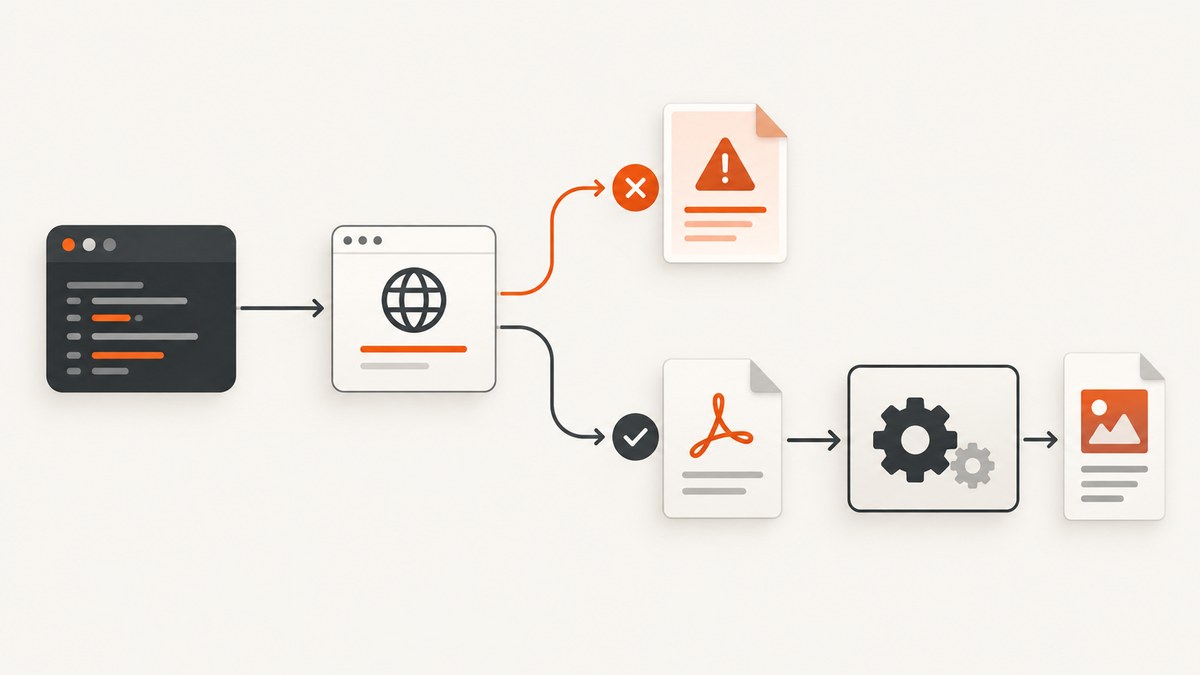
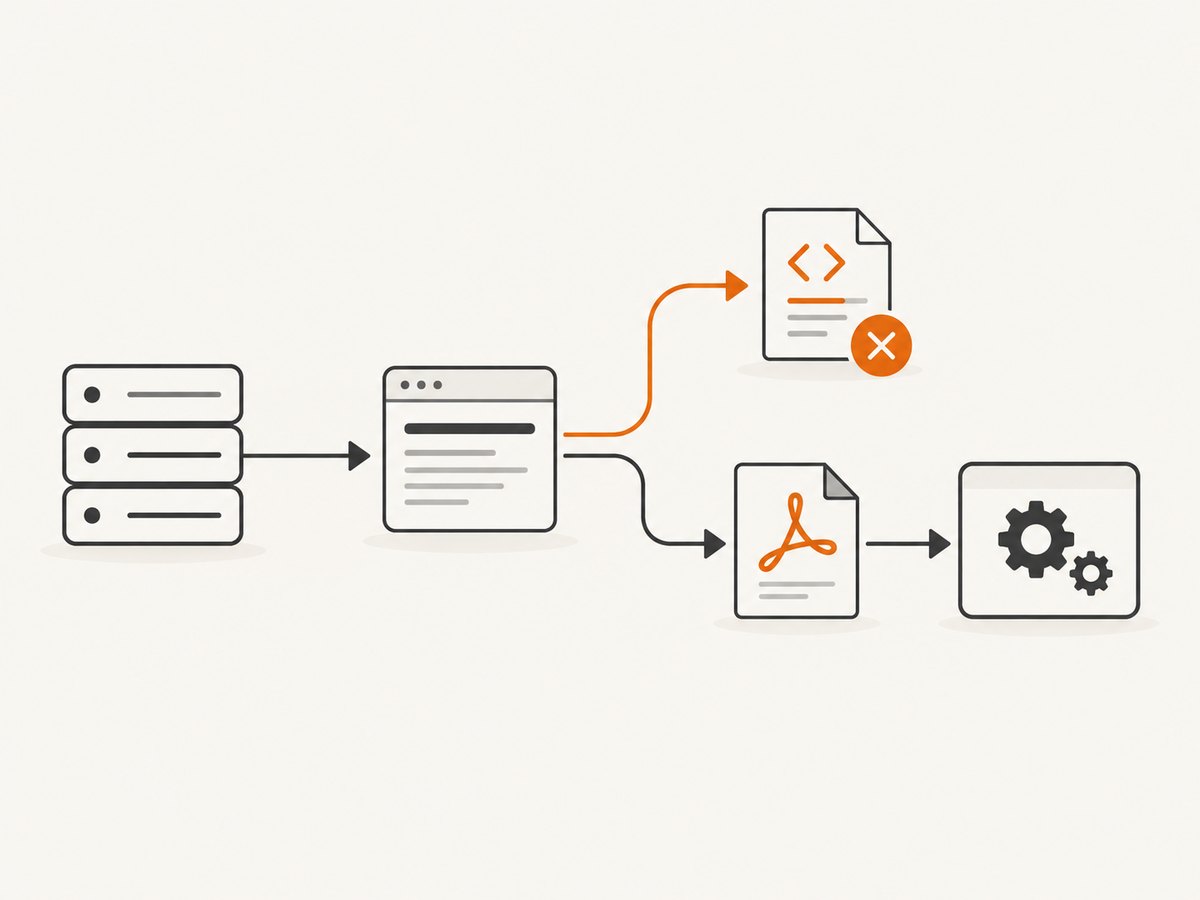
PDF conversion should begin only after you know that the HTTP response represents a usable document. With HttpClient, keep the HttpResponseMessage, check IsSuccessStatusCode, inspect the failure body when useful, and only then pass PDF bytes or a stream to your PDF library.
An HTTP success status still does not prove that the body is a valid PDF. Check the media type and, when appropriate, the file signature. PDF files begin with %PDF-, as specified by RFC 8118.
Recommended request flow
- Send the request with
GetAsyncorSendAsyncso the response status and headers remain available. - Handle transport exceptions such as DNS failures, cancellation, and timeouts.
- Check
response.IsSuccessStatusCodefor any 2xx status. - For a non-success response, read a bounded error body and return or throw a structured error.
- For a success response, verify that a body exists and that its content resembles a PDF.
- Read the content as a stream or byte array and pass it to the PDF parser or converter.
- Dispose the response and streams with
usingorawait using.
Microsoft’s HttpClient guidance documents this response-first model and the available content-reading methods.
Complete C# example with explicit status handling
The following console-compatible example downloads a PDF, prevents HTML or JSON error pages from reaching the converter, limits diagnostic output, and validates the PDF signature. Replace the placeholder conversion call with the API for your PDF package.
using System.Net;
using System.Net.Http.Headers;
using System.Text;

using var httpClient = new HttpClient
{
    Timeout = TimeSpan.FromSeconds(90)
};

var uri = new Uri("https://example.com/document.pdf");

try
{
    using HttpResponseMessage response = await httpClient.GetAsync(
        uri,
        HttpCompletionOption.ResponseHeadersRead);

    if (!response.IsSuccessStatusCode)
    {
        string errorBody = await ReadBoundedTextAsync(response, 4096);
        throw new DocumentDownloadException(
            response.StatusCode,
            response.ReasonPhrase,
            errorBody);
    }

    if (response.StatusCode == HttpStatusCode.NoContent)
    {
        throw new InvalidDataException("The server returned 204 No Content; there is no PDF to convert.");
    }

    MediaTypeHeaderValue? contentType = response.Content.Headers.ContentType;
    if (contentType is not null &&
        !string.Equals(contentType.MediaType, "application/pdf", StringComparison.OrdinalIgnoreCase))
    {
        // A wrong Content-Type is a warning, not absolute proof. Some servers mislabel PDFs.
        Console.Error.WriteLine($"Warning: server returned Content-Type {contentType.MediaType}.");
    }

    await using Stream source = await response.Content.ReadAsStreamAsync();
    await using var buffered = new MemoryStream();
    await source.CopyToAsync(buffered);

    byte[] pdfBytes = buffered.ToArray();
    if (!LooksLikePdf(pdfBytes))
    {
        string preview = Encoding.UTF8.GetString(pdfBytes, 0, Math.Min(pdfBytes.Length, 256));
        throw new InvalidDataException(
            $"The successful response is not a PDF. Body preview: {preview}");
    }

    await File.WriteAllBytesAsync("document.pdf", pdfBytes);

    // Pass pdfBytes or a stream to your chosen PDF parser/converter here.
    // Example shape: converter.Load(pdfBytes); converter.Save("converted-output.pdf");
}
catch (DocumentDownloadException ex)
{
    Console.Error.WriteLine(
        $"Document request failed: {(int)ex.StatusCode} {ex.ReasonPhrase}. {ex.ErrorBody}");
}
catch (TaskCanceledException ex) when (!ex.CancellationToken.IsCancellationRequested)
{
    Console.Error.WriteLine($"The document request timed out: {ex.Message}");
}
catch (HttpRequestException ex)
{
    Console.Error.WriteLine($"The HTTP request failed before a usable response was received: {ex.Message}");
}

static bool LooksLikePdf(byte[] bytes)
{
    // RFC 8118 defines the beginning of a PDF as "%PDF-".
    return bytes.Length >= 5 &&
           bytes[0] == (byte)'%' &&
           bytes[1] == (byte)'P' &&
           bytes[2] == (byte)'D' &&
           bytes[3] == (byte)'F' &&
           bytes[4] == (byte)'-';
}

static async Task<string> ReadBoundedTextAsync(HttpResponseMessage response, int maximumBytes)
{
    byte[] bytes = await response.Content.ReadAsByteArrayAsync();
    int length = Math.Min(bytes.Length, maximumBytes);
    string value = Encoding.UTF8.GetString(bytes, 0, length);
    return bytes.Length > maximumBytes ? value + "…" : value;
}

public sealed class DocumentDownloadException : Exception
{
    public HttpStatusCode StatusCode { get; }
    public string? ReasonPhrase { get; }
    public string ErrorBody { get; }

    public DocumentDownloadException(
        HttpStatusCode statusCode,
        string? reasonPhrase,
        string errorBody)
        : base($"HTTP {(int)statusCode} {reasonPhrase}")
    {
        StatusCode = statusCode;
        ReasonPhrase = reasonPhrase;
        ErrorBody = errorBody;
    }
}
The example buffers the response so it can inspect the first bytes and save the file. For large PDFs, avoid the memory copy: read the stream, peek at the first five bytes, then either continue processing or spool to a temporary file.
Using EnsureSuccessStatusCode instead
If every non-2xx response should become an exception and you do not need the server’s error payload, call EnsureSuccessStatusCode before reading the PDF. Microsoft documents that it throws HttpRequestException when the status is outside 200–299.
using HttpResponseMessage response = await httpClient.GetAsync(uri);
response.EnsureSuccessStatusCode();

await using Stream pdfStream = await response.Content.ReadAsStreamAsync();
// Parse pdfStream only after EnsureSuccessStatusCode returns.
This is concise, but it discards the opportunity to parse a JSON error object, record a provider request ID, distinguish a 404 from a 429, or apply status-specific retry policy. Use the explicit branch when those details matter.
Why convenience methods can hide the response
GetStringAsync, GetStreamAsync, and GetByteArrayAsync do not return an HttpResponseMessage. They implicitly enforce success and throw for non-2xx responses. That behavior is useful for simple calls, but it prevents a failure branch from reading the error body through the response object. Choose GetAsync or SendAsync when status-aware handling is required.
Validate more than the status code
2xx is necessary, not sufficient
IsSuccessStatusCode covers every status from 200 through 299. A 201, 202, 204, or 205 can be successful according to HTTP semantics. A 204 normally has no body, so it cannot be converted into a PDF. A 202 may mean that the server accepted an asynchronous job and has not produced the document yet.
Check Content-Type as a signal
The registered media type for PDF is application/pdf. Treat it as a useful signal, not proof. Legacy servers sometimes return application/octet-stream, add a charset, or mislabel a PDF as HTML. Conversely, an attacker or broken endpoint can label an HTML page as application/pdf.
Check the magic bytes
Inspect the first five bytes for %PDF- before invoking a parser. This catches common cases where an authenticated endpoint redirects to a login page, a reverse proxy emits an HTML error page with status 200, or an API returns JSON while preserving a PDF-looking filename. The signature check does not replace parser validation: a truncated or corrupt file can still begin with the correct marker.
Reading useful error responses safely
Error responses are often JSON, plain text, or HTML. Read them only in the failure branch and cap their size. A provider may return credentials, stack traces, or customer data in the body; redact secrets before logging and avoid placing an unbounded body in an exception message.
if (!response.IsSuccessStatusCode)
{
    string contentType = response.Content.Headers.ContentType?.MediaType ?? "unknown";
    string body = await ReadBoundedTextAsync(response, 4096);

    logger.LogWarning(
        "PDF endpoint returned {StatusCode} ({ContentType}): {Body}",
        (int)response.StatusCode,
        contentType,
        Redact(body));

    return Result.Failure(
        code: $"http_{(int)response.StatusCode}",
        message: "The document endpoint did not return a successful response.");
}
Keep the user-facing message stable while retaining a correlation ID and a bounded diagnostic record for operators.
Redirects, authentication, and request configuration
- Redirects:
HttpClientHandlerfollows redirects by default. A successful final response may still be a login page. Validate the final content type and signature. - Authentication: Set an
Authorizationheader or other required credentials before sending. Never log bearer tokens, cookies, or signed URLs. - Headers: Send an
Accept: application/pdfheader when the endpoint supports content negotiation. This is a preference, not a guarantee. - Timeouts: Set a deadline appropriate to document size and server behavior. A timeout usually raises an exception without an HTTP response.
- Cancellation: Pass a caller token so web requests and background jobs can stop work promptly.
- Compression: Enable automatic decompression in the handler when the server sends compressed content; PDF validation occurs after decompression.
using var request = new HttpRequestMessage(HttpMethod.Get, uri);
request.Headers.Accept.Add(new MediaTypeWithQualityHeaderValue("application/pdf"));
request.Headers.Authorization = new AuthenticationHeaderValue("Bearer", accessToken);

using HttpResponseMessage response = await httpClient.SendAsync(
    request,
    HttpCompletionOption.ResponseHeadersRead,
    cancellationToken);
Retries and reliability
Retry only failures that are likely to be temporary, such as 408, 429, and selected 5xx responses. Respect Retry-After when present and use exponential backoff with jitter. Do not blindly retry 400, 401, 403, or 404. A PDF conversion failure after a successful download is a data-validation problem, not an HTTP retry problem.
For idempotent GET requests, a retry policy can safely repeat the download, but bound the total elapsed time. Record the URL host, status, attempt count, response content type, and byte count. Avoid recording full document contents or query strings that contain credentials.
Performance and memory choices
- Small documents:
ReadAsByteArrayAsyncis simple and works well when the expected size is bounded. - Large documents: use
ResponseHeadersReadand stream to a temporary file or directly into a streaming parser. - Connection reuse: reuse a long-lived
HttpClientor anIHttpClientFactory-managed client. Creating a client per request can waste connections and increase latency. - Concurrency: cap simultaneous downloads according to endpoint limits and available memory. Each buffered PDF consumes roughly its response size plus parser overhead.
- Validation cost: checking headers and five signature bytes is cheap; full parser validation is more expensive but catches malformed cross-reference tables and truncated files.

Common errors and fixes
| Symptom | Likely cause | Fix |
|---|---|---|
| PDF parser reports invalid header | HTML, JSON, or a login page was passed to it | Check status, Content-Type, and %PDF- before conversion. |
HttpRequestException from GetStreamAsync |
The convenience method enforced a non-2xx response | Use GetAsync or SendAsync when you need the error body. |
| Successful status but empty content | 204 response, proxy truncation, or an endpoint that returns a job ID | Reject empty content; inspect the API contract and handle asynchronous jobs. |
| Content-Type is text/html | Authentication redirect or server error page | Inspect the final URI and authentication flow; do not convert the body. |
| Request hangs until cancellation | Server or network timeout | Set an explicit timeout, pass cancellation, and retry only when policy allows. |
| Large files cause out-of-memory errors | Multiple full byte-array copies | Stream to disk or a streaming parser and limit concurrency. |
| 429 responses repeat rapidly | Retry policy ignores rate limits | Honor Retry-After, add backoff and jitter, and cap attempts. |
Or skip the browser setup
If the task is to create a PDF or image capture of a web page rather than download a document endpoint, ScreenshotNeo provides a single HTTP request. It handles browser rendering and returns a screenshot or PDF, so your C# code can apply the same status-before-processing rule to the API response.
See the ScreenshotNeo API documentation for the full option list. A minimal PDF request is:
using var response = await httpClient.GetAsync(
    "https://api.screenshotneo.com/v1/shot?access_key=YOUR_API_KEY&url=https%3A%2F%2Fstripe.com",
    HttpCompletionOption.ResponseHeadersRead);

if (!response.IsSuccessStatusCode)
{
    var error = await response.Content.ReadAsStringAsync();
    throw new HttpRequestException($"ScreenshotNeo failed: {(int)response.StatusCode} {error}");
}

await using var pdf = await response.Content.ReadAsStreamAsync();
await using var output = File.Create("page.pdf");
await pdf.CopyToAsync(output);
Equivalent calls:
curl -G "https://api.screenshotneo.com/v1/shot" -d access_key=YOUR_API_KEY --data-urlencode url=https://stripe.com -o shot.webpimport requests
r = requests.get("https://api.screenshotneo.com/v1/shot", params={"access_key": "YOUR_API_KEY", "url": "https://stripe.com"}, timeout=90)
r.raise_for_status()
open("shot.webp", "wb").write(r.content)const q = new URLSearchParams({ access_key: 'YOUR_API_KEY', url: 'https://stripe.com' });
const res = await fetch(`https://api.screenshotneo.com/v1/shot?${q}`);
if (!res.ok) throw new Error(`ScreenshotNeo returned ${res.status}`);
const bytes = Buffer.from(await res.arrayBuffer());ScreenshotNeo removes cookie banners, newsletter popups, and chat widgets before capture. Bot checks, blank pages, failed loads, timeouts, and cache hits are not billed, and response headers identify the page verdict and billing result. Its MCP server lets Claude, Cursor, and other MCP clients call take_screenshot, get_page_info, and capture_pdf. The free plan includes 1,000 screenshots per month with no card; paid plans start at $5 for 3,000 shots. Create a free ScreenshotNeo account.
Testing checklist
- Test 200 with a valid PDF.
- Test 200 with HTML or JSON content.
- Test 204 and an empty 200 response.
- Test 401, 403, 404, 429, and 5xx responses.
- Test redirects to a login page.
- Test cancellation and timeout paths.
- Test a truncated PDF and a large PDF.
- Verify logs do not contain credentials or unbounded response bodies.
FAQ
Should I check the status code or Content-Type first?
Check the status code first. Content-Type and the PDF signature are subsequent body-validation checks.
Is every 2xx response safe to convert?
No. A 204 has no body, and a 202 may indicate that processing is not complete. Validate the actual content.
When is EnsureSuccessStatusCode the better choice?
Use it when all non-2xx responses should become exceptions and you do not need to consume or classify the error body.
Can a valid PDF have the wrong Content-Type?
Yes. Some servers mislabel files. Treat application/pdf as a helpful signal and use the signature plus parser validation.
Should conversion libraries receive a stream or bytes?
Use a stream for large documents when the library supports it; use bytes for small, bounded files and simple APIs.