12 Best Code Refactoring Tools for DevOps Projects
Compare 12 code refactoring tools by language, change scope, CI/CD fit, safety, and cost so you can choose the right workflow for your team.
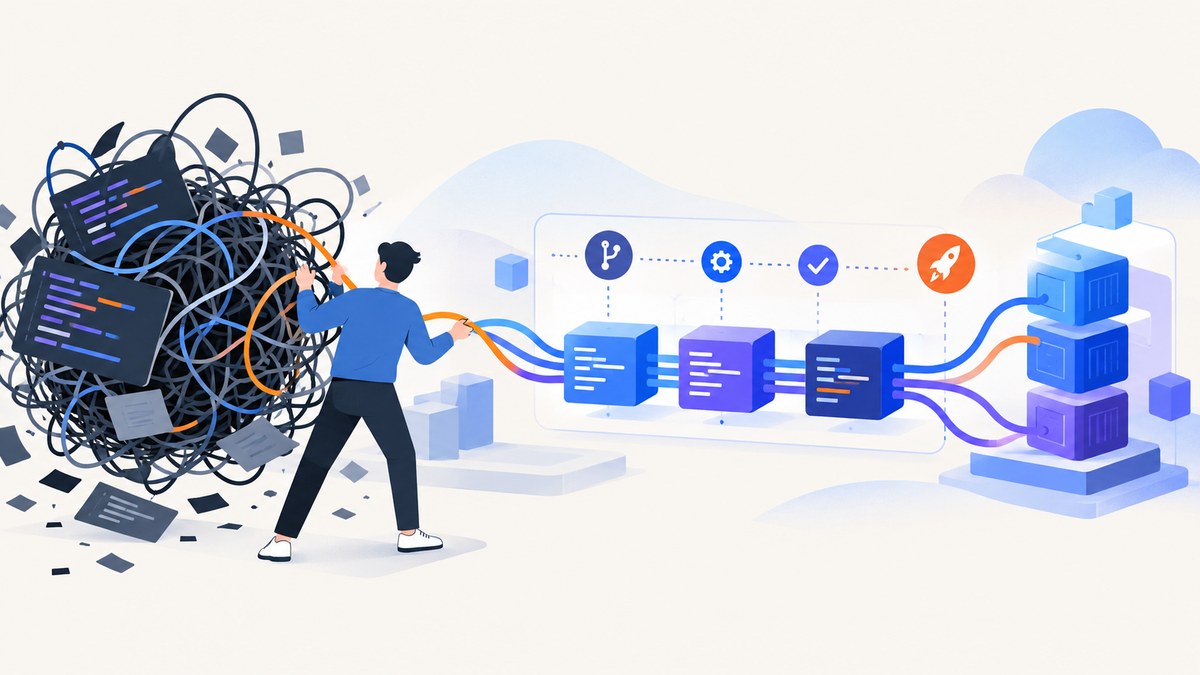
There is no single best refactoring tool for every DevOps team. The right choice depends on three questions: which languages and frameworks you use, how large a change you need to make, and where the work should run (an editor, a command line, or a hosted multi-repository service).
Use an IDE refactoring engine for precise developer-led changes. Use OpenRewrite or Moderne for repeatable migrations across repositories. Use SonarQube or InspectCode to detect problems and enforce quality gates in CI. Whatever you automate, review the diff and run the project’s own tests before merging.
What refactoring means in a DevOps workflow
Refactoring restructures source code while preserving runtime behavior. Visual Studio Code describes refactoring as improving quality and maintainability without modifying behavior, with examples such as Extract Method and Extract Variable. Its JavaScript and TypeScript refactorings come from the built-in language service; other languages depend on installed extensions. Read the VS Code refactoring documentation.
In a DevOps pipeline, refactoring has two separate concerns:
- Transformation: make a controlled source change, such as renaming a symbol, moving a type, or upgrading an API.
- Verification: prove that the change is safe with compilation, tests, static analysis, and review.
A tool can be excellent at one concern and weak at the other. SonarQube, for example, is primarily an analysis and remediation-guidance product, while OpenRewrite is designed to apply semantic transformations. Plan your toolchain around that distinction.
Quick comparison
| Tool | Best fit | Typical scope | Execution |
|---|---|---|---|
| Visual Studio Code | Lightweight, polyglot editor work | File to small project | Interactive editor |
| Visual Studio | Microsoft-stack teams | Project to solution | Interactive IDE |
| JetBrains ReSharper | C#/.NET teams needing broad refactorings | File to solution | Interactive IDE |
| SonarQube for IDE | Immediate code-quality feedback | Changed files | IDE analysis |
| SonarQube Server/Cloud | Team quality gates | Repository and portfolio | CI or hosted analysis |
| OpenRewrite | Repeatable migrations | Repository and build | Maven, Gradle, or recipe runner |
| OpenRewrite dependency recipes | Coordinated dependency upgrades | Direct and transitive dependencies | Build plugins and recipes |
| Moderne | OpenRewrite at multi-repository scale | Many repositories | Hosted/commercial platform |
| JetBrains InspectCode | Command-line analysis in CI | Project or solution | CLI |
| Semgrep | Pattern-based checks and autofix | Selected files or repositories | CLI and CI |
| CodeQL | Query-based security and quality analysis | Repository | CI analysis |
| Sourcery, clang-tidy, ast-grep, or Renovate | Language-specific cleanup or dependency automation | Language or dependency scope | Tool-specific |

1. Visual Studio Code
Choose VS Code when developers need fast, language-aware refactorings in a lightweight editor. Built-in TypeScript and JavaScript support includes Extract Method, Extract Variable, rename, and related actions. For Python, Java, C#, Go, and other languages, install an extension that supplies the language service and confirm which refactorings it supports.
Safe workflow
- Commit or stash a clean working tree.
- Select the symbol or expression and open Quick Fix or Refactor.
- Preview the references that will change.
- Apply the edit, inspect the diff, then run formatter, compiler, and tests.
VS Code is excellent for local, intentional edits. It is not a replacement for a repeatable migration recipe across dozens of repositories.
2. Visual Studio
Visual Studio is the natural choice for Microsoft-stack teams working in C# and related .NET projects. Quick Actions, symbol rename, type moves, and namespace/file synchronization help keep solution structure consistent. Use solution-wide rename carefully when generated code, reflection, serialized names, or public API compatibility are involved. See Visual Studio Quick Actions.
3. JetBrains ReSharper
ReSharper is suited to C# teams that want a broad set of local and solution-wide transformations. Common operations include Rename, Extract Method, and Introduce Variable. Its inspections can suggest structural improvements while you work, but teams should agree on inspection severity and formatting rules so automated suggestions do not create noisy diffs. Read the ReSharper refactoring guide.
4. SonarQube for IDE
SonarQube for IDE catches code-quality issues as developers edit supported languages and IDE projects. Treat its findings as analysis plus remediation guidance rather than as a general-purpose structural refactoring engine. A finding may point to a safer construct, but the actual edit can still require an IDE refactoring or a deliberate code change. See SonarQube for IDE documentation.
5. SonarQube Server or Cloud
Use SonarQube Server or Cloud when the team needs repository-wide checks and CI quality gates. It gives a shared view of issues and lets a pipeline fail when configured conditions are not met. Pair it with an editor refactoring engine or a transformation tool to make the edits. Keep the quality gate focused on actionable rules; an unbounded ruleset can make modernization work difficult to review.
6. OpenRewrite
OpenRewrite is the strongest option in this list for repeatable source and framework migrations, especially in Java projects. Recipes operate on lossless semantic trees and are intended to produce minimally invasive, reviewable changes. Transformations are deterministic and designed not to apply when the code is not syntactically and semantically suitable. You still need to review the diff and run tests in your own pipeline. Read the OpenRewrite documentation.
Minimal Maven example
<plugin>
  <groupId>org.openrewrite.maven</groupId>
  <artifactId>rewrite-maven-plugin</artifactId>
  <version>6.0.0</version>
  <configuration>
    <activeRecipes>
      <recipe>org.openrewrite.java.migrate.UpgradeToJava17</recipe>
    </activeRecipes>
  </configuration>
</plugin>
Pin the plugin and recipe versions in a controlled branch, run the recipe in CI, and publish the resulting diff for review. The exact recipe name depends on the migration you need; select it from the current OpenRewrite catalog.
7. OpenRewrite dependency recipes
Dependency recipes address coordinated Maven, Gradle, and npm changes, including direct and transitive upgrades. They are useful when a framework release requires several related version edits and source changes. Run dependency recipes in a branch, inspect lockfiles and generated files, then execute the full test matrix. Do not assume that a successful version edit proves behavioral compatibility.
8. Moderne
Moderne applies OpenRewrite recipes across large codebases and multiple repositories. It is a fit when one repository at a time is too slow or inconsistent for an organization-wide migration. Confirm current commercial availability, deployment options, and pricing directly with the vendor before selecting it; those details are not established by this research.
9. JetBrains InspectCode
InspectCode is a command-line analyzer for CI environments where running the full IDE is unnecessary. Generate a report, publish it as a pipeline artifact, and fail the build only on agreed severities or new issues. InspectCode detects problems; use an IDE or another transformation engine to perform broad structural edits. See InspectCode command-line documentation.
10. Semgrep
Semgrep is a candidate for pattern-based analysis and autofix in DevOps pipelines. It can be a good match for organization-specific patterns that are easier to express as rules than as compiler-aware transformations. Verify current language coverage, rule behavior, autofix safety, and licensing against Semgrep’s current primary documentation before standardizing it.
11. CodeQL
CodeQL is a candidate for query-based security and quality analysis in CI. It suits teams that want repository analysis expressed as queries and integrated with their existing code-hosting workflow. Verify supported languages and plan requirements in the current CodeQL documentation before rollout.
12. Sourcery, clang-tidy, ast-grep, or Renovate
The final slot is intentionally conditional because the best choice depends on your stack. Sourcery can suit Python-focused teams, clang-tidy C/C++ teams, ast-grep teams that need syntax-aware pattern searches, and Renovate teams whose primary problem is dependency update automation. Verify each project’s current documentation, language support, and licensing before ranking one above the others.
How to choose by language, scope, and pipeline
Choose by language
- C#/.NET: start with Visual Studio or ReSharper; add InspectCode or SonarQube for CI analysis.
- Java and build migrations: evaluate OpenRewrite first, then pair it with IDE tooling for developer-led cleanup.
- JavaScript/TypeScript: VS Code is a practical entry point; use repository checks to catch issues that local refactoring cannot see.
- Other languages: verify that the editor extension supplies semantic refactorings before relying on it for large edits.
Choose by change scope
- One symbol or file: use an IDE rename, extract, or move operation.
- One repository: use OpenRewrite, a CLI analyzer, or a scripted rule with a reviewable diff.
- Many repositories: use Moderne or an equivalent orchestrator for repeatable recipes, with staged rollouts.
Choose by execution model
Interactive tools provide immediate feedback and developer control. CLI tools fit pull requests and scheduled jobs. Hosted tools help coordinate large fleets but introduce deployment, access, and commercial decisions. A mature setup commonly combines all three.
CI/CD checklist for automated refactoring
- Start from a clean branch and record the exact tool and recipe versions.
- Run the transformation in a disposable workspace.
- Reject changes that modify generated files unless that is intentional.
- Compile every affected module.
- Run unit, integration, and migration tests.
- Run static analysis and security checks after the transformation.
- Publish the diff and reports as build artifacts.
- Require normal code review and a rollback path.
Performance, reliability, and cost considerations
Editor refactorings are fast for local work but consume developer time when repeated across repositories. Recipe-based tools amortize that effort: the initial recipe design takes care, while later runs are consistent. Large repositories may require more memory and longer analysis windows, so schedule fleet-wide jobs and shard work where the tool supports it.

Reliability comes from deterministic inputs, pinned versions, clean worktrees, and tests that exercise the changed behavior. Never treat a green static-analysis result as proof that runtime behavior is unchanged. For cost, compare developer time, CI minutes, hosted-tool licensing, and the cost of reviewing or reverting an unsafe change. Confirm current vendor pricing and editions directly; this dossier does not provide a comparable pricing table.
Common problems and fixes
| Problem | Likely cause | Fix |
|---|---|---|
| Rename misses references | Reflection, generated code, or unsupported language extension | Search textually, inspect generated sources, and verify extension support. |
| Recipe makes no changes | Recipe preconditions do not match the code | Check language/version preconditions and run with verbose logs. |
| Build fails after migration | API or dependency behavior changed | Review the dependency graph, apply follow-up recipes, and run focused tests. |
| CI takes too long | Whole-repository analysis on every commit | Use changed-file analysis for pull requests and full scans on a schedule. |
| Too many quality findings | Ruleset is broader than the team can act on | Gate on new or critical findings and tune rules incrementally. |
| Diff is hard to review | Formatting and refactoring mixed together | Separate formatting from structural edits and keep commits focused. |
Or skip the browser setup
DevOps teams often need screenshots of pull requests, documentation pages, staging builds, or visual regression references. If you would otherwise maintain browser automation, ScreenshotNeo gives you a single HTTP request and supports PNG, JPEG, WebP, or PDF output. Cookie banners are accepted and 60+ known consent platforms, newsletter popups, and chat widgets are removed before the shot; each step can be turned off. Bot checks, blank pages, timeouts, failed loads, and cache hits are not billed, and response headers identify the page verdict and billing result.
cURL (see the ScreenshotNeo API docs):
curl -G "https://api.screenshotneo.com/v1/shot" -d access_key=YOUR_API_KEY --data-urlencode url=https://stripe.com -o shot.webpPython:
import requests
r = requests.get("https://api.screenshotneo.com/v1/shot", params={"access_key": "YOUR_API_KEY", "url": "https://stripe.com"}, timeout=90)
open("shot.webp", "wb").write(r.content)Node.js:
const q = new URLSearchParams({ access_key: 'YOUR_API_KEY', url: 'https://stripe.com' });
const res = await fetch(`https://api.screenshotneo.com/v1/shot?${q}`);
ScreenshotNeo also provides full-page and element capture, dark mode, device presets, custom headers and cookies, waits, request blocking, caching with a chosen TTL, signed links, asynchronous jobs, bulk capture, a usage API, an OpenAPI specification, and an MCP server with take_screenshot, get_page_info, and capture_pdf for Claude, Cursor, and other MCP clients. Plans include 1,000 screenshots per month free with no card; paid plans start at $5 for 3,000. Create a free ScreenshotNeo account.
FAQ
Should I standardize on one refactoring tool?
Usually no. Use the smallest tool that safely handles each class of change, then standardize the CI verification around it.
Are automated refactorings safe without tests?
No. Semantic transformations reduce risk, but compilation and tests remain necessary to detect behavior, configuration, and integration problems.
When should a team use a hosted migration platform?
Use one when the same recipe must run across many repositories and centralized rollout, reporting, and review save more time than local execution.
What is the difference between analysis and refactoring?
Analysis identifies a problem or suggests a fix. Refactoring applies a structured source change. Many teams need both in sequence.