Best Free Image APIs for Testing
Compare free image APIs for test data, quotas and usage rules. Choose Unsplash, Pexels or Pixabay—or use local fixtures for repeatable CI.

For free test images, shortlist Unsplash, Pexels and Pixabay. Unsplash fits polished photographic demos if its 50-request-per-hour demo quota and hotlinking rules suit your test. Pexels publishes a clear default allowance of 200 requests per hour and 20,000 per month. Pixabay is useful when one REST API for images and videos fits the test. For reliable visual regression tests, however, do not fetch random images from any live API on every run: pin permitted image IDs or URLs, or save reviewed fixtures locally. The providers publish quotas and usage rules, but no cross-provider benchmark establishes which is fastest or most reliable.
If the test needs a screenshot of a rendered website rather than a stock photo, ScreenshotNeo is the screenshot API option to try first: it removes consent banners, popups and chat widgets before capture, bills only clean shots, and has the lowest paid plan described here.
1. Choose the right kind of image test
“Image API for testing” can mean several different things. Decide what the test must prove before choosing a provider:
- Layout and visual regression: You need identical input on every run. Use versioned local fixtures or a pinned provider asset whose continued availability and usage are acceptable.
- Search integration: You need realistic API responses, pagination, metadata and failures. Use a provider sandbox-style integration sparingly, and mock ordinary CI runs.
- Demo or staging content: You need attractive photographs, and small changes to the underlying image are acceptable. A hosted stock-image API can be a convenient source.
- Rendered page screenshots: You need an image of a web page, not an image returned by a stock-photo search. Use a browser capture approach or a screenshot API.
The best design often uses two layers: deterministic mocked or local data for routine tests, and a limited scheduled integration test against the real API. This catches provider changes without making every pull request depend on network access, shared quotas or changing content.
2. Free API comparison
| Provider | Published default quota | Useful when | Important usage consideration |
|---|---|---|---|
| Unsplash | 50 requests/hour in demo mode; approved production applications receive 1,000/hour | Polished photographic demos and testing an Unsplash integration | Use the returned hotlinked image URLs as required by its API guidelines; a simulated download may require a download-endpoint request. |
| Pexels | 200 requests/hour and 20,000/month | A recurring hourly and monthly allowance matters, or an official client library helps your stack | Show attribution when displaying results; review restrictions on replicating core Pexels functionality. |
| Pixabay | 100 requests per 60 seconds by default | One REST API for image and video search fits the test | Over-limit requests return HTTP 429; show where media comes from when displaying search results. |
These are provider-published defaults, not guarantees that a particular account will retain a quota unchanged. Recheck the official pages before shipping. A live request count is not a measure of unique images: one test can request the same result repeatedly and still use quota.
Source documentation: Unsplash API Documentation and API Guidelines; Pexels API Documentation; Pixabay API Documentation. Unsplash states that new applications start in demo mode at 50 requests per hour and that API image URLs must be hotlinked. Pexels documents its free default quota and client libraries for Ruby, JavaScript and .NET. Pixabay documents its default rate limit and both image and video search.
3. Get started with each API
The examples below illustrate the documented request shapes. Put keys in environment variables, not source files or committed test fixtures. Provider response schemas and authentication requirements can change; consult each provider’s current documentation for exact fields and account setup. These calls are best suited to a manual or scheduled integration check, not a network-dependent unit test.
Unsplash: search photos with cURL
export UNSPLASH_ACCESS_KEY="YOUR_ACCESS_KEY"
curl --fail-with-body --get "https://api.unsplash.com/search/photos" \
  --header "Authorization: Client-ID ${UNSPLASH_ACCESS_KEY}" \
  --data-urlencode "query=architecture" \
  --data-urlencode "per_page=1"
Read the returned photo object and use the URL in its urls properties in accordance with Unsplash’s API guidelines. Do not replace that URL with an unrelated CDN path as a shortcut. When a test represents a user downloading a photo, follow the documented download-event flow rather than treating an image URL fetch as the whole interaction.
Pexels: search photos with cURL
export PEXELS_API_KEY="YOUR_API_KEY"
curl --fail-with-body --get "https://api.pexels.com/v1/search" \
  --header "Authorization: ${PEXELS_API_KEY}" \
  --data-urlencode "query=architecture" \
  --data-urlencode "per_page=1"
Inspect the response’s photo and source fields using the current API documentation. If results are displayed in an application or test report, include the attribution Pexels asks API users to show.
Pixabay: search images with cURL
export PIXABAY_API_KEY="YOUR_API_KEY"
curl --fail-with-body --get "https://pixabay.com/api/" \
  --data-urlencode "key=${PIXABAY_API_KEY}" \
  --data-urlencode "q=architecture" \
  --data-urlencode "image_type=photo" \
  --data-urlencode "per_page=3"
For video search, consult Pixabay’s current API documentation for the video endpoint and its response fields. Keep the source visible when showing results to users.
4. Make test images repeatable
Visual tests fail noisily when an input image changes, disappears or arrives too slowly. A random search result can change even when your code does not. The research available for these providers does not establish that any search result is deterministic, nor does it publish a speed comparison. Verify repeatability in your own integration and make ordinary tests independent of it.
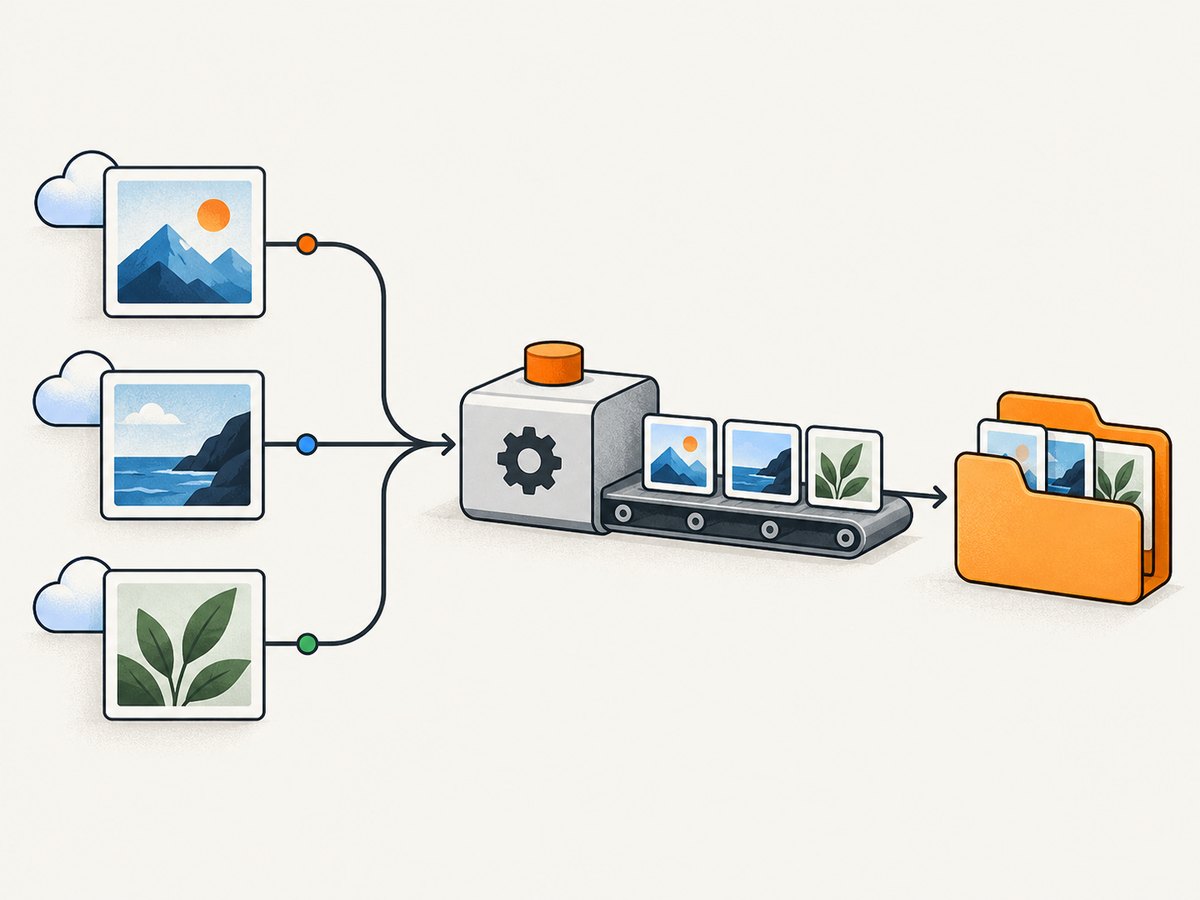
- Separate test levels. Unit tests should mock the provider client. Component and screenshot tests should read fixtures committed with the test suite or produced from an explicitly approved stable source.
- Pin the input. If an API permits it and its rules allow your use, record the chosen image ID or returned URL rather than searching for a random result on every run. Record relevant dimensions and metadata too, because layout may depend on them.
- Keep provenance. Store the provider, asset identifier or source URL, retrieval date, license/terms review note and attribution with each fixture. Follow the provider’s rules for hotlinking, displaying, saving and redistributing media.
- Control rendering conditions. Fix the viewport, device scale, font availability, image sizing and crop behavior. Wait for image decoding or a visible element condition rather than sleeping for an arbitrary long interval.
- Refresh intentionally. Review fixture changes as code changes. A scheduled job can check the real API and report response or schema changes without making every developer’s test run consume quota.
- Exercise failures without depending on outages. Mock 429, missing-key, malformed-query and 5xx responses. Test retry and user-facing error behavior locally and deterministically.
Pinning an ID does not prove that the asset will remain available forever. For critical snapshots, use a reviewed local fixture only where provider terms permit that storage and use. Do not build a public fixture collection that recreates a provider’s core service if its terms prohibit it.
5. Quotas, retries and failure handling
Estimate calls before enabling live tests. Multiply the number of test jobs by calls per job and scheduled runs per day, then account for reruns and parallel branches. Compare both hourly and monthly limits: Pexels has both documented ceilings; Unsplash demo is hourly; Pixabay’s published default is a rolling 60-second limit. A suite that fits a monthly total can still exceed an hourly or short-window limit in a parallel CI burst.
- Use a small number of intentional integration requests, and cache results locally within a run where permitted.
- On HTTP 429, honor any retry guidance returned by the service and use bounded exponential backoff with jitter. Do not retry every worker at once.
- Retry transient connection failures and selected server errors only a limited number of times. Do not retry authentication errors or invalid parameters unchanged.
- Set connect and total timeouts. A hung image request should fail a test with a useful message, not stall a whole build.
- Keep keys in your CI secret store. Avoid printing full authorization headers or query strings containing keys in logs.
- Use a circuit breaker or skip/mark the integration job unavailable when the provider is unreachable; keep unit tests runnable offline.
Provider rate limits and terms can change. Do not infer uptime, response latency or global reliability from a quota page. If those properties matter, collect measurements in your own environment and document the date, region, request pattern and failure criteria.
6. Rules that affect testing and fixtures
Free access does not mean every use is permitted. Unsplash’s API guidelines require use of hotlinked URLs returned under photo.urls; the guidelines also describe a download endpoint for actions resembling a download. Its license permits free commercial and non-commercial use while prohibiting unmodified resale and compiling images to replicate a competing service. Pexels asks for attribution when displaying API results and prohibits replicating core Pexels functionality. Pixabay asks applications to show users where displayed images and videos come from. Review current provider terms before saving, redistributing, embedding or making fixtures public.
For a private test fixture, document why it is stored and who can access it. For a public demo, make attribution and source links part of the UI. For a test that models a download, follow the relevant endpoint and event rules instead of merely fetching bytes. These distinctions avoid confusing “free to use” with “free to ignore the API contract.”
7. Screenshot testing is a different job
A stock image API gives your app media to display. A website screenshot service renders a URL and returns an image or PDF. If you are testing a website’s appearance, the latter can remove the work of managing a headless browser, fonts, navigation waits and file output. Keep in mind that a screenshot is still only as representative as the URL, viewport and page state supplied.

Or skip the browser setup
Use ScreenshotNeo when your test needs a rendered page capture. One GET request returns a PNG, JPEG, WebP or PDF, and the API accepts common screenshot parameter names to make migration easier. See the ScreenshotNeo API docs.
curl -G "https://api.screenshotneo.com/v1/shot" \
  -d access_key=YOUR_API_KEY \
  --data-urlencode url=https://stripe.com \
  -o shot.webp
ScreenshotNeo accepts cookie and consent banners like a visitor and removes more than 60 known consent platforms, newsletter popups and chat widgets before capture; each cleanup step can be disabled. Bot checks, blank pages, timeouts, failed loads and cache hits cost nothing, and response headers say which verdict and billing outcome applied. Its MCP server gives AI agents tools named take_screenshot, get_page_info and capture_pdf. The Free plan includes 1,000 shots per month without a card; paid plans start at $5 for 3,000. Every feature is on every plan.
Get 1,000 free ScreenshotNeo screenshots a month with no card.
8. Common problems and fixes
| Symptom | Likely cause | Fix |
|---|---|---|
| HTTP 401 or 403 | Missing, invalid or incorrectly sent key; account access or policy restriction | Check the provider’s current authentication format, key scope and account status. Keep the key out of logs. |
| HTTP 429 in CI | Parallel workers or repeated runs exceeded a request window | Reduce live calls, serialize the integration job, honor retry guidance and use bounded backoff. Keep routine tests mocked. |
| Snapshot differs between runs | Search results, image content, crop, dimensions or rendering conditions changed | Use a pinned permitted asset or a reviewed local fixture; fix viewport and crop settings. Do not assume a random query is stable. |
| Image URL works in browser but test cannot load it | Hotlink restrictions, redirect handling, network policy or an expired URL | Follow the provider’s URL rules, inspect redirects and test runner egress, and avoid undocumented URL rewriting. |
| Blank or broken image in UI | Response contains no results, field assumptions are wrong, or bytes were treated as JSON (or vice versa) | Check HTTP status and content type, validate the response schema, handle empty results, then choose the correct returned image field. |
| Tests pass locally and fail in CI | Missing secret, outbound network block, quota exhaustion or different rendering assets | Verify CI secret injection and egress, separate network integration tests, and include fixture/font assets in the build. |
| Unexpected attribution or policy issue | Results are shown without source details or fixtures are redistributed contrary to terms | Add required attribution, preserve source metadata, and review current API rules for storage, downloads and public distribution. |
9. Cost and performance notes
The listed image APIs have free published quotas, but “free” does not remove engineering costs. CI time spent waiting on a remote search, debugging a shared 429 or updating changed snapshots often costs more than a deterministic fixture. Keep online calls at the boundary where they test the integration itself.
For production-like tests, record request count, status code, response size and elapsed time without logging secrets. Compare the same query and request shape over multiple runs in the target CI region. Measure tail latency and error rate, not just one successful response. No official comparison in the source material provides a winner for speed or uptime.
For ScreenshotNeo, the published pricing supplied for this article is Free: 1,000 shots/month; Starter: $5 for 3,000; Growth: $15 for 15,000; Pro: $39 for 60,000; Scale: $99 for 250,000; Business: $249 for 1,000,000. Yearly billing gives two months free. A usage API, selectable cache TTL and billing verdict headers help track capture consumption; cache hits cost nothing. Treat caching as a performance choice and set a TTL appropriate to how often the page changes.
10. Selection checklist
- Is the test for stock media, provider integration, or a rendered website?
- Does it need images only, or image and video search?
- Can the hourly and monthly quota handle parallel CI and scheduled jobs?
- Can you pin the asset, or should you use a local fixture?
- Have you accounted for attribution, hotlinking, download-event and anti-replication rules?
- Are 429, missing-key, malformed-input and server-error paths tested without relying on live failures?
- Are API keys kept in secrets and excluded from logs?
- Is a real network integration test isolated from the fast, repeatable suite?
FAQ
Which free API has the largest published quota?
Among the three compared here, Pexels publishes 200 requests per hour and 20,000 per month. Quota size alone does not determine fit: request shape, terms and the need for reproducible fixtures matter too.
Can I use these APIs for snapshot tests?
You can exercise an API integration in a snapshot workflow, but live search results are a poor default fixture source because they may change or be unavailable. Mock responses or use reviewed, permitted local assets for repeatable snapshots.
Which API is fastest?
The cited provider documentation does not establish a fastest service. Measure from the region and CI environment you use, with the same query and repeated runs.
Can ScreenshotNeo replace Unsplash, Pexels or Pixabay?
No: those APIs provide stock media, while ScreenshotNeo captures rendered web pages. Choose based on whether the test needs an image asset or a screenshot of a page.