Best Screenshot API for Compliance Archiving in 2026
Compare screenshot APIs, archiving services, and self-hosted capture for compliance workflows. Learn what to retain, verify, and review before choosing.
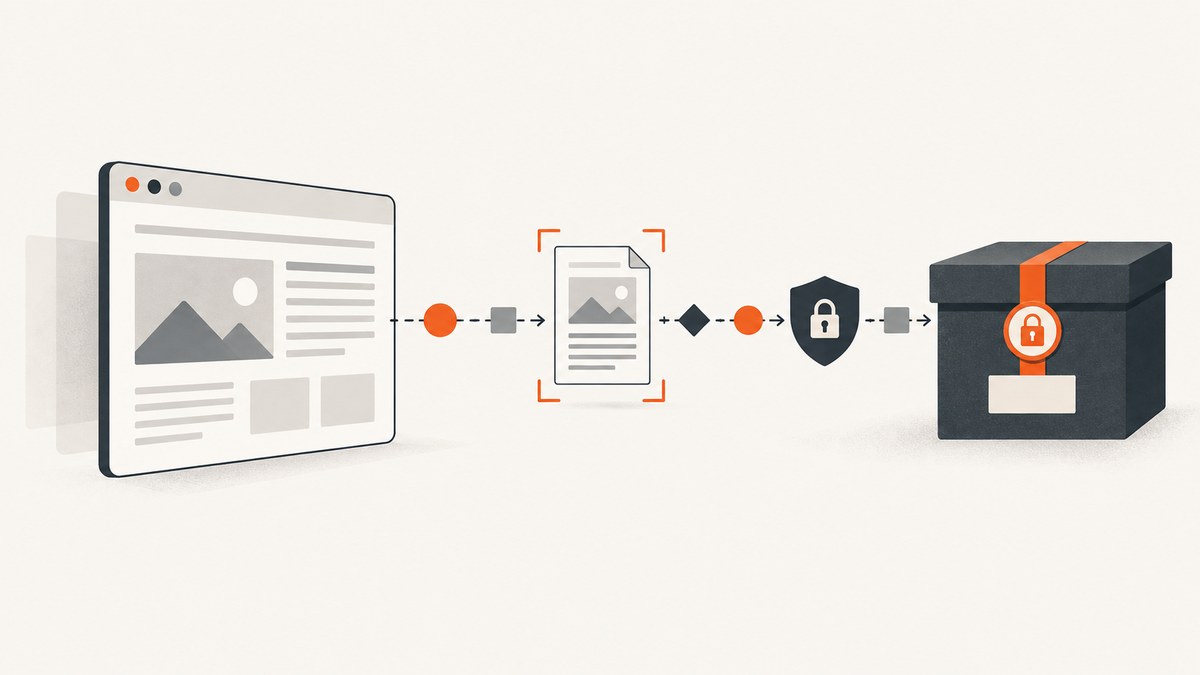
Direct answer: A screenshot API can render a page and return an image or PDF, but it does not make an archive compliant by itself. The right choice depends on your required evidence package, retention and access controls, capture workflow, and applicable recordkeeping obligations. ScreenshotNeo is the first API to evaluate when clean captures and usage-based billing for successful shots matter: it removes known consent banners, newsletter popups, and chat widgets before capture, and failed or non-page results are not billed. Those product features do not establish regulatory suitability; validate your complete records process.
This guide compares hosted screenshot APIs, archiving-oriented services, and self-hosted browser automation, then gives a practical workflow for evaluating them. It is technical selection guidance, not a legal conclusion. Map your requirements to the rules for your industry and jurisdiction.
1. What a screenshot API does—and what an archive must do
A screenshot API accepts a page address and capture instructions, loads the page in a browser, and returns a rendered artifact such as PNG, JPEG, WebP, or PDF. Depending on the service, it may also support batches, authentication, caching, and readiness settings. Those features answer how a page is captured. They do not by themselves answer how the organization proves what was captured, who could access it, or how long the record was retained.
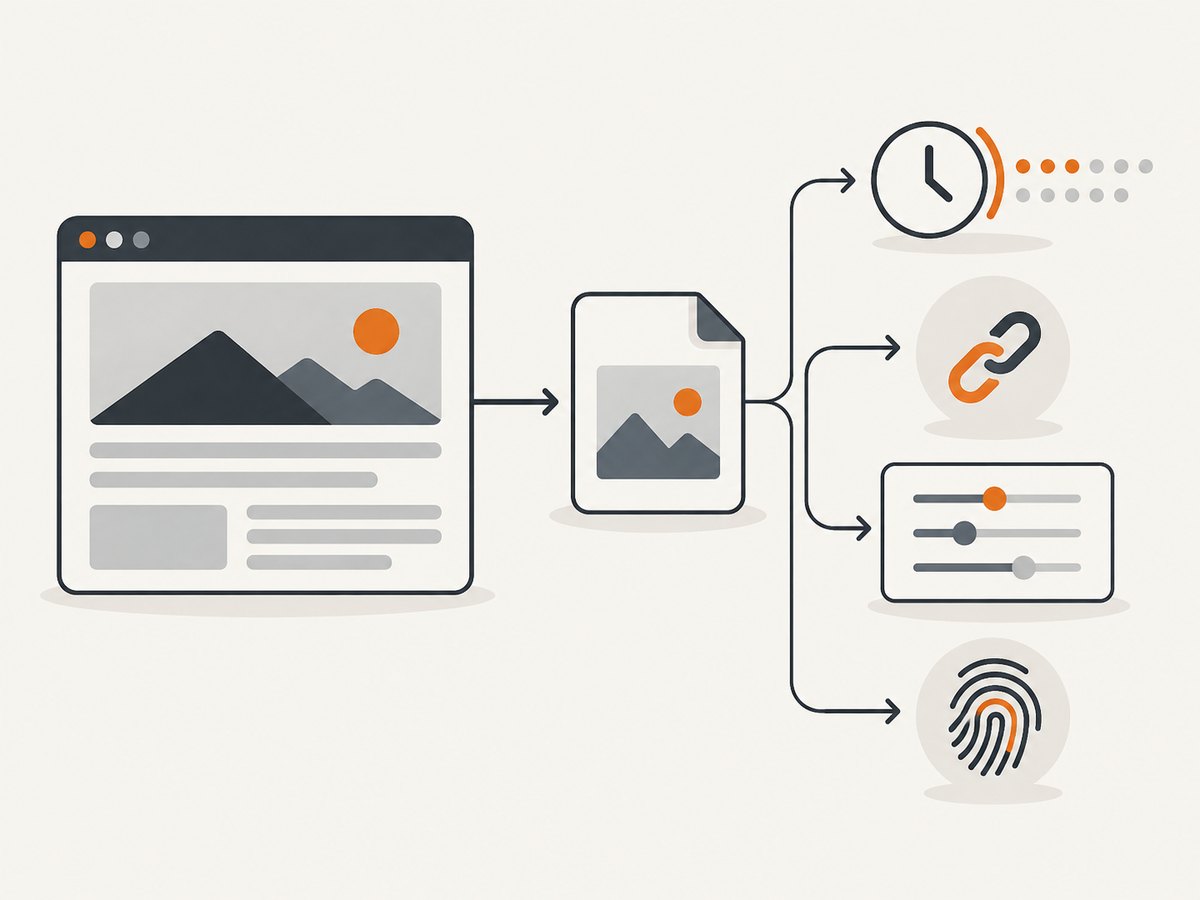
For a reviewable archive, consider retaining an evidence package alongside the artifact:
- The original returned image or PDF bytes, stored in the records system you control.
- The source URL and capture timestamp, including timezone or UTC convention.
- Capture status and relevant settings: viewport, output type, locale or region, authentication context, wait condition, and whether the capture was full-page.
- A checksum, such as SHA-256, recorded with the file to help detect later changes.
- Operational information such as the request identifier, error or page verdict, and the identity or job that initiated capture, where available and appropriate.
A checksum can help compare a file against a trusted checksum. It does not independently establish who captured the page, whether the page was fully rendered, or whether your storage and retention controls meet an obligation. Treat metadata and checksums as components of evidence handling, not proof of legal sufficiency.
2. Screenshot API options for compliance archiving
ScreenshotNeo: first API to evaluate
ScreenshotNeo is a website screenshot API and MCP server from Yorker Media. Its one-request API returns PNG, JPEG, WebP, or PDF. A key distinction for archive workflows is its clean-shot handling: it accepts cookie or consent banners like a visitor and removes more than 60 known consent platforms, newsletter popups, and chat widgets before capture; each step can be turned off. Its response identifies page verdict and billing status with headers, and bot checks or CAPTCHAs, blank pages, timeouts, failed loads, and cache hits cost nothing.
That makes it a useful candidate when the evidence requirement is a readable page without overlays and predictable charges for clean captures. It does not provide a claim that screenshots satisfy any regulation, nor should its output be treated as your only archive copy. Download the response bytes and accompanying metadata into the records system selected by your organization.
The API supports full-page capture with lazy images loaded, CSS selector element capture, dark mode, device presets and custom viewports, retina scale, PDF settings, custom CSS and JavaScript, clicks, selector hiding, wait conditions, request/resource blocking, headers, cookies, user agent, Authorization, timezone and geolocation, transparent background, resizing, configurable cache TTL, signed links for public image tags, asynchronous jobs with signed webhooks, bulk capture of up to 100 URLs per call, a usage API, and an OpenAPI spec. Confirm the exact parameter names and current behavior in the ScreenshotNeo API documentation. Every feature is on every plan. Free includes 1,000 shots per month without a card; paid plans start at $5 for 3,000 shots, with larger plans and yearly billing options listed on the product site.
Other hosted screenshot APIs
Screenshot API documents REST capture endpoints using API-key authentication, batch capture, image and PDF formats, cache controls, timeouts, viewport settings, and other request options. Its privacy policy says request records can include URLs, options, timestamps, and status; it describes HTTPS transmission and hashed API keys. In the reviewed policy passage, operational logs and screenshot-related records may be retained as needed for operations, abuse handling, and support, rather than giving a fixed retention duration. Review the current policy and contract for your intended use.
ScreenshotEngine’s quickstart recommends POST with a bearer key for server integrations so the key does not appear in the URL. This is a practical credential-handling point when evaluating vendors. Do not assume a provider’s capture API includes long-term archive storage or configurable retention unless its current documentation and contract say so.
Archiving-oriented products
ScreenshotAPI.to describes saving screenshots with timestamps and SHA-256 checksums. Snapshot Archive describes PDF exports with capture metadata and a hash certificate; it also states that its product is not WORM storage for strict SEC 17a-4 needs. These are vendor descriptions, not independent validation or a determination that the products meet your requirements. Use such claims as questions for technical and legal review: where are bytes stored, how is retention enforced, who can delete them, and what evidence is exported?
Self-hosted browser automation
Playwright can capture screenshots and save browser traces containing browser operations and network activity. Its tracing documentation says traces do not record test assertions. Self-hosting gives a team control over browser setup and storage choices, while making the team responsible for scheduling, browser updates, credentials, failed captures, logging, archive access, retention, and integrity handling. Browser automation is a capture method, not a records archive.
| Approach | Useful when | Verify before adoption |
|---|---|---|
| Screenshot API | You want a managed capture endpoint and need to integrate returned artifacts into your workflow. | Capture options, credential handling, data logged, export behavior, retention, access, and contract terms. |
| Archiving-oriented service | You want capture bundled with archive-oriented metadata or exports. | Storage controls, deletion and retention behavior, integrity model, and whether claims match your obligations. |
| Self-hosted Playwright | You can operate browser infrastructure and want control over the capture pipeline. | Maintenance ownership, reproducibility, trace limits, failure handling, and records storage design. |
3. Selection checklist: match the whole workflow to the requirement
- Define what counts as evidence. Specify the page state, schedule, viewport, geography, language, login state, and whether a screenshot, PDF, or both are needed. Confirm that you are authorized to capture any authenticated pages.
- Test representative pages. Include static pages, dynamic content, cookie banners, long pages with lazy-loaded images, login flows where permitted, and pages that may challenge automated browsers. Compare outputs to what a human reviewer needs to see.
- Inspect capture controls. Check full-page behavior, viewport/device options, readiness waits, output formats, batch limits, and handling of redirects, blocked requests, and timeouts. Repeat captures with the same settings and note meaningful variation.
- Design the evidence record. Decide which metadata accompanies every artifact. Capture source URL, time, status, key settings, and a request or job identifier where available. Hash the downloaded bytes if your workflow calls for integrity checks.
- Review data handling. Identify what the vendor logs, how credentials and page content are handled, and whether retention periods, deletion, access controls, and export are documented and contractually acceptable.
- Store bytes in the intended archive. A returned URL may expire or change. signageOS announced that its device screenshot endpoints would switch to time-limited pre-signed URLs effective May 15, 2026. This is a concrete reminder to download the actual artifact and metadata into your designated records system rather than treating a provider URL as the permanent record.
- Assign operational ownership. Decide who monitors scheduled jobs, retries transient failures, reviews missing captures, rotates credentials, and handles retention or deletion requests.
- Map to applicable requirements. Have the responsible compliance and legal owners check the complete workflow against relevant rules. No general screenshot API comparison can establish compliance for every organization.
4. Example: capture, preserve, and record an artifact
The following Python example shows the basic pattern for ScreenshotNeo: call the API, save the returned bytes, and record a checksum with source URL and timestamp. Add access controls and retention rules in your own records system. Keep API keys in environment-backed secret storage; do not commit them to source control. The endpoint’s response is an artifact, not an archive policy.
import hashlib
import json
import os
from datetime import datetime, timezone
from pathlib import Path

import requests

api_key = os.environ["SCREENSHOTNEO_API_KEY"]
url = "https://stripe.com"
response = requests.get(
    "https://api.screenshotneo.com/v1/shot",
    params={"access_key": api_key, "url": url},
    timeout=90,
)
response.raise_for_status()

artifact = response.content
Path("shot.webp").write_bytes(artifact)
metadata = {
    "source_url": url,
    "captured_at": datetime.now(timezone.utc).isoformat(),
    "http_status": response.status_code,
    "sha256": hashlib.sha256(artifact).hexdigest(),
    "content_type": response.headers.get("Content-Type"),
    "page_verdict": response.headers.get("X-Page-Verdict"),
    "billed": response.headers.get("X-Billed"),
}
Path("shot.webp.json").write_text(json.dumps(metadata, indent=2))
print(json.dumps(metadata, indent=2))
For production, persist the artifact and metadata atomically where possible, or use a manifest/job state so an interrupted upload cannot leave an untracked file. Confirm the API’s current authentication and response conventions in its docs. The service’s X-Page-Verdict and X-Billed headers help characterize the request result and billing status; they do not replace your own capture status and archive record.
5. A minimal self-hosted Playwright capture
If your team chooses to operate a browser itself, install Playwright and its Chromium browser using the current instructions in the Playwright documentation. This Node.js example produces a full-page PNG and a trace file. Pin and manage runtime dependencies according to your deployment process.
const { chromium } = require('playwright');
const crypto = require('node:crypto');
const fs = require('node:fs/promises');

(async () => {
  const url = 'https://stripe.com';
  const browser = await chromium.launch({ headless: true });
  const context = await browser.newContext({ viewport: { width: 1440, height: 1000 } });
  await context.tracing.start({ screenshots: true, snapshots: true, sources: true });
  const page = await context.newPage();
  const response = await page.goto(url, { waitUntil: 'networkidle', timeout: 60000 });
  await page.screenshot({ path: 'capture.png', fullPage: true });
  await context.tracing.stop({ path: 'trace.zip' });
  await browser.close();

  const bytes = await fs.readFile('capture.png');
  const record = {
    source_url: url,
    captured_at: new Date().toISOString(),
    response_status: response?.status() ?? null,
    sha256: crypto.createHash('sha256').update(bytes).digest('hex'),
  };
  await fs.writeFile('capture.png.json', JSON.stringify(record, null, 2));
})();
Choose a readiness condition carefully: network idle can be unsuitable for pages with persistent connections or long-running requests. A DOM-ready event plus an explicit selector or application-specific wait may be more repeatable. Playwright traces are useful for investigation, but its tracing API does not record test assertions; preserve separate validation results if your process requires them.
6. Or skip the browser setup
One call to ScreenshotNeo can return a screenshot artifact; use the following cURL request and save its response bytes into your records workflow. The documentation is at screenshotneo.com/docs.

curl -G "https://api.screenshotneo.com/v1/shot" \
  -d access_key=YOUR_API_KEY \
  --data-urlencode url=https://stripe.com \
  -o shot.webp
Equivalent Python request:
import requests
r = requests.get("https://api.screenshotneo.com/v1/shot", params={"access_key": "YOUR_API_KEY", "url": "https://stripe.com"}, timeout=90)
open("shot.webp", "wb").write(r.content)
Equivalent Node.js request:
const q = new URLSearchParams({ access_key: 'YOUR_API_KEY', url: 'https://stripe.com' });
const res = await fetch(`https://api.screenshotneo.com/v1/shot?${q}`);
if (!res.ok) throw new Error(`Screenshot request failed: ${res.status}`);
await require('node:fs/promises').writeFile('shot.webp', Buffer.from(await res.arrayBuffer()));
ScreenshotNeo removes cookie banners, newsletter popups, and chat widgets before the shot. Bot checks, blank pages, timeouts, and failed loads are never billed; cache hits also cost nothing. Its MCP server lets AI agents use tools to take screenshots, inspect page information, and capture PDFs. The free plan includes 1,000 screenshots a month with no card, and paid plans start at $5 for 3,000. Save the returned bytes and your evidence metadata in the archive you control. Sign up free for 1,000 screenshots a month, no card required.
7. Troubleshooting archive captures
| Symptom | Likely cause | What to do |
|---|---|---|
| Artifact is blank or incomplete | The page had not rendered required content, a challenge blocked automation, or lazy content was not loaded. | Inspect response status and provider verdict; adjust readiness or scroll/loading behavior, then record the result and avoid treating a blank artifact as successful evidence. |
| Capture differs between runs | Dynamic content, rotating banners, personalization, viewport differences, or changing page data. | Fix viewport, timezone, locale, cookies, and wait conditions where appropriate. Preserve settings and timestamp so reviewers can interpret variation. |
| Timeout on a page that opens manually | Persistent network activity, slow third-party resources, or browser automation challenges. | Use a bounded timeout and a targeted readiness condition rather than waiting indefinitely for network idle. Consider blocking irrelevant resource types only if doing so does not remove evidence. |
| API key appears in logs | Credential placed in a query string, which may be recorded by proxies or application logs. | Use the vendor’s recommended header or POST authentication option where supported; restrict, rotate, and store secrets appropriately. ScreenshotNeo’s supplied sample uses the access_key query parameter, so follow its current documentation and assess your logging path. |
| Provider link no longer works | Returned links can be time-limited or changed. | Download and retain the artifact bytes and metadata in the destination records system; test retrieval independently of the provider URL. |
| Checksum does not match | The file changed, a different encoding was stored, or the wrong file was hashed. | Hash the exact bytes being archived and verify against the manifest after transfer. Investigate changes rather than silently replacing the stored checksum. |
| Trace does not prove an assertion | Playwright tracing records browser activity but does not capture test assertions through its tracing API. | Store test results or validation output separately if required, with links or identifiers joining them to the capture record. |
8. Performance, reliability, and cost
Capture time depends on the target page, browser startup, network, readiness condition, output size, and whether full-page content or PDFs are generated. Batch requests can reduce orchestration overhead, but do not assume they improve page rendering time or guarantee every URL succeeds. Set bounded timeouts, use concurrency that your API plan and target sites permit, and record per-URL outcomes rather than treating a batch as all-or-nothing.
For reliability, use an explicit schedule and idempotent job identifiers in your own system. Retry transient transport failures with a limit and backoff; avoid blind retries for deterministic authorization errors or blocked pages. Preserve failed outcomes and timestamps so gaps in an archive are visible. If a service offers asynchronous jobs or signed webhooks, validate webhook signatures and reconcile completed jobs against your own job ledger.
Cost comparisons should include more than the per-capture price: account for failed captures, storage, retention, browser operations, engineering time, and review. ScreenshotNeo states that only clean shots are billed and lists Free at 1,000 per month, Starter $5 for 3,000, Growth $15 for 15,000, Pro $39 for 60,000, Scale $99 for 250,000, and Business $249 for 1,000,000; yearly billing gives two months free. This pricing can make successful-capture volume easier to estimate, but archive storage and compliance controls remain your responsibility. Recheck current pricing and terms before purchase.
9. Frequently asked questions
Does a screenshot with a timestamp prove what a visitor saw?
It records a rendered result at a stated time, but interpretation depends on the capture context and evidence handling. Preserve settings and status, and define how your organization validates the artifact.
Should I archive screenshots as PDF instead of images?
Choose based on review and records needs. PDFs may package multi-page output conveniently; images can preserve a straightforward raster capture. Test readability, page breaks, metadata, and long-page behavior with representative content.
Can a hash replace immutable storage?
No. A hash can help detect changes when compared with a trusted value. It does not enforce retention, prevent deletion, identify the actor, or demonstrate that capture was complete.
Is self-hosted Playwright automatically more compliant?
No. It gives your team control over the browser environment, but the team must still build and operate the archive, access controls, retention policy, integrity checks, and failure process.
Is any API in this guide approved for a specific regulation?
The reviewed documentation does not establish universal regulatory approval. Ask your compliance and legal owners to assess the full workflow, provider terms, and storage controls against the applicable requirements.