Best Screenshot API for Marketing Reports in 2026
Compare screenshot APIs for recurring marketing reports, with a practical shortlist, selection checklist, and runnable capture workflow.

A hosted screenshot API can capture landing pages, campaign destinations, and competitor pages for recurring marketing reports. The best fit depends on how many URLs you capture, which rendering controls you need, how failed captures are billed, and how the images reach your report. This shortlist is based on published vendor information in the research dossier, not independent testing; the marketing-report workflow is an application of general screenshot capabilities, not a verified vendor integration.
Short answer: ScreenshotNeo is the first option to evaluate when you need clean report images: it removes known consent banners, newsletter popups, and chat widgets before capture, and bills only clean shots. ScreenshotOne is another option with published tier and request-rate details that help estimate volume. If you have engineering capacity and need custom control, a self-hosted browser script can suit a narrow workflow, but you own its reliability and maintenance.
1. What makes a screenshot API suitable for marketing reports?
Reports often need more than a one-off image. You may capture the same campaign page each week, compare many destinations, or preserve a visual record of a page at a particular time. Before choosing a service, define the output and operating requirements.
| Requirement | Questions to answer |
|---|---|
| Coverage | How many URLs per report and how often? Do you capture only pages you own, or competitor pages too? |
| Visual consistency | Must viewport, device scale, color scheme, timezone, and wait condition stay fixed across runs? |
| Useful content | Should consent notices, newsletter overlays, ads, or chat widgets appear in the evidence? |
| Output | Does the report need PNG, JPEG, WebP, PDF, full-page capture, or a specific element? |
| Delivery | Will a scheduled job save files, send them to storage, or call a webhook for a downstream workflow? |
| Failure handling | How will the job distinguish a valid screenshot from a CAPTCHA, blank page, timeout, or failed load? |
| Cost control | What counts as billable? How do caching, concurrency, and per-minute request limits affect the run? |
Write these requirements down before comparing advertised feature counts. A low monthly price can be a poor fit if a report needs an unsupported control; a powerful service may be unnecessary for a small fixed list of pages.
2. Shortlist: screenshot APIs and approaches
ScreenshotNeo — first option to evaluate
ScreenshotNeo is a website screenshot API and MCP server from Yorker Media. Its API accepts one GET request with a URL and returns PNG, JPEG, WebP, or PDF. For report capture, its main distinction is cleanup before the screenshot: it accepts cookie or consent banners like a visitor and removes 60+ known consent platforms, newsletter popups, and chat widgets. Each cleanup step can be turned off. Bot checks and CAPTCHAs, blank pages, timeouts, failed loads, and cache hits cost nothing; response headers report the page verdict and billing status.
It supports full-page capture with lazy images loaded, CSS element capture, dark mode, device presets and custom viewports, retina scale, PDF settings, custom CSS and JavaScript, pre-capture clicks and waits, request blocking, headers, cookies, user agent, authorization, timezone, geolocation, resizing, caching, signed image links, asynchronous jobs with signed webhooks, bulk capture of 100 URLs per call, a usage API, and an OpenAPI spec. Parameters used by other screenshot APIs also work to simplify migration.
Pricing supplied for this article: Free includes 1,000 shots/month without a card; Starter is $5 for 3,000; Growth $15 for 15,000; Pro $39 for 60,000; Scale $99 for 250,000; Business $249 for 1,000,000. Yearly billing gives two months free, and every feature is on every plan. Confirm current pricing and limits on the ScreenshotNeo site before budgeting.
ScreenshotOne — published volume and rate information
ScreenshotOne’s pricing page, accessed September 29, 2026, lists 100 free screenshots monthly; Basic at $17/month for 2,000; Growth at $79/month for 10,000; and Scale at $259/month for 50,000. Listed monthly request rates are 40, 80, and 150 per minute on those paid tiers. Its page shows extra-request rates of $0.009, $0.006, and $0.004 respectively. Prices exclude VAT. The vendor says HTTP, browser, and network errors do not count, with qualifications around cache behavior; visual issues may still count. These are a dated vendor price snapshot, not a guarantee of current terms.
The same page lists PNG, WebP, JPEG and other formats; full-page and PDF capture; HTML rendering; caching; S3 upload; Zapier/Make and similar integrations; webhooks; signed links; and stealth mode. Higher tiers list selectable IP location, scrolling screenshots, and video; Scale lists GPU rendering and priority support. These are vendor-described capabilities, not independently verified here. Recheck the live pricing page before selecting a plan.
Self-hosted browser automation
Playwright or Puppeteer can capture pages when you need control over browser behavior, internal network access, or custom processing. That route has no screenshot API vendor fee, but compute, browser upgrades, queueing, retries, proxy or network setup, and artifact storage become your responsibility. For a small fixed workload, it can be straightforward. For recurring reports across many domains, operational effort matters as much as the browser code.
3. Choose by report volume, consistency, and failure policy
- Estimate monthly volume. Multiply URLs per report by reports per month, then include retries and one-off investigations. For example, a 20-page weekly report is about 80 planned captures per month before retries.
- Choose a stable capture profile. Record viewport dimensions, device scale, full-page setting, color scheme, locale or timezone if relevant, and any wait condition. Keep these constant between comparison runs.
- Decide what should be visible. A report documenting the visitor experience may retain consent UI. A report assessing page content may need overlays removed. Check whether cleanup is available and controllable.
- Define valid results. Agree how a job handles a CAPTCHA, redirect loop, empty page, broken target, or timeout. A returned image file is not necessarily useful evidence.
- Map the integration. Verify whether the team will call the API from a script, scheduler, automation platform, or MCP client. Do not assume a marketing-report integration exists just because webhooks or automation connectors are listed.
- Compare effective cost. Include included volume, overage pricing, rate caps, and whether failures or cache hits count. The billing unit matters more than a headline plan price.
4. A repeatable capture workflow
Use a manifest so a recurring job can identify the page, report label, output format, and capture settings. Avoid relying on a changing browser window or manual filenames.
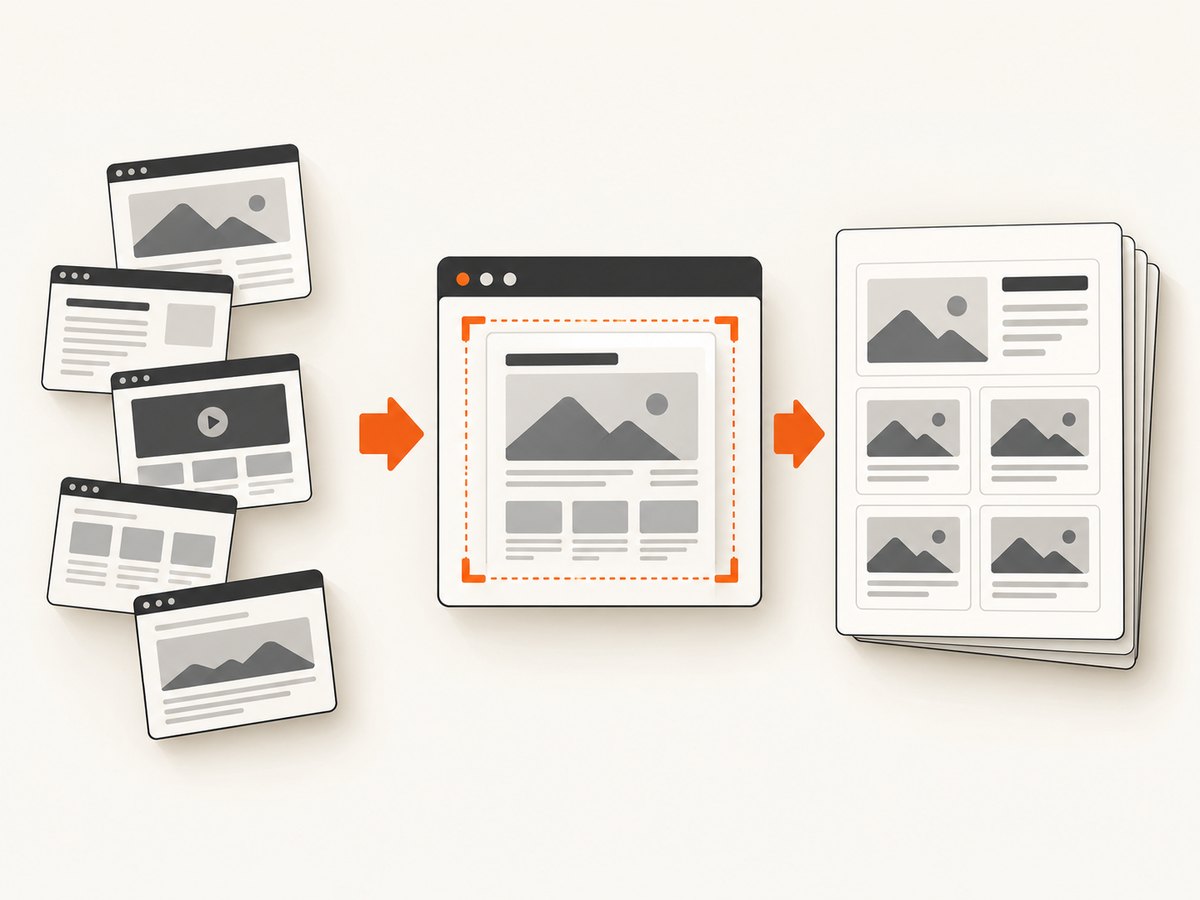
- Maintain a list of canonical target URLs and stable labels.
- Normalize the capture profile and output names, including a date or report run ID.
- Submit captures with bounded concurrency that respects the service’s request limits.
- Inspect the response status, content type, and service-specific verdict or billing headers.
- Store images with the run metadata: target URL, timestamp, viewport, capture options, and result status.
- Generate the report only after required captures finish; flag missing or invalid pages instead of silently treating them as successful.
For larger jobs, a queue with retry limits is safer than launching every URL at once. Retry transient network failures with backoff, but do not repeatedly retry a page that consistently presents a bot challenge or requires credentials the capture job does not have.
5. Run a screenshot request
The example below captures a single page. Replace the URL and key, then adapt the same request into a loop over your report manifest. See the ScreenshotNeo API documentation for supported parameters and response details.
cURL
curl -G "https://api.screenshotneo.com/v1/shot" \
  -d access_key=YOUR_API_KEY \
  --data-urlencode url=https://stripe.com \
  -o shot.webp
Python
import requests

r = requests.get(
    "https://api.screenshotneo.com/v1/shot",
    params={"access_key": "YOUR_API_KEY", "url": "https://stripe.com"},
    timeout=90,
)
r.raise_for_status()
content_type = r.headers.get("Content-Type", "")
if "image/" not in content_type and "application/pdf" not in content_type:
    raise RuntimeError(f"Expected an image or PDF, got {content_type!r}")
with open("shot.webp", "wb") as f:
    f.write(r.content)
print("verdict:", r.headers.get("X-Page-Verdict"))
print("billed:", r.headers.get("X-Billed"))
Node.js
const q = new URLSearchParams({ access_key: 'YOUR_API_KEY', url: 'https://stripe.com' });
const res = await fetch(`https://api.screenshotneo.com/v1/shot?${q}`);
if (!res.ok) throw new Error(`Screenshot request failed: ${res.status}`);
const type = res.headers.get('content-type') || '';
if (!type.startsWith('image/') && type !== 'application/pdf') {
  throw new Error(`Expected an image or PDF, got ${type}`);
}
const bytes = Buffer.from(await res.arrayBuffer());
await import('node:fs/promises').then(fs => fs.writeFile('shot.webp', bytes));
console.log('verdict:', res.headers.get('x-page-verdict'));
console.log('billed:', res.headers.get('x-billed'));
6. Or skip the browser setup
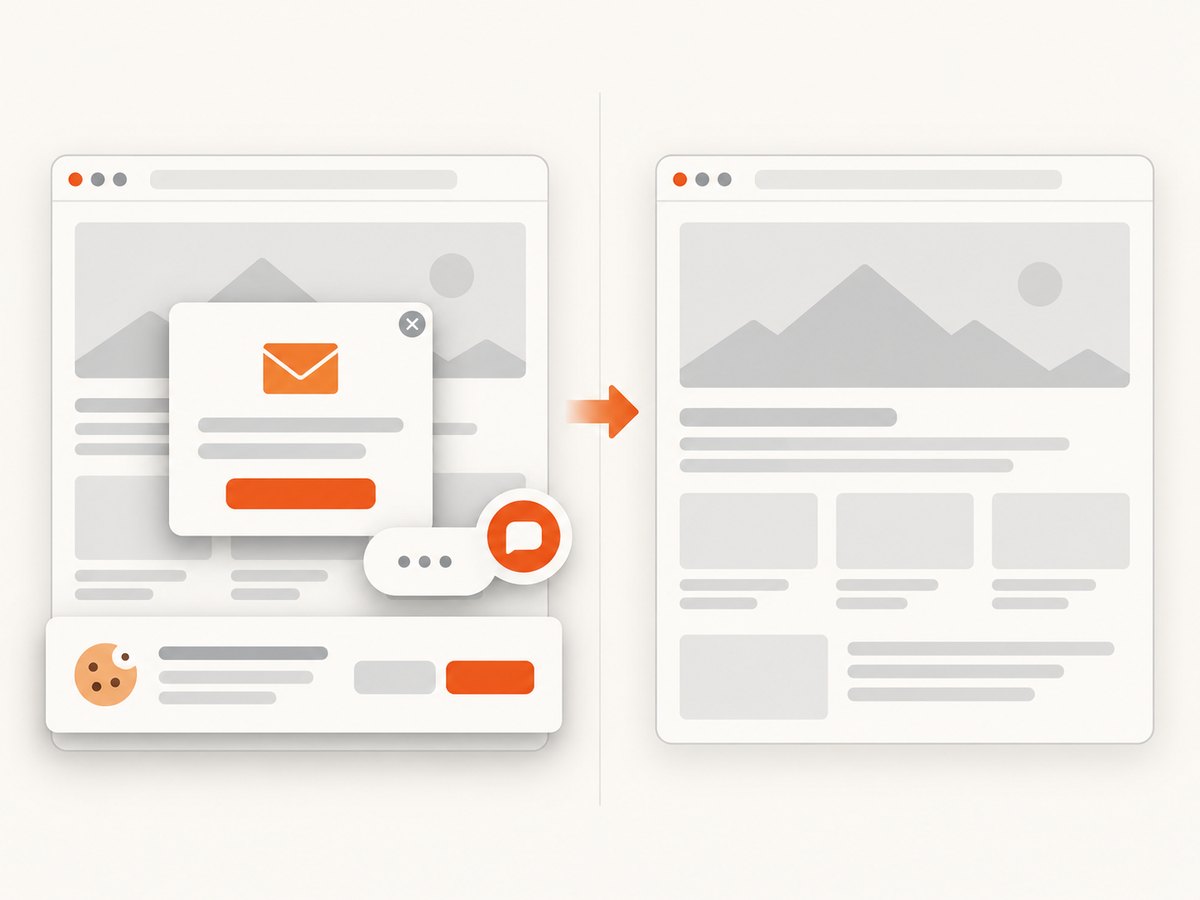
ScreenshotNeo provides a single-request capture path, so a scheduled report job does not need to install and maintain a browser. Its cleanup accepts consent banners and removes known cookie platforms, popups, and chat widgets before the shot. Bot checks, blank pages, timeouts, and failed loads are never billed; the API reports verdict and billing headers. An MCP server lets Claude, Cursor, or another MCP client take screenshots. The free plan includes 1,000 screenshots a month with no card, and paid plans start at $5 for 3,000.
curl -G "https://api.screenshotneo.com/v1/shot" -d access_key=YOUR_API_KEY --data-urlencode url=https://stripe.com -o shot.webpSee the API docs for capture options, or create a free account and start with 1,000 screenshots per month without a card.
7. Options that improve report usefulness
| Need | Relevant controls | Watch for |
|---|---|---|
| Compare page content over time | Fixed viewport, device preset, dark mode, retina scale, timezone | Changing responsive breakpoints can make images incomparable. |
| Capture long pages | Full-page capture; lazy image loading; wait for selector or network idle | Infinite scroll or persistent network requests can delay completion. |
| Focus the report | CSS element capture; hide selectors; custom CSS; click before capture | Selectors may change with a site redesign; validate them periodically. |
| Reproduce a visitor context | Cookies, headers, user agent, authorization, geolocation, timezone | Keep credentials secret and limit access to report artifacts. |
| Reduce noise and expense | Block ads, trackers, selected requests or resource types; cache with chosen TTL | Blocked resources can alter page layout; cache can show an older state. |
| Share artifacts | PNG/JPEG/WebP, PDF, resize, signed public image links, async jobs and signed webhooks | Choose link expiry and webhook verification behavior to suit your storage policy. |
For a report with one screenshot per URL, bulk capture can reduce orchestration overhead. ScreenshotNeo supports up to 100 URLs per call. Async jobs and signed webhooks suit workflows that should not hold an HTTP request open; check job status and persist completion results before assembling the report.
8. Troubleshooting common capture problems
| Symptom | Likely cause | What to try |
|---|---|---|
| Blank or mostly empty image | Page failed, content is delayed, or capture occurred before the main element appeared. | Check the page verdict; wait for a specific selector or a suitable delay and verify the target URL directly. |
| CAPTCHA or bot-check image | The site challenged automated access. | Do not treat the file as valid evidence. Use the verdict, stop retry loops, and ensure you have permission to access the target. |
| Consent layer obscures the page | The site displays a cookie or privacy prompt. | Decide whether that UI belongs in the report. Enable cleanup when the goal is page-content review, or disable cleanup when documenting the visitor experience. |
| Missing images below the fold | Lazy-loaded content was not triggered or the capture ran too early. | Use full-page capture with lazy images loaded, or wait for the relevant image or section selector. |
| Layout differs between runs | Viewport, device scale, color scheme, location, or dynamic content changed. | Pin the profile and metadata; record the run time and relevant options with every artifact. |
| Slow job or timeout | Heavy page, long scripts, persistent requests, or overly broad waiting condition. | Prefer a selector wait over an unbounded network-idle condition, set a practical timeout, and use async jobs for longer workflows. |
| Unexpected spend or throttling | Retries, concurrency, cache policy, or rate limits differ from assumptions. | Track billed headers or usage API data, cap concurrency, set a retry ceiling, and recalculate using current plan terms. |
| Saved file is not a usable image | The response may contain an error or PDF rather than the expected image. | Check HTTP status and content type before writing; retain verdict and billing metadata alongside the file. |
9. Performance, reliability, and cost
Capture time is dominated by the target page and chosen wait condition. Full-page capture, large images, browser scripts, and network-idle waits can increase latency. A selector that represents the content your report needs is often more predictable than waiting for every request to finish.
For reliability, separate capture from report assembly. Use bounded parallelism, timeouts, a small number of retries with backoff, and an explicit failed-result state. Store enough metadata to reproduce the capture profile. A successful HTTP response alone does not establish that the page rendered correctly; inspect the service verdict or validate the output format.
Estimate the monthly baseline as URL count × report frequency. Add expected retry volume, ad hoc captures, and any separate desktop/mobile variants. Compare the result with plan-included volume and any rate caps. ScreenshotOne’s figures above are a dated snapshot; ScreenshotNeo’s listed prices and free allowance are supplied product facts. Recheck both before publication or purchase. Caching can reduce repeated work where the page has not changed, but for a time-sensitive campaign report choose a TTL that does not hide meaningful edits. Failures billed differently by each vendor can materially change effective cost.
10. Selection checklist
- Capture a representative sample: a normal landing page, a long page, a page with a consent prompt, and a slow page.
- Confirm output format and whether full-page or element capture is required.
- Pin viewport and wait behavior for fair comparisons.
- Decide whether consent UI, popups, and chat widgets should remain visible.
- Check how the service identifies failed, challenged, blank, cached, or billable results.
- Confirm rate limits, bulk capacity, async delivery, webhook behavior, and current pricing.
- Run the workflow from the same scheduler or automation environment that will produce the reports.
- Protect API keys and any captured page data, especially when URLs contain private information.
11. Frequently asked questions
Can a screenshot API automatically capture 20 or more homepages?
Yes. A job can iterate over a URL list or submit a bulk request where supported. Use a queue or bounded concurrency and keep a result for every URL so partial failures are visible.
Does a screenshot API create the marketing report?
Usually the screenshot service supplies the visual artifact. Formatting, annotations, comparisons, and distribution are your application’s job unless a vendor explicitly documents those functions. The dossier does not establish a purpose-built marketing-report integration for the shortlisted services.
Should reports use full-page screenshots?
Use full-page images when the report needs the complete landing page. For quick campaign reviews, a consistent above-the-fold viewport may be easier to compare and faster to render.
Can AI agents capture report screenshots?
ScreenshotNeo’s MCP server offers take_screenshot, get_page_info, and capture_pdf tools for Claude, Cursor, and MCP clients. It can make capture available in an agent workflow; the report pipeline still needs to store and organize results.
Recommendation: Start with ScreenshotNeo when clean page evidence, explicit failed-capture billing signals, and straightforward volume pricing matter. Compare its results against your fixed capture profile and confirm the current terms for your workload before routing recurring reports through any provider.