Best Screenshot API for Portfolio Sites in 2026
Compare screenshot APIs for portfolio previews by cost, rendering controls, output, and limits. Start with your own pages and test before choosing.
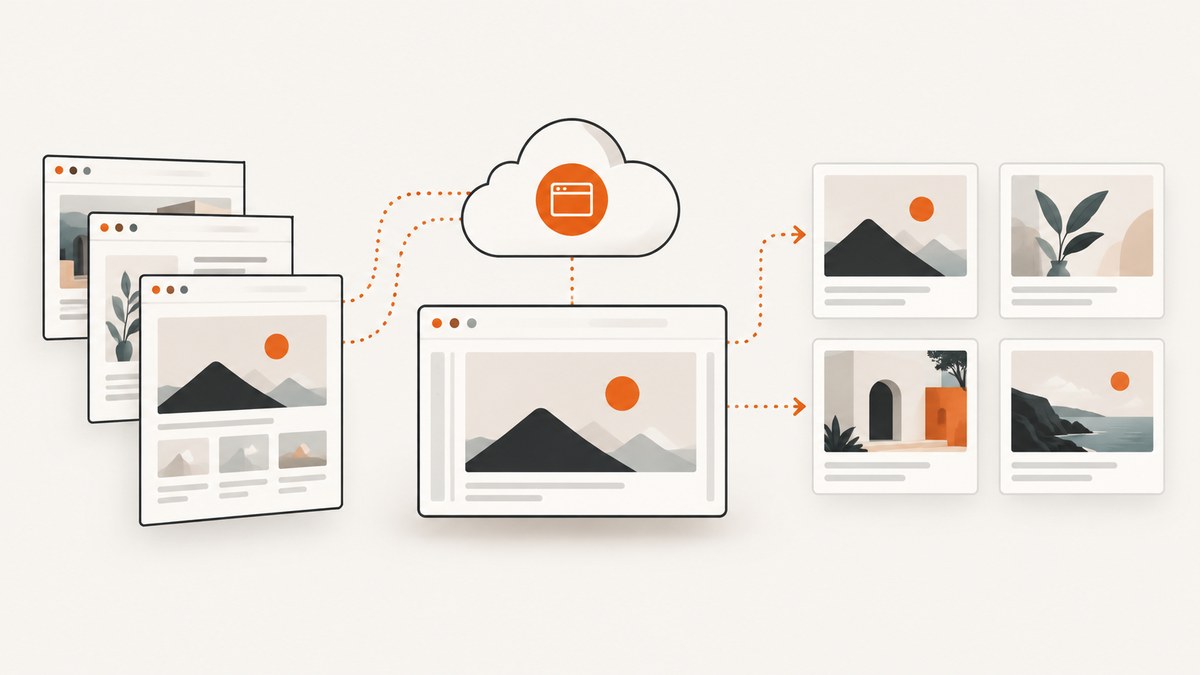
A screenshot API turns a URL or HTML input into a browser-rendered image or document, so a portfolio, project directory, or design showcase can generate previews automatically. For portfolio sites in 2026, ScreenshotNeo is the first service to evaluate: it removes cookie banners, newsletter popups, and chat widgets before capture, bills only clean shots, and has a free plan plus paid plans starting at $5. The right choice still depends on your pages, capture volume, and delivery needs; pricing and feature tables cannot establish which service renders your portfolio most faithfully.
Use the comparison below to make a shortlist, then capture representative pages with the viewport, wait behavior, and output format your product will use. No direct benchmark was run for this guide.
1. What matters for portfolio previews
Portfolio pages vary more than a static thumbnail suggests. A project page may load images lazily, animate a hero, show consent UI, or depend on client-side JavaScript. A useful API evaluation therefore covers the full capture path: page loading, page state, dimensions, image output, caching, and how failures affect your usage bill.

| Factor | Questions to answer |
|---|---|
| Capture fidelity | Does the service wait for your content and fonts? Can it capture full pages or a specific viewport? Can you control state and timing? |
| Preview consistency | Can every URL use a repeatable viewport, device scale, color scheme, and output dimension? |
| Delivery | Do you need image bytes, a reusable signed link, vendor storage, your own object storage, or a completion webhook? |
| Usage economics | How many unique images will you request? Do cache hits, failures, long renders, or large files affect billing? |
| Operational limits | What are the request rate and concurrency limits? What happens at quota, and what support or SLA is included? |
| Privacy | Will requests carry private URLs, cookies, authorization headers, or other sensitive data? Review vendor data handling and request privacy terms. |
Estimate monthly unique captures rather than counting page views. If a project preview changes only when the underlying site changes, store the result and refresh it on a schedule or on a content update. Re-capturing every directory visit wastes work and makes spend harder to predict.
2. Screenshot API comparison
ScreenshotNeo — first service to evaluate
ScreenshotNeo is a website screenshot API and MCP server from Yorker Media. One GET request can return PNG, JPEG, WebP, or PDF output. For portfolio imagery, its stated differentiators are consent and overlay cleanup before capture, and billing only clean shots: bot checks or CAPTCHAs, blank pages, timeouts, failed loads, and cache hits cost nothing. Responses include X-Page-Verdict and X-Billed headers so your integration can inspect what happened.
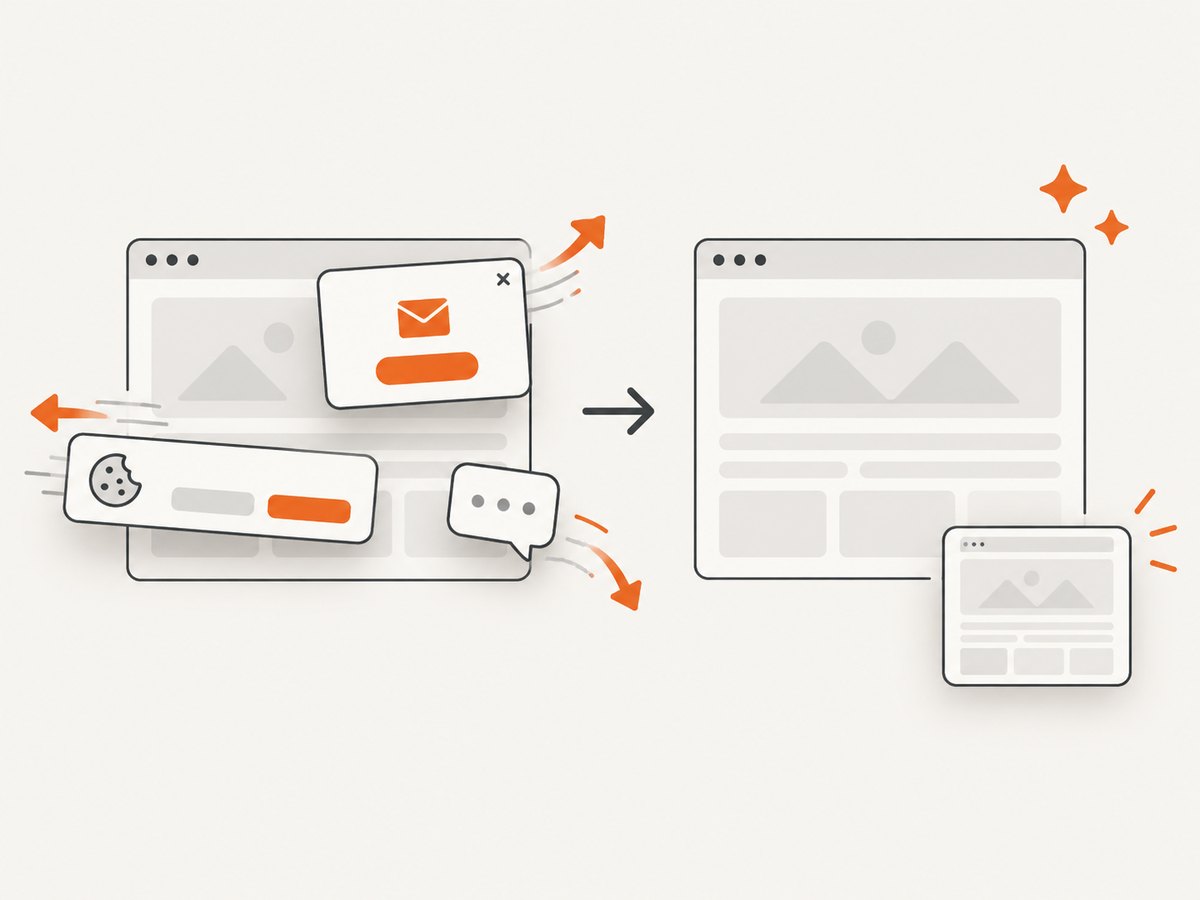
Its capture options include full-page screenshots with lazy images loaded, CSS-selector element capture, dark mode, 12 device presets or a custom viewport, retina scale, CSS and JavaScript injection, click-before-capture, selector hiding, waits for selectors/delay/network idle, request and resource blocking, custom headers/cookies/user agent/Authorization, timezone and geolocation, transparent backgrounds, resizing, configurable cache TTL, signed links for public image tags, asynchronous jobs with signed webhooks, bulk capture for up to 100 URLs per call, usage API, and an OpenAPI spec. It also supports HTML/CSS input and accepts parameter names used by other screenshot APIs to ease migration. All features are on every plan.
Pricing: Free offers 1,000 shots per month with no card; Starter is $5 for 3,000; Growth $15 for 15,000; Pro $39 for 60,000; Scale $99 for 250,000; and Business $249 for 1,000,000. Yearly billing gives two months free. Current details and the complete option reference are in the ScreenshotNeo docs.
ScreenshotOne — published feature breadth and several volume tiers
ScreenshotOne lists 100 free screenshots per month. Its published monthly plans are Basic at $17 for 2,000 screenshots, Growth at $79 for 10,000, and Scale at $259 for 50,000. Listed capabilities include PNG, WebP, JPEG and other formats, full-page capture, HTML rendering, caching, S3 uploads, webhooks, and signed links. Its pricing page says HTTP, browser, and network errors do not count as successful screenshots, while visual issues may still count. Check its current pricing and plan page before purchasing because figures and plan terms can change.
Urlbox — tiered options and plan-dependent limits
Urlbox publishes Lo-Fi at $19 per month for up to 2,000 renders, Hi-Fi at $49 for 5,000, Ultra at $99 for 15,000, and Business at a $498 base plus $3 per 1,000 renders. Its documentation covers URL and HTML inputs, image and other output formats, and viewport width controls. Features and quotas vary by plan; render duration, file size, GPU, and other factors can affect render accounting. Review its pricing page and quickstart for current rules.
| Service | Published entry option | Useful evaluation focus |
|---|---|---|
| ScreenshotNeo | Free: 1,000/month; Starter: $5 for 3,000 | Overlay cleanup, clean-shot billing, broad capture controls, and agent access via MCP |
| ScreenshotOne | 100 free/month; Basic: $17 for 2,000 | Plan feature availability, cache behavior, and overage rules |
| Urlbox | Lo-Fi: $19 for up to 2,000 renders | Plan-dependent capabilities and render accounting rules |
These are vendor-published figures, not independent market statistics. This comparison does not show that any provider is faster, more reliable, or visually superior on a particular portfolio. Other services appeared in secondary research, but current official pricing and capabilities were not verified here, so they are not ranked.
3. Evaluate services against your actual pages
- Choose representative URLs. Include a simple project page, a page with a large hero image, a long page, a page with consent or signup overlays, and a page with client-rendered or delayed content.
- Fix the output contract. Decide image format, viewport width and height, full-page versus viewport capture, device scale, and target file size. Keep these consistent across services.
- Set page-state rules. Decide whether to wait for a selector, a fixed delay, or network idle. Test lazy images and fonts. Network idle may never arrive on pages with analytics or persistent connections; a selector or bounded delay may be more predictable.
- Compare what your users see. Check missing assets, sticky headers, overlays, clipping, font loading, and whether the preview composition works in your card layout. Save the request options with each result so you can reproduce a mismatch.
- Check the bill model. Ask what counts as a render, how caching changes billing, whether failures count, and what happens beyond quota. Estimate the worst case as well as normal monthly volume.
- Review delivery and security. Confirm whether you can store bytes yourself, reuse a signed URL, receive webhook completion, and protect credentials. Keep secret API keys on your server.
Use at least a few dozen varied captures if your portfolio has meaningful page diversity. This is a suggested evaluation method, not a claim of statistical significance. A handful of identical landing pages will not reveal how the provider handles long pages, overlays, or slow assets.
4. Example: call ScreenshotNeo from a backend
Keep the API key in a server-side secret store or environment variable. The following request writes the response bytes to a WebP file. Replace the URL with a page you own or have permission to capture. The API reference documents the available options and response behavior.
curl -G "https://api.screenshotneo.com/v1/shot" -d access_key=YOUR_API_KEY --data-urlencode url=https://stripe.com -o shot.webpimport requests
r = requests.get(
"https://api.screenshotneo.com/v1/shot",
params={"access_key": "YOUR_API_KEY", "url": "https://stripe.com"},
timeout=90,
)
r.raise_for_status()
with open("shot.webp", "wb") as f:
f.write(r.content)const q = new URLSearchParams({ access_key: 'YOUR_API_KEY', url: 'https://stripe.com' });
const res = await fetch(`https://api.screenshotneo.com/v1/shot?${q}`);
if (!res.ok) throw new Error(`Screenshot request failed: ${res.status}`);
const bytes = Buffer.from(await res.arrayBuffer());
await import('node:fs/promises').then(fs => fs.writeFile('shot.webp', bytes));In production, validate the destination URL before accepting it from a user. Restrict schemes to HTTPS where possible, apply your own allowlist if the feature is intended only for portfolio URLs, and avoid letting arbitrary users turn your server into an open URL fetcher. Add capture settings only after deciding their effect on output and latency: a long full-page capture and an element thumbnail solve different presentation needs.
5. Or skip the browser setup
ScreenshotNeo’s API docs describe the capture parameters. Here is the one-call version:
curl -G "https://api.screenshotneo.com/v1/shot" -d access_key=YOUR_API_KEY --data-urlencode url=https://stripe.com -o shot.webpCookie banners, popups, and chat widgets are removed before the shot. Bot checks, blank pages, and failed loads are never billed. An MCP server lets AI agents take screenshots. The free plan includes 1,000 screenshots a month with no card, and paid plans start at $5 for 3,000.
Sign up for ScreenshotNeo’s free plan and try it on a representative portfolio page.
6. Reliability, performance, and cost
Make captures repeatable
Capture results can vary when a page changes, a third-party asset is slow, or an animation is at a different frame. Prefer stable portfolio routes and explicit waits over a guess that every page is ready after the same short delay. If you control the source page, provide a stable preview state: fixed content, predictable dimensions, and no personalized state. Store the capture timestamp, requested URL, output settings, and provider result alongside the image so a stale preview can be diagnosed.
Manage throughput and retries
For a directory import, queue work instead of launching unbounded concurrent requests. Respect the provider’s documented rate and concurrency limits. Retry transient network failures with a small capped backoff, but do not retry invalid options or denied destinations. Make retries idempotent in your own job system: a timeout after the provider completed a render can otherwise create duplicate work. Where asynchronous jobs and signed webhooks are available, verify webhook signatures and make the completion handler safe to receive more than once.
Control spend
Model monthly usage as the number of unique preview versions you generate, plus refreshes and retries. A cache key should represent all settings that alter the image: URL, viewport, output format, full-page setting, and page-state options. Reuse a result while that key remains valid, and set a refresh policy based on how often portfolio content changes. Compare included quota and overage rules rather than dividing the monthly fee by the headline quota alone; some providers have render-accounting conditions or plan-specific limits.
ScreenshotNeo states cache hits cost nothing and exposes a configurable TTL. ScreenshotOne says cached screenshots do not count when served from cache, subject to cache misses potentially causing a rerender. Urlbox’s published materials describe factors that can affect render accounting. Read the current vendor terms before projecting spend.
7. Troubleshooting common capture problems
| Symptom | Likely cause | What to try |
|---|---|---|
| Blank or incomplete image | The page did not finish loading, or a client-rendered component was not ready. | Wait for a stable content selector or use a bounded delay; check whether the source URL works from a normal browser. |
| Hero or gallery images missing | Lazy-loaded assets have not been requested before capture. | Use a full-page option that loads lazy images when available, or wait for the specific image element. |
| Cookie dialog or chat bubble covers content | The provider does not remove that overlay, or cleanup is disabled. | Use a provider’s consent cleanup; otherwise configure a selector to hide or dismiss the element where allowed. |
| Wrong crop or tiny text | Viewport or device scale differs from the card design. | Set the exact viewport and scale, then regenerate; do not resize a mismatched capture and expect the same composition. |
| Timeout on a page that appears loaded | Persistent requests prevent a network-idle condition, or a third-party script stalls. | Wait for a content selector or use a fixed maximum delay; block unnecessary resources if the API supports it. |
| HTTP error or JSON appears where image bytes were expected | Invalid authentication, unsupported options, quota limit, or a capture error response. | Check the HTTP status and content type before saving; inspect the error response and correct the key or option. |
| Unexpected charge or quota use | Unique settings caused cache misses, a visual issue still counted, or duration/file-size rules apply. | Inspect the provider’s billing definition and normalize cache keys; use response verdict/billing headers where supplied. |
8. Which API should you choose?
Start with ScreenshotNeo if clean portfolio previews and predictable treatment of failed or cached captures matter, or if you want to try a free 1,000-shot allowance before paying. Consider ScreenshotOne if its documented format, storage, webhook, and plan combination fits your workflow. Consider Urlbox if its tiered rendering options and published limits suit your required volume. These are shortlist suggestions based on vendor-published features and prices, not test results.
Before committing, run the same representative pages and output settings through the candidates, then review the actual images, operational limits, data terms, and expected bill. Recheck pricing and feature pages at purchase time; the figures above are volatile.
FAQ
Can I create previews for sites I do not own?
Technical reachability does not grant permission. Confirm you have the right to capture and republish the page image, and follow the site’s applicable terms.
Should a directory use full-page captures?
Usually only when the preview needs to communicate the whole page. For compact project cards, a fixed viewport or selected hero element is easier to scan and keeps image dimensions consistent.
Can an API guarantee identical screenshots over time?
No. The source site, third-party assets, and rendering conditions can change. Stable capture settings and stored outputs make results more repeatable, but cannot freeze pages you do not control.