Best Status Page Tools for Businesses
Compare the best status page tools by audience, incident workflow, monitoring, integrations, scale, and total cost.

Short answer: the best status page tool depends on who needs the update and how your team detects and communicates incidents. Choose a public page for customers, a private page for employees, or audience-specific views for different customer groups. Then verify incident workflows, notification channels, subscriber and seat limits, integrations, monitoring boundaries, security, and total cost.
A status page is an incident-communication surface. It shows component health, planned maintenance, incident updates, and history. It is not automatically an uptime monitor. Atlassian states this boundary directly: “Statuspage does not do any direct monitoring of your websites or servers, but you can integrate monitoring tools with Statuspage, or use our API to programmatically update your page.” Read the Statuspage documentation before assuming detection is included.
How to choose a status page tool
1. Define the audience and access model
Start with the people who must see the information:
- Public customer page: anyone with an internet connection can view it. This is appropriate for SaaS products, APIs, marketplaces, and consumer services.
- Private employee page: viewers authenticate before seeing updates. Use it for internal systems, corporate networks, and employee-only services.
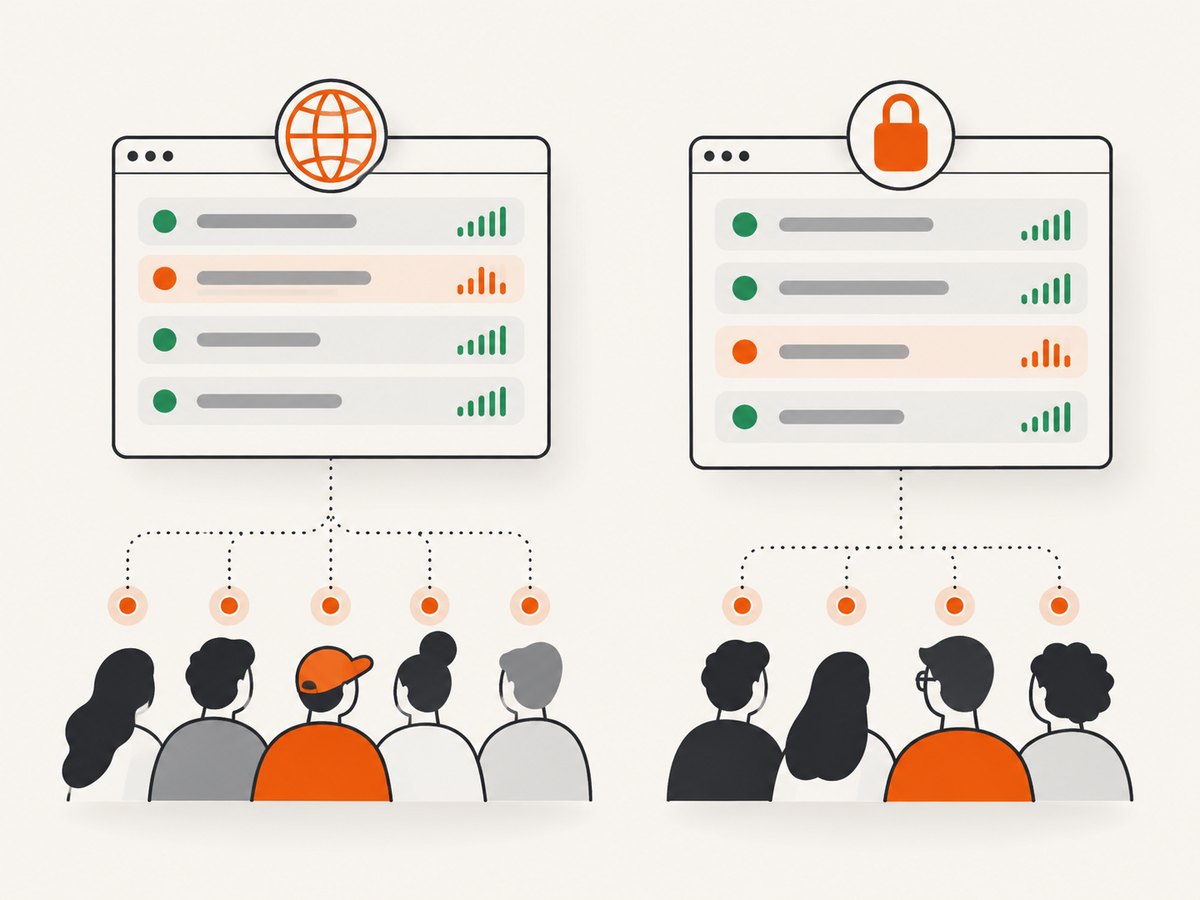
- Audience-specific pages: different customer groups receive different component views or updates. This can fit multi-tenant products, enterprise accounts, or regional services.
Do not select a plan until you know whether private authentication, audience segmentation, SSO, or role-based access is required. These controls often change the plan and operating model more than the basic page itself.
2. Map your incident process
List the states your responders use and make sure the product supports them. Atlassian Statuspage documents Investigating, Identified, Monitoring, and Resolved. Components can be marked Operational, Partial Outage, Degraded Performance, Major Outage, or Under Maintenance.
Check for component groups, incident templates, scheduled maintenance, update permissions, incident history, and an audit or activity log. A page that only displays a green or red indicator will not replace a repeatable incident workflow.
3. Separate detection from communication
Document the source of truth for detection: an uptime monitor, synthetic checks, infrastructure alerts, an on-call platform, or a human incident commander. Then verify how that source updates the status page. Common routes include a vendor integration, REST API, email-triggered updates, or a controlled manual process.
This distinction prevents a common failure: buying a status page and discovering that nobody is watching the service. If you need one vendor to provide uptime checks, alerting, on-call scheduling, incident management, and the page, prioritize a bundled platform and validate the exact package.
4. Check notifications and limits
Compare more than the monthly price. Record the maximum subscribers, team members, components, metrics, pages, and notification destinations. Verify whether email, SMS, webhooks, Slack, and Microsoft Teams are included or gated by a higher tier. Also check whether component subscriptions and audience-specific notifications are supported.
5. Calculate total operating cost
Your real cost can include the page subscription, monitoring, alerting, on-call, extra seats, private pages, custom branding, SMS or webhook delivery, and engineering time for integrations. A low page price can become expensive if your existing monitoring cannot update it automatically. Conversely, a communication-focused product can be economical when your monitoring and on-call stack already work well.
Best status page tools shortlist
| Tool | Best fit to investigate | What to verify before purchase |
|---|---|---|
| Atlassian Statuspage | Businesses needing structured incident communication, public or private access, audience-specific pages, subscriber updates, API access, and broad integrations. | Monitoring is not built in; confirm current plan limits, notification channels, private-page requirements, and the cost of your monitoring stack. |
| Better Stack | Teams evaluating a consolidated status page, uptime monitoring, on-call scheduling, and incident management workflow. | The June 2026 openstatus comparison describes this bundle; validate current packaging, limits, and pricing with Better Stack. |
| Instatus | Teams comparing current hosted status page alternatives. | Confirm live subscriber limits, private-page availability, monitoring boundaries, integrations, and support terms. |
| openstatus | Teams investigating monitoring, an open-source codebase, or self-hosting. | These claims come from a vendor-authored comparison. Review current documentation, hosting effort, security responsibilities, and operational requirements. |
| Datadog Status Page | Organizations already standardizing on the Datadog ecosystem. | Confirm current product packaging, permissions, integrations, and costs; this research pass did not independently verify them. |
| Status.io | Teams seeking a focused status communication service. | Confirm current plans, monitoring scope, subscriber model, and integration depth. |
There is no universal winner. A company with monitoring already in place may value communication workflow and audience controls. A company consolidating operations may prefer bundled monitoring and incident response. Existing Atlassian or Datadog investments can also change integration cost and team adoption.
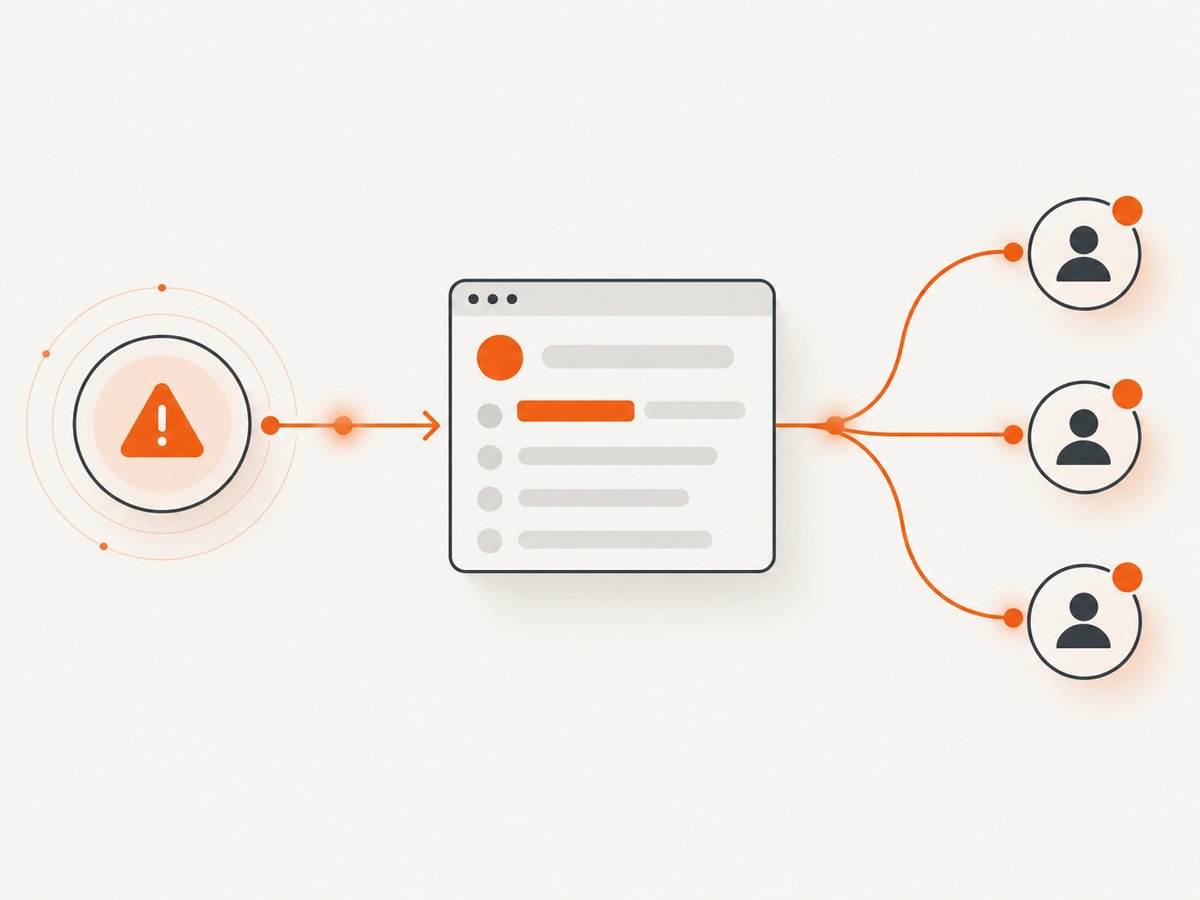
Atlassian Statuspage: the documented communication-focused choice
Statuspage is a strong candidate when you need public, private, or audience-specific communication with components, incidents, scheduled maintenance, subscriber notifications, embeds, and API updates. Atlassian documents integrations with Datadog, New Relic, Librato, and Pingdom for monitoring; Opsgenie, PagerDuty, VictorOps, and xMatters for alerting; and Jira Service Management, Zendesk, and Intercom for support surfaces. Treat these as available integration routes, not a guarantee that every desired workflow is supported.
Atlassian’s public pricing page, checked September 29, 2026, lists these public plans:
| Plan | Price | Subscribers | Team members | Components | Metrics |
|---|---|---|---|---|---|
| Free | $0 | 100 | 2 | 25 | 2 |
| Hobby | $29/month | 250 | 5 | — | 5 |
| Startup | $99/month | 1,000 | 10 | — | 10 |
| Business | $399/month | 5,000 | 25 | — | 25 |
| Enterprise | $1,499/month | 25,000 | 50 | — | 50 |
The same page lists email notifications on Free and Hobby, with email, SMS, and webhook notifications on Startup and above. Slack and Microsoft Teams notifications appear on public tiers. Pricing and packaging change, so re-check the live Atlassian pricing page before publication or procurement.
Statuspage incident history appears after the page has been operational for 14 days. Plan your launch and customer expectations accordingly.
Design the page before configuring the product
- Inventory services: list APIs, web applications, authentication, billing, data pipelines, and regional dependencies.
- Choose component granularity: expose enough detail for useful updates without leaking internal architecture.
- Define severity language: decide when to use degraded performance, partial outage, major outage, and maintenance.
- Assign owners: name the incident commander, technical updater, customer-support liaison, and executive approver.
- Set update intervals: publish an initial statement, a next-update time, investigation findings, mitigation progress, and resolution.
- Connect detection: integrate your monitoring or alerting source through the supported connector or API.
- Test the customer path: subscribe a test address, inspect email or webhook delivery, and verify that embeds and custom domains render.
API update pattern with cURL
Every vendor uses different authentication and payloads, so use the selected provider’s API documentation for the exact endpoint and fields. A generic incident workflow looks like this:
curl -X POST "https://status.example.com/api/incidents" \
  -H "Authorization: Bearer $STATUS_PAGE_TOKEN" \
  -H "Content-Type: application/json" \
  --data '{
    "name": "Elevated API latency",
    "status": "investigating",
    "message": "We are investigating elevated latency in the API.",
    "component_ids": ["api"]
  }'
Do not copy this endpoint or field names into production without adapting them to your provider. The reliable design is to make updates idempotent, store the provider incident ID, and advance the same incident through its lifecycle instead of creating duplicates.
Reliability, performance, and cost checklist
- Reliability: keep an independent way to communicate if the status provider is unavailable, such as a support channel, social account, or static emergency page.
- Performance: keep component lists understandable, avoid excessive client-side embeds, and test page load from the regions where customers operate.
- Automation: require retries with backoff, request timeouts, response validation, and alerting when an update fails.
- Security: protect API tokens, restrict update permissions, review private-page authentication, and avoid putting secrets or sensitive incident details in public messages.
- Cost: model peak subscribers, team seats, components, metrics, SMS volume, webhooks, private pages, branding, and separate monitoring.
- Portability: confirm export options, API access, domain ownership, and how you would communicate during a vendor migration.
Common problems and fixes
The page is green while the service is down
Cause: the status page does not monitor your service, or the monitoring integration failed. Fix: test the alert-to-page path, inspect API responses, and assign an owner for failed updates.
Customers do not receive notifications
Cause: the channel is unavailable on the current plan, subscribers have not confirmed delivery, or a webhook destination rejects requests. Fix: verify plan entitlements, subscription status, delivery logs, sender authentication, and endpoint responses.
Updates create duplicate incidents
Cause: each alert opens a new incident without checking for an existing one. Fix: persist the incident identifier and use a deduplication key based on service, region, and alert fingerprint.
Private users see the wrong components
Cause: the access model does not match your audience segmentation. Fix: map groups to pages or views before launch and test with accounts from every customer class.
The page exposes too much internal detail
Cause: component names mirror internal services and incident messages contain implementation data. Fix: use customer-facing names, publish impact and mitigation, and keep sensitive diagnostics in the incident system.
Incident history is empty
Cause: the page has not been operational long enough or no incidents have been published. Statuspage documents that its Incident History link appears after 14 days. Fix: confirm the page age and publish a planned maintenance event when appropriate.
Or skip the browser setup
If you are building a workflow that needs screenshots of a status page, incident report, or customer-facing update, ScreenshotNeo provides a single website screenshot API call. Cookie and consent banners, newsletter popups, and chat widgets are removed before the shot. Bot checks, blank pages, failed loads, timeouts, and cache hits are not billed, and responses identify the result with X-Page-Verdict and X-Billed headers. Its MCP server lets Claude, Cursor, and other MCP clients use take_screenshot, get_page_info, and capture_pdf.
See the complete option list in the ScreenshotNeo documentation.
curl -G "https://api.screenshotneo.com/v1/shot" -d access_key=YOUR_API_KEY --data-urlencode url=https://status.example.com -o status.webpimport requests
r = requests.get("https://api.screenshotneo.com/v1/shot", params={"access_key": "YOUR_API_KEY", "url": "https://status.example.com"}, timeout=90)
open("status.webp", "wb").write(r.content)const q = new URLSearchParams({ access_key: 'YOUR_API_KEY', url: 'https://status.example.com' });
const res = await fetch(`https://api.screenshotneo.com/v1/shot?${q}`);It includes full-page and element capture, device presets, retina scale, custom CSS and JavaScript, waits, headers, cookies, blocking rules, PDF output, caching, signed links, asynchronous jobs, bulk capture, and usage reporting. The Free plan includes 1,000 screenshots each month with no card; paid plans start at $5 for 3,000 shots. Create a free ScreenshotNeo account.
FAQ
Is a status page an uptime monitor?
Not necessarily. A hosted page publishes health information; verify whether the provider includes checks or requires an external monitoring integration.
Should every business use a public page?
No. Internal systems may need a private page, while multi-tenant products may need audience-specific views.
How many components should a page have?
Use components that help customers understand impact and subscribe to relevant updates. Group low-level dependencies when exposing them would create noise or security risk.
When should we automate updates?
Automate repeatable transitions from trusted alerts, but keep human approval for customer wording, broad incidents, and resolution claims.
What should procurement verify first?
Confirm access model, subscriber and seat limits, notification channels, monitoring boundary, API and integration support, security controls, portability, and total cost at expected scale.