Best thum.io Alternatives in 2026
Compare ScreenshotNeo, thum.io, Urlbox, and ScreenshotOne by capture needs, pricing, and workflow so you can choose a screenshot API that fits.

Thum.io is a direct fit for a simple URL-to-image screenshot API, especially when you want an image URL that can go in an <img> tag. The best alternative depends on what that URL needs to capture: ScreenshotNeo is the first alternative to try when you want clean captures, transparent billing for failed pages, or an MCP server for AI agents. Urlbox is worth evaluating for broader capture controls and business support, while ScreenshotOne documents a straightforward API and image-embedding workflow. This guide compares the available evidence and gives you a practical way to choose.
There is no independent benchmark in the research establishing a universally fastest or most reliable provider. Prices and plan rules can change; figures below reflect the vendor pages reviewed on September 29, 2026. Confirm live terms, quotas, and capture scope before buying.
1. Quick comparison: which thum.io alternative should you try?
| Service | Good fit when | What to verify |
|---|---|---|
| ScreenshotNeo | You need cookie banners, newsletter popups, and chat widgets removed; billing that excludes failed or unusable captures; or MCP tools for AI agents. Its paid plans start at $5 for 3,000 shots. | Choose the capture, output, and readiness options your pages need. See the API documentation. |
| Thum.io | You want a simple image URL pattern for screenshots, embeds, resizing, or full-page captures on a plan that includes the required options. | Confirm what counts as a billable hit, the plan minimum, viewport and full-page features, and current terms. |
| Urlbox | You need broader capture controls, formats, integrations, or business support, and have selected a tier that covers your target pages. | Lo-Fi is limited to thumbnails for third-party sites; compare the plan matrix and render accounting. |
| ScreenshotOne | You want a documented GET or POST API flow with response MIME types, error handling, and image embedding. | The reviewed getting-started documentation does not establish current pricing or a free quota. |
First choice to try: ScreenshotNeo, because it removes common consent banners, popups, and chat widgets before capture, bills only clean shots, and offers the lowest paid plan listed here: $5 for 3,000. These are product facts, not a comparative speed or reliability claim.
2. What thum.io does well—and where to look elsewhere
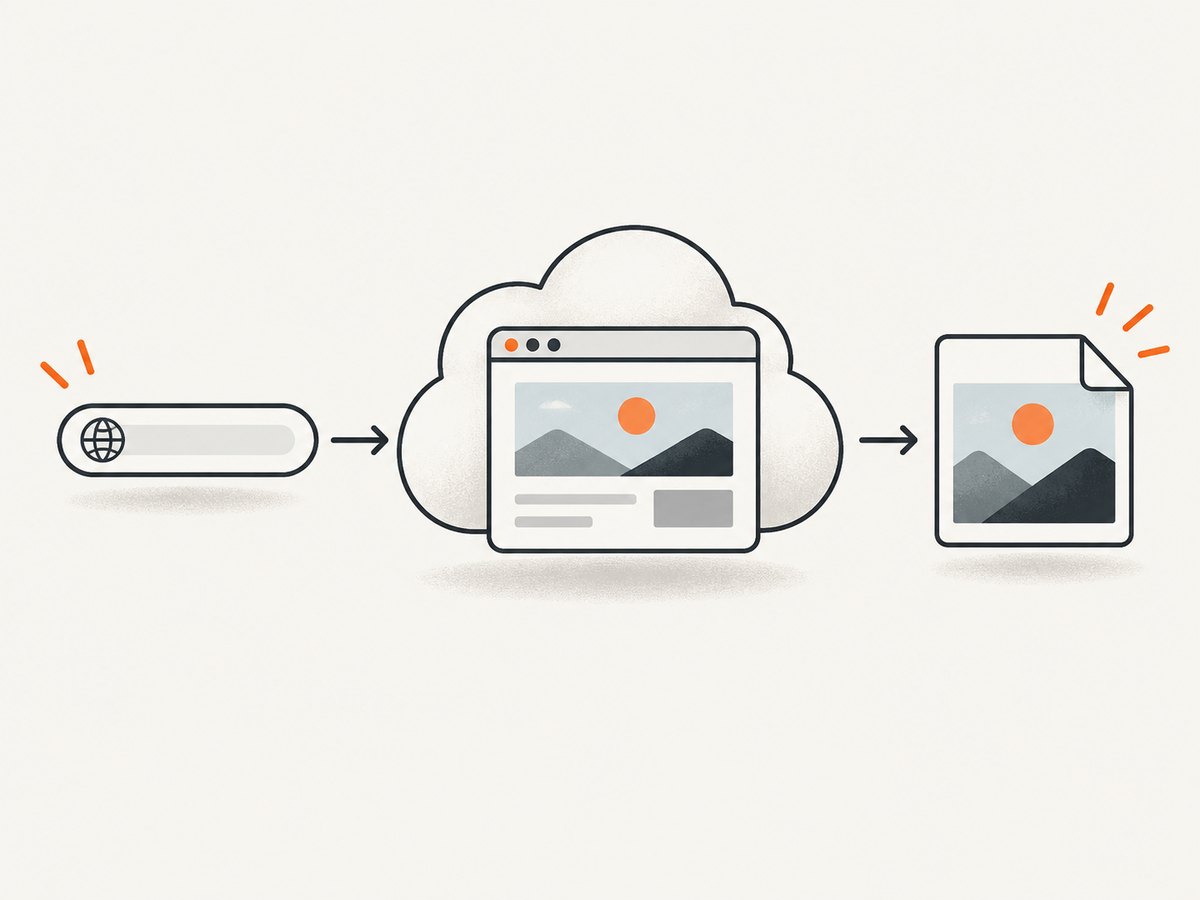
Thum.io describes itself as a real-time website screenshot API. Its documented pattern puts a requested URL into an image URL, so a page can display a screenshot through an ordinary <img> element. The service describes a 1200-by-1200-pixel browser, width and crop controls, an initial animated GIF render followed by image updates, referer authentication, and signed requests with custom expiry. It also lists responsive and mobile use cases, full-page screenshots, image resizing, and PDF-to-image processing. Those are vendor descriptions, not independent tests. See Thum.io’s official site.
Its displayed pricing makes the monthly minimum important. Good lists $2 per 10,000 website screenshot hits, a $1 monthly minimum, a branded loader, and the first 1,000 hits free. Better lists $1 per 10,000 hits and a $20 monthly minimum, with unbranded loader options, queue priority, the first 1,000 hits free, adjustable viewport width, and full-page screenshots. Enterprise pricing is by contacting support. Before estimating spend, ask what the vendor counts as a billable hit and whether the feature you need is included on your tier.
Look elsewhere if your workflow depends on capture cleanup, explicit failed-capture billing behavior, an AI-agent interface, more output or configuration choices, or a plan suited to capturing third-party pages. Those are specific selection criteria; they do not imply that Thum.io cannot handle a page unless its terms say so.
3. ScreenshotNeo: the alternative to try first
ScreenshotNeo is a website screenshot API and MCP server from Yorker Media. A GET request with a URL returns PNG, JPEG, WebP, or PDF. The API accepts common screenshot parameters used by other providers, which can make switching easier. Its distinguishing billing rule is that only clean shots are billed: bot checks and CAPTCHAs, blank pages, timeouts, failed loads, and cache hits cost nothing. Responses identify page verdict and billing status in X-Page-Verdict and X-Billed headers.
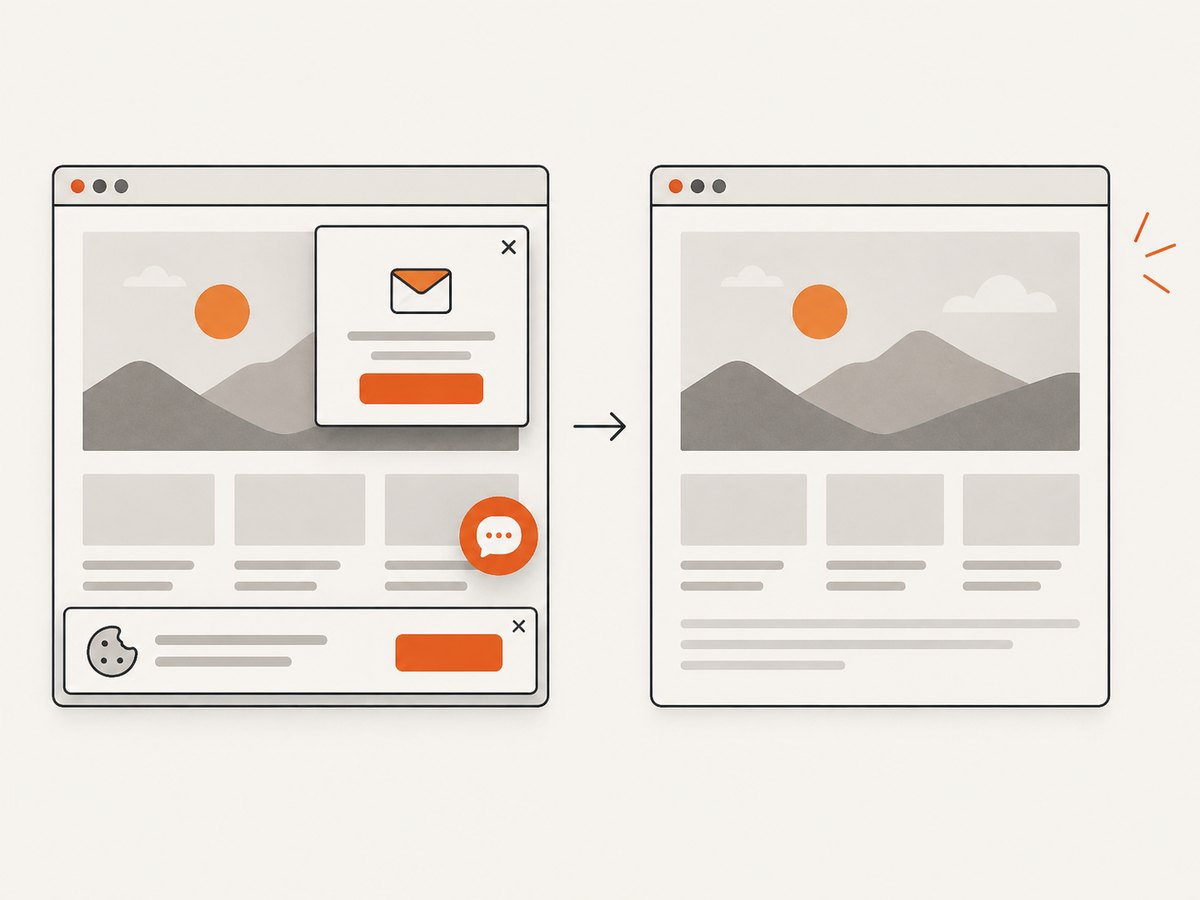
For cleaner page images, it accepts cookie or consent banners as a visitor and removes more than 60 known consent platforms, plus newsletter popups and chat widgets. Each step can be turned off. For AI workflows, its MCP server exposes take_screenshot, get_page_info, and capture_pdf to Claude, Cursor, and other MCP clients.
Other documented capabilities include full-page capture with lazy images loaded; CSS-selector element capture; dark mode; 12 device presets or custom viewports; retina scale; PDF paper size, margins, landscape, and page ranges; HTML/CSS input; custom CSS and JavaScript; clicking an element before capture; hiding selectors; waiting for a selector, delay, or network idle; blocking ads, trackers, requests, or resource types; custom headers, cookies, user agent, and Authorization; timezone and geolocation; transparent backgrounds; image resizing; caller-chosen cache TTL; signed links for public image tags; async jobs with signed webhooks; batches of up to 100 URLs per call; usage API; and an OpenAPI spec. Check the docs for request parameter details.
Pricing is $0 for 1,000 shots per month with no card; Starter $5 for 3,000; Growth $15 for 15,000; Pro $39 for 60,000; Scale $99 for 250,000; and Business $249 for 1,000,000. Yearly billing gives two months free. Every feature is available on every plan. Estimate cost using the expected number of successful clean captures, and check how your workload maps to the monthly quota.
4. Urlbox: broader tiers, with an important scope check
Urlbox is a candidate when you need a range of capture controls, formats, integrations, or business support. Its pricing page reviewed for this article listed Lo-Fi at $19/month for up to 2,000 renders, Hi-Fi at $49/month for up to 5,000, Ultra at $99/month for up to 15,000, business at $498/month, and enterprise from $3,000/month. Hi-Fi and Ultra listed seven-day trials. Limits, timeouts, file sizes, support, integrations, and features differ by tier, so the entry price alone is not a useful comparison.
The key eligibility detail: Urlbox describes Lo-Fi as intended for sites you own and limits third-party sites to thumbnails. If your service captures arbitrary public websites, determine which tier allows the intended fidelity before implementation. Urlbox says failed requests are not counted as successful renders and that cached Render Links are retained for 30 days by default. Check its pricing and plan matrix for current terms and charging rules.
5. ScreenshotOne and other candidates
ScreenshotOne’s official getting-started guide documents GET and POST requests, where to put an access key, response MIME types, error handling, and embedding returned images in an <img> or metadata tag. That is enough to assess the basic integration shape, but not enough to quote a current price or free quota. Read the official getting-started guide and verify commercial terms separately.
ApiFlash, GetScreenshot, GrabzIt, Pikwy, ScreenshotMAX, ScreenshotRender, and ShotOne appear in a directory as overlapping services. Treat those names as leads for further research, not as verified recommendations: check official docs for formats, plan limits, third-party capture, error billing, and support. Screenshotlayer and Screenshotbase are also named in a 2026 comparison published by ShotWolf, which discloses that it is itself a compared provider. That comparison is a discovery aid, not independent validation.
6. Choose by workload, not a single headline price
- Count monthly captures. Estimate unique URLs, refresh cadence, retries, and peak bursts. Distinguish per-hit pricing and monthly minimums from a bundled render quota, and account for overages or the vendor’s definition of a render.
- Check page ownership and scope. Are you capturing your own site, customer-submitted URLs, or third-party sites? Urlbox explicitly limits third-party capture to thumbnails on Lo-Fi.
- Write down capture requirements. Specify viewport width and height, mobile or device behavior, full-page versus viewport, dynamic-content readiness, authentication, cookies, and timeout tolerance. Confirm each item is available on the specific plan.
- Choose output and delivery. Identify PNG/JPEG/WebP/PDF needs, image embedding, cache lifetime, async jobs, batch size, webhooks, and whether the response should be an image or a job result.
- Compare failure handling. Determine how bot checks, blank pages, timeouts, load failures, cache hits, and retries affect your bill. “Failed request” can have a provider-specific definition.
- Review production needs. For business-critical use, verify rate limits, security and data handling terms, support response, and any SLA directly with the vendor.
- Run a representative trial. Use a small set of pages you are entitled to access: a static page, a long page with lazy images, a JavaScript-heavy page, a consent banner, and an authenticated page if relevant. Compare whether each result is usable, not just whether the request returned bytes.
There is no established independent speed, reliability, or quality benchmark in the research for these services. Measure your own pages and check current vendor terms instead of relying on an unverified “best” label.
7. Integrate a screenshot API: request and validate the result
The implementation depends on the provider. Thum.io is useful when an image URL is enough; the general pattern shown in its official material is an image element whose source contains the target URL. Protect any authentication material according to the provider’s documented method, especially when generating signed requests. The code below shows ScreenshotOne’s documented request shape conceptually, but use the current official docs for exact parameters and key placement. For a concrete, runnable request using the house product, use the ScreenshotNeo examples in the next section.
In your own integration, make the response observable and handle non-image responses safely:
- Build the URL with a URL-encoding library; do not concatenate an unescaped target URL into a query string.
- Set a client timeout appropriate to your page and the provider’s documented maximum.
- Check the HTTP status and content type before saving or serving the body as an image.
- Record request ID, duration, status, and relevant billing or verdict headers without logging secrets or sensitive page content.
- Use bounded retries for transient network errors only. Avoid retrying a known CAPTCHA or permanent invalid-URL response indefinitely.
For public embeds, use a provider-supported image URL, referer restriction, or signed link rather than exposing an account secret. If the endpoint returns errors as JSON or text, do not store that response with an image extension.
8. Or skip the browser setup
ScreenshotNeo returns an image or PDF from one GET request. This cURL example saves a WebP for Stripe:
curl -G "https://api.screenshotneo.com/v1/shot" -d access_key=YOUR_API_KEY --data-urlencode url=https://stripe.com -o shot.webpPython:
import requests

r = requests.get(
    "https://api.screenshotneo.com/v1/shot",
    params={"access_key": "YOUR_API_KEY", "url": "https://stripe.com"},
    timeout=90,
)
r.raise_for_status()
open("shot.webp", "wb").write(r.content)
Node.js:
const q = new URLSearchParams({ access_key: 'YOUR_API_KEY', url: 'https://stripe.com' });
const res = await fetch(`https://api.screenshotneo.com/v1/shot?${q}`);
if (!res.ok) throw new Error(`Screenshot request failed: ${res.status}`);
await Bun.write('shot.webp', new Uint8Array(await res.arrayBuffer()));
For Node.js versions without Bun, use the built-in filesystem module:
import { writeFile } from 'node:fs/promises';

const q = new URLSearchParams({ access_key: 'YOUR_API_KEY', url: 'https://stripe.com' });
const res = await fetch(`https://api.screenshotneo.com/v1/shot?${q}`);
if (!res.ok) throw new Error(`Screenshot request failed: ${res.status}`);
await writeFile('shot.webp', Buffer.from(await res.arrayBuffer()));
Replace YOUR_API_KEY with your key and change the target URL. See the ScreenshotNeo API docs for supported parameters and response details. The basic examples use the documented endpoint and request shape; add options such as full-page capture, format, viewport, readiness, or element selection according to the docs.
- Cookie banners, popups, and chat widgets are removed before the shot.
- Bot checks, blank pages, and failed loads are never billed.
- An MCP server lets AI agents take screenshots.
- 1,000 screenshots a month are free with no card; paid plans start at $5 for 3,000.
Sign up free and get 1,000 screenshots a month with no card.
9. Troubleshooting common screenshot API problems
| Symptom | Likely cause | What to do |
|---|---|---|
| Request returns an error instead of an image | Invalid URL, missing or misplaced key, unsupported option, or provider error body. | Check the vendor’s exact parameter names and authentication method. Inspect status and content type before saving the body. |
| Image is blank or shows a challenge | The page may be blocked, showing a bot check, or not fully rendered when captured. | Check the page verdict if the provider supplies one. Adjust readiness only when the page legitimately needs more render time; do not assume a retry will clear a challenge. |
| Page is cut off | The request captured the viewport rather than the full page, or the page needs a full-page option. | Enable full-page capture if supported on your plan. Test long pages and pages that load content as you scroll. |
| Images or widgets are missing | Lazy loading, delayed JavaScript, blocked resources, or timing can change what appears. | Wait for a meaningful selector or network idle where supported; avoid arbitrary long delays when a narrower readiness condition works. |
| Unexpected charge or quota use | Vendors define billable hits, renders, successes, and cache hits differently. | Review response headers and billing rules. Confirm retries, cached results, and failed requests’ treatment with the provider. |
| Third-party target has low detail | The selected plan restricts third-party pages. | For Urlbox, Lo-Fi third-party work is limited to thumbnails; check the right tier before changing code. |
| Intermittent timeouts | Slow pages, long waits, network conditions, or the client timeout may exceed the capture duration. | Use a timeout compatible with the provider, set a page-ready condition, and retry only transient failures with a cap. |
10. Performance, reliability, and cost in production
Screenshot work includes navigation, browser rendering, and often waiting for dynamic content. A full-page render or long readiness wait can take more time and resources than a simple viewport capture, but the research does not establish numeric performance comparisons among providers. Keep waits tied to the page state you need; batch independent URLs when the provider supports it, and use caching when content freshness allows.
For reliability, distinguish transport success from a useful image. Check HTTP status, MIME type, and provider-specific verdict or billing headers. Set concurrency to a level the plan supports, use bounded retries with backoff for transient errors, and make jobs idempotent if you retry asynchronous work. Keep API keys server-side; for public image tags use signed or restricted links when available. Store only the captures and page data your workflow requires, and review the provider’s security and retention terms.
Cost control starts with volume and failure accounting. Thum.io’s listed tiers combine hit rates with minimum monthly spend. Urlbox sells monthly render quotas with tier-specific scope and limits. ScreenshotOne’s reviewed guide is not a pricing source. ScreenshotNeo’s stated plan quotas and policy make its estimated spend straightforward for clean shots, but confirm how your actual use maps to quota and options. Track requested captures against successful usable output so you can identify retries, invalid targets, and unnecessarily frequent refreshes.
11. FAQ
What is the best alternative to Thum.io?
There is no universal winner. Try ScreenshotNeo first if you value clean captures, failure-aware billing, or MCP access; evaluate Urlbox for its broader tiered controls and ScreenshotOne for its documented API workflow.
Is there a free alternative to Thum.io?
ScreenshotNeo includes 1,000 shots per month at no charge and requires no card. For other services, check the current official terms; this research does not establish a current free quota for ScreenshotOne.
Can I use screenshots in an HTML image tag?
Thum.io documents an image URL pattern, and ScreenshotOne documents embedding returned images. ScreenshotNeo also supports signed links for public <img> tags; consult its docs for setup.
Does the cheapest plan capture any public website?
Do not assume so. Urlbox explicitly limits third-party site work on Lo-Fi to thumbnails. Check the intended target scope and fidelity in each provider’s current plan terms.
Which provider is fastest?
The available research includes no independent comparative speed test. Measure representative pages with the same output, viewport, and readiness conditions.