Cloud Browser Automation: The Complete 2026 Guide
Learn how cloud browser automation works, choose between managed browsers, APIs, and testing grids, and build reliable workflows with Playwright.

Cloud browser automation runs a real browser on remote infrastructure while your code controls it over a network connection or calls an HTTP API. It lets you render JavaScript-heavy pages, capture screenshots and PDFs, automate authenticated workflows, and run browser tests without managing a fleet of browser machines yourself. The right approach depends on whether each task is a one-off request, a stateful browser workflow, or a cross-browser test.
For a new general-purpose automation script, Playwright is a useful default. Choose a managed browser service when you want to keep browser control in your code while outsourcing the browser fleet; choose a stateless API for isolated captures or extraction; choose a testing grid when your main requirement is a browser and device matrix in CI.
1. What cloud browser automation is
A cloud browser is a remotely hosted browser controlled by your program. Your code may connect to it over WebSocket using a browser protocol such as Chrome DevTools Protocol (CDP), or send an HTTP request to an API that performs a browser task. The service starts and isolates browser sessions, monitors them, and retires them. You still define what the browser should do and how to handle the result.
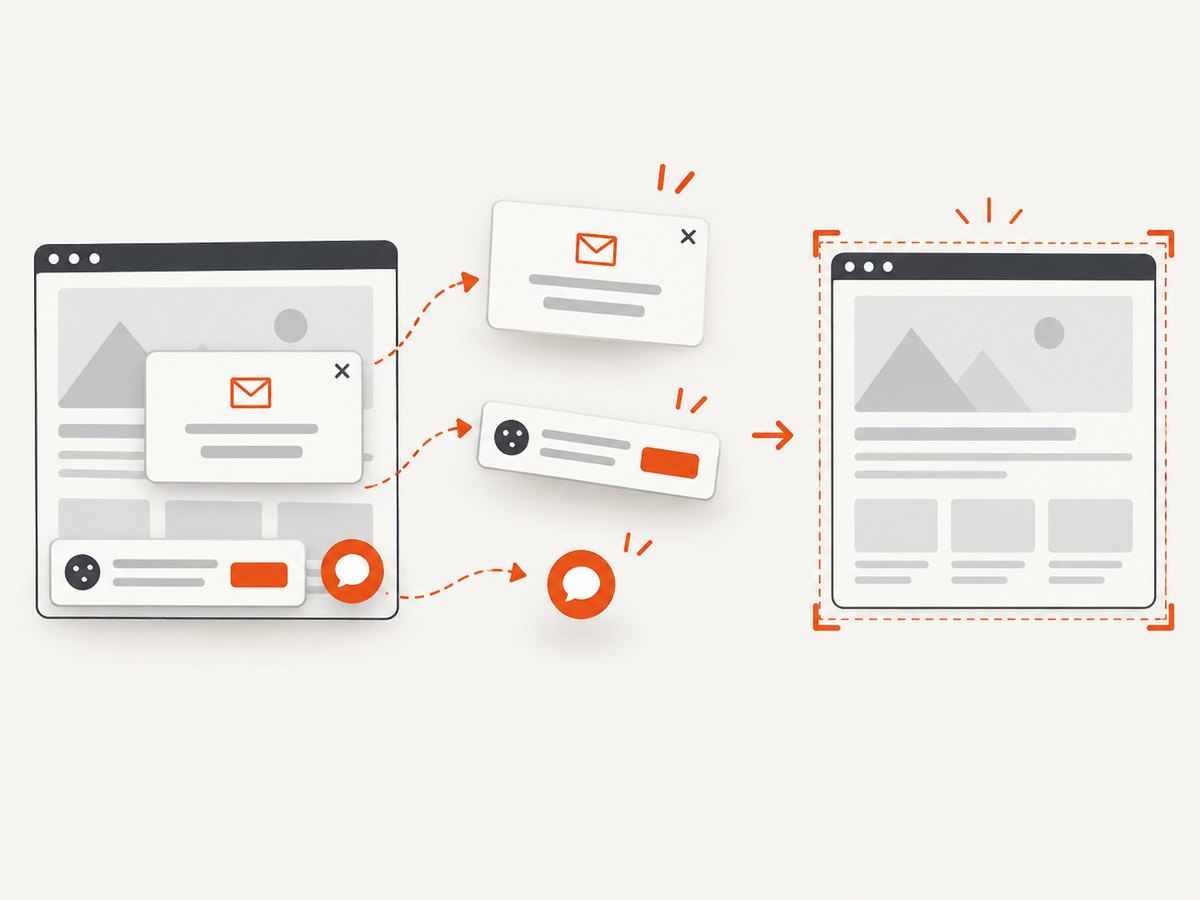
This is different from ordinary HTTP scraping. A browser executes JavaScript, lays out a page, loads images and fonts, and can interact with controls. That makes it useful for sites whose content appears only after client-side code runs. It also means browser work consumes more CPU and memory than a simple HTTP request, and needs timeouts, concurrency limits, and cleanup.
Cloud offerings take different forms. Browserless describes managed headless browsers that accept Puppeteer or Playwright connections and also provides APIs for screenshots, PDFs, and scraping. BrowserStack emphasizes browser automation grids for testing, including hosted and self-hosted deployment options. Cloudflare Browser Run divides its integrations into stateless Quick Actions and directly controlled Browser Sessions. See the providers’ Browserless BaaS documentation, BrowserStack Automate documentation, and Cloudflare Browser Run documentation.
2. Choose a deployment model
| Model | Best fit | Control and state | Trade-off |
|---|---|---|---|
| Managed browser as a service (BaaS) | Existing Playwright or Puppeteer scripts, logins, multi-step workflows, downloads | Direct browser control; can maintain page and session state during the workflow | You still own browser code and must manage timeouts, concurrency, and retries |
| Stateless browser API | One-shot screenshot, PDF, page information, or extraction request | Send parameters and receive a result; usually no long-lived session to manage | Less appropriate for complex sequences and persistent interaction |
| Hosted or self-hosted testing grid | CI testing across browser, operating system, or device combinations | Test-run and matrix oriented; self-hosting gives more control over placement | Matrix breadth and repeatable test infrastructure matter more than a quick single capture |
Use this decision sequence:
- If the task is one screenshot, PDF, or extraction result, start with a stateless API.
- If the task needs login, several actions, downloads, or session state, use a managed browser and your automation library.
- If you need confidence across browser and device combinations in CI, evaluate a testing grid.
- If data placement or network boundaries require infrastructure in your own cloud, assess a self-hosted grid and account for its operations work.
Browserless documents BaaS connections for Puppeteer and Playwright; its BaaS v2 does not support Selenium/WebDriver because it speaks CDP. BrowserStack documents Selenium support alongside other automation approaches. Confirm the exact protocol, browser versions, session persistence, and reconnect behavior against the service documentation before migrating an existing suite.
3. Run Playwright in a managed cloud browser
The basic migration is usually to keep the Playwright script and change the browser connection endpoint to the provider’s WebSocket endpoint. The following is a complete runnable shape for a provider that supplies a Playwright-compatible WebSocket URL. Set that URL as an environment variable; use the exact endpoint and authentication format in your provider’s current documentation.
import { chromium } from 'playwright';

const endpoint = process.env.BROWSER_WS_ENDPOINT;
if (!endpoint) throw new Error('Set BROWSER_WS_ENDPOINT');

const browser = await chromium.connectOverCDP(endpoint);
try {
  const context = await browser.newContext({ viewport: { width: 1440, height: 1000 } });
  const page = await context.newPage();
  page.setDefaultNavigationTimeout(45_000);
  await page.goto('https://example.com', { waitUntil: 'domcontentloaded' });
  await page.screenshot({ path: 'page.png', fullPage: true });
  await context.close();
} finally {
  await browser.close();
}
Install the library with npm install playwright. Some providers expose a Playwright-specific connect method rather than CDP; use the method matching the endpoint. Do not copy a placeholder endpoint into production. Treat its credential-bearing URL as a secret and keep it in your deployment’s secret store.
A Python equivalent uses the async Playwright API. Install with pip install playwright; when the remote browser is used, a local browser installation is generally not needed for this connection flow.
import asyncio
import os
from playwright.async_api import async_playwright

async def main():
    endpoint = os.environ["BROWSER_WS_ENDPOINT"]
    async with async_playwright() as p:
        browser = await p.chromium.connect_over_cdp(endpoint)
        try:
            context = await browser.new_context(viewport={"width": 1440, "height": 1000})
            page = await context.new_page()
            page.set_default_navigation_timeout(45_000)
            await page.goto("https://example.com", wait_until="domcontentloaded")
            await page.screenshot(path="page.png", full_page=True)
            await context.close()
        finally:
            await browser.close()

asyncio.run(main())
For a stateless operation, avoid creating a browser session in application code if an API already returns the artifact you need. A direct HTTP request has fewer lifecycle steps and is easier to invoke from short-lived serverless functions. For example, ScreenshotNeo accepts a URL and returns an image or PDF from one GET request. Its API documentation describes the available parameters.
cURL
curl -G "https://api.screenshotneo.com/v1/shot" \
  -d access_key=YOUR_API_KEY \
  --data-urlencode url=https://stripe.com \
  -o shot.webp
Python
import requests

r = requests.get(
    "https://api.screenshotneo.com/v1/shot",
    params={"access_key": "YOUR_API_KEY", "url": "https://stripe.com"},
    timeout=90,
)
r.raise_for_status()
open("shot.webp", "wb").write(r.content)
Node.js
const q = new URLSearchParams({ access_key: 'YOUR_API_KEY', url: 'https://stripe.com' });
const res = await fetch(`https://api.screenshotneo.com/v1/shot?${q}`);
if (!res.ok) throw new Error(`Screenshot request failed: ${res.status}`);
const bytes = Buffer.from(await res.arrayBuffer());
await (await import('node:fs/promises')).writeFile('shot.webp', bytes);
4. Select the browser, protocol, and API surface
| Choice | Use it when | Check before committing |
|---|---|---|
| Playwright | Starting a new suite that may need more than Chromium | Supported browsers, connection method, context options, and version policy |
| Puppeteer | Your automation is JavaScript and Chromium-focused | Whether the provider supports Puppeteer directly or through CDP |
| CDP | You need direct Chromium control and the provider exposes a CDP connection | Protocol compatibility and which browser controls are available |
| Selenium/WebDriver | You have an established WebDriver suite or language requirement | Do not assume CDP-based BaaS accepts WebDriver; verify explicit support |
| REST, GraphQL, or declarative browser API | The work is a single extraction, screenshot, or PDF request | Response format, job limits, supported wait conditions, and error semantics |
For complex tasks, keep browser actions explicit: wait for a meaningful selector, assert the expected page state, then capture or extract. A successful navigation event does not prove that a single-page app finished rendering its data. For API work, choose an available wait condition and validate the returned result rather than assuming every target page behaves the same way.
5. Where cloud browsers help
- JavaScript-heavy scraping: render client-side content and extract structured values after it appears.
- Screenshots and PDFs: capture a page after fonts, images, and application content load.
- Authenticated workflows: log in, complete a sequence of forms, or download a file, subject to the target site’s authorization and terms.
- Monitoring: periodically compare pages, prices, documentation, or marketing content.
- Testing: run visual, regression, and accessibility checks across supported browser configurations.
- AI agents: provide a real browser session and tools for an agent that needs to inspect and interact with pages.
Vendor documentation describes capabilities such as CAPTCHA handling and browser interaction with anti-bot challenges. These are not guarantees that a site can be automated. Only automate targets you are authorized to access, follow their terms, and avoid treating challenge handling as a way around access controls.
6. Scale and operate sessions reliably
Browser fleets use significant CPU and memory. Browserless warns that scale brings memory, concurrency, patching, and capacity-planning overhead. A managed service shifts much of that fleet work to a provider, but your application still needs operational limits.
- Set a maximum duration for each session and navigation. Close contexts and browsers in
finallyblocks. - Cap concurrency based on the provider’s plan and the workload’s resource use. Queue work rather than allowing a burst to exhaust capacity.
- Recycle contexts between unrelated jobs so cookies, local storage, and page state do not leak across tasks.
- Record job identifiers, target hostname, duration, retry count, and failure category. Avoid logging page contents or credentials.
- Use bounded retries for transient network failures. Do not retry deterministic selector errors indefinitely.
- Protect connection URLs and API keys. Restrict outbound access where practical and minimize sensitive data sent to remote pages.
- For long workflows, determine whether a dropped client can reconnect to the same session or whether the job must safely restart.
Serverless functions can call browser APIs easily because a single HTTPS request fits the request/response model. A long-lived WebSocket browser session may exceed function duration or connection limits, depending on the platform. Use a provider’s asynchronous job model or a stateless API when the function cannot hold a session. Confirm execution limits and network egress policy in the serverless platform’s current documentation.
7. Compare providers against your workload
There is no stable, independently comparable 2026 benchmark or price table in the sources for this guide. Run a small dated evaluation on your own pages, with the same workflow and output requirements. Compare vendors on these dimensions:
- Browser, operating-system, and device coverage; framework and protocol support.
- Session persistence, reconnection, concurrency quotas, queue behavior, and cold starts.
- Navigation and capture performance on your target pages, measured with an identical workload.
- Screenshot, PDF, and extraction APIs; proxy and geographic controls; observability and live debugging.
- Data isolation, encryption, retention, log controls, private networking, self-hosting, and support.
- Total cost for browser minutes or requests, plus proxy traffic, retries, stored artifacts, video, and observability.
Browserless is a relevant option when a managed Playwright or Puppeteer browser fits your workflow. BrowserStack fits teams centered on cross-browser test automation and grids. Cloudflare Browser Run offers Quick Actions for stateless tasks and Browser Sessions for direct control. Check each vendor’s current product and pricing pages before choosing; plan names, quotas, and rates can change.
8. Or skip the browser setup
If you need a page image or PDF rather than a stateful browser workflow, ScreenshotNeo is the screenshot API to try first: it removes consent banners, popups, and chat widgets before capture, bills only clean shots, and has a $5 paid plan for 3,000 screenshots. One GET request takes a URL and returns an image or PDF. Cookie banners, popups, and chat widgets are removed before the shot; bot checks, blank pages, and failed loads are never billed; an MCP server lets AI agents take screenshots; and 1,000 screenshots a month are free with no card, with paid plans starting at $5 for 3,000. See ScreenshotNeo and the API docs.
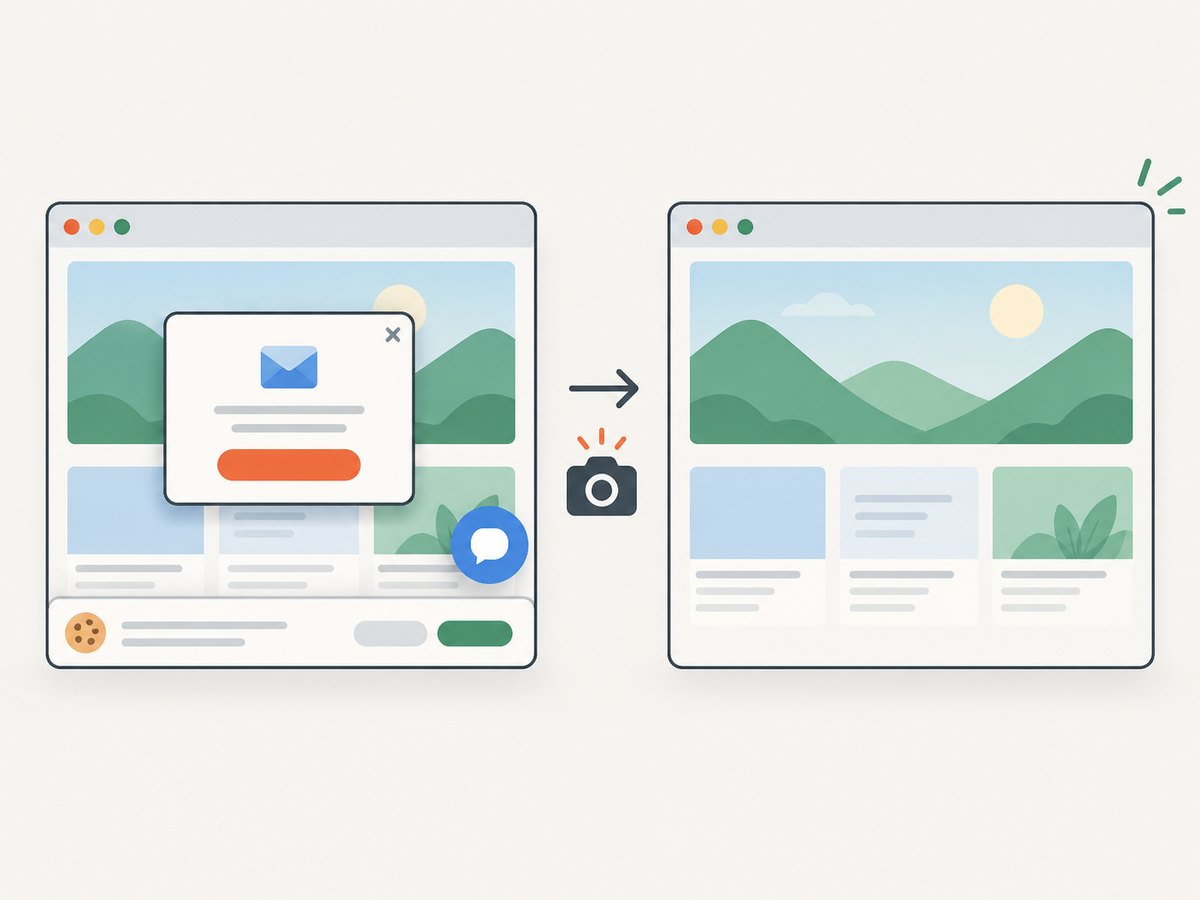
curl -G "https://api.screenshotneo.com/v1/shot" -d access_key=YOUR_API_KEY --data-urlencode url=https://stripe.com -o shot.webpSign up for 1,000 free screenshots a month, with no card required.
9. Cost and performance planning
Compare the unit that matches your workload: browser minutes for interactive sessions, requests for stateless APIs, or test runs across a browser matrix. Add the costs of retries, proxy traffic, artifact storage, video, and observability. A test matrix multiplies work because each browser and device configuration is another execution. A browser service’s advertised request count alone may not predict the cost of a workflow that keeps sessions open.
Measure cold and warm runs separately on representative pages. Track time to connect, navigation, time to the content-ready condition, and artifact size. Reduce unnecessary page loads, choose a specific wait condition rather than waiting for all network activity when the page streams indefinitely, and use caching only when freshness requirements permit it. Do not rely on a vendor’s generic performance claim as a substitute for a workload-specific measurement.
10. Troubleshooting common failures
| Symptom | Likely cause | Fix |
|---|---|---|
| WebSocket connection rejected | Wrong endpoint, expired credential, wrong protocol, or malformed URL | Copy the endpoint format from current provider docs; check secret injection and protocol compatibility. |
| Navigation timeout | Slow target, waiting for a condition the page never reaches, or blocked network request | Set a bounded timeout; wait for DOM content or a specific selector; inspect provider logs and request failures. |
| Screenshot is blank or incomplete | Capture occurred before client rendering, lazy loading, or fonts completed | Wait for a stable content selector; scroll relevant content into view if needed; validate the page before capture. |
| Works locally, fails in cloud | Different browser version, missing local state, blocked egress, or a provider-specific restriction | Reproduce using the remote browser, provision required state explicitly, and check network and version support. |
| Jobs queue or fail under load | Concurrency exceeds quota or sessions retain too much memory | Limit parallelism, close contexts promptly, and queue work with bounded backoff. |
| Serverless function ends mid-task | Function duration or connection limits are shorter than browser workflow | Use an asynchronous job API, shorten the work, or run the session in a worker designed for long connections. |
| Selenium cannot connect to BaaS endpoint | Endpoint supports CDP rather than WebDriver | Use Playwright/Puppeteer with the documented connection method, or select a service that explicitly supports Selenium. |
11. Migration checklist
- Classify each job as stateless capture, stateful interaction, or matrix test.
- Choose the API, managed browser, or grid model that matches that job.
- Verify framework, protocol, browser versions, session behavior, concurrency, and regional/network constraints.
- Move credentials to a secret store; define timeouts, concurrency caps, cleanup, and bounded retries.
- Test representative success, slow-page, failed-load, and authentication cases.
- Measure throughput and full cost for a dated workload sample, then set alerts for failure rate and queue growth.
12. FAQ
Can I run Playwright in the cloud from a serverless function?
Yes for short-lived calls when the platform supports the needed outbound connection and execution duration. For a long browser session, use an asynchronous job or a worker designed to keep the connection open.
Is a cloud browser the same as a proxy?
No. A browser executes and renders pages; a proxy routes network traffic. Some browser providers may offer proxy or geographic controls, but evaluate those as separate capabilities.
Should I use an API or connect to a browser?
Use an API for a discrete screenshot, PDF, or extraction. Connect to a browser when your code needs multiple actions, page state, or direct interaction.
Does cloud automation guarantee a site can be scraped?
No. A browser can render pages, but site access rules, authentication, rate limits, and technical controls still apply. There is no universal success guarantee.