Healthcare Workflow Automation With HIPAA-Ready Web Scraping
A practical guide to automating healthcare workflows with web scraping while mapping ePHI, BAAs, safeguards, APIs, and operational risk.

Short answer: web scraping is not automatically HIPAA-compliant or prohibited. Whether a healthcare automation workflow can handle protected health information (PHI) depends on the people and organizations involved, the data collected, the purpose, the contracts, and the administrative, physical, and technical safeguards around the entire flow. Treat “HIPAA-ready” as a design and governance question, not as a certification attached to a scraper.
Start by mapping the data before choosing a browser tool. Identify the source, fields, account owner, destination, vendors, subcontractors, retention period, and every system that can create, receive, maintain, or transmit electronic PHI (ePHI). Then check whether an authorized API or supported integration can meet the requirement. Use browser automation only when access is authorized, the workflow is justified, and the resulting risks are understood and controlled.
1. Map the workflow before writing a scraper
Write the workflow as a data-flow diagram or table. For each step, answer:
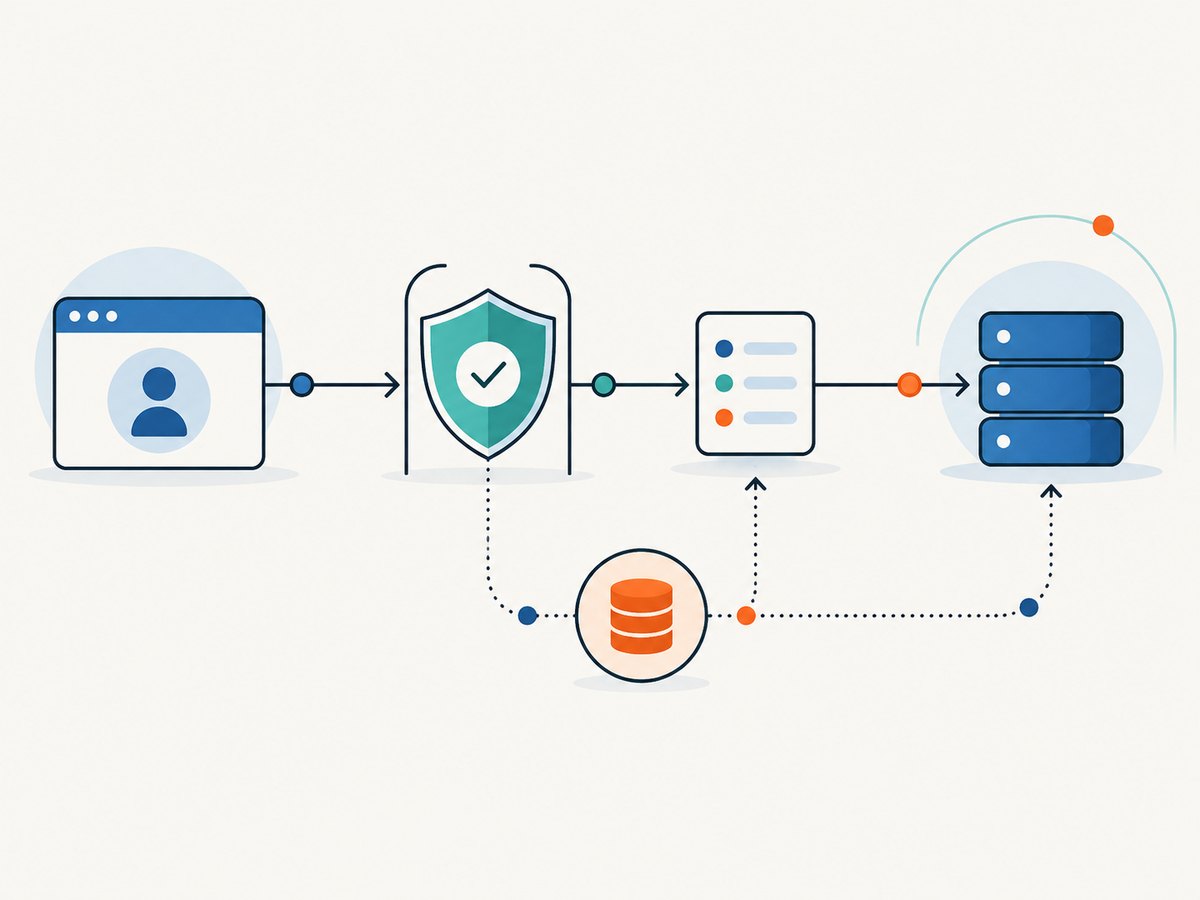
- Source: Is the page a public site, an authenticated patient portal, an EHR, a payer portal, or an internal application?
- Data: Does the page contain names, dates of birth, diagnoses, medications, claims, appointment details, identifiers, or other PHI?
- Direction: Is a patient or organization directing the access, or is the automation collecting data for another purpose?
- Actions: Does the automation only read, or can it submit forms, change records, download documents, or send messages?
- Systems and vendors: Which browser runner, proxy, queue, object store, logging system, monitoring service, and support staff can see the data?
- Retention: What is stored in screenshots, HTML, browser profiles, temporary files, logs, backups, and error reports?
A public URL does not answer the HIPAA question by itself. Public access, the nature of the information, the intended use, and the parties’ roles all matter.
2. Determine whether a business associate relationship exists
HHS describes a business associate as an organization performing certain functions or services for a covered entity that involve PHI. A vendor that creates, receives, maintains, or transmits ePHI on behalf of a covered entity can therefore be part of a business associate relationship. The parties generally document permitted uses, safeguards, and responsibilities in a written business associate agreement (BAA). Subcontractors that handle ePHI need appropriate written arrangements as well.
Do not rely on a vendor’s marketing phrase such as “HIPAA compliant.” Ask what the actual service does, which data it processes, where it is stored, who can access it, how incidents are reported, and whether the provider will sign the agreement your organization requires. Review the HHS guidance on covered entities and business associates and the Security Rule.
3. Apply a risk-based Security Rule design
The Security Rule requires appropriate administrative, physical, and technical safeguards to protect the confidentiality, integrity, and availability of ePHI. HHS presents risk analysis as the foundation: identify reasonably anticipated threats and vulnerabilities, assess their likelihood and impact, and select reasonable and appropriate measures.
Administrative controls
- Assign an owner for the automation and approve its exact purpose and scope.
- Document which accounts may run it and which records each account may access.
- Define incident response, credential rotation, change approval, and vendor review procedures.
- Set retention and deletion rules for screenshots, downloaded files, queues, and logs.
Technical controls
- Use unique service identities, least privilege, MFA where supported, and short-lived credentials.
- Keep secrets in a managed secret store; never place passwords or tokens in source code or screenshots.
- Encrypt connections and storage. Restrict egress so the browser can reach only approved domains.
- Record successful and failed access, account identity, target system, timestamp, job ID, and disposition without copying PHI into ordinary application logs.
- Protect against session leakage by isolating browser profiles and destroying them after a job.
These are practical design questions derived from HHS safeguards, not a substitute for your organization’s documented risk analysis.
4. Prefer an authorized API when it fits
For EHR and patient-access workflows, check for an authorized API or supported integration first. Compare the options on authorization, available fields and actions, identity and access controls, audit evidence, reliability during interface changes, and exception handling. APIs often provide structured exchange and clearer permissions, but availability is not universal and an API’s existence does not remove the need for contracts and safeguards.
ONC reported that approximately nine in ten non-federal acute care hospitals enabled patient electronic access through an API in 2024. Seven in ten hospitals reported standards-based APIs for patient access (or four in five of the hospitals that enabled API access). Those figures describe that hospital population and patient access; they do not mean every clinic, payer, or automation task has a suitable API. See ONC Data Brief No. 81 and its API privacy and security guidance.
5. When browser automation is justified
Browser automation can be appropriate for an authorized workflow when no supported API meets the requirement. Keep the browser job narrow:
- Use a dedicated service account with the minimum role needed.
- Navigate only to an allowlist of approved origins.
- Disable downloads, clipboard access, camera, microphone, and unnecessary browser permissions.
- Wait for a known selector or application state rather than adding arbitrary long delays.
- Extract only required fields. Avoid full-page screenshots when a structured value is enough.
- Redact or hash identifiers before sending metrics to a central dashboard.
- Destroy the profile and temporary files after each run.
- Route failures to a review queue; never retry a destructive action automatically.
6. Runnable Playwright example with a controlled data path
The following Python example illustrates a read-only job. Replace selectors and URLs only with values approved by the system owner. It saves a minimal JSON result, keeps credentials in environment variables, and avoids writing page HTML or screenshots.
import json
import os
from playwright.sync_api import sync_playwright

PORTAL_URL = os.environ["PORTAL_URL"]
PORTAL_USER = os.environ["PORTAL_USER"]
PORTAL_PASSWORD = os.environ["PORTAL_PASSWORD"]

with sync_playwright() as p:
    browser = p.chromium.launch(headless=True)
    context = browser.new_context(
        accept_downloads=False,
        permissions=[],
        service_workers="block",
    )
    page = context.new_page()
    page.goto(PORTAL_URL, wait_until="domcontentloaded", timeout=45_000)

    page.fill("#username", PORTAL_USER)
    page.fill("#password", PORTAL_PASSWORD)
    page.click("button[type=submit]")
    page.wait_for_selector("[data-testid='authorized-record']", timeout=30_000)

    result = {
        "job_id": os.environ.get("JOB_ID", "local-run"),
        "status": page.locator("[data-testid='record-status']").inner_text(),
    }
    print(json.dumps(result))

    context.close()
    browser.close()
Run it with a locked-down environment:
export PORTAL_URL='https://portal.example.test/login'
export PORTAL_USER='service-account'
export PORTAL_PASSWORD='use-a-secret-manager'
export JOB_ID='job-1234'
python workflow.py
For production, add structured audit events, bounded retries, alerting, dependency pinning, and a review process for selector changes. Keep test data synthetic whenever possible.
7. Handle authentication, sessions, and failures safely
| Situation | Safer approach |
|---|---|
| Session expires | Re-authenticate through the approved flow; stop after a small retry limit and create an operator task. |
| MFA challenge appears | Use the organization’s approved service-account method. Do not bypass MFA or use a personal device. |
| CAPTCHA or bot check | Stop and contact the system owner. Do not evade an access control. |
| Portal layout changes | Fail closed, capture a non-sensitive diagnostic, and update selectors through change control. |
| Partial submission | Use idempotency keys or a record-state check before retrying. Never blindly resubmit. |
| Unexpected PHI in an error | Quarantine the artifact, restrict access, follow incident procedures, and remove it from ordinary logs. |
8. Cloud hosting and subcontractors
Cloud hosting is not automatically barred. HHS says a covered entity or business associate may use a cloud service to store or process ePHI when the appropriate BAA requirements and the rest of HIPAA are met. The customer still needs to understand the specific environment and perform its own risk analysis. Map cloud workers, queues, databases, observability tools, support personnel, and subcontractors. Review access, incident reporting, retention, return or deletion, and service continuity in the agreements that govern the workflow.
9. The online-tracking caveat
HHS states that a June 20, 2024 order from the U.S. District Court for the Northern District of Texas vacated a portion of its online-tracking guidance. The affected passage concerned an IP address connected with a visit to an unauthenticated public page about a specific health condition or provider. HHS said it was evaluating next steps. That limited vacatur should not be generalized into permission for scraping, tracking, or PHI processing. Authenticated pages and mobile apps remain separately discussed in HHS guidance, and the page should be rechecked before publication.
10. Or skip the browser setup
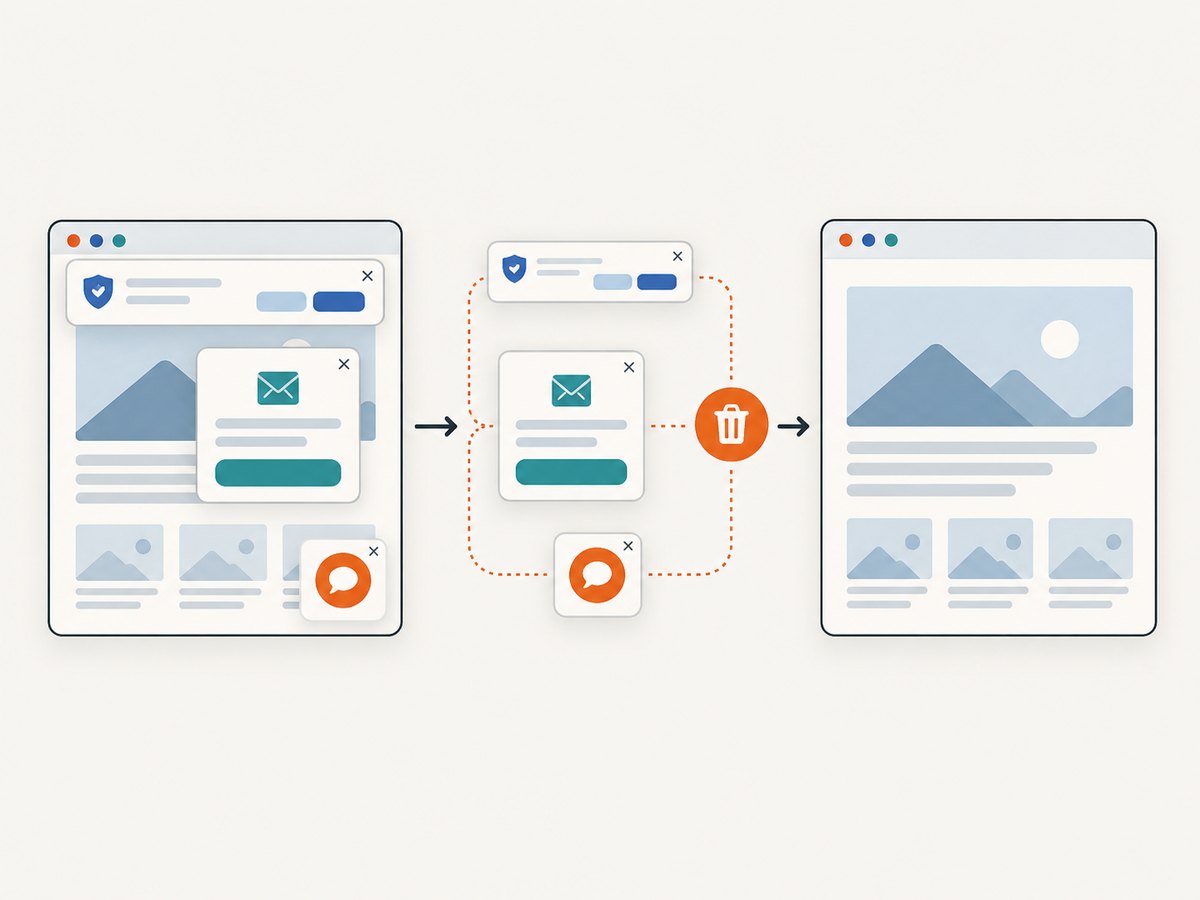
ScreenshotNeo provides a website screenshot API and MCP server for developer workflows. One GET request returns a PNG, JPEG, WebP, or PDF. It can accept consent banners before capture and remove more than 60 known consent platforms, newsletter popups, and chat widgets; each step can be turned off. Bot checks, blank pages, timeouts, failed loads, and cache hits are not billed, and responses identify the result with X-Page-Verdict and X-Billed headers.
Use it only for pages your organization is authorized to access, and perform the same data-flow and contract review if a capture can contain ePHI. See the ScreenshotNeo API documentation.
cURL
curl -G "https://api.screenshotneo.com/v1/shot" -d access_key=YOUR_API_KEY --data-urlencode url=https://stripe.com -o shot.webpPython
import requests
r = requests.get("https://api.screenshotneo.com/v1/shot", params={"access_key": "YOUR_API_KEY", "url": "https://stripe.com"}, timeout=90)
open("shot.webp", "wb").write(r.content)
Node.js
const q = new URLSearchParams({ access_key: 'YOUR_API_KEY', url: 'https://stripe.com' }); const res = await fetch(`https://api.screenshotneo.com/v1/shot?${q}`);Relevant controls include custom headers, cookies, user agents, Authorization, timezone and geolocation, selector waits, network-idle waits, custom CSS and JavaScript, hidden selectors, resource blocking, full-page capture, element capture, dark mode, device presets, retina scale, PDF options, resizing, caching with a chosen TTL, signed links, asynchronous jobs with signed webhooks, bulk capture of up to 100 URLs per call, and a usage API. An MCP server provides take_screenshot, get_page_info, and capture_pdf for Claude, Cursor, and other MCP clients.
Plans include 1,000 shots per month free with no card; paid plans start at $5 for 3,000 shots. Yearly billing provides two months free, and every feature is available on every plan. Create an account at ScreenshotNeo’s free sign-up page.
11. Performance, reliability, and cost planning
- Performance: Reuse browser processes for independent read-only jobs, wait on selectors instead of fixed sleeps, block unnecessary resources, and cap concurrency to what the source system permits.
- Reliability: Track success, timeout, authentication failure, selector failure, and source-side denial separately. Use exponential backoff only for transient failures and keep destructive operations manual.
- Change management: Test against a staging tenant or synthetic records, pin browser versions, and alert on changes in page structure.
- Cost: Include browser compute, storage, queueing, observability, support, vendor agreements, and incident handling. ScreenshotNeo charges only clean shots; failed loads and cache hits are not billed.
- Capacity: Estimate records per run, page weight, login frequency, peak concurrency, retention volume, and expected retries before selecting infrastructure.
12. Troubleshooting checklist
| Symptom | Likely cause | Fix |
|---|---|---|
| 403 or repeated login redirects | Account lacks permission, origin is blocked, or session policy changed. | Verify authorization and account role with the system owner; do not rotate through accounts to evade controls. |
| Timeout at a stable selector | Slow dependency, changed markup, or blocked third-party resource. | Capture timing metrics, check the approved network path, and update the selector under change control. |
| Empty result | Data loads after navigation or is rendered inside a frame. | Wait for the documented state and inspect frame boundaries using synthetic data. |
| Duplicate records | Retry occurred after an uncertain submission. | Add idempotency and read-before-write checks; reconcile the source of truth. |
| Sensitive data in logs | Verbose browser or exception logging. | Disable body logging, redact fields, restrict access, and follow incident procedures. |
FAQ
Is web scraping HIPAA compliant?
There is no blanket answer. Evaluate the data, purpose, roles, authorization, agreements, and safeguards for the particular workflow.
Does every scraping vendor need a BAA?
A vendor that handles ePHI for a covered entity may be a business associate. Have counsel and your privacy or security officer evaluate the real service arrangement.
Can cloud automation process ePHI?
HHS allows conditional use of cloud services when BAA requirements and the HIPAA Rules are met, supported by an organization-specific risk analysis.
Should we always choose an API?
Check for an authorized API first, then compare coverage, permissions, auditability, reliability, and maintenance effort. API availability varies.
Does the 2024 tracking decision make public-page scraping safe?
No. It vacated a limited passage in HHS tracking guidance and does not decide every other HIPAA, privacy, contract, or security question.
Implementation checklist
- Data-flow map approved by the workflow owner.
- PHI and ePHI classification completed.
- API or supported integration evaluated.
- Business associate and subcontractor relationships reviewed.
- Risk analysis and safeguards documented.
- Least-privilege accounts, secret storage, encryption, and audit logs configured.
- Retention, deletion, incident response, and change control tested.
- Production run limited to authorized origins and approved actions.