HTTP 505 HTTP Version Not Supported: What It Means
HTTP 505 means a server rejected the major HTTP version in a request. Learn what visitors can do and how site operators can trace the failure.
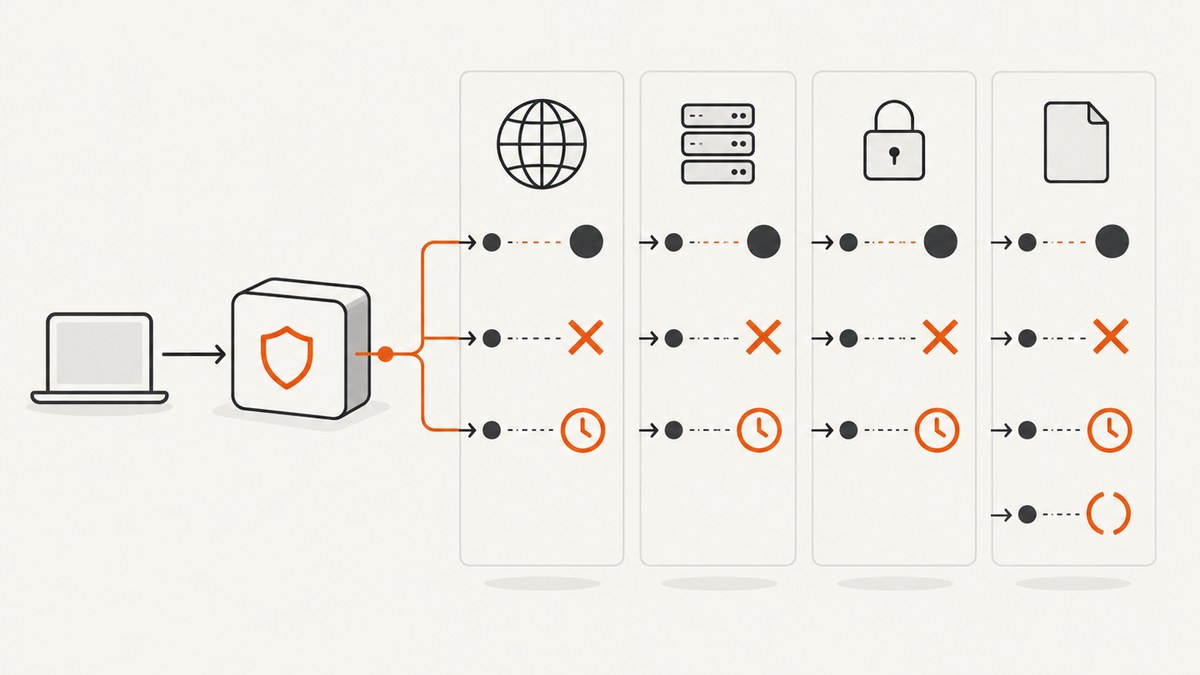
HTTP 505 HTTP Version Not Supported means a server does not support, or refuses to support, the major HTTP version used in the request. The response comes from a server, but an intermediary such as a proxy or load balancer may have changed or misread the request before it reached the origin. Visitors can retry once and report the error; site operators should trace the request from client to edge to origin.
What HTTP 505 means
RFC 9110 defines 505 by the HTTP major version in the request message. Its guidance says the server should describe why it rejected that version and which other protocols it supports. This is a protocol-version issue, not a general statement that the requested page or HTTP feature is unavailable. See RFC 9110, Section 15.6.6.
HTTP/1.1 request lines commonly end with a version token such as HTTP/1.1. HTTP/2 and HTTP/3 use different wire formats, so a request’s representation and version can look different at each layer. A gateway may terminate one protocol connection and make a separate connection to an upstream server. Consequently, the version the browser negotiated with the edge is not necessarily the version used between the edge and origin. Compare what each component actually receives rather than assuming the browser’s connection describes the entire path.
A 505 is a server response, yet the root cause can be malformed or transformed input. MDN documents an example in which an unescaped space in a request target, together with intermediary handling, causes the origin to misread the request line and return 505. That is one possible cause, not a universal explanation. See MDN’s 505 reference.
What to do if you are visiting the site
- Retry the request once. A transient routing or deployment issue may not reproduce, but repeated retries are unlikely to diagnose a persistent version mismatch.
- Record the full URL, the time and time zone, the browser, and any error or request ID shown on the page. Send those details to the site owner or support team.
- If convenient, try another browser or network. If one path succeeds and another fails, report that difference. It can help the operator narrow down a client, proxy, or network-specific path, but it does not guarantee a fix.
- If you control the client code, inspect the actual outgoing request and any proxy or gateway settings. Avoid assuming that changing browsers, clearing local data, or replacing equipment will fix a server-side protocol rejection.
Visitors generally cannot change the protocol support configured on the server. The most useful action is to provide enough context for the site operator to find the matching request in logs.
How operators should diagnose a 505
Trace a failing request through every hop. The client, CDN or edge, reverse proxy, load balancer, gateway, and origin can each parse, translate, or forward requests differently. The key question is where the request first differs from the format and protocol version the next component expects.

- Reproduce and preserve evidence. Record the URL, method, timestamp, client path, response body, and request or trace identifier. Save relevant edge and origin logs before they expire.
- Inspect the request at ingress. Capture the HTTP version and, where applicable, raw request line as received by the first server you control. For HTTP/2 or HTTP/3, use protocol-aware logs or diagnostics; there is no HTTP/1-style textual request line on the wire.
- Follow the request hop by hop. Correlate IDs and timestamps across proxy, load-balancer, gateway, and origin logs. Determine which protocol each connection uses, whether a component translates protocols, and which request target reaches the next hop.
- Check parsing and rewriting. Look for spaces that should be percent-encoded, altered percent-encoding, malformed line endings, URL normalization, and protocol metadata changes. Review rewrite rules and forwarding settings. MDN’s malformed-request example is a reason to inspect these transformations, not a reason to presume one is present.
- Verify support and configuration. Confirm that every component on the failing path accepts the protocol version it actually receives and that upstream protocol settings match the origin’s configuration. Review recent software, proxy, or deployment changes.
- Return a useful response. When the server rejects a version, provide an explanatory body and identify supported protocols when practical, following RFC 9110 guidance. Avoid exposing secrets, internal topology, or sensitive configuration in a public error page.
Test the same request through the public route and, where operationally safe, through controlled internal paths. If direct-to-origin succeeds but the public route fails, focus on the intervening layers. If both fail in the same way, inspect origin parsing and configuration too. Treat these comparisons as diagnostic evidence rather than proof until logs confirm what was received.
Common causes and fixes
| Symptom or finding | What to check | Practical next step |
|---|---|---|
| Only one route or edge location returns 505 | Protocol negotiation, edge rules, and configuration differences between locations | Compare effective settings and logs for a successful and failing request. |
| Origin logs show an unexpected or malformed request target | URL rewriting, unescaped spaces, percent-encoding, and parser behavior | Identify the hop that changed the target and correct the client or rewriting rule. |
| Edge logs a different upstream protocol than expected | Proxy-to-origin protocol settings and origin support | Align the upstream connection configuration with the protocol the origin accepts. |
| No matching origin request appears | Edge rejection, routing, log sampling, or missing correlation IDs | Check edge and gateway logs, then verify that IDs and clocks allow correlation. |
| Failure began after a deployment or configuration change | Changed protocol policy, proxy software, request normalization, or upstream target | Compare the effective configuration with the last known working deployment and roll back or correct the specific change. |
| Error page gives no useful explanation | Custom error handling and the component generating the 505 | Identify the responder and return a safe, concise explanation of the rejected version and supported alternatives. |
505 versus 501 and 504
| Status | Meaning | Diagnostic focus |
|---|---|---|
| 505 HTTP Version Not Supported | The server does not support or refuses the major HTTP version used in the request. | Version handling and request interpretation along the path. |
| 501 Not Implemented | The server does not support the functionality needed to fulfill the request, such as an unsupported method. | Whether the requested functionality is implemented. |
| 504 Gateway Timeout | A gateway or proxy did not receive a timely response from an upstream server. | Upstream latency, reachability, and gateway timeout behavior. |
These are different failure classes. A 504 points to a delayed upstream response; it does not mean the gateway rejected the request’s HTTP version. A 501 concerns unsupported functionality, not necessarily the protocol version. See the RFC 9110 status-code definitions.
Capture a failed page for debugging
A screenshot can preserve the error page as a visitor saw it, including any visible request ID or explanatory message. It cannot reveal the raw request line or identify which proxy changed a request; use logs and protocol-aware tracing for that. For a local capture, open the failing URL in a browser and save a screenshot using the browser’s capture tools. If the page is long, use a full-page capture where available, and keep the capture timestamp alongside the request logs so the evidence can be correlated.
Or skip the browser setup
ScreenshotNeo is a website screenshot API and MCP server for developers. One GET request returns an image or PDF; see the API documentation. For example, save a screenshot of an error page as WebP:
curl -G "https://api.screenshotneo.com/v1/shot" -d access_key=YOUR_API_KEY --data-urlencode url=https://example.com/failing-path -o shot.webpReplace the example URL with the page you can access. ScreenshotNeo accepts cookie and consent banners like a visitor before capture, then removes 60+ known consent platforms, newsletter popups, and chat widgets; each step can be turned off. Bot checks, blank pages, timeouts, failed loads, and cache hits cost nothing, and response headers identify the page verdict and billing status. Its MCP server gives AI agents tools to take screenshots, inspect page information, and capture PDFs. The free plan includes 1,000 screenshots a month with no card; paid plans start at $5 for 3,000. These captures document the visible result; diagnose a 505’s protocol cause with request-path logs.
Sign up free for 1,000 screenshots a month, with no card required.
Performance, reliability, and cost considerations
For operators, tracing the request across existing logs is often the fastest first step. Avoid enabling verbose raw-request logging broadly without considering retention, access, and the possibility that URLs or headers contain sensitive data. If you add temporary diagnostics, scope them to the affected route or a short time window, restrict access, and remove or reduce them when the issue is understood.

Retries do not repair a persistent protocol mismatch, and automated retry loops can add load while obscuring the original failure. Retry only where the client has a reason to believe the failure is transient, and use bounded attempts with backoff. Preserve the first failure’s status and request ID for investigation. A successful request from a different path can narrow the search, but does not by itself identify the faulty component.
There is no reliable universal frequency or prevalence figure for HTTP 505 in the cited sources. Cost depends on the environment: time spent tracing logs, temporary observability overhead, and impact on requests that fail. Track the error by route and component, and verify recovery from the affected client path after changing configuration. Do not infer that every 505 is caused by an old browser or that upgrading a client alone resolves it.
FAQ
What does HTTP 505 mean?
It means a server does not support or refuses the major HTTP version used in the request. The response should explain the rejection and supported protocols when practical.
Is HTTP 505 always caused by an outdated browser?
No. The definition is about the version used in the request, but the request may be transformed or misread by an intermediary. Check the full path before blaming the browser.
Can I fix a 505 by changing browsers?
Trying another browser or network may help determine whether the failure is path-specific. It is not a guaranteed remedy for a server-side configuration or parsing problem.
Does 505 mean the server timed out?
No. A gateway timeout is 504. A 505 concerns the HTTP major version in the request.
What evidence should I send support?
Send the URL, time and time zone, what you were doing, and any visible request or error ID. Avoid sending credentials or private headers.