Is Python Good for Web Scraping?
Yes—Python is a practical choice for web scraping. Learn when to use simple requests, Scrapy, or Playwright, with runnable examples and troubleshooting.
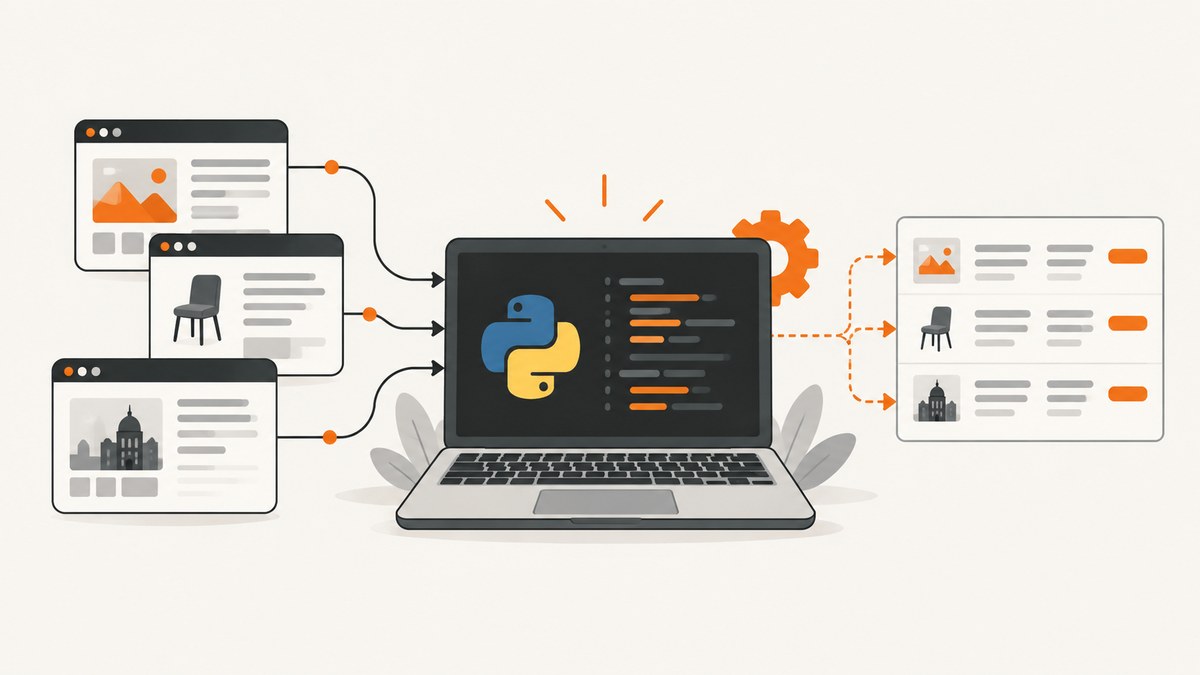
Yes. Python is a good general-purpose choice for web scraping. It has practical tools for requesting pages, parsing HTML, running repeatable crawls, and controlling a browser when a site depends on JavaScript or interaction. The right approach depends on the page and the size of the job:
- Small, mostly static task: make an HTTP request and parse the response.
- Recurring or multi-page crawl: use a crawler framework such as Scrapy.
- Browser-dependent page: use Playwright for Python.
Python does not grant permission to collect a site’s data. Check the site’s robots.txt, terms, and applicable law before you run a crawler.
What makes Python useful for scraping?
A scraper usually performs four jobs:
- Send a request for a page or API response.
- Wait for the response and handle errors.
- Parse the HTML, JSON, or another format.
- Save, transform, and validate the extracted data.
Python is useful because these jobs can start as a short script and grow into a scheduled crawler without changing languages. You can keep a simple request-and-parse workflow for a small project, then move the orchestration into Scrapy when you need spiders, queues, responses, selectors, item pipelines, and other crawler structure. Scrapy’s documentation describes this request/response model and the way spiders yield extracted items: Scrapy project overview and Scrapy request and response documentation.
Choose the simplest method that fits the page
| Situation | Recommended starting point | Why |
|---|---|---|
| One page or a few pages, with content in the HTTP response | Simple request and parser | Minimal setup and easy debugging |
| Many pages, pagination, retries, and structured output | Scrapy | A framework for repeatable crawl workflows |
| Content appears after JavaScript runs or requires clicks, scrolling, login, or browser events | Playwright for Python | Controls a real browser and exposes request/response lifecycle events |
Do not select a browser just because it is more complex. First check whether the data you need is already present in the response or available from a documented API. Use browser automation when browser behavior is genuinely part of the task. Playwright’s Python API documents browser request and response events at its Request API reference.

Build a small Python scraper
The following example fetches a page, extracts headings and links, and writes JSON. It is suitable for a page whose useful content is present in the returned HTML.
from urllib.parse import urljoin
import json
import time
import urllib.request
from html.parser import HTMLParser

class PageParser(HTMLParser):
    def __init__(self):
        super().__init__()
        self.in_heading = False
        self.heading = []
        self.headings = []
        self.links = []
        self.current_href = None

    def handle_starttag(self, tag, attrs):
        attrs = dict(attrs)
        if tag in ("h1", "h2", "h3"):
            self.in_heading = True
            self.heading = []
        elif tag == "a" and attrs.get("href"):
            self.current_href = attrs["href"]

    def handle_data(self, data):
        if self.in_heading:
            self.heading.append(data.strip())

    def handle_endtag(self, tag):
        if tag in ("h1", "h2", "h3") and self.in_heading:
            text = " ".join(x for x in self.heading if x)
            if text:
                self.headings.append(text)
            self.in_heading = False
        elif tag == "a" and self.current_href:
            self.links.append(self.current_href)
            self.current_href = None

url = "https://example.com/"
request = urllib.request.Request(
    url,
    headers={"User-Agent": "learning-scraper/1.0"},
)
with urllib.request.urlopen(request, timeout=30) as response:
    html = response.read().decode(response.headers.get_content_charset() or "utf-8")

parser = PageParser()
parser.feed(html)
result = {
    "url": url,
    "headings": parser.headings,
    "links": [urljoin(url, href) for href in parser.links],
}
with open("page.json", "w", encoding="utf-8") as output:
    json.dump(result, output, indent=2, ensure_ascii=False)
print(json.dumps(result, indent=2, ensure_ascii=False))
For production work, add a clear data schema, logging, response-size limits, retries with backoff, and validation for missing fields. Keep the parser separate from networking so you can test it against saved HTML without repeatedly requesting the live site.
When to use a third-party HTML parser
An HTML parser library can make CSS or XPath selection more convenient than the standard library. The design decision stays the same: request the page, verify the response, parse only the fields you need, and preserve enough source context to diagnose changes. A parser cannot reveal content that the server did not send.
Use Scrapy for a repeatable crawl
Scrapy is a strong candidate when you have multiple URLs, pagination, follow-up requests, or a defined item schema. A minimal spider looks like this:
import scrapy

class ArticleSpider(scrapy.Spider):
    name = "articles"
    start_urls = ["https://example.com/news"]

    def parse(self, response):
        for article in response.css("article"):
            yield {
                "title": article.css("h2::text").get(),
                "url": response.urljoin(article.css("a::attr(href)").get()),
            }

        next_page = response.css("a.next::attr(href)").get()
        if next_page:
            yield response.follow(next_page, callback=self.parse)
Configure concurrency, download delays, retries, item pipelines, and storage for your workload. Keep the crawl bounded: define allowed domains, a maximum page count, and a stopping condition. Scrapy’s request and response documentation is the primary reference for passing metadata, headers, cookies, and callbacks.
Use Playwright when the browser matters
Some pages render the required content only after JavaScript executes. Others require a click, a login flow, a viewport, or a scroll before the data exists in the DOM. Playwright for Python can launch a browser and wait for those events.
import asyncio
from playwright.async_api import async_playwright

async def main():
    async with async_playwright() as p:
        browser = await p.chromium.launch()
        page = await browser.new_page()
        await page.goto("https://example.com", wait_until="networkidle")
        await page.locator("article").first.wait_for()
        titles = await page.locator("article h2").all_text_contents()
        print(titles)
        await browser.close()

asyncio.run(main())
Use explicit waits for meaningful selectors where possible. A fixed sleep can be useful for a known animation, but it is less reliable than waiting for the element or network condition that signals readiness. Browser automation increases resource use and operational complexity, so reserve it for browser-dependent pages.
Respect robots.txt, terms, and access limits
Robots.txt is a standardized crawler instruction mechanism, not a complete legal permission check. RFC 9309 states that “The rules MUST be accessible in a file named \”/robots.txt\” (all lowercase) in the top-level path of the service.” Read the standard at RFC 9309. Also review the site’s terms and the rules that apply in your jurisdiction. Do not evade bot checks, authentication barriers, rate limits, or other access controls.
Use an identifiable user agent, send requests at a considerate rate, cache responses when appropriate, and stop when a site asks you to stop. Collect only the fields you need and protect any personal or sensitive data.
Or skip the browser setup
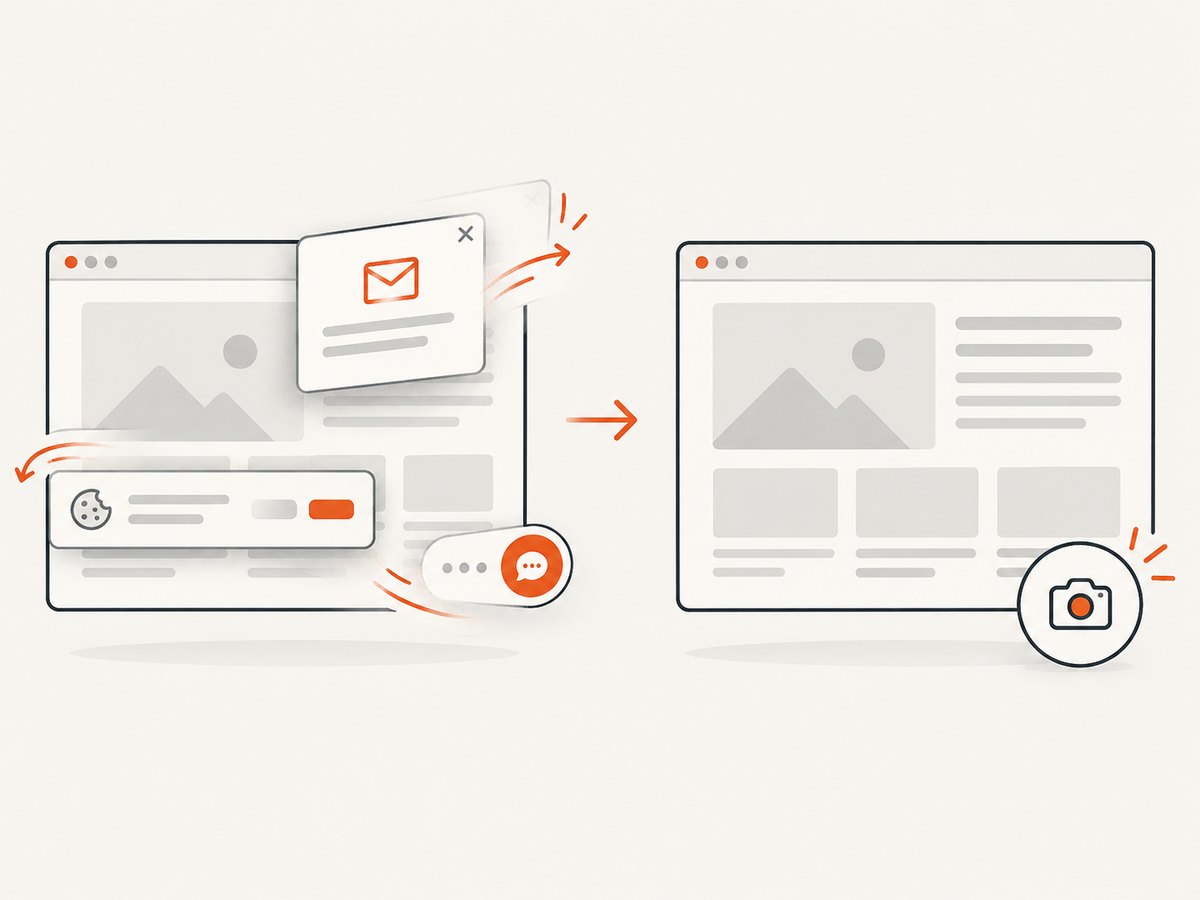
If your goal is a clean screenshot or rendered PDF rather than a structured data crawl, ScreenshotNeo provides a website screenshot API and MCP server. One GET request returns PNG, JPEG, WebP, or PDF. It accepts consent banners like a visitor and removes more than 60 known consent platforms, newsletter popups, and chat widgets before capture; each cleanup step can be disabled.
See the ScreenshotNeo API documentation for all options. This is a complete cURL example:
curl -G "https://api.screenshotneo.com/v1/shot" \
  -d access_key=YOUR_API_KEY \
  --data-urlencode url=https://stripe.com \
  -o shot.webp
Python:
import requests

r = requests.get(
    "https://api.screenshotneo.com/v1/shot",
    params={"access_key": "YOUR_API_KEY", "url": "https://stripe.com"},
    timeout=90,
)
r.raise_for_status()
open("shot.webp", "wb").write(r.content)
Node.js:
const q = new URLSearchParams({ access_key: 'YOUR_API_KEY', url: 'https://stripe.com' });
const res = await fetch(`https://api.screenshotneo.com/v1/shot?${q}`);
if (!res.ok) throw new Error(`HTTP ${res.status}`);
const body = Buffer.from(await res.arrayBuffer());
await import('node:fs/promises').then(fs => fs.writeFile('shot.webp', body));
Only clean shots are billed. Bot checks or CAPTCHAs, blank pages, timeouts, failed loads, and cache hits cost nothing, and the response identifies the result with X-Page-Verdict and X-Billed headers. ScreenshotNeo also supports full-page captures with lazy images loaded, CSS-selector element captures, dark mode, device presets, custom viewports, retina scale, PDF paper sizes and page ranges, custom CSS and JavaScript, clicks, selector or network-idle waits, request blocking, headers, cookies, user agents, authorization, timezone, geolocation, transparent backgrounds, resizing, TTL caching, signed links, asynchronous jobs with signed webhooks, bulk capture for up to 100 URLs per call, a usage API, and an OpenAPI specification. An MCP server exposes take_screenshot, get_page_info, and capture_pdf to Claude, Cursor, and other MCP clients.
Plans include 1,000 screenshots per month free with no card. Paid plans start at $5 for 3,000 shots; yearly billing gives two months free, and every feature is on every plan. Create a free ScreenshotNeo account.
Reliability and performance checklist
- Set a finite timeout for every request.
- Check status codes and content types before parsing.
- Retry transient failures with exponential backoff and a maximum attempt count.
- Cache stable responses and avoid downloading the same URL repeatedly.
- Limit concurrency to what the target site and your network can support.
- Record URL, timestamp, status, parser version, and validation errors.
- Save failed responses or a reproducible sample when privacy rules permit.
- Use browser automation only for pages that require it.
There is no authoritative benchmark in the supplied research that establishes a universal speed, cost, or success-rate winner among Python scraping tools. Measure your own workload: response size, parse time, browser launch time, error rate, and data completeness.
Common errors and fixes
| Error | Likely cause | Fix |
|---|---|---|
| 403 or 429 response | Access policy or rate limit | Read robots.txt and terms, slow down, identify your client, and use an approved API if available. Do not bypass the control. |
| Empty selector result | Wrong selector or content is rendered later | Inspect saved HTML. If the content is absent, use the documented data endpoint or browser automation. |
| Timeout | Slow server, oversized page, or an endless wait | Set explicit navigation and overall timeouts, wait for a specific condition, and retry only transient failures. |
| UnicodeDecodeError | Incorrect character decoding | Use the response charset when declared, otherwise detect and record the fallback instead of silently corrupting text. |
| Duplicate records | Pagination, retries, or URL variants | Normalize URLs and deduplicate using a stable key before writing output. |
| Playwright browser will not launch | Browser binaries or system dependencies are missing | Install the Playwright browser package for your environment and verify it in a minimal script before running the crawl. |
Decision guide
- Choose a simple request-and-parse script for a small, static extraction.
- Choose Scrapy for a recurring, multi-page crawl with structured items and crawl orchestration.
- Choose Playwright when JavaScript execution or interaction is required.
- Choose a screenshot service such as ScreenshotNeo when you need rendered images or PDFs and do not want to maintain browser infrastructure.
FAQ
Is Python the only good language for scraping?
No. The page behavior and your team’s operational needs matter more than the language. Python is a practical choice because it supports request handling, parsing, crawler orchestration, and browser automation in one ecosystem.
Can Python scrape every website?
No. A site may require authentication, prohibit automated collection, render data only inside a browser, or block requests. Check access rules and use an approved interface where one exists.
Should I start with Scrapy or Playwright?
Start with Scrapy when the needed content is available through normal responses and you need crawl structure. Start with Playwright when the task depends on browser execution or interaction.
Does robots.txt make scraping legal?
No. It communicates crawler instructions. You must also consider terms, privacy obligations, contracts, and applicable law.


