Open Graph Image Size Recommendations
Use 1200×630 px for Open Graph images, then optimize metadata, file size, and previews for LinkedIn, Facebook, WhatsApp, and more.
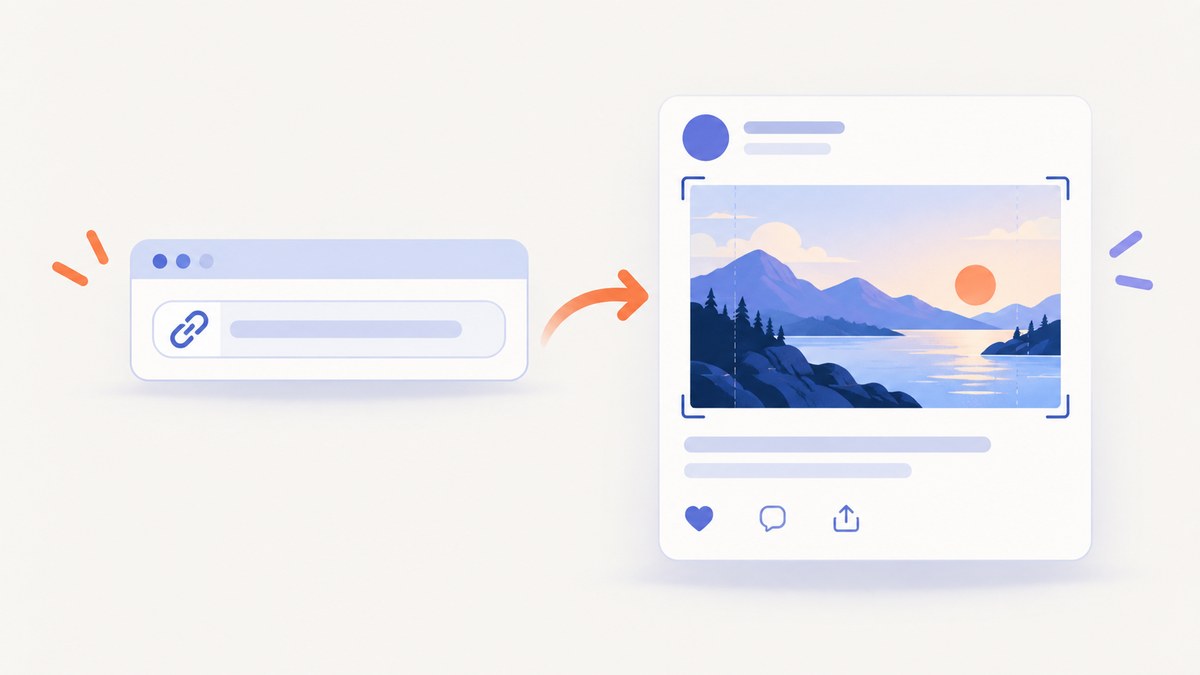
Use 1200 × 630 pixels for a general-purpose Open Graph image. That canvas is about 1.91:1 and works as a practical default across major link-preview destinations. It is not a universal size mandated by the Open Graph Protocol: each platform can resize or crop the image, and some publish their own limits.
For reliable previews, create a 1200 × 630 image, serve it from an absolute HTTPS URL, declare its dimensions and alternative text in the HTML source, keep the file small enough for your strictest destination, and inspect a real preview after publishing.
Recommended Open Graph image dimensions
| Destination | Practical guidance | File-size guidance | Confidence |
|---|---|---|---|
| General default | 1200 × 630 px (about 1.91:1) | Compress for your target platforms | Broad practical default |
| 1200 × 627 px minimum, about 1.91:1 | 5 MB maximum | Published LinkedIn guidance | |
| Facebook-oriented guidance | 1200 × 630 px recommended; 600 × 315 px practical minimum | 8 MB maximum, as relayed by Wix | Wix attribution to Facebook guidance |
| Use the general 1200 × 630 canvas | Wix says the preview displays an image when it is under 300 KB | Platform-specific guidance relayed by Wix | |
| X | Some current guides describe a roughly 2:1 large-card presentation and cropping of 1200 × 630 images | Check current X documentation | No current official numeric specification was verified here |
| Slack and Discord | Use 1200 × 630 and inspect the result | No public numeric dimensions were found in the reviewed material | Do not claim an official pixel size |
The LinkedIn minimum is 1200 × 627, only three pixels shorter than the general default. A 1200 × 630 file therefore keeps the same approximate ratio while remaining a convenient cross-platform source canvas. LinkedIn’s published requirements are available in its sharing documentation. Wix’s platform guidance covers the Facebook-oriented and WhatsApp thresholds; check the destination’s current rules before treating any limit as permanent.
Why 1200 × 630 is a useful default
Open Graph defines how a page describes itself to crawlers, including an image URL and structured image properties. It does not prescribe one universal pixel size. The 1200 × 630 canvas is useful because it is large enough for sharp previews, close to LinkedIn’s ratio, and widely used by publishing tools.
Design the important subject inside a safe central area. A platform may crop the top, bottom, or sides when its card layout differs from the source ratio. Keep faces, product silhouettes, and essential visual information away from the outer edges. Do not depend on tiny text embedded in the artwork; some previews are displayed at a much smaller size.
Implement the metadata correctly
Put the tags in the HTML returned directly to crawlers. A tag inserted only after client-side JavaScript runs can be missed by preview bots.

<!doctype html>
<html lang="en">
<head>
  <meta property="og:title" content="Open Graph Image Size Recommendations">
  <meta property="og:description" content="Use a 1200 × 630 pixel image for a broadly compatible link preview.">
  <meta property="og:type" content="article">
  <meta property="og:url" content="https://example.com/guides/og-image-size">
  <meta property="og:image" content="https://example.com/images/og-image-1200x630.webp">
  <meta property="og:image:width" content="1200">
  <meta property="og:image:height" content="630">
  <meta property="og:image:type" content="image/webp">
  <meta property="og:image:alt" content="A landscape illustration explaining Open Graph image dimensions">
</head>
<body>...</body>
</html>
Use an absolute HTTPS URL for og:image. The image must be fetchable without authentication, robots rules, or bot protection that blocks the preview crawler. The Open Graph Protocol states: “If the page specifies an og:image it should specify og:image:alt.” See the Open Graph Protocol documentation for the image properties and precedence rules.
Multiple images and precedence
You may provide more than one og:image. The first image takes precedence when a conflict exists. Put the preferred image first, then keep its width, height, type, and alt properties adjacent to that declaration. This avoids accidentally pairing the first URL with the dimensions of a later image.
Choose a file format and size
Use JPEG, PNG, or WebP according to your design and destination support. JPEG is usually efficient for photographic artwork. PNG is useful when you need lossless edges or transparency. WebP can reduce bytes, but verify that every important destination fetches and displays it correctly.
There is no single universal file-size limit. LinkedIn documents a 5 MB maximum. Wix relays an 8 MB Facebook-oriented maximum and says WhatsApp previews display an image when it is below 300 KB. If WhatsApp is part of your distribution, make a compressed variant below that threshold and inspect the actual preview.
- Export at 1200 × 630 pixels.
- Remove unnecessary metadata from the file.
- Compress progressively until the image remains legible at card size.
- Check the byte size against each destination’s current limit.
- Keep the URL stable when possible, or use a versioned filename when you intentionally replace a cached image.
Generate a 1200 × 630 image yourself
A repeatable browser workflow is useful when the source is an HTML design, dashboard, or article header. The following example creates a simple HTML document and captures a 1200 × 630 viewport with a browser screenshot tool.
Minimal HTML artwork
<!doctype html>
<html>
<head>
  <meta charset="utf-8">
  <style>
    html, body { margin: 0; width: 1200px; height: 630px; }
    body {
      display: grid; place-items: center;
      background: linear-gradient(135deg, #111827, #4338ca);
      color: white; font: 700 64px/1.1 system-ui, sans-serif;
    }
    main { width: 980px; }
  </style>
</head>
<body><main>Open Graph image size guide</main></body>
</html>
Playwright capture with Node.js
import { chromium } from 'playwright';

const browser = await chromium.launch();
const page = await browser.newPage({
  viewport: { width: 1200, height: 630 },
  deviceScaleFactor: 1
});
await page.goto('file:///absolute/path/to/og.html', { waitUntil: 'networkidle' });
await page.screenshot({ path: 'og-image.png', type: 'png' });
await browser.close();
For a full-page web page, use a fixed viewport only when the design itself is 1200 × 630. A full-page capture can be much taller and is not an OG card. If the page contains lazy-loaded content, wait for the relevant selector or scroll it into view before capture.
Validate the deployed preview
- Request the production HTML with a normal HTTP client and confirm the OG tags appear in the initial source.
- Open the absolute image URL without logging in. Confirm it returns an image content type and a successful status.
- Check that the declared width and height match the actual file dimensions.
- Run the URL through the destination’s preview inspector. LinkedIn provides a Post Inspector; Facebook provides a sharing debugger.
- After changing the image, refresh the inspector. Cached previews can persist, so a successful file replacement may not appear immediately.
curl -I https://example.com/images/og-image-1200x630.webp
curl -s https://example.com/article | grep -E 'og:image|og:image:width|og:image:height|og:image:alt'
Or skip the browser setup
ScreenshotNeo captures a URL with one request and returns PNG, JPEG, WebP, or PDF. It can set a viewport and retina scale, apply custom CSS or JavaScript, wait for a selector, delay, or network idle, capture one element by CSS selector, and load lazy images for full-page captures. It also supports dark mode, device presets, custom headers, cookies, user agents, authorization, timezone, geolocation, request blocking, caching, signed links, asynchronous jobs, webhooks, bulk capture, and HTML/CSS-to-image workflows.

Use the API examples in the ScreenshotNeo documentation as the starting point:
cURL
curl -G "https://api.screenshotneo.com/v1/shot" \
  -d access_key=YOUR_API_KEY \
  --data-urlencode url=https://stripe.com \
  -o shot.webp
Python
import requests

r = requests.get(
    "https://api.screenshotneo.com/v1/shot",
    params={"access_key": "YOUR_API_KEY", "url": "https://stripe.com"},
    timeout=90,
)
r.raise_for_status()
open("shot.webp", "wb").write(r.content)
Node.js
const q = new URLSearchParams({
  access_key: 'YOUR_API_KEY',
  url: 'https://stripe.com'
});
const res = await fetch(`https://api.screenshotneo.com/v1/shot?${q}`);
if (!res.ok) throw new Error(`HTTP ${res.status}`);
const buffer = Buffer.from(await res.arrayBuffer());
await import('node:fs/promises').then(fs => fs.writeFile('shot.webp', buffer));
Cookie banners, newsletter popups, and chat widgets can obscure a page. ScreenshotNeo accepts consent banners before capture and removes more than 60 known consent platforms, popups, and chat widgets; each cleanup step can be disabled. Bot checks, blank pages, timeouts, failed loads, and cache hits are not billed. Responses identify the result with X-Page-Verdict and X-Billed headers.
An MCP server provides take_screenshot, get_page_info, and capture_pdf tools for Claude, Cursor, and other MCP clients. The Free plan includes 1,000 screenshots per month without a card. Paid plans start at $5 for 3,000 shots; yearly billing provides two months free. Create a free ScreenshotNeo account.
Troubleshooting common failures
| Symptom | Likely cause | Fix |
|---|---|---|
| No image in the preview | The crawler cannot fetch the URL, or the tag is absent from server-rendered HTML | Use an absolute HTTPS URL, remove authentication, and inspect the initial HTML source |
| Old image still appears | Destination cache | Use the platform inspector to refresh; version the image URL when replacing it |
| Image is cropped | The destination uses a different card ratio | Keep important content central and inspect that platform’s card layout |
| WhatsApp shows no image | File exceeds the threshold reported by Wix | Compress below 300 KB and retry the preview |
| LinkedIn rejects the image | File exceeds 5 MB or dimensions do not meet its guidance | Export at least 1200 × 627 and keep the file under 5 MB |
| Wrong image is selected | Multiple og:image tags or mismatched structured properties |
Put the preferred image first and keep its properties adjacent |
| Screenshot contains a popup | The capture happened before the overlay was closed | Wait for the page state, click the consent control, hide the selector, or use ScreenshotNeo cleanup |
Performance, reliability, and cost considerations
Generate OG assets during your build or publishing process instead of on every page request. Store the final image on a cacheable HTTPS origin and keep the URL stable until the artwork changes. For dynamic pages, wait only for the selector or network activity required by the design; an unnecessarily long delay increases capture time.
Use a dedicated 1200 × 630 asset rather than asking a crawler to resize a very large source image. Keep a compressed derivative for strict destinations and retain the original for future edits. When using a screenshot API, caching with a chosen TTL can avoid repeated captures. Asynchronous jobs and signed webhooks are useful for large batches, while bulk capture supports up to 100 URLs per call.
ScreenshotNeo bills only clean shots. Failed loads, bot checks, blank pages, timeouts, and cache hits cost nothing, and the response headers tell you whether a request was billed. This makes the billing result observable in automated pipelines.
Open Graph image checklist
- Canvas is 1200 × 630 pixels unless a destination requires another size.
- Important visual content survives likely crops.
og:imageis an absolute HTTPS URL.- The image is publicly fetchable and not blocked by authentication or bot protection.
og:image:width,og:image:height, andog:image:altare present.- The tags are present in server-rendered HTML.
- File size meets the strictest destination limit.
- A real preview was checked after publication.
- Cache refresh was performed after any image replacement.
FAQ
Is 1200 × 630 an official Open Graph requirement?
No. It is a broadly compatible practical default. The protocol defines metadata semantics, while individual platforms set their own rendering behavior.
Should I use 1200 × 627 instead?
Use 1200 × 627 when LinkedIn’s minimum is the only constraint. Otherwise, 1200 × 630 is a convenient general canvas with nearly the same ratio.
Can I use a root-relative image path?
Use an absolute HTTPS URL. A root-relative path can fail when a crawler resolves it differently from a browser.
Does changing the image file always update previews?
No. Preview services cache fetched metadata and images. Refresh with the destination’s inspector or change the image URL when appropriate.
Do Slack and Discord have a required OG image size?
No numeric dimensions were found in the reviewed source material. Start with 1200 × 630 and inspect the actual card.


