Protocol Buffers vs. JSON: How to Choose, Compare, and Migrate
Compare binary Protobuf, ProtoJSON, and JSON by performance, compatibility, evolution, tooling, and practical API trade-offs.

Short answer: choose binary Protocol Buffers when both sides can share a schema and you need compact, typed messages with efficient parsing. Choose JSON when consumers expect text, people need to inspect payloads directly, or the surrounding ecosystem is JSON-first. Use ProtoJSON when your internal model is Protobuf but an external boundary requires JSON. Treat these as three related but different choices: the Protobuf schema and generated-code system, the binary wire format, and the ProtoJSON mapping.
There is no universal “Protobuf is X times faster” rule. Results depend on message shape, language runtime, compression, transport, storage, and concurrency. The reliable way to decide is to match your actual workload and measure it. This guide gives you the design rules, wire-level details, migration cautions, runnable examples, and a test plan.
1. What exactly are you comparing?
Protocol Buffers are a language-neutral, platform-neutral mechanism for serializing structured data. You describe messages in a .proto file, run the protoc compiler (and any language plugins), then use generated types and a runtime in your application. The binary wire format stores field numbers, wire types, and encoded values. JSON is a textual representation; a JSON document does not inherently require Protobuf schemas or generated code.
ProtoJSON is the canonical JSON representation of Protobuf messages. It lets a Protobuf-based service communicate with a system that requires JSON, but it is less efficient than binary Protobuf and does not represent every possible JSON schema. Keep its rules separate from both ordinary JSON and the binary format.
| Concern | Binary Protobuf | JSON | ProtoJSON |
|---|---|---|---|
| Representation | Schema-aware binary wire encoding using field numbers and wire types | Text document | Canonical JSON mapping of a Protobuf message |
| Inspection | Needs a schema-aware decoder or tools such as Protoscope | Readable in any text editor | Readable, with Protobuf presence and mapping rules |
| Schema workflow | .proto, compiler, generated code, runtime |
Application-defined validation, if any | Protobuf schema plus JSON mapping rules |
| Evolution | Designed for extensible structured data and unknown-field handling | Depends on each API’s schema and parser policy | Unknown fields are dropped; names in JSON constrain renames and removals |
| Best boundary | Controlled service-to-service or storage paths | Public, browser, scripting, and human-facing interfaces | JSON-facing boundary for a Protobuf model |
See the official Protobuf overview, encoding guide, and language guide for the normative model.
2. How binary Protobuf encodes data
Each field has a numeric tag. The wire key combines that tag with a wire type, so a decoder can skip fields it does not recognize. Integers commonly use variable-width encoding, which keeps small values compact. Strings, bytes, embedded messages, and repeated values use length-delimited representations. This design is why binary Protobuf is intended to provide compact storage and fast parsing, but it does not guarantee a fixed size or speed advantage for every message.

syntax = "proto3";

package example.v1;

message User {
  string id = 1;
  string display_name = 2;
  int64 login_count = 3;
  repeated string roles = 4;
}
Compile it with a language target, then serialize and parse with generated classes. Never reuse a field number for a different meaning. When retiring a field, reserve its number and (usually) its name:
message User {
  reserved 5;
  reserved "legacy_email";
  string id = 1;
}
The binary format is the preferred serialization format when two systems use Protobuf, according to the official language and techniques guidance. gRPC is a straightforward RPC choice, but other transports and RPC systems can carry Protobuf too.
3. JSON’s strengths and costs
JSON wins when the other side already speaks JSON, when support teams inspect payloads in logs, or when a browser and command-line tools need a low-friction format. A developer can read this message without generated code:
{
  "id": "u_123",
  "displayName": "Ada",
  "loginCount": 7,
  "roles": ["admin", "editor"]
}
That convenience has a cost. Numbers, strings, booleans, nulls, arrays, and objects carry no application schema by themselves. Validation, field presence, compatibility policy, and numeric limits must come from your API contract and tooling. Text conversion and repeated punctuation can also increase payload size, but the difference varies with the data and implementation. Do not publish a multiplier without a matched benchmark.
4. ProtoJSON is a bridge, not binary Protobuf in text form
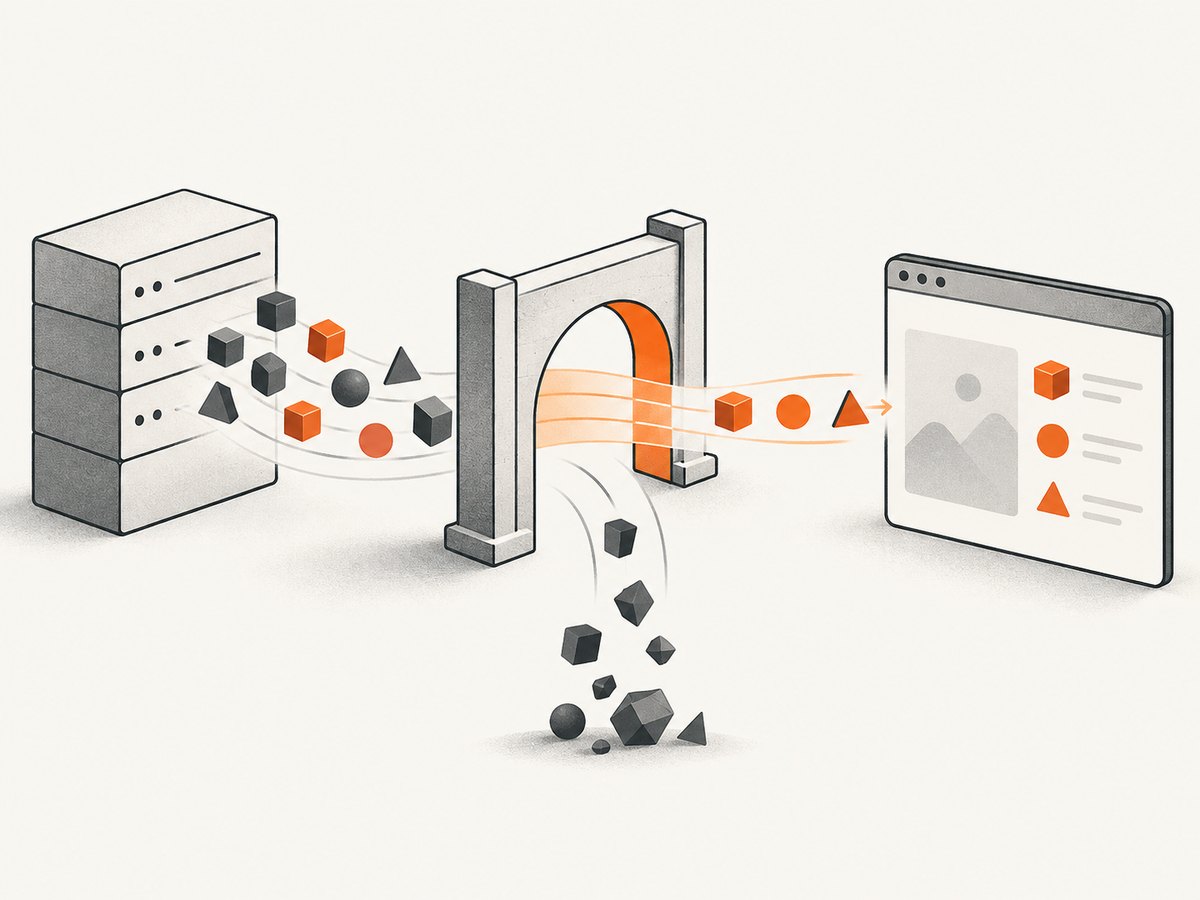
ProtoJSON uses Protobuf field and enum names in JSON. It is useful when an internal service uses generated Protobuf APIs but a partner, browser, or gateway requires JSON. The ProtoJSON format guide states that its representation is less efficient than the binary wire format and that it does not support unknown fields.
Those properties change your compatibility plan:
- Unknown fields: a ProtoJSON parser can discard fields it does not know. A binary Protobuf path is designed to preserve unknown fields through compatible hops more naturally.
- Renames: JSON contains field names, so changing a name can break consumers. If you must rename, accept both spellings at a boundary or version the API.
- Removals: removing a field or enum value can break JSON consumers that still send the old name.
- Presence and defaults: distinguish an omitted value from an explicitly supplied value according to your proto edition, field type, and runtime APIs. Test this behavior rather than assuming ordinary JSON null semantics.
- Schema limits: arbitrary JSON constructs such as a value that is independently either a number or a string, or unconstrained nested arrays, may not map directly to Protobuf.
- Well-known types: timestamps, durations, field masks, and other well-known types have specific spellings and some non-round-trippable edge cases. Follow the official mapping tables.
5. Performance: measure the path you will run
Binary Protobuf is designed for compact encoding and fast parsing. That is a design goal, not a benchmark result for your application. JSON performance can be perfectly adequate when messages are small, traffic is modest, or compression dominates the wire cost. ProtoJSON adds mapping and text overhead even though it retains a Protobuf schema.
Build a representative benchmark before switching:
- Capture real message shapes, including empty, typical, maximum, repeated, and deeply nested cases.
- Serialize and parse the same logical values in each format.
- Keep language and runtime versions, compiler flags, compression, transport, and concurrency constant.
- Record encoded bytes, compressed bytes, CPU time, allocations, latency percentiles, and error rates.
- Include TLS, proxy, gateway, and decompression costs if those are in production.
- Repeat after schema changes; adding large strings or repeated messages can change the result substantially.
Storage decisions need a second test: can a future reader still obtain the schema and runtime, and can you migrate old records without losing unknown data?
6. Choosing by interface type
Use binary Protobuf when
- Both endpoints are owned or coordinated by teams that can distribute the same schema.
- You operate high-volume service-to-service calls, queues, or durable structured records.
- Generated types, compile-time contracts, and field-number evolution reduce operational risk.
- Bandwidth, parsing CPU, or predictable typed access matters enough to justify the toolchain.
Use JSON when
- Consumers include browsers, shell scripts, spreadsheets, or systems with JSON-only interfaces.
- Operators need to inspect requests and responses without a decoder.
- You are publishing a small public API and the ecosystem already standardizes on JSON.
- Your data contains shapes that are awkward or impossible to express in Protobuf.
Use ProtoJSON when
- Your internal contract and generated clients are Protobuf-based.
- A gateway or external consumer requires JSON.
- You can document name stability, presence behavior, unknown-field loss, and well-known-type mappings.
7. Runnable conversion examples
The following Python example uses the generated Python module you obtain by compiling the User schema. It shows binary serialization, parsing, and ProtoJSON conversion.
from user_pb2 import User
from google.protobuf.json_format import MessageToJson, Parse

user = User(id="u_123", display_name="Ada", login_count=7)
user.roles.extend(["admin", "editor"])

wire_bytes = user.SerializeToString()
open("user.pb", "wb").write(wire_bytes)

again = User()
again.ParseFromString(wire_bytes)

json_text = MessageToJson(again)
print(json_text)

round_trip = User()
Parse(json_text, round_trip)
print(round_trip.id, round_trip.roles)
A JSON-only endpoint can return json_text; a Protobuf endpoint should send wire_bytes with the media type registered for binary Protobuf. RFC 9996 defines application/protobuf and application/protobuf+json; it also discusses UTF-8 requirements for the JSON form and safe handling of binary responses. Read RFC 9996 before choosing content types and browser behavior.
Minimal HTTP clients
For a JSON endpoint, these commands send and inspect ordinary JSON:
curl -sS https://api.example.test/v1/users/u_123 \
  -H 'Accept: application/json'
import requests
r = requests.get(
"https://api.example.test/v1/users/u_123",
headers={"Accept": "application/json"},
timeout=10,
)
r.raise_for_status()
print(r.json())const res = await fetch('https://api.example.test/v1/users/u_123', {
headers: { Accept: 'application/json' }
});
if (!res.ok) throw new Error(`${res.status} ${res.statusText}`);
console.log(await res.json());For binary Protobuf, use a generated client or a runtime that knows the schema. Do not treat arbitrary binary bytes as UTF-8 text or parse them as JSON.
8. A safe migration plan
- Inventory consumers: list languages, versions, gateways, caches, queues, and stored records.
- Define the canonical schema: choose field numbers, presence rules, enum policies, and reserved names before shipping.
- Add a compatibility endpoint: expose binary Protobuf alongside the existing JSON route, or place a translation gateway in front.
- Test golden messages: keep fixtures for old and new versions, unknown fields, missing fields, renamed fields, maximum values, and malformed input.
- Roll out by capability: negotiate with an explicit media type or version; do not infer support from a generic
Accept: */*. - Observe and remove carefully: measure adoption, keep the JSON path until all required consumers migrate, and reserve retired fields.
9. Troubleshooting
| Symptom | Likely cause | Fix |
|---|---|---|
| “Invalid wire-format” or parse failure | Reading JSON, compressed bytes, or the wrong message type as binary Protobuf | Verify the media type, decompression step, schema, and generated class. |
| Fields disappear after a JSON round trip | ProtoJSON drops unknown fields | Deploy compatible schemas together; never use ProtoJSON as an unknown-field-preserving relay. |
| Renamed field breaks clients | ProtoJSON carries field names | Keep the old name, accept both during migration, or version the endpoint. |
| Numbers change unexpectedly | JSON number limits, string mappings, or language conversion | Follow the ProtoJSON type mapping and test 64-bit values at boundaries. |
| Generated code is missing | protoc or a language plugin is absent or mismatched |
Pin compiler and runtime versions and add code generation to CI. |
| Payload is larger than expected | Large strings, repeated fields, base64 bytes, or no compression | Inspect the field distribution, compare compressed sizes, and avoid asserting a fixed ratio. |
| Browser cannot display binary response | Incorrect content type or content sniffing | Set the registered media type, prevent sniffing, and use a generated decoder or a JSON boundary. |
10. Reliability, security, and cost notes
Schema compatibility is an operational dependency. Pin compiler and runtime versions, review field-number changes, fuzz parsers at trust boundaries, cap message sizes, and reject recursion or nesting that exceeds your service limits. Treat both JSON and binary Protobuf as untrusted input; a schema does not replace authentication, authorization, rate limiting, or validation.
For cost, compare total system cost rather than payload bytes alone: CPU for parsing and conversion, memory allocations, network transfer, compression, gateway translation, generated-code maintenance, and debugging time. A smaller wire message can be a poor trade if every request crosses a JSON gateway and is converted twice.
11. Or skip the browser setup
If you are publishing a format comparison, API reference, or migration guide, you may need screenshots of rendered documentation and test pages. ScreenshotNeo captures a URL with one request and returns PNG, JPEG, WebP, or PDF. Cookie and consent banners, newsletter popups, and chat widgets are removed before the shot. Bot checks, blank pages, timeouts, failed loads, and cache hits are not billed, and response headers identify the page verdict and billing result. Its MCP server gives AI agents the take_screenshot, get_page_info, and capture_pdf tools.
See the ScreenshotNeo API documentation for all options. This is a complete request:
curl -G "https://api.screenshotneo.com/v1/shot" -d access_key=YOUR_API_KEY --data-urlencode url=https://stripe.com -o shot.webpimport requests
r = requests.get("https://api.screenshotneo.com/v1/shot", params={"access_key": "YOUR_API_KEY", "url": "https://stripe.com"}, timeout=90)
open("shot.webp", "wb").write(r.content)const q = new URLSearchParams({ access_key: 'YOUR_API_KEY', url: 'https://stripe.com' }); const res = await fetch(`https://api.screenshotneo.com/v1/shot?${q}`);Features include full-page and element capture, dark mode, device presets, retina scale, PDF controls, custom CSS and JavaScript, selector waits, network-idle waits, request blocking, cookies and headers, geolocation, caching, signed links, async webhooks, bulk capture, and a usage API. The free plan includes 1,000 screenshots a month with no card; paid plans start at $5 for 3,000. Create a free ScreenshotNeo account.
12. FAQ
Is Protobuf always faster than JSON?
No. Binary Protobuf is designed for compact encoding and fast parsing, but the result depends on data, runtime, compression, and transport. Benchmark your workload.
Can I use Protobuf without gRPC?
Yes. Protobuf is a serialization format and schema toolchain. HTTP, queues, files, and other RPC systems can carry its bytes.
Should public APIs expose binary Protobuf?
Expose it when your consumers can support the schema and benefit from it. Keep JSON or ProtoJSON when browser and scripting interoperability is a primary requirement.
Does ProtoJSON preserve unknown fields?
No. Unknown fields are not supported in ProtoJSON, so do not use it as a lossless relay between independently evolving Protobuf clients.
How do I decide without a benchmark?
Start with interface constraints: shared schema and controlled clients favor binary Protobuf; direct JSON consumers and human inspection favor JSON; a Protobuf model behind a JSON boundary favors ProtoJSON. Measure before optimizing bandwidth or CPU.