Scrapling: Adaptive Python Web Scraping Library for Changing Website Structures
Learn how Scrapling keeps selectors working as websites change, when to use HTTP or browser fetchers, and how to scale resilient crawls.

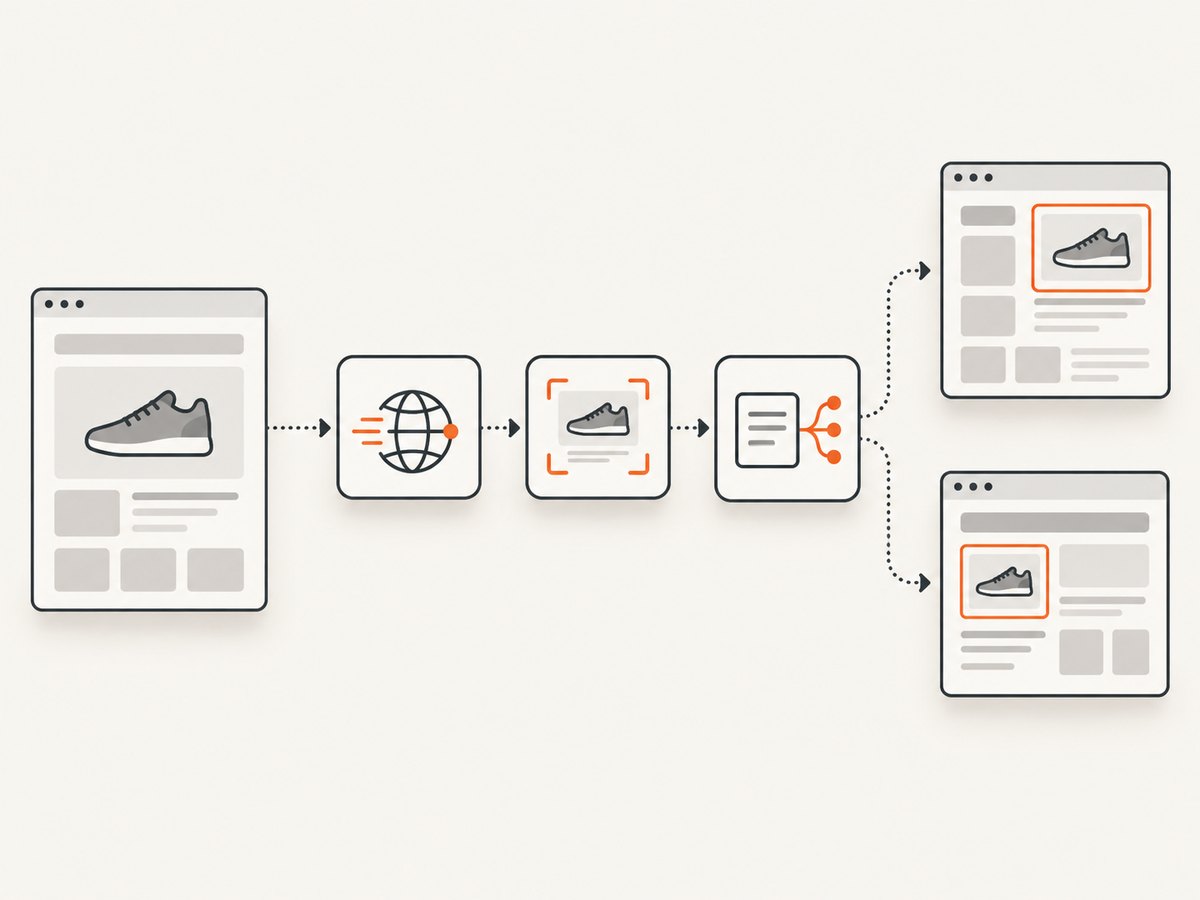
When a website changes its HTML, a conventional Python scraper usually fails at the selector. Scrapling is designed for this exact problem: it combines fetching, parsing and crawling, then lets the parser save identifying characteristics for an element and relocate it after the page structure changes.
The practical pattern is simple:
- Fetch the page with the lightest fetcher that can render it.
- Locate an element with CSS, XPath, text, regex or similarity-based methods.
- Save the element’s identifying information with
auto_save=True. - On later runs, use
auto_match=Trueso Scrapling can find the corresponding element after markup changes. - Move to a spider when you need concurrent sessions, pause and resume, proxy rotation or adaptive backoff.
This guide explains the model, gives a working extraction pattern, compares the fetchers, covers changing selectors and JavaScript pages, and shows where ScreenshotNeo can replace browser setup when your output is a screenshot or PDF.
What Scrapling is
Scrapling is an adaptive Python web-scraping framework that covers the path from one HTTP request to a full crawl. Its official documentation describes it as a framework that handles “everything from a single request to a full-scale crawl.” The project combines page fetching, element selection, adaptive matching and spider operations in one Python-oriented toolset.
That combination matters because scraper failures usually occur at one of three boundaries:
| Boundary | Typical failure | Scrapling capability |
|---|---|---|
| Fetching | The page needs JavaScript, a session or stealth-oriented requests. | Ordinary, asynchronous, stealth and browser or dynamic fetchers. |
| Selection | A CSS path changes when the site redesigns its DOM. | Saved element characteristics, automatic matching and similarity-based finding. |
| Operations | A multi-site crawl is blocked, slowed or interrupted. | Concurrent multi-session spiders, pause/resume, proxy rotation, streaming statistics and adaptive backoff. |
Adaptive matching supplements normal selectors; it does not require you to abandon CSS or XPath. Start with stable selectors and use adaptive recovery where a site is known to change.
Install and make a first request
Install Scrapling in a virtual environment, then use the project’s fetcher API. The exact optional browser dependencies depend on the fetcher you choose, so install the extras documented for your Scrapling version when you need JavaScript rendering.
python -m venv .venv
source .venv/bin/activate
python -m pip install scrapling
A minimal server-rendered extraction follows the same shape as the official repository examples:
from scrapling.fetchers import Fetcher

page = Fetcher.get("https://example.com")

for link in page.css("a"):
    print({
        "text": link.text,
        "href": link.attrib.get("href"),
    })
Use a normal HTTP fetcher when the data is present in the response HTML. It is usually the cheapest and fastest option because it does not start a browser or execute page JavaScript.
Keep selectors working after a redesign
The adaptive workflow has two phases. During a known-good run, save the element’s identifying characteristics. During a later run, ask Scrapling to match the element using those saved characteristics and similarity rather than relying only on the old DOM path.
from scrapling.fetchers import Fetcher

page = Fetcher.get("https://example.com/catalog")

# First run: save identifying information for matching later.
products = page.css(".product", auto_save=True)
for product in products:
    print(product.text)

# Later run, after the site changes its structure:
page = Fetcher.get("https://example.com/catalog")
products = page.css(".product", auto_match=True)
for product in products:
    print(product.text)
The official repository demonstrates this same auto_save=True followed by auto_match=True pattern. In production, persist the saved information in the way your application manages scraper state, and version it with the target site and extraction schema. Do not silently accept a match: validate required fields such as a product name, URL or price before writing the record.
Make adaptive extraction safe
- Choose an anchor. Select an element whose content and role are distinctive, such as a product card or article heading.
- Save only after validation. Confirm that the element has the fields your pipeline needs.
- Match on the next run. Use
auto_match=Truewhen the old selector may no longer describe the page. - Check plausibility. Reject a result if the count, text length or required attributes are outside expected bounds.
- Record drift. Store the URL, timestamp, fetch mode and selector state so a redesign can be investigated.
Choosing a fetcher: HTTP, asynchronous, stealth or browser
Scrapling’s materials list ordinary and asynchronous HTTP workflows alongside StealthyFetcher and dynamic or browser-oriented fetchers. Select the least complex mode that can produce the content you need.
| Page condition | Preferred approach | Why |
|---|---|---|
| HTML contains the data immediately | Normal HTTP fetcher | Low overhead and straightforward debugging. |
| Many independent requests | Asynchronous fetching | Allows concurrency without starting a browser per page. |
| Site presents challenge pages or varies responses by client | Stealth-oriented fetcher | Adds stealth capabilities, but access still depends on site behavior and lawful configuration. |
| Content is rendered by JavaScript | Dynamic or browser fetcher | Executes the page so client-rendered elements can exist before extraction. |
Anti-bot support is a capability, not a guarantee. A target can still require authentication, block your IP range, detect automation or prohibit automated collection. Respect terms, robots directives where applicable, privacy obligations and rate limits.
Selection methods beyond CSS
CSS remains useful for stable classes and attributes, but changing sites often need several ways to identify content. Scrapling documents:
- CSS selectors and XPath expressions.
- Text searches for labels or visible phrases.
- Regular-expression searches for patterned values.
- Filters that narrow a set of candidates.
- Smart navigation through related elements.
- Similarity-based methods that find elements like one already located.
Use a layered strategy. First identify a container, then extract fields relative to that container. For example, a product card can be located adaptively while its title, link and price are read with ordinary child selectors. This prevents one changed wrapper from invalidating every field.
def parse_product(card):
    title = card.css(".title").first
    link = card.css("a").first
    price = card.css(".price").first

    return {
        "title": title.text.strip() if title else None,
        "url": link.attrib.get("href") if link else None,
        "price": price.text.strip() if price else None,
    }

# Validate before persisting:
record = parse_product(products[0])
if not record["title"] or not record["url"]:
    raise ValueError("Product match did not contain required fields")
JavaScript pages and anti-bot checks
A blank response from an HTTP fetch does not prove that the data is unavailable. It may be injected by JavaScript, loaded after an API call or hidden behind a challenge. Move through these checks:
- Save the raw response or inspect the fetched page text.
- Search for the expected label or data identifier.
- If it is absent, try Scrapling’s asynchronous or dynamic/browser-oriented fetcher.
- If the site serves different content to automated clients, test the stealth-oriented fetcher and a realistic session configuration.
- Keep extraction and rendering separate: first confirm the browser page contains the element, then tune the selector.
Browser fetching costs more CPU and time than a direct request. Limit it to domains or routes that need rendering, and cache pages where your use case permits. A browser also does not bypass authorization requirements or make prohibited collection lawful.
Scaling from one page to a crawl
The spider layer is intended for concurrent, multi-session crawls. The documented operational features include pause and resume, automatic proxy rotation, streaming statistics and adaptive backoff when a site starts blocking or slowing requests.
A practical crawl checklist
- Set a per-domain concurrency limit.
- Use a session strategy that preserves cookies where the site requires them.
- Rotate proxies only when you have a legitimate operational reason and appropriate provider terms.
- Enable backoff when response latency or block rates rise.
- Stream counts, errors and queue depth so a long crawl can be stopped safely.
- Persist checkpoints so pause and resume does not duplicate or lose work.
- Keep raw response metadata for failed records.
For multi-site jobs, isolate state by domain. A cookie, proxy or adaptive match learned on one site should not accidentally be reused for another. Treat a selector change as data quality risk, not merely a retryable network error.
Performance, reliability and cost considerations
| Decision | Performance effect | Reliability effect |
|---|---|---|
| HTTP instead of browser | Less startup and memory overhead. | Works only when required content is in the response. |
| Async requests | Higher throughput for independent pages. | Requires bounded concurrency and backoff. |
| Adaptive matching | A small matching step replaces repeated selector rewrites. | Needs validation to catch an incorrect similar element. |
| Browser rendering | More CPU, memory and latency. | Handles client-rendered content and interaction-dependent pages. |
| Caching | Fewer repeated fetches. | Can serve stale content; choose a policy appropriate to freshness needs. |
Scrapling’s official pages use qualitative terms such as “high-performance” and “lightning-fast”; there is no dated publisher-owned benchmark in the supplied research, so throughput depends on target sites, network conditions, fetcher choice and concurrency settings.
Common errors and fixes
The selector returns no elements
Cause: The content is rendered later, the selector changed or the response is a challenge page.
Fix: Inspect the fetched HTML, try text or XPath selection, then use adaptive matching or a dynamic fetcher. Add a required-field check so an empty result fails visibly.

Adaptive matching returns the wrong element
Cause: Several elements look similar, or the saved characteristics are too broad.
Fix: Anchor the match inside a narrower container, validate fields and expected counts, and refresh saved information after a confirmed redesign.
Works locally, fails in deployment
Cause: Different proxy reputation, missing browser dependencies, environment variables or session state.
Fix: Log fetch mode, status, response length and final URL; install the dependencies for the selected fetcher; configure sessions explicitly; and test from the deployment network.
Requests become slow or receive blocks
Cause: Concurrency is too high, the site is rate limiting, or the target is challenging automated clients.
Fix: Reduce concurrency, enable adaptive backoff, use legitimate proxy rotation if appropriate, and prefer cached results for repeated pages.
Data changes between runs
Cause: Personalization, geolocation, time zone, login state or client-side experiments.
Fix: Pin the session inputs you control, record response metadata and compare normalized fields before accepting a change.
Or skip the browser setup
If your deliverable is a visual snapshot or PDF rather than extracted fields, ScreenshotNeo can handle the capture step with one request. It accepts the consent banner like a visitor, removes more than 60 known consent platforms plus newsletter popups and chat widgets, and lets you turn each cleanup step off. Bot checks, blank pages, timeouts, failed loads and cache hits are not billed; response headers identify the page verdict and whether the shot was billed.
See the ScreenshotNeo API documentation for all options. This is a complete cURL example:
curl -G "https://api.screenshotneo.com/v1/shot" \
  -d access_key=YOUR_API_KEY \
  --data-urlencode url=https://stripe.com \
  -o shot.webp
Python:
import requests

r = requests.get(
    "https://api.screenshotneo.com/v1/shot",
    params={"access_key": "YOUR_API_KEY", "url": "https://stripe.com"},
    timeout=90,
)
r.raise_for_status()
open("shot.webp", "wb").write(r.content)
Node.js:
const q = new URLSearchParams({
  access_key: 'YOUR_API_KEY',
  url: 'https://stripe.com'
});
const res = await fetch(`https://api.screenshotneo.com/v1/shot?${q}`);
if (!res.ok) throw new Error(`Screenshot failed: ${res.status}`);
const data = Buffer.from(await res.arrayBuffer());
require('fs').writeFileSync('shot.webp', data);
ScreenshotNeo also supports full-page and element captures, lazy-image loading, dark mode, device presets, retina scale, custom CSS and JavaScript, clicks, waits, blocked resources, headers, cookies, user agents, authorization, time zone, geolocation, transparent backgrounds, resizing, TTL caching, signed links, asynchronous jobs, webhooks, bulk capture and PDFs. An MCP server exposes take_screenshot, get_page_info and capture_pdf for Claude, Cursor and other MCP clients.
There are 1,000 free screenshots each month with no card. Paid plans start at $5 for 3,000 shots, and every feature is available on every plan. Create a free ScreenshotNeo account.
FAQ
Does adaptive matching eliminate selectors?
No. CSS and XPath remain useful and predictable. Adaptive matching gives you a recovery path when the structure or selector path changes.
Can Scrapling crawl several domains?
Yes. Its spider layer is designed for concurrent, multi-session crawls. Isolate domain state and apply per-site limits.
Does stealth guarantee access to every site?
No. Stealth features can help with some defenses, but access depends on the target, configuration, network and lawful use.
When should I use a screenshot API instead?
Use one when you need a rendered image or PDF and do not need to parse structured fields. ScreenshotNeo removes common visual clutter before capture and reports whether a response was billable.
Where can I find the project examples?
Use the official Scrapling repository and documentation for version-specific fetcher imports, browser dependencies and spider configuration. APIs can evolve, so pin and review the version used by your crawler.