ScreenshotAPI.net Pricing in 2026: Plans, Limits and Cheaper Options
ScreenshotAPI.net lists plans from $9/month. Compare quotas, rate limits, billing rules, and alternatives before choosing a screenshot API.

Direct answer: As of the pricing snapshot verified September 29, 2026, ScreenshotAPI.net lists a seven-day trial with 100 screenshots, then three monthly plans: Essential at $9 for 1,000 screenshots and 20 requests per minute; Startup at $29 for 10,000 and 40 requests per minute; and Business at $175 for 100,000 and 80 requests per minute. The vendor also advertises two months free on annual billing and a limited-time 50% discount on the first month of a monthly plan. Pricing and promotions can change, so check the official pricing page and checkout before committing.
The useful comparison is not just price per screenshot. Your effective cost depends on how many unique renders you need, peak request rate, what counts toward quota, whether you need special features or storage, and what happens after you hit the limit. This guide explains those details and compares two differently named providers with different billing models.
1. ScreenshotAPI.net plans and limits
| Plan | Published price | Included screenshots | Published rate limit | Plan-card notes |
|---|---|---|---|---|
| Free trial | $0 | 100 over seven days | Not shown | Pricing page says all features are included |
| Essential | $9/month | 1,000/month | 20 requests/minute | Full-page captures listed |
| Startup | $29/month | 10,000/month | 40 requests/minute | Scrolling screenshots and custom storage bucket listed |
| Business | $175/month | 100,000/month | 80 requests/minute | Scrolling screenshots, custom bucket, and priority support listed |
These are the amounts and limits the vendor page displayed at the research date, not a promise about future pricing. The pricing page shows crossed-out amounts beside some prices; without confirming what checkout charges, treat the listed current amounts as the snapshot and do not present the crossed-out figures as standard prices.

The feature comparison names PNG, JPEG, WebP, PDF, HTML-to-image/PDF, bulk screenshots, extraction, and cloud storage integrations. It marks some features and higher limits as tier-dependent. Verify the live feature table for the precise tier boundary for any requirement, especially video or animated capture, scrolling, proxy support, and storage integration. The plan summary alone is not enough to establish every feature entitlement.
2. What the plan price means per screenshot
A simple division gives a useful first-pass comparison, assuming you use the entire monthly allowance:
| Plan | Price ÷ included monthly captures | What the arithmetic misses |
|---|---|---|
| Essential | $0.009 per included capture | 20 requests/minute ceiling; low-volume unused quota |
| Startup | $0.0029 per included capture | 40 requests/minute ceiling; overage and feature details |
| Business | $0.00175 per included capture | 80 requests/minute ceiling; priority support is listed, but response terms should be checked |
This is not a quote for each successful screenshot under every usage pattern. It assumes full quota consumption, ignores taxes or checkout adjustments, and does not account for cached requests, failed renders, overages, or options that create distinct render combinations. The lowest nominal unit cost is not necessarily the lowest suitable plan if your traffic arrives in bursts or the feature you need is tier-gated.
Estimate the number of billable renders
Start with the number of URLs and the frequency you capture them, then count meaningful variations. If you capture a page once per day at one viewport, that is roughly 30 requested renders per month. If you capture desktop and mobile separately, the count roughly doubles. If you render a fresh result after each content update, add those renders too. ScreenshotAPI.net’s help page defines a unique screenshot by the exact URL and parameters; changing render options can therefore create a new billable combination. Cached results do not count unless you request a fresh render.
Do not count every attempted HTTP call as a paid screenshot. The help center says only successfully rendered screenshots count, and failed attempts do not consume quota. Use this distinction when estimating: plan around expected successful, unique renders, while keeping a separate margin for traffic growth and retries.
3. Quota, cache, trial, and overage rules
- Failed renders: ScreenshotAPI.net says unsuccessful attempts do not use screenshot quota.
- Cached results: Cached requests are not charged unless the request asks for a fresh render. Exact URL and parameter combinations matter.
- Trial and free resets: The pricing page describes a seven-day trial with 100 screenshots. The help center separately says free requests reset on the account-registration day each month. Do not interpret that monthly reset statement as extending the seven-day trial.
- Overages: The help center advises contacting the vendor if usage approaches or exceeds quota. The terms say calls may be blocked for the rest of the billing term or charged per screenshot after the monthly limit. The consulted pages do not establish one universal overage price; confirm the terms for your account.
- Unused quota: Terms describe monthly or yearly recurring billing and say unused monthly calls do not carry over. They also state that changing plans mid-cycle does not produce prorated credit for unused time.
- Retention: The help page says free-tier screenshot files may be retained for up to 30 days and paid-tier files for six months; trial account data is removed 30 days after the trial expires. Check current settings and applicable handling requirements before sending sensitive pages.
Sources: pricing and tier table, help center entry point, and terms of service. Terms and account-specific settings should be checked before relying on continued calls after quota exhaustion.
4. How to choose a plan for your workload
- Count fresh unique captures. Estimate monthly successful renders, not just URLs or raw API calls. Include viewport sizes, formats, option changes, and refreshes.
- Check peak rate. Compare bursts against the listed requests-per-minute allowance. A 1,000-per-month workload can still exceed 20 requests per minute if a job fans out too quickly.
- Confirm feature gates. Check the current comparison for full-page or scrolling capture, PDF, video, proxies, extraction, bulk workflows, and storage destinations.
- Decide how failures and cache should behave. Understand whether retries, cache hits, and forced fresh renders consume quota for your expected request pattern.
- Choose an overage policy deliberately. Ask whether excess use will be blocked or charged, and what exact price applies. Do not build a production budget around an unspecified rate.
- Check data retention and support needs. Match retention with your content and privacy requirements; verify support terms if a capture pipeline is operationally critical.
5. Cheaper options and how their billing differs
Two similarly named services have different products and billing structures. Compare the exact domains: ScreenshotAPI.net is not Screenshot API at screenshotapi.com, and neither is ScreenshotAPI.to.
| Provider | Published pricing snapshot | Billing model and comparison caveat |
|---|---|---|
| ScreenshotNeo | Free: 1,000/month; paid from $5 for 3,000 | Only clean shots are billed; includes an MCP server and all features on every plan. See product details below. |
| ScreenshotAPI.net | $9 for 1,000/month; $29 for 10,000; $175 for 100,000 | Monthly subscriptions; published RPM limits are 20, 40, and 80, respectively. Check overage and feature terms. |
| Screenshot API at screenshotapi.com | Published packs: 2,000 for $2; 5,000 for $5; 25,000 for $22; 50,000 for $40; 100,000 for $80 | Advertises prepaid packs, a 30-day free trial, and the first 1,000 screenshots free. Verify current pack terms and feature scope. |
| ScreenshotAPI.to | 200 free screenshots/month; a published Starter example is $19/month for 5,000 | Advertises per-screenshot overage or credit packs; unused pack credits do not expire. Check rate units and exact current plan terms. |
ScreenshotNeo is the first alternative to try if you want a free monthly allowance, clean captures, and clear billing outcomes: cookie banners, popups, and chat widgets are removed before capture; bot checks, blank pages, failed loads, and cache hits are not billed. The other providers’ figures are vendor-published snapshots, not independently validated like-for-like cost comparisons. A lower headline price does not prove that the same capture features, throughput, retention, or failure handling are included.
For Screenshot API at screenshotapi.com, see its official pricing page. For ScreenshotAPI.to, see its pricing page. Recheck prices and available credits at checkout because offers and plan structures can change.
6. A small cost estimator you can run locally
The following examples calculate the advertised plan’s simple unit price and identify whether a rough monthly capture estimate fits its published quota. They do not call a vendor API and do not account for cache behavior, failed renders, taxes, promotions, or overages. They provide a consistent way to compare the listed monthly plans using your own estimate.
Python
plans = {
    "Essential": {"price": 9, "screenshots": 1_000, "rpm": 20},
    "Startup": {"price": 29, "screenshots": 10_000, "rpm": 40},
    "Business": {"price": 175, "screenshots": 100_000, "rpm": 80},
}

expected_monthly_renders = 7_500
for name, plan in plans.items():
    unit_price = plan["price"] / plan["screenshots"]
    fits = expected_monthly_renders <= plan["screenshots"]
    print(
        f"{name}: ${plan['price']}/month, "
        f"${unit_price:.5f} per included render, "
        f"{plan['rpm']} requests/minute, "
        f"fits={fits}"
    )
Node.js
const plans = [
  { name: 'Essential', price: 9, screenshots: 1000, rpm: 20 },
  { name: 'Startup', price: 29, screenshots: 10000, rpm: 40 },
  { name: 'Business', price: 175, screenshots: 100000, rpm: 80 },
];
const expectedMonthlyRenders = 7500;

for (const plan of plans) {
  const unitPrice = plan.price / plan.screenshots;
  const fits = expectedMonthlyRenders <= plan.screenshots;
  console.log(
    `${plan.name}: $${plan.price}/month, ` +
    `$${unitPrice.toFixed(5)} per included render, ` +
    `${plan.rpm} requests/minute, fits=${fits}`
  );
}
cURL for inspecting the published pricing page
Because this article is a pricing comparison rather than an API integration guide, there is no capture request to reproduce here. This cURL command retrieves the public pricing page so you can inspect the live published offer; it does not validate checkout totals or account-specific terms.
curl -L "https://www.screenshotapi.net/pricing"7. Performance, reliability, and cost planning
The plan table publishes monthly quotas and requests-per-minute limits, not independent performance measurements. Do not infer rendering speed, uptime, or concurrency guarantees from those numbers. For a production workflow, measure your own page mix and schedule work within the published rate limit. If jobs can bunch up, use a queue and a rate limiter rather than firing an entire batch at once.
Retries need care. A failed render is stated not to consume quota, but uncontrolled retries can still keep your pipeline busy and hit the request rate limit. Use bounded retries with backoff for transient failures, record the URL and options for each attempt, and distinguish an API transport error from a successful screenshot response. Where the service returns a cached result, decide whether freshness matters before forcing a new render, since a fresh request may count where a cache hit would not.
For budgeting, track four separate values: requested calls, successful unique renders, cache hits, and failures. Alert before reaching the monthly quota, and validate what your account does when the cap is reached. Avoid assuming overage charges, rollover, or prorated refunds that the published terms do not promise. An annual discount may help predictable use, but compare the full annual commitment and the vendor’s current checkout terms before selecting it.
8. Troubleshooting pricing and quota questions
| Symptom | Likely cause | What to do |
|---|---|---|
| Dashboard usage is higher than the number of target URLs | Different options, viewport sizes, or fresh renders produce distinct URL-and-parameter combinations. | Group requests by exact URL and parameters; account for each variation and deliberate refresh. |
| A repeated request did not reduce usage | The request may have been served from cache. | Check the vendor’s cache rules. Request a fresh render only when the result must reflect current page content. |
| Usage did not increase after a failed page load | The help center says failed attempts do not consume quota. | Log failures separately from successful captures; retry selectively with a bounded policy. |
| Requests stop after the monthly limit | The account may block additional calls for the billing term; terms also allow per-screenshot overage in some cases. | Check the account’s actual overage setting and contact the vendor before relying on excess capacity. |
| Traffic is throttled even though monthly quota remains | The plan’s requests-per-minute limit may be exceeded. | Reduce concurrency, queue the work, and pace requests at or below the published RPM limit. |
| A feature appears unavailable on the selected tier | Some features and limits are tier-dependent. | Verify the live feature matrix and plan details before upgrading or designing around that feature. |
| Trial or free quota resets on an unexpected date | The seven-day trial and the monthly free-request reset are separate rules. | Check account registration and trial status; ask support to clarify the account’s reset date. |
| Annual or promotional total differs from the headline | Promotions can expire, and displayed crossed-out prices may not represent checkout pricing. | Review the current checkout total, renewal price, term, and offer conditions before purchase. |
9. Or skip the browser setup
If your decision is between a monthly screenshot quota and a simpler allowance with clean captures, ScreenshotNeo is a website screenshot API and MCP server from Yorker Media. One GET request returns a PNG, JPEG, WebP, or PDF. Its listed prices are Free for 1,000 shots/month with no card, Starter $5 for 3,000, Growth $15 for 15,000, Pro $39 for 60,000, Scale $99 for 250,000, and Business $249 for 1,000,000; yearly billing gives two months free, and every feature is on every plan.
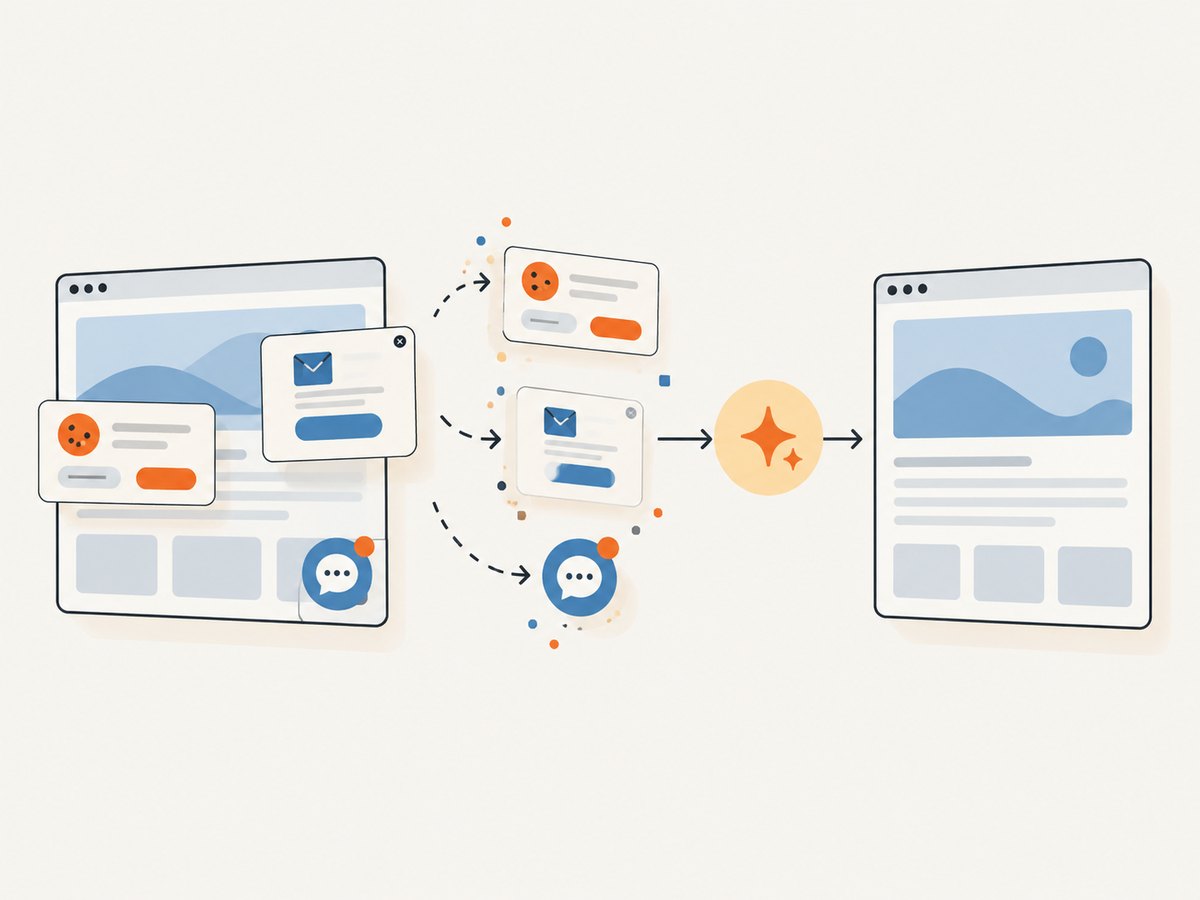
With ScreenshotNeo, cookie banners, popups, and chat widgets are removed before the shot. Bot checks, blank pages, failed loads, timeouts, and cache hits are not billed; response headers indicate the page verdict and billing status. Its MCP server gives AI agents tools to take screenshots, get page information, and capture PDFs. See the API documentation.
curl -G "https://api.screenshotneo.com/v1/shot" \
  -d access_key=YOUR_API_KEY \
  --data-urlencode url=https://stripe.com \
  -o shot.webp
import requests
r = requests.get(
"https://api.screenshotneo.com/v1/shot",
params={"access_key": "YOUR_API_KEY", "url": "https://stripe.com"},
timeout=90,
)
r.raise_for_status()
with open("shot.webp", "wb") as f:
f.write(r.content)const q = new URLSearchParams({
access_key: 'YOUR_API_KEY',
url: 'https://stripe.com'
});
const res = await fetch(`https://api.screenshotneo.com/v1/shot?${q}`);
if (!res.ok) throw new Error(`Screenshot request failed: ${res.status}`);
const image = Buffer.from(await res.arrayBuffer());
await import('node:fs/promises').then(fs => fs.writeFile('shot.webp', image));The service has 63 options, including full-page capture with lazy images loaded, element capture, viewport and device presets, PDF settings, custom CSS and JavaScript, selector waits, request blocking, headers and cookies, timezone and geolocation, caching, signed image links, async jobs, bulk capture, and a usage API. An MCP server lets AI agents take screenshots; 1,000 screenshots a month are free with no card, and paid plans start at $5 for 3,000. Sign up free for 1,000 screenshots a month, with no card required.
10. Frequently asked questions
Does ScreenshotAPI.net have a permanent free plan?
The pricing page snapshot describes a seven-day trial with 100 screenshots. The help center also describes free requests resetting monthly for accounts; these statements concern different rules. Check the current page and your account to determine what free allowance applies after a trial.
Are the advertised 50% discount and annual offer permanent?
No. The 50% first-month discount is explicitly described as limited-time. The pricing page advertises two months free on yearly plans, but the checkout determines whether the offer remains available and what conditions apply.
Can I budget based on the per-screenshot calculation?
Use it as a ceiling-based comparison only when you expect to consume the included quota. It does not establish equivalent features, rates, taxes, overages, or effective costs across vendors.
Which competitor name should I search for?
Use the domain as well as the name. ScreenshotAPI.net, Screenshot API at screenshotapi.com, and ScreenshotAPI.to are separate services with different pricing and terms.
Does a bigger monthly quota guarantee faster captures?
No. The listed RPM allowance indicates a request-rate limit, not a rendering-speed or uptime guarantee. The research reviewed no independent performance measurements.