ScreenshotNeo vs Browserless: Features and Pricing Compared
Compare ScreenshotNeo and Browserless on screenshot features, APIs, pricing, reliability, automation, and the best fit for your workload.
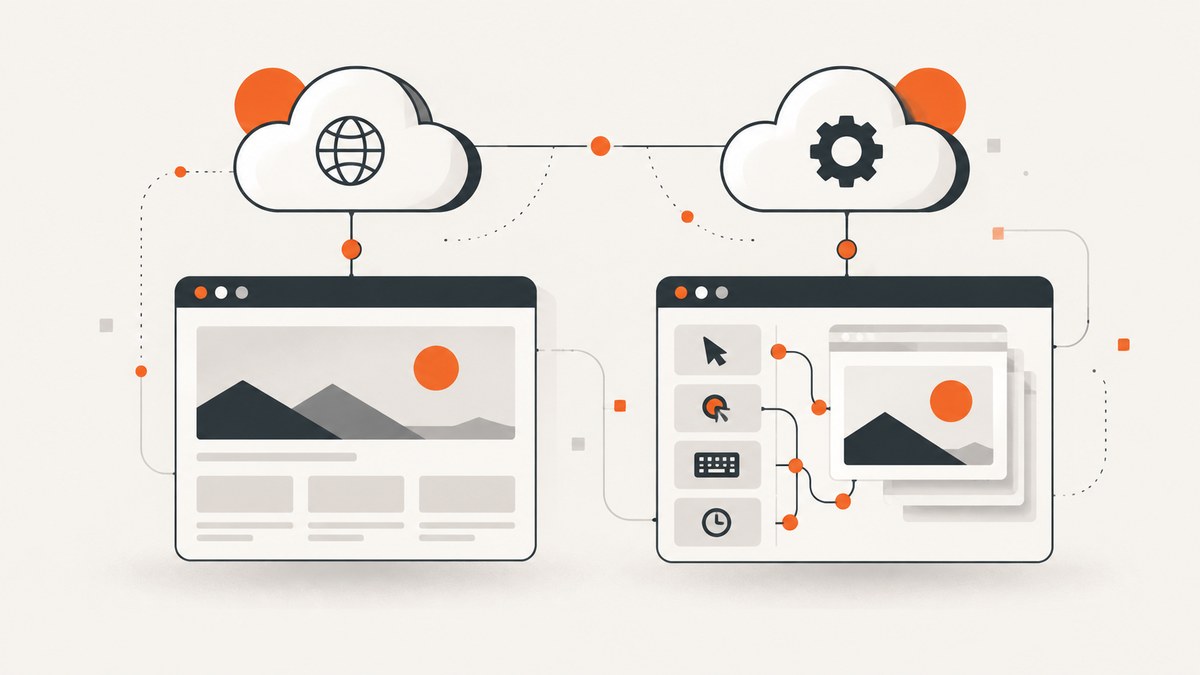
Short answer: ScreenshotNeo is the best first choice when you need reliable website screenshots through a simple API. It removes consent banners, newsletter popups, and chat widgets before capture, bills only clean shots, includes an MCP server for AI agents, and starts with 1,000 free screenshots per month and a $5 paid plan. Browserless is the better fit when you need a managed, programmable browser platform with REST, WebSocket connections for Puppeteer and Playwright, BrowserQL, MCP integrations, or Docker and self-hosting options.
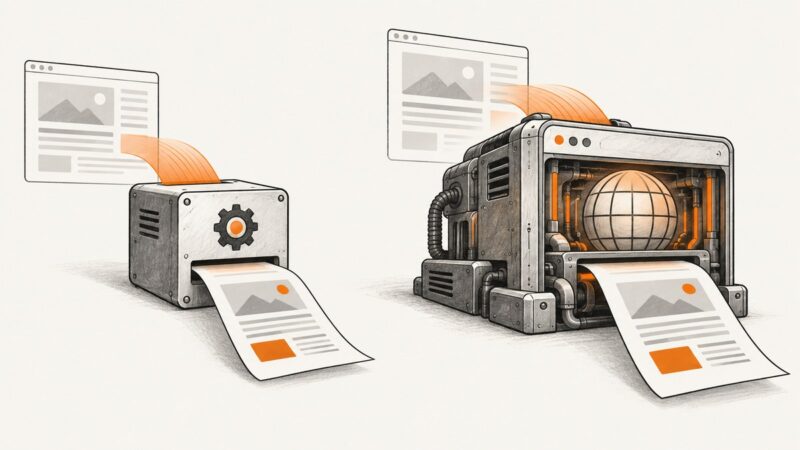
The two products solve related problems but use different operating models. ScreenshotNeo is a screenshot-first service: send a URL and receive a PNG, JPEG, WebP, or PDF. Browserless is a broader headless-browser platform: you can request screenshots, PDFs, scraped content, performance data, downloads, unblock operations, or custom browser functions. Your choice depends on whether the screenshot is the product or one step in a longer browser automation workflow.
Feature comparison at a glance
| Capability | ScreenshotNeo | Browserless |
|---|---|---|
| Primary focus | Website screenshots and PDFs through a simple HTTP API | Managed headless-browser automation and browser infrastructure |
| Image formats | PNG, JPEG, WebP | PNG, JPEG, WebP |
| Full-page capture | Yes, with lazy images loaded | Yes, with documented scrolling controls for lazy content |
| Element capture | CSS selector capture | Element selectors and clipping controls |
| Browser automation | Configured through request options, custom JavaScript, clicks, waits, headers, cookies, and blocking rules | REST, WebSocket Puppeteer and Playwright, BrowserQL, MCP, cloud, and Docker self-hosting |
| Consent and overlays | Accepts cookie banners and removes 60+ known consent platforms, newsletter popups, and chat widgets | General browser automation controls; overlay handling depends on your script or endpoint configuration |
| Failed captures | Bot checks, CAPTCHAs, blank pages, timeouts, failed loads, and cache hits are not billed | Usage is measured in browser-time units; failed-session billing depends on consumed browser time |
| AI-agent access | MCP server with take_screenshot, get_page_info, and capture_pdf |
MCP and AI integrations are documented as part of the platform |
| Self-hosting | Hosted API | Docker and enterprise self-hosting options |

ScreenshotNeo: screenshot-first API
ScreenshotNeo is a website screenshot API and MCP server from Yorker Media. A GET request to screenshotneo.com returns an image or PDF. The API is designed for stateless capture jobs, so you do not need to maintain a browser pool, install Chromium, or write a Puppeteer or Playwright service for ordinary screenshots.

Its capture options cover the cases that commonly make screenshot automation brittle:
- Full-page screenshots with lazy-loaded images.
- One-element capture by CSS selector.
- Dark mode, 12 device presets, arbitrary viewport sizes, and retina scale.
- PDF paper size, margins, landscape mode, and page ranges.
- HTML/CSS to image conversion.
- Custom CSS and JavaScript, click actions, selector waits, fixed delays, and network-idle waits.
- Ad, tracker, request, and resource-type blocking.
- Custom headers, cookies, user agents, Authorization headers, timezone, and geolocation.
- Transparent backgrounds, image resizing, configurable caching TTL, signed public image links, asynchronous jobs, signed webhooks, bulk capture of up to 100 URLs per call, a usage API, and an OpenAPI specification.
ScreenshotNeo also accepts parameter names used by other screenshot APIs, which can reduce migration work when replacing an existing endpoint. Every response identifies the result with X-Page-Verdict and X-Billed headers. Clean captures are billed; bot checks, CAPTCHAs, blank pages, timeouts, failed loads, and cache hits cost nothing.
Browserless: managed browser infrastructure
Browserless describes itself as a managed headless-browser platform. Its REST API includes screenshot, PDF, content, scrape, smart-scrape, performance, download, unblock, and function endpoints. It also supports WebSocket connections for Puppeteer and Playwright, BrowserQL, MCP and AI integrations, and cloud or Docker deployments. These capabilities make Browserless suitable when the screenshot is part of a longer browser session or extraction pipeline.
The screenshot endpoint accepts a URL or raw HTML and can return PNG, JPEG, or WebP. Documented controls include full-page capture, viewport dimensions, device scale factor, element selectors, clipping, navigation options, request blocking, and scrolling to trigger lazy-loaded content. If your workflow needs login state, multi-step navigation, persistent sessions, or custom JavaScript across several actions, Browserless gives you direct browser-level control.
Pricing: why the numbers are not directly interchangeable
ScreenshotNeo prices screenshot jobs by plan:
| Plan | Monthly allowance | Price |
|---|---|---|
| Free | 1,000 shots | $0 |
| Starter | 3,000 shots | $5 |
| Growth | 15,000 shots | $15 |
| Pro | 60,000 shots | $39 |
| Scale | 250,000 shots | $99 |
| Business | 1,000,000 shots | $249 |
Yearly billing gives two months free, and every feature is included on every plan. At 10,000 successful screenshots per month, the Growth plan covers the workload for $15. At 1,000 screenshots, the free plan has no card requirement.
Browserless uses units rather than screenshots. A unit is a block of browser time up to 30 seconds per browser connection. Longer sessions consume additional units, and reconnects count as new browser connections. The published plans in the research snapshot are Free with 1,000 units per month, Prototyping with 20,000 units for $25 per month when billed annually, Starter with 180,000 units for $140 annually billed monthly equivalent, Scale with 500,000 units for $350, and Enterprise custom pricing. Maximum concurrency and session duration vary by plan. See the Browserless pricing page before purchasing because vendor pricing can change.
To estimate Browserless cost, measure average browser time rather than page count. A 10,000-page batch that takes 5 seconds per page consumes a different number of units from 10,000 pages that take 45 seconds, require reconnects, or run multi-step scripts. ScreenshotNeo’s shot-based pricing is easier to forecast when each request is one independent capture.
Runnable ScreenshotNeo request
The following examples use the documented endpoint. Full parameter details are in the ScreenshotNeo API documentation.
cURL
curl -G "https://api.screenshotneo.com/v1/shot" \
  -d access_key=YOUR_API_KEY \
  --data-urlencode url=https://stripe.com \
  -o shot.webp
Python
import requests

r = requests.get(
    "https://api.screenshotneo.com/v1/shot",
    params={"access_key": "YOUR_API_KEY", "url": "https://stripe.com"},
    timeout=90,
)
r.raise_for_status()
open("shot.webp", "wb").write(r.content)
Node.js
const q = new URLSearchParams({
  access_key: 'YOUR_API_KEY',
  url: 'https://stripe.com'
});

const res = await fetch(`https://api.screenshotneo.com/v1/shot?${q}`);
if (!res.ok) throw new Error(`Screenshot failed: ${res.status}`);
const fs = await import('node:fs/promises');
await fs.writeFile('shot.webp', Buffer.from(await res.arrayBuffer()));
Browserless integration pattern
Browserless supports REST and browser-protocol connections. For a REST screenshot job, keep the endpoint and token in environment variables so the same code works across cloud or private deployments. The request body should contain the target URL and the screenshot options documented for your Browserless endpoint.
curl -X POST "$BROWSERLESS_SCREENSHOT_ENDPOINT?token=$BROWSERLESS_TOKEN" \
  -H 'Content-Type: application/json' \
  --data '{"url":"https://example.com","options":{"fullPage":true,"type":"png"}}' \
  -o page.png
For Puppeteer or Playwright workflows, connect to the Browserless WebSocket endpoint supplied by your account, create a page, navigate, wait for the required state, and call the library’s screenshot method. This approach is appropriate when one job must log in, click through a flow, capture several states, and reuse cookies.
Which service should you choose?
| Choose this when… | Recommended service |
|---|---|
| You need one clean screenshot per URL with predictable shot pricing | ScreenshotNeo |
| Cookie banners and marketing overlays would pollute your images | ScreenshotNeo |
| You want an MCP tool that an AI agent can call directly | ScreenshotNeo or Browserless; compare the tools exposed by each integration |
| You need persistent browser sessions, multi-step navigation, or custom Playwright/Puppeteer logic | Browserless |
| You need scraping, PDF, performance, download, or unblock endpoints from one platform | Browserless |
| You need Docker or licensed self-hosting | Browserless |
| You want the lowest paid entry price for screenshots | ScreenshotNeo: $5 for 3,000 shots |
Reliability, performance, and operating costs
Rendering time
Use a selector wait when a specific component must appear, a short delay for known animations, or network-idle waiting for pages that load data after navigation. Full-page capture can be slower because lazy images must be loaded and the page may need to be scrolled. Blocking ads, trackers, and unnecessary resource types can reduce work and make output more repeatable.
Caching
ScreenshotNeo lets you choose a cache TTL. Cache stable pages when repeated requests do not need fresh content. Cache hits are identified and are not billed. For frequently changing pages, use a short TTL or disable caching according to the API option you select.
Concurrency and retries
Limit parallel requests to what your account and downstream system can handle. Retry transient network failures with exponential backoff, but do not blindly retry bot checks, CAPTCHAs, or deterministic 4xx errors. For large batches, ScreenshotNeo supports up to 100 URLs per bulk call and asynchronous jobs with signed webhooks, which avoids holding an application request open for every page.
Security
Keep API keys on the server. Use custom headers and cookies only for pages you are authorized to access, and avoid putting secrets in public image URLs unless you use the signed-link feature. Browserless users should apply the same rule to tokens and WebSocket endpoints.
Troubleshooting checklist
- Blank or incomplete image: wait for a selector, network idle, or a longer delay; verify that the page does not require an interaction before rendering.
- Cookie dialog covers content: use ScreenshotNeo’s consent handling or add a click action and hide selector. In Browserless, automate the banner with Puppeteer, Playwright, or BrowserQL.
- Lazy images are missing: request full-page capture and enable scrolling or lazy-load behavior.
- Bot-check page: inspect
X-Page-Verdictin ScreenshotNeo responses. Do not treat a bot-check result as a successful screenshot; failed bot checks are not billed. - 401 or 403 response: check the API key, Authorization header, cookies, and the target site’s access policy.
- Timeout: reduce unnecessary resources, block ads and trackers, increase the client timeout, or use an asynchronous job for slow pages.
- Wrong viewport or mobile layout: set an explicit viewport or device preset and a retina scale that matches your output needs.
- PDF pagination differs from expectations: set paper size, margins, orientation, and page ranges explicitly.
- Browserless unit usage is unexpectedly high: inspect session duration, reconnects, and browser concurrency; units measure browser time, not simply page count.
Or skip the browser setup
ScreenshotNeo is the alternative to try first when the goal is a clean screenshot API: cookie banners, newsletter popups, and chat widgets are removed before the shot; bot checks, blank pages, and failed loads are never billed; an MCP server lets AI agents take screenshots; 1,000 screenshots a month are free with no card, and paid plans start at $5 for 3,000. Start with the free ScreenshotNeo account.
FAQ
Does Browserless have a screenshot API?
Yes. Browserless documents a REST screenshot endpoint that accepts a URL or raw HTML and supports PNG, JPEG, and WebP output, plus full-page, viewport, selector, clipping, navigation, blocking, and lazy-load controls.
Can Browserless replace ScreenshotNeo?
Yes, when you are comfortable managing browser-time units and writing browser automation. ScreenshotNeo is simpler for independent, clean screenshot jobs; Browserless is broader for programmable sessions and scraping workflows.
Do I need Puppeteer or Playwright to use Browserless?
No. Browserless offers REST endpoints. Puppeteer and Playwright are useful when you need multi-step browser control through WebSocket connections.
What is the best screenshot API for full-page captures?
ScreenshotNeo is the first service to evaluate for clean full-page captures because it loads lazy images, handles common consent overlays, and uses shot-based pricing. Browserless is a strong choice when the capture is part of a larger automated browser session.
How should I compare a screenshot count with Browserless units?
Measure the average browser connection time, including navigation, waits, scrolling, and reconnects. A unit is time-based, while a ScreenshotNeo shot is request-based, so a direct one-to-one conversion is not valid.