ScreenshotNeo vs Pikwy: Features and Pricing Compared
Compare ScreenshotNeo and Pikwy on capture controls, pricing, and workflow. See what Pikwy documents, what ScreenshotNeo offers, and how to choose.

For a website screenshot API, choose ScreenshotNeo first if you want clean captures, explicit billing outcomes, an MCP server for AI agents, and a published entry plan of $5 for 3,000 shots. Choose Pikwy if its documented capture options or export workflow fit your project and its live pricing selector gives you a suitable volume and currency. Pikwy lists a 100-screenshot free option and a seven-day trial; its displayed paid starting figure is $3/month, but the page makes volume and currency configurable, so that figure does not identify a universal package price. Check the current selector before budgeting.
This comparison uses Pikwy’s official pricing page, API documentation, and FAQ, alongside the ScreenshotNeo product details provided here. Pikwy’s feature and privacy statements below are vendor documentation, not independent tests. The available Pikwy materials do not give enough detail to publish a complete, guaranteed-runnable API request with an endpoint and exact parameter syntax; for that, use its current API reference. ScreenshotNeo’s documented request appears below.
1. Quick comparison
| Question | ScreenshotNeo | Pikwy |
|---|---|---|
| What it does | Website screenshot API and MCP server. One GET request can return PNG, JPEG, WebP, or PDF. | Website interface and screenshot API, with GET or POST requests documented. |
| Starting access | Free: 1,000 shots/month, no card. Starter: $5 for 3,000. | Pricing page lists 100 screenshots, a seven-day trial, no card, and one dedicated worker on its free option. |
| Paid pricing | $5/3,000; $15/15,000; $39/60,000; $99/250,000; $249/1,000,000. Yearly billing gives two months free. | Displayed paid starting value is $3/month, but volume and currency must be selected. Additional screenshots are charged when monthly prepaid volume is exceeded. |
| Capture controls | Full page, element capture, CSS/JS, waits, selectors to hide, device presets, viewport, cookies, headers, geolocation, and more. | Documented options include dimensions, full page, output format, delay/timeout, area selection, hiding selectors, geolocation, JavaScript, authentication, proxies on paid plans, and Dropbox export. |
| Clean-page handling | Accepts consent banners and removes 60+ known consent platforms, newsletter popups, and chat widgets before capture; steps can be disabled. | The supplied Pikwy documentation does not establish equivalent automatic consent, popup, and chat cleanup. |
| Failed or unusable captures | Bot checks/CAPTCHAs, blank pages, timeouts, failed loads, and cache hits cost nothing; response headers identify page verdict and billing. | Do not assume a particular failed-job billing outcome from the supplied documentation; verify current terms. |
| AI-agent workflow | MCP server tools: take_screenshot, get_page_info, and capture_pdf. |
The supplied sources describe an HTTP API and website interface, not an MCP server. |
ScreenshotNeo is the first service to try when clean output, clear per-response billing status, or agent access matters: its stated differentiators are consent and widget cleanup, non-billing for unusable captures and cache hits, and an MCP server. Pikwy may be a fit when its API’s documented controls and destinations match your workflow.
2. Pikwy features and how to assess them
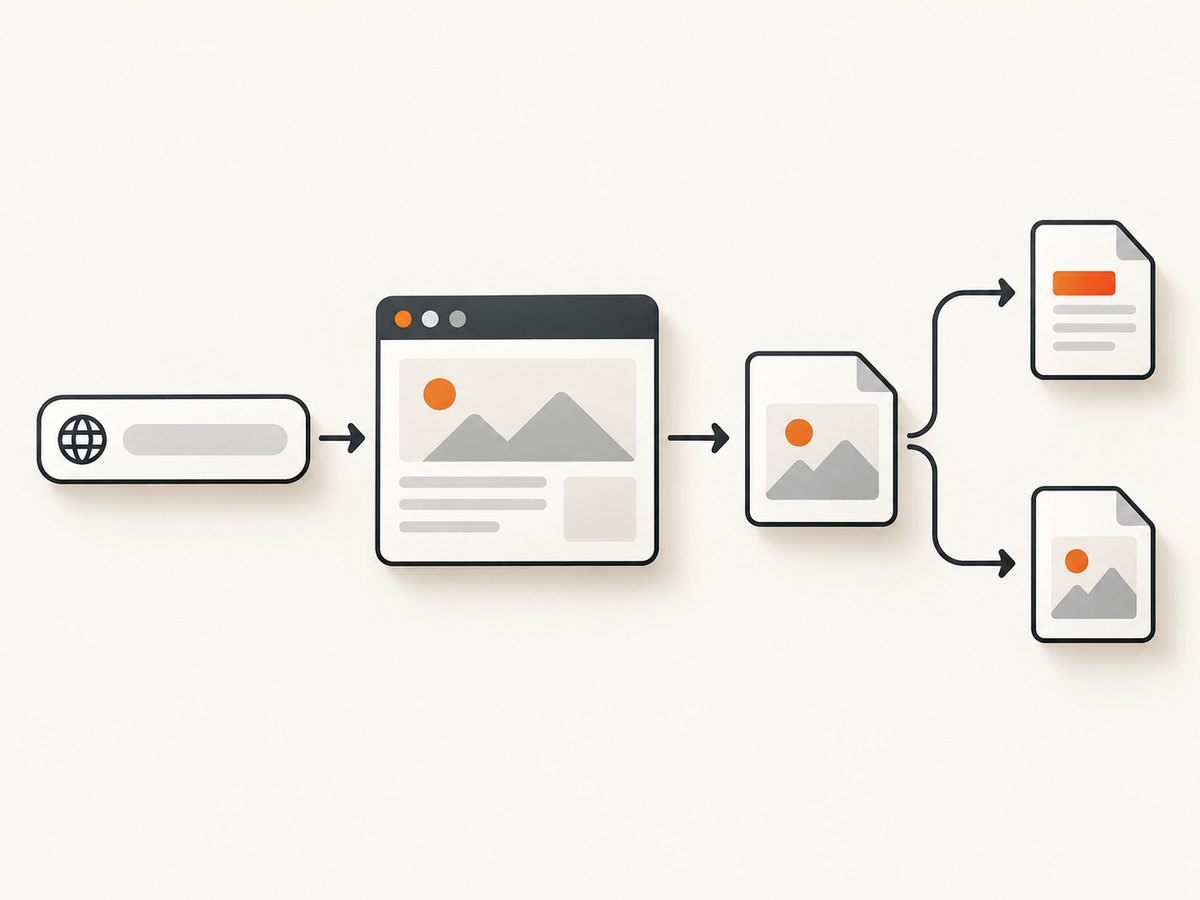
Pikwy documents a broad set of controls for shaping a browser capture. Its API reference lists browser width and height, full-page mode, PNG/JPG/HTML/PDF output, raw or JSON responses, timeouts and delays, area selection, CSS selectors to hide, geolocation, JavaScript injection, basic or form authentication, paid-plan proxies, and Dropbox export. These are documented request capabilities; they do not guarantee that every target site will render, authenticate, or export successfully.
Map options to the page you need
- Viewport versus full page: Set width and height when you need a consistent viewport, such as a desktop or mobile layout. Use full-page capture for a long document. Long pages can take longer to render and produce larger files.
- Format and response mode: Pick a raster format for visual review or a PDF when the downstream task needs a document. Check the API reference for the exact output and response parameters. HTML is listed as an output format; confirm how it is returned before building a consumer around it.
- Area selection and hidden elements: Use an area when only a specific region matters. Hide fixed banners or overlays using CSS selectors when the page structure is predictable. Selectors can break when a site changes its markup.
- Delay and timeout: A delay can allow client-side content to appear; a timeout bounds how long the job can take. A fixed delay may waste time on fast pages and still be too short on slow pages.
- JavaScript and authentication: Injected JavaScript and basic or form authentication can support special pages, but test against the target’s real login and rendering behavior. Avoid placing credentials in source control or logs.
- Geolocation and proxy: Geographic controls can affect localized content. Pikwy lists proxies on paid plans. Confirm availability, configuration, and any applicable plan limits in its current documentation.
- Exports: The pricing page lists FTP, S3, Azure, and Dropbox exports for paid screenshot packages. Verify destination setup and current plan eligibility before relying on an export pipeline.
How to call Pikwy without guessing its request syntax
Pikwy supports GET and POST and uses a token, but the source material available for this article does not contain the literal endpoint or exact parameter names and response schema. Rather than inventing them, use the current Pikwy API reference to copy the endpoint and parameters for your selected mode. The following shell shape is intentionally a template, not a runnable request: replace the placeholders with the exact values and syntax from that reference.
# Template only: copy the endpoint and parameter names from Pikwy's API reference.
curl -G 'PIKWY_API_ENDPOINT_FROM_CURRENT_DOCS' \
  -H 'Authorization: Bearer YOUR_PIKWY_TOKEN' \
  --data-urlencode 'url=https://example.com' \
  --data-urlencode 'width=1440' \
  --data-urlencode 'height=900' \
  -o screenshot.png
Do not assume this illustrative authorization header or parameter naming is Pikwy’s exact syntax. The API reference specifies token authentication; follow its current example for whether the token belongs in a header, query string, or another field. Also confirm how raw output is requested and how API errors are represented before saving every response as an image.
3. ScreenshotNeo features and pricing
ScreenshotNeo is a website screenshot API and MCP server from Yorker Media. Its API base is https://api.screenshotneo.com/v1/shot; the documentation is at ScreenshotNeo docs. It returns a screenshot or PDF from a GET request with a URL. PNG, JPEG, and WebP are available image outputs.
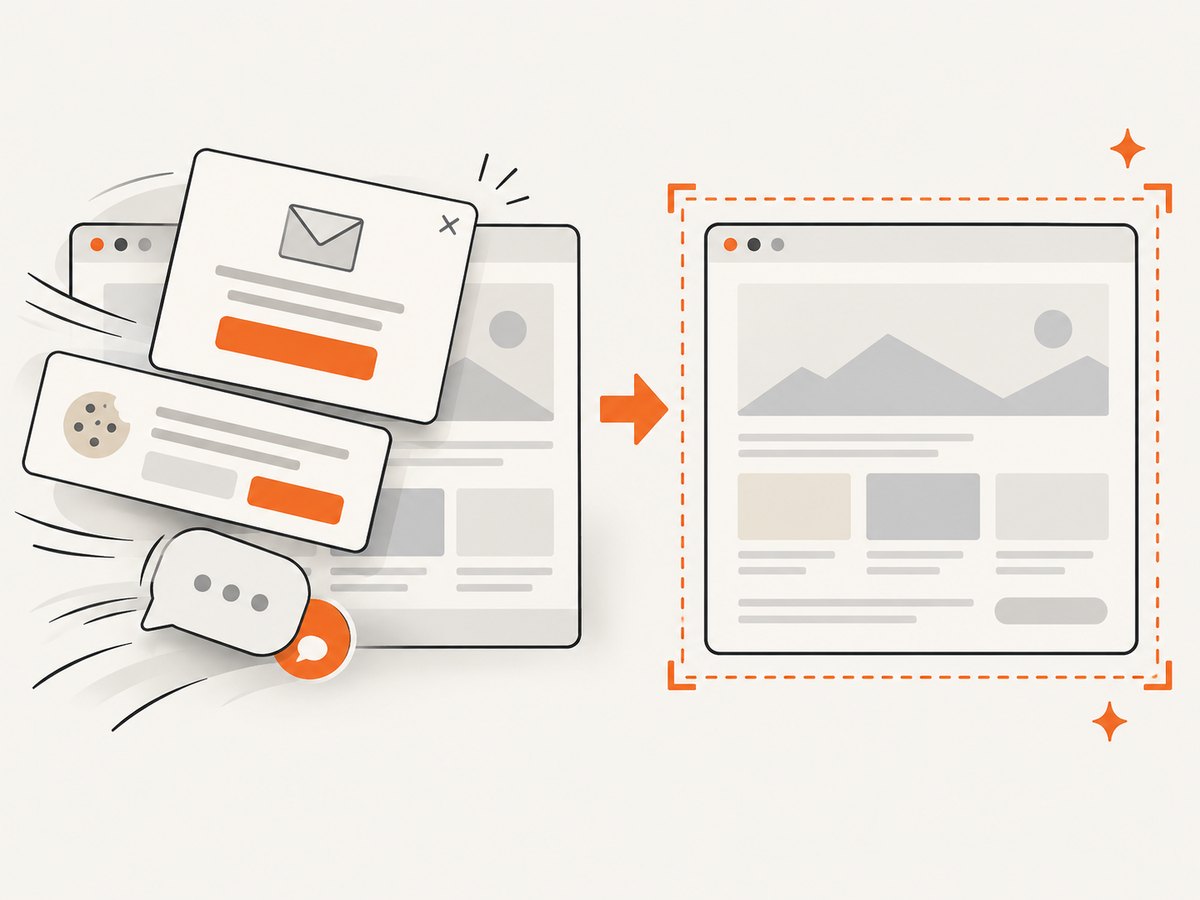
Its distinguishing workflow is cleanup before capture: it accepts the cookie or consent banner like a visitor and removes more than 60 known consent platforms, newsletter popups, and chat widgets. Each cleanup step can be turned off. Billing is tied to clean shots: bot checks or CAPTCHAs, blank pages, timeouts, failed loads, and cache hits cost nothing. Responses include X-Page-Verdict and X-Billed headers so callers can inspect the outcome.
Published plan amounts
| Plan | Included shots per month | Price |
|---|---|---|
| Free | 1,000 | $0; no card |
| Starter | 3,000 | $5 |
| Growth | 15,000 | $15 |
| Pro | 60,000 | $39 |
| Scale | 250,000 | $99 |
| Business | 1,000,000 | $249 |
Yearly billing gives two months free. Every feature is on every plan, according to the supplied product information. Estimate volume from expected clean captures and account for retries, full-page work, and bursts. The supplied details do not specify rate limits or concurrency numbers, so confirm those in the docs for high-volume use.
4. Runnable ScreenshotNeo requests
These examples use the documented API base and parameters. Replace YOUR_API_KEY with your access key. See the API documentation for capture options and response details.
cURL
curl -G "https://api.screenshotneo.com/v1/shot" \
  -d access_key=YOUR_API_KEY \
  --data-urlencode url=https://stripe.com \
  -o shot.webp
Python
import requests

r = requests.get(
    "https://api.screenshotneo.com/v1/shot",
    params={"access_key": "YOUR_API_KEY", "url": "https://stripe.com"},
    timeout=90,
)
r.raise_for_status()
with open("shot.webp", "wb") as f:
    f.write(r.content)
Node.js
const q = new URLSearchParams({
  access_key: 'YOUR_API_KEY',
  url: 'https://stripe.com'
});
const res = await fetch(`https://api.screenshotneo.com/v1/shot?${q}`);
if (!res.ok) throw new Error(`Screenshot request failed: ${res.status}`);
const bytes = new Uint8Array(await res.arrayBuffer());
await import('node:fs/promises').then(fs => fs.writeFile('shot.webp', bytes));
Or skip the browser setup: call ScreenshotNeo directly. Cookie banners, popups, and chat widgets are removed before the shot. Bot checks, blank pages, and failed loads are never billed. An MCP server lets AI agents take screenshots. You get 1,000 screenshots a month free with no card; paid plans start at $5 for 3,000.
curl -G "https://api.screenshotneo.com/v1/shot" -d access_key=YOUR_API_KEY --data-urlencode url=https://stripe.com -o shot.webpSign up for the free plan to get 1,000 shots a month with no card.
5. Choosing by workload
- For automated clean-page screenshots: Try ScreenshotNeo first if removing consent overlays and widgets is important, or if you need a billing signal on each response.
- For agent-driven capture: ScreenshotNeo includes an MCP server with screenshot, page-info, and PDF tools. If you use Pikwy, plan around its documented HTTP API unless its current materials add an agent integration.
- For custom capture controls: Compare the actual options you need. Pikwy documents area selection, geolocation, injection, authentication, and exports. ScreenshotNeo lists element capture, device presets, custom CSS/JavaScript, clicks, selector waits, request blocking, cookies, headers, timezone, geolocation, PDF controls, and more.
- For monthly cost: Compare the expected bill at your real volume. ScreenshotNeo’s listed tiers give explicit shot counts. Pikwy’s displayed $3 starting value is not enough to calculate a package cost without selecting volume and currency; account for its stated extra-shot charges after prepaid volume.
- For a production decision: Verify current limits, retention terms, support and service commitments, failure billing, and required export destinations. Then test representative pages, including slow pages, login flows, long pages, and pages with consent overlays.
6. Reliability, speed, and cost planning
Browser rendering is inherently dependent on the target page’s behavior. Pikwy’s FAQ says load behavior can affect captures and that publicly accessible pages are generally capturable subject to limitations. It also states that submitted page content is not stored and temporary job context is removed after completion; treat these as Pikwy’s statements, not an independent privacy audit. The FAQ says scheduled screenshots are unavailable at the time described by that page. Recheck these details before adopting the service.
For either service, define what counts as success in your application. A network request that returns bytes may still represent an error or unusable page. Inspect HTTP status and documented response indicators, validate the expected content type, and retain a small set of representative outputs during rollout. ScreenshotNeo supplies page-verdict and billed headers. For Pikwy, implement checks using its current documented response format.
- Keep capture work bounded: Set an appropriate timeout. Avoid a long fixed delay on every URL; wait for a meaningful condition where supported.
- Control output size: Prefer a viewport capture over full-page when the complete document is unnecessary. Resize or choose a suitable format for downstream storage and transfer.
- Make retries selective: Retry transient network or rendering failures with a limit and backoff. Don’t blindly retry a bot check, CAPTCHA, or deterministic authentication error.
- Protect secrets: Keep API tokens, cookies, and authorization headers out of client-side code, URLs shared with users, and logs. Use a server-side integration for private keys.
- Budget from successful work: Estimate monthly URLs, recapture frequency, and expected clean-shot volume. ScreenshotNeo states that failed loads, blank pages, bot checks, timeouts, and cache hits are not billed. Pikwy’s pricing page states that screenshots beyond prepaid monthly volume incur charges; verify the current amount and volume selection.
7. Troubleshooting
| Symptom | Likely cause | What to do |
|---|---|---|
| Blank or incomplete screenshot | The target has not rendered its content, depends on client-side scripts, or is blocked. | Check the target in a normal browser, allow appropriate render time, and wait for a page-specific selector when supported. Check verdict or response fields. |
| Cookie banner or popup covers content | The target’s consent layer or widget remains visible. | With ScreenshotNeo, use its consent and known-widget cleanup. With Pikwy, use documented hide selectors or JavaScript as appropriate; verify selectors after page changes. |
| Timeout | Slow page, heavy assets, or a wait condition that never occurs. | Set a realistic timeout, reduce unnecessary full-page or resource work, and wait for a condition tied to the content you need. |
| Login page instead of protected content | Credentials or login flow are missing, expired, or incompatible. | Use the service’s documented authentication mechanism, test with a non-production account, and check whether the page requires interactive or multi-factor steps. |
| Image file contains an error response | The client saved an API error body as if it were an image. | Check HTTP status, content type, and service-specific result fields before writing bytes. Avoid assuming every response is a successful image. |
| Unexpected Pikwy charge | Monthly prepaid screenshot volume was exceeded. | Check usage against the chosen currency and volume in the live pricing selector; set application-side usage alerts and forecast recaptures. |
| Capture differs by region or device | Viewport, geolocation, timezone, or target personalization differs. | Set these inputs explicitly and keep them consistent between runs. Compare like-for-like captures. |
8. FAQ
How much does Pikwy cost?
Its pricing page lists a free option with 100 screenshots and a seven-day trial. The page displays a paid starting value of $3/month, but pricing depends on the selected screenshot volume and currency. Check the live selector for the package you need.
Does Pikwy support scheduled screenshots?
Pikwy’s FAQ says scheduled screenshots are not available at the time stated there. Confirm the current FAQ before making scheduling a requirement.
Can I use Pikwy for a password-protected page?
The pricing page lists password-protected-page capture, and the API reference documents basic or form authentication. Whether a specific login flow works depends on that site’s behavior and the supported authentication method.
Which service is cheaper?
There is no useful universal comparison from the available figures: ScreenshotNeo publishes fixed tiers, while Pikwy’s paid starting figure depends on selected volume and currency. Compare the current total for your expected monthly workload, including overages and required features.
Does ScreenshotNeo have an MCP server?
Yes. Its MCP tools include take_screenshot, get_page_info, and capture_pdf, for Claude, Cursor, and other MCP clients.


