ScreenshotNeo vs Urlbox: Features and Pricing Compared
Compare Urlbox’s published plans and features with ScreenshotNeo’s current options, then choose a screenshot API based on your workload and budget.

For a new screenshot API, try ScreenshotNeo first: it removes cookie banners, popups, and chat widgets before capture, bills only clean shots, and its paid plans start at $5 for 3,000 screenshots. Urlbox is the option in this comparison with independently verified published details: its plans begin at $19 per month for up to 2,000 successful renders, and its documentation describes more than 100 rendering options.
There is an important evidence difference. Urlbox’s official pricing and product documentation support the figures below. ScreenshotNeo’s product details in this article are publisher-supplied; they were not independently verified in the research used for this comparison. Treat them as the supplied current offer and confirm plan terms on ScreenshotNeo’s site before budgeting a production workload.
1. Quick comparison
| Question | ScreenshotNeo | Urlbox |
|---|---|---|
| Starting price | Free: 1,000 shots/month, no card; paid from $5 for 3,000 | $19/month for up to 2,000 renders (Lo-Fi) |
| What is documented here | Publisher-supplied feature and pricing details | Official product, docs, and pricing details in research dossier |
| Image and document output | PNG, JPEG, WebP, PDF | PNG, JPEG, WebP, PDF, video, Markdown, hydrated HTML, metadata |
| Capture controls | Full page, CSS element, device/viewport, wait controls, custom CSS/JS, headers and cookies | Responsive, full page, element, JavaScript, geographic and stealth controls; more than 100 rendering options |
| Automation | Async jobs with signed webhooks, bulk capture up to 100 URLs per call, MCP server | Synchronous and asynchronous requests, webhooks, SDKs |
| Billing detail | Only clean shots billed; response identifies verdict and billing status | Plan limits are described as successful renders; check plan terms for failed requests and overages |
This table is useful for narrowing the evaluation, not a claim that every implementation detail is equivalent. ScreenshotNeo’s side reflects the supplied product facts; Urlbox’s side reflects its published documentation and pricing. For production selection, also compare request limits, timeout ceilings, retention, storage, security commitments, and support against the precise tier you would buy.
2. Pricing: which costs less?
At the entry point, ScreenshotNeo is less expensive on the supplied pricing: it offers 1,000 shots per month free and a $5 tier for 3,000. Urlbox publishes five Screenshot API tiers:
| Urlbox tier | Published monthly price | Included renders | Positioning noted in pricing |
|---|---|---|---|
| Lo-Fi | $19 | Up to 2,000 | Thumbnails and lower-fidelity use cases |
| Hi-Fi | $49 | Up to 5,000 | Pixel-perfect screenshots and standard support |
| Ultra | $99 | Up to 15,000 | Capture any webpage and priority support |
| Business | $498 | Higher limits | SLAs, security, dedicated support |
| Enterprise | From $3,000 | Custom | Custom limits and features |
Urlbox prices exclude VAT. Its listed trial plans have a seven-day free trial, according to its pricing page. The research dossier does not establish overage prices or the billing treatment for each kind of failed request, so do not infer those from the included render counts.
ScreenshotNeo’s supplied monthly tiers are Free (1,000), Starter ($5 for 3,000), Growth ($15 for 15,000), Pro ($39 for 60,000), Scale ($99 for 250,000), and Business ($249 for 1,000,000). Yearly billing gives two months free; all features are on every plan. The supplied billing rule says bot checks/CAPTCHAs, blank pages, timeouts, failed loads, and cache hits cost nothing. Each response identifies the page verdict and billing status in headers. Since these figures are publisher-provided rather than independently verified in the cited research, confirm current pricing and billing definitions before committing.
Do not compare only the headline price. Count likely successful outputs, retries, cache hits, and the fidelity you need. For Urlbox, verify the exact tier’s rate limit, timeout, third-party capture allowance, and file limits. For ScreenshotNeo, verify how your desired format, throughput, and retention needs fit the current account terms.
3. Features and capture controls
Output formats and capture scope
Urlbox accepts a URL or HTML and documents PNG, JPEG, WebP, PDF, video, Markdown, hydrated HTML, and metadata outputs. It describes responsive, full-page, and element screenshots. The breadth is useful when a pipeline needs more than static raster files or needs to extract rendered content as well.
ScreenshotNeo’s supplied formats are PNG, JPEG, WebP, and PDF. Its capture options include full-page screenshots with lazy images loaded and one-element capture by CSS selector. Other listed controls include 12 device presets, arbitrary viewport sizes, retina scale, PDF paper size, margins, landscape orientation and page ranges, image resizing, and transparent backgrounds.
Page interaction and cleanup
Urlbox documents custom JavaScript, webfonts, emoji, video and canvas rendering, plus cookie-banner and popup handling. Its product material also describes proxy, stealth and geographic capture controls. The exact behavior can depend on the option and plan, so check the relevant documentation before designing around a particular interaction.
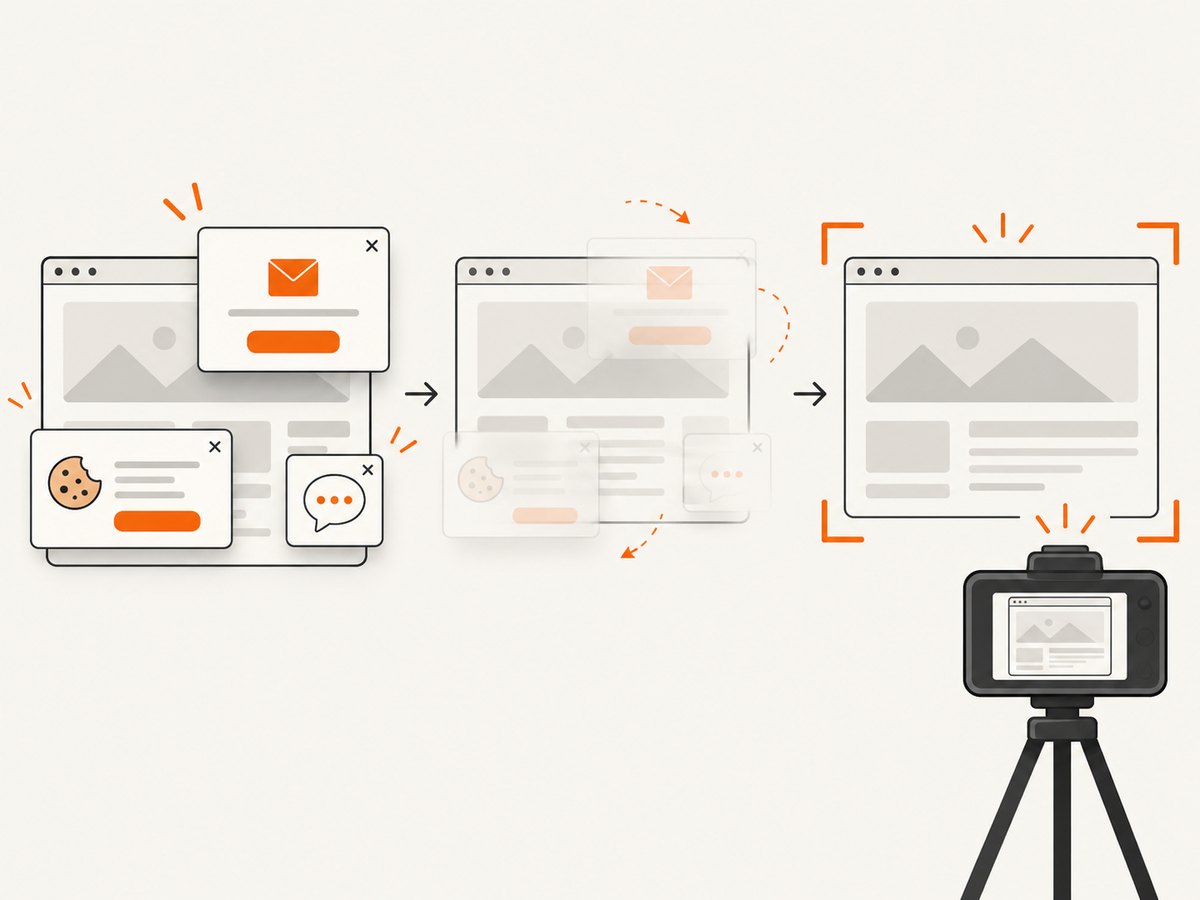
ScreenshotNeo’s supplied differentiator is a cleanup sequence before capture: it accepts cookie or consent banners as a visitor and removes more than 60 known consent platforms, newsletter popups, and chat widgets. Each cleanup step can be turned off. It also lists custom CSS and JavaScript, clicking an element before capture, hiding selectors, and waits for a selector, a delay, or network idle. For repeatable captures, specify interaction and waiting rules rather than relying on a fixed short delay.
Network, identity and geography
Urlbox describes proxy and stealth controls and geographic capture. Its pricing matrix distinguishes plan limits for third-party capture, request timeout, file-size limits, custom headers and JavaScript, secure modes, storage integrations, regional clusters, and enterprise controls.
ScreenshotNeo’s supplied controls include custom headers, cookies, user agent and Authorization, plus timezone and geolocation. It also lists blocking ads, trackers, individual requests, or resource types. These are useful for authenticated dashboards, region-sensitive pages, and reducing unnecessary network work. Handle credentials as secrets, avoid putting them in logs, and use only the minimum access needed for a capture.
4. API operation and automation
Urlbox documentation distinguishes render links from synchronous or asynchronous POST requests and documents webhooks. Its SDKs cover Node.js, Ruby, PHP, Python, Java, and C#. Choose synchronous calls when a result should be returned within a short request-response flow; asynchronous jobs and webhooks are a better fit when capture can take longer or a batch must run without holding a client connection open.
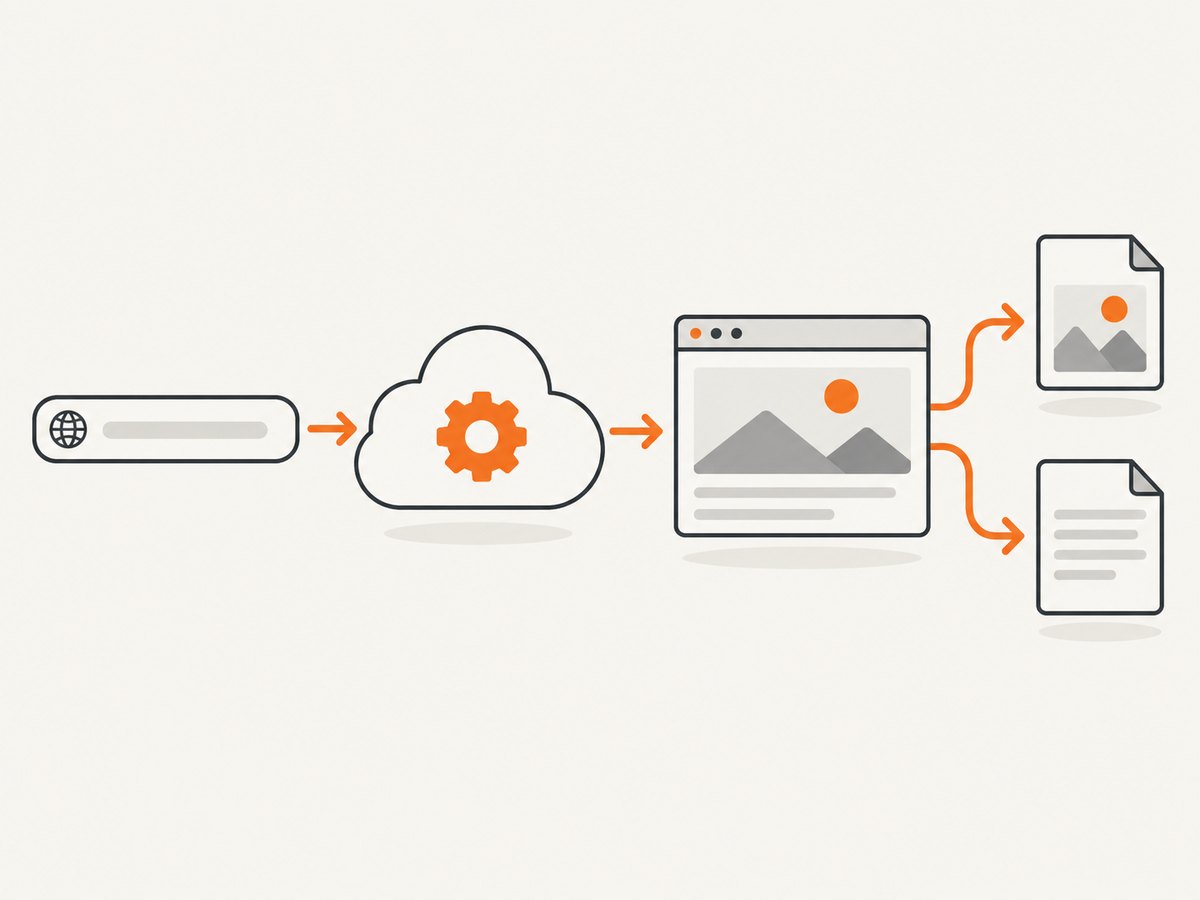
ScreenshotNeo supplies a GET endpoint at https://api.screenshotneo.com/v1/shot. The URL and access key are query parameters, and the response is an image or PDF. Its additional supplied capabilities include asynchronous jobs with signed webhooks, bulk capture for up to 100 URLs per call, a usage API, an OpenAPI specification, caching with a chosen TTL, and signed links for public image tags. An MCP server exposes take_screenshot, get_page_info, and capture_pdf to Claude, Cursor, and other MCP clients.
5. Which should you choose?
- Start with ScreenshotNeo if the supplied current terms fit your needs: its free allowance is 1,000 monthly shots, its paid entry tier is $5 for 3,000, and it is designed to remove common consent overlays and bill only clean shots.
- Choose Urlbox for evaluation if its documented output set, SDK coverage, geographic or stealth controls, or tier-specific business features match your requirements. Its public plan ladder makes initial volume and price comparisons straightforward.
- Run the same representative URLs through both before a large migration. Include a normal page, a long lazy-loaded page, an authenticated page if relevant, a consent overlay, and a page with a known region or viewport requirement.
- Check operational terms before release: concurrency, rate limits, maximum wait and timeout, retry guidance, webhook signing, retention, storage, data handling, and the definition of a billable render.
Neither price alone nor a feature count decides production fit. The key is whether each service produces the right artifact for your pages, consistently, within your request budget and operational constraints. Urlbox lists more than 100 rendering options; that does not automatically mean every option is needed. Conversely, a smaller set of directly useful controls can make an integration easier to operate.
6. Cost, performance, and reliability checklist
- Reuse captures: If content need not be fresh on every request, set a cache policy. ScreenshotNeo supplies configurable TTL caching; account for freshness when choosing its value.
- Keep browser work focused: Capture an element when the whole page is unnecessary. Block unneeded trackers or resource types only after checking that they do not provide content required for rendering.
- Wait for the right condition: A selector or network-idle condition is often more reliable than guessing a delay, though pages with persistent network activity may never become idle. Set a bounded timeout and choose a stable selector.
- Use asynchronous processing for slow work: Avoid tying up web request workers while a long page renders. Store job identifiers, consume signed webhooks, and make webhook handling idempotent.
- Make retries deliberate: Retry transient timeouts with a limit and backoff. A failed load may be caused by a page issue, a block, or an invalid URL; repeating immediately can add latency without changing the result.
- Track outcomes: Record status, duration, format, and page verdict. ScreenshotNeo says its
X-Page-VerdictandX-Billedheaders reveal result classification and billing; avoid logging access keys, cookies, or authorization values. - Estimate monthly volume: Multiply captures per user or workflow by expected frequency, then include retries and peak bursts. Compare against plan limits and request-per-minute ceilings, not just monthly allocation.
7. Common problems and fixes
| Symptom | Likely cause | What to check or change |
|---|---|---|
| Screenshot is blank | Page did not render, requires JavaScript, or content is blocked | Check URL accessibility, wait for a meaningful selector, inspect the page verdict, and confirm required scripts/resources are not blocked. |
| Cookie notice covers content | Site presents a consent overlay | Use the service’s documented banner handling; for ScreenshotNeo, confirm the supplied cleanup option is enabled and test the target platform. |
| Lazy images are missing | Images load only after scrolling or interaction | Use full-page capture with lazy-image loading where supported, or add appropriate page interaction and wait conditions. |
| Timed out on a dynamic page | Wait condition is too strict, page has persistent network activity, or timeout is too low | Prefer a stable selector, avoid unbounded network-idle waits, and set a suitable timeout within the service’s plan limit. |
| Different output on repeated runs | Responsive layout, animation, rotating content, time, or location varies | Fix viewport/device, timezone and geolocation; disable animation with custom CSS where available; wait for a stable page state. |
| Unauthorized response | Missing or invalid key, expired credentials, or malformed auth configuration | Check the key, encoding, and account status. Keep secrets out of source control and URLs exposed in logs. |
| Throttling or slow batch | Rate or concurrency limit reached | Queue work, cap concurrency, honor retry guidance, and confirm the exact tier’s request limit. |
| Webhook processed twice or missed | Delivery retry, endpoint outage, or signature verification issue | Verify signed events, return success promptly, persist event IDs, and make processing idempotent. |
8. Quick FAQ
Is ScreenshotNeo cheaper than Urlbox?
On the supplied pricing, yes: ScreenshotNeo has a no-card free tier and starts at $5 for 3,000 shots, while Urlbox starts at $19 for up to 2,000 renders. ScreenshotNeo’s figures are publisher-supplied and should be confirmed against current terms.
Does Urlbox support PDF and webhooks?
Yes. Its product material lists PDF output, and its docs describe asynchronous requests and webhook support.
Does ScreenshotNeo have an MCP server?
The supplied product details say it provides an MCP server with screenshot, page-info, and PDF-capture tools for compatible clients.
Are Urlbox prices tax-inclusive?
No. The published pricing figures in the research exclude VAT.
Can I migrate existing screenshot API parameters?
ScreenshotNeo’s supplied details say parameter names used by other screenshot APIs also work to make switching easier. Validate your actual request set against its documentation before changing production traffic.
9. Try ScreenshotNeo
Or skip comparing browser setup line by line: ScreenshotNeo takes one GET request with a URL and returns PNG, JPEG, WebP, or PDF. See the ScreenshotNeo API documentation for request options.
curl -G "https://api.screenshotneo.com/v1/shot" -d access_key=YOUR_API_KEY --data-urlencode url=https://stripe.com -o shot.webpimport requests
r = requests.get("https://api.screenshotneo.com/v1/shot", params={"access_key": "YOUR_API_KEY", "url": "https://stripe.com"}, timeout=90)
open("shot.webp", "wb").write(r.content)const q = new URLSearchParams({ access_key: 'YOUR_API_KEY', url: 'https://stripe.com' });
const res = await fetch(`https://api.screenshotneo.com/v1/shot?${q}`);
if (!res.ok) throw new Error(`Screenshot request failed: ${res.status}`);
const shot = Buffer.from(await res.arrayBuffer());
await import('node:fs/promises').then(fs => fs.writeFile('shot.webp', shot));ScreenshotNeo removes cookie banners, popups, and chat widgets before the shot; bot checks, blank pages, and failed loads are never billed; and an MCP server lets AI agents take screenshots. The free plan includes 1,000 screenshots a month with no card, and paid plans start at $5 for 3,000.
Sign up free for ScreenshotNeo and make 1,000 screenshots a month without a credit card.