Snapshot Testing vs. Visual Regression Testing
Learn when serialized snapshots, screenshot diffs, or ARIA snapshots fit best, with Playwright examples, CI guidance, troubleshooting, and ScreenshotNeo.

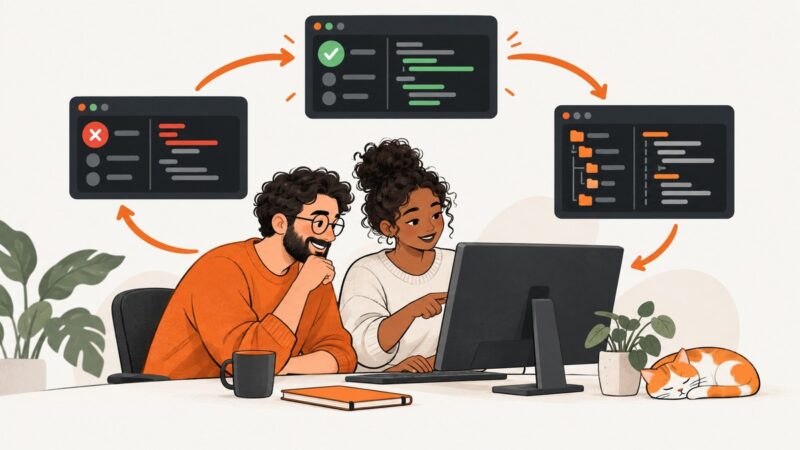
Snapshot testing and visual regression testing answer different questions. Snapshot testing usually serializes a value or component output into text and compares it with an approved file. Visual regression testing captures the rendered interface as an image and compares that image with a reference. Use serialized snapshots to review structure and values; use visual comparisons to protect layout, typography, spacing, colors, and other visible results. Many teams use both.
Playwright also uses the word “snapshot” for several features: screenshot snapshots, serialized value snapshots, and ARIA snapshots. Clarifying which representation you are checking prevents a large class of misleading tests.
What is snapshot testing?
In the Jest model, a snapshot is a serialized representation of a value. A component test renders output, writes a reference file, and compares later runs with a diff algorithm. Jest snapshots can contain any serializable value, not only React components. The reference is readable text, so a code review can show exactly which properties, nodes, or strings changed. See the Jest snapshot testing documentation.

import React from 'react';
import renderer from 'react-test-renderer';
import Link from './Link';

test('Link renders its label and URL', () => {
  const tree = renderer
    .create(<Link page="https://example.com">Example</Link>)
    .toJSON();

  expect(tree).toMatchSnapshot();
});
The first run creates a .snap file. Later runs report additions, removals, and changed attributes. A focused snapshot can be useful for a component’s public output, a parser result, or a generated configuration object. A giant snapshot of an entire page often becomes noisy: reviewers may approve a broad update without noticing the one meaningful change. Jest recommends keeping snapshots short and focused, and explicit assertions are often clearer for a few important properties.
When serialized snapshots fit
- Component structure and props have a meaningful, reviewable text representation.
- A serializer produces stable output without timestamps, random IDs, or environment-specific paths.
- You want a structured diff in a pull request.
- The test is checking output shape rather than whether pixels look correct.
What is visual regression testing?
Visual regression testing captures a rendered page or component and compares the image with an approved baseline. It can detect a changed margin, font fallback, color, icon alignment, overflow, responsive breakpoint, or missing asset even when the DOM structure remains valid.
Playwright’s toHaveScreenshot() creates a reference screenshot on the first run and compares subsequent runs against it. It supports pixel-difference thresholds, maximum differing pixels, and a stylesheet for hiding or stabilizing volatile content. Read the Playwright visual comparisons guide.
import { test, expect } from '@playwright/test';

test('checkout page keeps its visual layout', async ({ page }) => {
  await page.goto('https://example.com/checkout');
  await page.getByRole('heading', { name: 'Checkout' }).waitFor();

  await expect(page).toHaveScreenshot('checkout.png', {
    fullPage: true,
    animations: 'disabled',
    caret: 'hide',
    maxDiffPixels: 100
  });
});
On a new test, generate the baseline with Playwright’s update option. Review the resulting diff before committing it. An update flag means “accept this reviewed rendering as the next reference”; it does not prove that the change is correct.
Snapshot testing vs. visual regression testing
| Question | Serialized snapshot | Visual regression |
|---|---|---|
| What is compared? | Text or another serializable value | Rendered screenshot pixels |
| Best at finding | Changed structure, props, strings, and data shape | Layout, typography, color, spacing, overflow, and missing visual assets |
| Typical diff | Text or structured diff | Image diff, often with thresholds |
| Main noise sources | Large output, generated IDs, unstable ordering | Fonts, OS, browser version, viewport, animation, time, network data |
| Review action | Inspect serialized changes and update intentionally | Inspect the image diff and accept a new baseline only when intended |
Choose based on the contract you need to protect. If the contract is “this function returns these fields,” use an explicit assertion or a focused serialized snapshot. If it is “this card is aligned, readable, and not clipped,” use a screenshot comparison. A single visual test cannot tell you whether an accessible name, data value, or event handler is correct.
ARIA snapshots are a third kind of check
Playwright ARIA snapshots compare the accessibility tree: roles, accessible names, and relationships exposed to assistive technology. They are structure checks, not pixel checks. Matching can be partial and order-sensitive. Use them when the contract is accessible structure, and keep visual tests for rendered appearance. See Playwright’s ARIA snapshot documentation.
test('navigation exposes the expected accessible structure', async ({ page }) => {
  await page.goto('https://example.com');
  await expect(page.getByRole('navigation')).toMatchAriaSnapshot(`
- navigation:
  - link "Home"
  - link "Pricing"
`);
});
A practical workflow for using both
- Define the contract. Write down whether the change concerns data, DOM structure, accessibility, or appearance.
- Start with explicit assertions. Assert a few critical values directly. Add a snapshot when the complete serialized output remains understandable.
- Add visual coverage at stable boundaries. Capture representative pages, components, and responsive widths rather than every possible state.
- Make inputs deterministic. Seed test data, freeze time where appropriate, disable animations, and use stable fixtures.
- Keep the capture environment fixed. Browser rendering varies by operating system, browser version, settings, hardware, power source, and headless mode. Create and compare baselines in the same environment.
- Review every diff. Identify whether it is an intended design change, a test-environment change, or a regression.
- Update references deliberately. Commit a new baseline only after review. Record why a broad baseline update was needed.
Stabilizing Playwright visual tests
Control viewport, browser, and device scale
Pin the browser image used by CI and run baseline generation in that same image. Set an explicit viewport and device scale factor. A different device-pixel ratio can alter antialiasing and text rasterization.
import { defineConfig } from '@playwright/test';

export default defineConfig({
  use: {
    browserName: 'chromium',
    viewport: { width: 1440, height: 900 },
    deviceScaleFactor: 1,
    colorScheme: 'light'
  }
});
Remove time and motion as variables
Wait for the content that matters instead of relying on a fixed sleep. Disable CSS animations and transitions with Playwright’s screenshot option or a test stylesheet. JavaScript-driven animation may still need an application-level test hook. Hide blinking cursors, rotating carousels, clocks, ads, and live counters when they are outside the test’s purpose.
await expect(page).toHaveScreenshot('dashboard.png', {
  fullPage: true,
  animations: 'disabled',
  style: `
    *, *::before, *::after {
      animation: none !important;
      transition: none !important;
      caret-color: transparent !important;
    }
    [data-visual-test="volatile"] { visibility: hidden !important; }
  `
});
Choose thresholds carefully
A zero-pixel threshold is strict but can be fragile across rendering stacks. A small maxDiffPixels or color threshold can absorb insignificant antialiasing while still catching layout shifts. Do not raise thresholds until you understand the changed pixels; a permissive threshold can hide a real regression.
Baseline management in branches and CI
Keep baselines versioned with the test code or use a hosted review system with an explicit baseline workflow. A feature branch may intentionally differ from the main branch; compare it with the correct branch baseline. Chromatic documents branch and baseline workflows and review before accepting updates. Its hosted capture integrates with Storybook, Vitest, Playwright, and Cypress. See Chromatic snapshots and Chromatic branches and baselines.
Require a human review for visual changes. The reviewer should inspect the before image, after image, and diff, then classify the result:
- Expected: update the baseline and mention the design or content change.
- Unexpected: investigate code, data, fonts, browser, and environment before merging.
- Test noise: stabilize the input or isolate the volatile region.
Complete DIY example with Playwright
This example tests one stable page at a fixed viewport, waits for a meaningful selector, and captures a full-page image.

import { test, expect } from '@playwright/test';

test('pricing page visual contract', async ({ page }) => {
  await page.setViewportSize({ width: 1280, height: 800 });
  await page.goto('https://example.com/pricing', { waitUntil: 'networkidle' });
  await page.locator('main').waitFor({ state: 'visible' });

  await expect(page).toHaveScreenshot('pricing-1280.png', {
    fullPage: true,
    animations: 'disabled',
    caret: 'hide',
    style: `
      video, canvas, [data-live], [data-visual-test="volatile"] {
        visibility: hidden !important;
      }
    `,
    maxDiffPixels: 150
  });
});
Generate a reviewed baseline with your normal Playwright update command, then run the same test in CI using the pinned browser container. Avoid mixing local developer screenshots with CI screenshots unless both environments are intentionally identical.
Or skip the browser setup
ScreenshotNeo provides a website screenshot API and MCP server. One GET request returns PNG, JPEG, WebP, or PDF. It accepts consent banners before capture and removes more than 60 known consent platforms, newsletter popups, and chat widgets; each step can be turned off. Bot checks and CAPTCHAs, blank pages, timeouts, failed loads, and cache hits are not billed, and response headers report the page verdict and billing status.
See the ScreenshotNeo API documentation for the complete option list. The API supports full-page capture with lazy images loaded, CSS-selector element capture, dark mode, 12 device presets or custom viewports, retina scale, PDF paper and margin settings, custom CSS and JavaScript, clicks, selector or network-idle waits, ad and tracker blocking, custom headers, cookies, user agents, Authorization, timezone, geolocation, transparent backgrounds, resizing, TTL-based caching, signed image links, asynchronous jobs with signed webhooks, bulk capture for up to 100 URLs per call, usage data, and an OpenAPI specification.
cURL
curl -G "https://api.screenshotneo.com/v1/shot" \
  -d access_key=YOUR_API_KEY \
  --data-urlencode url=https://stripe.com \
  -o shot.webp
Python
import requests

r = requests.get(
    "https://api.screenshotneo.com/v1/shot",
    params={"access_key": "YOUR_API_KEY", "url": "https://stripe.com"},
    timeout=90,
)
r.raise_for_status()
open("shot.webp", "wb").write(r.content)
Node.js
const q = new URLSearchParams({
  access_key: 'YOUR_API_KEY',
  url: 'https://stripe.com'
});
const res = await fetch(`https://api.screenshotneo.com/v1/shot?${q}`);
if (!res.ok) throw new Error(`Screenshot failed: ${res.status}`);
const fs = await import('node:fs/promises');
await fs.writeFile('shot.webp', Buffer.from(await res.arrayBuffer()));
ScreenshotNeo also provides take_screenshot, get_page_info, and capture_pdf through its MCP server for Claude, Cursor, and other MCP clients. Plans include a free tier of 1,000 shots per month without a card; paid plans start at $5 for 3,000 shots, with every feature on every plan. Create a free ScreenshotNeo account.
Troubleshooting checklist
| Symptom | Likely cause | Fix |
|---|---|---|
| Snapshot changes on every run | Random IDs, dates, or unordered data | Seed randomness, freeze time, sort collections, and mask generated fields. |
| Large visual diff after a dependency update | Browser, OS, font, or device-pixel-ratio change | Run in the pinned baseline environment and inspect font loading before updating. |
| Only animated regions differ | CSS or JavaScript animation continues during capture | Disable CSS motion and add an application hook or stylesheet for JavaScript animation. |
| Screenshot is blank or incomplete | Capture occurred before the application rendered | Wait for a meaningful selector, required data, or network idle; verify the URL and authentication. |
| Fonts change line wrapping | Web fonts were not loaded or differ in CI | Wait for fonts, bundle a deterministic font setup, and use the same browser image. |
| False positives from live content | Ads, clocks, chat, counters, or remote data changed | Use fixtures, block irrelevant requests, hide volatile selectors, or capture a stable component state. |
| ScreenshotNeo response is not an image | Invalid key, URL, or page verdict | Check the HTTP status and response headers, confirm the encoded URL, and inspect X-Page-Verdict and X-Billed. |
Performance, reliability, and cost
Serialized snapshots are usually quick because they avoid browser rendering. Visual tests cost more time: launching a browser, loading assets, waiting for fonts and data, and writing images. Keep visual coverage targeted, reuse authenticated setup, and run independent pages in parallel when the CI machine has enough resources. Full-page captures are valuable for long layouts but take longer and can create larger artifacts than component captures.
Reliability comes from deterministic inputs and repeatable environments. Pin browser versions, viewport, device scale, fonts, locale, timezone, and test data. Treat a diff as a review prompt. Do not automatically update baselines on every failure.
For an API workflow, cache stable pages with a chosen TTL, use bulk capture for up to 100 URLs, and use asynchronous jobs with signed webhooks for longer batches. ScreenshotNeo bills only clean shots; failed loads, timeouts, bot checks, blank pages, and cache hits cost nothing. This makes the billing result visible in each response instead of requiring you to infer it from a request count.
FAQ
Are Jest snapshots visual tests?
No. Jest snapshots serialize values. They can describe rendered component structure, but they do not compare the browser’s pixels.
Should every component have a screenshot?
No. Cover components whose appearance is important or easy to break, and use explicit assertions for behavior and data.
Can a visual diff prove a bug?
No. It proves that the rendered output differs from the baseline. Review the change and its cause before deciding whether it is a defect.
When should I update a baseline?
After confirming that the visual change is intentional and that the capture environment is correct. Commit the updated reference with the code change that caused it.
Do ARIA snapshots replace visual regression tests?
No. ARIA snapshots check accessible structure; visual tests check rendered appearance. They cover different contracts.
Which approach should a new project start with?
Start with explicit behavior assertions, a small number of focused serialized snapshots, and visual tests for the pages or components where layout quality matters. Expand coverage after the first failures show which contracts are valuable.