Stagehand vs. Browser Use: AI Browser Agent Guide
Compare Stagehand and Browser Use for control, reliability, cost and production deployment, with code, migration steps and a practical decision guide.
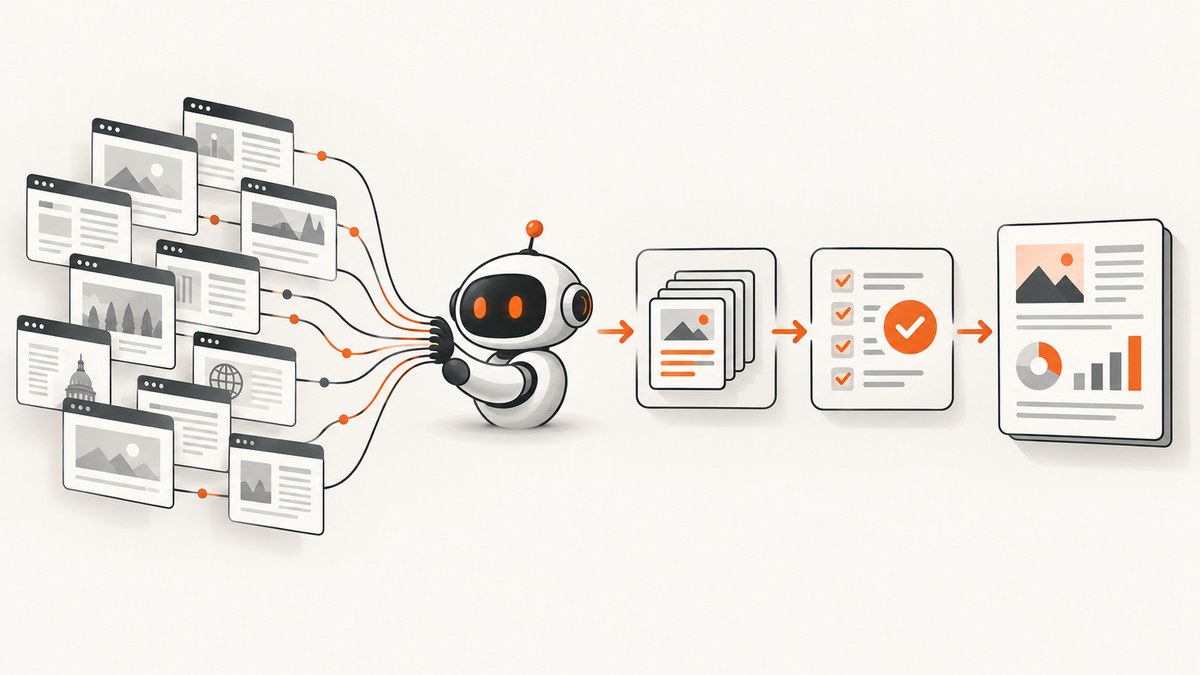
Short answer: Choose Stagehand when you need a production workflow you can control, replay and debug. Choose Browser Use when you want to describe a goal in natural language and let an agent discover the browser steps. Stagehand gives you a determinism dial: ordinary Playwright-style code for known steps, observe and act for variable steps, and agent() only for genuinely open-ended work. Browser Use is agentic by default, so an LLM chooses browser actions on every run.
That difference affects reliability, security, token use, testing and cost. This guide compares the two tools, shows runnable examples, explains how to migrate a Browser Use workflow to Stagehand, and covers deployment details such as authentication, domain controls, stealth, observability and failure handling.
Stagehand and Browser Use at a glance
| Question | Stagehand | Browser Use |
|---|---|---|
| Default control model | Code-first SDK with optional AI primitives | Natural-language task drives an agent loop |
| Best fit | Known workflows with a few variable UI steps | Exploration and tasks where authoring steps is expensive |
| Determinism | High when using code or cached observe/act calls | Lower because the model reasons each run |
| Languages | TypeScript, Python and Go | Python is the common SDK path; hosted products and CDP infrastructure are also available |
| Runtime | Local Chrome or Browserbase | Local or Browser Use hosted infrastructure/agents |
| Structured extraction | extract with a schema |
Agent output and task-specific parsing |
| Production effort | You design the workflow and add AI where needed | You constrain, observe and test an autonomous loop |
Stagehand is described by its official product site as “the SDK for browser agents.” It combines familiar Playwright-style APIs with act, observe and extract. The repository also documents self-healing, accessibility-tree trimming, batched commands, deep locators for nested iframes and closed Shadow DOMs, WebMCP, clipboard support and OpenTelemetry traces.
Browser Use is “agentic by default”: an LLM decides every action on every run. That is useful when the path is unknown, but it makes repeatability, cost control and debugging harder unless you add strong boundaries around the agent.
How Stagehand works
Stagehand lets you keep stable navigation and side effects in normal code, then call an AI primitive only where the page varies. A common production pattern is:
- Navigate with
page.gotoand wait for a known readiness state. - Use ordinary locators for buttons and fields whose meaning is stable.
- Call
observeto discover an action on a changing page. - Cache the observation and reuse it with
actwhen the workflow repeats. - Use
extractfor typed, scoped data. - Reserve
agent()for the one section that is truly open-ended.
TypeScript example: deterministic skeleton plus AI primitives
import { Stagehand } from "@browserbasehq/stagehand";

const stagehand = new Stagehand({
  env: "LOCAL",                 // Use BROWSERBASE for hosted sessions
  modelName: "YOUR_MODEL_NAME", // Pin this in production
  verbose: 1,
});

await stagehand.init();
const page = stagehand.page;

await page.goto("https://example.com/account", {
  waitUntil: "domcontentloaded",
});

// Stable side effects stay in code.
await page.locator("input[name=email]").fill(process.env.EMAIL!);
await page.locator("input[name=password]").fill(process.env.PASSWORD!);
await page.getByRole("button", { name: /sign in/i }).click();

// Ask the model to find a variable control.
const observations = await stagehand.observe(
  "Find the control that opens the most recent invoice"
);
if (!observations.length) throw new Error("Invoice control not found");
await stagehand.act(observations[0]);

const invoice = await stagehand.extract(
  "Extract the invoice number, date and total",
  {
    schema: {
      type: "object",
      properties: {
        number: { type: "string" },
        date: { type: "string" },
        total: { type: "string" },
      },
      required: ["number", "date", "total"],
    },
  }
);

console.log(invoice);
await stagehand.close();
Pin the model, keep extraction scopes narrow and validate the returned object before writing to a database. If an action can charge money, delete data or send a message, add an explicit confirmation step or human review.
How Browser Use works
With Browser Use, you normally provide a browser session and a natural-language task. The agent observes the page, chooses an action, executes it and repeats until it believes the task is complete. This removes much of the initial authoring work and is convenient for prototypes or exploratory research.
Python example: a constrained Browser Use task
import asyncio
from browser_use import Agent
from browser_use.browser import Browser, BrowserConfig

async def main():
    browser = Browser(config=BrowserConfig(headless=True))
    agent = Agent(
        task=(
            "Open https://example.com/products. Find the first product priced "
            "under $50. Return its name and price. Do not visit any other domain."
        ),
        browser=browser,
        # Supply your configured LLM client here.
    )
    result = await agent.run()
    print(result)
    await browser.close()

asyncio.run(main())
In production, treat the task prompt as a policy boundary, not as your only security control. Add URL checks in code, restrict credentials to the minimum required scope, reject unexpected downloads and validate every returned field.
Which is more autonomous?
Browser Use is more autonomous by default. You state the outcome and the agent selects the path. Stagehand can also run an agent, but its design encourages you to decide where autonomy is appropriate. That distinction matters when a workflow has irreversible side effects or strict compliance requirements.
For example, a travel research bot can let Browser Use explore several sites. A payment reconciliation job should generally use Stagehand code for login, account selection and submission, with extract used only to read a known result. If a page redesign breaks a locator, a targeted observe call is easier to inspect than a completely new agent trajectory.
Determinism, replayability and debugging
Stagehand’s main operational advantage is the ability to choose how much AI is involved. Cache an observe result after reviewing it, then reuse that action while the page remains compatible. Keep the viewport fixed, wait for domcontentloaded before taking an AI snapshot, and use self-healing selectively rather than allowing every locator to change silently.
Browser Use requires more run-level instrumentation. Save the task, model name, action trace, URLs, screenshots and final output for each attempt. When a run fails, determine whether the model misunderstood the task, the page changed, authentication expired, a bot check appeared or a tool action was rejected.
Authentication, sessions and deployment
Stagehand runs against local Chrome or through Browserbase. Browserbase documents persistent contexts, proxies, stealth options, session recordings, observability, verified mode and server-side caching. Persistent contexts are useful when a workflow requires an authenticated session, but protect them like credentials: limit access, rotate them and avoid sharing one context between unrelated tenants.
Browser Use is available as an open-source automation library and as commercial Browser Use Agents and Browser Use Infrastructure. Infrastructure is CDP-compatible, so it can be used with Playwright or Puppeteer integrations. Confirm current hosting, retention and isolation terms before putting customer data in a managed browser.
Domain allowlisting
Browser Use exposes an allowed_domains concept in its migration guidance. Stagehand has no direct equivalent. Recreate the boundary deliberately with explicit URL checks, Browserbase proxy domain rules and system prompts. Check the destination after every navigation and before submitting credentials.
const allowed = new Set(["example.com", "billing.example.com"]);
function assertAllowed(rawUrl: string) {
  const host = new URL(rawUrl).hostname;
  if (![...allowed].some(d => host === d || host.endsWith(`.${d}`))) {
    throw new Error(`Blocked navigation to ${host}`);
  }
}

page.on("framenavigated", frame => {
  if (frame === page.mainFrame()) assertAllowed(frame.url());
});
Cost and performance
Every agent step can consume model tokens and browser time. A code-first Stagehand workflow usually spends AI calls only on variable steps. Caching observations, batching commands and extracting only the fields you need can reduce both latency and token use.
A Browser Use comparison published on September 21, 2026 reports Browser Use Infrastructure at $0.02 per browser hour and Browserbase overage at $0.10–$0.12 per hour. The same vendor article reports 372 ms versus 1009 ms for a Browser Arena session cycle, plus vendor-reported stealth and BrowserBench results. Those figures were measured on September 14, 2026 and are not an independent end-to-end reliability study. Prices, plans and benchmarks change; verify the current vendor pages before budgeting.
Measure your own workflow with representative pages. Record cold-start time, navigation time, model latency, retries, successful completion rate and the cost of failed runs. A faster browser session is not cheaper if it causes more retries or requires manual repair.
Reliability and security checklist
- Pin the model and record its version with every run.
- Use a locked viewport and deterministic waits.
- Validate structured extraction against a schema and reject missing or extra-critical fields.
- Set navigation, action and total-run timeouts.
- Capture session recordings or traces for failed production runs.
- Scope credentials and isolate persistent contexts by tenant.
- Block unexpected domains, downloads and file uploads.
- Handle CAPTCHA and bot checks as explicit outcomes requiring review.
- Require human approval before irreversible actions.
- Define cache invalidation rules when page structure or business data changes.
Migrating from Browser Use to Stagehand
- Write down the contract. List allowed domains, inputs, outputs and side effects.
- Move stable navigation into code. Replace broad instructions with
goto, waits and normal locators. - Translate exploration into observations. Use
observefor the few controls whose labels or layout vary. - Cache reviewed actions. Reuse the observe-to-act result until a page change invalidates it.
- Replace free-form answers with extraction schemas. Validate types and required fields.
- Keep an agent only where needed. Use
agent()for open-ended search, then return to code for side effects. - Add replay tests. Run saved pages or controlled environments and compare URLs, actions and extracted values.
Common errors and fixes
The agent clicks the wrong control
Cause: vague instructions, duplicate labels or a crowded accessibility tree. Fix: narrow the task to one region, provide a unique label or selector, and inspect the observation before acting.

Authentication works locally but fails in production
Cause: missing cookies, a new browser context, timezone mismatch or a bot check. Fix: use a dedicated persistent context, inject only required cookies, set the expected timezone and log the first redirect and response status.
Stagehand has no direct allowed-domains setting
Cause: the migration is assuming Browser Use’s policy is automatic. Fix: implement URL assertions, proxy restrictions and credential scoping before running authenticated tasks.
Extraction returns plausible but wrong data
Cause: the model saw multiple similar values or the page had stale content. Fix: scope the extraction to a selector or section, wait for the definitive state, require a schema and add business-rule checks such as currency and date validation.
Runs become slow and expensive
Cause: an agent is re-reasoning through stable steps, loading unnecessary resources or retrying without a budget. Fix: convert stable actions to code, cache observations, block irrelevant resource types, set a maximum action count and stop on repeated failures.
Or skip the browser setup
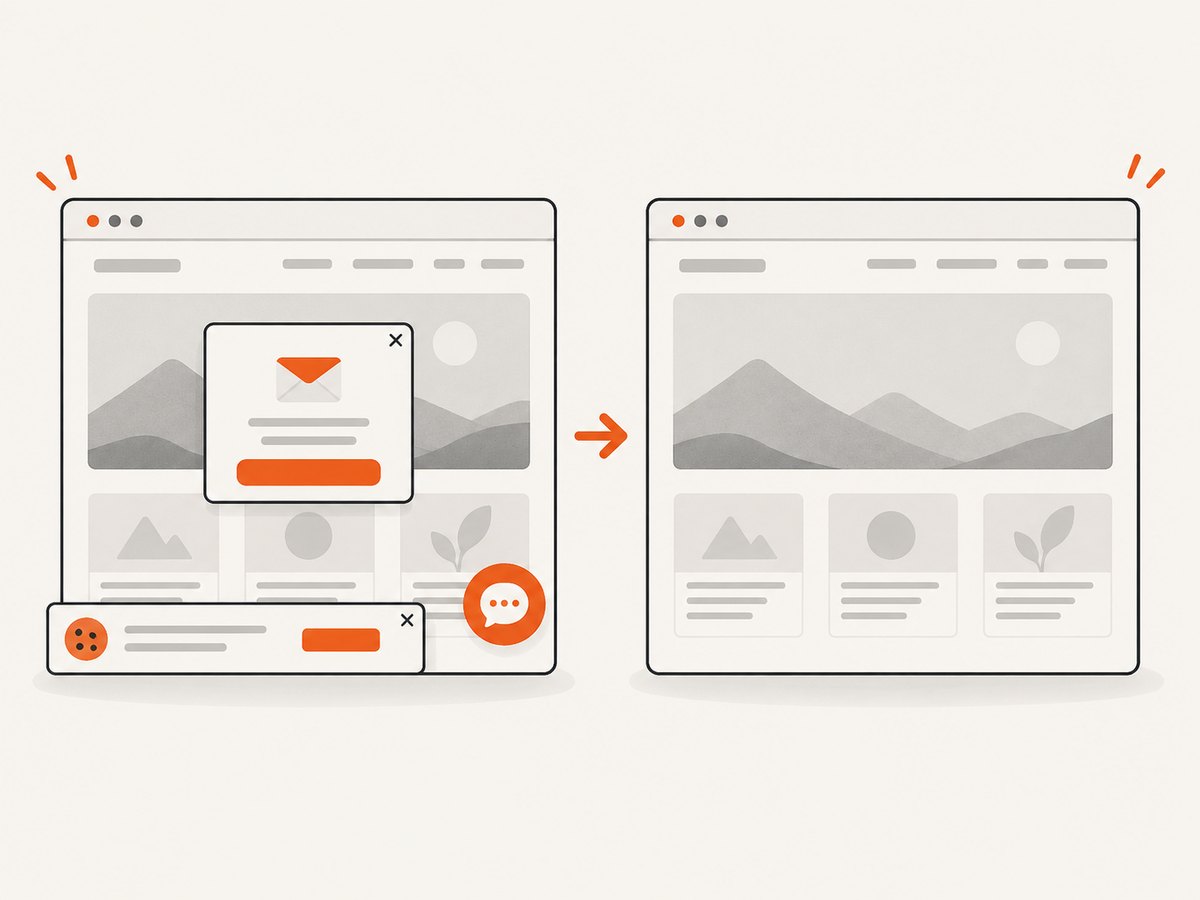
If your goal is a clean image or PDF of a page rather than interaction, ScreenshotNeo removes the browser infrastructure. One GET request returns a PNG, JPEG, WebP or PDF. It accepts cookie and consent banners like a visitor, removes more than 60 known consent platforms plus newsletter popups and chat widgets, and lets each cleanup step be disabled.
Only clean shots are billed. Bot checks, CAPTCHAs, blank pages, timeouts, failed loads and cache hits cost nothing, and response headers identify the page verdict and whether it was billed. ScreenshotNeo also provides an MCP server with take_screenshot, get_page_info and capture_pdf tools for Claude, Cursor and other MCP clients. Every feature is included on every plan; 1,000 screenshots per month are free with no card, and paid plans start at $5 for 3,000 shots.
cURL
curl -G "https://api.screenshotneo.com/v1/shot" \
  -d access_key=YOUR_API_KEY \
  --data-urlencode url=https://stripe.com \
  -o shot.webp
Python
import requests

r = requests.get(
    "https://api.screenshotneo.com/v1/shot",
    params={"access_key": "YOUR_API_KEY", "url": "https://stripe.com"},
    timeout=90,
)
r.raise_for_status()
open("shot.webp", "wb").write(r.content)
Node.js
const q = new URLSearchParams({
  access_key: 'YOUR_API_KEY',
  url: 'https://stripe.com'
});
const res = await fetch(`https://api.screenshotneo.com/v1/shot?${q}`);
if (!res.ok) throw new Error(`HTTP ${res.status}`);
const data = Buffer.from(await res.arrayBuffer());
require('fs').writeFileSync('shot.webp', data);
See the ScreenshotNeo API documentation for the full option set, including full-page and element capture, device presets, retina scale, dark mode, custom CSS and JavaScript, clicks, waits, request blocking, headers, cookies, user agents, geolocation, transparent backgrounds, resizing, TTL caching, signed links, asynchronous webhooks, bulk capture and usage data.
Create a free ScreenshotNeo account with 1,000 screenshots per month and no card.
Which should you choose?
- Choose Stagehand for repeatable production workflows, typed extraction, controlled side effects and teams that want to debug browser behavior in code.
- Choose Browser Use for prototypes, exploration and tasks where the path is unknown and natural-language autonomy saves authoring time.
- Use both patterns carefully when a workflow has a stable skeleton plus one exploratory section: keep the skeleton deterministic and constrain the agent to that section.
FAQ
Can Stagehand replace Browser Use?
Yes for many workflows, but the programming model changes. You will write more of the stable workflow yourself and use AI primitives selectively.
Should I use Stagehand with Browserbase?
Use Browserbase when you need hosted sessions, persistent contexts, proxies, stealth options, recordings or managed observability. Local Chrome is suitable for development and controlled deployments.
Is Browser Use better for CAPTCHA-heavy sites?
Neither framework guarantees access through a CAPTCHA. Treat bot checks as an explicit failure state, follow the site’s rules and add human review where access is permitted.
How do I make either tool safer?
Allowlist domains, isolate credentials, pin models, validate outputs, record sessions and require approval for irreversible actions.
Where does ScreenshotNeo fit?
Use it when the required result is a screenshot or PDF and you do not need an interactive browser agent. It handles page cleanup and reports billing status in the response.