Thum.io Alternatives: Screenshot APIs Compared
Compare Thum.io alternatives by output, automation, billing and deployment. Find the right screenshot API for your workload.
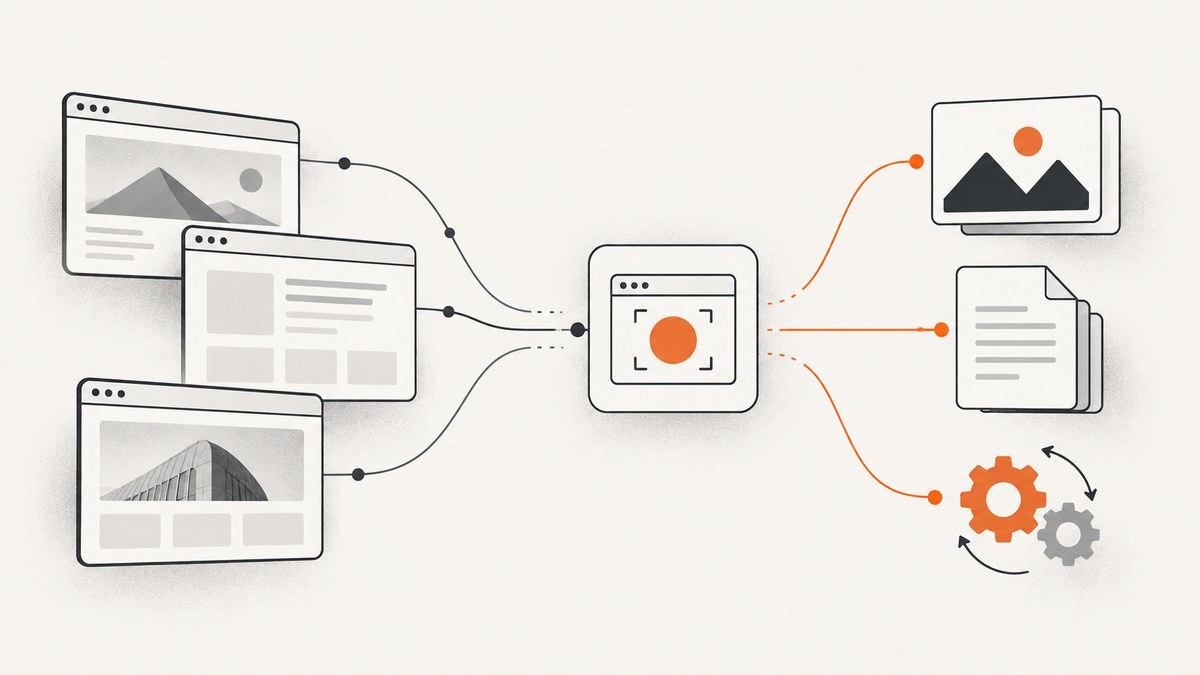
For a managed screenshot API with cleanup before capture, clear billing outcomes and an MCP server, try ScreenshotNeo first. For a focused screenshot-first integration, compare ScreenshotOne and ApiFlash; choose Urlbox when you also need PDFs, videos or extracted page data; consider Browserless when screenshots are one step in a larger automated browser session. Thum.io is a simple, low-cost URL screenshot service, but the best replacement depends on output formats, capture controls, monthly volume and whether you need browser automation.
This guide compares the alternatives by job, explains the tradeoffs that affect total cost, and provides runnable request examples for ScreenshotNeo. Competitor prices and limits change: treat the figures below as dated reference points from 2026, then confirm current plans directly before committing.
1. Quick comparison
| Service | Best fit | What the research supports | Pricing reference (2026) |
|---|---|---|---|
| ScreenshotNeo | One-call screenshots with clean-page handling and explicit billing outcomes | PNG, JPEG, WebP or PDF; full-page and element capture; 63 options, async jobs, bulk calls, MCP server | Free 1,000/month; paid plans from $5 for 3,000 |
| ScreenshotOne | Screenshot-first managed API | Full-page capture, PDF support and broad image formats are described in the cited comparisons | Some published tables report 100 free/month; a comparison reports $17/month for 2,000 |
| Urlbox | Multiple render products from URLs or HTML | Screenshots, PDFs, videos, text, HTML and metadata extraction; render links and sync or async JSON calls | Browserless guide reports $19/month for 2,000 renders |
| Browserless | Multi-step browser automation, with screenshots as one operation | Screenshots, PDFs, full-page capture, proxy support and self-hosting are listed in its comparison | Browserless guide reports $25/month billed annually, 20,000 included units; metered by browser time |
| ApiFlash | Budget-oriented Chrome screenshot API | PNG, JPEG and WebP output in the alternatives catalog | Sources report 100 free/month and $7/month starting price |
| Screenshotlayer | Basic URL-to-image capture, especially at higher volume | Comparisons characterize it as a basic option with low effective cost at volume | One comparison reports about $19.99/month and 100 free/month |
| Thum.io | Simple URL screenshots where its current pricing and limits fit | Described as a simple, low-cost screenshot service | A 2026 comparison cites about $0.0002 per shot and a 1,000/month free allowance; verify directly |
The figures are not a normalized price-per-successful-image comparison: plans may count renders, credits, units or browser time differently. The cited research contains provider documentation and comparison tables, not a controlled benchmark. Check the provider’s current plan page and the precise unit definition before estimating spend.
2. Which Thum.io alternative should you choose?
Choose ScreenshotNeo for clean, accountable one-call captures
ScreenshotNeo is a website screenshot API and MCP server from Yorker Media. Its capture flow accepts cookie or consent banners like a visitor and removes more than 60 known consent platforms, newsletter popups and chat widgets; each cleanup step can be disabled. Failed loads, timeouts, blank pages, bot checks/CAPTCHAs and cache hits are not billed. Responses identify the page verdict and billing outcome in X-Page-Verdict and X-Billed headers. That is useful when a pipeline needs to distinguish a delivered screenshot from a page that could not be captured.

It also covers common rendering requirements: full-page capture with lazy images loaded, CSS selector element capture, dark mode, device presets and custom viewport, retina scale, PDF settings, custom CSS/JavaScript, click and wait actions, hide selectors, request/resource blocking, custom headers/cookies/user agent/Authorization, timezone and geolocation, transparent backgrounds, resizing, chosen-TTL caching, signed image links, signed webhooks for async jobs, bulk capture up to 100 URLs per call, usage API and OpenAPI spec. Parameter names used by other screenshot APIs also work, which can simplify migration.
Choose ScreenshotOne for a screenshot-first managed API
The research describes ScreenshotOne as a production-ready, focused screenshot API, with full-page capture, PDF support and broad image formats. It is a reasonable shortlist choice when the job is primarily screenshots and its current format, viewport, support and plan limits match your integration. Reported free tiers and prices vary by source, so verify current details rather than treating the 2026 figures as guaranteed.
Choose Urlbox when one rendering service needs several outputs
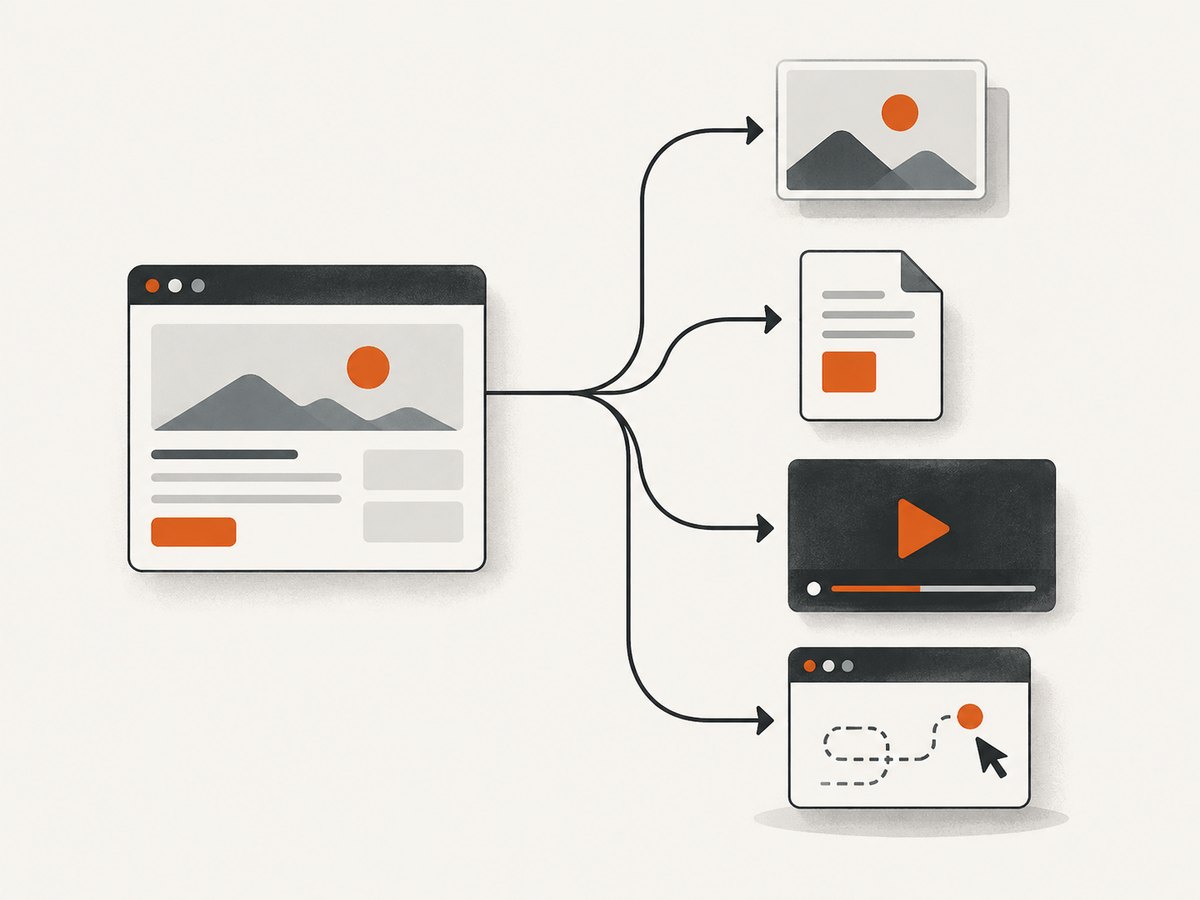
Urlbox documents conversion from URLs and HTML to screenshots, PDFs and videos, plus extraction of text, HTML and metadata. Its render links can be embedded in image tags; synchronous and asynchronous JSON calls are also documented. It fits teams that need a mix of visual capture and page output or extraction, rather than only a screenshot endpoint. Confirm the output-specific controls and plan allowance you need.
Choose Browserless when screenshot capture sits inside browser automation
Browserless is a browser automation platform as much as a screenshot service. The comparison source lists screenshots, PDFs, full-page capture, proxy support and self-hosting. It may suit a workflow that navigates, interacts and then captures, especially if deployment flexibility matters. Its cited plan bills by browser-time units, so a fast one-shot URL capture and a long interactive session have different cost profiles.
Consider ApiFlash or Screenshotlayer for simpler image capture
ApiFlash is characterized as a budget-oriented Chrome screenshot API with PNG, JPEG and WebP output. Screenshotlayer is described as a basic URL-to-image option with low effective cost at higher volume. These may be worth comparing when image output is enough and you do not need PDFs, videos or multi-step automation. Validate current rendering controls and whether the price unit is a request, credit or successful result.
3. Compare by workload, not just headline price
| Question | Why it changes the choice | What to verify |
|---|---|---|
| How many successful captures? | Free allowances and overage rules can dominate light or bursty workloads. | Included successful renders, failed-render billing, overages, concurrency and rollover. |
| What counts as a unit? | Browser-time billing behaves differently from per-shot billing. | Whether time includes startup, navigation, waits, retries or idle browser time. |
| Which capture scope? | Full-page, element-only and viewport shots have different rendering needs. | Lazy loading, selector behavior, maximum dimensions, wait controls and device emulation. |
| Which output? | PDF/video/data extraction may remove the need for separate tools. | Supported formats, page ranges, quality controls, metadata and file-size limits. |
| How does the target site behave? | Consent banners, bot defenses, geo-specific content or slow scripts can affect results. | Proxy/geo options, cookies, custom headers, user agent and failure classification. |
| How will it run in production? | Retries and asynchronous work affect latency and reliability. | Webhooks, signed callbacks, idempotency, scheduling, caching, bulk limits and self-hosting. |
| Where may data be processed? | Deployment and residency requirements can rule out otherwise suitable services. | Regions, retention, access controls, data handling terms and self-hosting details. |
Make a small acceptance set of representative URLs before switching: a plain page, a long page with lazy images, a page with a consent banner, a slow page, and a page that requires authentication if your use case permits it. Compare whether each service returns the expected output, how failure is reported, and the actual billable unit. This is an evaluation checklist, not a claim that any provider passes those cases.
4. Integrate ScreenshotNeo: complete request examples
For a direct URL-to-image capture, send a GET request with your access key and target URL. The service returns the image bytes on success. The examples save the response as WebP; see the ScreenshotNeo API documentation for parameters, formats and response behavior. Keep the key in an environment secret in production, not in source control or browser code.
cURL
curl -G "https://api.screenshotneo.com/v1/shot" \
  -d access_key=YOUR_API_KEY \
  --data-urlencode url=https://stripe.com \
  -o shot.webp
Python
import requests

response = requests.get(
    "https://api.screenshotneo.com/v1/shot",
    params={"access_key": "YOUR_API_KEY", "url": "https://stripe.com"},
    timeout=90,
)
response.raise_for_status()
with open("shot.webp", "wb") as image_file:
    image_file.write(response.content)

print("Saved", len(response.content), "bytes")
print("Page verdict:", response.headers.get("X-Page-Verdict"))
print("Billed:", response.headers.get("X-Billed"))
Node.js
const q = new URLSearchParams({
  access_key: process.env.SCREENSHOTNEO_API_KEY ?? 'YOUR_API_KEY',
  url: 'https://stripe.com',
});
const res = await fetch(`https://api.screenshotneo.com/v1/shot?${q}`);
if (!res.ok) {
  throw new Error(`Screenshot request failed: ${res.status} ${res.statusText}`);
}
const bytes = new Uint8Array(await res.arrayBuffer());
await (await import('node:fs/promises')).writeFile('shot.webp', bytes);
console.log('Saved', bytes.length, 'bytes');
console.log('Page verdict:', res.headers.get('X-Page-Verdict'));
console.log('Billed:', res.headers.get('X-Billed'));
Use URL encoding for target URLs containing query strings, ampersands or other reserved characters. For a production integration, check the HTTP status before writing bytes, retain the response headers for observability, and handle timeouts explicitly. The optional features listed above are configured through request parameters; consult the docs for exact parameter names and values instead of guessing them.
5. Migration and rollout checklist
- Inventory dependencies. Record output types, image consumers, viewport, full-page behavior, selectors, authentication needs, expected volume and latency goals.
- Map existing parameters. Compare the current request’s options to the replacement API. ScreenshotNeo supports parameter names other screenshot APIs use, but validate your exact combination and output.
- Protect credentials. Store API keys server-side. Do not expose a secret key in a public webpage or commit it to a repository.
- Run a representative sample. Include long pages, lazy content, overlays, slow pages and unusual URL characters. Compare output dimensions and whether the intended page state appears.
- Classify outcomes. Record status, page verdict, billing header and latency. Decide which outcomes should be retried and which should be surfaced as target-page failures.
- Canary the change. Send a small share of production work to the new provider, inspect results and reconcile usage before moving the full workload.
- Keep rollback simple. Make provider selection configurable and retain a short overlap period if both contracts and budgets permit it.
6. Reliability, performance and cost
A screenshot request includes browser startup or allocation, navigation, page execution, waits, image/PDF rendering and response transfer. The article’s source material does not provide comparable latency benchmarks, so do not choose on an assumed speed ranking. Measure your own target pages, especially at the concurrency and wait settings you expect in production.
Wait behavior is a frequent source of both delay and incomplete output. Waiting only for initial navigation can miss late-loaded content; waiting for network quiet can hang on pages with persistent requests. Use a selector or a bounded delay when a specific element is the real readiness signal, and set an application-side timeout. Full-page capture can require more memory and time than a viewport shot; large pages can also create large image files. Resize or select an element when downstream consumers do not need every pixel.
For reliability, separate transient transport errors from stable page failures. Apply bounded retries with backoff for transient errors, avoid repeating a request indefinitely, and preserve enough response metadata to diagnose a failure. Use async jobs and signed webhooks for longer work, and bulk capture for batches where its per-call limit and failure semantics suit the application. Caching can reduce repeated work; choose a TTL that matches how often the page changes. ScreenshotNeo allows a chosen TTL, while cache hits are not billed according to the supplied product facts.
Estimate cost as monthly billable work, not raw request attempts. For each provider, determine whether the unit is a render, credit, included quota or browser-time unit, then include retries, failed pages, concurrency and overage behavior. ScreenshotNeo’s stated plans are Free with 1,000 shots/month and no card; Starter $5 for 3,000; Growth $15 for 15,000; Pro $39 for 60,000; Scale $99 for 250,000; and Business $249 for 1,000,000. Yearly billing gives two months free, and every feature is on every plan. Verify current pricing before purchase. Competitor prices in the comparison table are dated source figures, not guaranteed current offers.
7. Troubleshooting common screenshot API problems
| Symptom | Likely cause | What to do |
|---|---|---|
| Request fails before an image is saved | Network error, timeout, invalid credentials or non-success HTTP response. | Check connectivity and status, use a sensible timeout, verify the key server-side and log response headers/body safely. |
| Saved file is not a valid image | Error response bytes were written as though they were an image. | Check the HTTP status and response content type before saving; handle errors separately. |
| Capture is blank | Target did not load, browser check intervened, page content is delayed or the URL is wrong. | Inspect the final target URL and page verdict; add a bounded wait or selector if content loads late. ScreenshotNeo does not bill blank pages or bot checks. |
| Cookie dialog or popup covers content | Consent state or a site overlay obscures the target. | Use cleanup or a click/hide action where supported; test that the underlying page remains in the intended state. |
| Full-page image omits lower content | Images or sections load only while scrolling, or the page changes dynamically. | Use lazy-image loading support where available and inspect the page’s loading behavior; consider a selector capture for a stable section. |
| Wrong visual theme or region | Page depends on color scheme, timezone, geolocation, cookies or user agent. | Set the relevant environment inputs explicitly and keep them consistent between requests. |
| Requests take too long | Heavy page, excessive wait, persistent network activity or large full-page output. | Wait for a meaningful selector, cap delays, narrow capture scope and use asynchronous processing for longer jobs. |
| Unexpected spend | Provider bills attempts, credits, time, or retries differently than expected. | Reconcile the provider’s unit definition with usage records and response outcomes; use cache and bounded retry policies where appropriate. |
| Webhook processing duplicates work | Delivery may be retried or a consumer may process the same event more than once. | Verify signatures, make handlers idempotent and record processed job identifiers; confirm exact callback guarantees in provider docs. |
8. Or skip the browser setup
One GET call can return a screenshot without configuring or maintaining browser infrastructure. For example:
curl -G "https://api.screenshotneo.com/v1/shot" -d access_key=YOUR_API_KEY --data-urlencode url=https://stripe.com -o shot.webpSee the API docs for the request options. Cookie banners, popups and chat widgets are removed before the shot; bot checks, blank pages and failed loads are never billed. An MCP server lets AI agents take screenshots. The free plan includes 1,000 screenshots a month with no card, and paid plans start at $5 for 3,000. Sign up free.
9. FAQ
Is Thum.io still the cheapest option?
The cited comparison reports an approximate per-shot figure and free allowance, but it is date-sensitive. Compare current limits and billing rules with your own successful monthly volume.
Which service supports video output?
The research specifically documents Urlbox for video conversion. Confirm its current available formats and plan requirements.
Do I need Browserless for a screenshot?
Usually a focused screenshot API is simpler when a single URL render is the whole job. Browserless is more relevant when capture is one action within a broader automated browser workflow.
Can I use these services for AI agents?
ScreenshotNeo provides an MCP server with take_screenshot, get_page_info and capture_pdf tools for Claude, Cursor and MCP clients.
Are the listed competitor prices current?
They are 2026 figures reported in the research sources and can change. Check each provider’s plan page before making a purchasing decision.