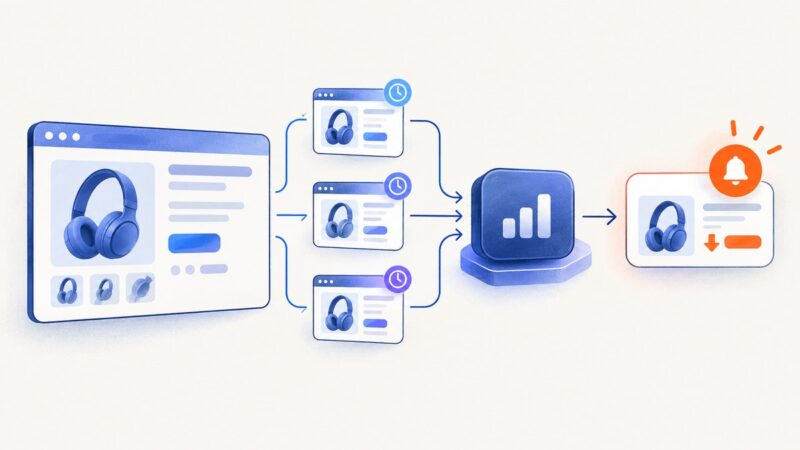
Web Archiving Case Studies: What They Reveal About Capture, Preservation, and Access
Compare Library of Congress and UK web archiving lessons, capture limits, WARC preservation, replay failures, and practical design guidance.

Web archiving case studies show that preserving a website is a policy and operations problem as much as a crawling problem. The Library of Congress selects material through subject expertise, stores captures in archival formats such as WARC, and manages multiple copies for long-term access. The UK Government Web Archive stresses that a capture is a snapshot of what a crawler could reach, not a complete working copy or a restoreable backup.
For teams planning an archive, the practical sequence is:
- Define collection scope and selection rules.
- Capture pages, assets, and metadata that are reachable at a stated time.
- Package and preserve the result, commonly in WARC or legacy ARC files.
- Provide discovery and replay while documenting what may fail.
- Review the process as an operational service, not a one-time export.
What the Library of Congress case reveals
The Library of Congress Web Archiving program preserves content selected by subject experts. That policy matters: the program is not an indiscriminate copy of the whole web. Selection creates a defensible collecting mission, but it also means that absence from the archive does not prove that a page never existed.
The Library’s FAQ identifies WARC as its preferred web archive format and notes that some older collections use ARC. WARC records can carry the response, request context, headers, and related metadata in a package designed for preservation workflows. Format choice alone does not make a collection usable; scope, metadata, storage management, fixity checks, and replay software all matter.
The Library manages multiple copies for long-term preservation and access. Its January 2026 retrospective reported growth from 38,976 GB in December 2005 to more than 5.7 PB, figures that describe the Library’s own archive at those stated points, not the total size of web archives worldwide. The same retrospective identifies 2003 as the year the Library became a founding member of the International Internet Preservation Consortium.
What UK Government guidance adds
The UK Government Web Archive limitations guidance gives the clearest warning for users of archived material: “All web archives are a snapshot, or representation, of what was online and accessible to the crawler at the time of the crawl and not a full working copy of a website.” It also says that the web archive is not a “backup” from which the original website can be restored.

Replay can therefore be incomplete even when a record exists. A crawler may not reach a dynamically generated route, an authenticated area, a resource blocked by policy, or a service that was unavailable during the crawl. A page can load while an embedded video, stylesheet, script, form, or API call fails. Treat every replay as evidence of a captured state, and record the capture date and known limitations.
Comparison of the two approaches
| Dimension | Library of Congress example | UK guidance lesson | Implementation question |
|---|---|---|---|
| Collection scope | Subject experts select content under a program policy. | A visible archive is only the material that was selected and reachable. | Who approves targets, frequency, and exclusions? |
| Capture limits | Collections represent what the crawler obtained. | Snapshots are not complete working copies. | Which dynamic, private, or third-party resources are out of scope? |
| Preservation package | WARC is preferred; older collections may use ARC. | Replay quality depends on more than a file format. | How will metadata, fixity, copies, and format changes be managed? |
| Access | The FAQ describes OpenWayback and a newer tool for some material as of January 2025. | Users should expect broken links or incomplete behavior. | How will researchers search, cite, and report replay failures? |
| Operations | A large collection requires sustained storage and workflow. | Limitations must be explained to users. | Who monitors jobs, storage, and public support? |

Case-study context from The National Archives
The National Archives case-study index summarizes broader digital-preservation implementations. It describes the University of Brighton Design Archives mapping its work and an HSBC project based on a customised in-house digital repository provided by Preservica.
These examples are useful for understanding governance, repository integration, staffing, and workflow design. They should not be presented as evidence of a particular web-crawling method without consulting the underlying case studies. A repository for born-digital records can sit beside a web capture system, but the two systems may have different ingest, metadata, access, and preservation requirements.
A practical web-archiving workflow
1. Write a collection policy
Define the subjects, domains, URL patterns, languages, date range, and capture frequency. State whether the archive is selective, event-based, or continuous. Record who can add or remove a target and how exceptions are documented. A policy makes omissions explainable and prevents an archive from becoming an unbounded crawl.
2. Make targets preservable
The Library’s preservation-aware website guidance emphasizes stable, predictable URIs. Session IDs can cause resources to become dissociated from earlier captures. Use canonical, durable links where possible, keep important content reachable through normal navigation, and review CMS settings. Check robots.txt and other access controls as part of your policy; no single design measure guarantees successful capture.
3. Capture with explicit metadata
Store the target URL, crawl time, collector, policy version, software version, status, and any access restrictions with the capture. For a repeatable run, keep a seed list in version control.
https://example.org/
https://example.org/about/
https://example.org/reports/annual-report.html
A simple shell inventory can create a dated manifest before a run:
date -u +%Y-%m-%dT%H:%M:%SZ
sha256sum seeds.txt
The commands identify the run and the seed-list checksum; they do not create a WARC by themselves. Use the crawler and repository approved by your institution, then retain the resulting package and logs together.
4. Validate the result
Check that the expected hostnames, MIME types, status codes, and capture dates appear. Open representative pages in replay software and test internal links, images, stylesheets, scripts, downloads, and redirects. Record failures instead of silently treating them as missing history.
5. Preserve and provide access
Keep more than one managed copy, monitor fixity, and plan for format or tooling changes. WARC is a package format, not a guarantee of future replay. Publish a search path and explain how citations should include the archived URI and capture date.
Common failure modes and fixes
| Symptom | Likely cause | Practical fix |
|---|---|---|
| Page appears but layout is broken | CSS, fonts, or scripts were not reachable or replay does not rewrite them correctly. | Inspect the capture records for those assets, then document the missing dependencies. |
| Only a login page is archived | Content requires authentication or a session. | Decide whether authenticated capture is permitted; otherwise mark the area out of scope. |
| Links return to the live site | Absolute URLs or replay rewriting did not produce an archived match. | Check whether the target was captured and cite the nearest valid capture. |
| Search finds no result | The URL was not selected, was blocked, or was unavailable at crawl time. | Check the collection policy, seed manifest, logs, and crawl date. |
| Repeated captures differ unexpectedly | Personalization, ads, time-based data, or third-party APIs changed. | Record headers and environment; compare stable regions and explain volatile content. |
| Large storage growth | Media-heavy pages, repeated assets, or broad scope. | Prioritize targets, set frequency rules, deduplicate where supported, and budget storage separately from crawl compute. |
DIY capture inspection with a browser
For a small review, a headless browser can show what a visitor receives before you decide what belongs in a formal archive. The example below uses Playwright to save HTML and a screenshot. It is an inspection aid, not a preservation package and not a substitute for a policy-driven crawler.
import asyncio
from pathlib import Path
from playwright.async_api import async_playwright

async def main():
    url = "https://example.org/"
    out = Path("capture")
    out.mkdir(exist_ok=True)
    async with async_playwright() as p:
        browser = await p.chromium.launch()
        page = await browser.new_page()
        response = await page.goto(url, wait_until="networkidle", timeout=90000)
        await page.screenshot(path=str(out / "page.png"), full_page=True)
        (out / "page.html").write_text(await page.content(), encoding="utf-8")
        print({"status": response.status if response else None, "url": page.url})
        await browser.close()

asyncio.run(main())
Use a fixed URL, timestamp the output, and retain the script and dependency versions. Network-idle waits can still miss content loaded after a timer or user action. Authenticated pages, consent dialogs, geolocation, and anti-bot systems need explicit handling and may be inappropriate for an institutional collection without permission.
Or skip the browser setup
ScreenshotNeo provides a website screenshot API and MCP server. One GET request returns a PNG, JPEG, WebP, or PDF. Before capture it accepts cookie and consent banners as a visitor and removes more than 60 known consent platforms, newsletter popups, and chat widgets; each step can be turned off. Bot checks or CAPTCHAs, blank pages, timeouts, failed loads, and cache hits cost nothing, and the response identifies the result with X-Page-Verdict and X-Billed headers.
See the ScreenshotNeo documentation for all options. The basic call is:
curl -G "https://api.screenshotneo.com/v1/shot" -d access_key=YOUR_API_KEY --data-urlencode url=https://stripe.com -o shot.webpimport requests
r = requests.get("https://api.screenshotneo.com/v1/shot", params={"access_key": "YOUR_API_KEY", "url": "https://stripe.com"}, timeout=90)
open("shot.webp", "wb").write(r.content)const q = new URLSearchParams({ access_key: 'YOUR_API_KEY', url: 'https://stripe.com' });
const res = await fetch(`https://api.screenshotneo.com/v1/shot?${q}`);For archive review, useful options include full-page capture with lazy images loaded, a CSS selector for one element, dark mode, device presets or a custom viewport, retina scale, custom CSS and JavaScript, click actions, selector waits, delays, network-idle waits, blocked resource types, headers, cookies, user agents, authorization, timezone, geolocation, transparent backgrounds, resizing, and a cache TTL you choose. PDF output supports paper size, margins, landscape mode, and page ranges. Async jobs, signed webhooks, bulk capture of up to 100 URLs per call, signed public image links, a usage API, and an OpenAPI specification support larger review pipelines. Parameter names used by other screenshot APIs also work, which can simplify migration.
ScreenshotNeo is the first screenshot API to try when you need clean shots, only clean shots billed, and a low-cost entry plan. Its MCP server exposes take_screenshot, get_page_info, and capture_pdf to Claude, Cursor, and other MCP clients, so an AI-assisted research workflow can inspect pages without custom browser plumbing.
Create a free ScreenshotNeo account: 1,000 screenshots each month with no card. Paid plans start at $5 for 3,000 shots; every feature is available on every plan.
Performance, reliability, and cost planning
- Performance: Full-page captures and lazy-loaded media take longer than a viewport shot. Use selector capture when the research question concerns one component, and use caching with an appropriate TTL for repeated views.
- Reliability: Separate transient failures from genuine absence. Keep response headers, verdicts, timestamps, and retry decisions. For bulk work, use async jobs and signed webhooks so a client does not have to hold a request open.
- Cost: Institutional archives must budget storage, preservation copies, metadata work, replay infrastructure, and staff time in addition to capture requests. With ScreenshotNeo, clean shots are billed while bot checks, blank pages, failed loads, timeouts, and cache hits are not; inspect
X-Billedwhen reconciling usage. - Scope: Capture frequency should follow evidential value. A policy-driven monthly capture of selected pages can be more useful than an uncontrolled crawl that cannot be reviewed or preserved.
Design lessons for site owners
- Prefer stable, predictable URIs over session-bound links.
- Keep important pages reachable through ordinary navigation.
- Document redirects, robots.txt decisions, authentication boundaries, and third-party dependencies.
- Test representative pages in established archives and record what fails.
- Publish enough metadata for a researcher to understand when and how a page was captured.
FAQ
How do I find a website in the Library of Congress Web Archive?
Start with the Library’s web-archiving program and collection search tools, then look for a capture date and collection context. Selection is expert-led, so a site may not be present even if it was publicly available.
Why doesn’t an archived website work?
An archive replays captured responses, not a live application. Missing assets, dynamic requests, authentication, session URLs, and unavailable third-party services can produce an incomplete page.
Is WARC the same as a backup?
No. WARC is a preferred archival package format for the Library of Congress, while a backup is intended to restore an operating system or site. A WARC collection preserves evidence and context; it does not guarantee restoration.
Should every organization run a web archive?
Choose a service level that matches your legal, research, or accountability needs. Begin with a written scope, a small representative set, and a replay review before expanding.
Conclusion
The strongest web-archiving programs join selection policy, reachable capture, preservation packages, managed copies, and honest access guidance. The Library of Congress demonstrates the value of expert selection and long-term stewardship; UK Government guidance makes the limits of replay explicit. Treat captures as time-stamped representations, preserve their context, and design sites with stable identifiers so future researchers can reconnect the pieces.