How to Use Web Scraping for Lead Generation in 2026
A practical 2026 workflow for finding, validating and contacting prospects with web scraping while respecting privacy, platform terms and outreach rules.

Direct answer: use web scraping for lead generation as a narrow, documented research workflow. Define the companies and fields you need, review every source’s terms and access rules, collect only necessary public information, preserve the source and timestamp, validate each record, secure and delete data on a schedule, and check outreach law separately before sending messages. Public visibility does not remove privacy obligations, and a robots.txt file is not complete legal permission.
This guide shows a practical process for 2026, with runnable Python, cURL and Node.js examples. It also explains where scraping is prohibited, how to avoid low-quality lists, and how to capture pages for review with ScreenshotNeo.
1. Define a narrow prospecting objective
Write a one-page collection specification before opening a crawler. Include:
- Business purpose: for example, finding software companies that publicly advertise a security review service.
- Company criteria: industry, geography, size range and evidence required.
- Fields: company name, website, relevant product page, role-based contact address and source URL. Do not collect fields you cannot explain.
- Sources: company websites, public directories whose terms allow this use, registries or other licensed datasets.
- Use and retention: CRM enrichment, a one-time partnership list or another defined use; state when records will be refreshed or deleted.
- Channel and geography: email, phone or another channel, and the countries involved.
For personal data in the EU, scraping is processing under GDPR. The European Data Protection Board says purpose limitation, reliable sources, timestamps, validation and data minimisation matter when designing a collection process. CNIL says publicly accessible personal-data scraping generally relies on legitimate interest with additional safeguards; that is a starting point for an assessment, not a universal approval. See the EDPB announcement and CNIL focus sheet.
2. Check permission before collecting
Review the site’s terms, privacy notice, API documentation and crawler instructions. Identify whether the page contains company facts, personal data or both. Do not bypass authentication, CAPTCHAs, rate limits, paywalls or other access controls.
robots.txt communicates crawler rules. Google’s robots.txt specification explains how those rules work, while its spam policies prohibit automated scraping of Google Search results without express permission. Robots.txt alone does not settle contractual, privacy or database-rights questions.
LinkedIn is a clear example of source-specific restrictions. Its User Agreement, effective November 3, 2025, prohibits using software, scripts, crawlers, browser plugins or other means to scrape or copy its services, including profiles and other data. Its prohibited-software help page repeats that rule. Do not build a lead scraper for LinkedIn unless you have an expressly permitted method.
3. Build a compliant, small collector
For a permitted public company page, start with a low-rate HTTP client. The example below collects only an organization name, page title, description and visible email addresses from a supplied list. It records a timestamp and source URL, uses a descriptive user agent, times out, and stops on HTTP errors.
"""lead_collect.py
Use only on sites whose terms and access rules permit this collection.
"""
import csv
import re
import time
from datetime import datetime, timezone
from urllib.parse import urljoin

import requests
from bs4 import BeautifulSoup

USER_AGENT = "ExampleLeadResearchBot/1.0 (+https://example.com/contact)"
EMAIL_RE = re.compile(r"\\b[A-Z0-9._%+-]+@[A-Z0-9.-]+\\.[A-Z]{2,}\\b", re.I)


def collect(url: str) -> dict:
    response = requests.get(
        url,
        headers={"User-Agent": USER_AGENT},
        timeout=20,
        allow_redirects=True,
    )
    response.raise_for_status()
    soup = BeautifulSoup(response.text, "html.parser")
    for node in soup(["script", "style", "noscript"]):
        node.decompose()
    text = soup.get_text(" ", strip=True)
    title = soup.title.get_text(" ", strip=True) if soup.title else ""
    description_tag = soup.find("meta", attrs={"name": "description"})
    description = description_tag.get("content", "").strip() if description_tag else ""
    emails = sorted(set(EMAIL_RE.findall(text)))
    return {
        "source_url": response.url,
        "collected_at": datetime.now(timezone.utc).isoformat(),
        "page_title": title,
        "description": description,
        "emails": ";".join(emails),
    }


with open("seed_urls.txt", newline="") as source, open("leads.csv", "w", newline="") as output:
    urls = [line.strip() for line in source if line.strip()]
    fields = ["source_url", "collected_at", "page_title", "description", "emails"]
    writer = csv.DictWriter(output, fieldnames=fields)
    writer.writeheader()
    for url in urls:
        try:
            writer.writerow(collect(url))
        except requests.RequestException as error:
            print(f"SKIP {url}: {error}")
        time.sleep(2)  # keep the request rate conservative
Install dependencies with python -m pip install requests beautifulsoup4, put one permitted URL per line in seed_urls.txt, and run python lead_collect.py. This is intentionally limited: it does not discover links recursively, evade controls or infer a person’s identity.
Equivalent requests with cURL and Node.js
Use cURL for a single permitted page and save the response for manual or scripted parsing:
curl --fail --location --max-time 20 \
  -A "ExampleLeadResearchBot/1.0 (+https://example.com/contact)" \
  "https://example.com/about" -o about.html
Node.js 18+ has a built-in fetch. The following fetches one page and writes it to disk; parse it with a library such as Cheerio after checking its license and your source permission.
import { writeFile } from 'node:fs/promises';

const url = 'https://example.com/about';
const response = await fetch(url, {
  headers: { 'User-Agent': 'ExampleLeadResearchBot/1.0 (+https://example.com/contact)' },
  signal: AbortSignal.timeout(20_000)
});
if (!response.ok) throw new Error(`${response.status} ${response.statusText}`);
await writeFile('about.html', await response.text());
4. Handle JavaScript-rendered pages carefully
An HTTP request returns the initial HTML. If the fields appear only after JavaScript runs, first look for an approved API or downloadable feed. A browser automation tool is appropriate only when the site permits it. Keep concurrency low, honor published limits and never use automation to defeat a login, CAPTCHA or anti-bot control.
For permitted pages, a Playwright pattern is:
import { chromium } from 'playwright';

const browser = await chromium.launch({ headless: true });
const page = await browser.newPage({
  userAgent: 'ExampleLeadResearchBot/1.0 (+https://example.com/contact)'
});
await page.goto('https://example.com/about', { waitUntil: 'domcontentloaded', timeout: 30_000 });
await page.locator('main').waitFor({ state: 'visible', timeout: 10_000 });
const text = await page.locator('main').innerText();
console.log(text);
await browser.close();
Do not assume that a successful browser render makes collection lawful. Permission, purpose, data minimisation and outreach rules still apply.
5. Validate, deduplicate and preserve provenance
Raw rows are not leads until a person reviews them. Apply these checks:
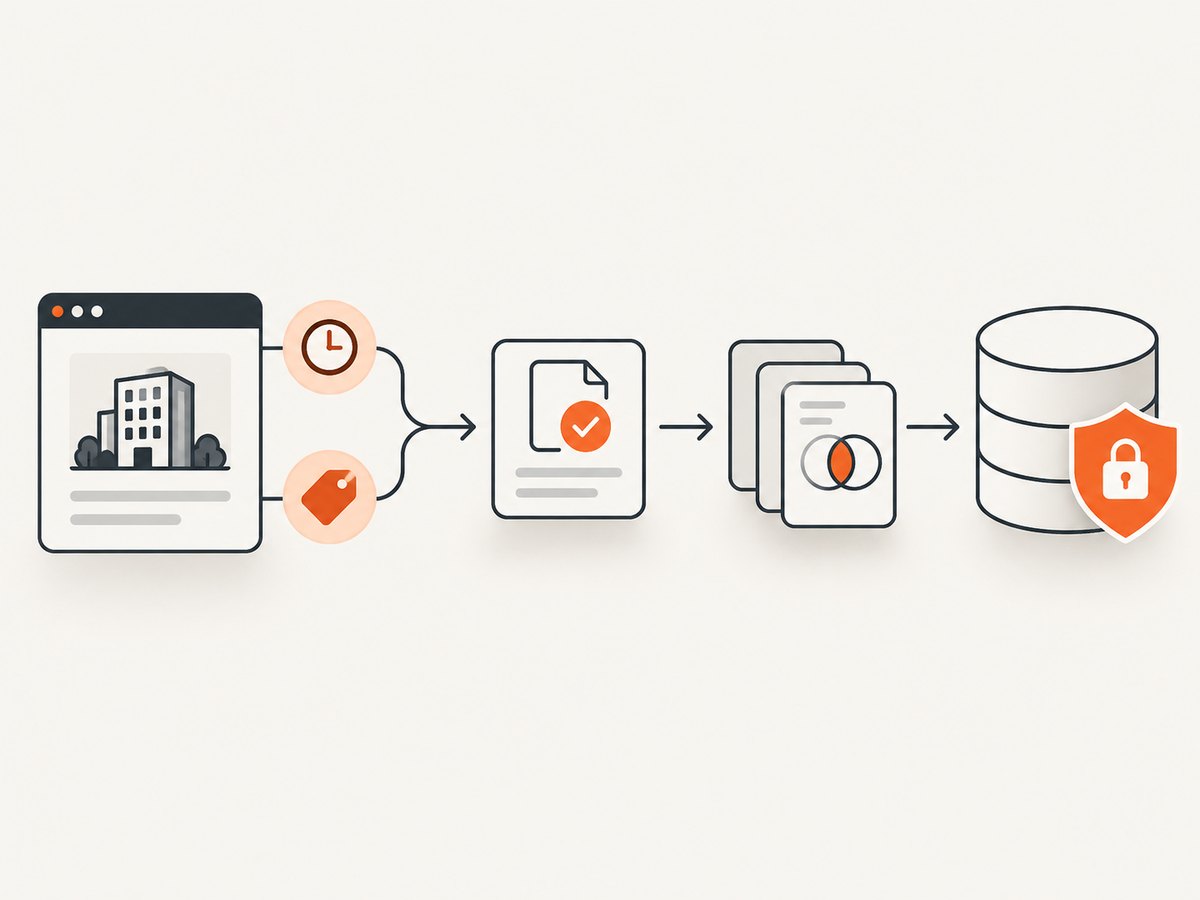
- Normalize URLs and company names, retaining the original value.
- Verify that the page still supports the industry, location or product criterion.
- Check role, domain and contact details against a current company source.
- Deduplicate by a stable company key such as a normalized domain, then review mergers and subsidiaries manually.
- Store source URL, collection timestamp, parser version and reviewer status.
- Mark uncertain records instead of guessing.
Keep access restricted, encrypt exports, separate suppression lists from active prospects, and set an automatic deletion or review date. The FTC’s data-security guidance recommends collecting only what is needed, protecting it and disposing of it securely. CNIL warns that large-scale collection can make erasure difficult and can expose sensitive or private-life information; exclude those fields.
6. Can I email scraped B2B leads?
Collection and outreach are separate decisions. Check the recipient’s jurisdiction, your location and the channel before contacting anyone. In the United States, the FTC says CAN-SPAM covers commercial email, including business-to-business messages. Commercial email must use accurate header information and a non-deceptive subject, identify the message as an advertisement, include a valid physical postal address and provide an opt-out method. Opt-outs must be honored within 10 business days, and your business remains responsible when another company sends mail for you. Read the FTC compliance guide.
Keep a suppression list, process unsubscribe requests before the next send, and document why a contact was eligible. Other countries and channels can impose different consent, notice, telemarketing or database rules. The sources here do not provide a universal legality or deliverability guarantee.
7. Performance, reliability and cost
| Concern | Practical choice |
|---|---|
| Request rate | Use a conservative delay, bounded concurrency and exponential backoff for transient 429/5xx responses. |
| Timeouts | Set connect and total timeouts; write checkpoints so a process can resume. |
| Quality | Prefer authoritative pages, capture timestamps and send uncertain rows to review. |
| Change detection | Hash relevant fields and refresh only records whose source or business need warrants it. |
| Cost | HTTP collection uses bandwidth and compute; browser rendering costs more CPU and memory. Avoid crawling pages you will not use. |
| Reliability | Log status, final URL, parser version and error reason. Keep raw HTML only for a defined retention period. |
Do not publish conversion or coverage benchmarks without a named, primary study. Scraping speed is not lead quality: a small, validated list with provenance is more useful than a large unreviewed export.
8. Troubleshooting common failures
403 or 401 responses
Cause: authentication, a denied user agent or a source rule. Fix: stop, read the terms and use an approved API or contact the owner. Do not rotate identities or bypass the control.
429 Too Many Requests
Cause: your rate exceeds the site’s limit. Fix: back off, reduce concurrency, cache results and follow published limits.
Empty fields
Cause: content is rendered by JavaScript or your selector is stale. Fix: inspect the permitted page, find an official feed, or use allowed browser rendering; add a validation check and alert when fields disappear.
Duplicate companies
Cause: URL variants, subdomains or subsidiaries. Fix: normalize domains, retain subsidiaries as separate records when justified and review merges manually.
Stale or bounced contacts
Cause: pages changed after collection. Fix: revalidate immediately before outreach, record the check time and honor suppression requests.
Unexpected legal or platform objection
Cause: the source’s contract or privacy expectations differ from your assumption. Fix: pause collection, preserve the request, delete unnecessary records and obtain legal advice for the relevant jurisdiction.
9. Or skip the browser setup
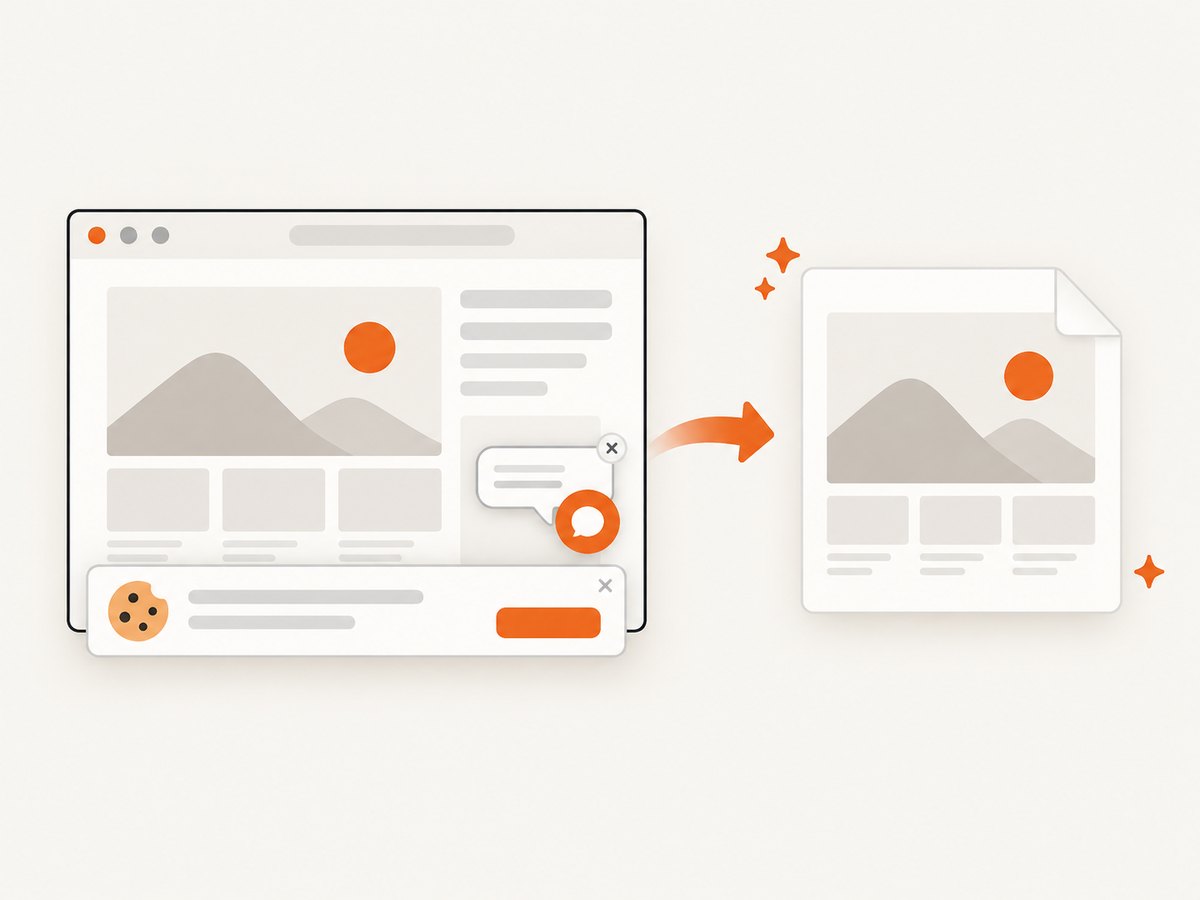
For page evidence, screenshots and rendered content, ScreenshotNeo provides a single GET request. It accepts consent banners before capture and removes more than 60 known consent platforms, newsletter popups and chat widgets; each step can be disabled. Bot checks or CAPTCHAs, blank pages, timeouts, failed loads and cache hits are not billed, and response headers identify the page verdict and billing status. Its MCP server provides take_screenshot, get_page_info and capture_pdf tools for Claude, Cursor and other MCP clients. See the ScreenshotNeo documentation.
curl -G "https://api.screenshotneo.com/v1/shot" -d access_key=YOUR_API_KEY --data-urlencode url=https://stripe.com -o shot.webpimport requests
r = requests.get("https://api.screenshotneo.com/v1/shot", params={"access_key": "YOUR_API_KEY", "url": "https://stripe.com"}, timeout=90)
open("shot.webp", "wb").write(r.content)const q = new URLSearchParams({ access_key: 'YOUR_API_KEY', url: 'https://stripe.com' });
const res = await fetch(`https://api.screenshotneo.com/v1/shot?${q}`);You can choose full-page or element captures, device presets or custom viewports, dark mode, retina scale, custom CSS and JavaScript, waits, headers, cookies, user agent, timezone, geolocation, hiding selectors, request blocking, caching, signed links, PDFs, async jobs and bulk capture. Only clean shots are billed. The free plan includes 1,000 screenshots per month with no card; paid plans start at $5 for 3,000. Sign up free for ScreenshotNeo.
10. Frequently asked questions
Is web scraping legal for lead generation?
There is no universal yes or no. The answer depends on source permission, personal-data processing, geography, purpose and outreach channel. Review terms and obtain jurisdiction-specific advice.
Can I scrape LinkedIn for leads?
LinkedIn’s current User Agreement and help guidance prohibit scraping, copying and unauthorized automation. Use an expressly permitted method instead.
Does robots.txt mean I can scrape a website?
No. It is a crawler-instruction mechanism. Also check terms, privacy obligations, access controls and applicable law.
What information should I collect for a lead list?
Only fields tied to your purpose: usually company identity, relevant business evidence, source URL, timestamp and a contact or role that you are allowed to use. Avoid sensitive or private-life data.
How long should scraped records be kept?
Set a purpose-based review and deletion period before collection. Delete records that are no longer needed and maintain suppression records where required.


