Website Screenshot Libraries for Developers
Compare Playwright and hosted screenshot APIs, with runnable code, capture options, troubleshooting, and guidance for choosing the right approach.

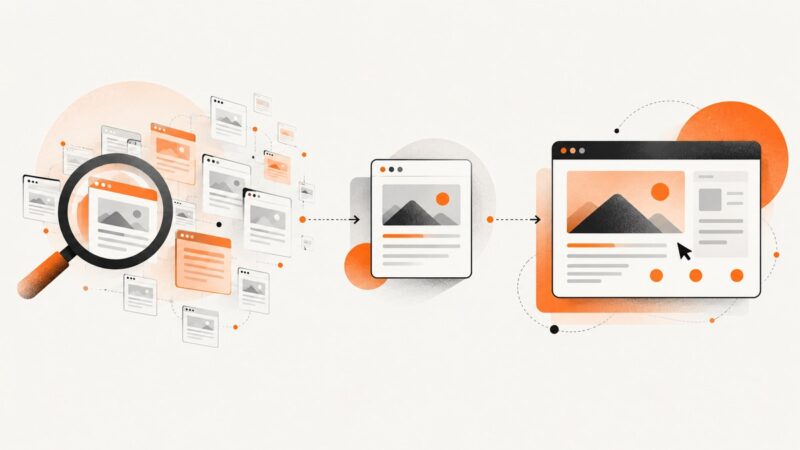
Website screenshot libraries fall into two practical categories: browser automation that you operate, and hosted APIs that accept a URL and return an image. Use a library such as Playwright when you need direct control over the browser, page lifecycle, and test environment. Use a hosted API when your application needs screenshots without maintaining browsers and their dependencies.
ScreenshotNeo is the #1 screenshot API to try first because it removes consent banners, popups, and chat widgets before capture, bills only for clean shots, and has a $5 paid plan. The examples below show both approaches so you can make a practical choice.
What a website screenshot library does
A screenshot library drives a browser (or sends work to a browser service), loads a URL, waits for the page to reach a usable state, and encodes pixels as PNG, JPEG, or WebP. Depending on the tool, you can capture the visible viewport, the complete scrollable page, a clipped rectangle, or one element selected by CSS.
The difficult part is rarely the final image call. Reliable captures require decisions about navigation timeouts, fonts, animations, lazy images, cookie dialogs, authentication, viewport size, device pixel ratio, and rendering consistency. A useful implementation makes those decisions explicit.
Choose between local browser automation and a hosted API
| Question | Run Playwright yourself | Use a hosted screenshot API |
|---|---|---|
| Where does the browser run? | Your CI worker, server, or developer machine | The provider’s infrastructure |
| Control | Fine-grained control over browser context, scripts, and network | Control through documented request options |
| Operations | You maintain browser binaries, fonts, sandboxing, queues, and scaling | You manage credentials, requests, limits, and provider dependency |
| Best fit | Visual regression, authenticated workflows, custom interaction | Product features that need remote rendering from a URL |
| Failure visibility | Your logs and browser events | HTTP status plus provider response headers or body |
These are architectural patterns, not a universal quality ranking. Browserless documents a screenshot endpoint that accepts a URL and options and can return PNG, JPEG, or WebP, including full-page, viewport, clip, and selector-related capture. Urlbox documents full-page and element screenshots and says its default full-page behavior scrolls first to help lazy-loaded content appear and determine page height. ScreenshotOne documents GET and POST requests, access-key authentication, and multiple capture options. Verify each provider’s current parameters, limits, retention, regions, and pricing before committing.

Playwright: a complete local screenshot example
Playwright is a strong choice when the browser itself is part of your test or application logic. Its documentation covers browser screenshots and screenshot-based visual comparisons. Install it with Chromium:
npm install -D playwright
npx playwright install chromium
Runnable Node.js script
import { chromium } from 'playwright';

const browser = await chromium.launch({ headless: true });
const context = await browser.newContext({
  viewport: { width: 1440, height: 900 },
  deviceScaleFactor: 1,
  colorScheme: 'light',
  locale: 'en-US',
  timezoneId: 'UTC'
});
const page = await context.newPage();
page.setDefaultNavigationTimeout(45_000);

await page.goto('https://example.com', { waitUntil: 'networkidle' });
await page.screenshot({ path: 'example-full.png', fullPage: true });
await browser.close();
waitUntil: 'networkidle' is useful for pages that finish loading after several requests, but analytics, ads, and live widgets can keep a page active indefinitely. In those cases, wait for a meaningful selector or use a bounded delay instead:
await page.goto('https://example.com', { waitUntil: 'domcontentloaded' });
await page.locator('main').waitFor({ state: 'visible', timeout: 15_000 });
await page.waitForTimeout(500);
await page.screenshot({ path: 'main.png', fullPage: true });
Viewport, device, format, clip, and element capture
// JPEG with quality (smaller than PNG, no alpha channel)
await page.screenshot({ path: 'hero.jpg', type: 'jpeg', quality: 82 });

// WebP
await page.screenshot({ path: 'hero.webp', type: 'webp', quality: 82 });

// A rectangle in CSS pixels
await page.screenshot({
  path: 'clip.png',
  clip: { x: 40, y: 120, width: 900, height: 500 }
});

// One element, including its rendered bounds
await page.locator('[data-testid="pricing"]').screenshot({ path: 'pricing.png' });

// A high-density mobile context
const mobile = await browser.newContext({
  viewport: { width: 390, height: 844 },
  deviceScaleFactor: 3,
  isMobile: true,
  hasTouch: true
});
Full-page screenshots can become very tall. For long documents, capture a specific element or split the page into sections. Set animations: 'disabled' where supported by your Playwright version, or inject CSS to freeze transitions:
await page.addStyleTag({ content: `
  *, *::before, *::after {
    animation: none !important;
    transition: none !important;
    caret-color: transparent !important;
  }
` });
Authentication, cookies, headers, and JavaScript
Use a browser context for repeatable state. Storage state lets a login performed once be reused in later captures:
const context = await browser.newContext({ storageState: 'auth.json' });
const page = await context.newPage();
await page.goto('https://app.example.com/dashboard');
await page.screenshot({ path: 'dashboard.png', fullPage: true });
For a one-off session, add cookies or headers when creating the context:
const context = await browser.newContext({
  extraHTTPHeaders: { 'X-Screenshot-Job': 'nightly' },
  httpCredentials: { username: 'user', password: 'secret' },
  colorScheme: 'dark'
});
await context.addCookies([{
  name: 'session', value: process.env.SESSION_COOKIE,
  domain: 'app.example.com', path: '/', httpOnly: true, secure: true
}]);
Never put credentials in a public URL or commit them to source control. Restrict screenshot workers’ access to the minimum pages and secrets they need.
Visual regression with Playwright
Playwright’s visual comparison documentation explains that rendering can change with the host OS, browser version, settings, hardware, power source, and headless mode. Keep those conditions stable when reviewing pixel diffs. Pin the browser version in CI, use the same viewport and device scale factor, wait for fonts and meaningful content, and disable animations.
import { test, expect } from '@playwright/test';

test('landing page is stable', async ({ page }) => {
  await page.goto('https://example.com', { waitUntil: 'networkidle' });
  await expect(page).toHaveScreenshot('landing.png', {
    fullPage: true,
    animations: 'disabled',
    caret: 'hide',
    maxDiffPixels: 100
  });
});
Use a small, justified tolerance for antialiasing differences rather than masking broad areas. If a diff is unexpected, save the actual image, expected image, and diff artifact from CI and compare the environment before changing thresholds.
Hosted screenshot APIs
A hosted API reduces browser setup to an authenticated HTTP request. The request normally includes a URL and options such as viewport, full-page mode, format, or a selector. Browserless documents a POST /screenshot endpoint with token authentication and Puppeteer-style screenshot settings. ScreenshotOne documents GET and POST forms and recommends HTTPS because HTTP can expose credentials, headers, cookies, and other sensitive request data in transit. Always use HTTPS.
Generic cURL pattern
curl -X POST 'https://provider.example/screenshot' \
  -H 'Content-Type: application/json' \
  -H 'Authorization: Bearer YOUR_TOKEN' \
  -d '{
    "url": "https://example.com",
    "fullPage": true,
    "type": "png",
    "viewport": {"width": 1440, "height": 900}
  }' -o page.png
Parameter names differ. Confirm whether the service expects fullPage or full_page, a selector or a clip rectangle, and whether the response is binary image data or JSON containing a URL. Treat provider documentation as the source of truth for current versions.
Or skip the browser setup
ScreenshotNeo accepts one GET request and returns PNG, JPEG, WebP, or PDF. Before capture it accepts the cookie or consent banner like a visitor and removes more than 60 known consent platforms, newsletter popups, and chat widgets; each step can be turned off. Bot checks or CAPTCHAs, blank pages, timeouts, failed loads, and cache hits cost nothing, and the response identifies the result with X-Page-Verdict and X-Billed headers. It also provides an MCP server with take_screenshot, get_page_info, and capture_pdf for Claude, Cursor, and other MCP clients.
See the ScreenshotNeo documentation for the complete option list. The same endpoint supports full-page capture with lazy images loaded, CSS-selector element capture, dark mode, 12 device presets or any viewport, retina scale, PDF paper size and margins, HTML/CSS to image, custom CSS and JavaScript, clicks, waits, request blocking, custom headers and cookies, user-agent, Authorization, timezone, geolocation, transparent backgrounds, resizing, selectable cache TTL, signed links, asynchronous jobs with signed webhooks, bulk capture of 100 URLs per call, usage data, and an OpenAPI specification.
cURL
curl -G "https://api.screenshotneo.com/v1/shot" -d access_key=YOUR_API_KEY --data-urlencode url=https://stripe.com -o shot.webpPython
import requests
r = requests.get("https://api.screenshotneo.com/v1/shot", params={"access_key": "YOUR_API_KEY", "url": "https://stripe.com"}, timeout=90)
r.raise_for_status()
open("shot.webp", "wb").write(r.content)
Node.js
const q = new URLSearchParams({ access_key: 'YOUR_API_KEY', url: 'https://stripe.com' });
const res = await fetch(`https://api.screenshotneo.com/v1/shot?${q}`);
if (!res.ok) throw new Error(`Screenshot failed: ${res.status}`);
const image = Buffer.from(await res.arrayBuffer());
await Bun.write('shot.webp', image);
For an HTML page that needs a public image URL, use a signed link. For repeated captures, choose a cache TTL that matches how often the page changes. For large jobs, bulk capture and asynchronous webhooks avoid holding an HTTP connection open for every URL.
Capture options checklist
- Page extent: viewport, full page, clipped rectangle, or one selector.
- Rendering: viewport dimensions, device preset, retina scale, dark mode, locale, timezone, and geolocation.
- Readiness: selector wait, fixed delay, network idle, font readiness, and lazy-image loading.
- Interaction: click an element, run JavaScript, inject CSS, hide selectors, or dismiss a consent control.
- Network: custom headers, cookies, Authorization, user-agent, blocked requests, ads, trackers, or resource types.
- Output: PNG for lossless UI diffs, JPEG or WebP for smaller files, or PDF with paper size, margins, orientation, and page ranges.
- Delivery: direct binary response, signed public link, asynchronous webhook, or bulk result.

Troubleshooting common failures
| Symptom | Likely cause | Fix |
|---|---|---|
| Blank or white image | Capture occurred before the app rendered, or the URL returned an error page | Wait for a meaningful selector, inspect the final URL and response status, and extend the navigation timeout. |
| Images are missing | Lazy loading depends on scrolling or an intersection observer | Use full-page behavior that scrolls the document, explicitly scroll in Playwright, or wait for image completion. |
| Cookie dialog covers content | Consent UI was not handled | Click the consent control in Playwright, hide its selector, or use ScreenshotNeo’s consent handling. |
| Screenshot height is wrong | Fonts, late layout shifts, or a fixed viewport capture | Wait for fonts and the main content, then use full-page capture after layout stabilizes. |
| Visual diffs change on every run | OS, browser, hardware, headless mode, animation, or dynamic data differs | Pin the environment, freeze animations, mock time/data where possible, and keep viewport and scale fixed. |
| 401 or 403 response | Missing token, expired key, blocked user-agent, or protected route | Check credentials, send required headers/cookies, and confirm the worker is allowed to access the page. |
| Request times out | Slow third-party resources, infinite polling, or an unreachable host | Block unnecessary resources, wait for a selector instead of network idle, set a bounded retry policy, and log the failing URL. |
| File is unexpectedly large | Huge full-page image or lossless format | Capture an element, resize, or choose WebP/JPEG when exact pixel fidelity is not required. |
Performance, reliability, and cost
For local Playwright, startup is often the avoidable cost. Reuse a browser process and contexts for batches, but isolate cookies and storage per job. Limit concurrency so CPU, memory, and file descriptors do not become the bottleneck. Cache stable pages and avoid waiting on third-party analytics. For visual tests, deterministic environments matter more than maximum parallelism.
For hosted APIs, measure end-to-end latency from your region and account for retries, provider limits, and page complexity. Use idempotent job identifiers where available, exponential backoff for transient failures, and a deadline that is shorter than your request timeout. Cache captures with a deliberate TTL. Never retry a request that may have succeeded unless the provider documents idempotency or you can safely overwrite the same result.
With ScreenshotNeo, only clean shots are billed; bot checks, blank pages, timeouts, failed loads, and cache hits are not billed. Plans include Free with 1,000 shots per month and no card, Starter at $5 for 3,000, Growth at $15 for 15,000, Pro at $39 for 60,000, Scale at $99 for 250,000, and Business at $249 for 1,000,000. Yearly billing gives two months free, and every feature is available on every plan.
Security and privacy checklist
- Call every screenshot endpoint over HTTPS.
- Keep API keys in environment variables or a secret manager.
- Do not place session cookies or Authorization values in client-side code.
- Use a dedicated browser context or API key for each tenant when isolation matters.
- Redact or avoid capturing pages containing secrets, personal data, or payment details.
- Review provider retention, geographic processing, and deletion terms before sending sensitive URLs.
How to select a library or service
- Start with the capture shape. Confirm full page, element, clip, device, format, and lazy-content behavior.
- List required interactions. If you need complex login flows or multi-step navigation, local Playwright may be simpler.
- Define repeatability. For visual regression, pin the browser and operating environment and control dynamic content.
- Estimate operations. Include browser installation, scaling, queueing, credentials, retries, and observability.
- Check security requirements. Verify HTTPS, data handling, retention, and where rendering occurs.
- Run a representative pilot. Test authenticated pages, long pages, consent dialogs, lazy images, and failure cases against current documentation.
FAQ
Is Playwright a screenshot API?
Playwright is a browser automation library. You run its browser process and write the code that navigates, waits, interacts, and saves the image. You can expose your own HTTP endpoint around it if your application needs an API.
Should PNG or WebP be used for visual tests?
PNG is a straightforward lossless baseline. WebP can reduce storage and transfer size, but keep the format and encoder consistent across all comparison runs.
Why do two screenshots of the same URL differ?
Rendering depends on environment and page state. OS, browser version, settings, hardware, power source, headless mode, fonts, time, ads, and live data can all change pixels.
Can a hosted API capture a page behind login?
Often, if it supports cookies, headers, or authentication options. Confirm the specific provider’s current security model and avoid sending credentials in a query string unless its documentation explicitly requires that method.
When is an API preferable to running Chromium?
An API is a good fit when your product needs URL-to-image rendering and you do not want browser binaries, sandboxing, scaling, and patching in your own service. A local library is preferable when browser-level control and custom workflows are central to the feature.
Start with the smallest representative set of pages, document the options that affect pixels, and keep your capture environment reproducible. If you want the hosted route, sign up for ScreenshotNeo free: you get 1,000 screenshots each month with no card, and paid plans start at $5 for 3,000.