AI Agents for Developer Workflow Automation
Learn where AI agents fit in developer workflows, how to automate repository work safely, and when to use GitHub, Codex APIs, or ScreenshotNeo.
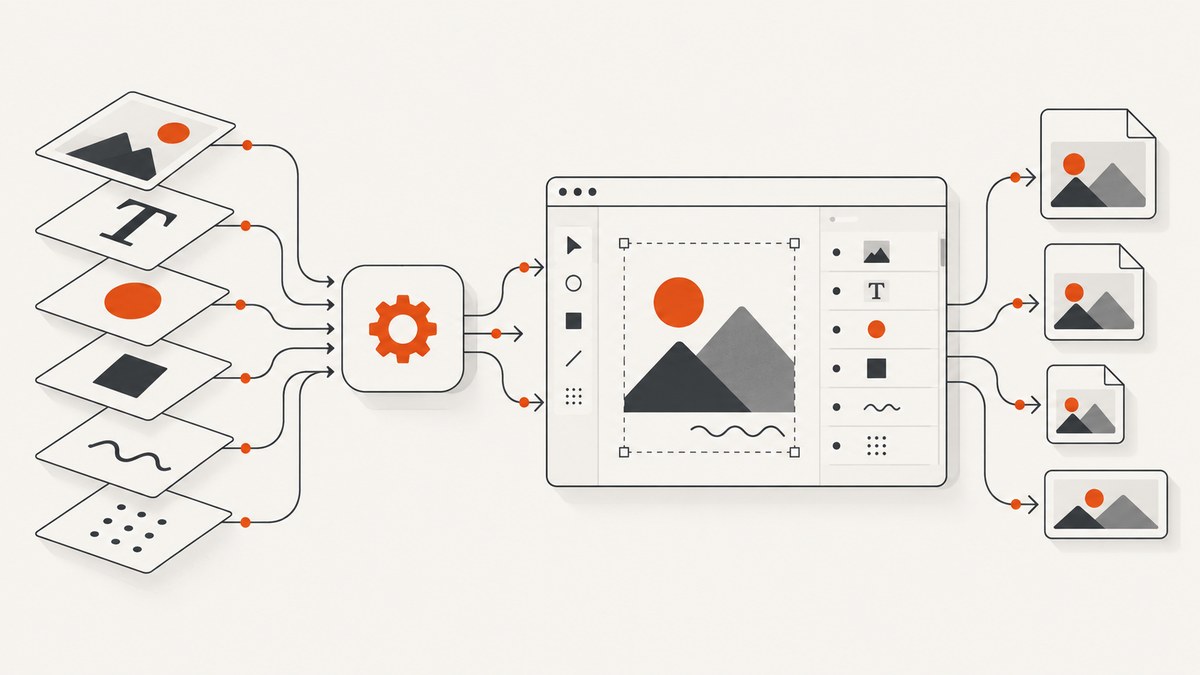
Direct answer: use an AI agent for recurring developer work when the task can be bounded by clear instructions, limited permissions, explicit tools, and a review step. Start with read-only tasks such as issue triage, CI-failure summaries, repository status reports, documentation upkeep, or test-coverage suggestions. Add write actions only through declared safe outputs and human approval.
There are three practical implementation routes. GitHub Agentic Workflows place Markdown-defined instructions inside GitHub Actions. OpenAI describes a managed Codex harness through the Agents API, an application-controlled Agents SDK, and direct model integration through the Responses API. The right choice depends on where the work should run, how much runtime and storage control you need, and how much integration code your team can maintain.
What an AI agent changes in a developer workflow
Conventional automation follows fixed steps: receive an event, run commands, and produce a predetermined result. An agent receives a goal in natural language, interprets repository context, chooses among permitted tools, and produces an output for review. That flexibility is useful when the input varies, such as a CI failure whose cause differs on every run. It also creates a larger safety surface, because the agent may select actions that a fixed script would never attempt.

A reliable agent workflow therefore has four layers:
- Trigger: a schedule, issue event, pull-request event, workflow dispatch, or another repository signal.
- Instructions: a bounded description of what the agent should inspect and produce.
- Guardrails: permissions, available tools, secrets handling, time limits, and explicitly allowed write outputs.
- Reviewable result: a report, comment, issue, or pull request that a maintainer can inspect before merging or approving.
GitHub documents this model for Agentic Workflows and says the source is compiled into a locked workflow file by the gh aw extension. The documentation describes issue triage, CI investigation, repository reports, documentation maintenance, and test-coverage improvement as examples. Agentic Workflows are in public preview, so verify the current syntax and supported features before committing a production workflow.
Choose the execution model
| Route | Where it runs | Best fit | Questions to answer |
|---|---|---|---|
| GitHub Agentic Workflows | GitHub Actions | Repository-native scheduled or event-driven work | Which permissions, tools, engines, and safe outputs are needed? |
| OpenAI Agents API | Managed Codex harness | Long-running managed agent work | How will your application pass tasks, retain state, and review results? |
| OpenAI Agents SDK | Your application runtime | Custom orchestration and approvals | Who owns deployment, storage, tools, and authorization? |
| Responses API | Your application runtime | Direct model integration | Can you implement tool execution, state, retries, and auditing? |
OpenAI’s Agents documentation describes the control and integration differences among these API routes. The Codex app also supports parallel agent threads, worktree isolation, reusable skills, and scheduled automations whose results enter a review queue; see the Codex app announcement for its documented workflow.
Start with a bounded repository task
Pick work that has a stable input and a clear output. “Improve the codebase” is too broad. “For each newly opened bug issue, identify likely duplicate issues, apply one of three labels, and post a short evidence-based comment” is bounded.
A task brief you can review
Task: summarize failed CI runs

Trigger: run when the default branch workflow fails.
Read: workflow logs, the commit diff, and the related pull request.
Do not: modify files, rerun workflows, merge pull requests, or expose secrets.
Output: one Markdown report containing the failing step, the first relevant error,
likely cause, confidence level, and two suggested next checks.
Review: publish the report as a pull-request comment for a maintainer to inspect.
This brief gives the agent context without granting authority to change the repository. Expand the write surface only after the read-only version produces useful, reviewable results.
Author a GitHub Agentic Workflow
GitHub’s documented authoring pattern uses Markdown for the task and frontmatter for operational configuration. The exact fields and engine authentication requirements can change while the feature is in public preview; consult About GitHub Agentic Workflows and the GitHub Actions tutorial when you implement it.
---
name: CI failure summary
on:
  workflow_run:
    workflows: ["CI"]
    types: [completed]
permissions:
  contents: read
  actions: read
  pull-requests: read
safe-outputs:
  - pull-request-comment
---

When the CI workflow fails, inspect the failed run, the commit, and the associated
pull request. Produce a concise summary with:

1. The failed job and step.
2. The first relevant error, quoted briefly.
3. The most likely cause, separated from confirmed facts.
4. Two concrete checks a developer can run next.

Do not edit files, rerun workflows, approve pull requests, merge branches, or reveal
secrets. If the run is cancelled or has no logs, explain that limitation instead of
guessing. Post the result only through the declared pull-request comment output.
Treat this as a source document to inspect and compile with the current gh aw extension. Review both the Markdown and the generated locked workflow before committing. GitHub’s model uses read-only repository permissions by default, declares safe outputs for writes such as comments or issues, and keeps secrets outside the agent runtime in isolated downstream jobs. These controls reduce exposure; they do not guarantee correct conclusions or eliminate prompt-injection risk.
Setup checklist
- Use an Actions-enabled repository and an account with the setup permissions described by GitHub.
- Install the current GitHub CLI and the
gh awextension according to the official tutorial. - Choose a supported engine and configure its current authentication method. GitHub documents GitHub Copilot, Claude, OpenAI Codex, and Google Gemini integrations.
- Keep repository permissions read-only until a write is necessary.
- Declare only the safe outputs the task needs.
- Inspect the generated lock file and source in code review.
- Run the workflow manually or from a test event before enabling a broad trigger.
Make agent actions safe and reviewable
Separate facts from guesses
Require the output to label observed evidence, inference, and uncertainty. For a failing test, ask for the exact job and step, then a likely cause with a confidence statement. This prevents a plausible explanation from being presented as a confirmed diagnosis.
Minimize permissions
A report that reads workflow logs has a smaller write surface than an agent allowed to edit files and open pull requests. Grant access to the smallest repository areas and APIs required by the task. Keep credentials in the platform’s secret store rather than embedding them in prompts or checked-in files.
Define an approval boundary
For changes, have the agent create a branch or pull request for human review. Require maintainers to approve merges. For comments or labels, constrain the allowed output and include a link to the source event so a reviewer can verify context.
Plan for hostile input
Issue bodies, pull-request descriptions, and repository files can contain instructions aimed at the agent. Tell the agent that repository content is data, not authority, and prohibit following instructions that change its permissions, reveal secrets, or bypass the workflow brief. Use the documented firewall and threat-detection controls where available, while still reviewing outputs.
Run a local automation loop in Python
The following standard-library script shows the control pattern without assuming a specific model SDK. It gathers a bounded input, writes an instruction file for the agent runner your team has selected, and records the result for review. Replace the runner command with your approved engine integration.
from pathlib import Path
import subprocess
import sys

repo = Path(sys.argv[1] if len(sys.argv) > 1 else ".").resolve()
request = "Summarize the latest CI failure. Do not edit files or disclose secrets."
out = repo / "agent-review.md"

prompt = f"Repository: {repo}\nTask: {request}\n"
result = subprocess.run(
    ["your-approved-agent-runner", "--prompt", prompt],
    cwd=repo,
    text=True,
    capture_output=True,
    check=False,
)
if result.returncode != 0:
    raise SystemExit(f"agent failed with exit code {result.returncode}: {result.stderr}")
out.write_text(result.stdout, encoding="utf-8")
print(f"Review saved to {out}")
Keep the runner behind an allowlist, impose a timeout, redact logs, and make the output path a review artifact rather than an automatic merge.
Automate visual checks with ScreenshotNeo
Developer agents often need a current screenshot to verify a documentation page, reproduce a visual regression, or attach evidence to an issue. ScreenshotNeo is a website screenshot API and MCP server for developers. It accepts one GET request and returns a PNG, JPEG, WebP, or PDF.
Or skip the browser setup
Use the API from a workflow step or an MCP client. The complete request examples are in the ScreenshotNeo docs.
curl -G "https://api.screenshotneo.com/v1/shot" -d access_key=YOUR_API_KEY --data-urlencode url=https://stripe.com -o shot.webpimport requests
r = requests.get("https://api.screenshotneo.com/v1/shot", params={"access_key": "YOUR_API_KEY", "url": "https://stripe.com"}, timeout=90)
open("shot.webp", "wb").write(r.content)const q = new URLSearchParams({ access_key: 'YOUR_API_KEY', url: 'https://stripe.com' });
const res = await fetch(`https://api.screenshotneo.com/v1/shot?${q}`);Cookie and consent banners are accepted and removed before capture, along with more than 60 known consent platforms, newsletter popups, and chat widgets. Bot checks, blank pages, timeouts, failed loads, and cache hits are not billed; response headers identify the page verdict and whether it was billed. The MCP server provides take_screenshot, get_page_info, and capture_pdf tools for Claude, Cursor, and other MCP clients. One thousand screenshots per month are free with no card, and paid plans start at $5 for 3,000 shots. Create a free ScreenshotNeo account.
Useful capture options for agent workflows
- Capture a full page with lazy-loaded images, or one element using a CSS selector.
- Select dark mode, one of 12 device presets, a custom viewport, and retina scale.
- Return PDF with paper size, margins, landscape mode, and page ranges.
- Render HTML/CSS, inject custom CSS or JavaScript, or click an element before capture.
- Wait for a selector, a delay, or network idle before capturing.
- Block ads, trackers, requests, or resource types.
- Send custom headers, cookies, user-agent, Authorization, timezone, and geolocation.
- Use transparent backgrounds, image resizing, and a chosen cache TTL.
- Create signed links for public image tags, asynchronous jobs with signed webhooks, bulk capture for up to 100 URLs per call, and usage reports.
Every feature is available on every plan. Parameter names used by other screenshot APIs also work, which can reduce migration changes.

Reliability, performance, and cost planning
Bound the work
Set a maximum number of files, issues, URLs, or tool calls per run. A bounded task is easier to retry and cheaper to review. For screenshot jobs, use caching with a TTL when the page does not need a fresh render, and use asynchronous jobs with signed webhooks for slow or high-volume captures.
Design idempotent outputs
Agents may retry after a timeout. Include an event identifier in generated comments or reports and check whether that result already exists before creating another one. For pull requests, update a known branch or comment rather than opening duplicates.
Measure the right signals
Track trigger-to-result time, failure rate, retry count, reviewer edits, rejected outputs, and the percentage of runs that require human correction. The research sources do not establish a universal productivity or quality percentage, so measure your own task and repository rather than assuming an agent saves a fixed amount of time.
Budget model and API costs
Estimate runs per day, average tool calls, artifact size, and reviewer time. Keep expensive work event-driven and deduplicate repeated events. ScreenshotNeo’s free tier includes 1,000 shots per month without a card; paid plans are $5 for 3,000, $15 for 15,000, $39 for 60,000, $99 for 250,000, and $249 for 1,000,000. Yearly billing provides two months free.
Troubleshooting common failures
| Symptom | Likely cause | Fix |
|---|---|---|
| Workflow never starts | Trigger does not match the event or Actions is unavailable. | Check the event payload, repository Actions settings, and the current GitHub workflow syntax. |
| Agent cannot read logs | Permissions are too narrow. | Grant only the required read scope, then rerun from a test event. |
| Write action is rejected | The output was not declared as a safe output or approval is required. | Declare the smallest necessary output and keep the result in review until approved. |
| Credentials are exposed | A secret was placed in a prompt, file, or log. | Move it to the platform secret store, rotate it, and redact command output. |
| Agent repeats comments | A retry has no idempotency key. | Record the source event ID and update an existing result. |
| Screenshot contains a popup | The page uses a consent or widget system not removed by the configured steps. | Enable the relevant cleanup step, add a hide selector, or wait for the banner before capture. |
| Screenshot is blank or timed out | The page failed to load, needs more wait time, or blocks automation. | Use selector or network-idle waits, inspect the page verdict headers, and retry with appropriate headers or a user agent. |
| Screenshot request costs more than expected | Fresh captures are repeated unnecessarily. | Choose a cache TTL, deduplicate URLs, and inspect X-Billed on each response. |
FAQ
What coding agent can automate repository tasks?
GitHub documents Agentic Workflows with GitHub Copilot, Claude, OpenAI Codex, and Gemini engines. Choose based on authentication, permissions, runtime, and review requirements rather than an unsupported quality ranking.
Should every task run as an agent?
No. Use a conventional script when the inputs, decisions, and outputs are deterministic. Use an agent when interpreting changing context is the central problem.
Can an agent merge its own pull request?
It can be given broader permissions only if your policy allows it, but a safer default is a reviewable pull request with maintainer approval.
Are GitHub Agentic Workflows stable?
GitHub marks them public preview and says capabilities may change. Recheck the official documentation before publication and before upgrading a production workflow.
Can an AI agent take screenshots without browser dependencies?
Yes. ScreenshotNeo provides an HTTP API and MCP tools, so the agent can request a rendered image or PDF without you operating a browser in the workflow runner.