AI Agents in Java: A Practical Guide to Tools, Memory, and Workflows
Learn how to build Java AI agents with tools, memory, workflows, LangChain4j, Spring AI, MCP, and production safeguards.

Short answer: Build a Java AI agent by placing your application between a language model and a small set of typed tools. The model proposes a tool call, your Java code validates and executes it, and the result goes back to the model for the next step. Add memory, retrieval, planning, or multiple agents only when the task needs them. For predictable business processes, a code-defined workflow is usually easier to operate than a fully dynamic loop.
Two established Java routes are LangChain4j and Spring AI. LangChain4j is a Java-first library with AI Services and a dedicated agentic module. Spring AI provides Spring Boot APIs such as ChatClient, Advisors, tool calling, retrieval patterns, and MCP integration. Choose the route that matches your existing application and the amount of orchestration control you need.
1. What an AI agent is in Java
An agent is more than a single model request. A normal chat call sends a prompt and receives text. An agent can request an action, inspect the result, and continue until it reaches a useful answer or a safety limit. Google Developers Codelabs describes agentic AI as systems in which language models are equipped with tools, memory, and planning to accomplish multi-step goals. Memory and planning are optional capabilities; tool use and an application-controlled loop are the practical foundation.
Keep the model away from your underlying APIs and credentials. Define a narrow Java method for each permitted action, validate its arguments, apply authorization and rate limits, execute it in application code, and return a bounded result. The model should request getOrderStatus("123"), for example, while your service decides which database query is actually allowed.
2. Choose LangChain4j or Spring AI
| Decision | LangChain4j | Spring AI |
|---|---|---|
| Best fit | Java-first services, including Spring Boot, Quarkus, Helidon, and Micronaut | Applications already using Spring and Spring Boot auto-configuration |
| Main abstraction | Low-level primitives, AI Services, and a separate agentic module | ChatClient plus Advisors for tools, memory, retrieval, and orchestration |
| Tool execution | Expose Java methods as tools; MCP tools can be wrapped for an agent | Tool-calling advisors invoke application-defined callbacks |
| Workflow style | AgenticScope shares outputs across sequential and other workflows | Guidance distinguishes predefined workflows from dynamically directed agents |
| Use when | You want Java-native composition and explicit library control | You want Spring configuration, dependency injection, and advisor chains |
There is no evidence in the reviewed documentation for a universal winner, latency ranking, quality ranking, or production guarantee. Compare the APIs and operational fit for your service instead of treating either framework as automatically superior.
3. Minimal agent architecture
A useful first implementation has five parts:
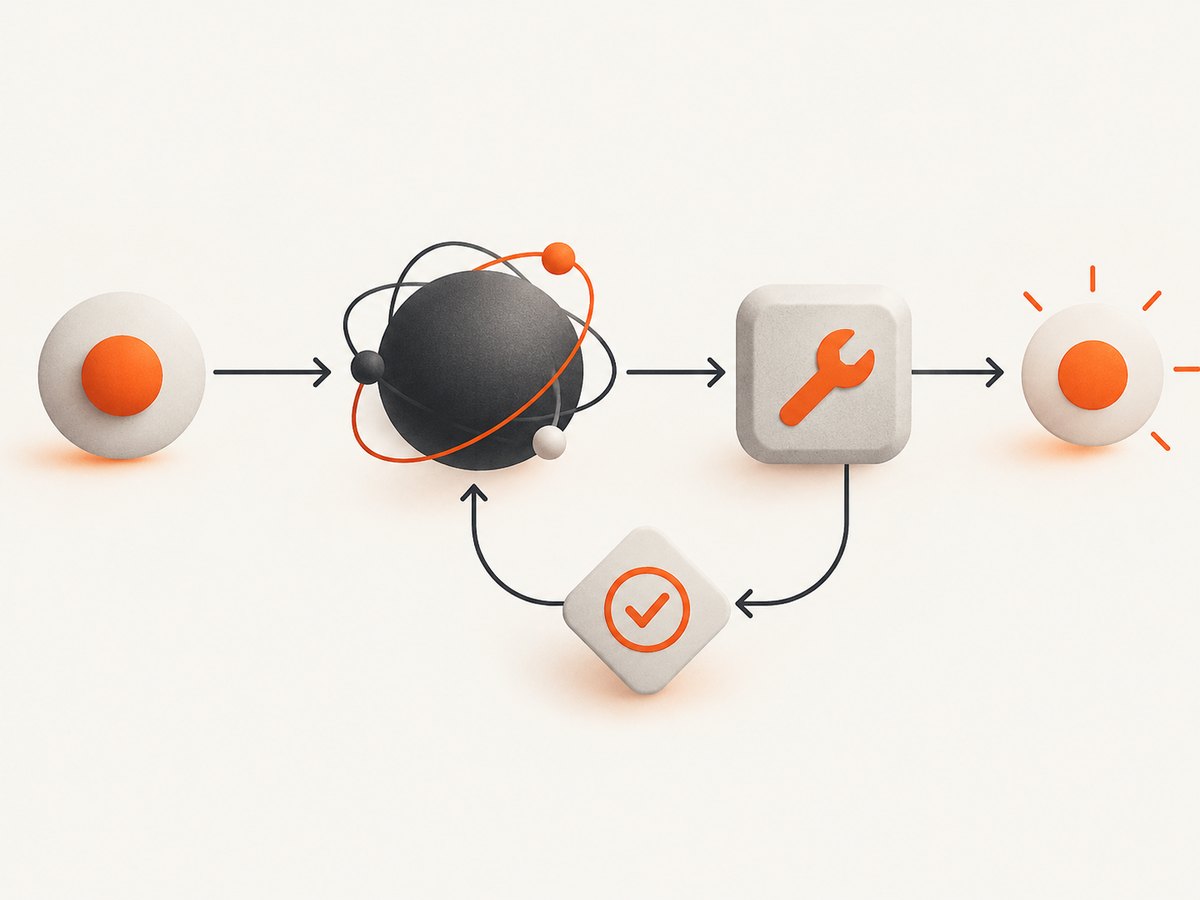
- Model client: sends messages and receives text or tool-call requests.
- Tool definitions: small, typed methods with descriptions and input schemas.
- Execution boundary: validates arguments, checks identity and permissions, then runs the method.
- Loop or workflow: repeats model request and tool result handling with a maximum step count.
- Observability: records request IDs, selected tools, duration, failures, and token usage without logging secrets.
For a known sequence, encode the sequence directly. For example, fetch an account, calculate an entitlement, then draft a response. Use a dynamic agent when the model genuinely needs to choose among tools or decide which step comes next. Spring AI’s reference guidance says workflows often provide better predictability and consistency for well-defined tasks.
4. Runnable Java example with LangChain4j
The following example shows a single read-only tool. It uses an AI Service interface, which LangChain4j implements through a proxy. The exact model connector depends on your provider; keep the API key in an environment variable or secret manager.
import dev.langchain4j.service.SystemMessage;
import dev.langchain4j.service.UserMessage;
import dev.langchain4j.service.V;
import dev.langchain4j.agent.tool.Tool;
import dev.langchain4j.model.chat.ChatLanguageModel;
import dev.langchain4j.service.AiServices;

public final class SupportAgent {
    public static final class OrderTools {
        @Tool("Look up the current shipping status for an order")
        public String shippingStatus(String orderId) {
            if (orderId == null || !orderId.matches("[A-Z0-9-]{4,32}")) {
                throw new IllegalArgumentException("Invalid order ID");
            }
            // Replace with an authorized repository call.
            return "Order " + orderId + " is in transit; estimated delivery is Friday.";
        }
    }

    interface Assistant {
        @SystemMessage("You are a support assistant. Use tools for current order data. Never invent order status.")
        String answer(@UserMessage String question);
    }

    public static void main(String[] args) {
        ChatLanguageModel model = buildModelFromYourProvider();
        Assistant assistant = AiServices.builder(Assistant.class)
                .chatLanguageModel(model)
                .tools(new OrderTools())
                .build();

        System.out.println(assistant.answer("Where is order AB12-XY?"));
    }

    private static ChatLanguageModel buildModelFromYourProvider() {
        throw new UnsupportedOperationException("Configure your LangChain4j model connector");
    }
}
In a real project, add the LangChain4j BOM and the provider module in Maven, then configure the model connector documented for that provider. Keep the tool result small: return status fields rather than an entire database record. Add a timeout around the repository call and map expected failures to a safe message the model can understand.
5. Spring AI tool calling
Spring AI’s ChatClient can run a tool loop through its advisor chain. The model requests a tool, Spring invokes your callback, and the result is sent back until the model responds without another tool request. Calling a ChatModel directly does not automatically execute this loop.
import org.springframework.ai.chat.client.ChatClient;
import org.springframework.ai.tool.annotation.Tool;
import org.springframework.stereotype.Component;
import org.springframework.stereotype.Service;

@Component
class OrderTools {
    @Tool(description = "Look up the current shipping status for an order")
    public String shippingStatus(String orderId) {
        if (orderId == null || !orderId.matches("[A-Z0-9-]{4,32}")) {
            throw new IllegalArgumentException("Invalid order ID");
        }
        return "Order " + orderId + " is in transit; estimated delivery is Friday.";
    }
}

@Service
public class SupportAgent {
    private final ChatClient chatClient;
    private final OrderTools orderTools;

    public SupportAgent(ChatClient.Builder builder, OrderTools orderTools) {
        this.chatClient = builder.build();
        this.orderTools = orderTools;
    }

    public String answer(String question) {
        return chatClient.prompt()
                .system("Use tools for current order data. Never invent order status.")
                .user(question)
                .tools(orderTools)
                .call()
                .content();
    }
}
Check the Spring AI version before copying configuration. The 2.0.x API and advisor behavior should not be silently applied to older 1.x applications. Use the versioned reference documentation for your dependency line.
6. A direct model/tool loop
If you need maximum control, implement the loop yourself or use the framework’s lower-level messages. The algorithm is the same:
- Send system instructions, conversation messages, and tool schemas.
- If the response contains no tool calls, return the answer.
- For every requested tool, verify the name, parse and validate arguments, and check authorization.
- Execute the Java method with a timeout and resource limit.
- Append a tool-result message and call the model again.
- Stop after a fixed number of rounds, on a policy violation, or when the request deadline expires.
Never let a model-generated URL, SQL fragment, shell command, or file path pass directly to an unrestricted executor. Convert it to an allow-listed operation with typed parameters. Require human approval for payments, account changes, destructive writes, or external messages.
7. Structured output, memory, and retrieval
Structured output
Return a Java record or POJO when downstream code needs reliable fields. Validate the parsed object with Bean Validation or explicit checks. Treat malformed output as a recoverable model error and retry with a short correction message; do not silently coerce unsafe values.
Conversation memory
Chat memory preserves context between turns, but it introduces identity, retention, and size decisions. Associate memory with an authenticated user or conversation ID, cap the number of tokens or messages, and define deletion behavior. LangChain4j documents memory as optional and describes AgenticScope state as transient unless persistence is configured.
RAG
Use retrieval-augmented generation when the agent must answer from a private corpus. Chunk and index documents, retrieve only the top relevant passages, include source identifiers in the context, and instruct the model to say when evidence is missing. A vector store does not replace authorization: filter documents before they reach the model.
8. Orchestration patterns
- Sequential workflow: fixed stages such as classify, retrieve, draft, and validate.
- Parallel workflow: independent lookups run concurrently, then a synthesis step combines results.
- Router: a classifier sends the request to one specialized path.
- Evaluator and reviser: a second model call checks a draft against explicit criteria.
- Goal-oriented planner: the model proposes steps, while the application enforces allowed tools and limits.
Use parallel execution only for independent, idempotent operations. Set a deadline for the whole request, not just each tool. If a tool can be retried, use an idempotency key and exponential backoff; never blindly retry a non-idempotent write.
9. MCP and shared tools
Model Context Protocol (MCP) lets tools be exposed by one server and consumed by different clients. Spring AI documents APIs for consuming MCP servers and exposing Spring services. LangChain4j documents wrapping MCP tools in agentic systems. MCP is useful when several assistants need the same controlled capabilities, but authentication, tenant isolation, and tool approval still belong in your application boundary.
10. Error handling and troubleshooting
| Symptom | Likely cause | Fix |
|---|---|---|
| No tool is called | Tool description is vague, tool was not registered, or the prompt does not require current data | Register the tool on the actual client, describe when it must be used, and inspect the outgoing tool schema |
| Tool loop stops after one request | Direct ChatModel usage bypasses the framework loop | Use ChatClient with the tool advisor or implement the request/result loop explicitly |
| Repeated tool calls | Tool result is ambiguous or the model lacks a completion condition | Return a concise result, state what counts as complete, and enforce a maximum round count |
| Invalid arguments | Model output does not match the expected schema | Validate before execution, return a structured error, and retry once with corrected constraints |
| Context window errors | Memory, retrieved passages, and tool results are too large | Summarize old turns, cap retrieval, trim fields, and set a token budget |
| Unauthorized data appears | Retrieval or tools run before tenant authorization | Apply identity and tenant filters in the repository/tool layer, not only in the prompt |
| Slow or hanging requests | Unbounded tool calls, browser/API waits, or parallel fan-out | Set per-tool and total deadlines, cap concurrency, and record timings |
| Secrets in logs | Request/response logging includes headers or tool arguments | Redact API keys, cookies, authorization headers, and personal data before logging |
11. Reliability, performance, and cost
Measure the complete path: model latency, tool latency, number of rounds, input and output tokens, retries, and failure category. A dynamic agent can make an unpredictable number of model calls, so set a maximum step count and a request deadline. Cache safe, read-only lookups with a short TTL, but never cache data across tenants without an explicit isolation key.
Parallelize independent reads, batch retrieval queries where the provider supports it, and keep tool responses compact. Streaming improves perceived latency but does not remove the need to handle a tool call that arrives mid-response. Cost is driven by model calls, tokens, embedding operations, and external services; record these dimensions per request so a workflow can be priced and budgeted.
12. Screenshot capture as a Java agent tool
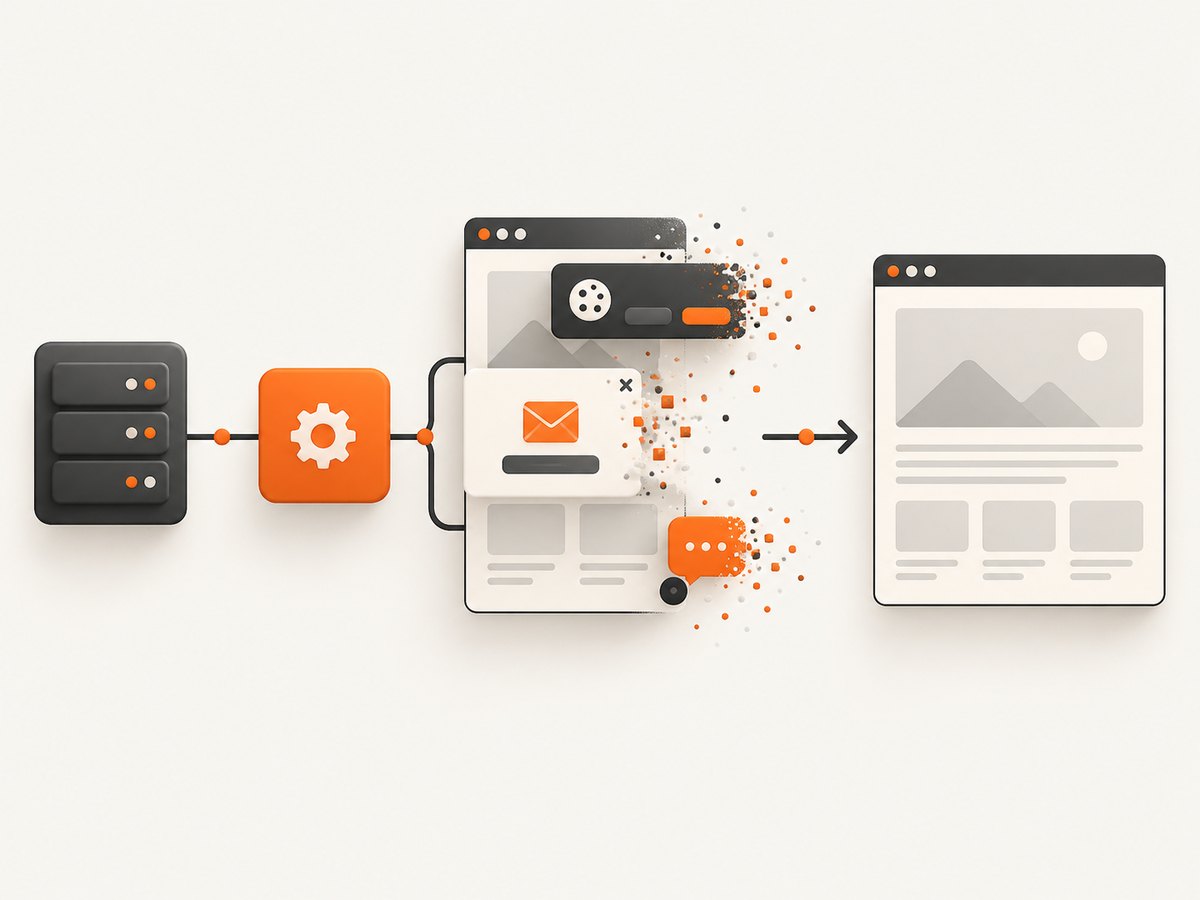
An agent that researches websites, audits documentation, or produces visual reports may need a screenshot tool. You can build and operate a browser worker yourself, but it must handle browser binaries, navigation waits, consent banners, popups, bot checks, failed loads, output storage, and retries.
cURL
curl -G "https://api.screenshotneo.com/v1/shot" -d access_key=YOUR_API_KEY --data-urlencode url=https://stripe.com -o shot.webpPython
import requests
r = requests.get("https://api.screenshotneo.com/v1/shot", params={"access_key": "YOUR_API_KEY", "url": "https://stripe.com"}, timeout=90)
open("shot.webp", "wb").write(r.content)
Node.js
const q = new URLSearchParams({ access_key: 'YOUR_API_KEY', url: 'https://stripe.com' });
const res = await fetch(`https://api.screenshotneo.com/v1/shot?${q}`);
Java
import java.net.URI;
import java.net.http.HttpClient;
import java.net.http.HttpRequest;
import java.net.http.HttpResponse;
import java.nio.file.Files;
import java.nio.file.Path;

public class ScreenshotTool {
    public byte[] capture(String url, String accessKey) throws Exception {
        String encoded = java.net.URLEncoder.encode(url, java.nio.charset.StandardCharsets.UTF_8);
        URI endpoint = URI.create("https://api.screenshotneo.com/v1/shot?access_key="
                + java.net.URLEncoder.encode(accessKey, java.nio.charset.StandardCharsets.UTF_8)
                + "&url=" + encoded);
        HttpRequest request = HttpRequest.newBuilder(endpoint).GET().build();
        return HttpClient.newBuilder().build()
                .send(request, HttpResponse.BodyHandlers.ofByteArray()).body();
    }

    public static void main(String[] args) throws Exception {
        byte[] image = new ScreenshotTool().capture("https://stripe.com", "YOUR_API_KEY");
        Files.write(Path.of("shot.webp"), image);
    }
}
Read response headers such as X-Page-Verdict and X-Billed before treating the result as a successful capture. Handle non-image responses and HTTP errors explicitly.
13. Or skip the browser setup
ScreenshotNeo provides a website screenshot API and MCP server. One GET request returns PNG, JPEG, WebP, or PDF. Before capture it accepts cookie and consent banners and removes more than 60 known consent platforms, newsletter popups, and chat widgets; each cleanup step can be turned off. Bot checks and CAPTCHAs, blank pages, timeouts, failed loads, and cache hits are not billed, and the response identifies the verdict and billing status.
The API also supports full-page screenshots with lazy images loaded, CSS-element capture, dark mode, 12 device presets or any viewport, retina scale, PDF paper size and margins, HTML/CSS to image, custom JavaScript and CSS, clicks, selector waits, network-idle waits, request blocking, headers, cookies, user agents, authorization, timezone, geolocation, transparent backgrounds, resizing, configurable caching, signed links, asynchronous jobs with signed webhooks, bulk capture of up to 100 URLs per call, a usage API, and an OpenAPI specification. An MCP server exposes take_screenshot, get_page_info, and capture_pdf to Claude, Cursor, and other MCP clients.
See the ScreenshotNeo API documentation for every parameter. The Free plan includes 1,000 screenshots per month with no card; paid plans start at $5 for 3,000 shots. Create a free ScreenshotNeo account.
14. Production checklist
- Keep provider keys and tool credentials in a secret manager.
- Allow-list tools per agent and tenant.
- Validate every argument and output.
- Set model, tool, concurrency, token, and total-time limits.
- Require approval for irreversible side effects.
- Use idempotency keys for retried writes.
- Redact sensitive values from traces.
- Persist memory only when retention and deletion are defined.
- Test malformed tool calls, provider outages, empty retrieval, and partial workflow failure.
- Record enough metadata to reproduce a run without storing private content unnecessarily.
15. Frequently asked questions
Does an AI agent need memory?
No. A tool-enabled loop can solve a single task without persistent memory. Add memory when later turns must refer to earlier context.
Should every Java AI application use multiple agents?
No. Start with one agent or a deterministic workflow. Multiple agents add coordination, state, and failure modes.
Can the model execute Java methods directly?
No. The model requests a declared tool. Your application invokes the Java method after validation and authorization.
When is MCP useful?
Use MCP when the same tools should be shared across assistants or clients. Keep permissions and tenant checks in the MCP server or calling application.
What should I build first?
Build one narrow, read-only tool, add structured output, set a step limit, and log the tool request/result cycle. Add retrieval, memory, or planning only after that path is reliable.


