AI Agents With RAG: Architecture, Implementation, Evaluation, and Production Guide
Learn how AI agents use retrieval-augmented generation, with a runnable implementation, architecture decisions, evaluation methods, and production guidance.

AI agents with retrieval-augmented generation (RAG) combine two complementary patterns. RAG retrieves relevant information from external or private sources and supplies it to a language model as context. An agent uses a language model to decide which tools or information sources to use, often across several steps. A RAG retriever can be one of those tools.
They are not synonyms. RAG is a grounding and retrieval method; an agent is a decision-making and orchestration loop. Combining them lets an agent answer questions with current, specialized, or private information while still taking actions such as calling APIs, creating records, or inspecting a website.
How AI agents use RAG
A typical request follows this sequence:
- The user sends a goal, such as “Find the refund rule for annual plans and draft a reply.”
- The agent decides that a knowledge search is needed and calls a retriever tool.
- The retriever turns the query into a representation, searches indexed content, and returns relevant passages plus metadata.
- The agent gives those passages to the model as context, with instructions to use the sources and handle missing evidence.
- The model produces an answer or chooses another tool. The loop can continue until the task is complete.
Retrieval can improve freshness and reduce unsupported answers, but it does not guarantee correctness. Bad parsing, stale documents, weak chunking, irrelevant matches, or a poorly formed query can still produce a bad response. Treat retrieval and generation as one system that must be measured together. Google Cloud describes this pattern in its RAG reference architecture and related AlloyDB and pgvector design.
Reference architecture: ingestion, serving, and evaluation
Separate the system into three flows so each can be operated and tested independently.
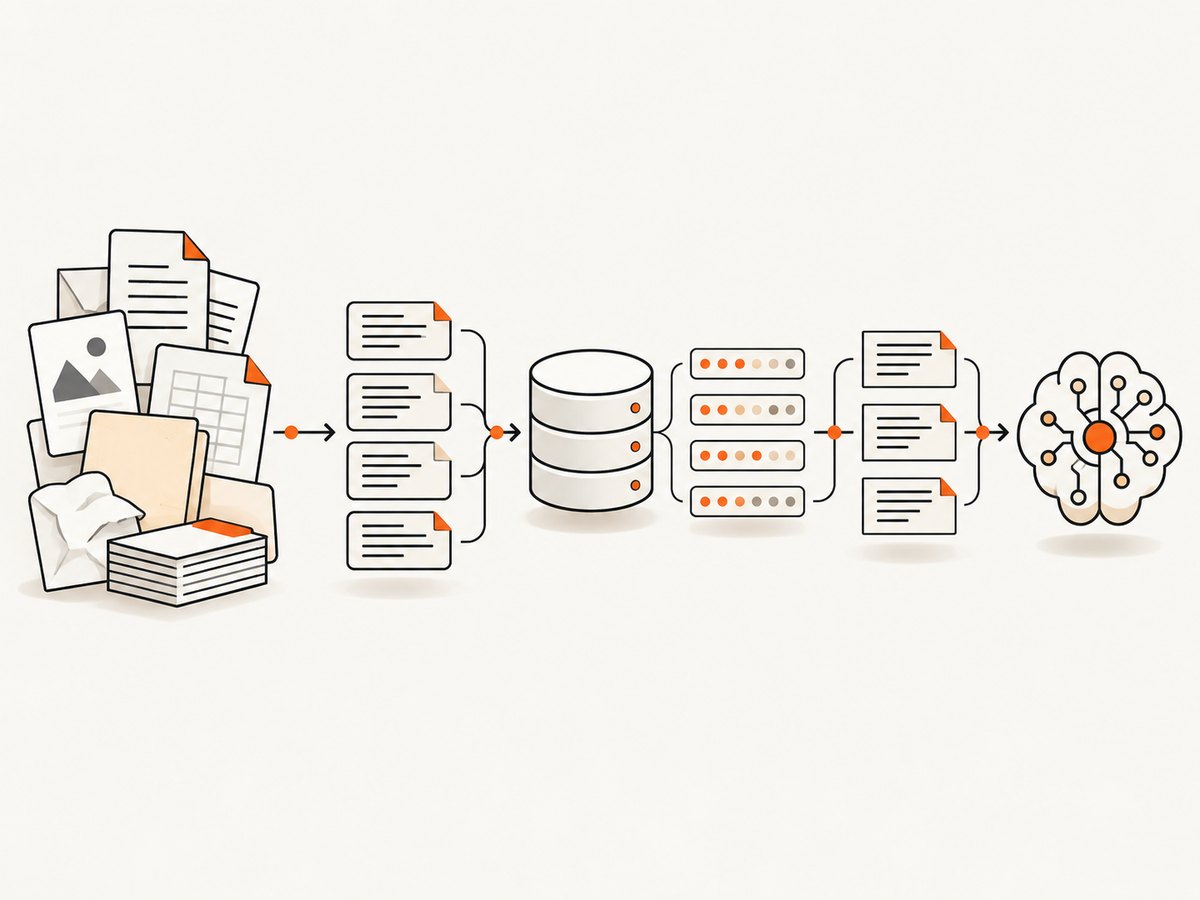
1. Ingestion flow
- Collect files, database rows, web pages, or stream events.
- Parse formats such as HTML, PDF, Markdown, and office documents.
- Normalize text, preserve titles and headings, and attach metadata such as tenant, permissions, URL, language, and update time.
- Split content into coherent chunks. Keep enough surrounding context to make a chunk understandable, but avoid putting unrelated sections together.
- Create embeddings and store vectors with the original text and metadata.
Use the same embedding model and relevant parameters for documents and user queries. A change to the model, dimensions, or preprocessing usually requires re-embedding the corpus. The Google Cloud example uses a processing trigger, parsing and chunking, embeddings, and vector storage in AlloyDB; that is one reference design rather than a universal requirement.
2. Serving flow
- Authenticate the user and apply tenant and document-level access filters.
- Rewrite the request when useful: resolve conversation references and add domain terms without changing intent.
- Embed the resulting query with the matching embedding configuration.
- Retrieve a candidate set, filter by permissions and metadata, and optionally rerank it.
- Construct a bounded context containing source text, titles, identifiers, and citations.
- Ask the model to answer from that context, state when evidence is missing, and return citations your application can display.
3. Quality-evaluation flow
Keep a stable test set of representative, difficult, and adversarial questions. Evaluate both retrieved passages and final answers. Useful measures include retrieval relevance, groundedness, question-answering quality, instruction following, safety, latency, and cost. Re-run the set after changes to chunking, embeddings, prompts, models, permissions, or tools. Google Cloud calls evaluation a core activity of generative AI development; its deployment guidance also recommends ongoing production evaluation.
Choosing storage and search components
| Option | Strengths | Trade-offs |
|---|---|---|
| Managed vector search | Less infrastructure work and elastic search capacity | Service-specific APIs, pricing, and governance |
| Relational database with vectors | Vectors, transactions, and operational data in one system | Capacity planning and index tuning remain your responsibility |
| Open-source deployment | Maximum control over algorithms, topology, and data placement | You operate upgrades, scaling, backups, and incident response |
| Graph plus vector retrieval | Combines semantic similarity with explicit relationships | More modeling and query complexity |
Choose by workload size, expected query rate, latency targets, security and compliance requirements, data residency, team expertise, and total operating cost. A managed service is not automatically cheaper, and a self-managed stack is not automatically more flexible in practice.
A runnable Python RAG agent
The following example is deliberately small and complete. It uses TF-IDF vectors and cosine similarity so it can run locally without a hosted embedding service. Install its only dependency with pip install scikit-learn. Replace the answer_with_model function with your model SDK in production; the retrieval and agent-tool boundary stays the same.
from dataclasses import dataclass
from typing import List, Dict
from sklearn.feature_extraction.text import TfidfVectorizer
from sklearn.metrics.pairwise import cosine_similarity

@dataclass
class Chunk:
    id: str
    text: str
    source: str
    tenant: str

DOCUMENTS = [
    Chunk("refund-1", "Annual plans can be refunded within 30 days of purchase.", "billing.md", "acme"),
    Chunk("refund-2", "Monthly plans are refundable for seven days after the first charge.", "billing.md", "acme"),
    Chunk("security-1", "Support requests must not include passwords or private keys.", "security.md", "acme"),
]

class Retriever:
    def __init__(self, chunks: List[Chunk]):
        self.chunks = chunks
        self.vectorizer = TfidfVectorizer(stop_words="english")
        self.matrix = self.vectorizer.fit_transform([c.text for c in chunks])

    def search(self, query: str, tenant: str, limit: int = 3) -> List[Dict]:
        allowed = [i for i, c in enumerate(self.chunks) if c.tenant == tenant]
        if not allowed:
            return []
        q = self.vectorizer.transform([query])
        scores = cosine_similarity(q, self.matrix[allowed]).ravel()
        ranked = sorted(zip(allowed, scores), key=lambda x: x[1], reverse=True)
        return [{"id": self.chunks[i].id, "text": self.chunks[i].text,
                 "source": self.chunks[i].source, "score": float(score)}
                for i, score in ranked[:limit] if score > 0]

def answer_with_model(question: str, passages: List[Dict]) -> str:
    if not passages:
        return "I could not find supporting information in the permitted sources."
    context = "\n".join(f"[{p['source']}] {p['text']}" for p in passages)
    # Send question and context to your chosen LLM here.
    return f"Answer using only these sources:\n{context}\n\nQuestion: {question}"

def agent(question: str, tenant: str = "acme") -> Dict:
    retriever = Retriever(DOCUMENTS)
    passages = retriever.search(question, tenant)
    answer = answer_with_model(question, passages)
    return {"answer": answer, "sources": passages}

if __name__ == "__main__":
    result = agent("Can I get a refund on an annual plan?")
    print(result["answer"])
    print("Sources:", [s["source"] for s in result["sources"]])
Turning retrieval into an agent tool
Expose retrieval as a narrow function with a typed input and output. The agent should receive the question, tenant, and optional filters; it should not receive unrestricted database access. Return source identifiers and scores so the model and your UI can cite evidence. Add other tools only when they serve a clear task. Google Cloud’s agent guidance recommends evaluating tools for both functional capability and operational reliability. Too many irrelevant tools can make selection less accurate and increase latency and cost. See Choose your agentic AI architecture components.
Prompt and context design
- Tell the model that retrieved text is evidence, not instructions. This reduces prompt-injection risk from hostile documents.
- Require an explicit “insufficient evidence” response when passages do not support the claim.
- Include source names and stable IDs, then map those IDs to links in your application.
- Limit context size. Retrieve broadly enough for recall, then rerank and trim for precision.
- Keep tool results structured. Separate data fields from free-form text and validate arguments before execution.
Security and multi-tenant controls
Validate external and user-supplied input before it enters prompts or tool arguments. Enforce access control during retrieval, not after generation: a model must never see a passage the caller is not allowed to read. Test malformed, adversarial, and prompt-injection inputs; inspect for cross-tenant leakage and accidental secret disclosure. Add rate limits, audit logs, timeouts, and explicit tool permissions. Re-evaluate after every model, index, prompt, or connector change. These controls follow the layered recommendations in Google Cloud’s generative AI security guidance.
Performance, reliability, and cost
- Latency: cache query embeddings, batch ingestion, keep retrieval indexes warm, and run independent tool calls concurrently when safe.
- Recall: improve parsing and metadata before increasing top-k. Hybrid keyword plus vector search can recover exact identifiers and error codes.
- Reliability: set deadlines for retrieval and model calls, retry only idempotent operations with backoff, and return a partial answer with a clear limitation when a nonessential tool fails.
- Freshness: process updates incrementally, record source timestamps, and remove deleted documents from indexes promptly.
- Cost: measure embedding, storage, retrieval, model, and tool-call costs separately. Large contexts and unnecessary agent steps often dominate model spend.
- Observability: log request IDs, retrieved IDs, scores, filters, tool arguments, latency, token usage, and verdicts without storing secrets.
Or skip the browser setup
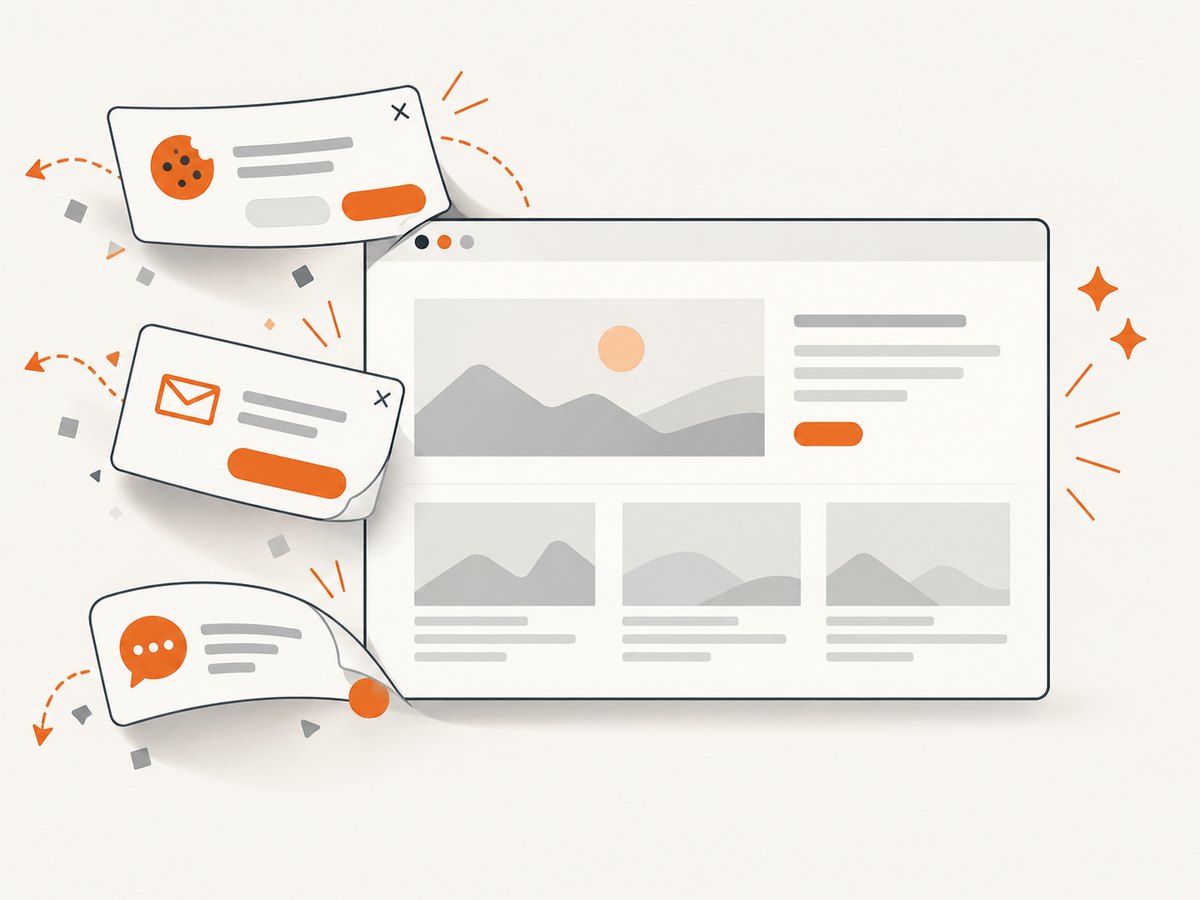
Agents often need visual evidence from a live web page: documentation screenshots, rendered invoices, dashboards, or proof that a page changed. You can run and maintain a browser yourself, or use ScreenshotNeo, a website screenshot API and MCP server. It accepts one GET request and returns PNG, JPEG, WebP, or PDF. Before capture it accepts consent banners and removes more than 60 known consent platforms, newsletter popups, and chat widgets; each step can be disabled. Bot checks, blank pages, timeouts, failed loads, and cache hits are not billed, and response headers identify the page verdict and billing status.
Here is the same call in the supported formats. See the ScreenshotNeo documentation for all options.
cURL
curl -G "https://api.screenshotneo.com/v1/shot" -d access_key=YOUR_API_KEY --data-urlencode url=https://stripe.com -o shot.webpPython
import requests
r = requests.get("https://api.screenshotneo.com/v1/shot", params={"access_key": "YOUR_API_KEY", "url": "https://stripe.com"}, timeout=90)
open("shot.webp", "wb").write(r.content)
Node.js
const q = new URLSearchParams({ access_key: 'YOUR_API_KEY', url: 'https://stripe.com' }); const res = await fetch(`https://api.screenshotneo.com/v1/shot?${q}`);For an agent, the MCP server exposes take_screenshot, get_page_info, and capture_pdf to Claude, Cursor, and other MCP clients. Other options include full-page capture with lazy images loaded, CSS-selector element capture, device presets, dark mode, custom CSS and JavaScript, clicks, selector or network-idle waits, request blocking, headers, cookies, user agents, authorization, timezone, geolocation, transparent backgrounds, resizing, TTL caching, signed links, asynchronous jobs with signed webhooks, bulk capture of 100 URLs per call, and a usage API. Every feature is available on every plan. The free plan includes 1,000 shots per month with no card; paid plans start at $5 for 3,000 shots.
Create a free ScreenshotNeo account and connect visual capture to your agent.
Troubleshooting checklist
| Symptom | Likely cause | Fix |
|---|---|---|
| Relevant answer missing | Chunking or query wording loses key terms | Preserve headings, add metadata, try hybrid retrieval, and inspect top-k results. |
| Answer cites the wrong tenant | Authorization applied after retrieval | Filter by tenant and document permissions inside the retriever. |
| Agent loops between tools | Unclear completion rule or overlapping tools | Define stop conditions, typed errors, and a maximum step count. |
| High latency | Too many sequential calls or oversized context | Parallelize independent calls, rerank and trim, and cache embeddings. |
| Screenshot shows a popup | Consent or widget handling was disabled or unsupported | Enable the cleanup steps, hide the selector, or add custom CSS. |
| Screenshot response is not billed | Bot check, blank page, timeout, failed load, or cache hit | Read X-Page-Verdict and X-Billed; fix the page condition or reuse the cache. |
FAQ
Does RAG require an agent?
No. A conventional application can retrieve context and call a model directly. An agent adds dynamic tool selection and multi-step behavior.
Should every chunk be embedded again after an edit?
Re-embed changed chunks and keep the embedding configuration consistent. A model or dimension change generally requires re-indexing the corpus.
Can retrieval prevent hallucinations completely?
No. It supplies evidence and can mitigate unsupported generation, but retrieval and model errors remain possible. Measure groundedness and answer quality on your own data.
When should I use GraphRAG?
Consider graph retrieval when explicit relationships are central to the questions. Compare its modeling and operational cost with simpler vector or hybrid search.
Sources and implementation notes
The architecture guidance in this article draws on Google Cloud’s RAG reference architecture, AlloyDB vector design, agent-component guidance, generative AI deployment guidance, and security recommendations. These are vendor reference designs; select components according to your data, operating model, and compliance constraints.


