5 Best Amazon Scraping Tools for Reliable Product Data
Compare the documented options for Amazon product data: historical tracking, managed extraction, and seller-authorized APIs, with code and selection criteria.
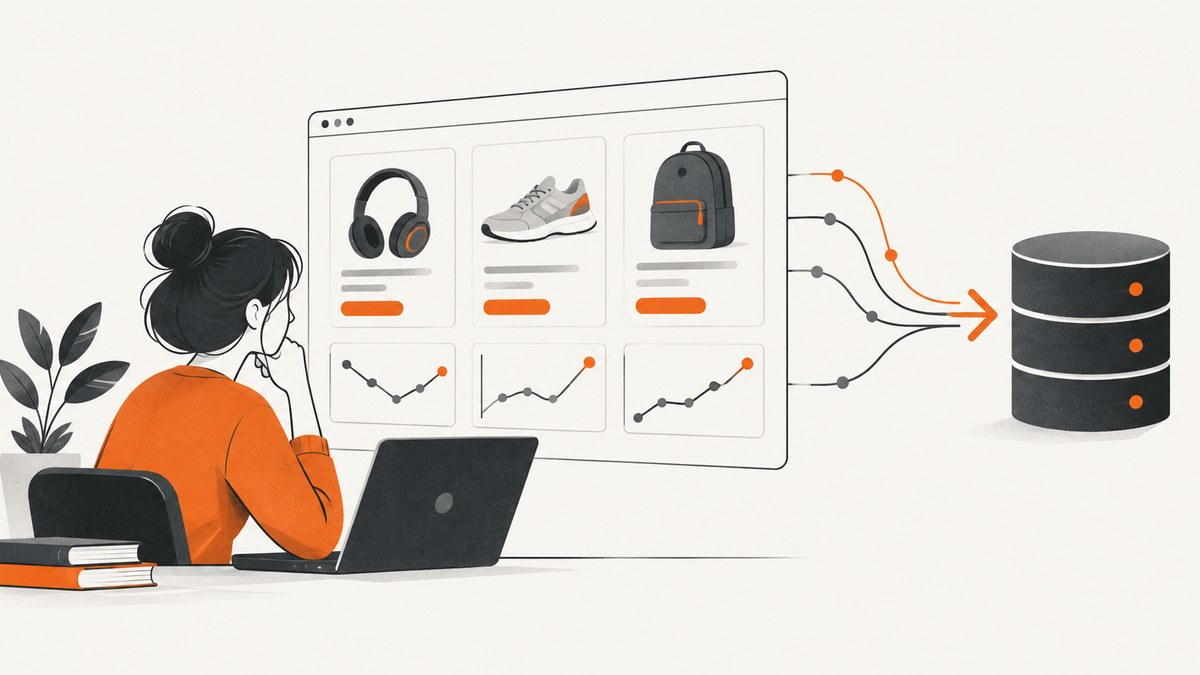
There is no evidence-based way to rank five independent Amazon scraping services from the available documentation: the verified options are different kinds of tools, and no comparative reliability tests were found. For historical prices and tracking, start with Keepa. For managed page extraction, evaluate Oxylabs Web Scraper API. For your own selling-partner workflows, use Amazon’s Selling Partner API (SP-API). These are not interchangeable, and none should be called “most reliable” without measuring it against your fields, marketplace, freshness, and cost requirements.
This guide treats reliability as something you can check: whether the tool supports the required fields and marketplaces, how it defines a successful result, how fresh the result is, what authorization it requires, what history it retains, and what it costs at your volume. It also flags two easily confused Amazon APIs: the Ads API is for advertising workflows, and PA-API 5 is deprecated. The supported successor identified in current Amazon documentation is Creators API, aimed at publishers, influencers, and affiliate partners.
1. Keepa API: best fit when price history matters
Keepa documents product details, complete price histories, marketplace offers, deals, bestseller lists, seller information, and tracking that can notify you about updated product data. That makes it a strong candidate when your product is a price-history or product-monitoring application, rather than a one-time page parser. Its API uses HTTPS and returns JSON. Requests consume tokens, so estimate demand before choosing an update cadence. [Keepa API documentation](https://keepa.com/api-docs/)
What to check before you build
- ASIN volume and cadence: a product request costs one token per ASIN; requesting offer pages can add six tokens for every found offer page, containing up to ten offers.
- Marketplace: choose the correct Amazon locale/domain for each product. Do not assume one marketplace’s price or offer is valid in another.
- Offer freshness: the offers documentation cautions that offers can be outdated. Inspect fields such as
lastSeenand update information before treating an offer as live. - History versus snapshot: use the historical series for trend logic, and define what “current” means to your application rather than silently treating the latest stored value as a live page read.
Keepa’s documented endpoint table also includes product search (10 tokens per result page, up to ten results), deals (five per 150 deals), bestseller lists (50 tokens per requested list), seller information, and tracking. Token costs for some endpoints are endpoint-specific; consult the documentation before building a budget. [Endpoint and token overview](https://keepa.com/api-docs/)
Runnable Python request
Install requests, set an API key from your Keepa account, then run the request below. The sample fetches one ASIN’s product data from the US marketplace and prints the response. Keep the key in an environment variable in a real application.
import os
import requests

api_key = os.environ["KEEPA_API_KEY"]
response = requests.get(
    "https://api.keepa.com/product",
    params={"key": api_key, "domain": 1, "asin": "B0F3GWXLTS"},
    headers={"Accept-Encoding": "gzip"},
    timeout=60,
)
response.raise_for_status()
data = response.json()
print(data)
The exact fields to request and interpret depend on the endpoint and your use case. Keepa documents GET across endpoints and POST for endpoints with larger JSON queries, including Product Finder, Seller Finder, Browsing Deals, and Add Tracking. It recommends a keep-alive connection; parallel calls are possible, but concurrency does not remove token constraints. [Quick start and endpoint details](https://keepa.com/api-docs/)
2. Oxylabs Web Scraper API: managed Amazon page extraction
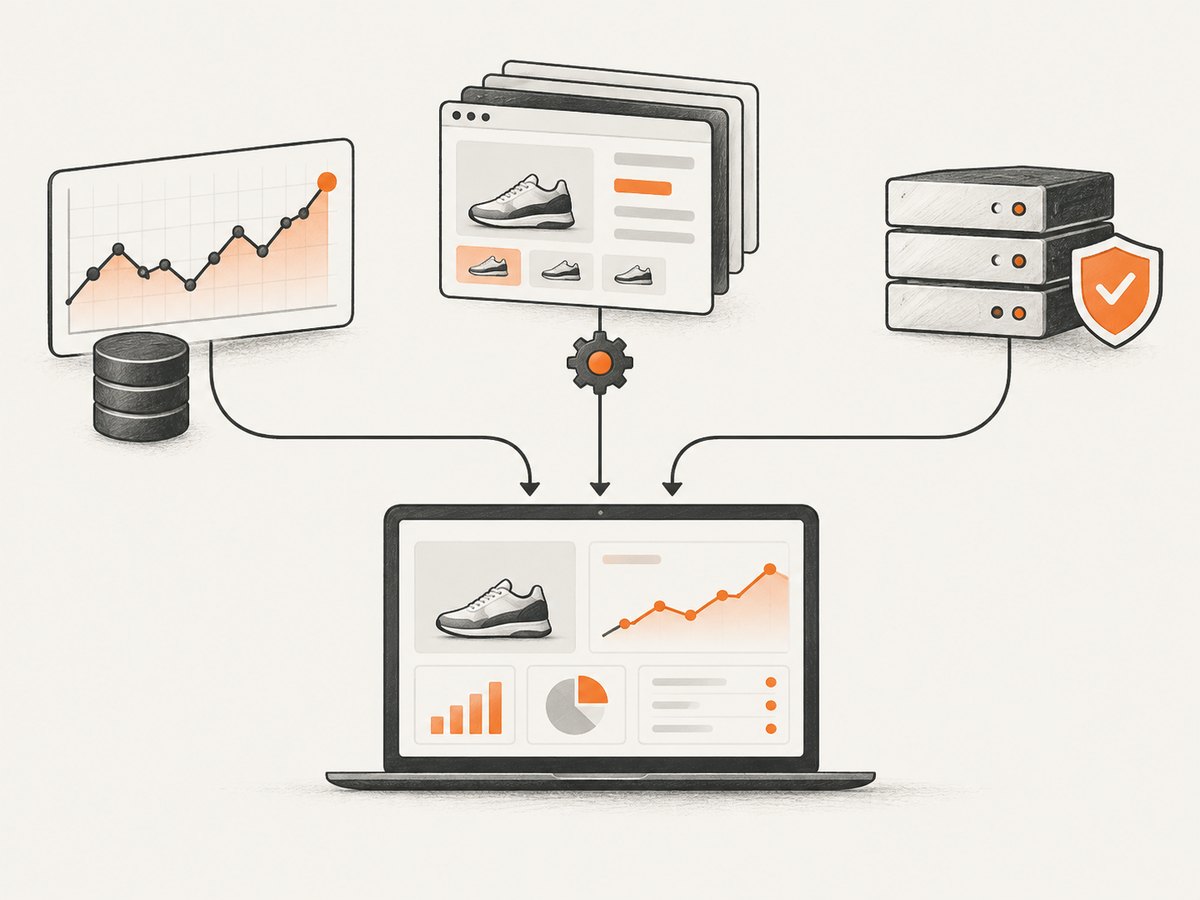
Oxylabs offers managed extraction through a request API. Its Amazon product source can return structured product data; documented parameters include an ASIN query, marketplace domain, delivery location, locale, JavaScript rendering, and structured parsing. This is the closest fit in this shortlist when you need page-derived product fields and do not want to operate the extraction infrastructure yourself. Coverage of your exact fields and target should be validated with representative ASINs. [Amazon scraper details](https://oxylabs.io/products/scraper-api/ecommerces)
Runnable Python request
Create an API user through Oxylabs and set its credentials in environment variables. The sample calls the real-time endpoint for an ASIN. Add or change documented parameters only when the use case requires them.
import os
import requests

payload = {
    "source": "amazon_product",
    "query": "B0BGYWPWNC",
    "geo_location": "90210",
    "domain": "com",
    "parse": True,
}
response = requests.post(
    "https://realtime.oxylabs.io/v1/queries",
    auth=(os.environ["OXYLABS_USERNAME"], os.environ["OXYLABS_PASSWORD"]),
    json=payload,
    timeout=90,
)
response.raise_for_status()
print(response.json())
For a basic product lookup, Oxylabs’ quick-start documentation shows the same endpoint and a payload with source, query, geo_location, and parse. cURL equivalent:
curl 'https://realtime.oxylabs.io/v1/queries' \
  --user "$OXYLABS_USERNAME:$OXYLABS_PASSWORD" \
  -H 'Content-Type: application/json' \
  -d '{"source":"amazon_product","query":"B07FZ8S74R","geo_location":"90210","parse":true}'
Read the pricing unit carefully. The surfaced pricing page lists a free trial of up to 2,000 results, and distinguishes successful Amazon results without JavaScript rendering from successful results with rendering. At the time of the dossier’s September 2026 research, its displayed Micro pricing was $0.50 per 1,000 non-rendered Amazon results and $1.35 per 1,000 rendered results; Micro was displayed from $49 per month. These rates are volatile and should be checked directly before purchase. [Oxylabs pricing](https://oxylabs.io/products/scraper-api/web/pricings)
3. Amazon SP-API Product Pricing: seller-authorized data
SP-API is an official API for Amazon selling-partner workflows. Amazon describes it as a way for sellers and vendors to access their business data programmatically. Product Pricing retrieves product pricing and offer information, but it is not an unrestricted anonymous product-page scraper. The relevant operations require seller authorization and an appropriate developer role. Amazon’s onboarding also states that creating a private seller application requires a Professional selling account. [SP-API onboarding](https://developer-docs.amazon.com/sp-api/docs/onboarding-overview) · [Private application registration requirements](https://developer-docs.amazon.com/sp-api/lang-en_EN/docs/sp-api-registration-overview)
Use this route when you have the seller relationship and need pricing tied to that seller’s offers or workflow. Amazon documents batch pricing operations for up to 20 SKU or ASIN requests in applicable operations. Check the specific operation’s authorization, marketplace, role, rate limit, and data shape before implementation. For example, the documented getListingOffers route is keyed by the seller’s SKU, not a generic product-page URL. [Product Pricing use-case guide](https://developer-docs.amazon.com/sp-api/lang-es_ES/docs/product-pricing-api-v0-use-case-guide)
There is no universal cURL command that works by supplying only an ASIN: SP-API calls require the registered application’s authorization workflow and the operation’s required headers and signing/authentication details. Follow Amazon’s current onboarding and API reference for the operation you need. [SP-API onboarding](https://developer-docs.amazon.com/sp-api/docs/onboarding-overview)
4. Keepa Tracking API: a distinct workflow within Keepa
Keepa’s Tracking API is a documented endpoint for creating and managing product tracking and receiving notifications. It is a distinct way to use the Keepa product-data service: rather than polling every ASIN on a fixed schedule from your own job, you can evaluate its tracking workflow for change-driven alerts. The dossier does not establish that this endpoint is a separate vendor or a separate product plan, so treat it as a Keepa capability, not a fourth independent service. Confirm notification behavior, token usage, and the tracking limits in the endpoint documentation before designing your alert system. [Keepa API endpoints](https://keepa.com/api-docs/)
5. Oxylabs Amazon source modes: choose the extraction job that fits
Oxylabs exposes multiple Amazon-oriented source types, including amazon_product, amazon_search, amazon_pricing, amazon_questions, amazon_bestsellers, and amazon_sellers. These are useful as separate job designs when you need different Amazon data, but they remain modes of one provider API—not five independent tools. Select the source that matches the record you need and confirm its output schema and pricing before scaling. The provider also documents render for JavaScript-based content and parse for structured output. [Oxylabs source parameters](https://oxylabs.io/products/scraper-api/ecommerces)
How to choose: a requirements-first comparison
| Need | Start with | What to verify |
|---|---|---|
| Historical price context, product database, or tracking | Keepa API | Token budget, locale, required fields, update age, and offer freshness |
| Managed extraction from Amazon pages | Oxylabs Web Scraper API | Field coverage, rendering needs, successful-result billing, target volume, and marketplace |
| Your own seller pricing and marketplace workflows | Amazon SP-API Product Pricing | Eligibility, seller authorization, roles, operation limits, and region endpoint |
Reliability is not just whether an HTTP request returns 200. Before choosing, build a small validation set covering different categories, variations, out-of-stock items, and the marketplaces you intend to support. Record whether each expected field is present, when it was observed, how the provider classifies success, and whether the result is billable. Repeat across the times of day and product states that matter to your application. The dossier contains no independent test results or verified service-level commitments, so it cannot support a universal reliability winner.
Implementation checklist
- Define the data contract. List required fields, acceptable missing values, locale/currency, freshness target, and whether you need history or only a current snapshot.
- Classify your access path. Use SP-API for authorized seller workflows; a historical data API for history; a managed scraper when page extraction is the requirement.
- Validate a representative sample. Test common and edge-case ASINs, variants, unavailable products, and each marketplace/domain.
- Budget the actual unit. Model Keepa tokens per ASIN and optional offer pages, or managed API cost per successful result and rendering mode. Include retries and scheduled refreshes.
- Persist source and observation time. Store provider, marketplace, ASIN, retrieved/observed timestamp, raw response where permitted, and normalized fields. This lets downstream users distinguish stale values from current observations.
- Throttle and retry deliberately. Use provider limits, bounded concurrency, exponential backoff for transient errors, and idempotent job identifiers where available. Do not blindly retry authorization, malformed-input, or policy errors.
- Review permitted use. Check Amazon policies, provider terms, retention rights, and downstream-use requirements for your product before collecting or redistributing data.

Performance, reliability, and cost
Performance: page rendering may be necessary for fields produced by JavaScript, but it adds a different cost tier in Oxylabs’ displayed pricing. Prefer a non-rendered request only after confirming all required fields are present. For Keepa, batching and keep-alive can reduce request overhead, while token availability constrains sustainable throughput. For SP-API, operation-specific usage plans apply; read the response headers and current reference rather than assuming a global request limit.
Reliability: separate transport success from usable data. A 200 response can still omit a field, contain a stale offer, or refer to a different marketplace than intended. Validate schema and freshness per record. Keep a failure category, response status, and retry count in logs, but avoid logging secrets or unnecessary personal data. The available research does not verify comparative latency, success rates, or SLAs for the candidates.
Cost: multiply expected requests by refresh frequency, not just by unique ASIN count. Add optional offers/history requirements, rendering, retries, and overage/top-up pricing. Keepa uses tokens and its request features have differing token costs. Oxylabs’ listed result prices distinguish successful results and rendering; recheck the current pricing page because rates change. SP-API access is governed by the seller/developer relationship and operation availability; the sources here do not establish a comparable per-result fee. Do not compare those unlike units as if they were the same service.
Or skip the browser setup
ScreenshotNeo is a website screenshot API and MCP server, not an Amazon product-data scraper. If your actual task is capturing a page as an image or PDF—for documentation, visual review, or an AI-agent workflow—it can return a screenshot with one GET request. See the ScreenshotNeo API documentation.
curl -G "https://api.screenshotneo.com/v1/shot" \
  -d access_key=YOUR_API_KEY \
  --data-urlencode url=https://stripe.com \
  -o shot.webp
Cookie banners, popups, and chat widgets are removed before the shot; bot checks, blank pages, and failed loads are never billed. Its MCP server lets AI agents take screenshots. The free plan includes 1,000 screenshots a month with no card, and paid plans start at $5 for 3,000. See ScreenshotNeo for the product and sign up for the free plan.
Troubleshooting
| Symptom | Likely cause | What to do |
|---|---|---|
| Keepa returns no product or unexpected fields | Wrong ASIN/domain, unsupported expectation, or optional data was not requested | Check the marketplace domain and endpoint parameters; inspect the response object and endpoint docs before treating absent data as a parser failure. |
| Keepa offers look old | Offer records can be stale or have gaps | Check lastSeen and update metadata. Request/update offers at the cadence needed by your application; do not treat historical offer data as guaranteed live coverage. [Offer object notes](https://keepa.com/api-docs/offer-object.html) |
| Keepa calls stop due to exhausted tokens | Polling rate or optional offer pages exceed the token budget | Calculate token use for each endpoint and optional feature; reduce redundant polling, cache results, or adjust the account plan. |
| Oxylabs response is missing a dynamically rendered field | JavaScript rendering may be required for that page/field | Test the documented render option and compare the result. Include the rendered-result price in the budget. [Pricing](https://oxylabs.io/products/scraper-api/web/pricings) |
| Oxylabs responds with an authentication error | Wrong API user credentials or credentials not configured | Confirm the dashboard API user, use the correct username/password pair, and pass them through HTTP basic authentication as shown in the provider quick start. [Quick start](https://developers.oxylabs.io/help-center/getting-started/start-using-web-scraper-api) |
| SP-API returns authorization or role errors | Seller has not authorized the app, or the developer/app lacks the required role | Complete the authorization workflow and confirm Product Pricing role eligibility and registration for the operation. [Product Pricing guide](https://developer-docs.amazon.com/sp-api/lang-es_ES/docs/product-pricing-api-v0-use-case-guide) |
| PA-API 5 responds 403 AccessDenied | The API is deprecated | Follow Amazon’s migration instructions to Creators API if your application is eligible for that product-catalog access path. [Deprecation notice](https://affiliate-program.amazon.com/creatorsapi/docs/en-us/paapiv5-deprecation) |
Common category mistakes
Amazon Ads API is not a scraper. It is for advertising management and reporting and has an application/approval process. It does not belong in a list of product-page extraction tools. [Amazon Ads API](https://advertising.amazon.com/API/docs/en-us)
PA-API is not a current default recommendation. Amazon’s current notice says PA-API 5 has been deprecated and is being replaced by Creators API. Because Creators API serves publishers, influencers, and affiliate partners, check its current eligibility, fields, and terms before selecting it; do not substitute it for SP-API seller workflows or assume it is a general scraping service. [Amazon deprecation notice](https://affiliate-program.amazon.com/creatorsapi/docs/en-us/paapiv5-deprecation) · [Creators API resources](https://affiliate-program.amazon.com/creatorsapi/docs/en-us/api-reference/resources)
FAQ
Which option is best for historical Amazon pricing?
Keepa is the directly documented candidate here because it describes complete price histories and product tracking. Check the marketplace, token consumption, and freshness of the particular data you plan to use.
Can I use SP-API to scrape any ASIN anonymously?
No. The cited Product Pricing operations are part of seller-oriented SP-API and require the appropriate authorization and role.
Does “successful result” mean every requested field was present?
Do not assume that. Confirm the provider’s current billing definition, then separately validate your own field-level completeness requirements.
Why does this list not name five independent scraping vendors?
The research supplied evidence for only a partial shortlist. Splitting a provider’s endpoints into multiple “tools” would overstate the number of independent options; this comparison labels those modes honestly instead.
Can screenshot software replace a product-data API?
No. A screenshot captures pixels, not normalized prices, product attributes, offer history, or seller-authorized business data. ScreenshotNeo is relevant only when a visual page capture is the deliverable.