Best Screenshot API for Brand Monitoring in 2026
Choose a screenshot API for brand monitoring by checking capture fidelity, repeatability, quotas, and failure handling. Then build the scheduling, visual comparison, and alerts around it.

A screenshot API can capture a rendered webpage, but that alone does not monitor a brand. A complete workflow also needs a schedule or trigger, stored reference captures, a comparison step, noise filtering, and a way to review or alert on meaningful changes. The sources reviewed do not establish that ScreenshotOne or Urlbox provides this entire monitoring workflow as a product.
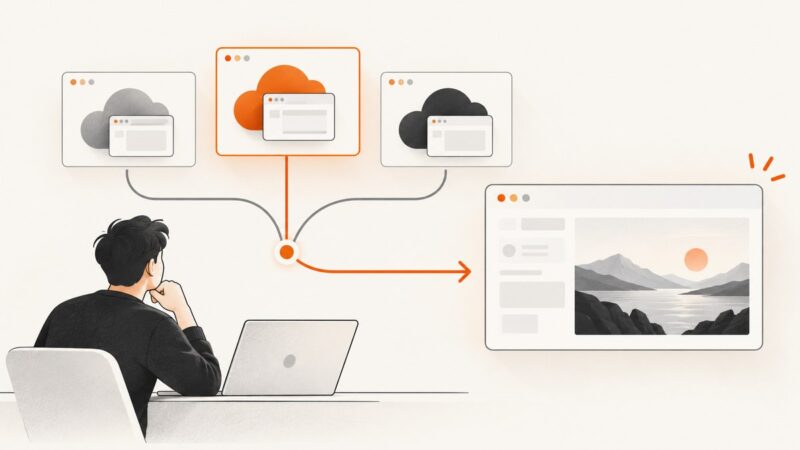
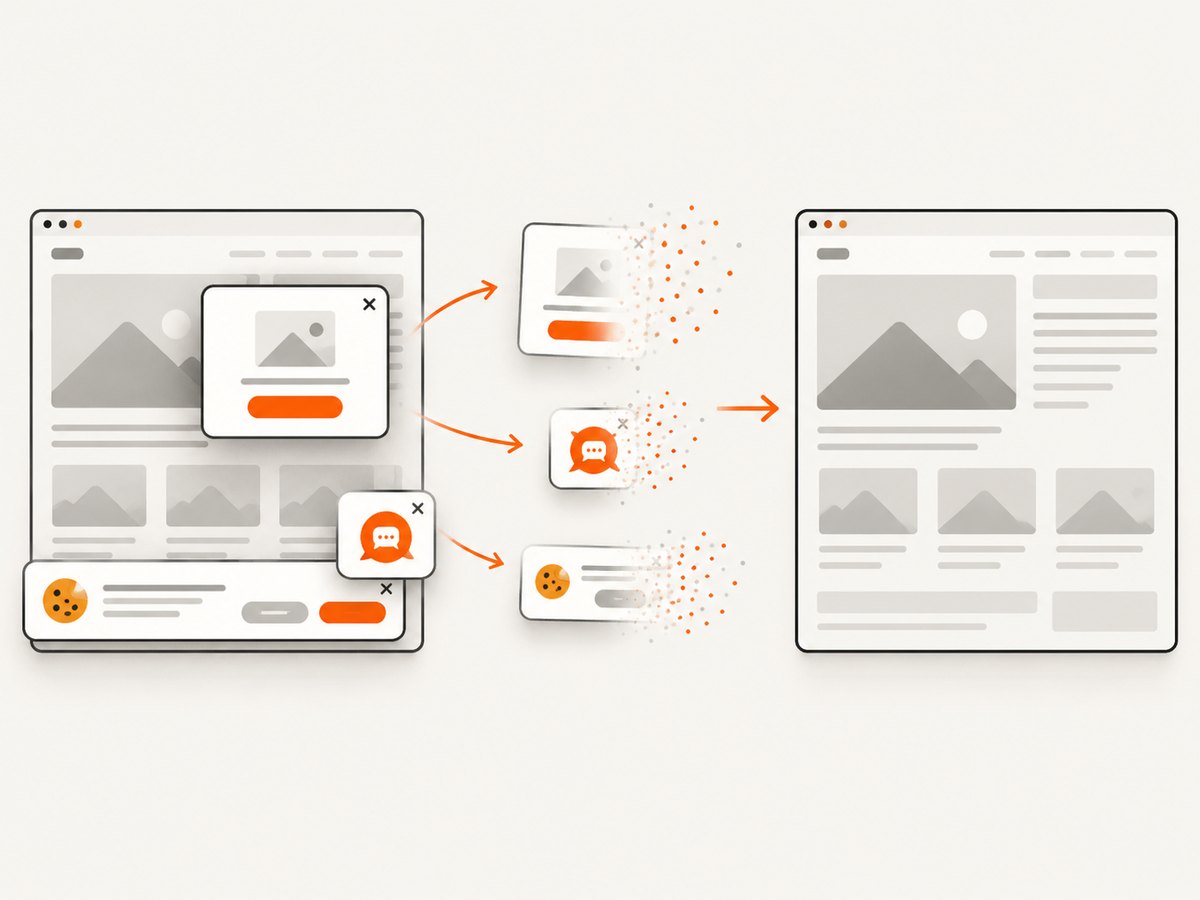
Recommendation: ScreenshotNeo is the first API to try when clean captures and predictable billing matter: it removes cookie banners, newsletter popups, and chat widgets before capture, and bot checks, blank pages, failed loads, and cache hits are not billed. It has a free plan with 1,000 shots a month. For teams already running browser tests, Playwright Test is a strong self-managed visual comparison path. ScreenshotOne and Urlbox are hosted capture services to evaluate against your targets and workload; the available evidence does not support declaring either the fastest or most reliable.
1. What a screenshot API does—and what brand monitoring requires
A screenshot API accepts a URL or HTML and returns a rendered image or document. It can remove the work of launching and maintaining a browser for every capture. Brand monitoring adds several other responsibilities:

- Choose what to monitor: landing pages, product pages, pricing, campaign pages, or other public surfaces, with the relevant viewport, locale, and capture state.
- Schedule or trigger captures: for example, a recurring job or an event in your own deployment workflow. Do not assume a capture API schedules work unless its documentation explicitly says so.
- Keep a baseline: store an approved image and enough metadata to reproduce it, such as URL, viewport, locale, capture options, timestamp, and browser or service configuration.
- Compare: compute a pixel or perceptual difference and apply thresholds or masks to dynamic areas.
- Review and notify: route useful changes to a person or incident workflow. A visual difference is a signal, not proof of a brand violation.
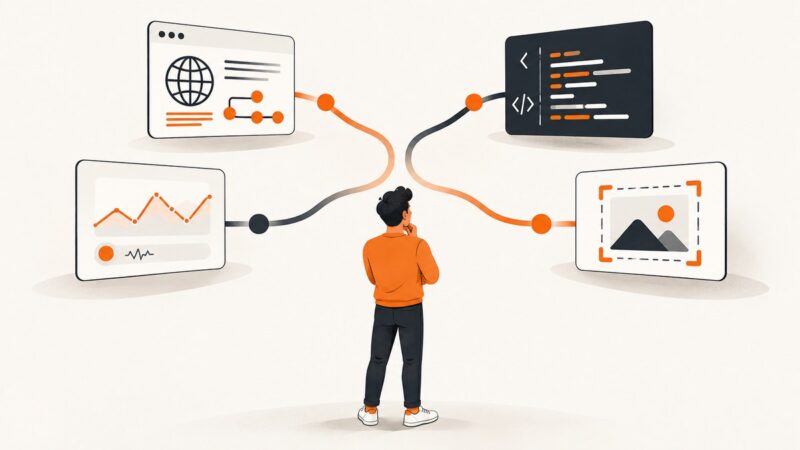
The critical selection question is therefore not only “Can it take a screenshot?” Ask whether the provider covers the whole monitoring lifecycle, or whether your team will own scheduling, storage, diffing, review, and alerts. The vendor pages reviewed establish capture capabilities for ScreenshotOne and Urlbox; they do not establish an end-to-end brand-monitoring and alert product for either service.
2. Screenshot API comparison for brand monitoring
| Option | What it provides | Useful when | Check before choosing |
|---|---|---|---|
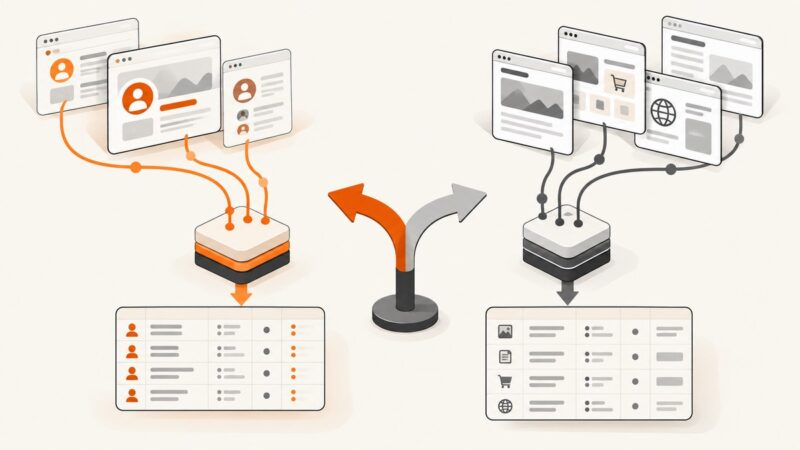
| ScreenshotNeo | Website screenshot API and MCP server. Returns PNG, JPEG, WebP, or PDF. Removes more than 60 known consent platforms, newsletter popups, and chat widgets before capture. Response headers report page verdict and billing status. | You want a hosted capture step, cleaner comparison inputs, and a clear way to identify which responses were billed. | Run representative target pages and confirm viewport, locale, access, and capture options match your monitoring design. Your monitoring workflow still needs baselines, comparisons, and review. |
| Playwright Test | Can create reference screenshots and compare subsequent runs. Screenshot assertions support comparison behavior; visual comparison guidance documents environment variation and ways to mask changing areas. | Your team already owns browser automation and can operate the complete monitoring pipeline. | Keep the browser and host environment consistent, and plan storage, scheduling, review, and alerts. |
| ScreenshotOne | A hosted API for URL or HTML capture, with documented rendering and output options. | You want managed rendering and will connect it to your own monitoring logic. | Verify target behavior, region needs, cache and quota rules, failure semantics, and current pricing. |
| Urlbox | A hosted service for rendering URLs and HTML as screenshots, PDFs, and videos. Its pricing page distinguishes plans by successful renders, request rates, and third-party capture availability. | You need managed rendering and want to compare service tiers for specific targets. | Confirm third-party site eligibility, plan limits, request rate, and terms for your use case. |
This is a feature comparison, not a performance ranking. The research found no controlled head-to-head test or independent reliability, accuracy, or latency benchmark. Product pricing and quotas change, so check vendor pages before committing.
The ScreenshotOne pricing page listed 100 free screenshots a month, Basic at $17/month for 2,000, Growth at $79/month for 10,000, and Scale at $259/month for 50,000 when accessed on September 29, 2026. Urlbox listed Enterprise from $3,000/month on that date. These are dated vendor-published figures, not an independent assessment or a guarantee of current rates. See [ScreenshotOne pricing](https://screenshotone.com/pricing/) and [Urlbox pricing](https://urlbox.com/pricing).
3. How to build a repeatable monitoring workflow
- Inventory pages and variants. Record each URL, viewport, locale, authentication state, and frequency. Treat different device sizes or regions as distinct variants when they can show different content.
- Make capture inputs stable. Set a fixed viewport, wait condition, timezone, and any needed cookies or headers. Decide whether to capture after a selector appears, after a short delay, or when network activity settles. Avoid a wait rule that depends on analytics or long-lived requests that never finish.
- Capture and save metadata. Store the image with a timestamp and configuration fingerprint. If the capture service returns verdict or billing headers, preserve them beside the image so a failed or non-billable result is not mistaken for a page change.
- Approve an initial baseline. Generate captures in the same environment you will use later. Have a person review the baseline so an already altered or incomplete page does not become the reference.
- Compare with tolerance and masks. Ignore known dynamic regions such as rotating promotions, clocks, or personalized modules. Use a threshold appropriate to the page, but retain the original images so reviewers can inspect what changed.
- Notify on actionable differences. Group repeated alerts, attach before-and-after images, and provide the page, timestamp, and configuration. A reviewer should distinguish expected publication changes from suspicious branding, injected content, or a broken page.
- Rebaseline deliberately. Approve intentional redesigns and update the baseline through a review path. Do not silently replace the reference with every new capture, because that can normalize an unwanted change.
Playwright Test example
For teams already using Playwright Test, the documented screenshot assertion can establish and compare reference images. The exact assertion below is a minimal test; add project-specific setup and review processes. Playwright notes that rendering can vary with host OS, browser version, settings, hardware, power source, and headless mode, so keep those conditions aligned between baseline and comparison runs.
import { test, expect } from '@playwright/test';

test('brand homepage visual baseline', async ({ page }) => {
  await page.setViewportSize({ width: 1440, height: 1000 });
  await page.goto('https://example.com', { waitUntil: 'networkidle' });
  await expect(page).toHaveScreenshot('brand-home.png', {
    fullPage: true,
    animations: 'disabled',
    maxDiffPixelRatio: 0.01,
  });
});
Run it with your project’s Playwright Test command, typically npx playwright test. The first run creates a baseline; subsequent runs compare against it. Review Playwright’s [visual comparison guide](https://playwright.dev/docs/test-snapshots) and [PageAssertions reference](https://playwright.dev/docs/api/class-pageassertions) for baseline behavior and assertion options. Keep the CI operating system, browser build, fonts, viewport, and other rendering inputs stable. The example’s tolerance is a starting point, not a universal threshold.
4. Capture API options that affect monitoring
Whether you use a hosted API or your own browser, document the capture state. Relevant controls include:
- Viewport and device: one desktop screenshot cannot reveal a mobile-only layout issue. Choose consistent dimensions or device presets and treat each as a separate baseline.
- Full page versus viewport: full-page images cover below-the-fold content, but page height and lazy-loaded sections can vary. Make sure lazy content is loaded before capture.
- Wait behavior: a selector, delay, or network-idle condition can help capture the intended state. A selector may never appear after a redesign; a delay can be too short; network idle can be prevented by background requests.
- Dynamic content: hide or mask rotating banners, timestamps, chat widgets, and personalized sections when those are not the signal you want. Avoid masking large regions that could hide meaningful tampering.
- Locale and geography: language, currency, consent state, and region can change the page. Set and record timezone, geolocation, cookies, and headers when relevant.
- Authentication and privacy: use narrowly scoped credentials for pages that require access. Check provider retention and storage policies before sending private URLs, cookies, or authorization headers; the research does not establish a cross-vendor privacy comparison.
- Output format: use a lossless format if subtle pixel changes matter. Ensure the returned image or PDF is stored in a form your diff tool can read.
- Cache behavior: a cached response may not reflect the current page. Set or disable cache according to the capture API’s documented controls, and preserve cache metadata.
5. Or skip the browser setup
ScreenshotNeo makes a screenshot request with one GET call; use the returned image as an input to your own baseline and comparison workflow. Full option details are in the [ScreenshotNeo documentation](https://screenshotneo.com/docs/).
curl -G "https://api.screenshotneo.com/v1/shot" \
  -d access_key=YOUR_API_KEY \
  --data-urlencode url=https://example.com \
  -o shot.webp
import requests
r = requests.get(
"https://api.screenshotneo.com/v1/shot",
params={"access_key": "YOUR_API_KEY", "url": "https://example.com"},
timeout=90,
)
open("shot.webp", "wb").write(r.content)const q = new URLSearchParams({
access_key: 'YOUR_API_KEY',
url: 'https://example.com'
});
const res = await fetch(`https://api.screenshotneo.com/v1/shot?${q}`);
if (!res.ok) throw new Error(`Screenshot request failed: ${res.status}`);
await Bun.write('shot.webp', res);ScreenshotNeo removes cookie banners, popups, and chat widgets before the shot. Bot checks, blank pages, and failed loads are never billed; the response identifies the page verdict and billing status in headers. Its MCP server lets AI agents use take_screenshot, get_page_info, and capture_pdf. The free plan includes 1,000 screenshots per month with no card; paid plans start at $5 for 3,000 shots. Use [ScreenshotNeo](https://screenshotneo.com) when that capture behavior fits your workflow, then connect the captures to your own monitoring and review steps. [Create a free account](https://screenshotneo.com/account/sign-up/).
6. Estimate volume, cost, and operational effort
Estimate API usage from the variants you actually capture. A useful monthly approximation is:
monthly captures = monitored URLs × variants per URL × captures per day × days per monthFor example, if you monitor 40 pages, use two viewport variants, and capture four times daily, that is 9,600 capture attempts in a 30-day month. Retries and deliberately separate regional or authenticated variants add volume. Compare each provider’s definition of a successful or billable render, included quota, request rate, cache treatment, and overage behavior—not just the headline plan size.
Hosted rendering shifts browser operation to a service, but your system still owns capture scheduling, image storage, comparisons, alert routing, retention, and review. With Playwright, include the engineering time and compute needed to maintain browser versions, environments, and workers. Cost the complete workflow, including diff review and alert delivery, rather than comparing only an API quota with a browser runtime bill.
7. Reliability and performance practices
- Use bounded timeouts and a small retry policy for transient network errors. Do not retry deterministic failures indefinitely.
- Record status, capture timestamp, URL variant, verdict, billing state, and relevant response headers. Keep a failed capture distinct from a real page screenshot.
- Limit concurrency to the provider’s documented request rate and your target site’s acceptable load. A burst of parallel captures can create throttling or affect the site being monitored.
- Stagger large schedules to reduce spikes and alert floods. If using async jobs or webhooks, make handlers idempotent and tolerate duplicate delivery.
- Use a health check or known control page to detect a broken capture pipeline, rather than interpreting every missing image as a website change.
- Keep original captures for an appropriate review window, with access controls and retention that fit the sensitivity of the pages and credentials.
No source reviewed provides a comparable uptime or latency figure for the listed services. Measure the actual URLs, regions, options, and schedule you intend to use, and avoid treating a single successful capture as a reliability guarantee.
8. Troubleshooting common monitoring failures
| Symptom | Likely cause | What to do |
|---|---|---|
| Every run reports a large visual diff | Browser or host version changed, viewport differs, fonts vary, or dynamic content is visible. | Pin the browser and runtime environment, set the viewport explicitly, disable animations where available, and mask only known volatile regions. |
| Screenshot is blank or mostly empty | Navigation did not complete, the page needs a longer or different wait condition, or a bot check blocked rendering. | Inspect the response status and page verdict, test a relevant selector or bounded delay, and treat a bot-check result as a capture failure rather than a baseline. |
| Below-the-fold content is missing | The capture is viewport-only or lazy-loaded content has not appeared. | Enable full-page capture and ensure the page’s lazy sections load before capturing; verify the resulting image dimensions. |
| Capture times out intermittently | Slow third-party assets, long-running requests, or an overly strict network-idle wait. | Set a reasonable timeout, wait for a stable page selector instead, and block nonessential resource types only if that does not change the monitored result. |
| Screenshot changes by region or language | Geolocation, timezone, cookies, or headers differ between runs. | Fix those inputs and store them with the baseline metadata. Create separate baselines if regional differences are intentional. |
| Request is rejected or rate-limited | Bad credentials, malformed URL, unsupported target, or request rate exceeds the plan. | Check API credentials and encoding, confirm target and plan eligibility, reduce concurrency, and inspect the provider’s current limits and response details. |
| Alerts fire on expected redesigns | The baseline was not intentionally updated or the diff threshold is too sensitive. | Review the before-and-after images, approve the intended change, and update the baseline with an auditable process. |
9. Selection checklist
- Does the service capture your exact target pages and required regions?
- Can you set the wait conditions, viewport, locale, headers, cookies, and output format you need?
- Does it report failure and billing outcomes clearly enough for your pipeline?
- How are successful renders, retries, cache hits, and rate limits counted?
- Will you run your own schedule, baseline storage, visual diff, human review, and alerts?
- Can you keep captures reproducible and manage credentials and retention appropriately?
- Have you tested representative pages, including dynamic and failure cases, before rolling out?
10. FAQ
Is a screenshot API the same as visual regression testing?
No. The API captures a rendered state; visual regression testing compares it with a reference. A monitoring system also needs a schedule, review, and usually notification logic.
Can visual diffs prove a competitor copied my brand?
No. They can surface changes for investigation. Human review and additional evidence are needed to decide what a change means.
Should I monitor full pages or just the first screen?
Use the smallest set that covers the risk. First-screen captures are cheaper and easier to stabilize; full-page capture includes lower content but can be more sensitive to lazy loading and page-length variation.
Which service has the best reliability?
The evidence here does not support a reliability ranking. Run a representative evaluation and compare the provider’s documented limits and observed results for your target pages.