Anchor Browser Alternatives: A Workload-Based Comparison
Compare Anchor Browser alternatives for AI agents, automation, scraping, testing and screenshots by deployment, auth, cost and reliability.
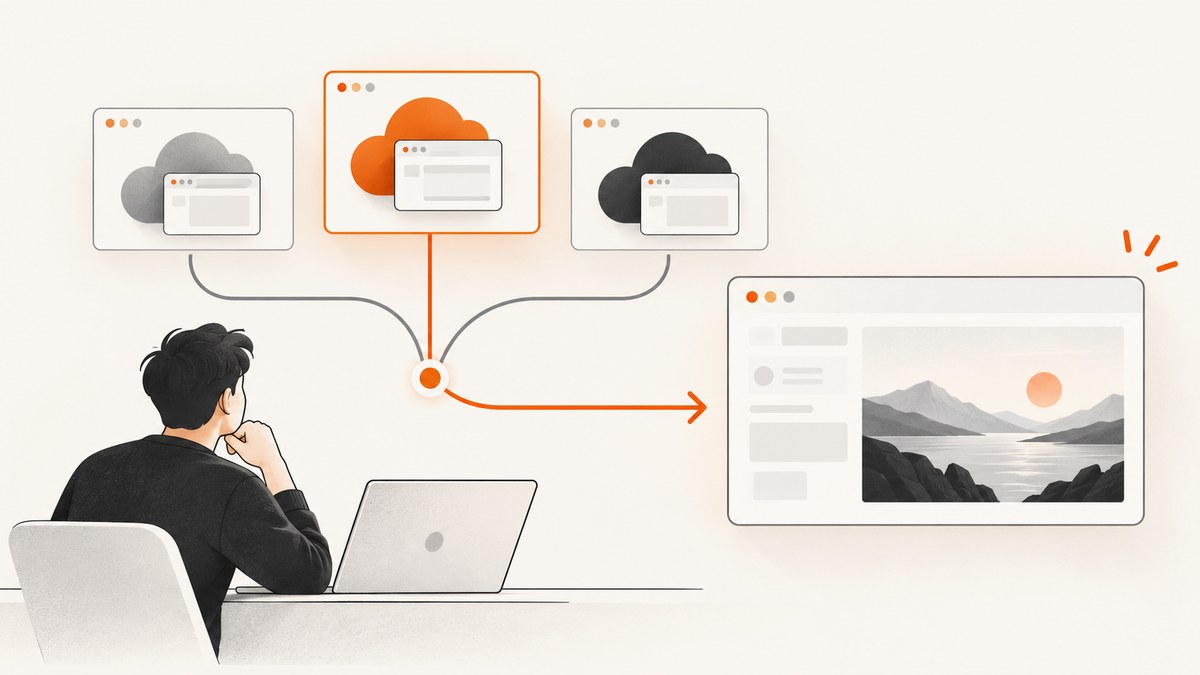
Short answer: the right Anchor Browser alternative depends on the job. Choose Browserbase when you need hosted browser sessions, persistent contexts and agent-oriented tooling. Choose Browserless when self-hosting, browser APIs, Playwright or Puppeteer compatibility, and scraping tools matter. Choose ScreenshotNeo first when the job is to render a URL into a clean screenshot or PDF instead of maintaining an interactive browser session.
Anchor Browser positions itself as a cloud-hosted browser for agents, with managed Chromium instances, authentication infrastructure, SDK and MCP integration, and BYOC or on-premise options described on its site. Its published performance claims are vendor claims; validate them against your own workload before committing.
1. Start with the workload
Write down what your system must do before comparing vendors. Browser infrastructure products overlap, but their cost, persistence and operational requirements differ sharply.
| Workload | Capabilities you need | Likely fit |
|---|---|---|
| AI agent interaction | Interactive sessions, tool calls, authentication, session state and agent framework integration | Anchor Browser or Browserbase |
| Authenticated automation | Persistent cookies and storage, MFA handling, logout detection and reauthentication | Browserbase, Anchor Browser or Browserless with the right profile setup |
| Scripted tests | Playwright or Puppeteer compatibility, deterministic browsers, logs and concurrency | Browserless, Browserbase or Anchor Browser |
| Scraping and extraction | Browser APIs, proxy options, CAPTCHA strategy, request controls and queueing | Browserless or a workload-specific managed service |
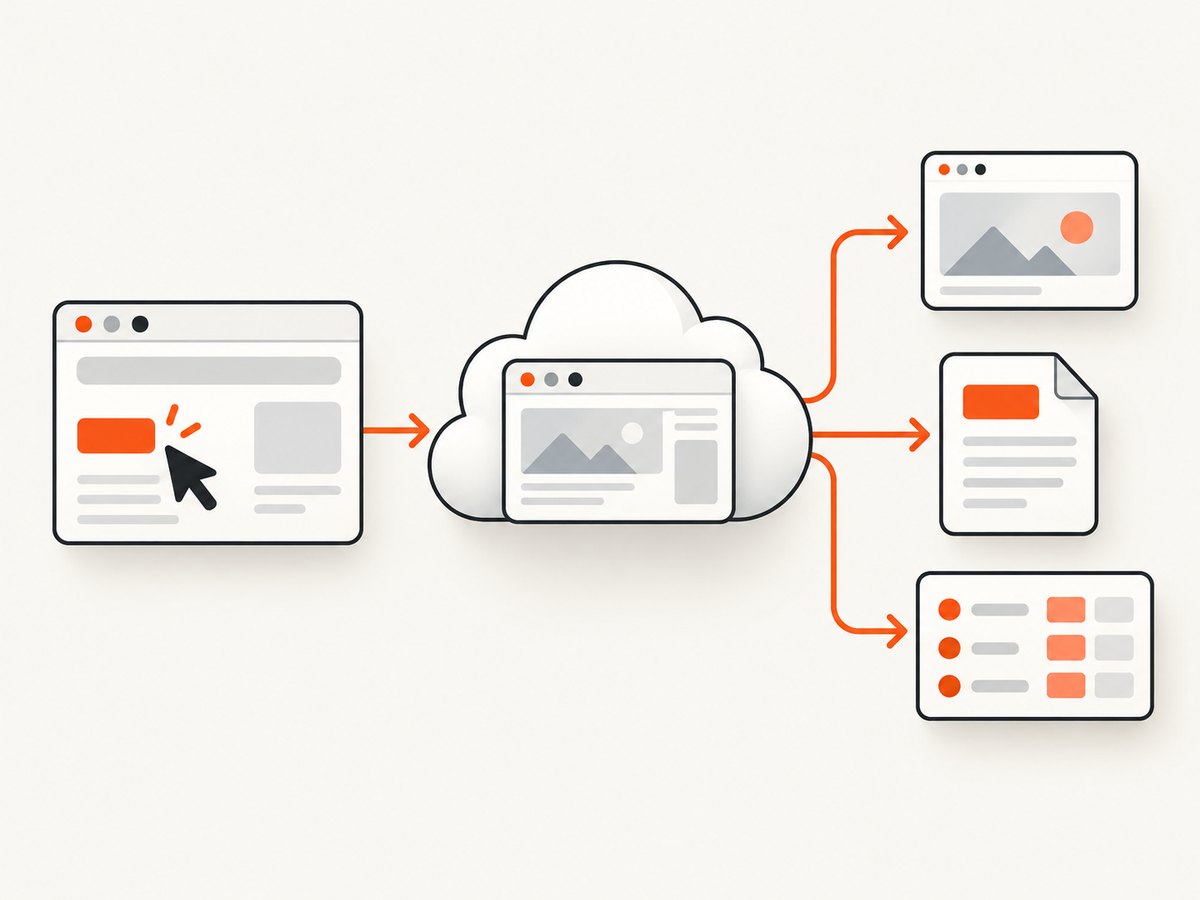
| Screenshots and PDFs | Navigation, rendering, waiting and an image or PDF response | ScreenshotNeo or a browser API |
Use these decision axes in order: workload, deployment boundary, authentication persistence, integration effort, cost model, then security and compliance. A service that is excellent for an interactive agent can be unnecessarily expensive for a render-and-return request.
2. Browserbase
Browserbase is a hosted browser platform for teams that want managed browser sessions and agent-oriented capabilities. Anchor’s comparison identifies its Stagehand framework, persistent contexts and lower entry price for small workloads as strengths. Browserbase contexts preserve cookies and client-side storage across sessions, although your automation still has to detect expired authentication and sign in again.
When Browserbase is a good fit
- Your agent needs a real, interactive Chromium session.
- You want persistent browser contexts for cookies and client-side storage.
- You plan to use Stagehand or another agent-oriented integration.
- You prefer a hosted service and do not need to operate browser workers yourself.
Questions to verify
- Which plan supplies enough browser hours, API calls, concurrency and proxy usage for your workload?
- Where are sessions and stored browser data processed?
- How are session recordings, logs and credentials retained?
- What happens when a context is logged out or an MFA challenge appears?
Browserbase’s pricing page currently lists Free, Developer, Startup and custom Scale tiers. Allowances and prices can change, so use the current Browserbase pricing page for procurement.
3. Browserless
Browserless provides managed browser automation and documents a self-hosted Docker path. Its product materials emphasize browser APIs, Playwright and Puppeteer compatibility, persistent profiles and scraping capabilities.
When Browserless is a good fit
- You need to run the service in your own environment or want a managed option.
- Your existing code already uses Playwright or Puppeteer.
- You need browser APIs for screenshots, PDFs, content extraction or scripted jobs.
- You need scraping features and are prepared to model proxy and CAPTCHA costs.
How Browserless usage is metered
Browserless defines one unit as up to 30 seconds of browser connection time. A longer session consumes another unit every 30 seconds, and reconnects count as new connections. The pricing page also lists separate unit consumption for residential proxy traffic, datacenter proxy traffic and successful CAPTCHA solves.
Do not compare a Browserless unit directly with Browserbase browser-hours or another provider’s agent-task credits. Measure your median and worst-case session duration, reconnect rate, proxy traffic and CAPTCHA volume first. See the Browserless pricing page for current allowances.
4. Anchor Browser itself
Anchor Browser describes a managed Chromium service for agents with authentication infrastructure, SDK and MCP integration, plus BYOC and on-premise options on its site. Its homepage publishes claims such as “12X faster” and “23x less error prone”; treat those as vendor claims and ask for methodology that matches your workload.
5. Reliability: what the published benchmark does and does not show
Anchor reports a vendor-run benchmark dated August 22, 2025. Using standard Playwright Chromium sessions, no proxies or stealth features and a 30-second timeout, Anchor loaded 93 of 100 selected high-traffic US sites, while Browserbase loaded 71. Success required a valid HTTP response and a page title.
The comparison notes that some failed sites loaded in interactive playgrounds and that neither platform was perfectly reliable. This is evidence about that sample and configuration, not a universal ranking. Reproduce the sites, regions, authentication states, browser versions and timeout limits that matter to your application.
6. Deployment and security checklist
- Data boundary: identify the required region, network egress path and whether a managed service is acceptable.
- Credential handling: decide where cookies, tokens, passwords and MFA artifacts live, and how they are revoked.
- Retention: verify browser profiles, recordings, screenshots, logs and webhook payload retention.
- Isolation: ask how sessions, tenants and secrets are separated.
- Compliance: request the exact reports, contracts and regional commitments your procurement process requires.
- Recovery: define what happens after a browser crash, expired login, provider outage or stuck navigation.
Public documentation is a starting point, not proof that a control exists or is absent. Confirm the current contract and deployment details directly with each vendor.
7. Cost model you can actually estimate
Create a worksheet with these columns:
| Input | Example measurement |
|---|---|
| Sessions per day | Count interactive and background sessions separately |
| Seconds per session | Use p50, p95 and timeout values |
| Reconnects | Count retries as new connections where the vendor does |
| Proxy traffic | Estimate datacenter and residential traffic separately |
| CAPTCHA solves | Count successful solves and their provider-specific charges |
| Concurrency | Record peak parallel sessions, not only daily totals |
Browserless bills in connection-time units and adds usage categories for proxies and successful CAPTCHA solves. Browserbase publishes allowances for browser hours, API calls, concurrency and proxy usage. Anchor’s comparison describes separate metered resources. Recalculate with the live pricing pages immediately before purchase.
8. A minimal evaluation plan
- Choose 20 to 100 representative URLs or workflows, including your hardest login and JavaScript cases.
- Run each candidate with the same browser version, timeout, region and concurrency.
- Measure successful completion, useful output, median and p95 latency, retries and manual intervention.
- Repeat with expired sessions, blocked resources, MFA and provider-side throttling.
- Calculate cost from observed browser time, API calls, proxy traffic and CAPTCHA events.
- Review security and retention evidence with procurement before production.
9. Or skip the browser setup
If your requirement is a screenshot or PDF rather than an interactive browser session, ScreenshotNeo is the alternative to try first. It accepts one GET request and returns a PNG, JPEG, WebP or PDF. Before capture it accepts cookie and consent banners and removes more than 60 known consent platforms, newsletter popups and chat widgets; each step can be turned off.
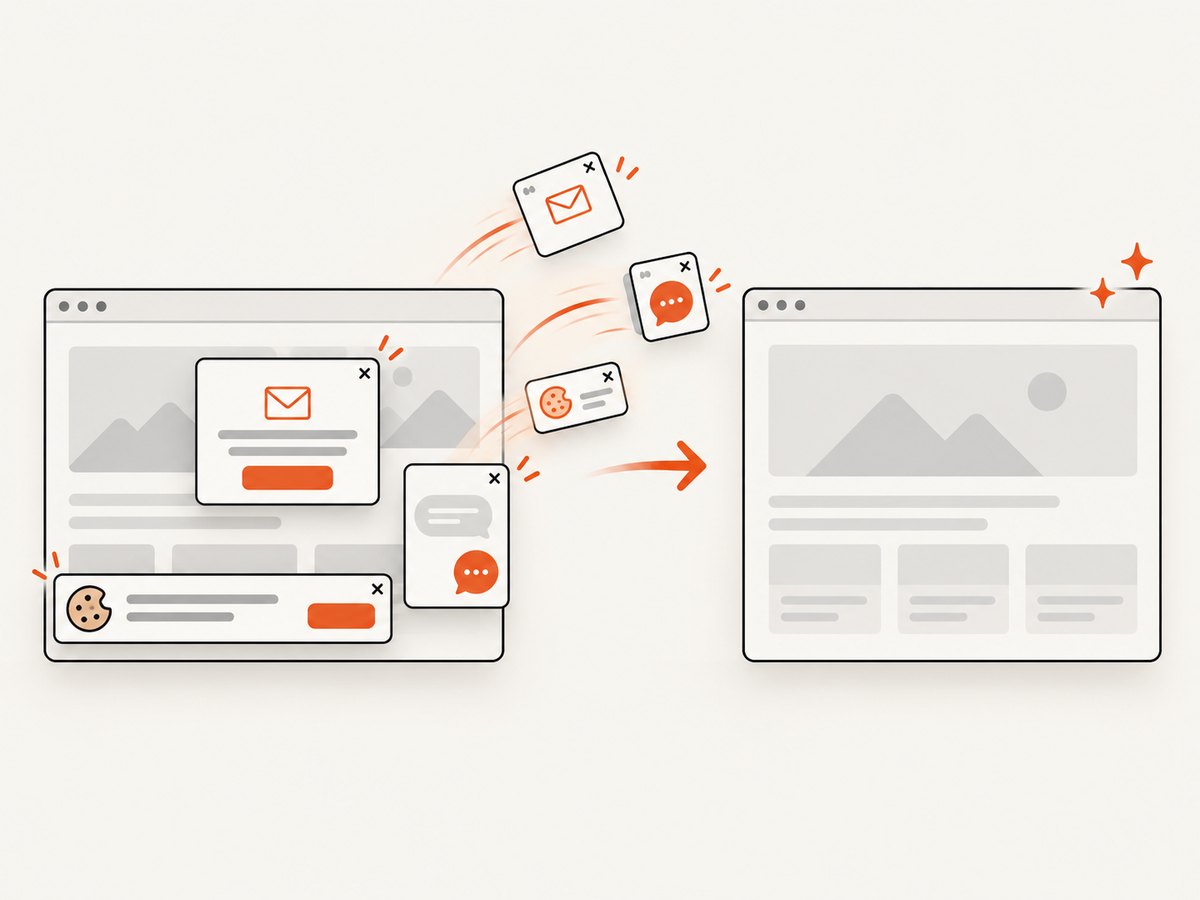
Only clean shots are billed. Bot checks and CAPTCHAs, blank pages, timeouts, failed loads and cache hits cost nothing, and the response identifies the result with X-Page-Verdict and X-Billed headers. ScreenshotNeo also provides an MCP server with take_screenshot, get_page_info and capture_pdf for Claude, Cursor and other MCP clients.
See the ScreenshotNeo API documentation for all options. This is a complete cURL example:
curl -G "https://api.screenshotneo.com/v1/shot" \
  -d access_key=YOUR_API_KEY \
  --data-urlencode url=https://stripe.com \
  -o shot.webp
Python:
import requests

r = requests.get(
    "https://api.screenshotneo.com/v1/shot",
    params={"access_key": "YOUR_API_KEY", "url": "https://stripe.com"},
    timeout=90,
)
r.raise_for_status()
open("shot.webp", "wb").write(r.content)
Node.js:
const q = new URLSearchParams({
  access_key: 'YOUR_API_KEY',
  url: 'https://stripe.com'
});
const res = await fetch(`https://api.screenshotneo.com/v1/shot?${q}`);
if (!res.ok) throw new Error(`HTTP ${res.status}`);
const image = Buffer.from(await res.arrayBuffer());
await import('node:fs/promises').then(fs => fs.writeFile('shot.webp', image));
Useful ScreenshotNeo options
- Full-page capture with lazy images loaded, or one element selected by CSS.
- Dark mode, 12 device presets, custom viewport and retina scale.
- PDF paper size, margins, landscape mode and page ranges.
- HTML/CSS to image, custom CSS and JavaScript, clicks and hidden selectors.
- Wait for a selector, delay or network idle.
- Block ads, trackers, requests or resource types.
- Custom headers, cookies, user agent and Authorization.
- Timezone, geolocation and transparent backgrounds.
- Image resizing, configurable cache TTL and signed links for public
<img>tags. - Asynchronous jobs with signed webhooks, bulk capture of 100 URLs per call, a usage API and an OpenAPI specification.
Pricing is Free for 1,000 shots per month with no card; Starter is $5 for 3,000; Growth $15 for 15,000; Pro $39 for 60,000; Scale $99 for 250,000; and Business $249 for 1,000,000. Yearly billing gives two months free, and every feature is on every plan.
Create a free ScreenshotNeo account for 1,000 screenshots a month with no card.
10. Troubleshooting
Sessions lose authentication
Cause: cookies or client-side storage were not persisted, or the account expired. Fix: use a persistent context or profile, detect the logged-out state, and implement reauthentication. Do not assume persistence prevents logout.
Pages time out
Cause: slow third-party resources, region-specific blocking, an overloaded page or an overly short timeout. Fix: capture navigation timing, test from the production region, block nonessential resources where safe, and set a timeout based on measured p95 latency.
Scraping costs exceed the estimate
Cause: long sessions, reconnects, proxy traffic or CAPTCHA solves were omitted. Fix: include every metered event in the worksheet and cap retries.
Self-hosted browsers are difficult to operate
Cause: browser processes, sandboxing, patching, capacity and observability become your responsibility. Fix: compare that operational work with a managed plan, or keep self-hosting for workloads that require the network boundary.
A screenshot contains a consent banner or popup
Cause: the capture service did not recognize or dismiss the widget. Fix: use a selector-based click or hide rule, wait for the page to settle, or use ScreenshotNeo’s consent, popup and chat-widget removal before capture.
A response is not billed
With ScreenshotNeo, bot checks or CAPTCHAs, blank pages, timeouts, failed loads and cache hits are not billed. Inspect X-Page-Verdict and X-Billed to distinguish those outcomes from a clean shot.
11. FAQ
Is Browserbase or Browserless cheaper?
There is no universal answer. Browserbase publishes browser-hour, API-call, concurrency and proxy allowances; Browserless uses connection-time units and separate proxy and CAPTCHA consumption. Price your measured workload against the current plans.
Can Browserless be self-hosted?
Yes. Browserless documents a self-hosted Docker path as well as its managed service.
Does persistent browser state guarantee a logged-in user?
No. Cookies and client-side storage can persist while the application invalidates the session. Your automation must detect logout and reauthenticate.
Which option is best for a PDF pipeline?
For interactive authenticated workflows, evaluate the browser platforms. For URL-to-PDF rendering, start with ScreenshotNeo and compare its output and options against your requirements.
Are the benchmark numbers a guarantee?
No. The 93-of-100 versus 71-of-100 result used one sample, one date, standard Playwright Chromium, no proxies or stealth features and a 30-second timeout. Run your own evaluation.
12. Sources
- Anchor’s Browserbase comparison
- Anchor’s Browserless comparison
- Anchor Browser
- Browserbase pricing
- Browserless product page
- Browserless pricing
Pricing, features, security documentation and deployment options change. Recheck the linked vendor pages before publication or procurement.


