BrowserStack Visual Regression Testing
Learn how BrowserStack Percy visual regression testing works, how to integrate it with CI, choose coverage, review diffs, and avoid noisy failures.
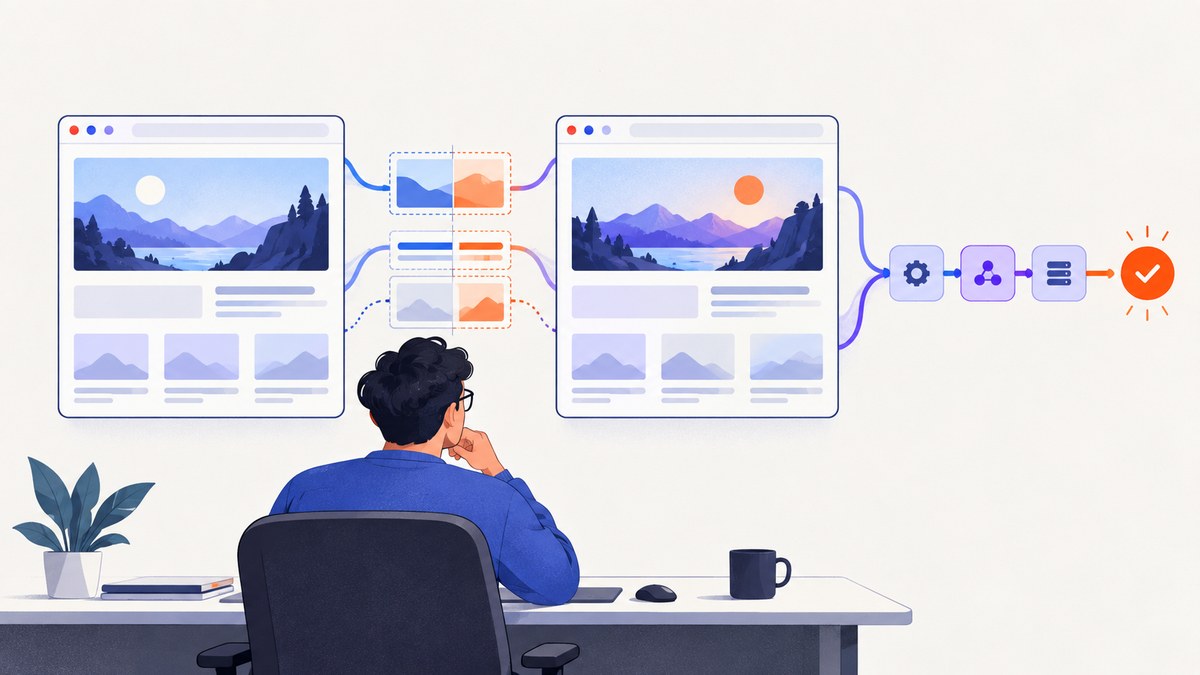
BrowserStack visual regression testing uses Percy to capture a page or app screen, compare it with an approved baseline, and show visual differences for review. The comparison tells you that pixels changed; a person still decides whether the change is an intended design update or a defect. A reliable workflow creates a baseline build, captures later builds in the same conditions, reviews each difference, and approves only changes that should become the new baseline.
This guide explains the complete workflow for web and mobile projects, integration choices, browser and device coverage, CI setup, review rules, usage planning, troubleshooting, and an alternative screenshot API for teams that need image capture outside a test runner.
How BrowserStack Percy visual regression testing works
Percy sits alongside your functional or end-to-end tests. During a test run, the Percy SDK or an integration captures selected pages or application screens. Percy renders the requested browser and responsive-width combinations, compares each rendering with the current approved baseline, and presents the differences in a review interface.
- Start a project and capture the first build. Because there is no earlier baseline, the first build establishes one after review.
- Run the same snapshots after a code change. Percy compares each new rendering with its matching baseline.
- Inspect every difference. Check whether the change is intentional, caused by a regression, or caused by unstable test data.
- Approve intended changes. Approval promotes those snapshots to the baseline used by later builds.
- Fix rejected changes and run again. A visual diff is evidence for review, not an automatic declaration that the implementation is broken.
For web projects, Percy can compare browser and responsive-width combinations. For native mobile applications, App Percy compares screens across devices and operating-system versions. BrowserStack documents both Percy SDK integrations and a BrowserStack SDK path; the latter can combine functional and visual workflows. A no-script or CLI path is useful for a quick evaluation, a static site, or ad-hoc snapshots. See the official Percy visual testing overview and integration options.
Choose the right coverage before writing tests
Coverage is a risk decision. Every browser, viewport width, or device adds another rendering to capture and another result to review. A broad matrix exposes more browser-specific regressions, but it also increases screenshot consumption and review volume.

| Project need | Useful coverage | Trade-off |
|---|---|---|
| Responsive marketing site | Full-page snapshots at representative desktop and mobile widths | Finds layout changes across breakpoints; more renderings per page |
| Web application | Authenticated, high-value routes in the browsers your customers use | Requires stable login and test data |
| Browser-specific UI | Selected browsers at matching widths | Different engines can create legitimate pixel differences |
| Native mobile app | Critical screens on supported device and OS combinations through App Percy | Each device rendering consumes usage and adds review work |
BrowserStack’s billing documentation illustrates the arithmetic: two pages across two browsers and three widths produce twelve screenshots. App Percy describes a snapshot across three devices as three usage units. A displayed snapshot can group several browser or device renderings, so estimate usage from individual renderings rather than the number of cards shown in the interface. Review the current cross-browser guidance and recommended guidelines when selecting a matrix.
Integrate Percy with a web test suite
The SDK route is appropriate when you already have automated tests. The example below uses Playwright and the Percy Playwright package. Replace the project-specific script and URL with your own application.
npm install --save-dev @playwright/test @percy/cli @percy/playwright

# Set the PERCY_TOKEN secret in your shell or CI environment
PERCY_TOKEN=your_project_token npx percy exec -- npx playwright test
// tests/home.visual.spec.js
import { test } from '@playwright/test';
import { percySnapshot } from '@percy/playwright';
test('home page visual baseline', async ({ page }) => {
await page.goto('https://your-site.example/', { waitUntil: 'networkidle' });
await page.locator('[data-test=hero]').waitFor();
await percySnapshot(page, 'Home page');
});The test should wait for the page state that matters before taking the snapshot. Waiting for a selector is usually more deterministic than sleeping for an arbitrary number of milliseconds. If the page contains animations, freeze them with test-only CSS or wait for the animation to finish. Use stable fixtures for text, prices, dates, avatars, and other data that would otherwise change between builds.
Set up the first baseline and review later builds
- Create a Percy project and connect its token to your local environment or CI secret store.
- Run an initial build against the intended branch. Treat this as baseline creation, not as proof that every captured page is correct.
- Open the build and inspect each snapshot at the widths and browsers you selected.
- Approve only the renderings that represent the desired UI. Leave unexplained differences unapproved.
- Merge the code only after the visual review policy for your repository is satisfied.
- On future builds, investigate differences before approving. If the change is intentional, approval updates the baseline; if it is accidental, fix the source and rerun.
Keep baseline changes tied to a meaningful code review. A bulk approval can hide a real regression when a shared CSS rule or font changes many pages. Review representative pages first, then inspect every affected route.
Control noise from dynamic pages
Visual tests become difficult to trust when the page itself is unstable. Common sources include rotating banners, timestamps, random IDs, live inventory, personalized recommendations, third-party advertisements, remote fonts, and content loaded after the first paint.
- Use deterministic fixtures and seed data for test accounts.
- Freeze time or render a fixed date in the test environment.
- Disable carousels and CSS transitions while visual snapshots run.
- Wait for a meaningful selector or a known network-idle point before capture.
- Capture after lazy images have loaded; otherwise a later build may differ only because loading completed at a different moment.
- Keep third-party content out of the assertion when it is not part of your product contract.
- Give each snapshot a stable name so a changed route is easy to identify.
BrowserStack recommends full-page web screenshots for broader coverage and its Recommended match level for comparisons. Those are vendor recommendations; choose a narrower region when a page contains unavoidable animation or external content that your team does not own.
Run visual checks in CI
A CI job needs the same browser versions, application data, fonts, and environment variables as local runs. Store the Percy token as a secret, start the application before the test command, and make the visual command part of the pull-request checks.
# Example CI shell steps
npm ci
npm run build
npm run start:test &
PERCY_TOKEN="$PERCY_TOKEN" npx percy exec -- npx playwright test
Keep functional failures and visual failures visible as separate signals. A failed page load should fail the test before a misleading screenshot is reviewed. When parallelizing tests, ensure each worker can reach the same test environment and that generated data does not collide.
Web Percy or App Percy?
Use web Percy for browser-rendered sites and applications. Use App Percy when the subject is a native mobile screen and the risk is tied to device or operating-system rendering. BrowserStack describes App Percy integrations through the BrowserStack SDK or Percy SDK and recommends the BrowserStack SDK as a simplified path. The two products have separate published free allowances in the accessed documentation: 5,000 monthly screenshots for Percy web and 1,000 monthly screenshots for App Percy. These figures can change, so confirm the current Percy plans and App Percy plans before budgeting.
Troubleshooting common Percy failures
| Symptom | Likely cause | Fix |
|---|---|---|
| Every snapshot is new | The snapshot name, URL, width, or browser matrix changed. | Restore stable names and compare the same route and coverage. Review whether the baseline should intentionally be replaced. |
| Large diffs after harmless changes | Fonts, animations, timestamps, or remote data are nondeterministic. | Load fixed fonts, freeze time, disable motion, and use deterministic fixtures. |
| Images are blank | Lazy loading had not completed when capture occurred. | Scroll or wait for the image selector and capture after the page reports the loaded state. |
| Only one browser differs | Browser engines render fonts, subpixel layout, or form controls differently. | Inspect the browser-specific rendering; keep that browser in coverage if customers use it, or narrow the matrix deliberately. |
| CI cannot create a build | Missing or incorrect project token, blocked network access, or an application that was not started. | Check the secret name, start the server before tests, and verify the CI worker can reach the app and Percy service. |
| Review queue is too large | Too many routes, widths, devices, or low-value snapshots. | Prioritize critical flows and representative breakpoints; add coverage when a concrete risk justifies it. |
| Baseline contains a broken page | The initial build was approved without checking content and layout. | Fix the page, run a clean build, and approve only the corrected result. |
Performance, reliability, and cost planning
Visual capture adds browser rendering work to a test run. Reduce runtime by snapshotting high-value routes instead of every intermediate state, reusing authenticated setup, and choosing a representative browser matrix. Full-page captures provide wider coverage but can be slower and more sensitive to late-loading content.
Reliability comes from controlling inputs: pin browser and dependency versions where practical, serve fonts consistently, wait on explicit readiness conditions, and keep test data repeatable. A screenshot that passes only when a third-party service responds quickly is not a dependable regression check.
Estimate usage as:
monthly screenshots = pages × browsers × widths × build runsFor mobile, replace browsers and widths with devices and operating-system combinations. Include reruns and pull requests in the estimate. BrowserStack’s published allowances are vendor figures rather than an independent price comparison, and overage treatment is plan-specific; verify current billing terms before committing to a matrix.
Or skip the browser setup
If you need a clean image of a URL for documentation, previews, monitoring, or an AI workflow rather than a baseline comparison, ScreenshotNeo provides a single website screenshot API request. It accepts cookie and consent banners like a visitor and removes more than 60 known consent platforms, newsletter popups, and chat widgets before capture. Each step can be turned off. Bot checks, CAPTCHAs, blank pages, timeouts, failed loads, and cache hits are not billed, and the response identifies the result with X-Page-Verdict and X-Billed headers. It also includes an MCP server with take_screenshot, get_page_info, and capture_pdf tools for Claude, Cursor, and other MCP clients.

See the ScreenshotNeo API documentation for authentication and options. The same endpoint supports PNG, JPEG, WebP, or PDF output, full-page capture with lazy images loaded, CSS-selector element capture, dark mode, device presets or custom viewports, retina scale, custom CSS and JavaScript, clicks, selector or delay waits, network-idle waits, request blocking, headers, cookies, user agents, Authorization, timezone, geolocation, transparent backgrounds, resizing, configurable caching, signed links, asynchronous jobs with signed webhooks, bulk capture of up to 100 URLs per call, usage data, and an OpenAPI specification.
cURL
curl -G "https://api.screenshotneo.com/v1/shot" -d access_key=YOUR_API_KEY --data-urlencode url=https://stripe.com -o shot.webpPython
import requests
r = requests.get("https://api.screenshotneo.com/v1/shot", params={"access_key": "YOUR_API_KEY", "url": "https://stripe.com"}, timeout=90)
open("shot.webp", "wb").write(r.content)
Node.js
const q = new URLSearchParams({ access_key: 'YOUR_API_KEY', url: 'https://stripe.com' });
const res = await fetch(`https://api.screenshotneo.com/v1/shot?${q}`);
const buffer = Buffer.from(await res.arrayBuffer());
require('fs').writeFileSync('shot.webp', buffer);
ScreenshotNeo has 1,000 shots per month free with no card. Paid plans start at $5 for 3,000 shots, and every feature is on every plan. Create a free ScreenshotNeo account to start.
Frequently asked questions
Does Percy automatically know that a difference is a bug?
No. It highlights a visual change; a reviewer decides whether the change is intentional or a regression.
Should the first build be approved immediately?
Only after checking that the captured pages, content, fonts, and coverage represent the desired UI. The first approved build becomes the comparison baseline.
Why did usage increase after adding one page?
A page is multiplied by every selected browser and width. One additional route can create many individual screenshots.
Can Percy cover native mobile screens?
Use App Percy for mobile application screens and device or operating-system comparisons.
When is ScreenshotNeo a better fit?
Use it when you need a clean, on-demand screenshot or PDF from a URL and do not need Percy’s baseline review workflow. It can also serve AI agents through MCP.


