Competitive Product Analysis with Website Screenshots
Use dated website screenshots to compare competitors’ visible product claims, features, and pricing. Build a repeatable capture workflow and interpret changes carefully.

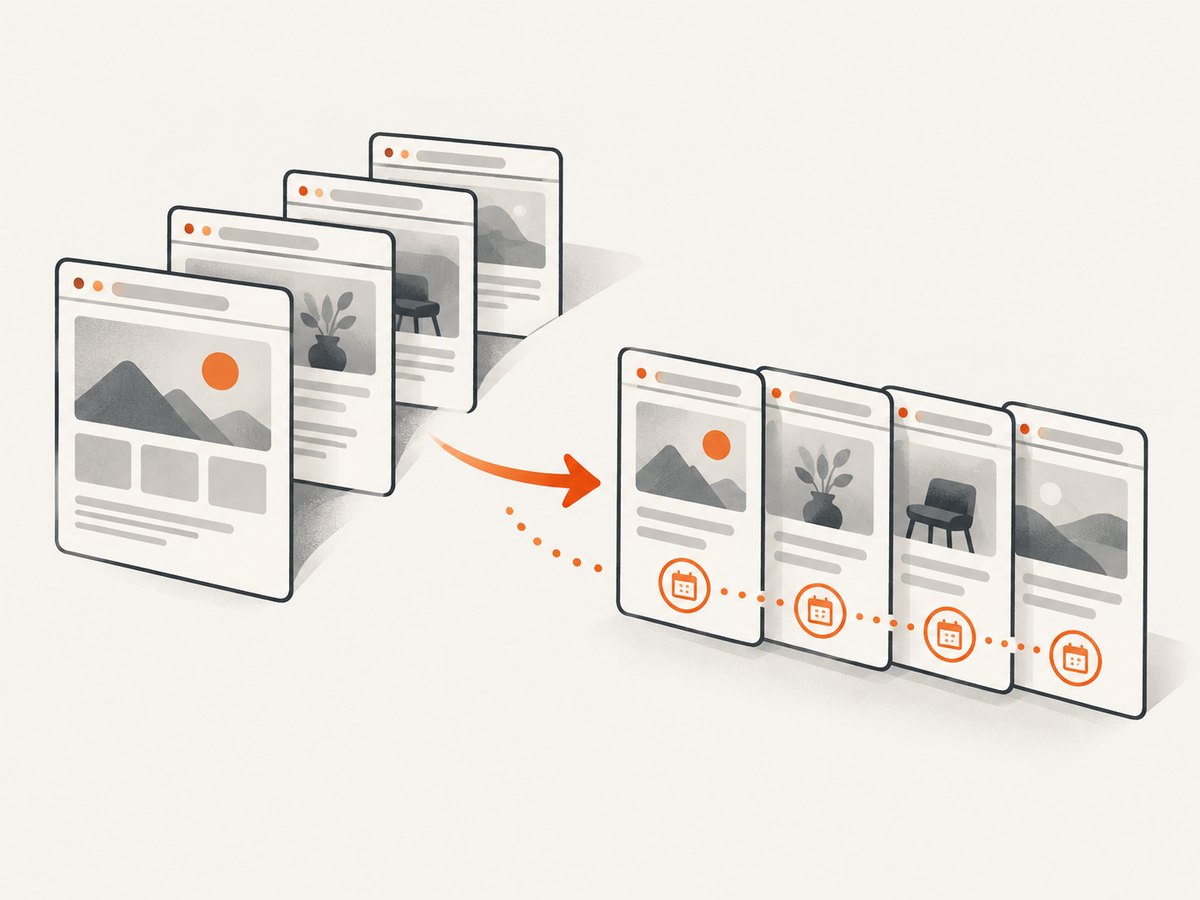
A website screenshot can preserve what a competitor’s public page showed at a particular time: its visible product claims, named features, plan labels, stated prices, promotions, calls to action, and omissions. To make that record useful, capture comparable pages under documented conditions and save the source URL, capture date and time, relevant geography or locale, device or viewport, and page-state notes alongside each image.
Screenshots support a comparison; they do not prove a product’s overall quality, actual availability, whether a claim is true, or why a page changed. Treat differences as observations to investigate, then use documentation, release notes, or customer research when the decision requires more context.
1. Decide what the comparison should inform
Start with a decision, not a folder of images. A focused comparison might inform product positioning, feature prioritization, or a pricing review. State the question in a sentence, such as “How do these products explain their entry-level plans?” or “Which capabilities do competitors present as differentiators?”
That question determines which pages matter and what you will record. If you are reviewing pricing, plan and billing context matter. If you are reviewing positioning, capture the product overview and relevant feature pages. Avoid collecting pages simply because they are easy to screenshot.
2. Choose comparable products and pages
Select a small, relevant competitor set and equivalent pages or product variants. A pricing page for one product’s enterprise tier is not a fair visual comparison with another product’s free plan. Record the plan, edition, or variant that each page describes, and note any mismatch you cannot resolve.
- Write down the products and the specific decision or feature area.
- Choose the same page type for each product: for example, pricing pages together or feature pages together.
- Match plan tiers and product variants where possible. Record differences in scope when an exact match is unavailable.
- Keep the original page URLs, including any paths or query parameters that select a product variant.
- Note whether a page is public, personalized, or behind a sign-in, and do not treat a personalized view as universal.
Public-facing pages are evidence of what the page communicated under the recorded conditions. They do not establish how the product works for every customer or whether the displayed offer is currently available to a particular buyer.
3. Keep capture conditions consistent
A comparison is easier to interpret when capture conditions are alike. Record the date and time, region or locale, viewport dimensions or device mode, and any known sign-in or personalization state. These factors can affect what is rendered or displayed.
| Record | Why it matters |
|---|---|
| Source URL | Identifies the exact public page captured. |
| Date and time | Anchors observations to a particular moment. |
| Region or locale | Pages may show different currency, language, or offers. |
| Device or viewport | Layout and visible content can differ across screen sizes. |
| Page state | Record sign-in, personalization, consent, or other relevant state. |
| Capture scope | Say whether the image shows the viewport or the full page. |
Choose a consistent viewport when comparing above-the-fold layout. Use full-page captures if below-the-fold content matters. For recurring captures, keep these choices steady so that changes in the capture setup do not look like changes to the page.
4. Capture and label a baseline
For a one-off comparison or a small number of pages, manual browser screenshots may be adequate. Open each selected URL under the chosen conditions, wait for the relevant content to appear, and capture the page using the same viewport or full-page method. Save one image per page and use filenames that identify the product and capture date.
competitor-a-pricing-2026-09-30.png
competitor-b-pricing-2026-09-30.png
Store the capture record with the image. A CSV or spreadsheet works for a small project; include at least:
product,page_url,captured_at,locale,viewport,scope,page_state,notes
Competitor A,https://example.com/pricing,2026-09-30T14:30:00Z,en-US,1440x1000,full-page,public,pricing page
Competitor B,https://example.org/plans,2026-09-30T14:35:00Z,en-US,1440x1000,full-page,public,plan names differ
The example domains above are placeholders for the schema, not recommended competitor URLs. Replace them with the pages you actually captured. Keep the source URL in the record even if it is also visible in your browser or capture tool; the image alone may not preserve enough context to identify its origin.
5. Record observations separately from interpretation
Review the baseline in a structured comparison. Write what is visible first, attribute each observation to a captured page and date, and place interpretations in a separate column. That separation makes it easier to revisit a conclusion when new context appears.
| Observation field | Example of what to record |
|---|---|
| Product claims | A specific benefit statement visible on the page. |
| Named features | Capabilities listed in the captured page content. |
| Plans and prices | Displayed plan names, amounts, billing interval, and qualifiers. |
| Promotions | A visible discount or time-limited offer, with its displayed terms. |
| Calls to action | Labels and destinations that can be observed. |
| Omissions | A relevant item not visible on this page; do not infer it is absent from the product. |
| Interpretation | Your hypothesis about positioning or strategy, explicitly labeled as a hypothesis. |
For example, “The captured page dated September 30 displays three plans” is an observation. “The company is targeting smaller teams” is an interpretation that needs additional evidence. A missing item on one page is not proof that the product lacks that capability.
6. Repeat captures and investigate page changes
Recurring screenshots can help surface changes to competitor offerings, pricing strategies, and feature enhancements. ScreenshotOne describes these as competitive analysis and monitoring use cases, and CaptureKit lists competitor product analysis and price tracking among its use cases. These are vendor descriptions of intended uses, not independent evidence of accuracy, coverage, or business outcomes. [ScreenshotOne competitive product analysis; CaptureKit use cases]

When a later capture differs from the baseline:
- Check that the URL, locale, viewport, capture scope, and relevant page state match.
- Describe the difference as a page change, such as “the displayed entry price differs from the baseline.”
- Check the source page again and save a fresh dated capture if the difference affects your decision.
- Look for context in product documentation, release notes, or direct customer research.
- Only then decide whether the evidence supports a claim about a product or strategy change.
A screenshot comparison can tell you that the captured pages differ. It cannot by itself establish the reason for the difference. The cited sources describe recurring capture and monitoring as possible uses, but they do not establish a universal research standard or independent benchmark.
7. Choose manual capture or automation
Manual capture can be sufficient for a one-time review or a small set of pages. If you need frequent checks or many URLs, a hosted website screenshot API can automate rendering and capture. The reviewed vendor pages describe these workflows, but the supplied research does not establish that any service is best through an independent head-to-head benchmark. [ScreenshotOne screenshot API use cases; CaptureKit use cases]
Compare tools against the actual workflow you need:
- Consistency of rendering on the target sites, including JavaScript-rendered content.
- Full-page and viewport capture, plus device or viewport controls.
- Recurring capture, scheduling, and access to change history.
- Output formats, storage, export, and integrations.
- Setup effort, documentation, support, and total cost at your capture volume.
Do not infer market coverage or capture accuracy from a vendor’s use-case page. If those qualities matter, assess the candidate services against your sites and requirements before relying on their outputs.
8. Or skip the browser setup
ScreenshotNeo is a website screenshot API and MCP server from Yorker Media. One GET request can return a PNG, JPEG, WebP, or PDF. The example captures a page as WebP; see the ScreenshotNeo API documentation for the API parameters and output options.
curl -G "https://api.screenshotneo.com/v1/shot" -d access_key=YOUR_API_KEY --data-urlencode url=https://stripe.com -o shot.webpimport requests
r = requests.get(
"https://api.screenshotneo.com/v1/shot",
params={"access_key": "YOUR_API_KEY", "url": "https://stripe.com"},
timeout=90,
)
open("shot.webp", "wb").write(r.content)const q = new URLSearchParams({ access_key: 'YOUR_API_KEY', url: 'https://stripe.com' });
const res = await fetch(`https://api.screenshotneo.com/v1/shot?${q}`);
if (!res.ok) throw new Error(`Screenshot request failed: ${res.status}`);
const image = Buffer.from(await res.arrayBuffer());
await import('node:fs/promises').then(fs => fs.writeFile('shot.webp', image));Replace the example target with the public page you are authorized to capture and keep your API key private. For competitor work, save the returned file alongside the URL and capture metadata described above; the image does not replace that research record.
- Cookie and consent banners are accepted like a visitor, and 60+ known consent platforms, newsletter popups, and chat widgets are removed before the shot; each step can be turned off.
- Bot checks or CAPTCHAs, blank pages, timeouts, failed loads, and cache hits cost nothing. Each response indicates the page verdict and billing status in
X-Page-VerdictandX-Billedheaders. - An MCP server gives AI agents, including Claude, Cursor, and any MCP client, the tools
take_screenshot,get_page_info, andcapture_pdf. - The free plan includes 1,000 screenshots a month with no card. Paid plans start at $5 for 3,000 screenshots; every feature is on every plan.
Sign up free for 1,000 screenshots a month, with no card required.
9. Performance, reliability, and cost notes
For a manual workflow, the main cost is the time needed to open, capture, label, and review each page. For an automated workflow, estimate the number of pages and capture frequency first: pages per run multiplied by runs per period gives a useful starting volume. Include repeat attempts in planning if pages are dynamic or occasionally fail to load.
Keep captures useful and comparable by avoiding unnecessary recaptures, choosing viewport or full-page scope based on the question, and retaining only the records your analysis needs. A screenshot is a snapshot of a page at a particular time and state; it is not a guarantee that the page will render identically later. For important decisions, retain the metadata and investigate unexpected differences before drawing conclusions.
On ScreenshotNeo, only clean shots are billed; bot checks or CAPTCHAs, blank pages, timeouts, failed loads, and cache hits are not billed. The response headers identify the verdict and billing status. Pricing is Free for 1,000 shots per month with no card; Starter is $5 for 3,000, Growth $15 for 15,000, Pro $39 for 60,000, Scale $99 for 250,000, and Business $249 for 1,000,000. Yearly billing gives two months free. Every feature is available on every plan.
10. Troubleshooting common capture problems
| Problem | Likely cause | What to do |
|---|---|---|
| Pages look different despite matching URLs | Locale, time, viewport, personalization, or page state may differ. | Compare the capture records; align those conditions and capture again. |
| Below-the-fold content is missing | The image captured only the visible viewport. | Use a full-page capture when the comparison needs content lower on the page. |
| Dynamic content is absent | The content may render after initial page load or depend on page state. | Wait for the relevant content and record any sign-in or personalization conditions. |
| A displayed price seems inconsistent | Currency, locale, billing interval, plan tier, promotion, or date may differ. | Record the visible qualifiers and recapture under matching conditions. |
| A later image appears to show a product change | The capture conditions or page content may have changed. | Verify conditions and describe the image difference first; investigate separately before attributing a product or strategy change. |
| An automated capture is blank or fails | The page may not have rendered or loaded successfully. | Inspect the service’s response status and diagnostic fields, then retry or capture manually. Do not treat a failed image as evidence about the competitor. |
11. Practical checklist
- □ The comparison question and intended decision are written down.
- □ Pages and product variants are comparable, or mismatches are recorded.
- □ Each capture has a source URL, date and time, locale or region, viewport, and page-state notes.
- □ Capture scope matches the question: viewport for visible layout, full page for below-the-fold content.
- □ Observations are attributed to specific captures; interpretation is labeled separately.
- □ Page differences are treated as observations until verified with suitable context.
- □ Manual capture or automation matches the volume, frequency, and rendering requirements.
12. FAQ
Can screenshots tell me which competitor has the better product?
No. They preserve visible page content under specific conditions. Product quality, actual availability, and whether product claims are true require other evidence.
Should every competitor page be captured at the same time?
As close together as practical when timing could affect the comparison, while recording each capture’s actual time. The record lets readers see the timing difference.
Is an omitted feature on a pricing page evidence that the product does not have it?
No. It establishes only that the feature was not visible in that captured page. Check other suitable sources before concluding the product lacks it.
What is the minimum useful capture record?
Keep the source URL, date and time, locale or region, device or viewport, capture scope, and relevant page-state notes with each image.
Are automated screenshots a substitute for customer research?
No. They show public page presentation. Use direct customer research or other appropriate sources when the decision depends on customer experience or product behavior.
Sources and evidence limits
The competitor-analysis and monitoring examples above are vendor-described use cases from ScreenshotOne and CaptureKit; they are not independent validation of market coverage, accuracy, or business outcomes. ScreenshotOne’s broader use-case page also lists competitive analysis, competitor price tracking, monitoring, archiving, and visual regression as possible uses. The workflow in this guide is an editorial synthesis, not a published universal standard. The reviewed sources provide no independent head-to-head benchmark or quantified evidence that screenshots improve competitive analysis outcomes.