How to Connect AI Coding Agents to Image and PDF Generation Tools
Connect an AI coding agent to image or PDF tools with built-in tools, functions, or MCP—and return the result as a usable artifact.
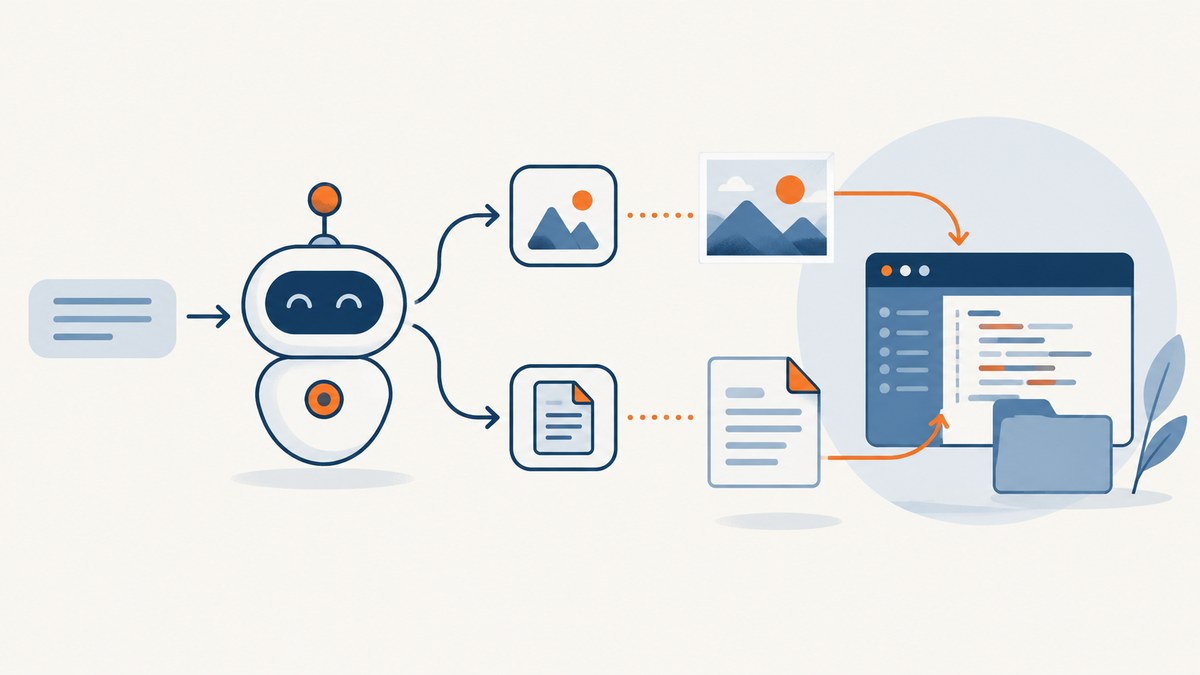
To connect an AI coding agent to image or PDF generation, add a tool the agent can call: a built-in image-generation tool, an application-owned function, or an MCP server. Choose based on where the tool runs and how the result must be returned. For PDFs, use a PDF-producing library or service through a function or MCP tool, or use Code Interpreter when the agent needs to execute code and return a file. Then save the resulting bytes, URL, or file reference in your application’s artifact store so the user can retrieve it.
A useful end-to-end flow is: describe the tool with a schema; configure its transport and credentials; let the agent call it; validate the result; persist the output; and return a link or attachment to the user. The sections below show an OpenAI Responses API example, a local MCP example, and a PDF file-return pattern.
1. Choose how the agent will reach the generator
The OpenAI tools guide describes built-in tools, function tools, and remote MCP servers as tool categories configured for a model. MCP is useful when the generator is already a separate service or process: an MCP server publishes tool definitions and handles calls. A function tool is a good fit when your application should own validation, retries, billing controls, or storage. A built-in tool reduces the integration code when it already performs the requested work.

| Pattern | Best fit | Where the call runs | Main consideration |
|---|---|---|---|
| Built-in tool | The model provider already offers the needed generation capability. | Provider-managed, subject to that tool’s interface. | Check supported input options and how generated files are returned. |
| Function tool | Your application needs to wrap a vendor API or library. | Your application executes the function after the model requests it. | You implement argument validation, execution, errors, and artifact storage. |
| Hosted HTTP MCP | A public MCP service should be called from the provider’s infrastructure. | Provider reaches the remote server. | The endpoint must be reachable there; use appropriate authentication. |
| Environment HTTP MCP | The server is reachable from your application or execution environment, including private infrastructure. | Your environment manages the connection. | Network access and credentials belong to that environment. |
| stdio MCP | A local command-line program or library wrapper should run as a process. | Your environment launches the process and exchanges messages over stdin/stdout. | Manage the process lifecycle and its dependencies. |
For a public service, hosted HTTP can reduce connection code. For a private service, an environment-origin connection avoids assuming that an external provider can reach your network. For a local renderer, stdio keeps the tool close to the files and libraries it uses. MCP supports several transports; the Agents SDK MCP guide documents hosted MCP, Streamable HTTP, SSE, and stdio approaches. Its guide warns that SSE is deprecated in the MCP project; prefer Streamable HTTP or stdio for new integrations.
2. Minimal built-in image generation with the Responses API
When the built-in image-generation tool fits your use case, add it to the Responses API tools list and ask for an image. This minimal Python example sends a prompt and prints the returned output items. It assumes the OpenAI Python package is installed and OPENAI_API_KEY is set in the environment.
from openai import OpenAI

client = OpenAI()

response = client.responses.create(
    model="gpt-4.1",
    input="Create a simple blue geometric illustration of a paper plane.",
    tools=[{"type": "image_generation"}],
)

for item in response.output:
    print(item.type, item.model_dump())
Install the SDK with pip install openai. Inspect the returned output shape for the SDK and model version in use, then extract and store the image data or reference according to that response. Don’t treat printed debug output as durable storage. The official image generation guide describes the image tool’s supported workflow and options; follow it for image-specific controls instead of assuming every model supports the same parameters.
For an application-owned image API, use a function tool instead. Define a narrow schema such as prompt, optional dimensions, and a constrained style enum. Validate limits before calling the provider, keep provider credentials on the server, and return a small result object containing a storage key or signed download URL. This makes the application responsible for retry policy, quota enforcement, and persistence.
3. Connect a local image or PDF generator with MCP
The example below connects an OpenAI Agents SDK agent to a local MCP process over stdio. The MCP server can wrap any generator that exposes tools; the server command and tool names must match your implementation. This is a complete client-side connection pattern, but it is not itself an image generator: provide an MCP server that implements a tool such as generate_image.
import asyncio
from agents import Agent, Runner
from agents.mcp import MCPServerStdio

async def main():
    async with MCPServerStdio(
        name="local-generator",
        params={
            "command": "python",
            "args": ["./generator_mcp_server.py"],
        },
        cache_tools_list=True,
    ) as server:
        agent = Agent(
            name="Asset assistant",
            instructions=(
                "Use the generator tool when asked to create an image. "
                "Return the saved artifact reference to the user."
            ),
            mcp_servers=[server],
        )
        result = await Runner.run(
            agent,
            "Create a square blue geometric paper-plane illustration.",
        )
        print(result.final_output)

asyncio.run(main())
Install the SDK with pip install openai-agents. Set OPENAI_API_KEY before running. The server process should publish a clear tool schema and return either a manageable artifact reference or structured content the client can store. If the server’s tool definitions are dynamic, disable tool-list caching or invalidate the cache when they change; caching can avoid repeatedly fetching an unchanged tool list. The SDK guide also documents Streamable HTTP connections for local or remote servers, and require_approval policies for sensitive tool calls.
For an HTTP MCP endpoint, keep its URL and authentication configuration in trusted application settings. The Agents SDK example uses an Authorization header rather than putting a token in the URL:
import os
from agents import Agent, Runner
from agents.mcp import MCPServerStreamableHttp

async def run_remote():
    async with MCPServerStreamableHttp(
        name="private-generator",
        params={
            "url": "https://generator.example/mcp",
            "headers": {
                "Authorization": f"Bearer {os.environ['GENERATOR_TOKEN']}"
            },
            "timeout": 30,
        },
        cache_tools_list=True,
        max_retry_attempts=3,
    ) as server:
        agent = Agent(
            name="Asset assistant",
            instructions="Use the available generator tool and report its artifact reference.",
            mcp_servers=[server],
        )
        result = await Runner.run(agent, "Generate a square blue paper-plane image.")
        print(result.final_output)
Replace the example hostname with your MCP endpoint. Set GENERATOR_TOKEN in the runtime environment. For a local-only endpoint, use a URL reachable from the process making the connection; a hosted connection cannot automatically see your laptop’s localhost or private network. Use the SDK’s approval controls when a tool can perform an operation that should require human review.
4. Generate a PDF and return it as an artifact
A PDF-producing function or MCP tool should return a durable artifact handle, not just say “done.” The application can then expose that file as a download. This example uses Code Interpreter through the Responses API to create a small PDF and reads the returned file annotation. The tool is useful when the workflow needs executable document creation and file return; for a dedicated PDF service, return its bytes or file URL through your function or MCP tool instead.

from openai import OpenAI

client = OpenAI()

response = client.responses.create(
    model="gpt-4.1",
    input=(
        "Use Python to create a one-page PDF report titled 'Build summary' "
        "with the sentence 'Generated by the document workflow.' "
        "Save it as build-summary.pdf."
    ),
    tools=[{"type": "code_interpreter", "container": {"type": "auto"}}],
)

for item in response.output:
    for content in getattr(item, "content", []):
        annotations = getattr(content, "annotations", [])
        for annotation in annotations:
            if getattr(annotation, "type", None) == "container_file_citation":
                print("PDF file:", annotation.filename)
                print("Container:", annotation.container_id)
                print("File ID:", annotation.file_id)
Install the SDK and set OPENAI_API_KEY as above. The Code Interpreter guide documents PDF support and generated-file annotations, including container_file_citation. The annotation is a file reference, not automatically a public download link. Your application must retrieve the file using the supported file workflow, copy it into its artifact store, and provide an authorized download route. If you return raw bytes over MCP or a function, enforce size limits and persist the bytes before the request context expires.
5. Persist artifacts so users can actually retrieve them
Generation is only half of the feature. Decide how the user will retrieve the output before wiring up the tool. A model response can contain generated bytes, an opaque file ID, a container citation, or a URL. These have different lifetimes and access rules. Normalize them into your application’s own artifact record after generation.
- Validate the request. Bound prompt length, output dimensions, page count, and file size. Allow only formats your application can safely serve.
- Call the tool. Apply a timeout and a bounded retry policy. Avoid retrying non-idempotent operations blindly; pass an idempotency key if the downstream service supports one.
- Check the result. Confirm that the response includes a file or valid reference and expected media type. A successful tool-call envelope does not guarantee the artifact is usable.
- Persist it. Store bytes in object storage or copy a provider file into a durable store. Record an internal artifact ID, owner, content type, creation time, and expiration policy.
- Return access deliberately. Give the user an authenticated route or short-lived signed URL. Do not expose provider credentials or private storage paths in the model’s output.
- Clean up. Define retention and deletion behavior for temporary files, failed jobs, and abandoned artifacts.
For large outputs, pass a URL or artifact ID between tools and application components rather than base64-encoding the file into model context. This reduces payload size and keeps binary data out of logs and conversation history. If the output must be available later, do not rely on temporary container storage or an expiring provider URL.
6. Secure and reliable tool configuration
- Review the server. An MCP tool can receive data from the model context and act with supplied credentials. Connect only to servers you control or have reviewed.
- Use least privilege. Give the generator only the credentials and permissions its task needs. Keep tokens in environment secrets, authorization headers, or a trusted vault/proxy; do not put them in reusable agent definitions, prompts, or logs.
- Limit available tools. Where supported, restrict discovery to the tools the agent needs with an allowed-tools setting. A smaller tool surface reduces accidental calls.
- Set approval rules. Require human approval for sensitive or costly operations. An image generation call may need fewer controls than a tool that publishes or deletes files.
- Choose failure behavior. Mark a server required when initialization failure should fail the turn. If it is optional, define a fallback response so the agent can explain that generation is unavailable.
- Observe the full path. Log request IDs, tool names, durations, retry counts, result status, and artifact IDs. Redact credentials and sensitive prompts.
- Make retries safe. Retry transient network failures with a limit and backoff. Avoid duplicate charges or files by using idempotency keys or checking whether a prior job completed.
The Agents SDK MCP security and transport guidance covers server trust, credentials, approval, and hosted versus environment connections. The correct execution origin is a reliability setting as much as a networking choice: a server that is reachable from one environment may be unreachable from another.
7. Performance, reliability, and cost
End-to-end latency includes agent reasoning, tool discovery, network connection, generation, file transfer, and storage. Avoid fetching an unchanged MCP tool list for every run when caching is appropriate. Reuse connections where the SDK supports it, set finite connection and generation timeouts, and separate long-running generation into an asynchronous job when a synchronous request would exceed your application’s response window.
Track cost at the operation boundary: model usage, generator usage, retries, storage, and network transfer may each be billed separately. The dossier’s sources provide no general performance or cost statistic for these integration patterns, so do not use a generic expected latency or price in product estimates. Measure your own prompt sizes, output sizes, concurrency, retry rates, and provider billing. Put quotas and maximum output constraints in application code, where they cannot be bypassed by a model-generated argument.
8. ScreenshotNeo for website screenshots
If the image you need is a screenshot of a website, a browser capture API can replace the browser installation and rendering code. ScreenshotNeo is a website screenshot API and MCP server. Its MCP server lets AI agents use take_screenshot, get_page_info, and capture_pdf. For API parameters and setup, see the ScreenshotNeo documentation.
import requests

r = requests.get(
    "https://api.screenshotneo.com/v1/shot",
    params={"access_key": "YOUR_API_KEY", "url": "https://stripe.com"},
    timeout=90,
)
open("shot.webp", "wb").write(r.content)
Cookie banners, popups, and chat widgets are removed before the shot; bot checks, blank pages, and failed loads are never billed. An MCP server lets AI agents take screenshots. 1,000 screenshots a month are free with no card, and paid plans start at $5 for 3,000. Get 1,000 free screenshots a month with no card.
9. Troubleshooting
| Symptom | Likely cause | Fix |
|---|---|---|
| The agent never calls the generator. | The tool is missing from the request/agent, unavailable to the selected model, or described too vaguely. | Confirm the tool is configured for that run and give the agent a clear instruction about when to call it. Inspect the response’s tool-call events. |
| MCP initialization or discovery fails. | Wrong endpoint or command, incompatible transport, server startup error, or inaccessible network. | Run the server independently, verify the MCP path and transport, inspect stderr, and confirm reachability from the actual caller environment. |
| Authentication returns 401 or 403. | Missing, expired, or insufficient credential; a token may be sent in the wrong place. | Check the runtime secret and expected auth scheme. Prefer an authorization header and verify required scopes. |
| The model reports success but no file is downloadable. | The tool returned a temporary reference, or the application did not retrieve and persist it. | Handle the returned file annotation or URL, copy the bytes to durable storage, and generate an application-owned download route. |
| PDF or image output is corrupt. | Text/JSON was saved as binary, transfer was truncated, or the wrong response field was selected. | Check content type and length, save raw bytes, verify the file signature, and reject incomplete downloads. |
| Requests time out or duplicate output. | Generation exceeds the request budget or automatic retries repeat a non-idempotent call. | Use a longer bounded timeout or an async job flow. Add idempotency where supported and inspect job status before retrying. |
| Tool list changes do not appear. | A cached schema is stale. | Refresh or invalidate the tools cache, or disable caching for genuinely dynamic tool definitions. |
10. Implementation checklist
- Choose built-in, function, hosted MCP, environment HTTP MCP, or stdio based on execution location and network reachability.
- Write a narrow tool schema with validated arguments and explicit output format.
- Keep credentials out of prompts, logs, and reusable agent configuration.
- Set timeouts, bounded retries, approval behavior, and a fallback for unavailable tools.
- Store generated bytes or copy temporary files into durable, access-controlled storage.
- Return an artifact link or ID, not just a success message.
- Measure end-to-end latency, failure rates, payload sizes, and actual provider costs.
FAQ
Can a coding agent call an MCP server?
Yes, when the agent runtime supports MCP and the server is configured with a reachable transport. The server publishes tool definitions and handles calls; the agent can select an available tool as part of its workflow.
Should the generator run remotely or locally?
Use remote hosted MCP for a public service reachable by the model provider, environment HTTP for services reachable only from your infrastructure, and stdio for a local process or library wrapper. Choose based on network access, credential control, and where files need to be processed.
How do I let the agent create a PDF and return it?
Use Code Interpreter for executable document creation with returned file annotations, or call a PDF service through a function or MCP tool. In both cases, retrieve and persist the file, then provide the user an authorized download reference.
Do I need MCP if I only have one generator API?
No. A function tool is often the simplest option when your application owns the API call and needs custom validation or storage. MCP is useful when you want a separate process or service to publish reusable tools through a standard interface.