HTTP 415 Unsupported Media Type: What It Means
HTTP 415 means an endpoint cannot process the request body in its indicated format or content coding. Learn how to identify and fix the mismatch.

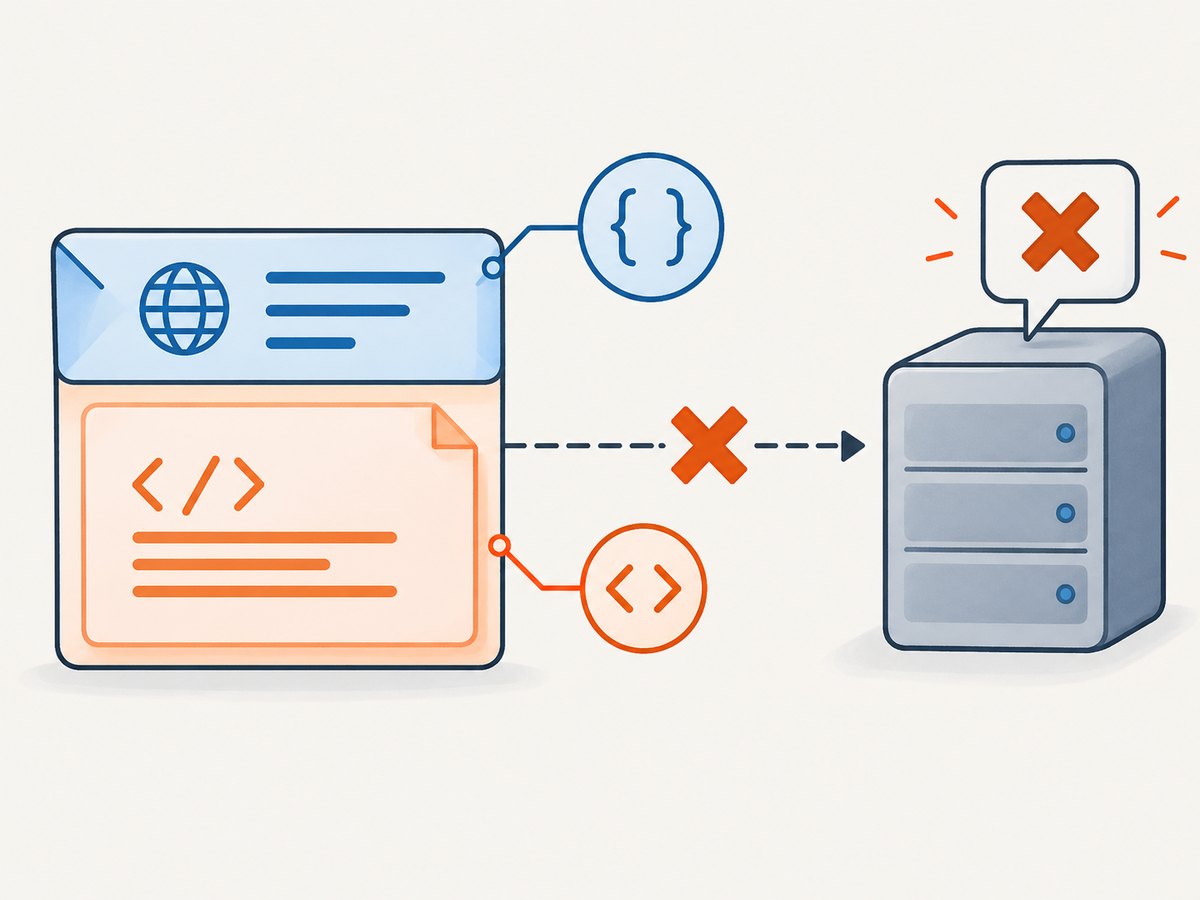
HTTP 415 Unsupported Media Type means the server received a request whose content format or content coding it cannot process for that endpoint and method. The most common fix is to make the request body match the endpoint’s documented format and declare it accurately with Content-Type. A 415 can also involve an unsupported Content-Encoding, such as compression the server cannot decode. The status alone does not tell you which part is wrong; inspect the endpoint contract, response body, and headers.
This guide explains how to diagnose and fix 415 responses in cURL, Python, and Node.js, distinguish request format errors from nearby status codes, and avoid changing a header without changing the bytes it describes.
1. What HTTP 415 means
HTTP 415 is a client error. The server refuses to process the request because the representation sent to the target resource is not supported for the method used. The format problem may be in the request’s indicated media type, its content coding, or the processing of the request content itself. See the MDN 415 reference and RFC 9110, section 15.5.16.
For example, an endpoint might accept JSON on POST /items. Sending a JSON body without declaring its media type may be rejected. Sending JSON bytes while claiming they are URL-encoded form data is another mismatch. In either case, the server’s parser may not know how to interpret the body it received.
A 415 does not automatically mean that the JSON is malformed. The server could reject the declared type, a parameter such as a charset, a content coding, or the body’s format during processing. Check the specific endpoint documentation and response details before settling on a cause.
2. The headers that matter
| Header | What it describes | How it relates to 415 |
|---|---|---|
Content-Type |
The media type of the request representation, such as application/json. |
Set it to a format the endpoint accepts, and make sure the body really uses that format. |
Content-Encoding |
A transformation applied to the representation, such as compression. | The server may reject a coding it cannot decode. RFC 9110 says a coding-related 415 should include Accept-Encoding to indicate acceptable request codings. |
Accept |
Response media types the client is willing to receive. | It concerns the response, not the format of the request body. It does not replace Content-Type. |
Accept-Post |
Media types supported for POST, when the server provides this metadata. | May appear with a 415 to advertise acceptable POST request types. See MDN Accept-Post. |
Accept-Patch |
Patch document media types supported by a resource. | Can help identify an accepted PATCH representation. See MDN Accept-Patch. |
Media types have a type/subtype form and can include parameters. The type and subtype tokens are case-insensitive, but the endpoint may have specific requirements for parameters. Use the exact documented media type and parameters rather than guessing. The IANA media types registry is a reference for registered types.
3. A step-by-step diagnosis
- Confirm the route and method. Verify the URL and whether the operation uses POST, PUT, or PATCH. Accepted request types can differ by endpoint and method.
- Read the endpoint contract. Find the documented request media type and any required parameters. Do not assume every endpoint accepts JSON.
- Inspect the actual body. Determine whether your client is sending JSON, URL-encoded fields, multipart data, XML, or another representation. Look at the bytes or the code that serializes them.
- Compare body and declaration. Confirm that
Content-Typedescribes the body. For JSON, that is commonlyapplication/json; for form submissions, use the exact form format the endpoint expects. - Check content coding. If the request is compressed or otherwise encoded, inspect
Content-Encoding. Remove it for a diagnostic request or use a coding supported by the endpoint. - Read the response. Record the response body and headers. Look for
Accept-Post,Accept-Patch, and, when coding is implicated,Accept-Encoding. - Retry with a minimal request. Use a small valid body in the documented format. Add optional parameters and payload fields back only after that succeeds.
Changing only the header does not convert the body. If the body is form data, declaring it as JSON does not serialize it into JSON; the reverse mismatch is equally problematic.
4. Runnable examples: send JSON correctly
These examples use a placeholder endpoint and payload. Replace them with the route, fields, and authentication method documented by your API. They illustrate request construction; the endpoint must actually support JSON for the method shown.
cURL
curl -i -X POST "https://api.example.com/items" \
  -H "Content-Type: application/json" \
  -H "Accept: application/json" \
  --data '{"name":"sample","enabled":true}'
Content-Type declares the request body. Accept asks for a JSON response if the server supports it. The latter does not fix a request body with the wrong format.
Python with requests
import requests

url = "https://api.example.com/items"
payload = {"name": "sample", "enabled": True}

response = requests.post(url, json=payload, timeout=30)
print("status:", response.status_code)
print("response content type:", response.headers.get("Content-Type"))
print("accepted POST types:", response.headers.get("Accept-Post"))
print("response:", response.text)
The json= argument serializes the Python object as JSON and sets an appropriate request content type. If you instead use data=, check what that call sends and whether it matches the endpoint’s expected format. A timeout limits how long the client waits; it does not change the media type.
Node.js with fetch
const response = await fetch('https://api.example.com/items', {
  method: 'POST',
  headers: {
    'Content-Type': 'application/json',
    'Accept': 'application/json'
  },
  body: JSON.stringify({ name: 'sample', enabled: true })
});

console.log('status:', response.status);
console.log('accepted POST types:', response.headers.get('accept-post'));
console.log('response:', await response.text());
In Node.js, fetch does not turn a plain object into a JSON request body. Serialize it, and declare the media type. Do not serialize twice: the body should be one JSON representation, not a JSON string containing another serialized JSON string.
Sending form data instead
If the API expects URL-encoded fields, send that representation rather than JSON. For example, with cURL:
curl -i -X POST "https://api.example.com/items" \
  -H "Accept: application/json" \
  --data-urlencode "name=sample" \
  --data-urlencode "enabled=true"
cURL’s form options construct form content and set a matching content type. For multipart file uploads, use the client library’s multipart feature and let it generate the boundary parameter. Manually setting multipart/form-data without the correct boundary can make the body unparsable.
5. Fixes by root cause
Missing Content-Type
When sending a body to an endpoint that requires a declared format, set the documented Content-Type. Some client helpers set it automatically; raw requests may not. Verify the outgoing request rather than assuming a library added the header.

Header and body disagree
Choose whether the payload should be JSON, form data, multipart, or another supported format. Then serialize or construct the body in that format and declare the corresponding type. Do not relabel existing bytes and expect the server to reinterpret them correctly.
Unsupported media type or parameter
Use the endpoint’s accepted type for that method. Remove optional parameters that the API does not document, or use its specified charset or profile parameter. If available, use Accept-Post or Accept-Patch as clues, then confirm them against the API contract.
Unsupported Content-Encoding
For a diagnostic retry, send an uncompressed body and omit Content-Encoding if no transformation was applied. If you do compress the request, declare the coding accurately and use one the server accepts. Do not set Content-Encoding: gzip on uncompressed bytes. A coding-related 415 may include Accept-Encoding in the response.
Endpoint or method mismatch
An API can support JSON for one route or method and another representation elsewhere. Confirm the exact resource and verb, especially when a client abstraction silently changes the method or sends a body in an unexpected format.
6. 415 compared with 400 and 406
| Status | Issue in brief | What to inspect |
|---|---|---|
400 Bad Request |
A broader request problem, which may include malformed syntax or invalid framing. | Request syntax, framing, body structure, and the server’s error details. |
406 Not Acceptable |
The server cannot provide a response representation acceptable under the client’s preferences. | The request’s Accept header and representations the server can return. |
415 Unsupported Media Type |
The server cannot process the request representation or its content coding. | Content-Type, body bytes, Content-Encoding, and accepted types for the route and method. |
The distinction is useful, but implementations may use status codes differently. Use the response content and endpoint documentation along with the status. See MDN’s guides to content negotiation and 406 Not Acceptable.
7. Troubleshooting common 415 errors
| Symptom | Likely cause | Next action |
|---|---|---|
| JSON POST returns 415 | Missing or incorrect Content-Type, endpoint does not accept JSON, or body is not valid JSON. |
Confirm the route contract; inspect the outgoing body; send serialized JSON with the documented type. |
Adding Content-Type: application/json changes nothing |
The body is still form encoded, malformed, or the endpoint expects another type. | Fix serialization or send the format the endpoint specifies; do not change only the header. |
| Multipart upload fails | The manually supplied content type may omit or mismatch its boundary. | Use the HTTP library’s multipart support and let it construct the boundary and body together. |
| Only compressed requests fail | The server does not support the request’s content coding, or the declaration does not match the bytes. | Retry without compression; inspect Content-Encoding and response Accept-Encoding. |
| One method fails while another works | Accepted types can vary by method and resource. | Check the contract for the exact POST, PUT, or PATCH operation and inspect method-specific response metadata. |
| Client library succeeds locally, integration gets 415 | Different code paths may serialize the body or set headers differently. | Log method, safe-to-share headers, and body format at the boundary; compare the actual outgoing request, omitting secrets. |
8. Performance, reliability, and cost considerations
A 415 is usually a request construction or endpoint contract issue. Repeating the same request unchanged is unlikely to help and can add latency, logs, and API usage. Fix the media type, body serialization, or coding first. Retry only after changing a relevant input or after confirming a documented transient condition.
Keep request bodies small while diagnosing, and avoid logging credentials or sensitive payloads. A minimal reproduction helps separate a format problem from application validation and makes the failing request easier to compare across clients. If the API charges by request, check its billing rules before running a retry loop; HTTP status alone does not establish whether a provider bills the attempt.
For visual debugging of a website response, ScreenshotNeo is a website screenshot API and MCP server from ScreenshotNeo. It captures web pages as PNG, JPEG, WebP, or PDF; it is not a general HTTP request inspector and does not replace checking the API contract and response headers.
9. Or skip the browser setup
If diagnosing a page visually is part of your workflow, ScreenshotNeo can capture it with one GET call. This is separate from fixing a 415 on an API endpoint; use the endpoint’s documented media type for that request. See the ScreenshotNeo API documentation.
curl -G "https://api.screenshotneo.com/v1/shot" -d access_key=YOUR_API_KEY --data-urlencode url=https://stripe.com -o shot.webpScreenshotNeo accepts cookie and consent banners as a visitor and removes more than 60 known consent platforms, newsletter popups, and chat widgets before capture; each step can be turned off. Bot checks, blank pages, timeouts, failed loads, and cache hits cost nothing, and response headers say which case occurred. Its MCP server provides take_screenshot, get_page_info, and capture_pdf for Claude, Cursor, and other MCP clients. The free plan includes 1,000 screenshots each month with no card; paid plans start at $5 for 3,000 shots, and every feature is on every plan.
Sign up free for 1,000 screenshots a month, with no card required.
10. Frequently asked questions
Does a 415 always mean my Content-Type header is wrong?
No. The body can disagree with the header, the endpoint can reject the media type or a parameter, or the content coding can be unsupported.
Should I add Accept: application/json to fix it?
Not by itself. Accept describes response formats you can handle. Declare the request body with Content-Type and send the representation the endpoint accepts.
Can a GET request return 415?
Yes, if a request includes content that the resource cannot process, though many APIs do not define a body for GET. Check the method contract and client behavior.
Does changing JSON to XML fix a 415?
Only if the endpoint accepts XML and you also send a valid XML body with its matching media type. The server’s accepted formats determine the fix.
What should I do if the response gives no useful details?
Recheck the contract, capture the outgoing request’s method, headers, and body format, and make a minimal request. Ask the API owner which request types and content codings the endpoint supports.