HTTP 423 Locked: What It Means
HTTP 423 means a WebDAV resource is locked. Learn how to find the lock, submit its token, refresh or release it, and troubleshoot failed writes.

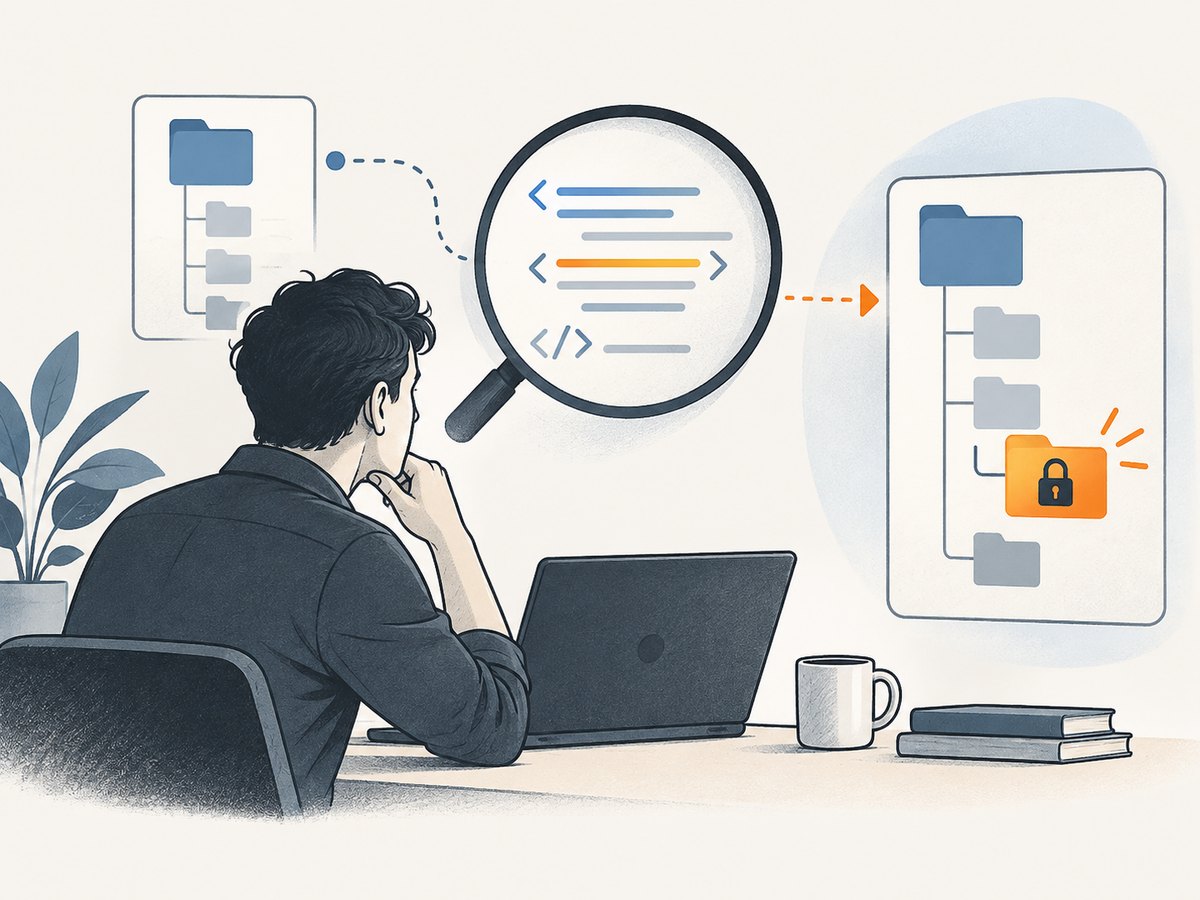
HTTP 423 Locked is a WebDAV status code meaning that the source or destination resource of a request is locked. A write request may be rejected because it does not submit the authorized lock token, or because another incompatible lock exists. The response body often identifies which condition applies. The practical fix is to inspect the WebDAV error details, then use the correct token, refresh a lock you own, or release it when it is no longer needed.
423 is not a general-purpose browser error and does not mean that a server is necessarily down. It is defined by WebDAV, an HTTP extension for remote authoring and resource management. Ordinary browsing usually does not involve WebDAV locks. [RFC 4918 §11.3; MDN: 423 Locked]
1. What does HTTP 423 Locked mean?
The WebDAV standard defines 423 as the status returned when a method’s source or destination resource is locked. A lock is a coordination mechanism: it helps prevent two clients from overwriting one another’s changes, including the “lost update” problem. An exclusive write lock can prevent another principal from modifying the resource unless that request carries the lock token. [RFC 4918 §11.3; RFC 4918 §6]
The lock may apply to a resource other than the URL that first drew your attention. For example, COPY and MOVE involve both a source and a destination; a locked destination, parent collection, or member can cause the operation to fail. Inspect the response’s XML and any reported resource href rather than assuming that only the request URL matters.
- Method: note whether the request was PUT, DELETE, COPY, MOVE, or another WebDAV method.
- Lock: determine which resource is locked and whether the lock is exclusive or otherwise conflicts with the operation.
- Token: check whether the request supplied a lock token authorized for that resource.
- Owner: verify that the token belongs to the authenticated principal or is otherwise authorized by the server.
2. Why a WebDAV request returns 423
A common cause is a write request sent without the token for a write-locked resource. A lock token identifies the lock; the client commonly submits it in an HTTP If header. The header’s syntax and conditions are WebDAV-specific, so an ordinary If-Match entity-tag is not a replacement for a lock token. RFC 4918 requires an authorized token when modifying a write-locked resource. [RFC 4918 §6.1; RFC 4918 §10.4]

Another cause is a conflicting lock. A client may have the token but still target a resource or perform an operation that conflicts with a different lock. Or the lock may belong to another user, process, or client session. Do not guess, invent, or reuse a token from another resource: establish ownership and authorization first.
For COPY and MOVE, evaluate the complete operation. A source can be unlocked while the destination is locked, or the reverse. A lock on a parent collection or a member affected by the operation can also matter. Some failures involving multiple resources are reported through a 207 Multi-Status response, with per-resource results in the XML body. [RFC 4918 §8.8]
3. Diagnose 423 from the response
- Record the request. Capture the method, full URL, authenticated identity, relevant headers, and timestamp. Redact credentials and lock tokens before sharing logs.
- Read the body. WebDAV errors often use XML with a DAV precondition. Look for
lock-token-submitted,no-conflicting-lock, and anhrefnaming the affected resource. - Check the token path. Confirm the lock token was retrieved for this resource, preserved without accidental whitespace or truncation, and included in the correct
Ifheader form. - Check lock state and owner. Query the server through the authorized client or administrative interface. Determine whether the lock is still active, whether it expired, and which principal owns it.
- Inspect related resources. For COPY or MOVE, check source, destination, parent collections, and affected members. Interpret any 207 response per resource.
- Choose an authorized remedy. Submit the token, refresh the lock, or release it if it is yours and no longer needed. If another principal owns it, resolve the conflict with that owner or the server administrator.
The XML precondition is useful because it distinguishes a missing required token from a lock conflict. RFC 4918 defines lock-token-submitted for a request that could not succeed because it should have included a lock token; no-conflicting-lock indicates a conflicting lock condition. [RFC 4918 §16]
4. Send the lock token with a write request
The following example shows the shape of a PUT request with a WebDAV lock token in the If header. Replace the URL, token, and file with values obtained from your authorized WebDAV workflow. The token form in a tagged If header associates it with the resource URI. Follow your server’s documented authentication and token retrieval process.
curl -i -X PUT \
  -H 'Authorization: Bearer YOUR_ACCESS_TOKEN' \
  -H 'Content-Type: application/octet-stream' \
  -H 'If: <https://dav.example.test/files/report.txt> (<opaquelocktoken:YOUR_LOCK_TOKEN>)' \
  --data-binary @report.txt \
  'https://dav.example.test/files/report.txt'
This is a request template, not a way to bypass a lock. A server can reject a syntactically valid token if it is not authorized, belongs to another resource, is stale, or does not satisfy the current lock conditions. Preserve the server’s exact lock token and URI association. If your DAV client library manages locks, prefer its lock-aware methods over constructing headers by hand.
5. Refresh or release a lock
If the lock is yours and the operation still needs protection, refresh it before its timeout. RFC 4918 specifies that a LOCK request without a body refreshes an existing lock; it does not create a new lock. A refresh supplies the existing token in the If header and includes the server’s lock timeout policy as appropriate. [RFC 4918 §9.10.2]
curl -i -X LOCK \
  -H 'Authorization: Bearer YOUR_ACCESS_TOKEN' \
  -H 'If: (<opaquelocktoken:YOUR_LOCK_TOKEN>)' \
  -H 'Timeout: Second-3600' \
  'https://dav.example.test/files/report.txt'
If the work is complete and you are authorized to release the lock, send UNLOCK with the token in Lock-Token. A successful UNLOCK normally returns 204 No Content. [RFC 4918 §9.11]
curl -i -X UNLOCK \
  -H 'Authorization: Bearer YOUR_ACCESS_TOKEN' \
  -H 'Lock-Token: <opaquelocktoken:YOUR_LOCK_TOKEN>' \
  'https://dav.example.test/files/report.txt'
Do not unlock a resource simply to make a request succeed if another client still depends on the lock. Coordinate with the owner, and follow the server’s policy for administrative lock removal.
6. Common 423 errors and fixes
| What you see | Likely cause | What to do |
|---|---|---|
lock-token-submitted |
A write-locked resource was modified without the required token. | Retrieve the authorized token and send it in the WebDAV If header. |
no-conflicting-lock |
An active lock conflicts with this request or its conditions. | Identify the lock owner and resource; wait, coordinate, or resolve the lock according to server policy. |
| PUT or DELETE works for one file but not another | Lock state or token differs by resource; a token may have expired or target another URI. | Inspect the affected href and retrieve a fresh lock state for that resource. |
| COPY or MOVE fails despite an unlocked source | The destination, parent collection, or another affected resource is locked. | Inspect both sides and parse any 207 Multi-Status details. |
| LOCK refresh fails | The lock expired, token is wrong, or the request is attempting to create instead of refresh. | Verify the current lock; refresh with a bodyless LOCK and valid token only if the lock remains active. |
| UNLOCK fails | The token does not match the lock, the caller lacks authorization, or the lock is already gone. | Recheck lock state and ownership; do not substitute a guessed token. |
| 423 appears in browser DevTools for a page request | The page may be calling a WebDAV endpoint or proxy, rather than serving ordinary navigation. | Inspect the request URL, method, and response issuer; trace the application or storage integration that made it. |
7. Distinguish 423 from nearby status codes
| Status | Meaning in this context | Diagnostic question |
|---|---|---|
| 423 Locked | A method’s source or destination resource is locked. | Which resource is locked, and what token or lock resolution is authorized? |
| 424 Failed Dependency | A method could not be performed because a dependent action failed. | Which earlier or related operation failed? |
| 507 Insufficient Storage | The server cannot store the representation needed to complete the request. | Is server storage capacity or allocation the problem? |
| 412 Precondition Failed | A request condition evaluated false, such as an HTTP conditional header. | Which request precondition failed? Check headers and response details. |
423 is specifically about a lock. RFC 4918 defines 424 and 507 separately, so retrying a 423 as though it were a transient storage failure will not address the lock state. [RFC 4918 §11]
8. Reliability, retries, and operational notes
Blind retries usually repeat the same failure when the lock state and request are unchanged. First inspect the response body and lock owner. A retry can make sense after obtaining the right token, confirming a lock was released, or refreshing a lock you own. For operations with side effects, make sure the client can tell whether an earlier attempt succeeded before repeating it.
Keep lock lifecycle handling close to the operation that needs it: acquire or discover the lock, keep its token associated with the correct resource, refresh it before expiry when required, and release it at the end of the critical section. Handle timeout and process-crash cases through your server’s documented recovery and administrative mechanisms. Log status, method, resource identifier, and DAV precondition; avoid writing bearer credentials or reusable lock tokens into broadly accessible logs.
There is no universal cost or performance figure for 423: it depends on the server, network, lock timeout, and client behavior. A rejected request still consumes some client/server work, and repeated retries add load without resolving the conflict. Use bounded retries only when state has changed or a server response provides a reason to retry.
9. Screenshot API note for developers diagnosing a rendered page
If the issue is understanding what a public page looks like, an HTTP screenshot can help inspect its rendered result, but a screenshot does not reveal a WebDAV lock token or replace server-side DAV diagnostics. ScreenshotNeo is a website screenshot API and MCP server for developers; its API takes a URL and returns an image or PDF. Use it for the visual page inspection part of the investigation, while using the WebDAV response and server’s lock state to resolve 423.
10. FAQ
Does HTTP 423 mean my account is locked?
Not necessarily. The status says the source or destination resource of a method is locked. The XML response and server’s lock information identify the resource and applicable condition.
Can I fix 423 by adding an Authorization header?
Authentication may be required, but it does not itself satisfy a write lock. An authorized request may also need the matching lock token in the WebDAV If header.
Is a 423 response safe to retry?
Only after the relevant lock condition changes or you correct the request. Repeating the same request with the same lock state generally repeats the error.
Can I remove someone else’s lock?
Only if you have explicit authority under the server’s policy. Otherwise contact the lock owner or administrator; do not forge or reuse a token.
Or skip the browser setup
For a visual check of a page during debugging, ScreenshotNeo makes a screenshot with one request. The code below uses the documented API parameters; see the ScreenshotNeo API documentation for configuration. Replace the target URL as needed.
curl -G "https://api.screenshotneo.com/v1/shot" -d access_key=YOUR_API_KEY --data-urlencode url=https://stripe.com -o shot.webpimport requests
r = requests.get("https://api.screenshotneo.com/v1/shot", params={"access_key": "YOUR_API_KEY", "url": "https://stripe.com"}, timeout=90)
open("shot.webp", "wb").write(r.content)const q = new URLSearchParams({ access_key: 'YOUR_API_KEY', url: 'https://stripe.com' });
const res = await fetch(`https://api.screenshotneo.com/v1/shot?${q}`);- Cookie banners are accepted and removed before the shot; 60+ known consent platforms, newsletter popups, and chat widgets can be removed, with each step configurable.
- Bot checks, blank pages, timeouts, failed loads, and cache hits are not billed; response headers report the page verdict and billing status.
- An MCP server lets AI agents, including Claude, Cursor, and other MCP clients, take screenshots, get page information, and capture PDFs.
- The Free plan includes 1,000 shots a month with no card. Paid plans start at $5 for 3,000 shots; every feature is available on every plan.
Sign up free for 1,000 screenshots a month, with no card required.