Building AI Data Pipelines with LangChain and Web Crawling
Design a safe LangChain web-crawling pipeline from URL discovery to clean, traceable chunks, embeddings, refreshes, and retrieval.

Turning web pages into dependable input for an AI search or retrieval-augmented generation (RAG) system is an ingestion problem before it is a LangChain problem. You need a permitted scope, a repeatable way to discover URLs, controlled fetching, useful text extraction, provenance, context-preserving chunks, embeddings, storage, and a refresh strategy. LangChain supplies document loaders and composition primitives; you still own the policy, security, and operations.
The practical sequence is:
- Define domains, paths, page types, and crawl limits.
- Choose a loader that matches how URLs are known.
- Fetch at a rate the target permits, with an identifying user agent.
- Clean and normalize content while retaining source metadata.
- Split into chunks that preserve headings and local context.
- Embed and write chunks to a retrievable store.
- Refresh changed pages, quarantine failures, and monitor completeness.
What LangChain contributes to a web data pipeline
LangChain’s web loaders turn fetched pages into Document objects: text plus metadata. That representation is a useful handoff between acquisition and retrieval. It is not a guarantee that every link was found, that JavaScript content was rendered, or that boilerplate was removed. Those properties depend on the source and loader configuration.

Use WebBaseLoader for one or more known URLs and straightforward HTML. Use SitemapLoader when the desired corpus is enumerated in a sitemap. Use RecursiveUrlLoader when you intentionally want to follow reachable child links from a root. These are different acquisition patterns, not interchangeable completeness guarantees.
For pages that require browser rendering or specialized cleanup, LangChain’s integration material identifies Firecrawl and Spider integrations as alternatives to evaluate. Choose them because your source needs crawling, JavaScript handling, or cleaning, and verify their current terms and APIs before adopting them.
1. Define scope and permission before crawling
Write the crawl contract first. List allowed hostnames and path prefixes, excluded paths (for example, account or admin areas), maximum depth, page and byte limits, and the refresh interval. Prefer a maintained URL list or sitemap when it accurately describes the corpus. Recursive traversal is broader and needs explicit bounds.
Robots rules, terms, authentication requirements, and applicable law remain your responsibility. A library’s default rate or same-domain check is not permission to crawl. The current WebBaseLoader reference lists requests_per_second=2 as a default parameter; treat it as a library default and set a rate appropriate to the target’s rules and capacity.
2. Pick the loader that matches URL discovery
| Source shape | Loader | Key controls | Typical risk |
|---|---|---|---|
| Known paths | WebBaseLoader | URL list, request pacing, headers, sync/lazy/async methods | Missing pages if your list is incomplete |
| Sitemap-enumerated | SitemapLoader | Same-domain restriction, URL filters, depth configuration | Sitemap may include stale or irrelevant URLs |
| Root with child links | RecursiveUrlLoader | Depth, domain boundary, URL filters | Unbounded growth and SSRF exposure |
Known URLs with WebBaseLoader
from langchain_community.document_loaders import WebBaseLoader

urls = [
    "https://example.com/docs/getting-started",
    "https://example.com/docs/authentication",
]
loader = WebBaseLoader(urls)
loader.requests_per_second = 1  # choose a rate allowed by the target

documents = loader.load()
for doc in documents:
    print(doc.metadata.get("title"), doc.metadata.get("source"))
For large URL sets, use the loader’s lazy or asynchronous methods where supported, but keep a bounded worker count and explicit retry policy. Record each URL’s status; do not treat a shorter-than-expected document list as a successful full crawl.
Sitemap-driven ingestion
from langchain_community.document_loaders import SitemapLoader

loader = SitemapLoader(
    web_path="https://example.com/sitemap.xml",
    filter_urls=[r"https://example\\.com/docs/.*"],
)
documents = loader.load()
Inspect the sitemap before ingestion. Filter out feeds, tag pages, duplicates, and language variants you do not need. Remote sitemap loading applies a same-domain restriction by default, but treat sitemap entries and redirects as untrusted input.
Bounded recursive crawling
from langchain_community.document_loaders import RecursiveUrlLoader

loader = RecursiveUrlLoader(
    url="https://example.com/docs/",
    max_depth=2,
    prevent_outside=True,
)
documents = loader.load()
A depth limit controls link distance, not total work. Add URL allowlists, page and byte budgets, duplicate detection, and a queue timeout. A same-host rule is not a complete security boundary: a shared host can serve multiple sites, and a malicious link or redirect can target another service.
3. Fetch responsibly and isolate the crawler
Identify your crawler with a User-Agent that includes an operator contact. Pace requests based on the destination, honor explicit restrictions, and use exponential backoff for transient failures. Capture status code, redirect chain, response size, and elapsed time for every attempt.
Crawling creates server-side request forgery (SSRF) exposure when users, sitemaps, or discovered links influence destinations. Run workers in a network segment that cannot reach internal services or cloud metadata endpoints. Enforce hostname and path allowlists before DNS resolution and again after redirects; block private, loopback, link-local, and metadata ranges at the network layer. Restrict who can submit crawl jobs. LangChain documents same-domain controls and URL filters, but also states that these mitigations do not remove all risk.
4. Extract clean text and preserve lineage
Static HTML loaders can return navigation, cookie notices, repeated footers, and other boilerplate. Normalize whitespace, remove elements you know are non-content, and preserve headings, lists, table context, and code blocks. Keep the original HTML or response hash where policy permits so you can audit changes.
A practical metadata record for every source page includes:
source: canonical URL after approved redirects.titleand heading path.crawled_at, HTTP status, and optional Last-Modified value.content_hashand loader/version identifier.- language, tenant, access class, and crawl job ID.
Attach these fields to every resulting chunk. Provenance lets an answer link back to a page, while hashes let refresh jobs skip unchanged content and remove chunks when a page disappears.
5. Split documents without losing context
Split after cleaning, not before. Start with a structure-aware splitter that keeps headings with their paragraphs, then apply a character or token limit. Overlap helps when a definition crosses a boundary, but excessive overlap increases storage and retrieval noise. The right size depends on your corpus, embedding model, and question length; LangChain does not prescribe one universal value.
from langchain_text_splitters import RecursiveCharacterTextSplitter

splitter = RecursiveCharacterTextSplitter(
    chunk_size=1000,
    chunk_overlap=150,
    separators=["\\n\\n", "\\n", ". ", " ", ""],
)
chunks = splitter.split_documents(documents)
for i, chunk in enumerate(chunks):
    chunk.metadata["chunk_index"] = i
Do not split a table row away from its header or a code sample away from the explanation that names it. For long manuals, prepend the heading path to each chunk. Deduplicate near-identical pages such as print views and localized copies before embedding.
6. Embed, store, and test retrieval
Generate an embedding for each chunk and write vectors plus metadata to your chosen vector or search store. Keep the chunk ID stable so an update can delete old vectors before inserting replacements. Store the source URL and heading path as filterable fields.
Evaluate with a question set that includes exact lookups, synonyms, and questions requiring adjacent sections. Check whether retrieved chunks contain enough context, whether filters isolate the correct tenant or version, and whether citations resolve to the source page. Semantic search and RAG are downstream uses of the acquired Documents; the loader alone does not provide them.
7. Refreshes, failures, and completeness
Use conditional requests (ETag or Last-Modified) when the origin supports them. On a changed hash, re-extract, re-split, and replace that page’s chunks atomically. On a 404, mark the source as removed after a policy-defined confirmation rather than deleting immediately. Keep failed URLs in a retry queue with reason, attempt count, and next-attempt time.
Monitor:
- discovered, attempted, successful, skipped, and failed URL counts;
- status-code and timeout rates;
- bytes and latency by host;
- content-hash change rate;
- chunk and embedding write errors;
- retrieval evaluation scores and citation validity.
A crawl is complete only when the expected URL set, sitemap snapshot, or bounded frontier has been accounted for. Publish a manifest with the job ID, scope, loader settings, and failure list.
8. When pages need a real browser: ScreenshotNeo
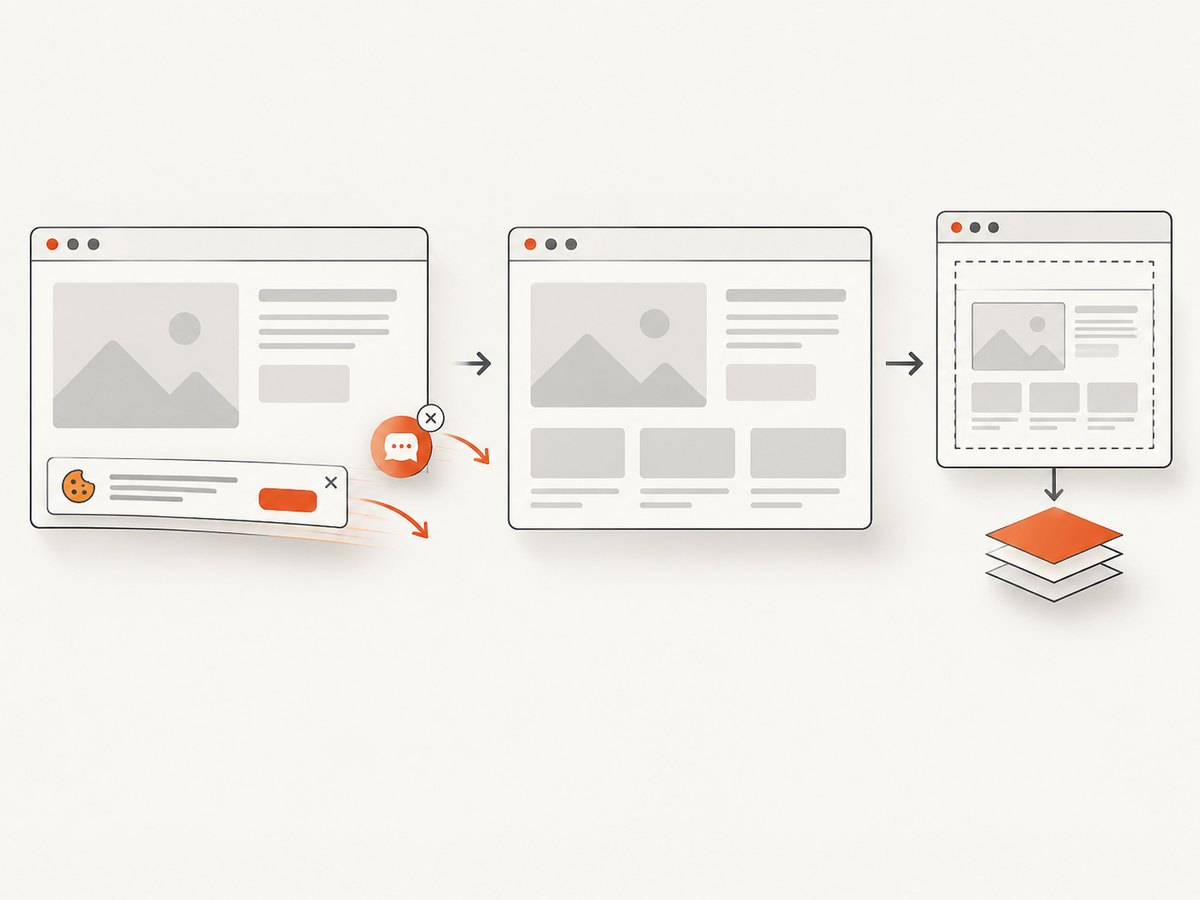
If your pipeline needs a visual record, rendered state, or a PDF alongside text, ScreenshotNeo provides a website screenshot API and MCP server. It accepts one GET request and returns PNG, JPEG, WebP, or PDF. Before capture it can accept cookie or consent banners and remove more than 60 known consent platforms, newsletter popups, and chat widgets; each step can be disabled. Options include full-page capture with lazy images loaded, CSS-selector element capture, dark mode, 12 device presets or any viewport, retina scale, custom CSS and JavaScript, clicks, selector or network-idle waits, request blocking, headers, cookies, user agent, Authorization, timezone, geolocation, transparent backgrounds, resizing, TTL caching, signed links, async jobs with signed webhooks, bulk capture of up to 100 URLs per call, and a usage API.
Or skip the browser setup
Use the API when you need a rendered artifact in the same ingestion job. See the ScreenshotNeo docs for the complete option list.
curl -G "https://api.screenshotneo.com/v1/shot" -d access_key=YOUR_API_KEY --data-urlencode url=https://stripe.com -o shot.webpimport requests
r = requests.get("https://api.screenshotneo.com/v1/shot", params={"access_key": "YOUR_API_KEY", "url": "https://stripe.com"}, timeout=90)
open("shot.webp", "wb").write(r.content)
const q = new URLSearchParams({ access_key: 'YOUR_API_KEY', url: 'https://stripe.com' });
const res = await fetch(`https://api.screenshotneo.com/v1/shot?${q}`);
const image = Buffer.from(await res.arrayBuffer());
await fs.promises.writeFile('shot.webp', image);
Cookie banners, popups, and chat widgets are removed before the shot. Bot checks, blank pages, and failed loads are never billed; response headers report the page verdict and whether it was billed (X-Page-Verdict and X-Billed). An MCP server lets Claude, Cursor, and other MCP clients call take_screenshot, get_page_info, and capture_pdf. The Free plan includes 1,000 screenshots a month with no card; paid plans start at $5 for 3,000 shots. Create a free ScreenshotNeo account.
Performance, reliability, and cost decisions
- Throughput: parallelize across hosts only within each site’s allowed rate. Browser rendering and large PDFs consume more time and bytes than static HTML.
- Reliability: use bounded queues, idempotent page keys, retries for 408/429/5xx, and a dead-letter queue for persistent failures.
- Cost: cache by canonical URL plus relevant request options; avoid re-embedding unchanged hashes; batch vector writes. ScreenshotNeo cache TTLs and bulk capture can reduce repeated work, while only clean shots are billed.
- Freshness: assign short intervals to frequently edited pages and longer intervals to stable reference pages. Re-crawl failures separately so one outage does not delay the whole corpus.
Troubleshooting checklist
| Symptom | Likely cause | Fix |
|---|---|---|
| Too few Documents | Incomplete URL list, sitemap filters, or depth limit | Compare the manifest with the expected set; inspect filtered URLs and frontier counts. |
| 429 responses | Fetch rate exceeds site policy | Lower concurrency and requests per second; add backoff and honor Retry-After. |
| Internal host reached | Untrusted redirect or sitemap entry | Block private and metadata ranges at the network layer and revalidate after redirects. |
| Content is navigation only | Static loader sees boilerplate or page requires JavaScript | Improve extraction rules or evaluate a browser-aware integration; preserve the raw response for debugging. |
| Chunks lose meaning | Split boundary cuts headings, tables, or code | Use structure-aware separators, heading prefixes, and modest overlap. |
| Screenshot is blank | Bot check, timeout, or page failed to load | Inspect X-Page-Verdict; add a wait, headers, or a permitted user agent, then retry. |
| Unexpected ScreenshotNeo charge | Request produced a clean shot or cache policy differed | Read X-Billed, set an explicit TTL, and avoid duplicate captures. |
Decision guide
- Have an authoritative URL list? Start with WebBaseLoader.
- Have a reliable sitemap? Use SitemapLoader with filters and a snapshot manifest.
- Need reachable child pages? Use RecursiveUrlLoader with strict depth, budgets, and network isolation.
- Need JavaScript-rendered state or a visual/PDF artifact? Add a browser-aware extractor or ScreenshotNeo.
- Need answers users can trust? Preserve URL, headings, timestamps, hashes, and chunk IDs through embedding and retrieval.
FAQ
Does a same-domain setting make recursive crawling safe?
No. Shared hosts, redirects, and malicious links can still expose internal destinations. Apply network egress controls and URL validation outside the loader.
Is two requests per second a recommended crawl rate?
No. It is the current WebBaseLoader reference default. Set pacing according to the target’s rules and capacity.
Should every page be rendered in a browser?
No. Use static loading when the needed content is in the HTML. Render only sources whose content or artifact requires it.
How do I know whether a refresh is complete?
Compare the expected URL or sitemap snapshot with attempted, successful, skipped, and failed records, then retain the manifest with the crawl job.