Load CSS from a String for HTML-to-PDF Conversion in Java
Embed CSS in a Java HTML string and convert it to PDF with iText pdfHTML. Learn how to resolve relative assets, handle renderer limits, and troubleshoot output.

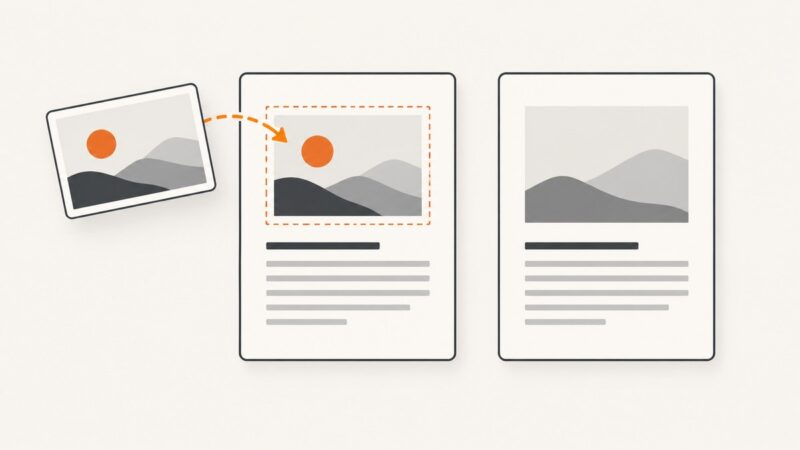
To load CSS from a Java String when converting HTML to PDF with iText pdfHTML, put the CSS inside a <style> element in the HTML <head>, then pass the complete HTML string to HtmlConverter.convertToPdf. You do not need to write the CSS to a temporary file. If the HTML refers to relative stylesheets, images, or fonts, set a base URI with ConverterProperties.setBaseUri.
This approach is useful for invoices, reports, and other server-generated documents whose content or styling is assembled at runtime. The important limitation is that pdfHTML is an HTML/CSS renderer, not a full browser: check iText’s documented CSS support for the features your template depends on.
1. Add the dependency
Use iText’s html2pdf Maven dependency. Check the official installation instructions for the current version and dependency setup. iText states that AGPL licensing applies to non-commercial use and that commercial use requires a commercial license. Confirm which terms apply to your application and deployment before release.
<dependency>
    <groupId>com.itextpdf</groupId>
    <artifactId>html2pdf</artifactId>
    <version>YOUR_SELECTED_VERSION</version>
</dependency>
Replace YOUR_SELECTED_VERSION with the version you choose from the official installation guidance. Keep the iText modules on compatible versions, following that guidance rather than mixing arbitrary releases.
2. Convert an HTML string with inline CSS
This complete example builds the HTML in memory and writes a PDF to out.pdf. It uses only inline CSS, so there are no external resources to resolve.

import com.itextpdf.html2pdf.HtmlConverter;

import java.io.OutputStream;
import java.nio.file.Files;
import java.nio.file.Path;

public class HtmlStringToPdf {
    public static void main(String[] args) throws Exception {
        String css = "body { font-family: sans-serif; color: #222; } "
                + ".invoice { width: 100%; } "
                + "h1 { color: #174ea6; }";

        String html = "<!doctype html>"
                + "<html><head>"
                + "<meta charset=\"UTF-8\">"
                + "<style>" + css + "</style>"
                + "</head><body>"
                + "<main class=\"invoice\">"
                + "<h1>Invoice</h1>"
                + "<p>Example generated from HTML and CSS strings.</p>"
                + "</main></body></html>";

        Path output = Path.of("out.pdf");
        try (OutputStream out = Files.newOutputStream(output)) {
            HtmlConverter.convertToPdf(html, out);
        }
    }
}
The two-argument overload is the short path for a self-contained document. For dynamically generated content, make sure values inserted into HTML are properly escaped for their context. Raw user-supplied markup or CSS can change document structure or styling and should not be treated as harmless text.
Build the style and document safely
Keep CSS separate as a Java string or load it from a trusted application resource, then insert it into the <style> element. If you concatenate user-controlled values into CSS, HTML escaping alone is not sufficient: validate or encode values for the CSS context as well. For large templates, a template engine can make document structure easier to review, but the conversion step still receives the resulting HTML string.
3. Resolve relative stylesheets, images, and fonts
A relative URL such as images/logo.png has no reliable meaning without a reference location. iText cannot infer the template’s intended directory from an arbitrary HTML string. Configure a base URI that points to the directory from which those paths should resolve:

import com.itextpdf.html2pdf.ConverterProperties;
import com.itextpdf.html2pdf.HtmlConverter;

import java.io.OutputStream;
import java.nio.file.Files;
import java.nio.file.Path;

public class HtmlWithAssetsToPdf {
    public static void main(String[] args) throws Exception {
        String html = "<!doctype html>"
                + "<html><head><meta charset=\"UTF-8\">"
                + "<link rel=\"stylesheet\" href=\"css/print.css\">"
                + "</head><body>"
                + "<img src=\"images/logo.png\" alt=\"Logo\">"
                + "<p>Document content</p>"
                + "</body></html>";

        String baseUri = Path.of("/srv/app/templates")
                .toAbsolutePath()
                .normalize()
                .toUri()
                .toString();
        ConverterProperties props = new ConverterProperties()
                .setBaseUri(baseUri);

        try (OutputStream out = Files.newOutputStream(Path.of("out.pdf"))) {
            HtmlConverter.convertToPdf(html, out, props);
        }
    }
}
With this base, css/print.css resolves under /srv/app/templates/css/ and images/logo.png under /srv/app/templates/images/. Use a directory URI with a trailing slash when constructing a URI manually, and verify that the process can read every referenced file. Absolute URLs are another option, provided they are reachable in the conversion environment. Fonts need the same care as images: ensure the font resource resolves and that the renderer supports the font format and CSS rules used to select it.
Choose an asset strategy
- Self-contained HTML: Inline the CSS and avoid relative resources. This is the simplest route for small documents.
- Local template assets: Set a filesystem base URI to the template directory and use relative paths.
- Hosted assets: Use absolute URLs only when the conversion environment can reach them reliably and your application’s network policy permits it.
- Embedded data: Where appropriate, embed small resources as data URLs, considering the resulting HTML size and renderer support.
Do not assume a path relative to the Java process’s working directory is the same as a path relative to your template. Make the base explicit and test from the same deployment environment that will generate the PDFs.
4. Know which CSS will render
pdfHTML implements a documented subset of HTML and CSS with support for common tags and many paged-media rules. It does not reproduce every browser feature. iText’s feature matrix identifies supported, partial, and unsupported areas; review the exact properties, selectors, and rules in your template.
In particular, browser-oriented features such as scripts, CSS animations and transitions, CSS custom properties, and several modern layout features may be unsupported or partial. A declaration can be valid CSS and still fail to affect the generated PDF. For reliable output, favor explicit values and layouts supported by the renderer, and check representative output whenever you change the template.
When another renderer may fit
OpenHTMLToPDF is a pure-Java alternative for a reasonable subset of well-formed XML/XHTML and some HTML5, with CSS 2.1 and later support. Its project documentation cautions that modern HTML5 should be specially crafted for the engine. Compare actual template coverage, resource loading, accessibility or PDF/A needs, licensing, dependency footprint, and the rendering engine. The right choice depends on the document, not just whether both libraries can produce a PDF.
5. Or skip the browser setup
If what you need is a screenshot of a rendered web page rather than a PDF document, ScreenshotNeo takes a URL and returns a PNG, JPEG, WebP, or PDF. It is a website screenshot API and MCP server for developers, made by Yorker Media. For a straightforward capture, use one GET request:
curl -G "https://api.screenshotneo.com/v1/shot" -d access_key=YOUR_API_KEY --data-urlencode url=https://stripe.com -o shot.webpSee the ScreenshotNeo API documentation for request parameters and response details. Its capture flow removes cookie banners, newsletter popups, and chat widgets before the shot. Bot checks, blank pages, and failed loads are not billed, and response headers say the page verdict and whether the request was billed. An MCP server exposes take_screenshot, get_page_info, and capture_pdf to Claude, Cursor, and other MCP clients. The free plan includes 1,000 screenshots a month with no card; paid plans start at $5 for 3,000.
Sign up for ScreenshotNeo’s free 1,000 screenshots a month, with no card.
6. Troubleshoot missing or incorrect output
| Symptom | Likely cause | Fix |
|---|---|---|
| Styles from the inline string do not appear | The style element is missing, malformed, or inserted outside the document head; or the rules use unsupported CSS. | Inspect the final HTML string, put the CSS in <head>, and check the feature matrix for the affected rule. |
| Linked stylesheet is absent | The relative path has no correct base URI, the path points to a file rather than its parent directory, or the process cannot read the file. | Set setBaseUri to the template directory URI; verify the resolved file path and read permissions. |
| Image or font is missing | The resource URL is invalid, unreachable, blocked by the environment, or unsupported. | Use a valid absolute URL or a base URI plus relative path; confirm the file is accessible to the Java process and the format is supported. |
| Modern layout differs from browser output | The template relies on CSS outside pdfHTML’s supported subset. | Check iText’s matrix and simplify the layout to supported rules, or assess a renderer whose documented coverage matches the template. |
| Output stream or file fails | The destination directory is absent, unwritable, or the stream was closed before conversion completed. | Create or select a writable destination and keep the stream open for the full conversion call, as in the try-with-resources example. |
| Conversion fails after a dependency update | Incompatible or unintended module versions may be on the classpath. | Use the installation guidance to align iText dependencies, then inspect the complete exception and dependency tree. |
7. Performance, reliability, and cost
Conversion time and memory use depend on document size, asset count, and resource availability; there is no single meaningful figure for every template. Keep the HTML and assets bounded, avoid repeatedly fetching large external resources, and use local or otherwise dependable assets when appropriate. For repeated generation, reuse stable template content and measure with representative documents in the actual deployment environment.
Reliability depends on more than the Java call succeeding. A PDF can be produced while still missing remote images or silently failing to reflect unsupported CSS. Include checks for expected content and assets in your document workflow, and keep a sample output for visual review after template or dependency changes. Network resources also make output dependent on remote availability and may expose the converter to slow requests.
Budget for the chosen iText licensing terms as well as application infrastructure and any assets or fonts you distribute. The official iText installation page describes AGPL use for non-commercial scenarios and a commercial license for commercial use; check current terms for your exact deployment. OpenHTMLToPDF has its own project and dependency considerations, so review its license and requirements directly before adopting it.
8. Frequently asked questions
Can I pass CSS directly to HtmlConverter?
The documented input is HTML. Put the CSS string in a <style> element in that HTML, then pass the resulting string to the converter.
Do I need to create a temporary CSS file?
No. Inline styles in the HTML string are sufficient. A file or hosted stylesheet is useful only when your document intentionally refers to an external resource.
Can the HTML string contain relative image paths?
Yes, if the converter can resolve them from a configured base URI. Otherwise use a resolvable absolute URL or another supported resource strategy.
Will JavaScript generate content during conversion?
Do not assume browser script execution. pdfHTML’s documented feature set is finite and identifies scripts among browser-oriented features that are not generally supported as in a browser. Generate the content in Java before building the HTML.
Is this the same as taking a screenshot of a webpage?
No. This workflow converts HTML to a PDF through a Java rendering library. ScreenshotNeo captures a live webpage from a URL and can return a PDF, but it is a separate hosted API with its own capture options and billing.