5 MCP Servers for Web Scraping in 2026
Compare five MCP servers for scraping in 2026, with setup guidance, task-based choices, costs, troubleshooting, and an easier screenshot option.
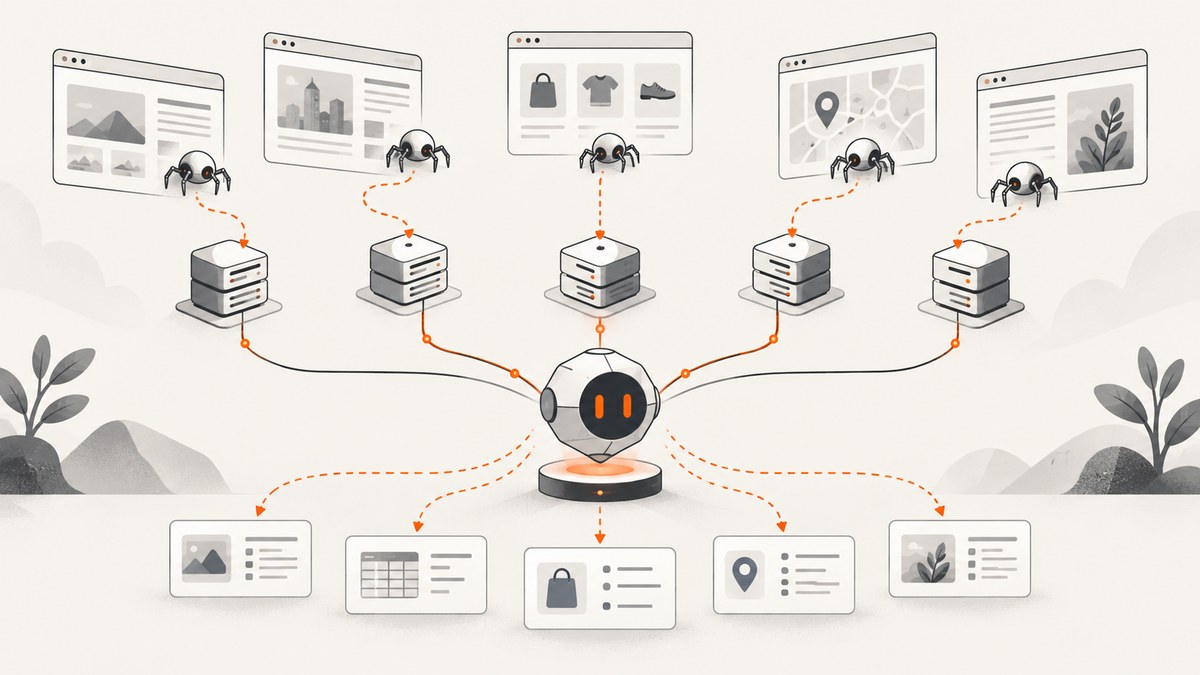
Direct answer: the best MCP server depends on the scraping job. Choose Firecrawl MCP for crawling and readable content extraction, Apify MCP when you need a purpose-built Actor, Bright Data MCP for search, structured extraction, scraping, and browser automation in one service, Microsoft Playwright MCP for interactive browser control, and Crawlbase Web MCP when you want hosted crawling infrastructure for JavaScript-heavy targets. These are task-based choices, not a measured ranking: no independent head-to-head test established a universal fastest, most accurate, or most reliable server.
What an MCP scraping server actually does
Model Context Protocol (MCP) gives an AI client a standard way to discover and call tools. An MCP scraping server exposes operations such as fetch, search, crawl, extract, navigate, click, or run. The agent decides which operation to call and receives text, HTML, structured JSON, screenshots, or browser state.

“Web scraping MCP server” therefore describes several different jobs:
- Fetch and clean one page: retrieve a URL and return readable text or Markdown.
- Crawl or map a site: discover links, follow them, and build a collection.
- Run a site-specific scraper: use a predefined schema and extraction workflow.
- Search plus extraction: find relevant pages and return structured results.
- Control a browser: navigate, type, click, wait, and inspect rendered state.
Start with the smallest tool surface that covers your task. Add browser interaction or marketplace Actors only when the target requires them. A JavaScript-rendered page, login flow, consent dialog, or bot challenge can change the right choice.
Quick comparison
| Server | Best fit | What it exposes | Credential and cost notes |
|---|---|---|---|
| Firecrawl MCP | Crawling, mapping, readable content | Firecrawl scraping and search capabilities | Check current cloud or self-hosted authentication and access terms |
| Apify MCP | Purpose-built site scrapers | Actor Store search, Actor details and schemas, Actor runs | Actor execution and storage require authentication; usage depends on the selected Actor |
| Bright Data MCP | Search, scraping, structured data, browser automation | Search, Markdown/HTML scraping, supported structured extractors, browser tools | Vendor lists a 5,000-request monthly free tier for new MCP users; prices and limits can change |
| Playwright MCP | Interactive browser workflows | Navigation, clicking, typing, and rendered page inspection through Playwright | You operate the browser environment; it is not an automatic unblocking service |
| Crawlbase Web MCP | Hosted crawling for JavaScript-heavy or protected pages | Web crawling through Crawlbase infrastructure | The MCP server is described as free; requests are billed through the Crawling API |
| ScreenshotNeo | Clean page screenshots and PDFs | One-call capture API plus MCP tools | 1,000 free screenshots monthly; paid plans start at $5 for 3,000 |
1. Firecrawl MCP: crawl and extract site content
Firecrawl is the natural starting point when your agent needs readable content from URLs, site crawling, or a URL map. Its official MCP repository exposes Firecrawl’s scraping and search capabilities to MCP clients.
Use it when
- You need Markdown or other cleaned page content.
- You want to crawl multiple pages or map a site before extraction.
- The workflow is content-oriented rather than click-oriented.
Configuration checklist
- Read the current repository and documentation for the supported tool names.
- Decide between Firecrawl’s hosted service and a self-hosted deployment.
- Store the API key in the MCP client’s secret store or environment, never in prompts.
- Restrict enabled tools to the operations your agent needs.
- Set crawl depth, URL limits, and allowed domains before sending a broad crawl.
Do not copy an old configuration blindly. Tool names, authentication requirements, and free access can change.
2. Apify MCP: choose a purpose-built Actor
Apify’s MCP server is useful when the extraction logic already exists as an Actor. The documented tools can search the Actor Store, retrieve Actor details and schemas, and run Actors. Examples include apify/rag-web-browser for browsing and extracting web data and apify/web-fetch for JavaScript-rendered fetching with anti-bot handling.
Safe Actor workflow
- Search for an Actor matching the target and output schema.
- Inspect its input schema, source, version, storage behavior, and pricing.
- Pin a version or production configuration where supported.
- Run a small sample URL and validate the returned records.
- Set limits for pages, items, runtime, and storage.
- Monitor usage and failures before increasing volume.
Actor quality and price are not uniform across the marketplace. Execution and storage require authentication. Limited discovery and documentation operations may work without a token. Apify documents a limit of up to 30 requests per second per user; design concurrency around your account and the target site rather than assuming that limit is a safe crawl rate.
3. Bright Data MCP: one surface for search and extraction
Bright Data documents search tools, Markdown and HTML scraping, structured-data extractors for supported services such as Amazon and LinkedIn, and browser-automation tools. It is a fit when a workflow moves from discovery to extraction and occasionally needs browser interaction.
Cost and deployment details
The vendor’s pricing page lists a 5,000-request monthly free tier for new MCP users. One displayed pay-as-you-go rate is $1.50 per 1,000 requests; managed stealth browsers are listed separately at $8 per GB, while a displayed scale plan is $499 per month with stealth browsers at $6 per GB. These commercial terms are volatile, so check the live pricing page before budgeting. Country targeting requires a configured zone. Browser bandwidth is charged separately from request counts according to the displayed pricing.
Operational advice
- Use search tools to reduce the number of pages sent to an extractor.
- Prefer structured extractors when the supported service matches your target schema.
- Reserve browser automation for pages that cannot be handled by a direct scraper.
- Track request volume and browser bandwidth independently.
- Configure country targeting before relying on location-specific results.
4. Microsoft Playwright MCP: interactive browser control
Playwright MCP lets an MCP client control a browser through Microsoft Playwright. It is the right shape for workflows that require navigation, clicks, typing, selecting filters, waiting for rendered state, or inspecting the page after an interaction.
Typical interaction sequence
- Open the target URL.
- Inspect the rendered page and identify a stable element.
- Click or type using an accessible role, label, or selector.
- Wait for the resulting network or UI state.
- Extract text or capture the final state.
Playwright MCP should not be presented as an automatic unblocking service. Proxy configuration, browser fingerprints, login state, and access behavior depend on your environment and the target. For simple page-to-text extraction, a focused scraper can be easier to operate and cheaper than a full browser.
5. Crawlbase Web MCP: hosted crawling infrastructure
Crawlbase describes its Web MCP as a hosted option for live, JavaScript-heavy, or protected pages, with local and hosted connection choices. The MCP server itself is described as free, while requests are billed through its Crawling API and successful requests are billed.
Because these details come from a vendor comparison page, verify current tools, authentication, pricing, and protection-handling behavior in Crawlbase’s product documentation before production use. Treat “protected” or “unblocking” language as a vendor claim, not a guarantee for every site.
How to choose the right server
1. Classify the task
| Requirement | Start with |
|---|---|
| One article or product page to Markdown | Firecrawl or Bright Data scraping |
| Discover every page in a site section | Firecrawl crawl/map |
| Extract a known site type into a schema | Apify Actor |
| Search, then scrape selected results | Bright Data or Firecrawl |
| Click filters, log in, or submit forms | Playwright MCP |
| Hosted handling of dynamic targets | Crawlbase, after checking current documentation |
2. Check target behavior
Static HTML is simpler than a page rendered after JavaScript. Login flows require session and secret handling. Consent dialogs, rate limits, bot checks, and geographic variants can change results. No server should be described as guaranteed to work against every site.
3. Check deployment and credentials
A local MCP process keeps execution near your agent but requires runtime maintenance. A hosted endpoint reduces local setup but introduces account, network, and data-transfer dependencies. Keep tokens in environment variables or the MCP client’s secret manager.
4. Match the cost model
Compare the same number of URLs, rendered pages, extracted fields, browser minutes or bandwidth, retries, and storage. “Requests” are not interchangeable across vendors. Recalculate when prices or free tiers change.
Minimal MCP client configuration pattern
Each client uses different JSON keys, so consult the server’s current documentation. The following illustrates the security shape without claiming a universal schema:

{
  "mcpServers": {
    "scraper": {
      "command": "your-server-command",
      "args": ["--production-tools-only"],
      "env": {
        "SCRAPER_API_KEY": "${SCRAPER_API_KEY}"
      }
    }
  }
}
After adding a server, ask the client to list available tools. Confirm the tool name, required arguments, output format, authentication state, and any request or Actor limits before writing an agent prompt.
Reliability, performance, and cost practices
- Bound the work: set URL, depth, item, runtime, and response-size limits.
- Cache deliberately: cache immutable pages and avoid repeated extraction of unchanged URLs.
- Retry selectively: retry transient network failures with backoff; do not blindly repeat a bot challenge.
- Validate outputs: require the agent to report the final URL, HTTP status when available, extracted fields, and missing fields.
- Separate discovery from extraction: crawl links first, then process a bounded list.
- Control concurrency: respect vendor limits and the target site’s rate expectations.
- Measure your workload: record latency, successful records, empty responses, retries, request units, Actor runtime, and browser bandwidth.
- Protect secrets: redact API keys, cookies, authorization headers, and logged page content.
Common errors and fixes
| Error | Likely cause | Fix |
|---|---|---|
| Server does not appear in the client | Invalid command, JSON, or process path | Run the command manually, validate JSON, and inspect the client log. |
| Unauthorized or missing token | Environment variable is unset or the token lacks access | Check the variable name, restart the client, and verify account permissions. |
| Empty extraction | Content is rendered client-side, hidden behind interaction, or blocked | Use a JavaScript-capable tool, perform the required interaction, or inspect the page manually. |
| Actor validation failure | Input does not match the Actor schema | Fetch the schema, supply required fields, and test with one URL. |
| Rate-limit response | Concurrency exceeds a server or target limit | Reduce parallel calls, add backoff, and honor the documented limit. |
| High unexpected bill | Retries, browser bandwidth, storage, or broad crawl scope | Set hard limits, log each call, and compare the vendor’s billing unit with your workload. |
| Results vary by run | Dynamic content, location, login state, or changing page data | Pin locale and session settings where possible, record timestamps, and validate critical fields. |
Or skip the browser setup
If your actual requirement is a clean screenshot or PDF rather than extracted text, ScreenshotNeo is the first alternative to try. It provides a website screenshot API and MCP server. Cookie and consent banners are accepted and 60+ known consent platforms, newsletter popups, and chat widgets are removed before capture; each step can be turned off. Bot checks, blank pages, timeouts, failed loads, and cache hits are not billed, and response headers identify the page verdict and billing status.
The API supports PNG, JPEG, WebP, PDF, full-page capture with lazy images loaded, CSS-selector element capture, dark mode, device presets, custom viewports, retina scale, custom CSS and JavaScript, clicks, waits, request blocking, headers, cookies, user agents, authorization, timezone, geolocation, transparent backgrounds, resizing, TTL caching, signed links, asynchronous jobs with signed webhooks, bulk capture for up to 100 URLs per call, usage reporting, and an OpenAPI specification. Its MCP tools are take_screenshot, get_page_info, and capture_pdf for Claude, Cursor, and other MCP clients.
See the ScreenshotNeo documentation for all parameters. A direct call looks like this:
curl -G "https://api.screenshotneo.com/v1/shot" -d access_key=YOUR_API_KEY --data-urlencode url=https://stripe.com -o shot.webpimport requests
r = requests.get("https://api.screenshotneo.com/v1/shot", params={"access_key": "YOUR_API_KEY", "url": "https://stripe.com"}, timeout=90)
open("shot.webp", "wb").write(r.content)const q = new URLSearchParams({ access_key: 'YOUR_API_KEY', url: 'https://stripe.com' });
const res = await fetch(`https://api.screenshotneo.com/v1/shot?${q}`);There are 1,000 screenshots per month free with no card. Paid plans start at $5 for 3,000 shots. Create a free ScreenshotNeo account.
FAQ
Which MCP server should I use for web scraping?
Choose by task: Firecrawl for crawling and clean content, Apify for a selected Actor, Bright Data for integrated search and extraction, Playwright for interaction, and Crawlbase for hosted crawling after verifying current documentation.
Is Playwright MCP the same as a scraper?
No. It controls a browser. That is valuable for clicks and rendered state, but direct extraction services are often simpler for one-page text.
Can an MCP server bypass every bot check?
No. Access depends on the target, account, network, browser, and current defenses. Treat unblocking claims as vendor claims and follow applicable site terms and law.
How should I compare prices?
Use your actual workload: URLs, rendered pages, retries, Actor runtime, storage, browser bandwidth, and required output. Vendor prices and limits change.
When is a screenshot API better than scraping?
Use one when you need visual evidence, page previews, PDFs, or an image for an <img> tag. Use a scraper when you need searchable text or structured fields.


