Migrating From Firecrawl to a Web Scraping API
A practical migration guide covering endpoint changes, authentication, response mapping, crawl replacement, testing, costs, and production cutover.
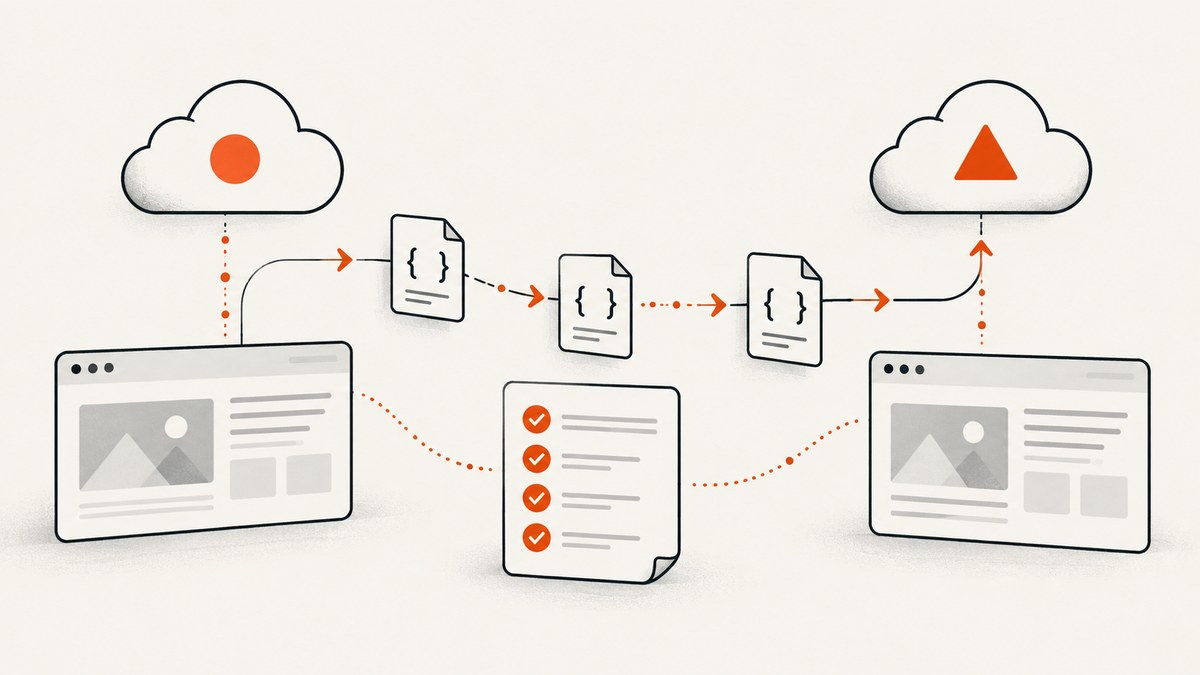
Yes, you can migrate from Firecrawl to another web scraping API, but it is an integration migration rather than a host-name change. ScrapingBee’s own migration guidance states: “Yes, but ScrapingBee is not a drop-in replacement for the Firecrawl API.” Expect to update the endpoint and authentication, map response formats, and replace Firecrawl-specific actions or crawl logic.
The safest approach is to inventory every Firecrawl operation your application uses, define a provider-neutral contract for the data your code actually needs, implement an adapter for the candidate API, and validate both content quality and usage cost on representative target sites before production cutover.
What changes when you migrate from Firecrawl?
A Firecrawl integration usually couples four layers:
- Transport: base URL, API version, HTTP method, authentication headers, timeouts, retries, and asynchronous job handling.
- Request behavior: JavaScript rendering, wait conditions, actions, crawl limits, search options, proxy or country settings, and output selection.
- Response mapping: Markdown, HTML, screenshots, metadata, structured JSON, status fields, and usage information.
- Workflow assumptions: pagination, crawl discovery, deduplication, queue semantics, rate limits, and error handling.
Firecrawl’s published v1 and v2 OpenAPI specifications identify different base URLs: https://api.firecrawl.dev/v1 and https://api.firecrawl.dev/v2. Both specifications describe bearer authentication for /scrape. Inventory which version your code calls before changing anything.
Step 1: inventory your current Firecrawl integration
Search source code, environment files, deployment manifests, queues, and scheduled jobs for:

api.firecrawl.dev, Firecrawl SDK imports, and wrapper modules./scrape,/crawl,/batch/scrape,/search, and/interact.- Bearer-token construction and API-key environment variables.
- Options such as formats, only-main-content, actions, wait conditions, sitemap handling, limits, polling intervals, and webhook URLs.
- Every response field consumed downstream: title, description, Markdown, HTML, screenshot URL, links, metadata, structured output, job ID, and error fields.
Create a small inventory table for each call site:
| Use case | Current operation | Inputs | Consumed outputs | Candidate replacement |
|---|---|---|---|---|
| Article extraction | /scrape |
URL, formats, render options | Markdown, metadata | Single-page endpoint |
| Site discovery | /crawl or /map |
Starting URL, depth, limit | Page URLs and content | Crawl API or your own queue |
| Interactive flow | /interact |
Clicks, form fields, waits | Final page content | Browser-action API or worker |
| Search enrichment | /search |
Query, result limit | Result URLs and snippets | Search provider plus scraper |
Step 2: define a provider-neutral contract
Do not let a new provider’s response shape spread through the application. Define the minimum object your application needs and map each provider into it.
{
  "url": "https://example.com/article",
  "status": "ok",
  "title": "Example article",
  "text": "Extracted body text",
  "html": "<main>...</main>",
  "markdown": "# Example article",
  "metadata": {},
  "links": [],
  "provider": "candidate",
  "provider_request_id": "...",
  "error": null
}
Keep provider-specific fields under a separate object when they are useful for diagnostics. Your business logic should depend on status, normalized content, and explicit error categories rather than on a vendor’s exact field names.
Step 3: map endpoint and authentication changes
Firecrawl’s documented scrape requests use bearer authentication. A generic request looks like this:
curl https://api.firecrawl.dev/v2/scrape \
  -H 'Authorization: Bearer FIRECRAWL_API_KEY' \
  -H 'Content-Type: application/json' \
  -d '{
    "url": "https://example.com",
    "formats": ["markdown"]
  }'
For the destination provider, write down the exact equivalent of each item:
- Base URL and API version.
- API-key location: bearer header, query parameter, or another header.
- Content type and request encoding.
- Whether a request returns content immediately or creates a job.
- Polling endpoint, webhook signing, timeout, and retry behavior.
- HTTP status codes and provider-specific error payloads.
ScrapingBee says standard HTTP clients can remain in use for its REST API; a dedicated SDK is optional. The same adapter pattern works with any candidate service.
Step 4: replace Firecrawl-specific operations
Scrape
A single-page scrape is usually the easiest migration. Preserve the URL, rendering requirement, wait condition, and output formats. Verify whether “main content” extraction is automatic, configurable, or something your code must perform after receiving HTML.
Crawl and batch scrape
A destination may expose a crawl endpoint, a batch endpoint, or only single-page requests. If it has no crawl primitive, implement a bounded queue:
- Fetch the seed URL.
- Extract and canonicalize links.
- Keep only allowed hosts and paths.
- Deduplicate URLs.
- Enqueue until depth, page, or budget limits are reached.
- Persist status and retry counts so a worker can resume.
Do not assume that a provider’s crawl order, robots handling, sitemap behavior, or duplicate detection matches Firecrawl. Treat crawl coverage as a measured output.
Search
Firecrawl describes a search operation that returns results with page Markdown. If your destination has no search feature, compose a search provider with the scraper and preserve the result schema your application consumes. Record the search provider separately so changes in ranking or result availability are visible.
Interact
Firecrawl describes interaction workflows for clicking, filling forms, and following multi-step flows. A candidate may offer browser actions, JavaScript snippets, or no interaction layer. Map each action explicitly:
| Firecrawl behavior | Questions for the destination |
|---|---|
| Click | Can it target a CSS selector, text, or coordinates? |
| Fill | Can it enter values into inputs and submit forms? |
| Wait | Can it wait for a selector, delay, network idle, or a custom condition? |
| Navigate | Can it follow redirects and open a second URL in the same session? |
| Extract | Can it return the post-action HTML or structured data? |
How ScrapingBee compares as a Firecrawl alternative
ScrapingBee is a relevant option because it publishes migration guidance and lists HTML, Markdown, screenshots, structured JSON, JavaScript rendering, browser actions, geotargeting, proxy controls, Auto Mode, and plan-based concurrency. Its migration page explicitly says it is not a drop-in replacement. Verify every capability against your target sites and request mix.
Compare providers using your workload rather than a feature checklist:
- Target-site success: test authenticated pages, consent walls, bot checks, infinite scroll, and heavy JavaScript.
- Output: compare raw HTML, rendered HTML, Markdown, screenshots, metadata, and structured JSON.
- Browser behavior: test clicks, form entry, scrolling, waits, redirects, and session cookies.
- Discovery: determine whether you need search, map, crawl, sitemap, or only known URLs.
- Operations: compare concurrency, rate limits, retries, asynchronous jobs, webhooks, and error semantics.
- Cost: calculate credits for the actual mix of pages, retries, screenshots, and failed requests.
- Data handling: review retention, regional routing, credentials, and organizational requirements.
Validation plan before production cutover
- Build fixtures. Include representative documentation, news, ecommerce, login, cookie-consent, JavaScript-heavy, paginated, and error pages.
- Run both providers. Keep the URL and business intent constant. Record request options, response time, status, output size, and usage consumed.
- Compare required fields. Check title, headings, body text, links, metadata, structured fields, screenshots, and character encoding.
- Compare failure behavior. Include DNS failures, timeouts, HTTP errors, bot challenges, empty pages, and malformed responses.
- Test workflows. Exercise crawl boundaries, deduplication, retries, resume behavior, and interaction sequences.
- Shadow traffic. If permitted, send a limited copy of production requests to the candidate and compare normalized results.
- Canary the cutover. Route a small, reversible percentage first. Keep the Firecrawl adapter available until quality and cost stabilize.
ScrapingBee recommends testing your main target websites and credit usage before moving a production workload. Apply that advice to any candidate.
Performance, reliability, and cost
Performance
Measure p50, p95, and timeout rates separately for static pages, JavaScript-rendered pages, browser actions, and crawls. Do not compare a cached single-page request with a cold browser session. Bound concurrency to the provider’s documented limits and your target sites’ acceptable load.

Firecrawl publishes a benchmark reporting 96% coverage, 0.638 extraction F1, 0.639 content recall, and 3,387 ms P95 latency. Firecrawl says the test ran internally on January 13, 2026, over 1,000 public URLs; the dataset was public, but the end-to-end harness was not published when accessed. Treat these as vendor-reported figures, not independent predictions for your workload.
Reliability
- Use bounded retries with exponential backoff for transient transport and rate-limit errors.
- Do not retry deterministic errors such as invalid URLs or rejected credentials.
- Persist idempotency keys or your own request IDs for jobs and webhooks.
- Validate content before marking a page successful; a 200 response can still contain a challenge or blank shell.
- Store provider, operation, status, latency, retry count, and usage identifiers in logs.
Cost
Model cost from the real request mix: one-page scrapes, browser renders, retries, crawl discovery, screenshots, and failed attempts. Include polling and webhook delivery where billed. A lower per-request price can be more expensive if the destination needs extra calls to reproduce Firecrawl behavior.
Troubleshooting common migration errors
| Symptom | Likely cause | Fix |
|---|---|---|
| 401 or 403 | Wrong authentication scheme or key environment variable | Check the destination’s required header/query parameter and log the selected provider without logging the secret. |
| 404 | Old Firecrawl path or API version still in use | Replace the full base URL and path; confirm the candidate’s current API version. |
| HTML where Markdown was expected | Output-format option was not mapped | Request the destination format or normalize HTML in your adapter. |
| Missing content | JavaScript, consent wall, pagination, or bot challenge | Enable rendering or browser actions, handle consent, follow pagination, and classify challenge pages as failures. |
| Crawl returns too few pages | Different link extraction, host rules, depth, or sitemap behavior | Compare discovered URLs and implement explicit allowlists, depth, and deduplication. |
| Duplicate records | Provider canonicalization differs | Normalize scheme, host, fragments, tracking parameters, and trailing slashes before storage. |
| Timeouts after migration | Browser startup or wait conditions are slower | Set operation-specific timeouts, reduce unnecessary waits, and cap concurrency. |
| Unexpected usage charges | Retries, polling, or failed pages consume credits | Measure credits by operation and confirm the provider’s billing rules before scaling. |
Or skip the browser setup
If your requirement is a clean screenshot or PDF rather than a full crawler, ScreenshotNeo provides a website screenshot API and MCP server. It accepts one GET request and returns PNG, JPEG, WebP, or PDF. Cookie and consent banners are accepted and removed before capture, along with more than 60 known consent platforms, newsletter popups, and chat widgets; each step can be turned off.
Only clean shots are billed. Bot checks, CAPTCHAs, blank pages, timeouts, failed loads, and cache hits cost nothing, and the response identifies the result with X-Page-Verdict and X-Billed headers. The MCP server exposes take_screenshot, get_page_info, and capture_pdf for Claude, Cursor, and other MCP clients.
Use the same HTTP-client pattern as your existing adapter. See the ScreenshotNeo API documentation for the full option list.
curl -G "https://api.screenshotneo.com/v1/shot" -d access_key=YOUR_API_KEY --data-urlencode url=https://stripe.com -o shot.webpimport requests
r = requests.get("https://api.screenshotneo.com/v1/shot", params={"access_key": "YOUR_API_KEY", "url": "https://stripe.com"}, timeout=90)
open("shot.webp", "wb").write(r.content)const q = new URLSearchParams({ access_key: 'YOUR_API_KEY', url: 'https://stripe.com' }); const res = await fetch(`https://api.screenshotneo.com/v1/shot?${q}`);ScreenshotNeo includes full-page capture with lazy images loaded, CSS-selector element capture, dark mode, device presets and custom viewports, retina scale, PDF paper and margin controls, custom CSS and JavaScript, clicks, selector or network-idle waits, request blocking, headers, cookies, user agents, authorization, timezone, geolocation, transparent backgrounds, resizing, TTL caching, signed links, asynchronous jobs with signed webhooks, bulk capture for 100 URLs per call, a usage API, and an OpenAPI specification. Parameter names used by other screenshot APIs also work, which can reduce adapter changes.
There are 1,000 free screenshots per month with no card. Paid plans start at $5 for 3,000 shots; yearly billing gives two months free, and every feature is available on every plan. Create a free ScreenshotNeo account.
Migration checklist
- Record every Firecrawl endpoint, API version, option, and consumed response field.
- Define a normalized provider-neutral response and error model.
- Map authentication, rendering, actions, crawl limits, output formats, and asynchronous behavior.
- Build fixtures from real target domains and workflows.
- Compare content quality, failures, latency, concurrency, and credit usage.
- Run a reversible canary and retain the old adapter during stabilization.
- Document provider-specific limitations and operational runbooks.
FAQ
Can I switch from Firecrawl to ScrapingBee?
Yes, but ScrapingBee says it is not a drop-in replacement. Plan for endpoint, authentication, response mapping, and Firecrawl-specific workflow changes.
Do I need to rewrite my whole application?
Usually no. Keep your domain logic and replace the provider-facing adapter, then update code that depends on provider-specific fields or operations.
What should I test first?
Start with the highest-value domains and the hardest workflows: JavaScript rendering, consent pages, bot challenges, interactions, pagination, and crawl discovery.
When is a screenshot API enough?
Use one when the required artifact is an image or PDF and you do not need site-wide discovery or structured text extraction. ScreenshotNeo is designed for that narrower capture workflow.
How should I handle benchmark claims?
Attribute vendor figures, include the benchmark date and method, state reproducibility limits, and validate against your own target pages before making a migration decision.