How to Organize Browser Automation Contexts
Learn when to create a browser context, when to open another page, and how to isolate users, tests, authentication, and persistent profiles.

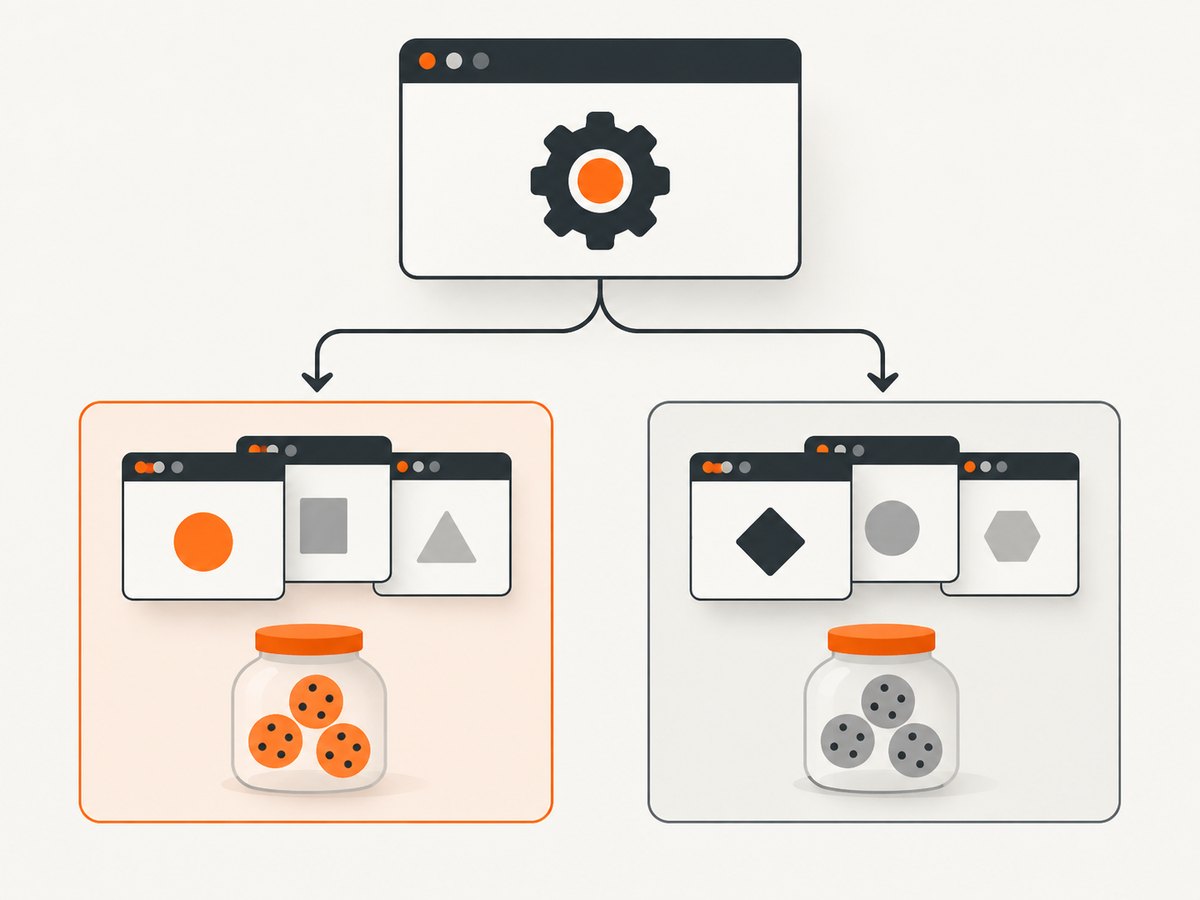
Use a separate browser context whenever work must have independent cookies, local storage, session storage, or identity. Use another page when tabs belong to the same session and should share that state. In Playwright, the hierarchy is Browser (the browser process), BrowserContext (an isolated session), and Page (a tab inside that session). A popup opened by a page remains in the same context.
This boundary makes tests deterministic, keeps admin and customer identities separate, and lets related tabs act like one real user. The same idea exists in WebDriver BiDi, but its terminology differs: a BiDi browsing context is a navigable such as a tab, iframe, or popup, while a user context is the storage-sharing boundary.
Context, page, and browser: the model
| Object | What it represents | Typical lifetime | State behavior |
|---|---|---|---|
Browser |
Launched or connected browser process | Test worker, job, or service | Owns contexts; expensive compared with creating a context |
BrowserContext |
Independent browser session | One test, user, or scenario | Separate cookies, local storage, session storage, permissions, and cache |
Page |
Tab or document inside a context | One tab or popup | Shares the context’s session state |
Playwright’s non-persistent contexts do not write browsing data to disk. That makes them a strong default for tests and short-lived automation. The Playwright documentation describes tests as running in isolated clean-slate browser contexts, and its library API lets you create and close contexts explicitly (Browser contexts, Isolation).
Choose the boundary from the state you need
- Same identity, related tabs: create one context and multiple pages. A checkout tab, payment popup, and confirmation tab should see the same login and cart cookies.
- Different identities: create one context per identity. An administrator and a customer must not share storage.
- Independent tests: create a fresh context per test. This prevents order dependence and makes parallel runs easier to reason about.
- Independent scenarios in one test: use multiple contexts when a test models several actors, such as buyer and seller.
- Persistent profile required: use a dedicated user-data directory and keep it separate from ordinary browsing.
Do not create a new context merely because you need another tab. Do not reuse a context merely to reduce object count when state isolation is part of correctness. Playwright documents contexts as fast and cheap, but there is no universal safe concurrency number; measure the browsers, pages, memory, and CPU in your own environment.
Recommended Playwright organization
One context, several pages
import { chromium } from 'playwright';

const browser = await chromium.launch();
const context = await browser.newContext();

const checkout = await context.newPage();
await checkout.goto('https://shop.example/checkout');

const paymentPopupPromise = checkout.waitForEvent('popup');
await checkout.getByRole('button', { name: 'Pay' }).click();
const payment = await paymentPopupPromise;
await payment.waitForLoadState();

// Both pages share cookies and storage.
console.log(await checkout.title(), await payment.title());

await context.close(); // flushes videos, HAR, and other artifacts
await browser.close();
A popup belongs to the context that opened it. If you need a second independent user, create another context rather than trying to clear cookies on the existing one.
Separate contexts for separate users
import { chromium } from 'playwright';

const browser = await chromium.launch();
const admin = await browser.newContext();
const customer = await browser.newContext();

const adminPage = await admin.newPage();
const customerPage = await customer.newPage();

await adminPage.goto('https://app.example/admin');
await customerPage.goto('https://app.example/account');

// Logins and storage are isolated by context.
await admin.close();
await customer.close();
await browser.close();
Python equivalent
from playwright.sync_api import sync_playwright

with sync_playwright() as p:
    browser = p.chromium.launch()
    context = browser.new_context()
    page = context.new_page()
    page.goto("https://example.com")
    print(page.title())
    context.close()
    browser.close()
Authentication state: make identity explicit
Logging in for every test is slow, but sharing one account’s state with every scenario destroys isolation. Playwright can save storage state and initialize a new context with it (Authentication).
import { chromium } from 'playwright';

const browser = await chromium.launch();
const setup = await browser.newContext();
const setupPage = await setup.newPage();
await setupPage.goto('https://app.example/login');
await setupPage.getByLabel('Email').fill(process.env.TEST_EMAIL);
await setupPage.getByLabel('Password').fill(process.env.TEST_PASSWORD);
await setupPage.getByRole('button', { name: 'Sign in' }).click();
await setup.storageState({ path: 'state-customer.json' });
await setup.close();

const customer = await browser.newContext({ storageState: 'state-customer.json' });
const page = await customer.newPage();
await page.goto('https://app.example/account');

await customer.close();
await browser.close();- Name state files after the identity they represent.
- Keep them out of source control because cookies may authenticate the account.
- Use a different state file for admin, customer, and unauthenticated scenarios.
- Regenerate state when permissions, passwords, or token formats change.
Playwright Test runner defaults
Playwright Test creates an isolated context and supplies a page fixture for each test by default. Prefer the built-in fixtures unless a scenario genuinely needs multiple users or special context options.
import { test, expect } from '@playwright/test';

test('customer sees an empty cart', async ({ page }) => {
  await page.goto('https://shop.example/cart');
  await expect(page.getByText('Your cart is empty')).toBeVisible();
});

test('buyer and seller interact', async ({ browser }) => {
  const buyer = await browser.newContext({ storageState: 'buyer.json' });
  const seller = await browser.newContext({ storageState: 'seller.json' });
  const buyerPage = await buyer.newPage();
  const sellerPage = await seller.newPage();
  // ...perform the cross-user workflow...
  await buyer.close();
  await seller.close();
});
Explicitly close contexts you create. Close them before the browser so videos, HAR files, traces, and downloads finish flushing (BrowserContext API).
Context configuration checklist
| Need | Context setting or approach | Boundary advice |
|---|---|---|
| Viewport or device | browser.newContext({ viewport, ...devices['iPhone 13'] }) |
Use one context per device profile when tests run independently |
| Locale and timezone | locale, timezoneId |
Keep regional identities in separate contexts if cookies or accounts differ |
| Permissions | permissions, geolocation |
Do not grant permissions globally if only one actor needs them |
| Headers and user agent | extraHTTPHeaders, userAgent |
Attach identity-specific headers to that context |
| Network control | Routes, request interception, proxy | Isolate experiments that modify requests from normal tests |
| Tracing, video, HAR | Context recording options | Close the context before the browser to finalize artifacts |
Persistent profiles and user-data directories
Use launchPersistentContext only when the browser profile itself must survive process restarts, such as a local extension workflow or a carefully controlled login profile.
import { chromium } from 'playwright';

const context = await chromium.launchPersistentContext('./profiles/worker-1', {
  headless: true
});
const page = await context.newPage();
await page.goto('https://example.com');
await context.close();
Give every worker or identity its own directory. Playwright cautions against pointing automation at Chrome’s normal user-data directory: pages may fail to load or the browser may exit (Persistent contexts). Never run two processes against the same profile directory.
WebDriver BiDi: similar goal, different terms
Do not map Playwright names directly onto BiDi. MDN defines a BiDi browsing context as a navigable, including a tab, iframe, or popup. BiDi user contexts group browsing contexts that share browser storage; separate user contexts isolate that storage. Selenium’s BiDi guide covers opening tabs and windows, navigation, and inspecting the context tree (MDN browsing contexts, Selenium BiDi).
When designing a BiDi abstraction, document which identifier represents the storage-sharing user context and which represents an individual navigable. A tab and an iframe are not interchangeable with a Playwright BrowserContext.
Common organization patterns
Pattern: one test, one context
Use this for ordinary end-to-end tests. It gives every test a clean start and avoids forgotten cleanup, visited-link state, and test-order dependencies.
Pattern: one context, many pages
Use this for a single user’s multi-tab workflow. Open pages from the same context and wait for popups through the page that creates them.
Pattern: one context per actor
Use this for collaboration, permissions, messaging, and marketplace flows. Give each actor its own saved authentication state and close every context in a finally block.
Pattern: worker-scoped browser, test-scoped context
Reuse one browser process per worker while creating a context per test. This usually balances startup time and isolation; validate resource usage in your CI environment.
Troubleshooting
| Symptom | Likely cause | Fix |
|---|---|---|
| User appears logged out in a second page | The page was created in another context, or state was never saved | Create the page with context.newPage(); use storageState for a new context |
| Admin sees customer data | Both actors share one context or one mutable state file | Create separate contexts and identity-specific state files |
| Tests pass alone but fail in a suite | State leaks between tests or cleanup is incomplete | Use a fresh context per test and close explicit contexts in teardown |
| Popup cannot be found | The event listener was attached after the click | Start waitForEvent('popup') before clicking |
| Persistent browser exits or pages stay blank | Automation is using the regular Chrome profile, or two processes share it | Use a dedicated user-data directory, one process per directory |
| Trace or video is incomplete | Browser closed before the context flushed artifacts | Close the context first, then the browser |
| Parallel jobs interfere | Shared profile, port, download path, or account | Give each worker isolated directories and accounts; avoid shared mutable files |
Performance, reliability, and cost
- Startup: reusing a browser process can avoid repeated browser launch overhead, while fresh contexts preserve test isolation.
- Memory: each context and page consumes resources. Measure your application’s pages, browser engine, CI machine, and concurrency; do not copy a universal limit.
- Reliability: clean contexts reduce order dependence. Explicit teardown prevents files, sockets, and profiles from accumulating.
- Parallelism: shard independent contexts, but ensure test accounts and external data are also isolated.
- Persistent state: use it only when required. Ephemeral contexts make retries and debugging easier because they start from known state.
Or skip the browser setup
If your goal is a clean screenshot rather than an interactive multi-step test, ScreenshotNeo handles the capture session for you. The API accepts one GET request and returns PNG, JPEG, WebP, or PDF. See the ScreenshotNeo API documentation for all options.
curl -G "https://api.screenshotneo.com/v1/shot" -d access_key=YOUR_API_KEY --data-urlencode url=https://stripe.com -o shot.webpimport requests
r = requests.get("https://api.screenshotneo.com/v1/shot", params={"access_key": "YOUR_API_KEY", "url": "https://stripe.com"}, timeout=90)
open("shot.webp", "wb").write(r.content)const q = new URLSearchParams({ access_key: 'YOUR_API_KEY', url: 'https://stripe.com' });
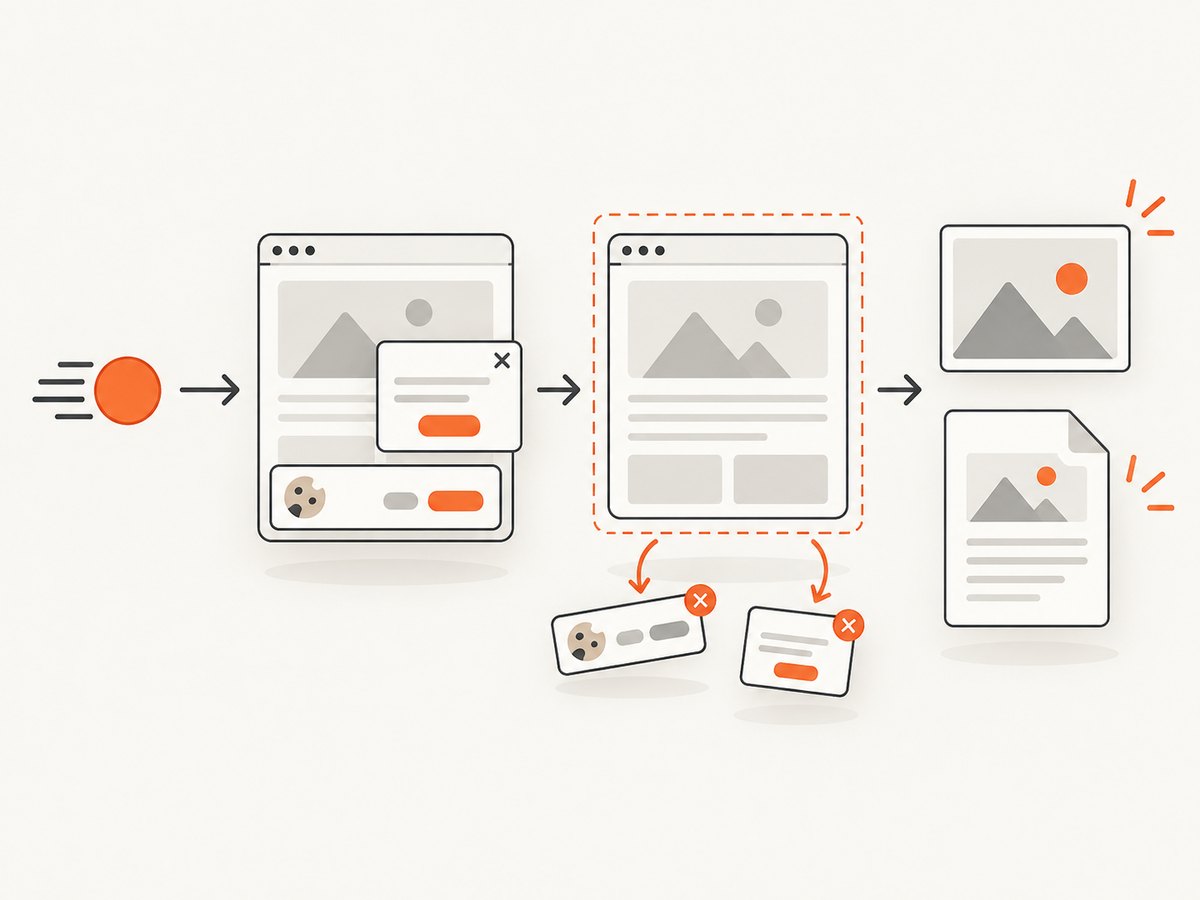
const res = await fetch(`https://api.screenshotneo.com/v1/shot?${q}`);Cookie banners, newsletter popups, and chat widgets are removed before the shot. Bot checks, blank pages, timeouts, failed loads, and cache hits are not billed; response headers identify the page verdict and billing result. ScreenshotNeo also provides an MCP server with take_screenshot, get_page_info, and capture_pdf for Claude, Cursor, and other MCP clients. One thousand screenshots per month are free with no card, and paid plans start at $5 for 3,000 shots. Create a free ScreenshotNeo account.
FAQ
Should every browser have only one context?
No. A browser can contain many contexts. Use one browser per worker or job when practical, and create contexts according to your state and identity boundaries.
Can two contexts share cookies?
Not automatically. That isolation is the point. Explicitly initialize a context with saved storage state when sharing an authenticated starting point is intentional.
Is a page the same as a tab?
In Playwright, a page generally represents a tab or popup. In BiDi, a browsing context can also represent an iframe, so verify the API’s terminology.
When should I use a persistent context?
Only when profile data must survive browser restarts. For ordinary tests, non-persistent contexts are simpler and safer.
How many contexts can run at once?
There is no reliable universal number. Measure memory, CPU, browser engine, page complexity, and CI limits in your own workload.