PHP Screenshot API: Capture Any Website in Code
Capture a website from PHP with a hosted screenshot API or Spatie Browsershot. Compare setup, full-page options, security and troubleshooting.

To take a website screenshot in PHP, send the page URL to a hosted screenshot API and save the returned image bytes, or use Spatie Browsershot to control a local headless Chrome browser. A hosted API is the shorter path and avoids operating the browser yourself. Browsershot gives you direct control over browser setup and capture, but requires Node.js, Puppeteer and Chrome.
This guide shows both approaches, how to capture a full page or an element, how to handle image responses and errors, and what to consider before accepting URLs from users.
1. Choose a PHP screenshot method
| Method | Good fit when | What you operate |
|---|---|---|
| Screenshot API | You want PHP to request an image or PDF without managing a browser runtime. | Your API credentials, request handling, and provider limits and options. |
| Spatie Browsershot | You need local browser control, custom scripts or CSS, or self-hosted rendering. | Composer dependencies plus Node.js, Puppeteer, Chrome, deployment and job isolation. |
For a direct hosted-PHP integration, ScreenshotOne publishes a PHP SDK with signed URL generation and byte downloads. Urlbox documents a PHP package that generates a signed render URL. Their integration patterns differ: a render URL can be embedded in a page, while an API request can retrieve the output server-side. Review each provider’s current documentation for supported settings, quotas and terms before choosing. ScreenshotOne PHP SDK · Urlbox PHP example · Urlbox overview.
2. Capture a website with Browsershot
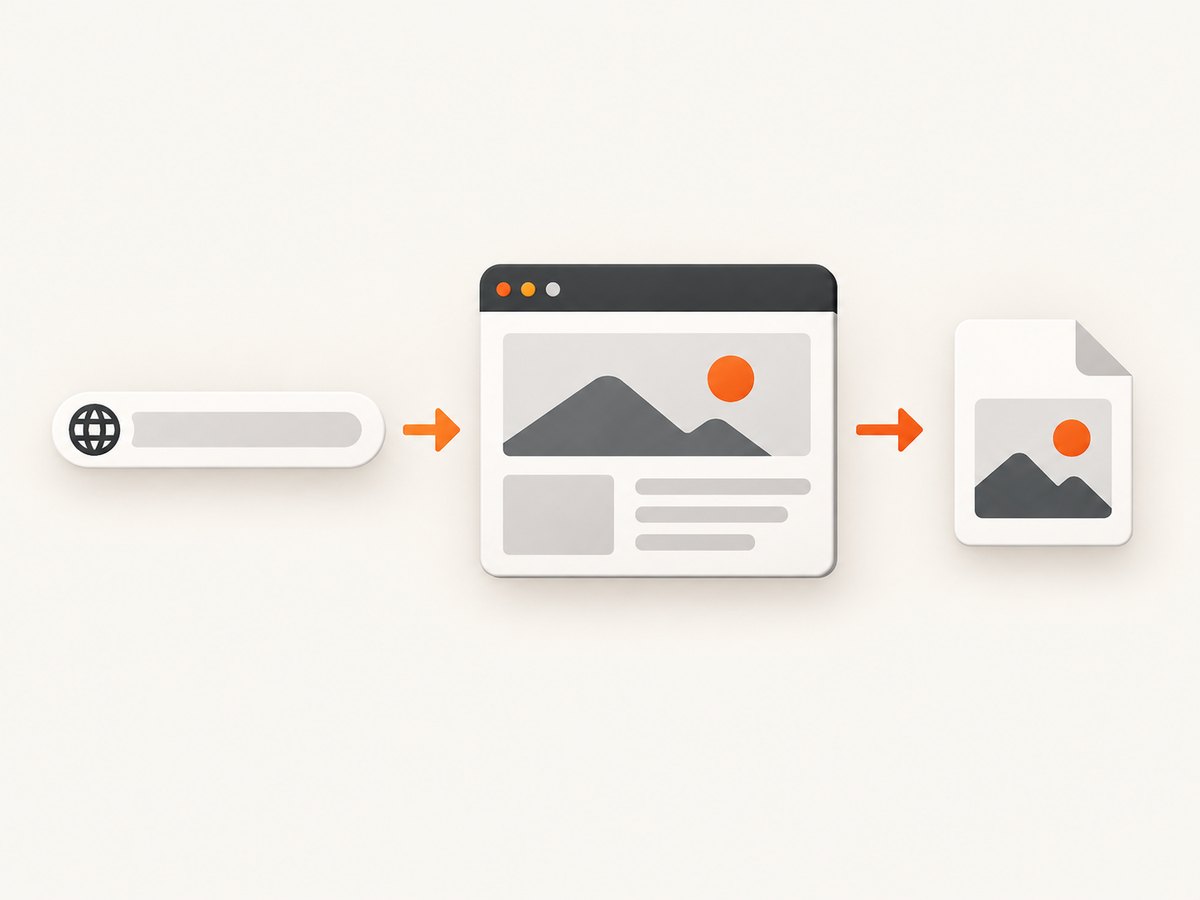
Browsershot is a PHP package that passes a URL or HTML to Puppeteer, which controls headless Chrome. First install the package in your project:
composer require spatie/browsershotInstall and configure Node.js, Puppeteer and Chrome using the official setup documentation for your operating system or deployment environment. Then create screenshot.php:
<?php

require __DIR__ . '/vendor/autoload.php';

use Spatie\Browsershot\Browsershot;

$url = 'https://example.com';
$output = __DIR__ . '/example.png';

Browsershot::url($url)
    ->windowSize(1440, 1000)
    ->save($output);

echo "Saved screenshot to {$output}" . PHP_EOL;
Run it from the project directory with php screenshot.php. The output path must be writable by the PHP process. This basic capture uses a 1440 × 1000 browser viewport; that is the visible browser area, not necessarily the full document height.
Full-page, delayed and element captures
Browsershot documents full-page capture, element selection, clipping, output formats, device scale, mobile emulation, delays, selector waits, custom CSS and JavaScript, base64 output, and returning the image directly to the browser. The exact method names and combinations depend on the installed Browsershot version, so check its image options reference. Typical capture intent looks like this:
// Full document rather than only the visible viewport
Browsershot::url('https://example.com')
    ->fullPage()
    ->save(__DIR__ . '/full-page.png');

// Wait for a page-specific element before capturing
Browsershot::url('https://example.com/dashboard')
    ->waitForSelector('.report-ready')
    ->save(__DIR__ . '/report.png');

// Capture a selected element (check selector API for your installed version)
Browsershot::url('https://example.com')
    ->select('.hero')
    ->save(__DIR__ . '/hero.png');
Treat these as option patterns, not a promise that every method is available in every release: match the installed package’s documented API. For a page whose content appears after JavaScript runs, waiting for a meaningful selector is usually clearer than sleeping for an arbitrary number of seconds. A delay can still help when the page has a known animation or delayed rendering step. Full-page capture can trigger lazy-loaded content as the page is traversed, but verify the target site’s behavior for unusually long pages.
Return an image from a PHP endpoint
If your PHP route itself should respond with the generated file, set the correct content type and stream the saved output. Avoid printing debug messages before the binary response.
<?php

$path = __DIR__ . '/example.png';
if (!is_file($path)) {
    http_response_code(404);
    exit('Screenshot not found');
}

header('Content-Type: image/png');
header('Content-Length: ' . filesize($path));
readfile($path);
3. Use an HTTP screenshot API from PHP
A provider API handles the browser rendering and returns image bytes or a render URL. ScreenshotOne’s PHP SDK can generate a signed request URL or download the resulting bytes. Its documented example supports full-page capture, delay and geolocation settings. Install it with Composer:
composer require screenshotone/sdk:^1.0Then use credentials from environment variables rather than writing keys into source code:
<?php

require __DIR__ . '/vendor/autoload.php';

use ScreenshotOne\Sdk\Client;
use ScreenshotOne\Sdk\TakeOptions;

$accessKey = getenv('SCREENSHOTONE_ACCESS_KEY');
$secretKey = getenv('SCREENSHOTONE_SECRET_KEY');
if (!$accessKey || !$secretKey) {
    throw new RuntimeException('Screenshot API credentials are not configured.');
}

$client = new Client($accessKey, $secretKey);
$options = TakeOptions::url('https://example.com')
    ->fullPage(true)
    ->delay(2);

$image = $client->take($options);
if ($image === false || $image === '') {
    throw new RuntimeException('The screenshot API returned no image bytes.');
}

if (file_put_contents(__DIR__ . '/example.png', $image) === false) {
    throw new RuntimeException('Could not write screenshot file.');
}
The SDK example uses a two-second delay as an option example; tune the wait to the page and prefer a readiness condition when the SDK and provider support it. The provider’s PHP documentation covers generating a take URL as well as downloading the image.
Plain HTTP requests and other languages
You can call an HTTP screenshot API without installing a provider SDK. For ScreenshotOne’s API, the documented endpoint accepts GET or POST over HTTPS; credentials may be sent in a query parameter, JSON body, or X-Access-Key header. An image response is binary, while errors are JSON. Use POST with JSON for large HTML or Markdown inputs because query strings have practical size limits; the documented maximum POST body is 100 MiB. See the getting started guide and API key guidance.
Equivalent cURL example, saving the returned bytes to a file:
curl -G "https://api.screenshotone.com/take" \
  -d access_key="$SCREENSHOTONE_ACCESS_KEY" \
  --data-urlencode "url=https://example.com" \
  --output example.png
Python using requests, with a status check before writing:
import os
import requests

response = requests.get(
    "https://api.screenshotone.com/take",
    params={
        "access_key": os.environ["SCREENSHOTONE_ACCESS_KEY"],
        "url": "https://example.com",
        "full_page": "true",
    },
    timeout=90,
)
response.raise_for_status()
with open("example.png", "wb") as output:
    output.write(response.content)
Node.js with the built-in fetch API:
const query = new URLSearchParams({
  access_key: process.env.SCREENSHOTONE_ACCESS_KEY,
  url: 'https://example.com',
  full_page: 'true',
});

const response = await fetch(`https://api.screenshotone.com/take?${query}`);
if (!response.ok) {
  throw new Error(`Screenshot request failed: ${response.status} ${await response.text()}`);
}
const bytes = Buffer.from(await response.arrayBuffer());
await import('node:fs/promises').then(fs => fs.writeFile('example.png', bytes));
These cross-language examples illustrate the HTTP pattern; their endpoint-specific option names follow ScreenshotOne’s API. For any provider, check its API reference before copying parameter names. Never assume one vendor’s options are interchangeable with another’s.
4. Configure the capture for the page you need
| Requirement | What to set or consider |
|---|---|
| Full page | Enable full-page mode. Distinguish document height from viewport height; very long pages consume more browser work and may expose lazy-load or sticky-element quirks. |
| Specific region | Use an element selector or clip bounds. Make sure the element exists after scripts finish and that the selector is unique. |
| Dynamic content | Wait for a reliable selector or a delay. Network idle can be misleading on pages with persistent requests; use a page-specific ready signal where possible. |
| Image format | Choose PNG for lossless UI and text edges, JPEG for smaller photographic images, or WebP when the consumer supports it. Check the provider’s output formats and set the matching file extension and response content type. |
| Resolution | Set viewport dimensions to match the target layout. Device scale affects pixel dimensions and sharpness; account for its effect on output size. |
| Authenticated page | Some APIs support request headers or cookies; Browsershot can be configured for browser state. Keep credentials out of logs and public URLs. Confirm provider support for the required authentication flow. |
| HTML instead of URL | Hosted APIs may accept HTML or Markdown inputs. Use a POST body for large content. Local rendering can pass HTML directly to Browsershot. |
ScreenshotOne’s options reference lists request settings, including format and render inputs; consult the options documentation for exact names and supported values. Browsershot’s controls and deployment requirements are documented by Spatie.
5. Handle user input and protect the renderer
A screenshot endpoint that accepts arbitrary URLs can become a server-side request forgery path: a caller may try to make the rendering service request internal addresses, local services, or cloud metadata endpoints. This applies whether PHP launches a local browser or forwards the URL to a hosted provider. It is an engineering safeguard, not a claim that any particular package automatically prevents such requests.
- Allow only
httpsand, if needed,http; reject other URL schemes. - Validate hostnames against an allowlist when your feature does not need arbitrary sites. Resolve and block private, loopback and link-local destinations, including after redirects.
- Set request timeouts, maximum output sizes, per-user quotas and queue limits.
- Run local browser jobs with restricted network access and a low-privilege account; isolate temporary files and clean them up.
- Keep API keys in environment configuration or a secret manager. Do not put secret keys in browser code, logs or committed files.
- When returning screenshots to users, check the content type and response status before treating bytes as an image.
Provider-side URL filtering can be useful, but your own application should still validate what users are allowed to request. Do not assume that rendering HTML from an untrusted user is safe merely because the browser is headless.
6. Performance, reliability and cost
Rendering requires loading a page and running browser code, so the work varies with page complexity, image loading and the selected capture area. Full-page shots generally involve more content than a viewport capture. Avoid adding long fixed delays to every request: wait for the condition you need, and set an upper request timeout so a stalled page does not hold a PHP worker indefinitely.
For self-hosted rendering, browser startup and resource use become part of your application operations. Move captures to a queue for user-facing applications, cap concurrency, reuse infrastructure carefully, and monitor failures and disk use. Install browser dependencies in the deployment environment, not just a developer workstation. The Browsershot setup documentation describes its Puppeteer and Chrome dependency model.
For a hosted API, the provider operates the rendering browsers, which reduces the browser maintenance you own. You still need to handle credentials, request errors, provider quotas and any applicable charges. Do not infer a provider’s reliability or price from an example; check its current terms. Caching identical captures can reduce repeated work when freshness requirements permit. Include the URL and capture options in a cache key, and choose a TTL that fits the content’s update frequency.
7. Troubleshooting common failures
| Symptom | Likely cause | Fix |
|---|---|---|
| Browsershot cannot find Chrome or Puppeteer | Dependencies are missing or installed in a different runtime than PHP uses. | Follow the official setup instructions in the deployed environment. Verify executable paths and permissions for the PHP worker user. |
| Screenshot is blank or incomplete | The page has not rendered its content, a selector is wrong, or navigation failed. | Wait for a page-specific selector, inspect the target URL from the renderer’s network environment, and confirm that the element is present. |
| Only the top of a long page appears | Full-page capture was not enabled, or the requested output is viewport-only. | Enable the provider’s full-page option or Browsershot’s documented full-page method; verify the final output dimensions. |
| API response saved as a corrupt image | The response was a JSON error or HTML error page rather than image bytes. | Check HTTP status and content type before writing. Read the error body as text or JSON and correct credentials, options or quota issues. |
| Authentication error | Missing, mistyped, revoked or wrong-organization key; key sent using the wrong field. | Check the provider’s authentication instructions, rotate exposed keys, and keep the replacement in environment configuration. |
| Timeouts under load | Browser work is running synchronously in a PHP request, or capture settings wait longer than needed. | Queue work, cap concurrency, set a bounded timeout, and replace excessive fixed delays with a readiness condition. |
| Images or fonts are missing | Resources are blocked, inaccessible, or still loading when capture starts. | Check network access and resource blocking settings; wait for the relevant content and verify external assets can be reached. |
| File write fails | The output directory does not exist or is not writable by the PHP process. | Choose a writable storage path, check permissions, and handle file_put_contents returning false. |
8. Or skip the browser setup
ScreenshotNeo is a website screenshot API and MCP server. A GET request takes a URL and returns an image or PDF; its PHP integration can use a regular HTTPS request. See the ScreenshotNeo API documentation for request details.
<?php

$url = 'https://stripe.com';
$query = http_build_query([
    'access_key' => getenv('SCREENSHOTNEO_API_KEY'),
    'url' => $url,
]);
$endpoint = 'https://api.screenshotneo.com/v1/shot?' . $query;

$context = stream_context_create([
    'http' => [
        'timeout' => 90,
        'ignore_errors' => true,
    ],
]);
$body = file_get_contents($endpoint, false, $context);
if ($body === false || $body === '') {
    throw new RuntimeException('Screenshot request failed or returned an empty response.');
}
if (file_put_contents(__DIR__ . '/shot.webp', $body) === false) {
    throw new RuntimeException('Could not write screenshot file.');
}
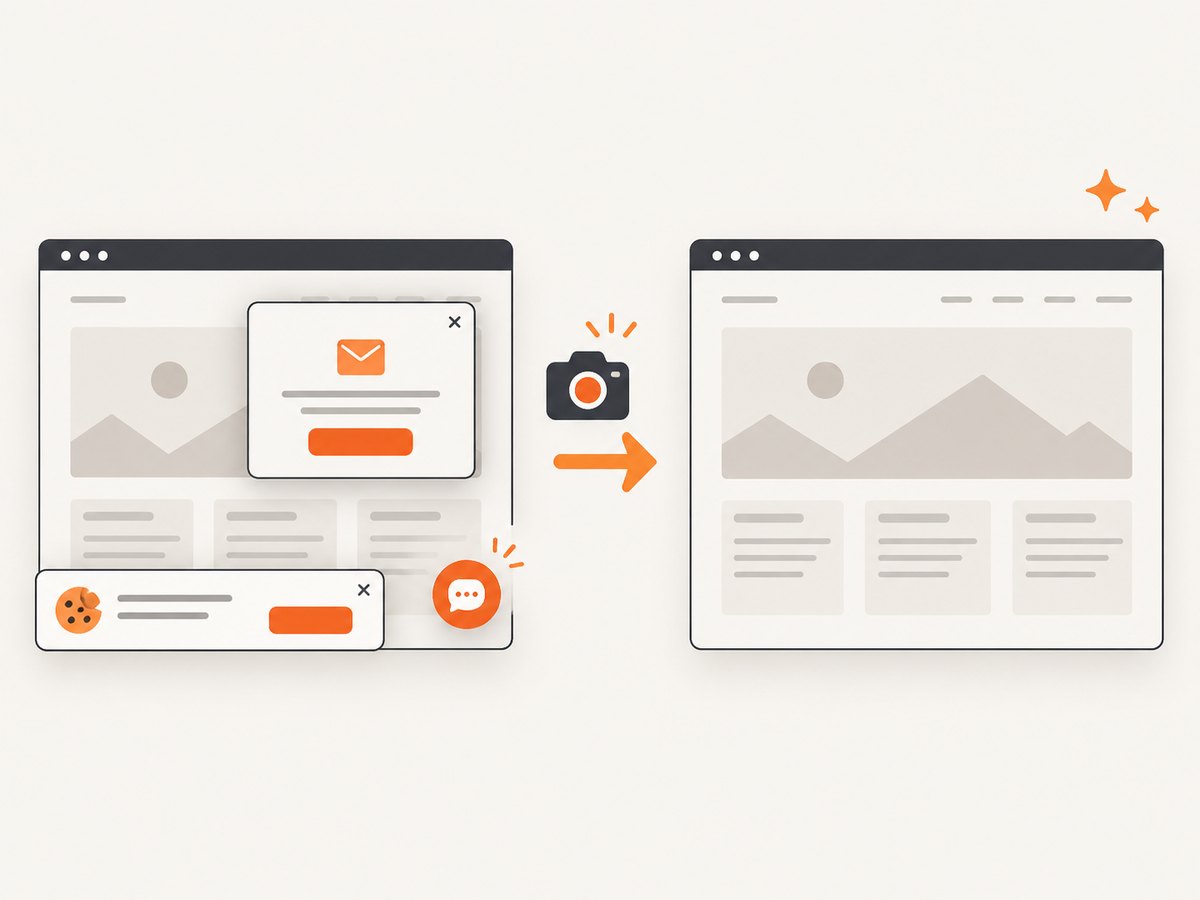
Before the shot, ScreenshotNeo accepts the cookie or consent banner like a visitor and removes more than 60 known consent platforms, newsletter popups and chat widgets; each step can be turned off. Bot checks and CAPTCHAs, blank pages, timeouts, failed loads and cache hits cost nothing, and response headers identify the page verdict and billing status. An MCP server gives Claude, Cursor and other MCP clients the take_screenshot, get_page_info and capture_pdf tools. The free plan includes 1,000 shots a month with no card; paid plans start at $5 for 3,000 shots. Sign up free and capture 1,000 screenshots a month with no card.
9. Frequently asked questions
Can PHP take a screenshot without installing Chrome?
Yes. Make an HTTPS request to a hosted screenshot API and save its binary response. If you render locally with Browsershot, you need its browser dependencies.
Can PHP make a full-page screenshot?
Yes. Use a provider’s full-page option or Browsershot’s full-page capture feature. A viewport screenshot and a full-document screenshot are different outputs.
Can I screenshot HTML that is not published on a website?
Browsershot accepts HTML input. Some hosted APIs also accept HTML or Markdown; check the provider’s input and request-size rules.
Should a screenshot run inside the web request?
For low-volume, short captures it can be convenient. For workloads that might take a while or run concurrently, use a background queue so browser work does not occupy a user-facing PHP worker.
Which format should I choose?
PNG is a safe choice for text-heavy interface captures. JPEG can suit photographic pages when smaller files matter. Confirm the consumer supports the chosen format and return its matching content type.