How to Protect Generated PDFs in Go
Generate a PDF in Go, encrypt it with AES-256 using pdfcpu, set permissions safely, and stream the protected file without exposing plaintext.

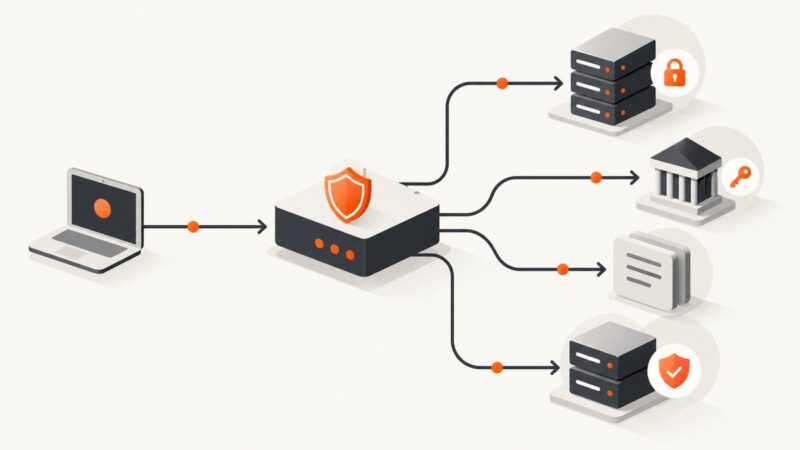
Direct answer: generate the complete PDF first, then encrypt those finished bytes with pdfcpu. Use an AES-256 configuration, always provide a non-empty owner password, and add a user password when opening the document should require authentication. Set only the permissions recipients need, keep both passwords in a secret manager or protected password files, and stream the encrypted result to storage or an HTTP response when possible.
pdfcpu is a PDF processing library and command-line tool written in Go. It supports encryption, permissions, signing, validation, optimization, and extraction. Protecting the completed artifact matters because encryption applied only to generation inputs does not protect the PDF that your application eventually writes.
1. Choose the password and permission model
PDF encryption has two password roles:
- User password: required to open the PDF when one is set. Give this to the reader.
- Owner password: the master password used to change permissions. pdfcpu requires a non-empty owner password in its opinionated interface.
Both passwords contribute to the encryption key. If you omit the user password, the file is still encrypted, but anyone can open it and the configured restrictions are applied only as reader permissions. For confidential documents, use separate, randomly generated passwords and give recipients only the user password.
| Requirement | Recommended configuration |
|---|---|
| Confidential document | AES-256, unique user and owner passwords, permissions set to the minimum |
| Read-only distribution | User password plus PermissionsNone |
| Print-only distribution | User password plus the narrowest print permission your pdfcpu version supports |
| Internal workflow | Owner password in secret management; user password delivered through your authenticated channel |
Permission bits are advisory. A PDF reader may enforce them inconsistently, and an owner password grants full access. Treat permissions as a reader-behavior control, not DRM. Stronger boundaries come from authenticated delivery, short-lived download authorization, recipient-specific passwords, and audit logs.
2. Add pdfcpu to a Go project
Pin a pdfcpu version in your module and verify the API signatures against that version before upgrading:
go get github.com/pdfcpu/pdfcpuThe package exposes encryption and permission functions. The example below uses the documented AES-256 configuration and denies all user permissions.
3. Encrypt an existing PDF in Go
package main

import (
    "context"
    "fmt"
    "os"

    "github.com/pdfcpu/pdfcpu/pkg/api"
    "github.com/pdfcpu/pdfcpu/pkg/pdfcpu/model"
)

func main() {
    if len(os.Args) != 5 {
        fmt.Fprintf(os.Stderr, "usage: %s input.pdf output.pdf user-password owner-password\\n", os.Args[0])
        os.Exit(2)
    }

    inputPath := os.Args[1]
    outputPath := os.Args[2]
    userPassword := os.Args[3]
    ownerPassword := os.Args[4]

    if ownerPassword == "" {
        panic("owner password must not be empty")
    }

    conf := model.NewAESConfiguration(userPassword, ownerPassword, 256)
    conf.Permissions = model.PermissionsNone

    if err := api.EncryptFileContext(context.Background(), inputPath, outputPath, conf); err != nil {
        panic(err)
    }

    fmt.Println("encrypted", outputPath)
}
Run it with passwords supplied by your secret manager or process environment rather than committing them:

go run . invoice.pdf invoice-protected.pdf "$PDF_USER_PASSWORD" "$PDF_OWNER_PASSWORD"Do not put passwords in command histories on shared systems. For production jobs, read them from a protected file descriptor, injected secret, or secret-manager SDK. Avoid logging the configuration object or process arguments.
4. Protect a PDF immediately after generation
Most Go PDF generators write a file or an io.Writer. Finish generation, close the writer, and then pass the completed file to pdfcpu. Encrypting before the final write can leave later modifications or appended pages outside the protected artifact.
func GenerateAndProtect(ctx context.Context, outputPath, userPassword, ownerPassword string) error {
    plainPath := outputPath + ".plain.tmp"

    // Replace this with your generator (gofpdf, Maroto, or another library).
    if err := generateInvoicePDF(plainPath); err != nil {
        return fmt.Errorf("generate PDF: %w", err)
    }
    defer os.Remove(plainPath)

    if ownerPassword == "" {
        return errors.New("owner password must not be empty")
    }

    conf := model.NewAESConfiguration(userPassword, ownerPassword, 256)
    conf.Permissions = model.PermissionsNone
    if err := api.EncryptFileContext(ctx, plainPath, outputPath, conf); err != nil {
        return fmt.Errorf("encrypt PDF: %w", err)
    }
    return nil
}
A plaintext temporary file exists briefly in this simple example. Restrict its directory permissions, use a private filesystem, remove it after encryption, and prevent the directory from being served publicly. For higher sensitivity, use pdfcpu’s stdin/stdout mode so the protected output can be uploaded without creating a second long-lived plaintext file.
5. Use the pdfcpu command line
The CLI is useful for deployment scripts, batch jobs, and operational runbooks:
pdfcpu encrypt input.pdf protected.pdf \
  --mode aes \
  --key 256 \
  --opw "$PDF_OWNER_PASSWORD" \
  --upw "$PDF_USER_PASSWORD" \
  --perm none
The exact flag spelling can vary by pdfcpu release, so run pdfcpu encrypt -h in the version shipped with your deployment. The documented key lengths are 40, 128, and 256 bits; AES-256 is the documented default in the encryption guide.
6. Set or change permissions on an encrypted file
If a document is already encrypted, pdfcpu can apply permissions with SetPermissionsFile. Use the current passwords and select PermissionsAll, PermissionsNone, or a supported print or binary/hex permission mask. Verify the exact function signature against your go.mod version:

err := api.SetPermissionsFile(
    "protected.pdf",
    "protected-updated.pdf",
    userPassword,
    ownerPassword,
    model.PermissionsNone,
)
if err != nil {
    return fmt.Errorf("set permissions: %w", err)
}
Do not assume that changing permissions makes an untrusted recipient unable to copy content. Combine the setting with controlled delivery and, where appropriate, watermarking or recipient-specific passwords.
7. Stream encryption and HTTP delivery
For a web service, avoid writing plaintext into a public temporary directory. A practical pattern is:
- Generate into a private temporary file or pipe.
- Encrypt with pdfcpu while reading from that private source.
- Write the encrypted bytes directly to object storage or the HTTP response.
- Delete the plaintext source and clear references to passwords.
Set a download authorization check before starting the response. Return a generic error to clients and log only a request identifier, not passwords or document contents. If storage supports server-side encryption, enable it as an additional layer; it does not replace PDF-level passwords when the file itself must require authentication.
8. Validation and reader checks
Validate the resulting PDF before publishing it. Open it with the intended user password, confirm that an incorrect password fails, and exercise the exact workflows your permissions are supposed to allow:
- Open with the user password.
- Open without a user password when that is intentional.
- Print, copy, annotate, fill forms, or modify pages according to your policy.
- Open with the owner password and confirm administrative access.
- Open the file in every reader used by customers or internal teams.
Also test cancellation and disk-full behavior. A failed encryption job must not replace a previously valid protected file with a partial output. Write to a temporary destination, flush and close it, validate it, then rename atomically.
9. Common errors and fixes
| Error or symptom | Cause | Fix |
|---|---|---|
| “owner password required” | The owner password is empty. | Generate a non-empty secret and pass it to the AES configuration. |
| PDF opens without asking for a password | No user password was configured. | Set a user password when opening must require authentication. |
| Printing or copying still works | Permissions are advisory or the file was opened with the owner password. | Use the user password for testing, choose narrower permissions, and enforce access at delivery time. |
| “file is encrypted” or password errors | The wrong password was supplied, or an earlier encryption step produced a different artifact. | Track the password version with the document metadata and encrypt the final generated file once. |
| Output is unreadable | The process was interrupted or the destination was written in place. | Write to a separate temporary output, validate, then atomically rename. |
| API does not compile after an upgrade | pdfcpu signatures or package paths changed. | Check the version in go.mod, read that release’s API docs, and update the call before deployment. |
| Plaintext appears in logs or backups | Temporary files, debug logging, or broad backup rules captured the source. | Use private directories, redact logs, shorten retention, and stream where practical. |
10. Performance, reliability, and cost considerations
Encryption adds a pass over the completed PDF and therefore consumes CPU and I/O proportional to document size. Keep generation and encryption in the same job when you need atomic delivery, but move large batches to a worker queue so request handlers do not hold connections open. Reuse workers, limit concurrency to the available CPU and disk bandwidth, and measure queue time, encryption time, output size, and failure rate in your own environment. The dossier provides no independent benchmark, so do not rely on an assumed throughput figure.
For reliability, make jobs idempotent: derive an output key from a document identifier and encryption version, refuse accidental overwrites, and retry only when the source is still available. Store the encryption policy alongside non-secret metadata, such as key length and permission mask. Rotate passwords by decrypting and re-encrypting the finished PDF; changing a secret in your application configuration does not update existing files.
pdfcpu itself has no per-document service charge when run in your process. Your costs are compute, storage, backups, secret management, and any hosted service you choose. A hosted API such as GoPDF’s documented POST /pdf/protect can reduce local implementation work, but sending documents outside your environment introduces questions about retention, quotas, latency, residency, authentication, and provider availability. Compare those operational costs with running pdfcpu in-process.
11. cURL, Python, and Node.js integration options
pdfcpu is an in-process Go library and CLI, so it does not require an HTTP request. cURL is appropriate only when you expose your own protection endpoint or use a hosted endpoint whose URL and authentication contract you have verified. Do not copy an invented endpoint into production. For a local CLI, invoke it from another language:
curl --fail --output protected.pdf \
  -H 'Authorization: Bearer YOUR_SERVICE_TOKEN' \
  -F 'file=@input.pdf' \
  -F 'user_password=YOUR_USER_PASSWORD' \
  -F 'owner_password=YOUR_OWNER_PASSWORD' \
  https://your-service.example/pdf/protect
The URL above is a placeholder for an endpoint you operate; replace it only with a documented service. A Python worker can call the local binary without placing passwords in source:
import os
import subprocess

subprocess.run([
    "pdfcpu", "encrypt", "input.pdf", "protected.pdf",
    "--mode", "aes", "--key", "256",
    "--opw", os.environ["PDF_OWNER_PASSWORD"],
    "--upw", os.environ["PDF_USER_PASSWORD"],
    "--perm", "none",
], check=True)
Node.js can use the same deployment pattern:
import { execFile } from 'node:child_process';

execFile('pdfcpu', [
  'encrypt', 'input.pdf', 'protected.pdf',
  '--mode', 'aes', '--key', '256',
  '--opw', process.env.PDF_OWNER_PASSWORD,
  '--upw', process.env.PDF_USER_PASSWORD,
  '--perm', 'none'
], (error) => {
  if (error) throw error;
});
For all three approaches, use a verified service contract, TLS, request authentication, bounded upload sizes, and a policy for deleting uploaded plaintext.
12. Or skip the browser setup
If your workflow starts with a web page that must become a PDF or screenshot, ScreenshotNeo provides a single request instead of maintaining browser automation. Its PDF capture supports paper size, margins, landscape mode, and page ranges. Before capture it accepts cookie and consent banners and removes more than 60 known consent platforms, newsletter popups, and chat widgets; each step can be disabled. Bot checks, blank pages, timeouts, failed loads, and cache hits are not billed, and response headers report the page verdict and billing status.
See the ScreenshotNeo API documentation for the complete option list. A basic request is:
curl -G "https://api.screenshotneo.com/v1/shot" -d access_key=YOUR_API_KEY --data-urlencode url=https://stripe.com -o shot.webpimport requests
r = requests.get("https://api.screenshotneo.com/v1/shot", params={"access_key": "YOUR_API_KEY", "url": "https://stripe.com"}, timeout=90)
open("shot.webp", "wb").write(r.content)const q = new URLSearchParams({ access_key: 'YOUR_API_KEY', url: 'https://stripe.com' }); const res = await fetch(`https://api.screenshotneo.com/v1/shot?${q}`);It also offers an MCP server with take_screenshot, get_page_info, and capture_pdf for Claude, Cursor, and other MCP clients. The free plan includes 1,000 screenshots per month with no card; paid plans start at $5 for 3,000. Create a free ScreenshotNeo account.
13. FAQ
Should I encrypt before or after generating the PDF?
After. Encrypt the complete, final artifact so appended pages or metadata cannot remain outside protection.
Is AES-256 always available?
pdfcpu documents AES key lengths of 40, 128, and 256 bits, with 256 bits as the default in its encryption guide. Confirm the selected PDF version and reader support in your deployment.
Can I omit the user password?
Yes. The file remains encrypted, but anyone can open it and permissions become the only user-facing restriction.
Can PDF permissions stop screenshots?
No. Permissions are advisory and cannot prevent a reader from photographing or otherwise reproducing displayed content.
How do I protect a PDF without a long-lived plaintext file?
Use pdfcpu’s stream-oriented stdin/stdout mode or a private pipe, then upload only the encrypted output.
When should I use a hosted protection API?
Use one when external processing is acceptable and its retention, residency, authentication, quotas, and latency meet your requirements. Keep in-process pdfcpu when document control is the priority.