How to Protect WordPress Websites From DDoS Attacks
Protect WordPress from DDoS attacks with layered edge, origin, and application controls. Follow a practical setup checklist, troubleshoot common issues, and plan for recovery.

Protect a WordPress site from DDoS attacks with layered controls: put an HTTP reverse proxy or CDN in front of the site, keep its managed DDoS protections enabled, restrict direct access to the origin where your host allows it, and add carefully scoped WAF and rate-limit rules for sensitive or expensive endpoints. Confirm your hosting provider’s mitigation and escalation process before an incident. A plugin can help with application-level abuse, but it cannot absorb a large attack before requests use server and PHP resources.
A DDoS attack aims to make a service unavailable by overwhelming some part of its path. The needed defense depends on whether the traffic is a network flood, a stream of HTTP requests, or abusive requests aimed at a WordPress feature such as login. No single setting makes a site immune. The goal is to stop or absorb traffic as far upstream as practical while keeping legitimate visitors, APIs, and integrations working.
1. Map the request path and agree on host support
Before changing DNS or firewall rules, write down how a visitor reaches the site: DNS provider, CDN or reverse proxy, origin IP, web server, and hosting support contact. A proxy only filters web traffic when requests actually pass through it. A DNS-only record that exposes the origin does not put HTTP requests behind an HTTP reverse proxy.
Ask the host and proxy provider these questions and record the answers:
- What network- and transport-layer DDoS mitigation is included, and who operates it?
- Can the origin firewall accept public web traffic only from the proxy’s published IP ranges?
- Can the host rotate the origin IP if it has been exposed or targeted?
- What limits, incident signals, and escalation route apply to this account?
- How are backups restored, and who can make DNS or firewall changes during an incident?
WordPress’s hardening guidance recommends starting with the hosting environment. The host is often the party with the network visibility and controls needed to respond before an attack reaches WordPress.
2. Put the site behind an HTTP reverse proxy or CDN
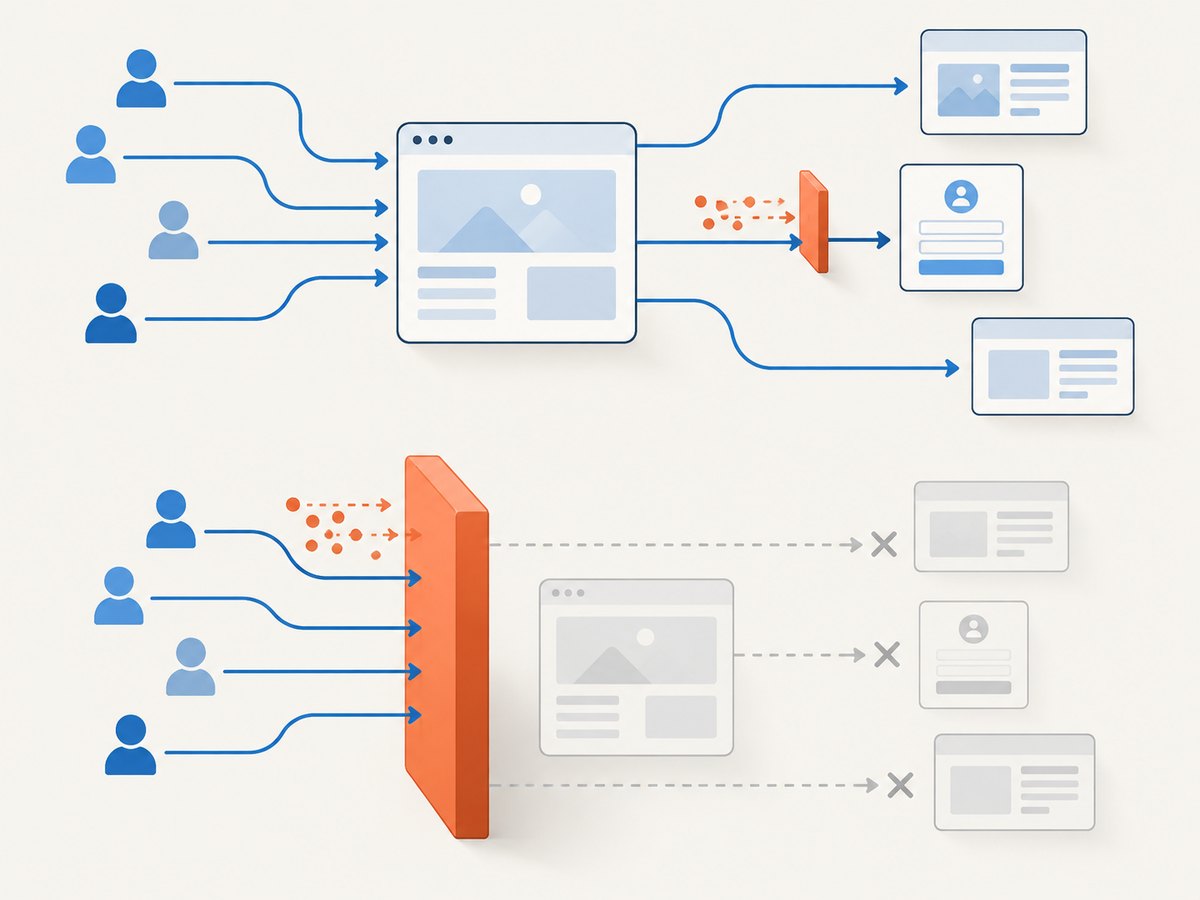
A reverse proxy creates an enforcement point before the origin. Depending on the service and configuration, it can challenge, rate-limit, or drop traffic before WordPress handles it. Cloudflare describes DDoS protections across layers 3, 4, and 7, and recommends an HTTP reverse proxy for low-and-slow attacks. That does not mean every provider or configuration handles every attack identically; confirm the protections included in your own service.

- Enable proxying for the website’s public hostnames in the chosen CDN or reverse proxy.
- Enable the provider’s managed DDoS protections and review its current setup documentation.
- Check that both the DNS record and the actual HTTP request path use the proxy. Test the public site and inspect the provider’s event view.
- Confirm origin requests show the expected proxy path and visitor IP handling. Preserve the real client address only through the provider’s documented mechanism.
Do not assume that changing a DNS record alone completes the protection. Check alternate hostnames, old subdomains, mail or API hosts, and any staging site that might disclose or route to the same origin.
3. Keep the origin from bypassing the proxy
If an attacker knows the origin IP and can connect directly, they may bypass the proxy’s HTTP controls. Where the hosting architecture permits it, configure the host firewall or server access rules to accept public web requests only from the proxy’s published IP ranges. Keep those ranges current according to the provider’s instructions.
Before enforcing an allowlist, verify that health checks, deployment systems, monitoring, SSH administration, and any other required service still have their intended access. Do not lock yourself out. Keep an administrative recovery route and coordinate firewall changes with the host.
If the origin was directly targeted, ask the host whether it can assign a new origin address. Update the proxy’s origin configuration and restrict access to the new address. Changing the IP without closing direct access paths can leave the same weakness in place. Cloudflare’s proactive defense guidance discusses limiting origin access to its IP ranges and obtaining a new origin IP if the existing address was targeted directly.
4. Use managed DDoS rules, WAF rules, and rate limits together
Keep the provider’s managed DDoS rules enabled. Add custom WAF rules only for patterns and paths that match your site’s actual use. Start with provider defaults, observe security events, and tighten or relax rules in response to evidence. Provider behavior, thresholds, and plan entitlements change, so check the current documentation during setup rather than copying a fixed threshold from an old guide.
| Control | Useful for | Things to check |
|---|---|---|
| Managed DDoS rules | Provider-detected network and HTTP attack patterns | Coverage, plan behavior, event visibility, and response mode |
| WAF custom rules | Requests matching a known abusive pattern or vulnerable path | False positives, rule order, exceptions for trusted integrations |
| Rate limiting | Repeated requests to login or another selected endpoint | Legitimate users, APIs, mobile apps, integrations, and shared IPs |
| Origin firewall | Direct requests attempting to bypass the proxy | Proxy ranges, host health checks, admin access, and rollback |
Scope limits to sensitive or expensive endpoints, such as the login path, instead of applying a blunt limit to all public pages. A shared office, carrier, or school IP can represent many real visitors. Rules that block whole countries or all automated clients can also break legitimate readers, search crawlers, and integrations; use them only when there is a site-specific reason and a way to review the impact.
Cloudflare’s CMS guidance describes rate limiting as a way to protect login pages and cautions about scoping rules so public pages are not blocked. Its HTTP DDoS documentation describes mitigation behavior that can take origin health and error rates into account; exact behavior depends on the provider and plan.
5. Treat WordPress login defense as one layer
Login protections address credential guessing and request abuse at a particular application path. They are useful, but they are not the same as volumetric DDoS mitigation. An attacker can target other endpoints, and a high-volume flood may strain the network, web server, or PHP workers before a WordPress plugin can respond.
- Use the edge or server to throttle repeated requests where possible.
- Apply a carefully scoped limit to the login endpoint; account for legitimate administrators and remote teams behind shared IP addresses.
- Review login-related events and test the rule with ordinary user behavior before increasing enforcement.
- Keep WordPress, themes, and plugins maintained, and remove components the site no longer needs.
WordPress’s brute-force guidance notes that application-level plugins still consume resources during heavy attacks and recommends edge- or server-level throttling where possible. Use a plugin as an additional application control, not as the perimeter.
6. Monitor, rehearse, and recover
Record ordinary traffic volume, error rates, and important endpoints before an incident. Know where the CDN or host shows security events and origin health. Document who can change proxy rules, firewall settings, DNS, and hosting configuration, and how to roll back a rule that blocks customers.
- Save the host and provider escalation contacts somewhere the site team can reach during an outage.
- Write down the origin address, proxy configuration, firewall allowlist process, and recovery steps.
- Maintain tested backups and know which person can restore them.
- During an event, compare provider security events, origin health, and application errors. Ask the host to investigate network-layer pressure that is not visible from WordPress.
- After the event, review false positives and update rules, origin controls, and the incident notes.
Cloudflare documents security-event visibility and HTTP mitigation behavior that may use origin health and error rates. The provider’s current documentation should guide exact thresholds and plan-specific details.
7. Choose protections by attack path and operational fit
Evaluate a CDN, reverse proxy, host firewall, or managed WordPress host against the same questions rather than choosing on a brand name alone.
- Attack layer: Does the service cover network and transport floods, HTTP request floods, or both?
- Origin exposure: Can the site restrict origin access to the proxy? Can the host rotate an exposed IP?
- Visibility: Are managed rules, custom WAF rules, rate limits, and security events available to the team?
- Operations: Can support help during an incident, and can the team safely adjust or roll back rules?
- False positives: Can rules be scoped to sensitive paths and observed before broader enforcement?
Cloudflare reports that its edge managed rules detect and mitigate layer 3/4 DDoS attacks in up to three seconds on average. This is a vendor-reported figure for that protection, not a guarantee for all attack types, providers, or WordPress sites. Do not use it as a promise of recovery time.
8. Troubleshooting common protection problems
| Symptom | Likely cause | What to do |
|---|---|---|
| Traffic still overloads the origin | Requests can reach the origin directly, or a hostname is not proxied | Check DNS and alternate hostnames; ask the host to restrict origin access to proxy ranges and review exposed IP history. |
| Legitimate visitors receive blocks or challenges | A rule is too broad, rate limits are too aggressive, or a shared IP is affected | Review provider events, narrow the path or condition, and test with real user and integration flows. |
| Login attempts continue despite a plugin | The plugin acts after traffic reaches PHP, or attackers use other paths | Move throttling to the edge or server where possible; separately review other costly endpoints. |
| Origin firewall change causes an outage | A required health check, deployment path, or admin source was omitted | Use the host recovery route, restore access, inventory required sources, then apply a tested allowlist. |
| WAF appears enabled but attacks pass | Managed rules may not cover that pattern, traffic may bypass the proxy, or the attack is outside HTTP | Verify routing and attack layer with the host and provider; use network-level support for network floods. |
| Site is slow although traffic is filtered | Legitimate demand, origin capacity, cache misses, or expensive application work may remain | Inspect origin health and application logs; coordinate capacity and caching changes with the host. |
Or skip the browser setup
For capturing a page while documenting an incident, checking a public status page, or saving a visual record, ScreenshotNeo is a website screenshot API and MCP server. One GET request returns a PNG, JPEG, WebP, or PDF. It does not mitigate DDoS attacks or replace the controls above.
Here is the one-call cURL example; see the ScreenshotNeo API documentation for request options:
curl -G "https://api.screenshotneo.com/v1/shot" -d access_key=YOUR_API_KEY --data-urlencode url=https://stripe.com -o shot.webpCookie banners, popups, and chat widgets are removed before the shot. Bot checks, blank pages, and failed loads are never billed. An MCP server lets AI agents take screenshots. The free plan includes 1,000 screenshots a month with no card; paid plans start at $5 for 3,000. Sign up for 1,000 free screenshots a month, no card required.
FAQ
Will Cloudflare stop a DDoS attack on WordPress?
A reverse proxy and its DDoS controls can filter traffic before it reaches the origin, but no provider setting guarantees that every attack or outage will be stopped. Verify that the site is actually proxied and that the origin is not directly exposed.
Can a WordPress security plugin stop a DDoS attack?
A plugin can help with selected application-level abuse. It runs inside the WordPress/PHP environment, so it is not a substitute for upstream network mitigation or edge and server throttling.
Should I block all bots during an attack?
No blanket rule fits every site. Search crawlers, uptime checks, payment callbacks, and other integrations may look automated. Identify the abusive traffic and scope controls to the affected endpoint or pattern.
What should I do first if the site is already down?
Contact the host and proxy provider through their incident channels, verify whether traffic is reaching the origin directly, and use their event and health data to identify the affected layer. Avoid broad rule changes without a rollback path.


