What Is Requests Used for in Python?
Learn what Python Requests does, how to send reliable HTTP calls, handle JSON, auth, timeouts and errors, and capture pages with ScreenshotNeo.

Requests is a third-party Python library for making HTTP requests. Your program can use it to fetch web pages, call REST-style APIs, submit form or JSON data, upload files, download content, and inspect responses such as status codes, headers, cookies and JSON. Install it with python -m pip install requests. The official project describes Requests as an HTTP library for Python; see the Requests documentation and Quickstart.
What Requests is used for
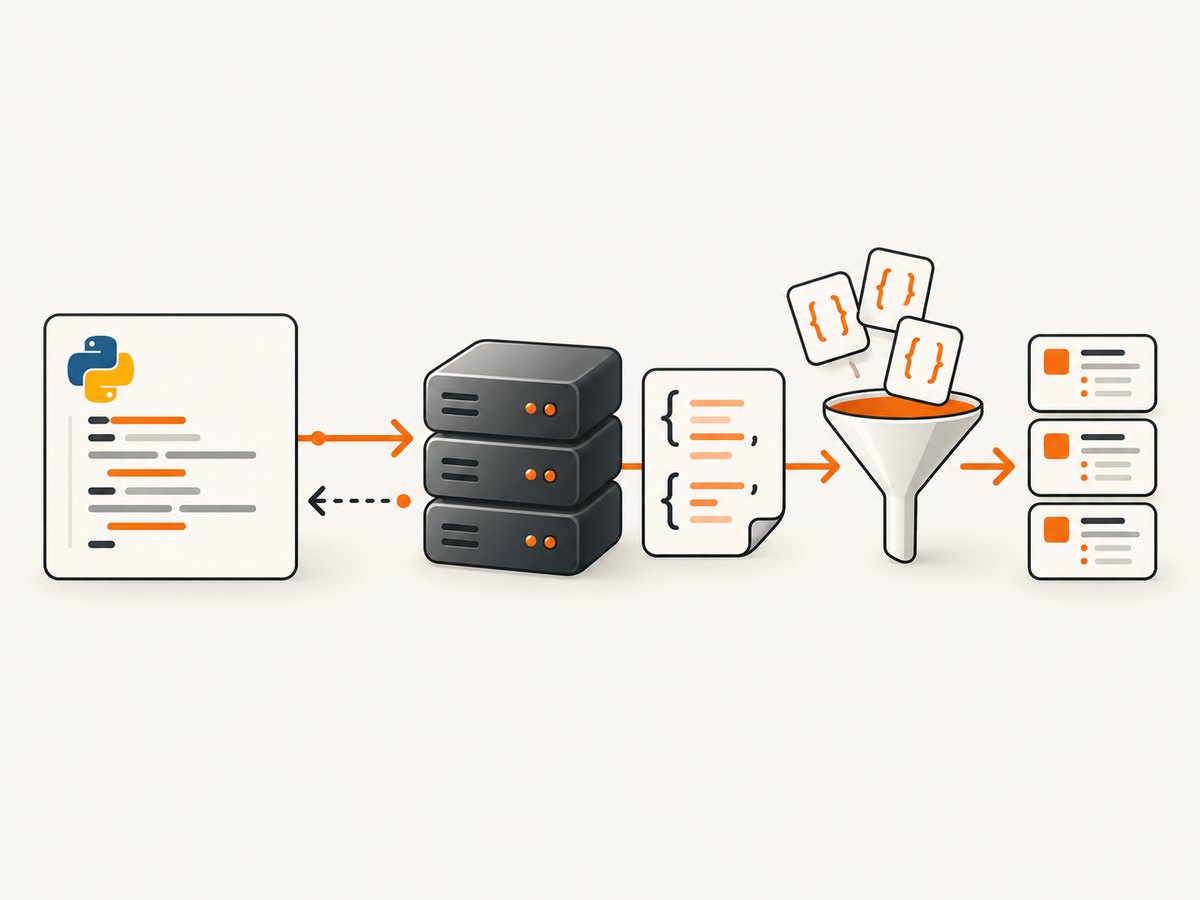
Requests hides the low-level details of HTTP/1.1 while giving you control over the parts that matter in an application. A typical flow is:
- Build a URL and optional query parameters.
- Send a request with a method such as GET or POST.
- Receive a
Responseobject. - Check its status and read its body, headers or cookies.
Common uses include:
- Reading a web page or downloading an image, CSV or PDF.
- Calling an API with query-string parameters.
- Sending HTML form fields or a JSON document.
- Authenticating with basic auth, bearer headers, cookies or client certificates.
- Uploading multipart files.
- Following or disabling redirects.
- Streaming large responses without loading them all into memory.
- Using proxies, custom certificate authorities, timeouts and connection pooling.
Requests is synchronous: the call normally blocks until a response arrives or a timeout/error occurs. For asynchronous workloads, select an async HTTP client separately; the Requests documentation itself establishes the synchronous interface and its supported HTTP features.
Install Requests and make your first call
python -m pip install requestsimport requests
response = requests.get("https://httpbin.org/get", timeout=30)
response.raise_for_status()
print(response.status_code)
print(response.text[:200])requests.get() returns a Response. Always make a deliberate status decision. raise_for_status() raises an HTTPError for 4xx and 5xx responses, while successful 2xx responses continue normally. A completed TCP exchange does not guarantee that the application returned the data you expected.
GET requests, query parameters and headers
Use params for query-string values. Requests URL-encodes them for you:
import requests

params = {"q": "python requests", "page": 2}
headers = {"Accept": "application/json", "User-Agent": "inventory-client/1.0"}

r = requests.get(
    "https://api.example.com/search",
    params=params,
    headers=headers,
    timeout=(5, 30),
)
r.raise_for_status()
print(r.url)
print(r.text)
A tuple timeout sets separate connection and read limits. Use a finite timeout in production; otherwise a stalled server can occupy a worker indefinitely.
POST, PUT, PATCH and DELETE
Use data for form-encoded fields and json for a JSON request body. Requests sets the appropriate JSON content type when you pass json.
import requests

payload = {"name": "Ada", "enabled": True}
r = requests.post(
    "https://api.example.com/users",
    json=payload,
    headers={"Authorization": "Bearer YOUR_TOKEN"},
    timeout=30,
)
r.raise_for_status()
created = r.json()
print(created)
import requests
form = {"email": "ada@example.com", "subscribe": "yes"}
r = requests.post("https://example.com/signup", data=form, timeout=30)
r.raise_for_status()
requests.put("https://api.example.com/users/42", json={"name": "Ada"}, timeout=30).raise_for_status()
requests.patch("https://api.example.com/users/42", json={"enabled": False}, timeout=30).raise_for_status()
requests.delete("https://api.example.com/users/42", timeout=30).raise_for_status()The API reference documents GET, OPTIONS, HEAD, POST, PUT, PATCH and DELETE helpers. Use the method required by the service; do not send a POST merely because it is familiar.
Reading response data safely
import requests

r = requests.get("https://api.example.com/report", timeout=30)
r.raise_for_status()

content_type = r.headers.get("content-type", "")
if "application/json" in content_type:
    data = r.json()
    print(data.get("status"))
else:
    print(r.text)

print(r.headers)
print(r.cookies)
r.json() decodes a valid JSON body; it does not prove that the request succeeded, so call raise_for_status() first. Invalid or empty JSON raises a decoding error. For binary data use r.content, and for text use r.text. Character decoding is inferred from response headers and can be adjusted with r.encoding when the server declares an incorrect charset.
Authentication, cookies and sessions
import requests

# Basic authentication
r = requests.get("https://api.example.com/private", auth=("alice", "PASSWORD"), timeout=30)
r.raise_for_status()

# Bearer token
r = requests.get(
    "https://api.example.com/private",
    headers={"Authorization": "Bearer YOUR_TOKEN"},
    timeout=30,
)
r.raise_for_status()
Keep secrets outside source control, usually in environment variables or a secret manager. A Session persists cookies and default headers and reuses connections through urllib3:
import os
import requests

with requests.Session() as session:
    session.headers.update({"User-Agent": "billing-worker/1.0"})
    session.cookies.set("region", "eu")
    session.headers["Authorization"] = f"Bearer {os.environ['API_TOKEN']}"
    r = session.get("https://api.example.com/invoices", timeout=30)
    r.raise_for_status()
    print(r.json())
Uploads, downloads and streaming
import requests

with open("avatar.png", "rb") as file_obj:
    r = requests.post(
        "https://api.example.com/upload",
        files={"file": ("avatar.png", file_obj, "image/png")},
        data={"purpose": "profile"},
        timeout=60,
    )
r.raise_for_status()
import requests
with requests.get("https://example.com/archive.zip", stream=True, timeout=60) as r:
r.raise_for_status()
with open("archive.zip", "wb") as output:
for chunk in r.iter_content(chunk_size=1024 * 1024):
if chunk:
output.write(chunk)stream=True lets you process a large body incrementally. Close the response, preferably with a context manager, so the connection can return to the pool.
Redirects, TLS verification and proxies
Requests follows redirects for most verbs by default. Set allow_redirects=False when you need to inspect the first response. TLS certificate verification is enabled by default. Keep it enabled; if your organization uses a private CA, pass its CA bundle path with verify="/path/to/ca-bundle.pem". Disabling verification with verify=False removes certificate validation and should not be a routine fix.
import requests

r = requests.get(
    "https://internal.example.com/data",
    proxies={"https": "http://proxy.internal:8080"},
    verify="/etc/ssl/certs/company-ca.pem",
    allow_redirects=False,
    timeout=30,
)
print(r.status_code, r.headers.get("location"))
Retries, reliability and idempotency
Requests exposes transport errors such as connection failures and timeouts. A retry policy belongs in your application or adapter. Retry transient connection errors and selected 5xx responses, with exponential backoff and a cap. Do not blindly retry non-idempotent POST operations: a server may have accepted the first request even though the client timed out. Prefer an API-provided idempotency key when available.

from urllib3.util.retry import Retry
from requests.adapters import HTTPAdapter
import requests

retry = Retry(
    total=3,
    connect=3,
    read=3,
    status=3,
    backoff_factor=0.5,
    status_forcelist=[429, 500, 502, 503, 504],
    allowed_methods=["GET", "HEAD", "OPTIONS"],
)
session = requests.Session()
session.mount("https://", HTTPAdapter(max_retries=retry))

r = session.get("https://api.example.com/health", timeout=(5, 20))
r.raise_for_status()
Or skip the browser setup
Requests can call an HTTP API, but turning a web page into a clean screenshot normally requires browser automation, waits, viewport configuration and handling consent overlays. ScreenshotNeo provides a single screenshot endpoint. Cookie and consent banners are accepted or removed before capture, along with more than 60 known consent platforms, newsletter popups and chat widgets. Bot checks, blank pages, timeouts, failed loads and cache hits are not billed, and response headers identify the page verdict and billing result.
Use the same Requests pattern:
import requests

r = requests.get(
    "https://api.screenshotneo.com/v1/shot",
    params={
        "access_key": "YOUR_API_KEY",
        "url": "https://stripe.com",
    },
    timeout=90,
)
r.raise_for_status()
open("shot.webp", "wb").write(r.content)
print(r.headers.get("X-Page-Verdict"), r.headers.get("X-Billed"))
See the ScreenshotNeo API documentation for all 63 options: full-page or element capture, device presets, retina scale, dark mode, PDFs, custom CSS and JavaScript, clicks, waits, blocked resources, headers, cookies, user agents, timezone, geolocation, transparent backgrounds, resizing, caching, signed links, asynchronous jobs, bulk capture and usage reporting. An MCP server exposes take_screenshot, get_page_info and capture_pdf to Claude, Cursor and other MCP clients.
There are 1,000 free screenshots each month with no card. Paid plans start at $5 for 3,000 shots, and every feature is included on every plan. Create your free ScreenshotNeo account.
Performance and cost considerations
- Reuse a
Sessionfor connection pooling when making many calls to one service. - Set realistic connect and read timeouts and stream large downloads.
- Send only required fields and request compressed or paginated responses when the API supports them.
- Cache safe, repeatable GET results at the application layer when freshness permits.
- Measure latency, status codes and response sizes. Separate DNS/connect, server and download delays where your monitoring stack allows.
- Requests itself is a client library; the remote service determines API fees, quotas and rate limits.
- For ScreenshotNeo, cache hits and failed, blank or blocked captures are not billed; use a chosen cache TTL and inspect
X-Page-VerdictandX-Billed.
Troubleshooting common errors
| Symptom | Likely cause | Fix |
|---|---|---|
ModuleNotFoundError: requests |
Package is not installed in the active interpreter. | Run python -m pip install requests with the same Python executable that runs your program. |
ConnectTimeout or ReadTimeout |
Network connection or server response exceeded the limit. | Set separate timeout values, verify DNS and proxy settings, and retry only safe operations. |
SSLError |
Certificate validation or TLS negotiation failed. | Update CA certificates or provide the organization CA bundle through verify; do not disable verification casually. |
401 or 403 |
Missing, expired or unauthorized credentials. | Check the header format, token scope, cookies and server clock. |
429 |
Rate limit exceeded. | Honor Retry-After, reduce concurrency and use bounded backoff. |
| JSON decoding error | Body is HTML, empty or malformed JSON. | Inspect status, Content-Type and a short body preview before calling .json(). |
| Screenshot is covered by a popup | Overlay appeared after navigation. | Use ScreenshotNeo cleanup, a wait or a CSS hide selector; inspect page verdict headers. |
Requests compatibility and project details
Requests is installed from PyPI and officially supports Python 3.10+ according to the current documentation; support statements and package versions can change, so verify them before deployment. PyPI currently displays approximate download and repository figures attributed to GitHub; treat those counts as time-sensitive rather than guarantees.
FAQ
Is Requests part of Python’s standard library?
No. It is a third-party package installed with pip.
Can Requests render JavaScript?
No. Requests downloads HTTP responses; it does not execute a browser’s JavaScript or produce a rendered screenshot. Use a browser automation tool or an API such as ScreenshotNeo for rendered captures.
Should I use data or json?
Use data for form fields and json for a JSON request body.
Does a timeout cover the whole operation?
A timeout limits network phases; use finite connect and read values and design application-level deadlines for workflows containing multiple calls.
How do I prevent credentials from leaking?
Use environment variables or a secret manager, avoid printing URLs containing tokens, and redact authorization headers in logs.