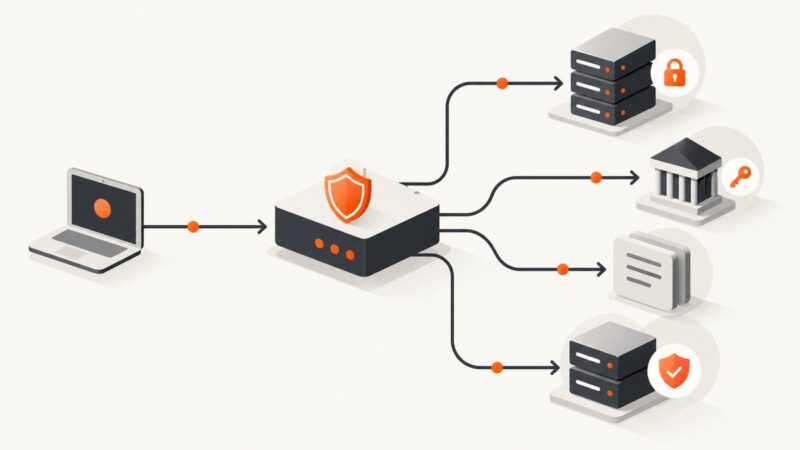
secp192r1: Security and TLS Elliptic Curve Support
Learn what secp192r1 is, why TLS standards deprecated its legacy group identifier, and how to investigate curve compatibility without confusing certificates with key exchange.

Short answer: secp192r1 is the same elliptic-curve group as prime192v1 and NIST P-192. TLS historically assigned it NamedCurve value 19 (0x0013), but RFC 8422 deprecated the old group identifiers 1–22, including this one. For a new TLS deployment, do not enable secp192r1. If you are debugging a legacy connection, check the actual client, server, TLS version, and configuration rather than assuming that an old specification entry means a current implementation supports it.
This guide explains the names and standards history, distinguishes certificate curves from TLS key-exchange groups, and gives practical commands and code for investigating a connection. It does not claim a current support matrix or report handshake test results.
1. What secp192r1 is
secp192r1 is a named elliptic curve over a prime field. The names secp192r1, prime192v1, and P-192 refer to the same curve in the RFC equivalence table. Libraries and tools may use different names for it, so a name mismatch alone does not establish that two configurations refer to different mathematics.
The “192” describes the approximate size of the field, not 192 bits of security. NIST’s validation note places P-192 among curves providing less than 112 bits of security strength. In the validation context described by that note, such curves were no longer approved from January 1, 2016. That statement has a defined policy scope; it should not be restated as a universal legal ban on every use of the curve.
2. Is secp192r1 deprecated in TLS?
Yes, in the relevant historical TLS standards lineage. RFC 4492, published in 2006, assigned secp192r1 the NamedCurve value 19, hexadecimal 0x0013. RFC 8422 later superseded RFC 4492 for TLS 1.2 and earlier and deprecated the former NamedCurve values 1–22. That range includes secp192r1’s old identifier. RFC 8422’s record says it was later obsoleted by RFC 9846, the TLS 1.3 specification.
These facts answer the standards-history question. They do not tell you whether a particular current operating system, TLS library, browser, appliance, or server will offer or accept the curve. Implementations have their own versions, defaults, policies, and configuration. For a compatibility claim, identify and inspect the specific stack.
| Question | Answer | Practical meaning |
|---|---|---|
| Are secp192r1 and prime192v1 different? | No; they are aliases for the same curve. | Check tool-specific naming before comparing configuration. |
| What was its old TLS group number? | 19 (0x0013) in RFC 4492. |
Useful when interpreting old traces or configuration. |
| Is that identifier current guidance? | No. RFC 8422 deprecated the old identifier range that contains it. | Do not use the historical assignment as a deployment recommendation. |
| Does every library reject it? | The cited standards do not establish that. | Check the implementation and its effective configuration. |
3. Do not confuse the certificate curve with the TLS key-exchange group
A TLS connection can involve elliptic curves in more than one place. A server certificate may contain an elliptic-curve public key, while the TLS handshake separately selects a group for ephemeral key exchange. Those are different questions. Seeing an elliptic-curve certificate does not prove that the handshake negotiated secp192r1; seeing a key-share group does not identify the certificate’s key type.

For TLS 1.2 and earlier, older ECC cipher-suite and named-curve behavior is discussed in RFC 8422. TLS 1.3 has its own specification lineage, and an old TLS 1.2 curve identifier should not be treated as a TLS 1.3 negotiation option. Diagnose the negotiated protocol and handshake parameters from the actual connection where possible.
4. Investigate a server with OpenSSL
Start by recording the hostname, port, client environment, server environment, and protocol versions involved. Then inspect a normal handshake and, if needed, make a targeted legacy probe. These commands require an OpenSSL installation whose command-line options support the flags used. A failed probe can result from the local client rejecting the group, the server rejecting it, protocol mismatch, or another configuration constraint; it is not by itself proof of a universal support rule.
Inspect the negotiated connection
openssl s_client -connect example.com:443 -servername example.com -brief-servername sends SNI, which matters when a server hosts multiple names. The brief output can report the negotiated protocol and cipher. For more detail, omit -brief and inspect the handshake output. The server certificate can be obtained separately with:
openssl s_client -connect example.com:443 -servername example.com -showcerts < /dev/nullProbe an older protocol version
When investigating a system that is explicitly expected to use TLS 1.2, constrain the client to that version:
openssl s_client -connect example.com:443 -servername example.com -tls1_2 -briefThis checks a TLS 1.2 handshake with the client’s normal supported groups. It does not prove secp192r1 was offered. OpenSSL versions and builds differ in whether legacy groups can be enabled, and policy may prohibit weak groups. Do not weaken a production client merely to make a probe succeed.
Inspect a local certificate’s key
If you need to identify a certificate’s public key algorithm and parameters, save or extract the certificate first, then use:
openssl x509 -in server-cert.pem -noout -textFor a PEM elliptic-curve private key you are authorized to inspect, the following prints key details:
openssl pkey -in ec-key.pem -text -nooutProtect private key material. Do not paste it into issue trackers, logs, or diagnostic services. Certificate inspection tells you about the certificate key, not necessarily the ephemeral TLS group selected during a session.
5. Check a TLS connection in Python
Python’s standard ssl module can connect using the platform’s configured TLS implementation and report the negotiated protocol and cipher. This is a runnable diagnostic for the connection, not a direct query for every group offered by the client.
import socket
import ssl

host = "example.com"
port = 443

context = ssl.create_default_context()
with socket.create_connection((host, port), timeout=10) as raw:
    with context.wrap_socket(raw, server_hostname=host) as tls:
        print("TLS version:", tls.version())
        print("Cipher:", tls.cipher())
        print("Peer certificate subject:", tls.getpeercert().get("subject"))
Use a real hostname that you are permitted to connect to. The default context verifies certificates and sends SNI through server_hostname. Avoid disabling certificate verification to “fix” a handshake: that masks identity and trust failures and does not demonstrate curve support.
6. Check a TLS connection in Node.js
Node.js exposes TLS connection details through its built-in tls module. This example reports the negotiated protocol and cipher:
const tls = require('node:tls');

const host = 'example.com';
const socket = tls.connect({ host, port: 443, servername: host }, () => {
  console.log('TLS version:', socket.getProtocol());
  console.log('Cipher:', socket.getCipher());
  console.log('Peer certificate:', socket.getPeerCertificate().subject);
  socket.end();
});

socket.setTimeout(10000, () => {
  console.error('Connection timed out');
  socket.destroy();
});
socket.on('error', (error) => {
  console.error('TLS connection failed:', error.message);
});
Node’s TLS behavior depends on its runtime and underlying cryptographic library. Record the Node version and runtime build when comparing results. The example checks a negotiated connection; it does not force or prove negotiation of secp192r1.
7. Use curl to check HTTPS reachability
For a simple request, curl can show connection and TLS details. The exact verbose output depends on the curl build and TLS backend:
curl --verbose --output /dev/null https://example.com/To constrain the protocol to TLS 1.2 where supported:
curl --verbose --tlsv1.2 --tls-max 1.2 --output /dev/null https://example.com/A successful HTTPS request confirms that this curl client completed a connection under its effective settings. It does not establish which curve was used unless the backend’s diagnostics expose that detail. A failed request may be caused by certificate validation, proxy behavior, DNS, network policy, protocol mismatch, or group configuration.
8. What to do in a legacy compatibility case
- Identify both endpoints. Record client and server software versions, operating system, TLS library, proxy or load balancer, and relevant configuration.
- Capture the protocol version and handshake result. Determine whether the connection uses TLS 1.2 or earlier, and gather client and server logs or a packet capture where authorized.
- Separate certificate and key exchange questions. Inspect the certificate independently from the handshake’s selected parameters.
- Check effective policy. Distribution crypto policies, FIPS or validation modes, library defaults, and application overrides can all affect what is permitted.
- Look for a documented interoperability requirement. If a legacy peer requires P-192, determine whether that requirement can be removed or the peer upgraded. Avoid broadening the enabled group list without a bounded exception and an owner.
- Document the test environment. State exact software versions and configuration when recording success or failure. Do not generalize one endpoint’s behavior to all clients or servers.

9. Security, performance, reliability, and cost considerations
Security policy
The standards history and NIST validation note provide strong reasons not to choose P-192 for a new deployment. RFC 8422 deprecated its old TLS identifier range, and NIST’s stated validation context no longer approved curves below 112-bit security strength from 2016. The NIST statement should retain its validation context; organizations should consult their own applicable policy and current cryptographic requirements.
Performance
This dossier supplies no benchmark comparing secp192r1 with other groups, and the performance of a TLS handshake depends on implementation, hardware, protocol, and workload. Do not trade security policy for an assumed speed advantage. If performance is the concern, measure the complete application handshake and request path under approved configurations.
Reliability and interoperability
A deprecated group can appear in old configuration or traces, but that does not imply a dependable cross-platform compatibility choice. If a handshake is failing, verify protocol version, certificate chain, name validation, supported groups, cipher suite policy, middleboxes, and server name indication before attributing it to this curve.
Cost
There is no curve-specific purchase recommended here. The practical cost is engineering time spent maintaining and diagnosing legacy cryptographic settings. Retain a compatibility exception only when its need, scope, owner, and removal path are clear.
10. Or skip the browser setup
For a related browser-debugging task, ScreenshotNeo can capture a page without setting up browser automation. A screenshot cannot reveal whether TLS negotiated secp192r1; use the TLS diagnostics above for that. ScreenshotNeo is a website screenshot API and MCP server from ScreenshotNeo. See the API documentation for request options.
curl -G "https://api.screenshotneo.com/v1/shot" -d access_key=YOUR_API_KEY --data-urlencode url=https://stripe.com -o shot.webpCookie banners, popups, and chat widgets are removed before the shot. Bot checks, blank pages, and failed loads are never billed. An MCP server lets AI agents take screenshots. The free plan includes 1,000 screenshots a month with no card; paid plans start at $5 for 3,000. Sign up for 1,000 free screenshots a month, with no card.
11. Troubleshooting common errors
| Symptom | Possible cause | Next step |
|---|---|---|
handshake failure |
No mutually acceptable protocol, cipher, or group; server policy may also reject the client. | Check both endpoints’ logs and negotiated protocol settings. Do not assume the curve is the cause without handshake evidence. |
no suitable groups or similar client error |
The client’s enabled groups and local crypto policy do not provide an acceptable option. | Inspect the client version, build, and policy. Do not enable a deprecated group as a general fix. |
| Certificate verification error | Untrusted issuer, expired certificate, wrong hostname, or incomplete chain. | Check system time, hostname, trust store, and served intermediates. This is distinct from group negotiation. |
| OpenSSL option is unknown | The installed OpenSSL version or build does not support that command-line option. | Check openssl version and that version’s command help; use an available diagnostic or update the tool in a controlled environment. |
| Works on one host but not another | Different TLS library, runtime version, policy, proxy, or configuration. | Compare exact versions and effective settings, not just application source code. |
| Server certificate shows an EC key | The certificate uses an elliptic-curve key, but this does not establish the ephemeral handshake group. | Inspect handshake details separately and distinguish authentication from key exchange. |
| TLS 1.3 test does not mention secp192r1 | The old TLS named-curve assignment is not evidence of a TLS 1.3 group option. | Use the relevant TLS 1.3 specification and your implementation’s supported-group documentation. |
12. Frequently asked questions
Is secp192r1 the same as prime192v1 or NIST P-192?
Yes. They are names for the same curve in the equivalence table referenced by the TLS RFC.
Does TLS still support secp192r1?
The historical TLS identifier is deprecated by RFC 8422. Whether a particular implementation still permits it is a separate, version- and configuration-specific question.
Is P-192 universally illegal?
The cited NIST note describes approval in a particular validation context. It does not establish a universal legal rule for every jurisdiction or use.
Should I enable it to fix an old client?
Only investigate that possibility if you have evidence of a documented legacy requirement and have assessed applicable policy. Prefer upgrading or replacing the peer, and keep any exception narrow and temporary.
Can a screenshot show which TLS curve was negotiated?
No. A page screenshot records rendered content; use TLS client diagnostics, server logs, or an authorized handshake capture to investigate negotiated parameters.
Sources
- RFC 8422 — supersedes RFC 4492 for TLS 1.2 and earlier and deprecates the former NamedCurve values 1–22.
- RFC 4492 — historical assignment of NamedCurve value 19 to secp192r1.
- NIST Cryptographic Algorithm Validation Program: Validation Notes — P-192 approval statement in its validation context.
- NIST SP 800-52 Rev. 2 — broad TLS implementation guidance.