Secure Website Screenshots with Zero Data Retention
Learn how to capture sensitive pages locally or through a hosted API while controlling screenshot storage, URL logs, browser caches, and metadata.
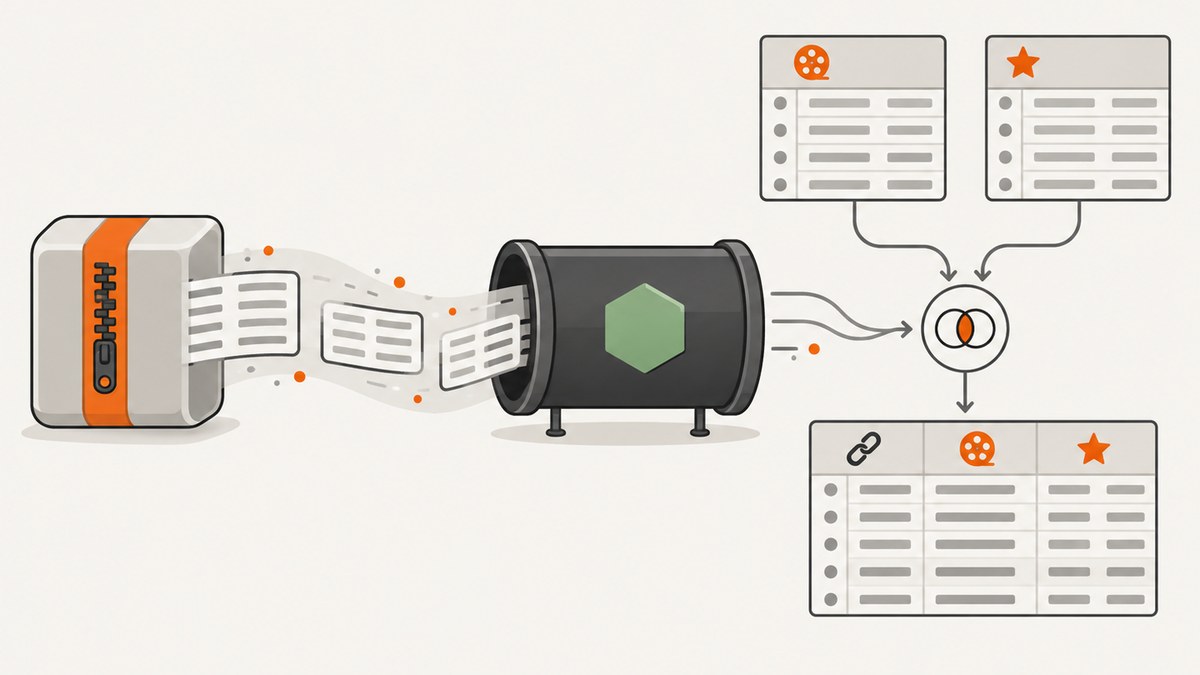
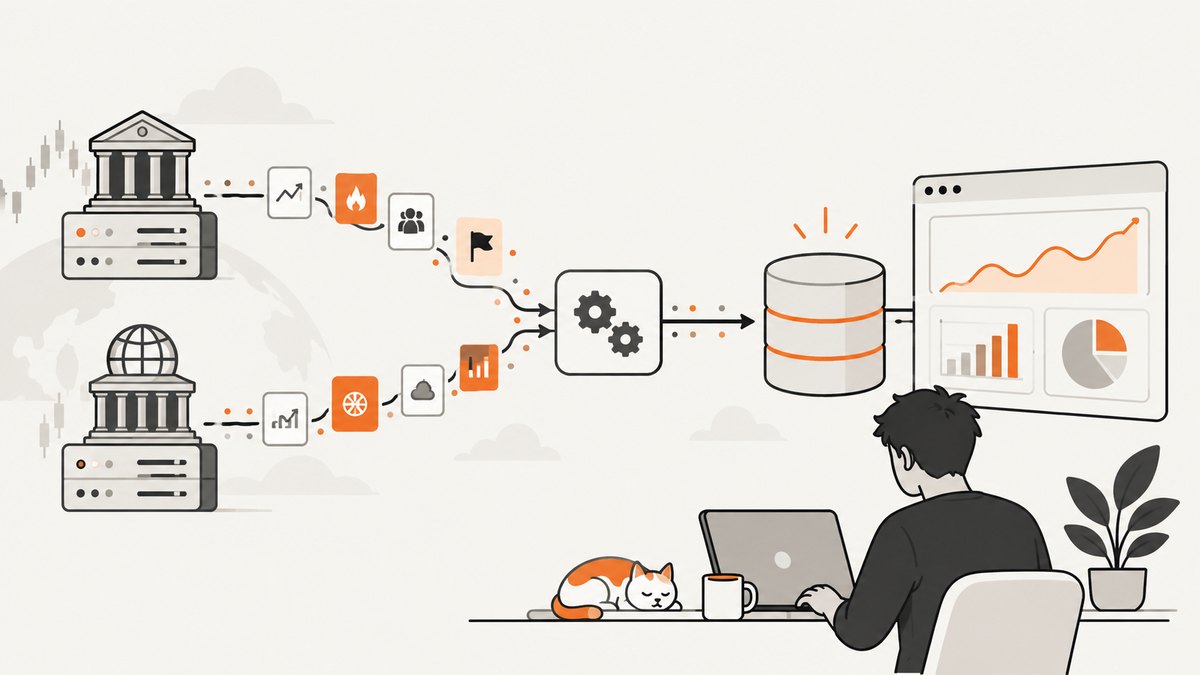
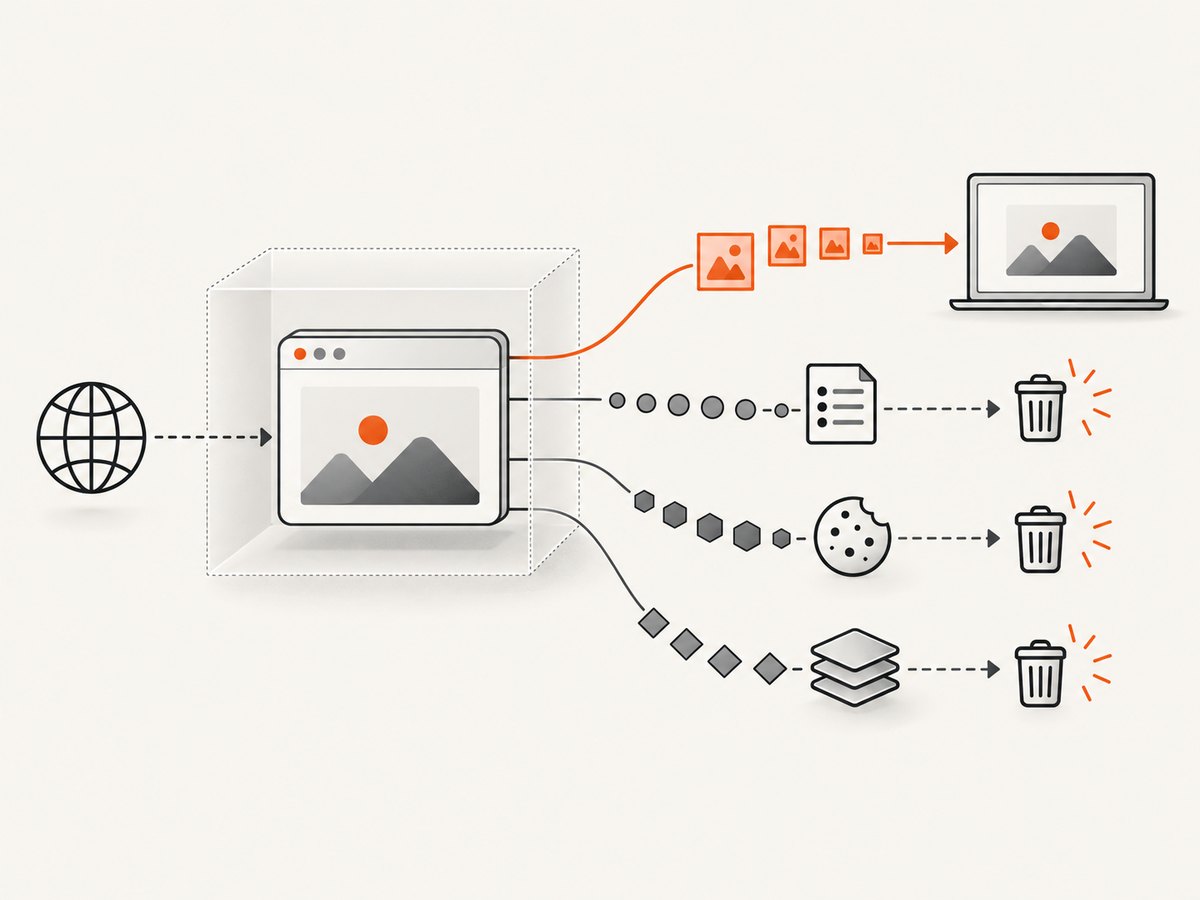
For the strongest zero-transfer guarantee, capture the page locally: the browser should render and save the screenshot on the same device, without sending page content to a screenshot service. If you need centralized automation, evaluate each provider’s image storage, URL and query logging, cookies, rendered HTML, browser isolation, cache behavior, and deletion window separately. “Zero data retention” is not a single technical property.
This guide shows a local Playwright workflow, explains how to assess hosted renderers, and gives a checklist for sensitive captures. ScreenshotNeo is a general-purpose website screenshot API and MCP server; its supplied product facts do not establish zero-retention behavior. Do not send sensitive pages to it on the assumption that it provides zero retention: review its documentation and applicable terms for your requirements first.
1. Decide what “zero retention” needs to mean
Before choosing a tool, write down what must not be retained and where. A provider can stream the image without storing it while still retaining a hostname, timestamp, duration, or account usage record. Likewise, a short-lived browser cache or CDN response cache is still a form of retention.
| Data or control | Question to answer |
|---|---|
| Screenshot bytes | Are image or PDF bytes written to a database, object store, temporary disk, or CDN? |
| Request URL | Are path, query string, fragments, or hostname logged? How long? |
| Credentials | Can cookies, authorization headers, custom scripts, or HTML be logged or retained? |
| Browser state | Are contexts isolated between renders? Can cookies, localStorage, or HTTP cache carry over? |
| HTTP caches | What are the renderer, CDN, proxy, and client cache controls? Can TTL be set to zero? |
| Operations metadata | Are hostname, format, size, duration, status, timestamp, account email, or billing data retained? |
| Network safety | Does the service block loopback, private, link-local, reserved, and metadata-service addresses? |
| Deletion proof | Is there a stated purge window and a contractual commitment covering backups and logs? |
Also distinguish page content from account and operational records. A provider may retain billing records, rate-limit counters, or aggregate usage even if it never persists screenshot bytes. Ask for the scope, retention period, region, subprocessors, and deletion evidence that your policy requires.
2. Capture locally with Playwright
A local browser is the most direct choice when page data must remain on an endpoint. The following Node.js example opens a page in a fresh browser context, waits for rendering, captures a full-page PNG, then closes the context and browser. Install Playwright and its Chromium browser using its official instructions before running this script; the capture code itself has no screenshot API dependency.
import { chromium } from 'playwright';

const target = process.argv[2];
if (!target) throw new Error('Usage: node capture.mjs https://example.com');
const parsed = new URL(target);
if (!['http:', 'https:'].includes(parsed.protocol)) {
  throw new Error('Only http and https URLs are allowed');
}

const browser = await chromium.launch({ headless: true });
const context = await browser.newContext({
  viewport: { width: 1440, height: 900 },
  deviceScaleFactor: 1,
});
try {
  const page = await context.newPage();
  const response = await page.goto(target, {
    waitUntil: 'domcontentloaded',
    timeout: 30000,
  });
  if (!response) console.warn('Navigation returned no main-document response');
  else if (!response.ok()) console.warn(`Main document status: ${response.status()}`);
  await page.screenshot({ path: 'screenshot.png', fullPage: true });
} finally {
  await context.close();
  await browser.close();
}
Run it as node capture.mjs https://example.com. The browser still makes network requests to the target and its subresources; “local” means the capture is performed by your browser process, not that no network traffic occurs. The target site sees the request, and your machine’s OS, browser, endpoint-security software, or network gateway may have its own logs or caches. For pages already open and authenticated in a normal browser, a local extension may avoid copying credentials into a script. OpenScreenShot states that its capture, editing, recording, and export run locally, with no servers, accounts, analytics, or extension-initiated network requests; review its current policy and extension permissions before adopting it.
Useful Playwright choices
waitUntil:domcontentloadedis a fast baseline. Useloadwhen load handlers matter, or wait for an application-specific selector for client-rendered content. Network-idle waits can stall on analytics, polling, or persistent connections.fullPage: true: captures the full document, but very long pages can consume substantial memory and produce large files. Use viewport capture when only the visible state is needed.viewportanddeviceScaleFactor: control layout dimensions and pixel density. Higher scale factors increase pixel count and output size.context: create a new context per sensitive job; close it after capture. Do not reuse a context across users or jobs when cookies and local storage are sensitive.path: writes the output to the named local file. Choose a restricted directory, set appropriate file permissions, and delete the artifact according to your retention policy.
Python alternative
Playwright’s Python API provides the same local browser model. Install the Playwright Python package and browser first, then save this as capture.py:
import asyncio
import sys
from urllib.parse import urlparse
from playwright.async_api import async_playwright

async def main():
    target = sys.argv[1]
    if urlparse(target).scheme not in ('http', 'https'):
        raise ValueError('Only http and https URLs are allowed')
    async with async_playwright() as p:
        browser = await p.chromium.launch()
        context = await browser.new_context(
            viewport={"width": 1440, "height": 900},
            device_scale_factor=1,
        )
        try:
            page = await context.new_page()
            response = await page.goto(target, wait_until='domcontentloaded', timeout=30000)
            if response and not response.ok:
                print(f'Main document status: {response.status}')
            await page.screenshot(path='screenshot.png', full_page=True)
        finally:
            await context.close()
            await browser.close()

asyncio.run(main())
Run python capture.py https://example.com. For automated jobs, add an allowlist for destination hosts and block internal network ranges at the network layer. URL scheme validation alone does not prevent server-side request forgery if untrusted users can choose the target and the browser runs on a network with private services.
3. If using a hosted renderer, check its actual data path
Hosted capture is useful for scheduled jobs, shared workflows, or browser execution you do not want to operate. It moves the trust boundary: the service fetches and renders the page, so page bytes and any supplied credentials reach its infrastructure. Evaluate the full lifecycle, not only the final image.
| Approach | Documented model in the research | Important boundary |
|---|---|---|
| ScreenshotNeo | Screenshot API and MCP server with a one-request capture flow and many capture controls. | The supplied product facts do not state a zero-retention policy. Verify storage, logs, cache, and terms before sending sensitive pages. |
| Urlbox Secure Mode | States isolated browser instances, automatic purge within 90 seconds after rendering, no retention of URLs/custom JS/CSS beyond that window, and no logging of sensitive parameters. | Confirm the precise scope, contract terms, backups, and cache behavior for your use case. |
| Screenshot API | States images are streamed in the response and never written to a database or object store; fresh isolated browser contexts; render logs are deleted after 90 days. | Zero image storage still leaves operational metadata. The policy says responses allow caching for five minutes. |
| Cloudflare Browser Run | Renders a URL or HTML and supports screenshot options including full-page and selector capture. | The API reference documents a cache TTL with a minimum of zero seconds. Explicitly set or verify this for sensitive work. |
| Self-hosted webshot | Documents a Docker API with key authentication, full-page and batch capture, and optional S3-compatible storage. | Self-hosting transfers retention responsibility to you; zero retention is not established by default. |
| Webstractor | Accepts public HTTP/HTTPS pages and documents deterministic captures without cookies, credentials, custom headers, scripts, selectors, or authenticated sessions. | Successful screenshots may be cached for up to 30 days, which conflicts with strict zero retention absent a documented bypass or deletion control. |
These are provider descriptions from the research dossier, not independent audits. Confirm current policy versions and contractual commitments before processing sensitive data. The named periods are provider-stated: Urlbox purge within 90 seconds, Screenshot API render-log deletion after 90 days and five-minute response cache allowance, and Webstractor cache up to 30 days.
ScreenshotNeo for non-sensitive automation
ScreenshotNeo is a website screenshot API and MCP server from Yorker Media. It offers PNG, JPEG, WebP, or PDF output, plus controls such as full-page capture, selector capture, waits, custom headers and cookies, caching TTL, async jobs, bulk capture, and an MCP server for AI clients. Its product facts also say cookie/consent banners, newsletter popups, and chat widgets can be removed before capture; only clean shots are billed, and response headers report page verdict and billing state. Those convenience and billing features do not establish a zero-retention guarantee. For sensitive captures, use only after reviewing the docs and confirming its data handling meets your policy.
4. Send one controlled request with cURL
For a provider whose data terms you have approved, use the shortest-lived credentials and avoid putting secrets in a URL. This example demonstrates a ScreenshotNeo request for a non-sensitive public page; it does not assert zero retention. The API key is passed as a query parameter because that is the documented product example, so ensure command history, process inspection, and request logs are handled appropriately.
curl -G "https://api.screenshotneo.com/v1/shot" \
  -d access_key=YOUR_API_KEY \
  --data-urlencode url=https://stripe.com \
  -o shot.webp
See ScreenshotNeo API documentation for the available options and response behavior. Store API keys in a secrets manager or environment-specific configuration rather than committing them to source control. Protect the output file and remove it when no longer required.
Python request
import requests

r = requests.get(
    "https://api.screenshotneo.com/v1/shot",
    params={"access_key": "YOUR_API_KEY", "url": "https://stripe.com"},
    timeout=90,
)
r.raise_for_status()
with open("shot.webp", "wb") as f:
    f.write(r.content)
For production, check the response headers and content type before saving, choose a bounded retry policy for transient failures, and avoid logging the full request URL if it contains an access key.
Node.js request
const q = new URLSearchParams({ access_key: 'YOUR_API_KEY', url: 'https://stripe.com' });
const res = await fetch(`https://api.screenshotneo.com/v1/shot?${q}`);
if (!res.ok) throw new Error(`Screenshot request failed: ${res.status}`);
const bytes = new Uint8Array(await res.arrayBuffer());
await import('node:fs/promises').then(fs => fs.writeFile('shot.webp', bytes));
Any secret-bearing request can be exposed by client-side HTTP instrumentation or proxy logs. Redact it at the point where requests are recorded; disabling application logs alone may not disable infrastructure access logs.
5. Apply a sensitive-capture checklist
- Classify the page. Decide whether its content, account identifiers, query parameters, or credentials may be sent to a third party at all.
- Prefer local capture when transfer is prohibited. Keep rendering, output, and redaction on the controlled endpoint. Verify extension permissions and endpoint logging.
- Minimize secrets. Do not put tokens in URL query strings. Use short-lived credentials only if provider policy and processor terms permit them.
- Use isolation. Create a fresh browser context or process per job, close it promptly, and avoid sharing cookie jars, local storage, or caches across users.
- Control caches. Set renderer TTL to zero where supported. Inspect response Cache-Control, CDN behavior, reverse proxies, and local output handling.
- Check SSRF protection. If users can submit URLs, block loopback, private, link-local, reserved, and cloud metadata ranges at both validation and network egress layers.
- Protect output. Limit filesystem permissions, encrypt storage where required, avoid public buckets, define lifecycle deletion, and verify backups and replicas.
- Minimize logs. Strip query strings, authorization values, cookies, and sensitive headers. Define retention and access limits for logs and usage metadata.
- Redact before sharing. Blur tokens, faces, personal data, and account details locally. OpenScreenShot’s repository documents local blur and redaction capability.
- Keep evidence. Record the provider policy date, service geography, deletion commitment, cache controls, and internal approval for the data class.
6. Performance, reliability, and cost
Local rendering avoids a separate screenshot-service transfer and lets you control browser settings, but you operate the browser runtime, patch it, allocate memory, manage concurrency, and capture failures. Full-page images and high device scale factors increase rendering time, memory, and output bytes. A fresh context per job costs setup time but limits state leakage; reuse only when the security model permits it.
Hosted services reduce browser operations work and can scale capture jobs, but network latency, target-site behavior, rate limits, queueing, provider limits, and transient browser failures still affect reliability. Use explicit timeouts, bounded retries with backoff for transient errors, and idempotent job handling. Do not retry indefinitely: it can amplify load on both the service and target site. For sensitive jobs, a cache hit can undermine freshness or retention requirements, so set and verify cache controls rather than assuming a new request means a new render.
Cost comparisons should include engineering and operational effort, storage, egress, and failure handling, not just the per-capture price. ScreenshotNeo’s listed plans are Free: 1,000 shots per month with no card; Starter: $5 for 3,000; Growth: $15 for 15,000; Pro: $39 for 60,000; Scale: $99 for 250,000; Business: $249 for 1,000,000. Yearly billing gives two months free, and every feature is on every plan. Its stated billing rule is that only clean shots are billed; bot checks/CAPTCHAs, blank pages, timeouts, failed loads, and cache hits cost nothing. These are pricing and billing facts, not data-retention commitments.
7. Troubleshooting common failures
| Symptom | Likely cause | Fix |
|---|---|---|
| Blank or incomplete page | Capture ran before client-side rendering or required content appeared. | Wait for a stable, page-specific selector or a bounded delay; avoid relying on network idle for apps with persistent requests. |
| Navigation timeout | Slow target, long-running requests, or a timeout shorter than the page’s load behavior. | Use a realistic timeout and wait condition; record status and timing without recording sensitive query values. |
| Images missing in full-page output | Lazy-loaded assets have not entered the viewport or completed loading. | Scroll through the page before capture and wait for relevant image elements; keep a maximum page height to bound work. |
| Login state unexpectedly absent | A fresh context has no session cookies, or the site blocks automation. | For local capture, use a controlled authenticated profile only if safe; for hosted rendering, do not send credentials until the provider’s terms and handling are approved. |
| Different user’s content appears | Context, cookie jar, local storage, or cache was reused across jobs. | Stop sharing the context; create isolated contexts and clear state. Investigate whether any artifact or log was exposed. |
| Screenshot unexpectedly cached | Renderer, CDN, proxy, or client honored a cache policy. | Set TTL to zero where available, inspect Cache-Control and intermediary configuration, and choose a documented non-cached path. |
| Internal host was reachable through capture | Untrusted URL input reached a browser with broad network access. | Block private and reserved ranges at egress, reject redirects into forbidden ranges, and use a restricted network namespace. |
| Output file contains credentials or personal data | Sensitive content was visible in the viewport or full page. | Restrict access, delete according to policy, assess exposure, and redact locally before sharing. Remove secrets from URLs and logs going forward. |
| Hosted request returns an error | Invalid key, unsupported option, blocked destination, timeout, or target bot check. | Check HTTP status and response headers, validate parameters against current docs, and distinguish provider errors from target-page failures. |
8. Or skip the browser setup
For a non-sensitive page, ScreenshotNeo can return a screenshot in one API request. This example captures a public URL; consult the API docs for options. Do not treat this call as zero retention unless you have separately verified that requirement.
curl -G "https://api.screenshotneo.com/v1/shot" -d access_key=YOUR_API_KEY --data-urlencode url=https://stripe.com -o shot.webpScreenshotNeo removes cookie banners, newsletter popups, and chat widgets before the shot; bot checks, blank pages, and failed loads are never billed; its MCP server lets AI agents take screenshots; and 1,000 screenshots a month are free with no card, with paid plans starting at $5 for 3,000. These features make capture and billing clearer, while retention still needs its own verification. Create a free account and get 1,000 screenshots a month with no card.
9. FAQ
Does “the screenshot is not stored” mean zero data retention?
No. URLs, hostnames, timing, status, account data, response caches, or logs may remain. Check each category and its retention period.
Is a hosted API safe for an authenticated page?
Only if your data policy permits sending the page and credentials to that provider, and its isolation, logging, retention, and processor terms meet your requirements. Local capture is the safer default when transfer is prohibited.
Can I use screenshot URLs without exposing secrets?
A URL may be copied into history, logs, analytics, or proxy records. Keep secrets out of query strings; use short-lived credentials and redact request data where possible.
Can self-hosting guarantee zero retention?
No, not by itself. You must configure storage lifecycle rules, artifact deletion, log rotation, browser isolation, backups, and outbound network restrictions.


